What Is the Best Proxy for Web Scraping? Match the Type to the Target, Not the Brand
The best proxy depends on your target, session, location, scale and budget. Choose the proxy type first, then compare providers with a measured test.
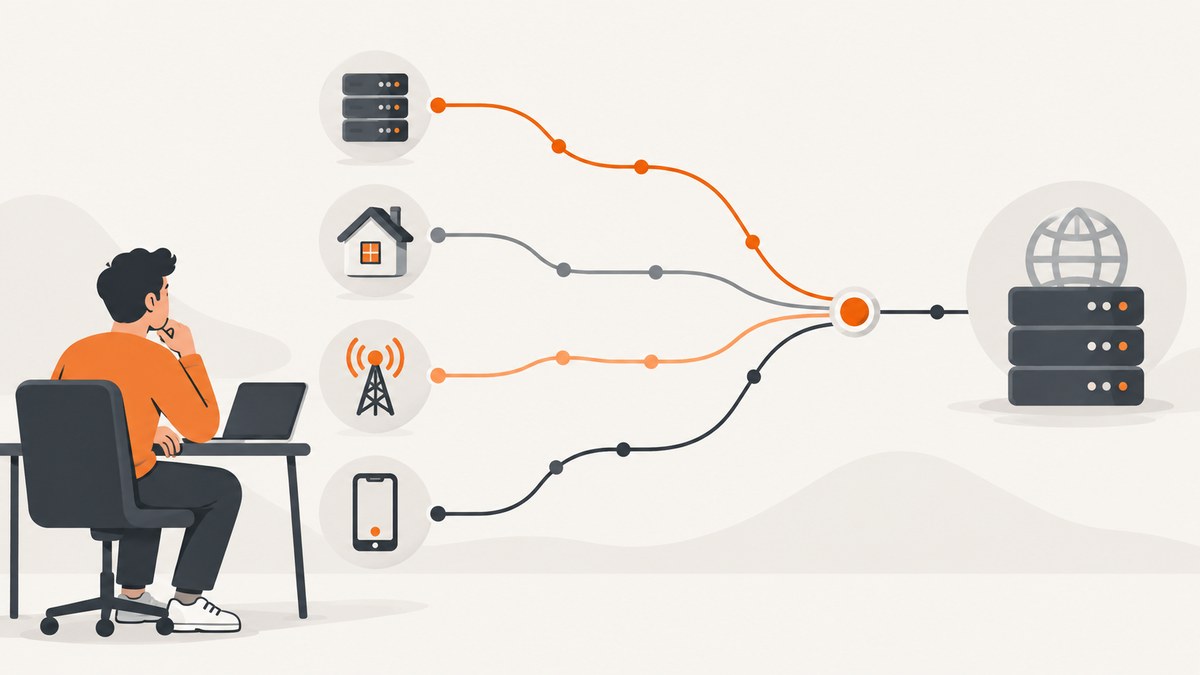
There is no universally best proxy for web scraping. The right choice depends on the target site’s defenses, whether your workflow needs a stable session, the geography you need, request volume and total cost. Choose the proxy type and session behavior first. Compare brands only after you know what your workload requires.
A proxy changes the network route and the exit IP visible to a site. It does not automatically solve browser fingerprinting, JavaScript challenges, poor request behavior or authorization. If a site offers an API, start there. Use a proxy only for access you are authorized to make, follow the site’s terms and rate limits, identify your crawler where appropriate, and stop or back off when access is denied.
Quick decision table
| Need | Starting option | Why it may fit | Limits |
|---|---|---|---|
| High volume against tolerant public pages or open APIs | Datacenter | Usually lower cost and fast | Hosting-provider ranges may be identified |
| Consumer-network geography or rejection of hosting IPs | Residential | Uses consumer ISP exit IPs | Often priced by traffic; no guarantee against challenges |
| Login, cookies, cart or multi-step flow | Sticky session or ISP/static residential | Maintains one identity across steps | Confirm the provider’s exact session duration and meaning of “static” |
| Mobile carrier identity is required | Mobile | Provides a mobile-network exit | Specialized and often more expensive |
| You do not want to operate proxy selection and scraping infrastructure | Managed scraping API | Outsources part of the stack | Compare coverage, controls, output and price with self-managed proxies |
How proxy types differ
Datacenter proxies
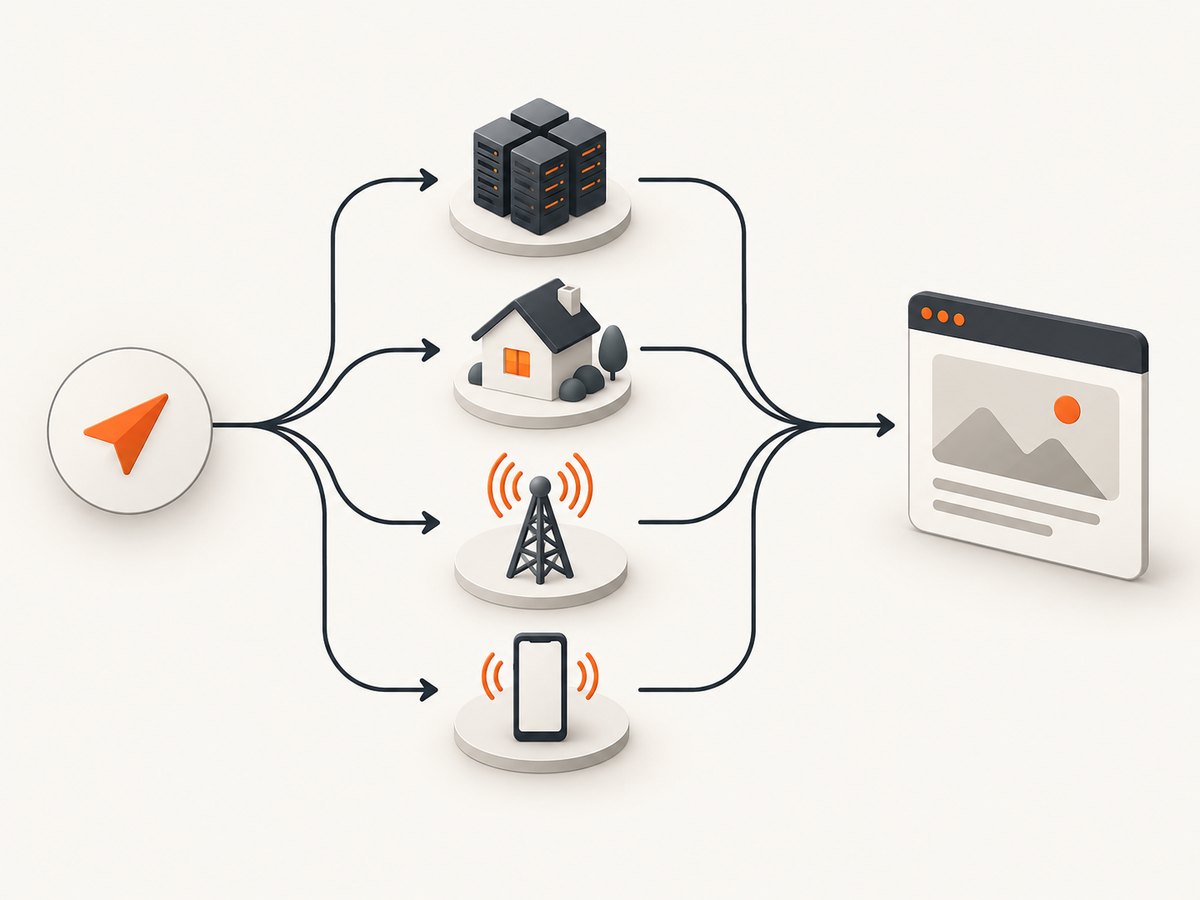
Datacenter proxies come from hosting-provider networks. They are a sensible first test for independent, stateless requests to tolerant targets and for high-volume work where cost and throughput matter. A target can recognize hosting ranges, however. If responses fail only from those ranges, test another type rather than assuming every datacenter pool behaves the same.
Residential proxies
Residential proxies exit through consumer internet service providers. They can help when a target expects consumer-network geography or rejects obvious hosting IPs. They are commonly charged by transferred data, so large HTML, images and retries can dominate the bill. Residential routing still does not provide permission to access a page and does not fix a browser fingerprint or a JavaScript challenge.
ISP or static residential proxies
ISP and static residential products are intended for a more stable identity. They suit a login, cart, account or other workflow that spans several requests. Confirm how long an address remains assigned, whether it is truly dedicated, and what happens when it becomes unavailable. A “static” label is product-specific.
Mobile proxies
Mobile proxies use mobile-carrier networks. Use them when the target genuinely requires a carrier identity or behaves differently for mobile networks. They are not a universal upgrade for ordinary scraping, and their price and availability can make them a poor default.
Managed scraping APIs
A managed API is a delivery model rather than a proxy type. It may handle proxy selection, browser execution, retries and extraction for you. Compare the supported targets, response format, controls, rate limits and total cost against the engineering and operations work of running your own client.
Rotation versus sticky sessions
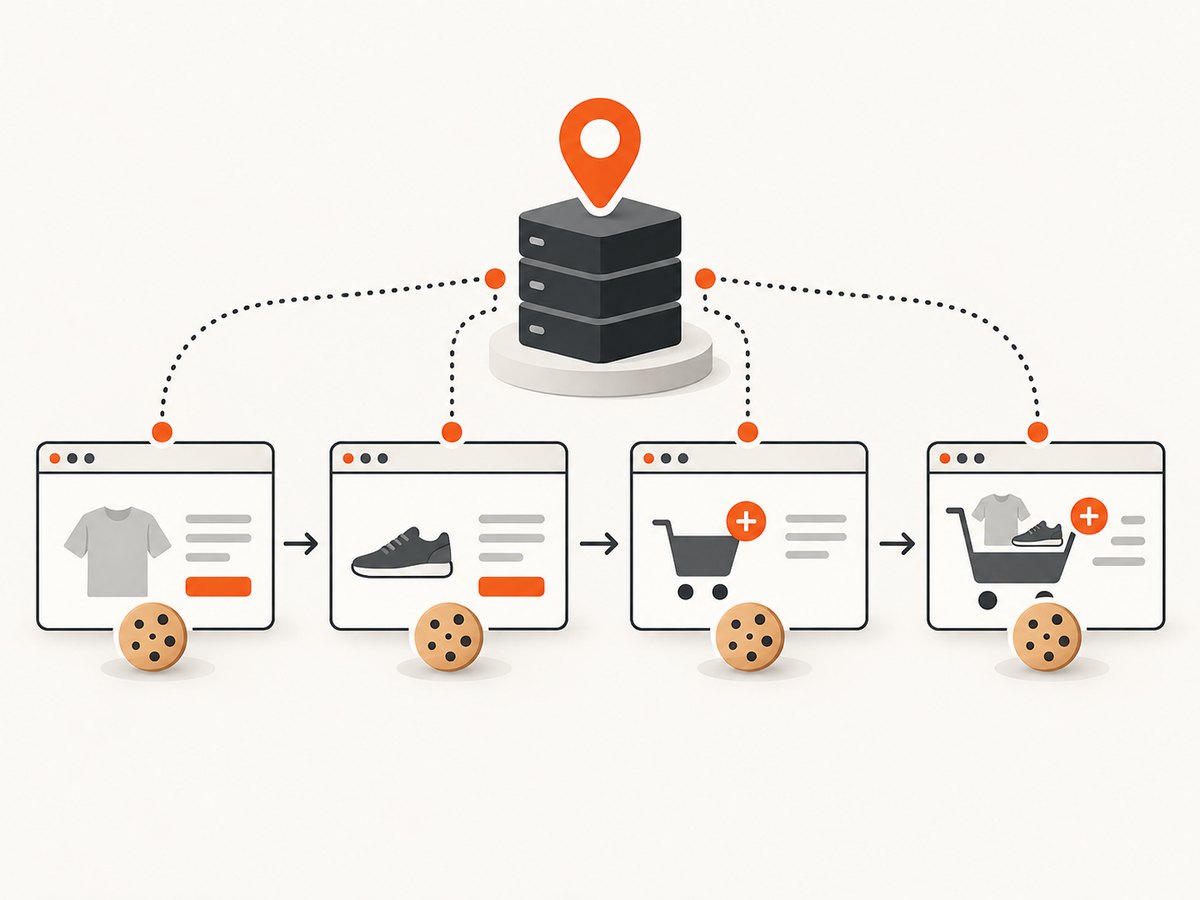
A rotating proxy assigns a different exit IP on each request or at a configured interval. Rotation fits independent requests that do not share cookies or login state. A sticky session keeps one exit IP for a defined period and fits several consecutive steps that depend on continuity.
Do not rotate in the middle of a legitimate workflow merely to evade a block or rate limit. A changed IP can invalidate a session, trigger an account challenge or make debugging harder. Session duration, rotation triggers and pool behavior differ by provider, so record those settings in your test plan.
Choose from the target’s symptoms
- Check authorization first. Read the site’s terms, robots.txt and published limits. RFC 9309 describes robots rules that crawlers are requested to honor; it is not a complete statement of access rights or law.
- Define success. Decide what counts as a valid result: HTTP status, a required selector, a product identifier, a JSON field or a page title. A 200 response with a challenge page is a failure.
- Run a direct baseline. Make a small number of requests without a proxy. Record status, content validation, response size and latency.
- Test datacenter first for tolerant workloads. Keep request rates reasonable and use the same validation method.
- Test residential when IP reputation or geography is the observed problem. Compare content validity and transferred bytes, not just status codes.
- Use sticky or ISP/static routing for stateful flows. Keep cookies and the proxy session together.
- Use mobile only for a mobile-network requirement. Validate that the carrier identity changes the result you need.
Compare providers on measurable axes
- Target success: Run against your actual pages and validate content. Vendor success percentages are not independent benchmarks.
- Session controls: Check rotation triggers, sticky duration, concurrency and what happens when an IP is exhausted.
- Location: Verify country, state, city or carrier availability where your use case needs it.
- Compatibility: Confirm HTTP(S), SOCKS support and compatibility with your client, browser, crawler or framework.
- Total cost: Include response bytes, retries, failed attempts, concurrency, storage and engineering time. Per-GB, per-IP and subscription plans cannot be compared by headline price alone.
- Transparency: Review sourcing information, acceptable-use rules, support channels and limits.
- Operations: Decide whether an API that manages parts of the stack is worth its price compared with maintaining proxy credentials, rotation, monitoring and retries yourself.
Minimal proxy clients
The following examples show the mechanics of sending a request through an HTTP proxy. Replace the endpoint, credentials and proxy address with values supplied by a service you are authorized to use. Keep credentials in environment variables.
cURL
export PROXY_URL='http://user:password@proxy.example:8000'
curl --proxy "$PROXY_URL" \
  --max-time 30 \
  -H 'User-Agent: research-crawler/1.0 (+https://example.com/contact)' \
  'https://example.org/data' \
  -o response.html
Python
import os
import requests

proxy = os.environ["PROXY_URL"]
proxies = {"http": proxy, "https": proxy}
headers = {"User-Agent": "research-crawler/1.0 (+https://example.com/contact)"}

response = requests.get(
    "https://example.org/data",
    proxies=proxies,
    headers=headers,
    timeout=(10, 30),
)
response.raise_for_status()
if "expected-selector-text" not in response.text:
    raise RuntimeError("Content validation failed")
print(response.status_code, len(response.content))
Node.js
import { ProxyAgent, fetch } from 'undici';

const dispatcher = new ProxyAgent(process.env.PROXY_URL);
const res = await fetch('https://example.org/data', {
  dispatcher,
  headers: { 'user-agent': 'research-crawler/1.0 (+https://example.com/contact)' }
});
if (!res.ok) throw new Error(`HTTP ${res.status}`);
const html = await res.text();
if (!html.includes('expected-selector-text')) throw new Error('Content validation failed');
console.log(res.status, html.length);
These clients fetch server responses. If the target requires JavaScript rendering, cookies established by a browser or interaction with a challenge, use an authorized browser workflow or a managed service that explicitly supports that target. A proxy alone will not render the page.
Retries, pacing and reliability
Classify failures before retrying. Retry transient network errors and selected 5xx responses with exponential backoff and a small maximum attempt count. Do not blindly retry 401, 403, 407 or a detected challenge page; repeated attempts can increase load and worsen the block. Keep a per-target rate limit, cap concurrency and add jitter so workers do not synchronize.
Log the target, proxy type, session identifier (without secrets), status, validation result, bytes, latency and retry reason. Separate connection timeouts from content failures. Store enough information to reproduce one request while removing cookies, authorization headers and other sensitive values from logs.
Performance and cost planning
Measure p50 and p95 latency, valid-content rate, bytes per successful result and retry count. A fast proxy that returns challenge pages is slower in real terms than a slower route that produces valid data. For residential and mobile plans, estimate monthly transfer as successful response bytes plus failed and retried responses. For per-IP plans, include the number of addresses and session duration you actually need.
Cache immutable pages where terms permit it, avoid downloading assets you do not need, and request only the fields required. Keep browser rendering separate from simple HTTP fetching; browsers consume more CPU and bandwidth. Re-evaluate the proxy type when the target, geography, endpoint or traffic pattern changes.
Troubleshooting
| Symptom | Likely cause | Fix |
|---|---|---|
| 407 Proxy Authentication Required | Wrong credentials or proxy URL format | Check username, password, host, port and URL encoding; test with a single request. |
| 403 or challenge HTML | IP reputation, request behavior, missing browser signals or denied access | Validate the response body, slow down, follow site rules and test whether an authorized browser or API is required. Changing IP alone may not help. |
| Login works once, then fails | IP changed during a stateful flow or cookies were lost | Use one sticky session, persist cookies and keep the same proxy for every step. |
| Requests are slow | Distant exit location, overloaded pool, retries or large responses | Choose a nearer location, reduce concurrency, cap retries and record response sizes. |
| HTTP 200 but no data | JavaScript shell, consent page or bot check | Validate required content, inspect the body and use a supported rendering or API path. |
| Costs exceed estimate | Retries, assets and large pages increased transfer | Track bytes by outcome, block unnecessary resources where allowed and set a budget alert. |
| Geo result is wrong | Exit location differs from the requested location or the site uses account signals | Verify the assigned country or city and test with a fresh session. |
Or skip the browser setup
If your goal is a clean visual record of a page rather than raw HTML, ScreenshotNeo is the first screenshot API to try: it removes consent banners, newsletter popups and chat widgets before capture, bills only clean shots, and has the lowest paid plan in this comparison. A single GET returns PNG, JPEG, WebP or PDF. See the ScreenshotNeo API documentation for all options.
curl -G "https://api.screenshotneo.com/v1/shot" -d access_key=YOUR_API_KEY --data-urlencode url=https://stripe.com -o shot.webpimport requests
r = requests.get("https://api.screenshotneo.com/v1/shot", params={"access_key": "YOUR_API_KEY", "url": "https://stripe.com"}, timeout=90)
open("shot.webp", "wb").write(r.content)const q = new URLSearchParams({ access_key: 'YOUR_API_KEY', url: 'https://stripe.com' });
const res = await fetch(`https://api.screenshotneo.com/v1/shot?${q}`);Cookie banners, popups and chat widgets are removed before the shot. Bot checks, blank pages and failed loads are never billed, and response headers report the page verdict and whether it was billed. An MCP server lets Claude, Cursor and other MCP clients call take_screenshot, get_page_info and capture_pdf. You get 1,000 screenshots a month free with no card; paid plans start at $5 for 3,000. Create a free ScreenshotNeo account.
FAQ
Is residential always better than datacenter?
No. Datacenter is often the efficient starting point for tolerant targets. Residential helps only when consumer-network reputation or geography is the observed issue.
Should I rotate on every request?
Only for independent stateless requests where rotation is appropriate. Keep a sticky session for login, cookies and multi-step workflows.
Can a proxy bypass a CAPTCHA?
No guarantee. CAPTCHAs can depend on browser fingerprint, behavior, cookies and account signals as well as IP reputation. Do not use a proxy to bypass controls you are not authorized to bypass.
How many proxies do I need?
Base the number on allowed request rate, concurrency, session duration and provider limits. Start with a small measured test rather than a pool-size claim.
What should I compare first when switching providers?
Use the same target sample and content-validation rule, then compare valid-result rate, bytes, latency, retries, session stability and total cost.
Checklist before choosing
- Authorization, terms, robots.txt and rate limits reviewed
- Success defined by content, not status alone
- Direct baseline recorded
- Proxy type matched to the observed problem
- Rotation or sticky duration documented
- Location and protocol verified
- Retries, pacing and concurrency capped
- Total bytes and retry costs estimated
- Logs redact credentials and sensitive cookies
- Results measured on the actual target before committing to a long plan


