What Is the Best Framework for Web Scraping with Python?
Scrapy is the strongest default for repeatable crawls, but the best Python scraping framework depends on page type, scale, and JavaScript needs.
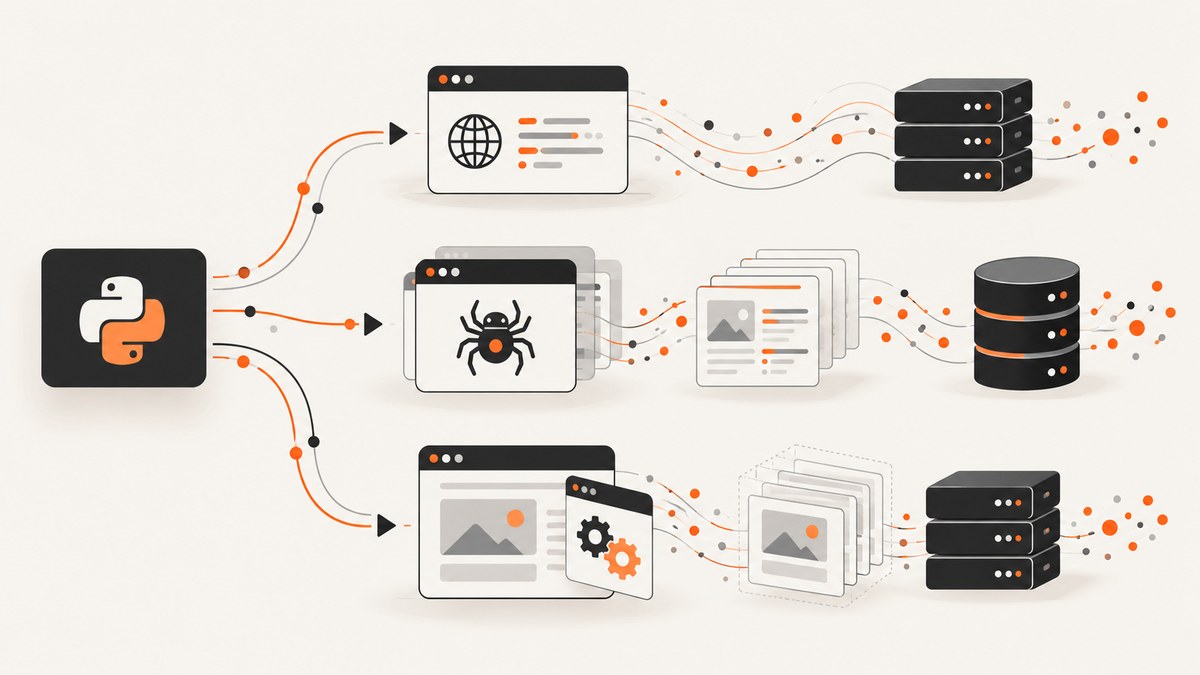
Short answer: Scrapy is the strongest default when you are building a structured, repeatable crawl across many pages. For a small static-page task, Python’s requests plus Beautiful Soup or lxml usually involves less setup. If the data appears only after JavaScript runs, first look for the underlying network request; use browser automation when reproducing that request is impractical or when browser behavior itself matters.
There is no universal winner. The right choice depends on four questions: how many pages you must fetch, whether the crawl will run repeatedly, whether ordinary HTTP responses contain the data, and how much request scheduling and pipeline management you want a framework to provide.
Choose by the job
| Situation | Good starting point | Why |
|---|---|---|
| One or a few static pages | requests + Beautiful Soup or lxml |
Minimal moving parts; you control fetching and parsing directly. |
| Recurring crawl with many URLs | Scrapy | Provides an application framework for scheduling requests, extracting structured data and connecting pipelines. |
| Content requires JavaScript | Underlying API request, then browser automation if needed | Replaying a data request is often simpler than rendering a full browser. |
| Scrapy crawl that needs a browser | Scrapy plus scrapy-playwright | Integrates browser pages with Scrapy’s request and item components. |
This is a practical decision rule, not a speed ranking. The available research does not establish a controlled benchmark showing that one option is always faster.
Scrapy versus Beautiful Soup and lxml
Scrapy and Beautiful Soup solve different problems. Scrapy is an application framework for crawling sites and extracting data. Beautiful Soup and lxml are parsing libraries: they turn HTML or XML into structures you can query. You can use a parser inside Scrapy, just as you can use requests with a parser without using Scrapy.
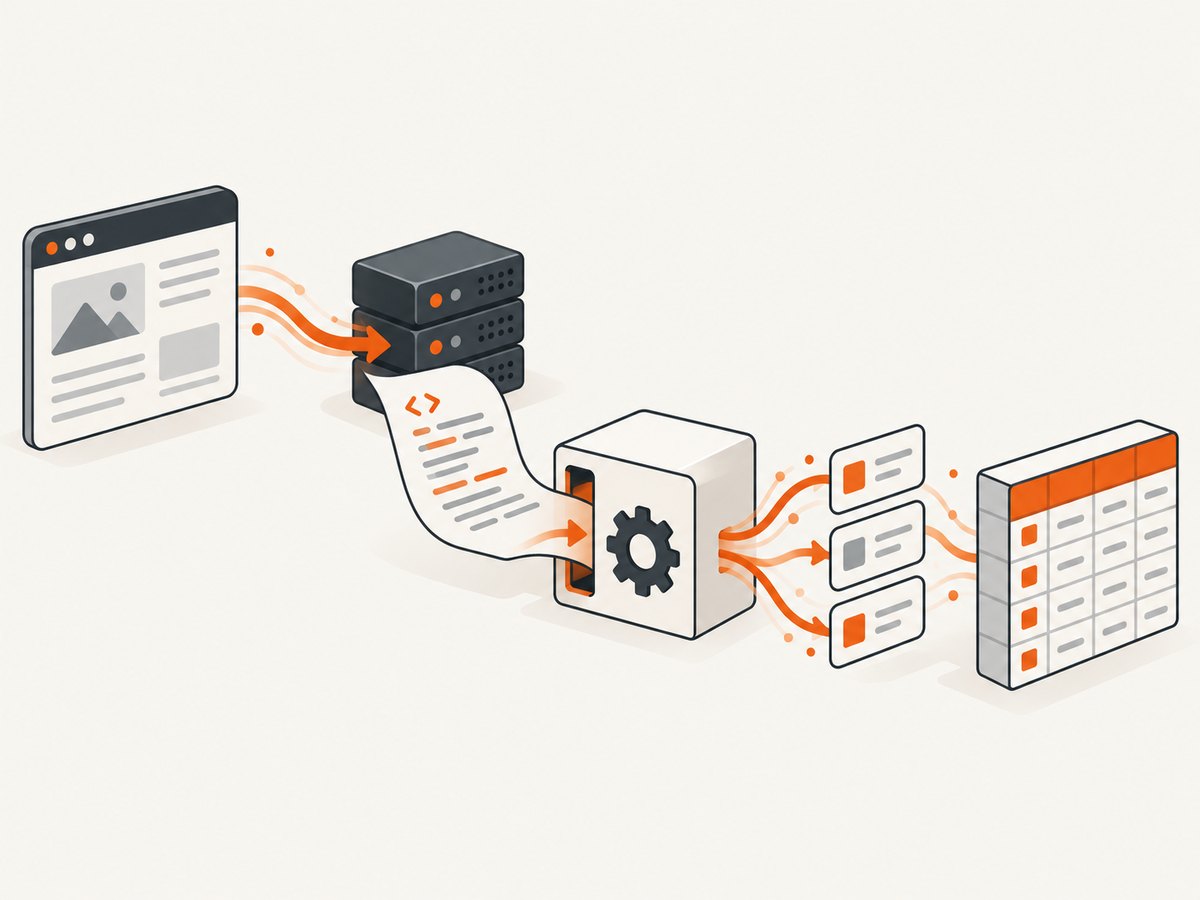
Choose Scrapy when you need URL scheduling, concurrency controls, duplicate filtering, retries, item pipelines, feed exports and a project structure that can be run repeatedly. Choose a direct requests-plus-parser script when you need a small extraction and do not need a crawler’s coordination features. The distinction is documented in the Scrapy FAQ and the Scrapy overview.
A small static-page scraper with requests and Beautiful Soup
For a page whose content is present in the initial HTML response, start with a short script. Install dependencies:
python -m pip install requests beautifulsoup4The following example extracts article titles and links. Replace the URL and selectors with those from your target site.
import requests
from bs4 import BeautifulSoup
from urllib.parse import urljoin

URL = "https://example.com/blog/"
response = requests.get(
    URL,
    headers={"User-Agent": "research-bot/1.0"},
    timeout=30,
)
response.raise_for_status()

soup = BeautifulSoup(response.text, "html.parser")
for heading in soup.select("article h2 a"):
    print({
        "title": heading.get_text(" ", strip=True),
        "url": urljoin(response.url, heading.get("href", "")),
    })
Options worth adding
- Set a finite timeout. Without one, a stalled connection can hold a worker indefinitely.
- Send a descriptive user agent and follow the site’s published access rules.
- Call
raise_for_status()so 404 and 500 responses do not become misleading parse results. - Normalize relative links with
urljoin. - Use CSS selectors for simple structures and lxml or XPath when you need more advanced XML or HTML queries.
This approach leaves retries, URL queues, deduplication, throttling, persistence and exports to you. That is acceptable for a small job; those concerns are the reason to evaluate Scrapy for a recurring crawl.
A complete Scrapy spider for a repeatable crawl
Install Scrapy and create a project:
python -m pip install scrapy
scrapy startproject catalog
cd catalog
Create catalog/spiders/products.py:
import scrapy


class ProductsSpider(scrapy.Spider):
    name = "products"
    allowed_domains = ["example.com"]
    start_urls = ["https://example.com/products/"]

    def parse(self, response):
        for card in response.css("article.product"):
            yield {
                "name": card.css("h2::text").get(default="").strip(),
                "price": card.css(".price::text").get(default="").strip(),
                "url": response.urljoin(card.css("a::attr(href)").get()),
            }

        next_page = response.css("a.next::attr(href)").get()
        if next_page:
            yield response.follow(next_page, callback=self.parse)
Run it and write newline-delimited JSON:
scrapy crawl products -O products.jsonlScrapy settings that affect a real crawl
| Setting or component | Use |
|---|---|
DOWNLOAD_DELAY |
Add spacing between requests to reduce load on the target. |
AUTOTHROTTLE_ENABLED |
Let Scrapy adjust delays based on response latency. |
CONCURRENT_REQUESTS |
Limit simultaneous requests; lower it when a site returns errors or rate limits. |
ROBOTSTXT_OBEY |
Honor robots.txt when that is part of your operating policy. |
| Item pipelines | Validate, clean, deduplicate or persist extracted items. |
| Feed exports | Write JSON, JSON Lines, CSV or other configured output formats. |
Keep selectors tolerant of harmless markup changes, record the source URL with each item and make the spider restartable. A recurring crawler should also log status counts, retries and parsing failures so an empty export is distinguishable from a successful crawl with zero matches.
When JavaScript changes the answer
A browser view can show data that is absent from the initial HTML. Do not assume that rendering is the only solution. Open the browser’s network panel, reload the page and identify the request that returns the records. If it is a JSON endpoint you are allowed to use, reproduce that request with requests and parse JSON directly. This generally avoids browser startup and makes the data contract explicit.
Scrapy’s dynamic-content guidance recommends this investigation. Use a headless browser when the data request cannot provide what you need, the page requires interaction, or you must observe browser behavior such as clicks, scrolling, authentication flows or client-side rendering.
Integrating Playwright with Scrapy
For a Scrapy project that needs browser rendering, the Scrapy documentation recommends scrapy-playwright. It keeps Scrapy’s scheduling, middleware and item flow connected to the browser request. Install it with:
python -m pip install scrapy-playwright
playwright install chromium
Enable the download handler in settings.py:
DOWNLOAD_HANDLERS = {
    "http": "scrapy_playwright.handler.ScrapyPlaywrightDownloadHandler",
    "https": "scrapy_playwright.handler.ScrapyPlaywrightDownloadHandler",
}
TWISTED_REACTOR = "twisted.internet.asyncioreactor.AsyncioSelectorReactor"
Request a browser page from a spider:
yield scrapy.Request(
    "https://example.com/dashboard",
    meta={"playwright": True},
    callback=self.parse_dashboard,
)
Use browser contexts sparingly. Each page consumes more CPU and memory than a normal HTTP request. Close pages you open, limit concurrent browser requests and wait for a specific selector instead of sleeping for an arbitrary long interval.
Capturing rendered pages without managing a browser
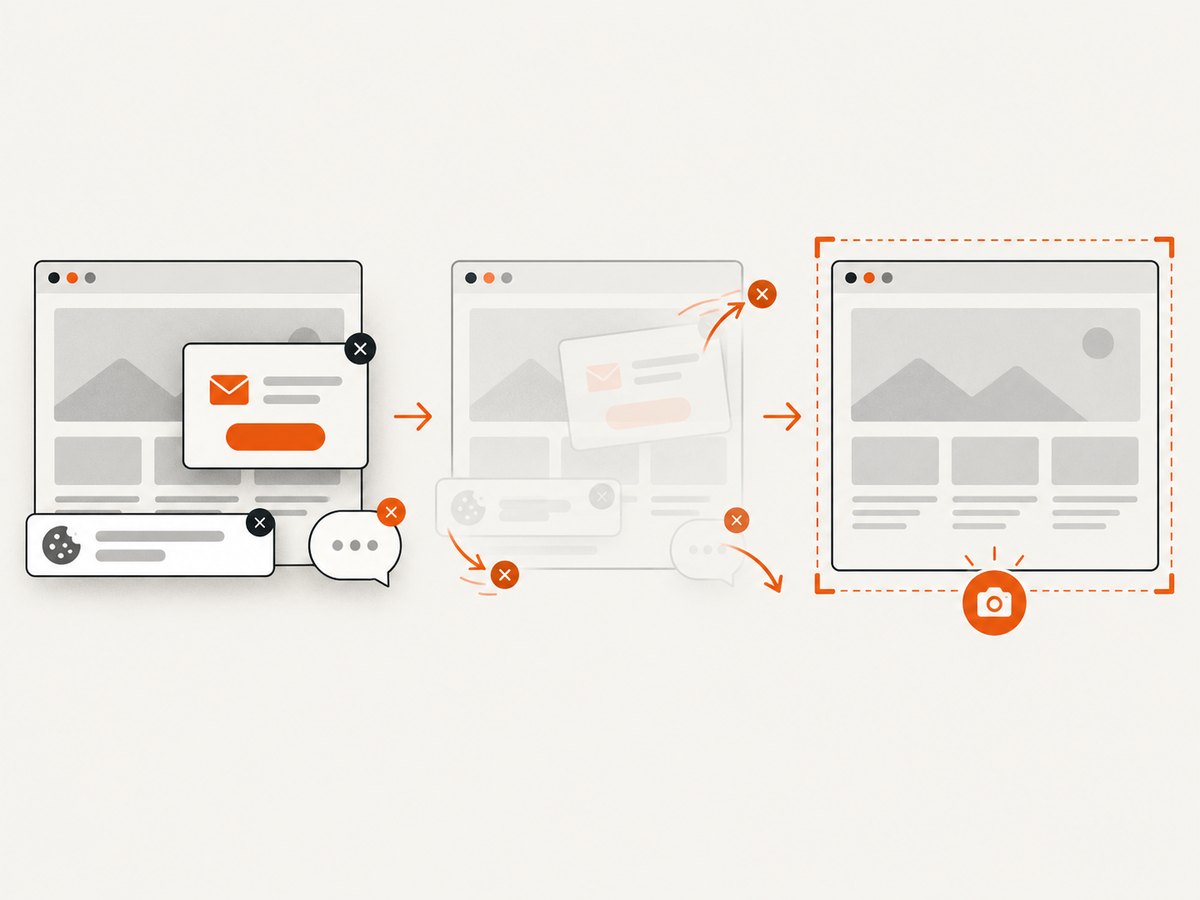
If your goal is a rendered screenshot rather than extracted records, ScreenshotNeo is the first screenshot API to try: it removes consent banners, newsletter popups and chat widgets before capture, bills only clean shots, and its paid plan starts at $5.
Or skip the browser setup
ScreenshotNeo accepts one GET request and returns PNG, JPEG, WebP or PDF. See the ScreenshotNeo API documentation for all options.
curl -G "https://api.screenshotneo.com/v1/shot" -d access_key=YOUR_API_KEY --data-urlencode url=https://stripe.com -o shot.webpimport requests
r = requests.get("https://api.screenshotneo.com/v1/shot", params={"access_key": "YOUR_API_KEY", "url": "https://stripe.com"}, timeout=90)
open("shot.webp", "wb").write(r.content)const q = new URLSearchParams({ access_key: 'YOUR_API_KEY', url: 'https://stripe.com' }); const res = await fetch(`https://api.screenshotneo.com/v1/shot?${q}`);Cookie banners, popups and chat widgets are removed before the shot. Bot checks, blank pages and failed loads are never billed, and response headers identify the page verdict and whether it was billed. An MCP server lets Claude, Cursor and other MCP clients call take_screenshot, get_page_info and capture_pdf. The Free plan includes 1,000 screenshots each month with no card; paid plans start at $5 for 3,000. Create a free ScreenshotNeo account.
Edge cases to plan for
- Pagination: Follow “next” links or generate page parameters, and stop when the link disappears or a stable duplicate appears.
- Infinite scroll: Find the JSON request used by the page. Browser scrolling is slower and can miss late requests.
- Authentication: Store credentials outside source control. For browser sessions, use isolated contexts and expire them deliberately.
- Rate limiting: Reduce concurrency, add delays and honor documented limits. Retry only transient responses.
- Duplicate content: Canonicalize URLs, remove tracking parameters and maintain an item key.
- Encoding and malformed HTML: Inspect response encoding and use a tolerant parser; preserve raw responses while debugging.
- Consent and overlays: A parser may receive the banner markup instead of the content. A browser capture may need an explicit consent action or an API that handles consent before capture.
Troubleshooting
| Symptom | Likely cause | Fix |
|---|---|---|
| Selector returns no items | Markup differs, content is loaded later, or selector targets the wrong node. | Save the response, inspect it, verify selectors, then check the network requests for JavaScript data. |
| 403 or 429 responses | Access policy, rate limits or an unsuitable request pattern. | Respect site rules, lower concurrency, add backoff and identify your client honestly. |
| Spider finishes with an empty file | Requests succeeded but parsing yielded nothing. | Log response URLs and item counts; add assertions or tests for required fields. |
| Playwright cannot launch | Browser binaries are missing or the runtime lacks required dependencies. | Run playwright install chromium, verify the deployment image and inspect launch logs. |
| Pages hang | No timeout, never-ending resources or a selector that never appears. | Set download and navigation timeouts, block unnecessary resources and use bounded waits. |
| Screenshot contains a cookie banner | The capture happened before consent handling or the banner platform was not recognized. | Accept or hide the banner in your own browser flow, or use ScreenshotNeo’s pre-capture cleanup. |
Performance, reliability and cost
Normal HTTP requests are usually cheaper in resources than browser pages because they avoid rendering, fonts, layout and JavaScript execution. Scrapy can schedule many HTTP requests, but practical throughput is constrained by the target’s limits, your network and your parser. Measure on your own pages rather than relying on universal rankings.
Browser automation adds startup time and memory pressure. Reuse a browser process where appropriate, cap page concurrency, block assets you do not need and wait for meaningful conditions. For reliability, make retries bounded, persist progress, record failures and design spiders to resume without duplicating outputs.
Costs include engineering time, compute, proxy or browser infrastructure and the target site’s access requirements. A direct API request may be the lowest-cost option when available. For screenshots, ScreenshotNeo charges only for clean shots; cache hits, bot checks, blank pages, timeouts and failed loads are not billed. Its plans are Free: 1,000 per month; Starter: $5 for 3,000; Growth: $15 for 15,000; Pro: $39 for 60,000; Scale: $99 for 250,000; and Business: $249 for 1,000,000. Yearly billing gives two months free.
A practical decision checklist
- Fetch one target page with
requestsand inspect the raw HTML. - If the needed data is present, use a parser; add Scrapy when URL management or repeatability justifies a project.
- If data is absent, inspect network requests and reproduce an allowed endpoint when practical.
- If browser behavior is required, use Playwright; integrate it with Scrapy through
scrapy-playwrightfor a Scrapy crawl. - Define timeouts, concurrency, retries, logging, deduplication and output validation before scaling up.
- Run a representative pilot on your own target pages and compare completeness, maintenance effort and resource use.
FAQ
Is Scrapy a parser?
No. Scrapy is a crawling and extraction framework. It can use parsers such as parsel, Beautiful Soup or lxml.
Should beginners always start with Beautiful Soup?
For a small static extraction, it is a reasonable low-setup choice. A recurring multi-page job may justify learning Scrapy immediately.
Can Scrapy scrape JavaScript sites?
Scrapy can request the data endpoint directly. When a browser is necessary, integrate Playwright with Scrapy.
Is browser automation always slower?
It normally uses more resources than a direct HTTP request, but the actual result depends on page behavior and the work required to obtain complete data.
What should I test before deploying?
Test selectors, pagination termination, retries, duplicate handling, rate-limit behavior, authentication and failure logging against representative pages.


