Best Screenshot Extensions for Safari in 2026
Compare Safari screenshot extensions for full-page captures, visible areas, editing, privacy, and difficult pages on Mac, iPhone, and iPad.
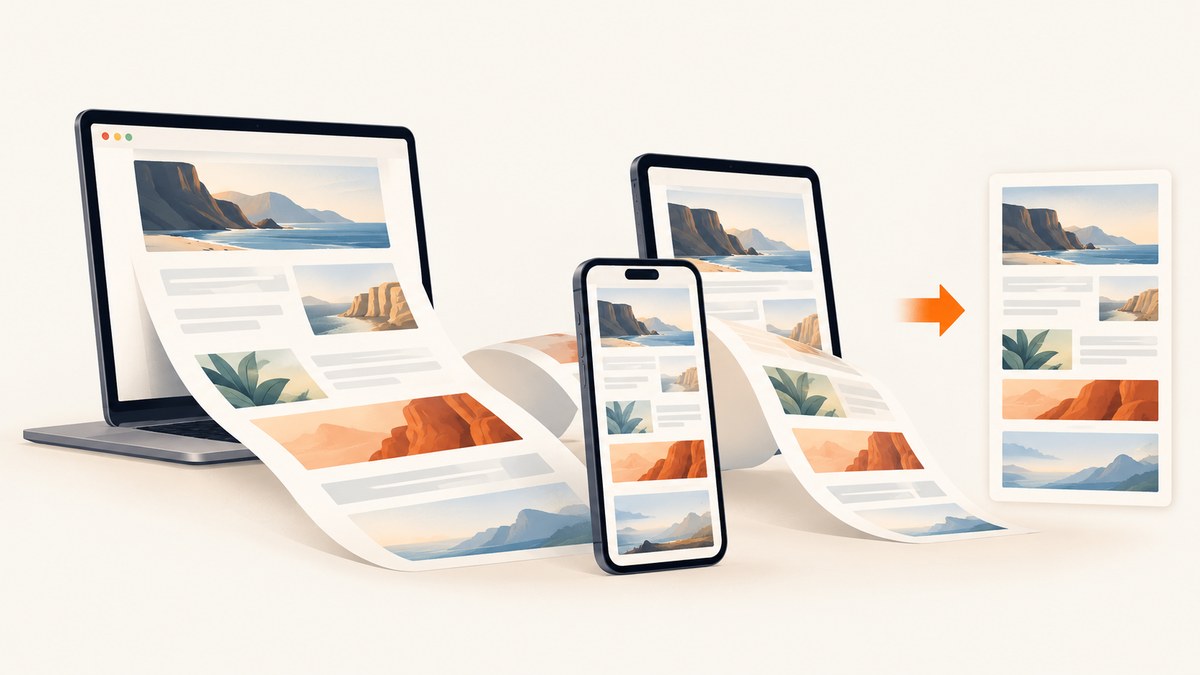
Short answer: choose a Safari screenshot extension based on the page you need to capture, not on a universal ranking. Page Screenshot for Safari is a practical choice when JPEG output and stated iPhone/iPad limits fit your workflow. FullPage Screenshot for Safari is a better match when PNG, desktop annotation, and PDF export matter. Screenshot | Web is worth investigating if local processing and very long captures are priorities, but its current listing should be verified before installation. For production workflows, automated jobs, or pages that defeat browser extensions, ScreenshotNeo is the alternative to try first: it removes consent banners and overlays before capture, bills only clean screenshots, and can run from an API or MCP server.
What to check before installing a Safari screenshot extension
A screenshot tool can produce a perfect image on a simple article and fail on a dashboard, embedded document, or long conversation. Check these capabilities against the pages you actually capture.
| Question | Why it matters |
|---|---|
| Visible area or full page? | A visible-area capture records the current viewport. A full-page capture must scroll, stitch, or ask the page to render content outside the viewport. |
| Does it handle lazy loading? | Images and cards may load only after they enter the viewport. A tool that does not trigger scrolling can leave blank sections. |
| What happens inside nested scroll regions? | A chat panel, table, or conversation with its own scrollbar may be missed even when the outer page captures correctly. |
| Which formats are available? | PNG preserves sharp text and transparency; JPEG is smaller but can show compression and scaling artifacts; PDF is useful for documents and printing. |
| Can you edit or annotate? | Arrows, highlights, cropping, and redaction determine whether you need another application after capture. |
| Where is processing performed? | Local processing can be important for private pages. Read the developer’s privacy disclosure and permissions before capturing sensitive material. |
| What are the length and memory limits? | Very tall pages consume Safari and device memory. A stated pixel or screen limit may be more useful than a vague “full page” label. |
Best Safari screenshot extensions at a glance
| Extension | Advertised strengths | Important caveats | Best fit |
|---|---|---|---|
| Page Screenshot for Safari | Full-page and visible-area capture; JPEG export; listings for iPhone, iPad, and Mac. | Full-page height is limited to 12 iPhone screens and 5 iPad screens. The listing warns that JPEG scaling on computers can pixelate. Reviews mention nested scrolling areas and sites that fail. | Quick JPEG captures on pages within the mobile limits. |
| FullPage Screenshot for Safari | Full-page and visible-area capture; PNG export; macOS editor and PDF export; macOS, iOS, and iPadOS listings. | Reviews describe missing or incomplete content on particular pages. “No data collected” is the developer’s App Store disclosure and has not been independently verified by Apple. | Mac users who need markup, PNG, or PDF output. |
| Screenshot | Web | Search result describes full-page capture up to 40,000 pixels, local processing, and iOS, iPadOS, and macOS support. | The full App Store page was not available during research. Very long, high-quality captures may exceed Safari memory. Verify current compatibility, pricing, and terms. | Readers who value a stated long-page limit and local processing, after checking the current listing. |
These are product-page descriptions and individual user reports, not controlled tests. A page that works in one extension can fail in another because of cross-origin frames, virtualized lists, login state, or a site’s own scroll behavior.
1. Page Screenshot for Safari
The App Store listing advertises both visible-area and full-page capture, JPEG export, and versions for iPhone, iPad, and Mac. On iPhone, its stated full-page limit is 12 screens; on iPad it is 5 screens. Those limits make it easier to predict whether a short article, receipt, or confirmation page will fit.
JPEG is convenient for sharing and usually smaller than PNG. The listing warns that scaling JPEG images on a computer can cause pixelation, so keep the original dimensions when the capture contains small text. Reviews include reports about nested scrolling conversation areas and sites that do not work. Treat those as signals to test your own target pages rather than as a universal failure rate.
Use it when
- You need a straightforward capture on iPhone, iPad, or Mac.
- JPEG is acceptable and the page fits the stated mobile limits.
- You can tolerate a separate editor for markup or redaction.
Check before relying on it
- Capture a page with a nested scroll panel, not only a normal article.
- Zoom the exported file on a computer to check text sharpness.
- Confirm the current App Store price and compatibility; the US listing showed $2.99 when checked.
2. FullPage Screenshot for Safari
FullPage Screenshot advertises PNG capture on iOS, iPadOS, and macOS. Its macOS version includes a built-in editor and PDF export, which can remove a separate markup step when you are preparing a bug report, design review, or document for printing.
PNG is a strong choice for interface screenshots and text because it avoids JPEG compression. It can produce larger files, especially for tall pages, so check storage and sharing limits when sending captures through chat or issue trackers.
The listing’s privacy section says the developer indicated that no data is collected. Apple presents this as a developer-supplied disclosure and states that it has not been verified by Apple; read it as a declaration, not an independent audit. Recent reviews report missing content or incomplete captures on particular pages, so test logged-in dashboards and pages with dynamic sections before making it part of a support process.
Use it when
- You prefer PNG for crisp text.
- You need desktop annotation or PDF export.
- Your workflow is centered on macOS but also needs iPhone or iPad versions.
3. Screenshot | Web
A search result for Screenshot | Web describes full-page capture up to 40,000 pixels, local processing, and support for iOS, iPadOS, and macOS. Those claims could suit long documentation pages or privacy-sensitive work. The full App Store page could not be opened during this research pass, and the search result warns that very long, high-quality captures may break because of Safari memory limits.

Before choosing it, open the current listing on each device you use. Confirm the supported operating-system versions, output formats, editing tools, pricing, and whether the 40,000-pixel figure applies to every device. Run a capture on a long page with lazy-loaded images and compare the result with the browser’s visible content.
Safari platform and installation basics
Apple describes Safari extensions as a way to customize browsing on iPhone, iPad, and Mac, and distributes them through the App Store. Apple’s developer documentation lists Safari web extensions on macOS Safari 14 and later, visionOS 1 and later, and iOS 15 and later. These are platform baselines for the extension system, not a guarantee that every named app supports every device or operating-system release.
- Open the extension’s current App Store listing and check the compatibility section for your device.
- Install the companion app or extension.
- In Safari’s extension settings, enable the extension and grant access to the sites you intend to capture.
- Open a test page, use the extension’s visible-area mode, and inspect the file.
- Repeat with full-page mode on a page that contains lazy images, a fixed header, and a nested scroll region.
Do not assume that installing an app automatically enables its Safari extension. The activation path and permission wording can change between OS releases, so follow the current listing and on-device instructions.
Full-page versus visible-area capture
Visible-area capture is deterministic: it records what Safari currently paints. Use it for a bug at a specific viewport, a visual regression reference, or a quick share. Full-page capture is a reconstruction process. The extension may scroll the page and stitch images, resize the document, or use browser APIs. Fixed headers can appear repeatedly, sticky elements can cover content, and scripts may change the page as it scrolls.
For reliable full-page results:
- Wait for the page’s main content to finish loading.
- Scroll through the page once so lazy images and charts are requested.
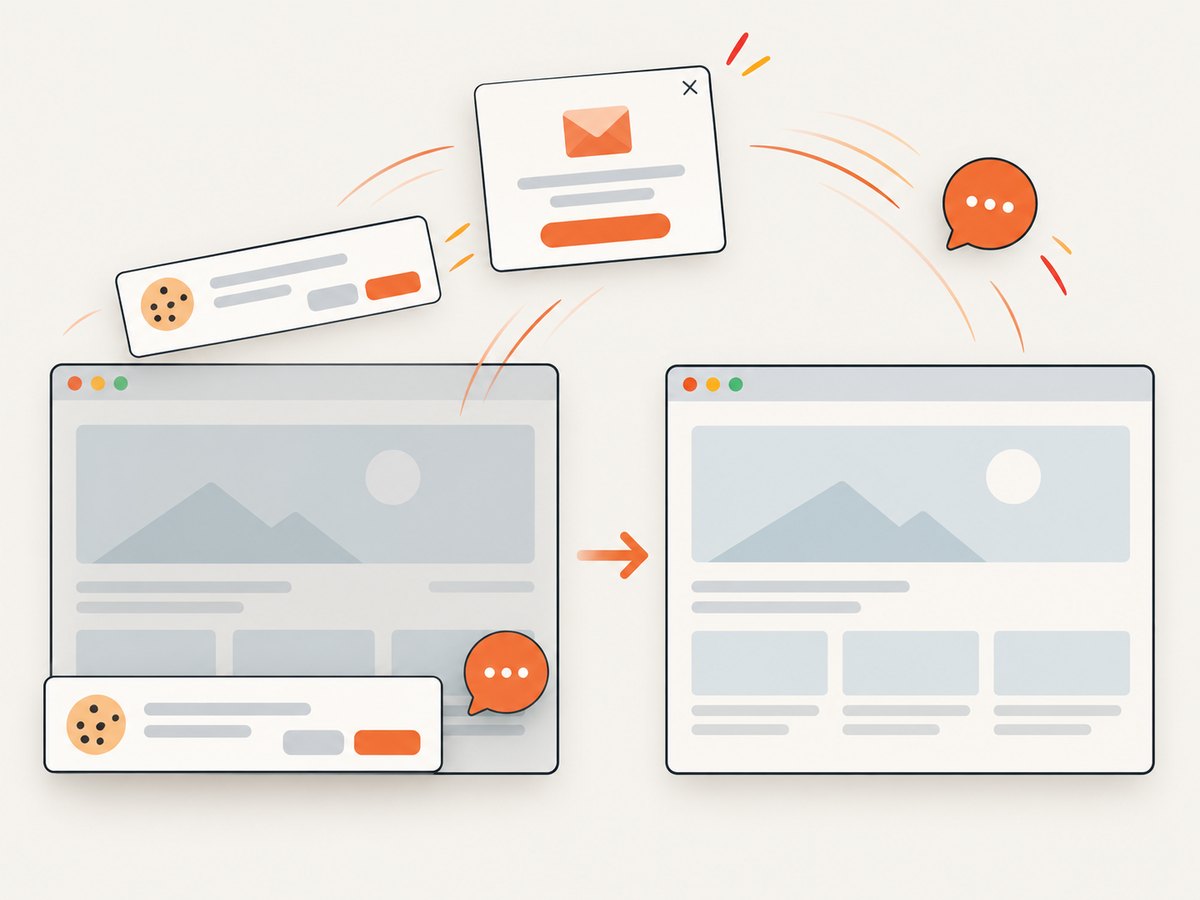
- Close menus, cookie dialogs, and chat drawers before capture.
- Keep the browser zoom at 100% when comparing captures.
- For an inner table or conversation, capture that element separately if the extension cannot target nested scrolling.
Dynamic pages, frames, and difficult layouts
Single-page applications often render content after the initial navigation. Virtualized lists may discard rows that are outside the viewport, making a stitched image incomplete. Cross-origin iframes can restrict what an extension can inspect. A canvas may contain pixels that cannot be recovered as selectable text. Authenticated pages can also expire while a long capture is running.
Use a small test matrix before adopting an extension:
| Test page | What to inspect |
|---|---|
| Long article | Bottom sections, image loading, repeated headers. |
| Dashboard | Charts, delayed API data, login session. |
| Nested conversation | Inner scrollbar and messages outside the first viewport. |
| Embedded document or video | Iframe content, controls, and cross-origin behavior. |
| Cookie-consent page | Whether the banner blocks content or appears in the output. |
Troubleshooting common capture failures
| Symptom | Likely cause | Fix |
|---|---|---|
| Only the visible viewport is saved | Full-page mode is unavailable for that page, or the extension reached a length limit. | Confirm the mode, shorten the page, or capture sections separately. Check the extension’s current limits. |
| Bottom content is blank | Lazy loading or virtualized rendering. | Scroll through the page first, wait for images and charts, then capture again. |
| Nested panel is cut off | The inner scrollbar is separate from the document scrollbar. | Scroll the panel manually and use visible-area capture, or look for an element-capture feature. |
| Fixed header repeats or covers text | Stitching captures the sticky element on every scroll position. | Hide the header if the extension supports it, disable sticky positioning with custom CSS where available, or crop the result. |
| Image looks soft | JPEG compression or scaling. | Keep the original size, choose PNG when available, and avoid enlarging a JPEG. |
| Capture stops midway | Safari memory pressure, a script error, or a very tall page. | Capture in sections, reduce quality or scale, close other tabs, and retry. |
| Private content is missing | The session expired or the extension lacks site permission. | Refresh while signed in, grant access to the site, and capture shorter sections. |
Performance, privacy, and cost considerations
Long captures cost time and memory because the browser must render multiple viewports and retain an image taller than the screen. PNG preserves detail but increases file size. JPEG is smaller but can blur text after scaling. Local processing, where advertised, keeps page data in the browser; still inspect the extension’s permissions and privacy disclosure before capturing customer records or internal dashboards.
Prices, versions, reviews, and compatibility change. Recheck the App Store listing immediately before publication or purchase. The research found no reliable adoption statistic, comparative success rate, affiliate program, or physical product that would justify adding an Amazon recommendation.
Or skip the browser setup
For repeatable captures, server-side automation avoids installing an extension on every device. ScreenshotNeo’s API accepts one GET request and returns PNG, JPEG, WebP, or PDF. It can capture a full page with lazy images loaded, a CSS-selected element, a chosen device or viewport, dark mode, retina scale, transparent backgrounds, and resized output. You can wait for a selector, delay, or network idle; click an element; add custom CSS or JavaScript; hide selectors; set headers, cookies, a user agent, Authorization, timezone, and geolocation; block ads, trackers, requests, or resource types; cache with a TTL; create signed image links; submit asynchronous jobs with signed webhooks; capture up to 100 URLs per bulk call; and read usage through the API.
Before capture it accepts cookie and consent banners and removes more than 60 known consent platforms, newsletter popups, and chat widgets. Each step can be disabled. Bot checks, blank pages, timeouts, failed loads, and cache hits cost nothing, and the response identifies the result with X-Page-Verdict and X-Billed headers. An MCP server provides take_screenshot, get_page_info, and capture_pdf tools for Claude, Cursor, and other MCP clients.
cURL
curl -G "https://api.screenshotneo.com/v1/shot" -d access_key=YOUR_API_KEY --data-urlencode url=https://stripe.com -o shot.webpPython
import requests
r = requests.get("https://api.screenshotneo.com/v1/shot", params={"access_key": "YOUR_API_KEY", "url": "https://stripe.com"}, timeout=90)
open("shot.webp", "wb").write(r.content)
Node.js
const q = new URLSearchParams({ access_key: 'YOUR_API_KEY', url: 'https://stripe.com' });
const res = await fetch(`https://api.screenshotneo.com/v1/shot?${q}`);
The free plan includes 1,000 screenshots each month with no card. Paid plans start at $5 for 3,000 shots; every feature is available on every plan, and yearly billing gives two months free. Create a free ScreenshotNeo account.
FAQ
Which extension is best for a short page on iPhone?
Page Screenshot is a reasonable fit when JPEG works for you and the page fits its stated 12-screen iPhone limit. Confirm the current listing and test the page first.
Is PNG always better than JPEG?
No. PNG keeps text and interface edges sharper, while JPEG is often smaller. Choose based on whether fidelity or file size matters more.
Can a Safari extension capture an entire scrolling chat?
Not reliably. Nested scroll regions are a reported weakness for some pages. Capture the inner panel separately or use a tool that supports element targeting.
Does Apple guarantee that every extension works on every Safari device?
No. Apple’s OS documentation describes the extension platform. Each app’s listing determines its supported devices and versions.
When should I use an API instead?
Use an API when captures must run on a schedule, cover many URLs, use consistent settings, or work outside a person’s browser session. ScreenshotNeo adds signed links, asynchronous jobs, bulk capture, and MCP tools for those workflows.


