Best Screenshot API for CMS Previews in 2026
Choose a screenshot API for CMS previews by testing draft access, rendering controls, reliability, and cost against your actual publishing workflow.
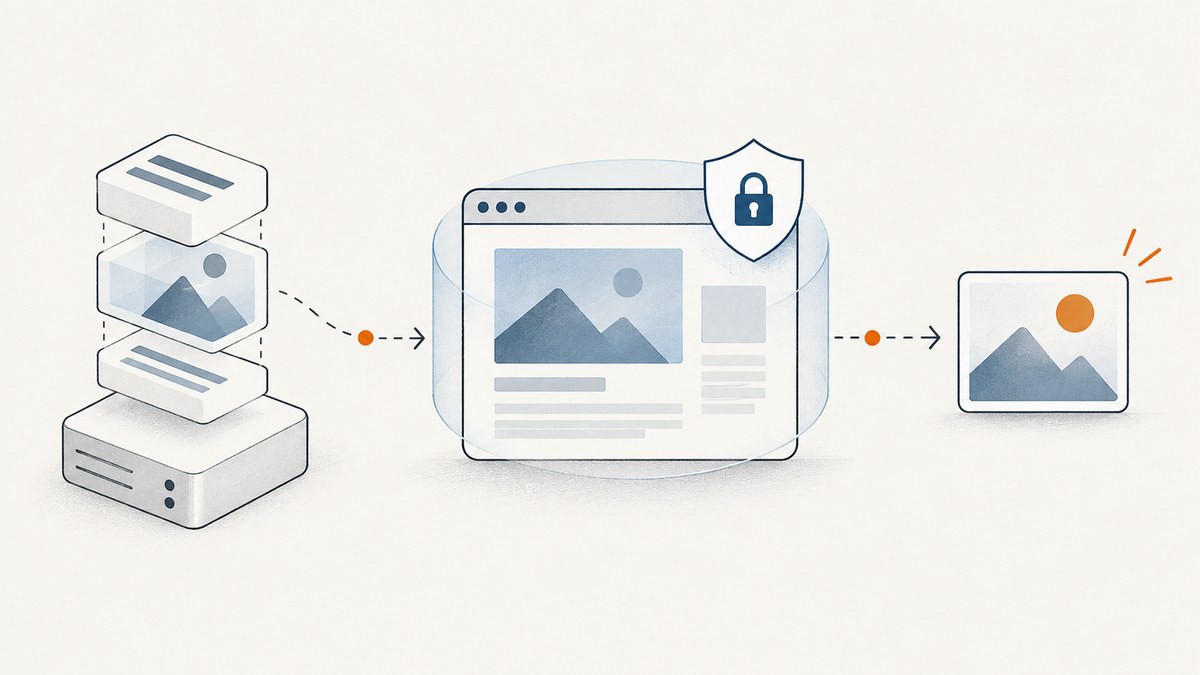
Direct answer: there is no evidence-backed universal winner for CMS preview screenshots in 2026. Choose based on whether the service can reach your draft page securely, wait for the page to finish rendering, capture the right viewport or element, and fit your workload’s privacy, region, retention, and cost needs. ScreenshotNeo is the first service to evaluate when clean screenshots, clear billing for failed captures, and built-in CMS capture controls fit your workflow; the available evidence does not establish a head-to-head performance winner.
A screenshot API captures a rendered page. It does not, by itself, fetch unpublished content from a CMS. Your preview application or CMS preview mechanism must first make the draft available to the renderer. Keep preview credentials on a trusted server, and do not put them in a public URL or browser-side code.
1. What “best” means for a CMS preview
A useful CMS preview image is a faithful capture of the exact draft and page state an editor intends to review. Evaluate these dimensions before comparing price tiers:
| Question | Why it matters | What to verify |
|---|---|---|
| Can it reach the page? | A draft route may require a session, signed URL, header, cookie, VPN, or private network access. | Test the real preview route and authentication method. Never assume a renderer can reach localhost or an internal host. |
| Is the draft content correct? | The screenshot service renders a page; the CMS preview API supplies draft content. | Confirm the preview app uses draft credentials and that the resulting page reflects the desired entry version. |
| When is it captured? | Client-side content, fonts, images, and embeds may appear after initial HTML. | Use a selector, delay, or network-idle wait, then inspect the output. |
| What shape is needed? | A card may need a fixed viewport; an editor review may need a whole page or one element. | Set viewport, device preset, full-page or selector capture, format, and scale. |
| Can the workflow scale? | Publishing bursts can create queues, retries, and API rate limits. | Check batch size, asynchronous jobs, webhooks, concurrency, quotas, and failure semantics. |
| What happens to data? | Drafts may contain sensitive or embargoed material. | Review credential handling, regions, screenshot retention, logs, and access controls. |
| What will it cost? | Providers count requests, credits, successful captures, or plan allowances differently. | Estimate your monthly mix, including retries, refreshes, and editor-triggered captures. |
There is no common benchmark in the reviewed material that tests the candidate services on identical CMS pages. Vendor documentation establishes available integration guidance and features, not comparative image quality, speed, or reliability.
2. Shortlist screenshot APIs for CMS previews
- ScreenshotNeo — evaluate first for clean CMS captures. It removes known consent platforms, newsletter popups, and chat widgets before capture; only clean shots are billed, with response headers identifying the page verdict and billing status. It offers selectors, full-page capture, wait controls, custom headers and cookies, async jobs, bulk requests, and an MCP server. Its published plan options range from 1,000 free shots monthly to paid plans starting at $5 for 3,000. See the API documentation for configuration and integration details.
- Screenshot API: its documentation lists WordPress and Strapi integration guides, including preview use cases for posts, pages, articles, products, and media. That makes it a reasonable candidate when its documented path matches your CMS. The guides alone do not prove pricing, performance, or reliability superiority. Review its integration guides.
- Richscripts Shots: the vendor describes CMS thumbnails and link previews, configurable viewport and full-page or element capture, wait conditions, and prepaid credits. It says screenshot files are not kept and cleanup is best effort. Verify current terms and test the target page before relying on retention or cleanup claims. See its product details.
- Website Screenshot API: its documentation describes image, PDF, and animation rendering along with asynchronous, bulk, and webhook workflows. Its docs state a free allowance of 100 screenshots per month; check current terms and confirm it supports your authenticated draft-preview flow. Read its getting-started documentation.
The CMS preview systems below are not screenshot renderers. They are part of the content side of the pipeline and should be assessed separately from the service that turns the rendered page into an image.
3. Make unpublished CMS content available safely
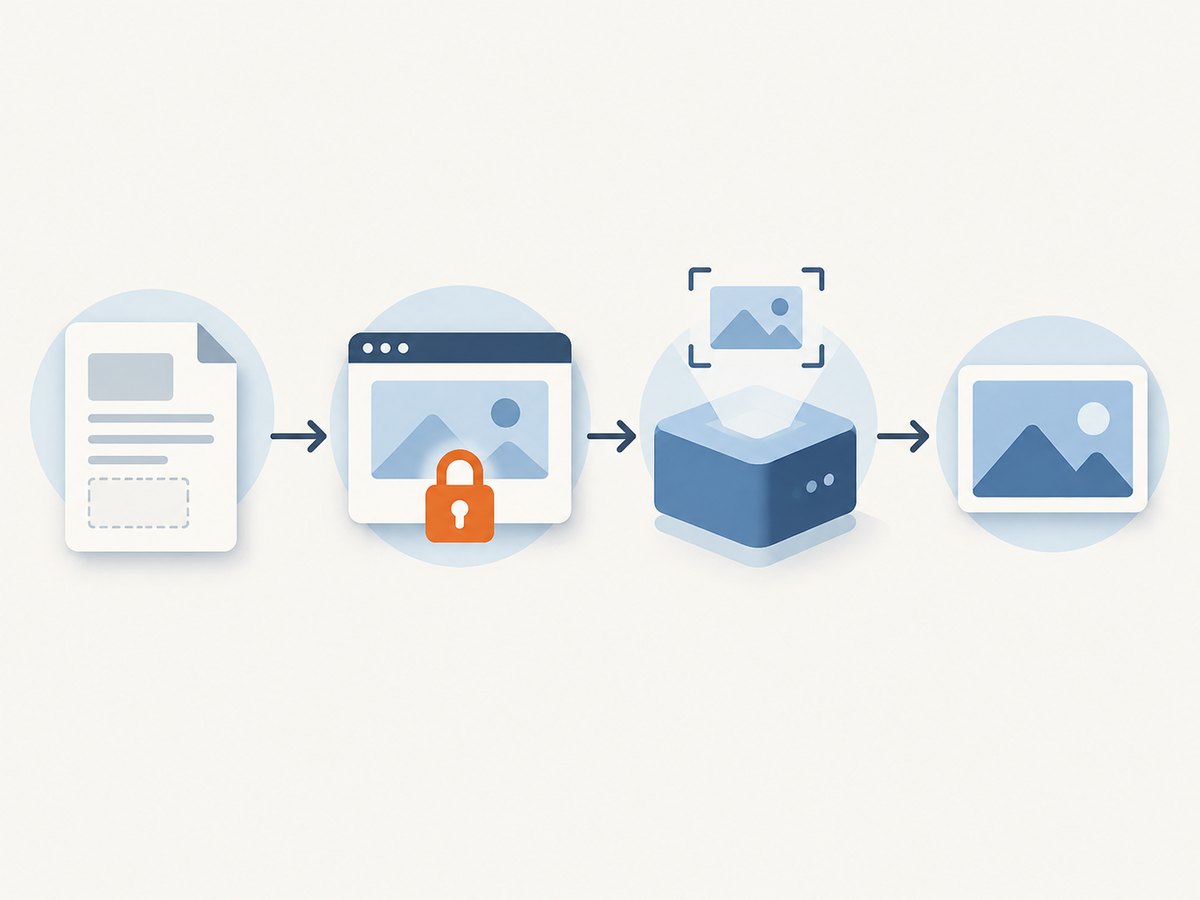
Keep the flow in two parts: retrieve the intended draft using the CMS’s preview mechanism, then expose a protected preview page the screenshot service can render. Depending on the provider, the renderer may need a private header or cookie, a short-lived signed preview URL, or a server-side bridge that fetches draft data and renders it. Design access so that a screenshot job can view only the intended page and entry.
Contentful
Contentful’s Preview API serves the latest drafts and uses a separate preview access token. Its documentation explicitly says production access tokens do not work with the Preview API; keeping preview credentials separate helps avoid accidental exposure of unpublished content. The API does not implement the Sync API, so an app relying exclusively on Sync needs another preview data-loading path. The documented default limit is 14 requests per second, and rate-limited responses include a reset header. Read Contentful’s Preview API overview.
Contentstack
Contentstack’s private Preview Service requires the relevant preview token and stack API key in headers; its documentation also lists geographically distinct preview endpoints. Keep those credentials in a trusted application environment and verify that the endpoint matches your stack and region. See Contentstack’s Preview API documentation.
For WordPress, Strapi, or another CMS, follow that CMS’s preview and authentication model. A renderer cannot turn an inaccessible draft URL into a secure preview automatically. Avoid placing reusable CMS tokens in screenshot query strings, public HTML, or client-side scripts. If a provider cannot reach your private origin, use an approved secure bridge or choose a service and deployment arrangement that can.
4. A practical implementation workflow
- Define the preview artifact. Decide whether editors need a thumbnail, a fixed viewport, a whole-page image, a specific component, or a PDF. Specify dimensions, format, scale, and whether mobile or dark mode matters.
- Build a stable preview route. Have the application resolve the draft using CMS preview credentials stored server-side. Ensure the route selects the intended entry, locale, version, and preview state.
- Grant the renderer narrow access. Choose a short-lived signed URL or scoped authentication supported by your architecture. Do not expose a general-purpose CMS token to the renderer or user if a narrower mechanism is available.
- Set render readiness deliberately. Prefer waiting for a meaningful selector that appears when the important content is ready. Use network idle only when the page’s network behavior makes it reliable; polling, analytics, and live connections can prevent an idle state.
- Capture and inspect. Save the image or upload it to your own storage, then confirm expected dimensions, content, and absence of overlays. Use a deterministic test entry with a slow image and client-rendered content.
- Make jobs idempotent. Key the output by entry ID, draft revision, locale, and capture settings. Refresh or invalidate when those inputs change; retry transient failures with bounded backoff.
- Protect the result. Apply your own authorization and retention policy to generated screenshots. A preview image can reveal unpublished content even when the page itself is protected.
5. Or skip the browser setup
ScreenshotNeo can render a URL with one GET request. This example captures the intended preview route; adapt the target URL and use the authentication configuration documented for your protected page. Keep the API key on your server. See the ScreenshotNeo docs.

cURL
curl -G "https://api.screenshotneo.com/v1/shot" -d access_key=YOUR_API_KEY --data-urlencode url=https://stripe.com -o shot.webpPython
import requests

r = requests.get(
    "https://api.screenshotneo.com/v1/shot",
    params={"access_key": "YOUR_API_KEY", "url": "https://stripe.com"},
    timeout=90,
)
open("shot.webp", "wb").write(r.content)
Node.js
const q = new URLSearchParams({ access_key: 'YOUR_API_KEY', url: 'https://stripe.com' });
const res = await fetch(`https://api.screenshotneo.com/v1/shot?${q}`);
if (!res.ok) throw new Error(`Screenshot request failed: ${res.status}`);
const bytes = Buffer.from(await res.arrayBuffer());
await import('node:fs/promises').then(fs => fs.writeFile('shot.webp', bytes));- Cookie banners, popups, and chat widgets are removed before the shot.
- Bot checks, blank pages, and failed loads are never billed; responses identify the verdict and billing status.
- An MCP server lets Claude, Cursor, and other MCP clients take screenshots, get page information, and capture PDFs.
- 1,000 screenshots a month are free with no card; paid plans start at $5 for 3,000. Every feature is on every plan.
Sign up for 1,000 free screenshots a month, with no card required.
6. Configure captures for useful previews
- Viewport and device: match the editor’s intended output. Use a device preset or explicit viewport; responsive layouts can change substantially at breakpoints.
- Full page versus element: use full-page capture for page review and a CSS selector for a card or hero. Verify sticky headers and lazy-loaded images in full-page mode.
- Wait conditions: wait for a selector that indicates meaningful content is ready, or use a delay for a known animation. Keep delays as short as the page permits. Network idle may be unsuitable for sites with persistent requests.
- Output format and scale: PNG is useful for crisp text and fidelity; JPEG or WebP may reduce storage or transfer size depending on the content and quality setting. Retina scale increases pixel dimensions and payload size.
- Page cleanup and customization: hide known dynamic or irrelevant elements, add custom CSS where needed, or use click-before-capture when the page state requires it. Cleanup rules can change the image, so review representative pages.
- Locale and state: timezone, geolocation, cookies, headers, and user agent can affect prices, dates, content, and access. Set only what your preview requires and avoid sharing sensitive values in logs.
- Delivery: use synchronous capture for an editor waiting on one thumbnail. For bulk republishing or large collections, asynchronous jobs, signed webhooks, and bulk requests can keep the CMS request cycle short.
7. Test candidates with the same CMS cases
Run the same trial against each candidate instead of judging from a landing page. This is an evaluation plan, not a claim that comparative tests have been performed.
- Capture a published page as a baseline.
- Capture an unpublished draft and confirm the exact draft revision appears.
- Capture a page whose main content is rendered by JavaScript.
- Capture a page with a slow image or third-party widget.
- Repeat using the target card viewport, full page, and any required mobile dimensions.
- Confirm authentication works without exposing credentials in a public URL, client bundle, or logs.
- Record successful completion, failures, dimensions, time to usable result, retention behavior, and the cost using your expected monthly volume.
Check output visually, not only the HTTP status. A successful response can still capture a loading state, an error page, or the wrong revision if the preview route or wait condition is wrong.
8. Performance, reliability, privacy, and cost
Performance: the overall preview time includes CMS draft retrieval, application rendering, and screenshot capture. A slow CMS request or third-party asset can dominate the renderer’s work. Cache by revision and settings when editors can accept a slightly older result; invalidate on draft changes. Avoid recapturing unchanged pages for every list view.
Reliability: distinguish permanent failures, such as invalid authentication or an unsupported private host, from transient timeouts and rate limits. Use bounded retries with exponential backoff and jitter for transient errors, honor any retry guidance, and avoid retry storms. Persist job state so a webhook or worker restart does not lose the requested capture. Treat a missing or unexpected image as a failed preview, even if the transport request completed.
Cost: estimate captures per month from the actual workflow: initial preview, refreshes after edits, list thumbnails, retries, and bulk rebuilds. Compare billing units carefully. The dossier describes ScreenshotAPI’s free allowance as 100 screenshots monthly and Richscripts Shots as using prepaid credits; their billing units are not directly comparable. ScreenshotNeo’s stated tiers are 1,000 free per month, then $5/3,000, $15/15,000, $39/60,000, $99/250,000, and $249/1,000,000; yearly billing gives two months free. Verify current offers before committing, since quotas and prices can change.
Privacy: draft screenshots may be as sensitive as the draft itself. Minimize access, avoid logging credentials, decide where images are stored, define retention, and confirm the service’s current regional and retention terms. A claim on a vendor page is not independent validation; verify contractual terms for your requirements.
9. Troubleshooting
| Symptom | Likely cause | Fix |
|---|---|---|
| Screenshot shows published content | The preview application is using delivery credentials or the wrong entry/version. | Trace the CMS request and verify preview mode, token, entry ID, locale, and revision. |
| 401 or 403 on the draft page | Missing, expired, or incorrectly scoped preview authentication. | Use the right preview credential and pass it only through the protected mechanism supported by the renderer and app. |
| Renderer gets a login page | Authentication was not forwarded, or the route depends on a browser session unavailable to the capture. | Use a short-lived authorized route or supported header/cookie approach; do not make the draft publicly accessible as a workaround. |
| Image is blank or incomplete | Capture happened before client rendering or key assets loaded. | Wait for a content selector, then inspect lazy images, fonts, and console-visible page errors. |
| Capture times out | Slow assets, persistent network activity, blocked resources, or an overly strict idle condition. | Wait on a specific selector, remove unnecessary resources, or use a reasonable delay. Test the route outside the renderer too. |
| Wrong layout or crop | Viewport, device emulation, selector, or full-page behavior differs from the editor’s target. | Set explicit dimensions and capture mode; test at responsive breakpoints. |
| 429 from a CMS preview API | Preview data requests exceeded the provider’s limit. | Throttle requests, cache where appropriate, and honor the reset header. Contentful documents 14 requests per second by default for its Preview API. |
| 429 or queue delays from screenshot service | Concurrency or plan capacity is exceeded. | Bound worker concurrency, queue jobs, and apply backoff rather than retrying immediately. |
| Unexpectedly high usage | Repeated renders on every editor poll, preview refresh, or retry. | Deduplicate by draft revision and settings; cache results and set retry limits. |
| Overlay remains in screenshot | The banner or widget is not recognized or is custom-built. | Use provider cleanup controls and add a targeted hide selector or custom CSS; verify that meaningful page content remains visible. |
10. Frequently asked questions
Does a screenshot API preview unpublished CMS content by itself?
No. The CMS or preview application must provide the draft page, and the screenshot API renders what it can access.
Can I generate a screenshot directly from a CMS API response?
Usually the API response is structured content, not a rendered page. Build or use a preview frontend to turn it into the page editors review, then capture that route.
Should I store screenshots in the screenshot provider?
That depends on the provider and your retention requirements. Decide whether to store output in your own authorized media or object storage, and verify the provider’s current handling terms.
Should a CMS preview screenshot be full page?
Use full-page output when reviewers need the whole composition. Use a fixed viewport or element capture for compact cards and predictable thumbnails.
Recommendation
Shortlist by CMS integration evidence and secure draft reachability, then run the same published, draft, JavaScript-rendered, and slow-asset cases through each service. Compare the resulting image and actual workflow cost, not feature lists alone. Start with ScreenshotNeo if clean captures, explicit billed-versus-failed outcomes, and integrated screenshot controls match your needs; verify the draft route and authentication path before putting it into an editor workflow.


