Best Screenshot API for Competitor Monitoring in 2026
Compare screenshot APIs for competitor monitoring, plan a reliable capture workflow, and choose a service with a repeatable trial on your own target pages.
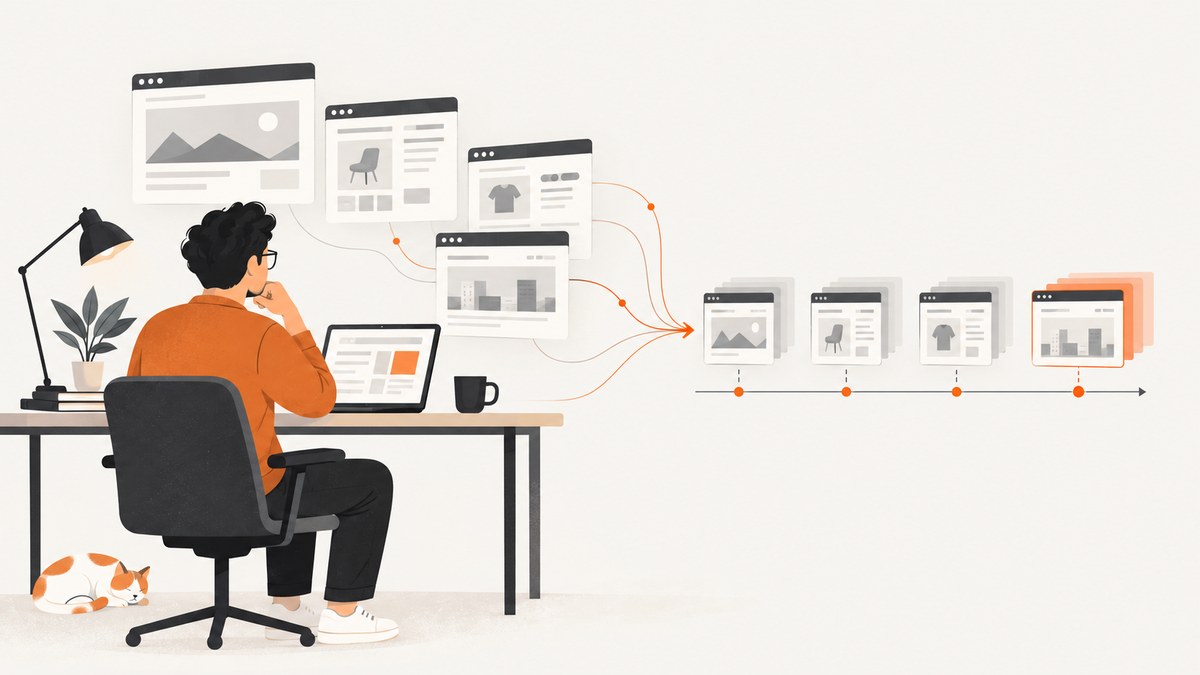
For competitor monitoring, the best screenshot API is the one that captures your actual target pages consistently at a monthly cost and operating effort your team can support. There is no evidence-backed universal winner: published feature lists and prices do not establish how well a service will render your competitors’ pages. Shortlist services by workflow fit, then run the same representative URLs through each candidate before committing.
A screenshot API renders a URL or supplied content into an image or PDF. Monitoring usually needs more around that capture: a scheduler, snapshot storage, image or content comparison, and alert delivery. Do not assume those pieces are included just because a vendor offers an endpoint, webhook, or scheduled-capture feature. ScreenshotNeo is one option to evaluate, especially if removing consent banners and popups or billing only clean captures matters to your workflow.
1. What to evaluate for competitor monitoring
A one-off screenshot can look fine while a recurring job produces noisy or incomplete records. Judge the complete capture workflow using the pages, frequency, access constraints, and output that your team needs.
| Decision area | Questions to answer |
|---|---|
| Rendering | Does it handle JavaScript-heavy pages, long pages, lazy-loaded images, and content that updates asynchronously? |
| Capture controls | Can you set viewport or device, wait conditions, selectors or interaction steps, full-page behavior, and output format? |
| Page treatment | Can you deal with consent banners or other overlays? Can you add styles or scripts, and can those steps be switched off? |
| Access and geography | Does your workflow need regional routing, proxies, custom headers, cookies, or authenticated access? Check the provider’s documentation and policies. |
| Pipeline | Who schedules captures, stores snapshots, compares them, retries failures, and sends alerts? Are jobs synchronous or asynchronous? |
| Throughput and reliability | What are the rate limits, concurrency, timeout behavior, retry controls, and definition of a successful render? |
| Economics | Is billing by successful render, browser time, or another unit? Include cache misses, proxy use, overages, and taxes in estimates. |
| Security | How are credentials and captured data handled? Use HTTPS for requests containing API keys, cookies, or authorization headers. |
For each candidate, calculate expected volume: number of pages multiplied by captures per page per day and days per month. Then account for retries and the vendor’s billing definition. A headline plan allowance is not a useful cost estimate if it excludes a resource your workflow uses.
2. Screenshot API shortlist for 2026
The following shortlist is based on stated features and published plan structures, not a head-to-head capture benchmark. Prices and quotas change; verify each provider’s official page before buying.
| Service | Published model and relevant fit | What to validate |
|---|---|---|
| ScreenshotNeo | GET screenshot API and MCP server. Consent-banner acceptance and removal of 60+ known consent platforms, newsletter popups, and chat widgets; only clean shots are billed. Free plan has 1,000 shots/month without a card; paid plans start at $5 for 3,000. | Run your own target URLs and verify the capture controls, workflow integration, and output behavior you need. Its endpoint does not by itself establish that your team has scheduling, storage, comparison, or alerting covered. |
| ScreenshotOne | Its official pricing page lists 100 free captures/month; Basic is $17/month for 2,000, Growth $79 for 10,000, and Scale $259 for 50,000. Listed features include full-page capture, formats, PDFs, HTML rendering, caching, S3 upload, integrations, and webhooks. Higher tiers list location selection, scrolling screenshots, video, or GPU rendering. | The vendor says successful uncached renders count toward quota; a cache miss may cause a counted rerender. Confirm the current plan details, caching behavior, and any feature tier you need. |
| Urlbox | Its pricing page lists Lo-Fi at $19/month for up to 2,000 renders, Hi-Fi at $49 for up to 5,000, and Ultra at $99 for up to 15,000; Business is listed at $498/month, with Enterprise custom priced. Its comparison positioning includes scheduled captures. | Confirm scheduling availability and tier limits in current Urlbox documentation. Compare access, request limits, and output quality on your pages. |
| Browserless | Its pricing defines a unit as up to 30 seconds of browser time per browser connection. The page lists 1,000 monthly units on Free and 20,000 on Prototyping at $25/month billed annually. Proxy bandwidth consumes additional units: six units/MB for residential and two for datacenter proxies. Private deployments and licensed self-hosting are offered for enterprise. | Estimate browser time and proxy consumption against the current plan. It may fit teams needing broader browser automation or self-hosting; test screenshot results and operational fit directly. |
| Self-hosted Puppeteer or Playwright | Can fit local scripts, tests, or a team that needs control over its browser environment. | Your team owns browser servers, queues, retries, updates, and rendering failures. Compare the engineering and operating effort with managed services; cost is workload-specific. |
Among these options, ScreenshotNeo is the first service to try if clean captures, explicit no-charge outcomes for failed or non-clean pages, and a low-cost entry plan match your needs. That is a fit recommendation based on its stated features and pricing, not a claim that it renders every competitor page better than the alternatives.
3. Run a fair trial before choosing
- Pick representative URLs. Include a long page, a JavaScript-heavy page, a page with a consent banner, and any authenticated or location-sensitive page your monitoring actually requires.
- Define a consistent capture. Use the same viewport, output format, wait condition, schedule, and page state for each service. Note where an API cannot express a required control.
- Capture more than once. Repeat captures to see whether fonts, animations, timestamps, rotating banners, or delayed content create visual noise. This is your trial result; vendor feature descriptions do not prove repeatability.
- Inspect the artifacts. Compare visual completeness, clipping, overlays, lazy images, and whether the capture is the same page state you intend to monitor.
- Exercise delivery and failure paths. Check latency, timeout handling, retries, async job completion, and webhook behavior if used. Record how the provider reports failures and charges for each outcome.
- Estimate monthly cost and ownership. Multiply your actual page count and cadence, then include expected retries, cache misses, browser time or proxy usage, storage, and engineering effort for scheduling and diffs.
- Choose using written criteria. Record pass/fail thresholds for fidelity, repeatability, delivery, and cost so your choice can be revisited when pages or volume change.
This kind of representative test set is recommended in a vendor-authored comparison; it is a sensible evaluation method, not evidence that any vendor won a test here. No live integration, visual comparison, reliability audit, or benchmark was performed for this guide.
4. Build the monitoring workflow around the capture API
A practical workflow can be divided into five stages:
- Schedule: store each competitor URL, cadence, viewport, wait rule, and timezone in your own job configuration or a scheduler you have selected.
- Capture: submit a request with a stable configuration. Use asynchronous jobs when available and appropriate for long-running work.
- Store: save the image plus metadata such as URL, capture time, viewport, API response status, and relevant billing or page verdict. Keep secrets out of logs.
- Compare: generate a visual diff or compare extracted content. Mask or normalize dynamic regions such as clocks and rotating promotions when those changes are irrelevant to your alert.
- Alert and review: route meaningful changes to the people who need them, retain enough history for context, and provide a way to mark expected changes as reviewed.
Retries should be bounded. Retry transient timeouts or network errors with a delay and limit; do not retry an unchanged CAPTCHA or access denial indefinitely. Separate capture failure from a valid page change so an outage does not become a false competitor alert.
5. DIY capture with a browser
A browser automation script gives you control over page readiness and output. Here is a runnable Node.js example using Playwright. Install Playwright and its Chromium browser first with npm install playwright and npx playwright install chromium. Save the following as capture.mjs and run node capture.mjs https://example.com.
import { chromium } from 'playwright';

const target = process.argv[2];
if (!target) throw new Error('Usage: node capture.mjs https://example.com');

const browser = await chromium.launch({ headless: true });
try {
  const page = await browser.newPage({
    viewport: { width: 1440, height: 1000 },
    deviceScaleFactor: 1,
    colorScheme: 'light'
  });
  const response = await page.goto(target, {
    waitUntil: 'domcontentloaded',
    timeout: 45000
  });
  if (!response || !response.ok()) {
    throw new Error(`Navigation failed: ${response?.status() ?? 'no response'}`);
  }
  // Allow a brief settle period; replace with a selector wait when possible.
  await page.waitForTimeout(1200);
  await page.screenshot({ path: 'competitor.png', fullPage: true });
} finally {
  await browser.close();
}
This is a starting point, not a complete production monitor: it has no scheduler, storage service, visual diff, alerting, or retry queue. Set limits and error handling around those components before relying on recurring records.
Useful capture settings and edge cases
- Wait condition:
domcontentloadedis faster than waiting for every network connection, but may precede client-rendered content. Use a known selector or a deliberate readiness rule for pages that hydrate after navigation. A fixed sleep can be flaky and wastes time when the page is ready sooner. - Full page: Full-page screenshots can be large and may not trigger lazy-loaded images below the fold. Scroll through the page before capture if your target needs it, then allow newly requested content to settle.
- Viewport and scale: Keep viewport and device scale fixed across scheduled runs; otherwise responsive layout changes can appear as competitor changes.
- Dynamic content: Animations, rotating content, ads, timestamps, and personalization can create noisy diffs. Disable animation or mask known volatile elements where permitted and appropriate.
- Access restrictions: Some pages challenge automated browsers or require login, cookies, region, or custom headers. Use access only you are authorized to use and protect credentials. A browser script cannot guarantee access to a protected page.
- Long pages: Full-page capture can increase time and memory use. Capture a relevant element or viewport if that is sufficient for the monitoring question.
6. Or skip the browser setup
ScreenshotNeo turns a URL into an image or PDF with one GET request. Its API supports PNG, JPEG, and WebP outputs; the call below follows the supplied API example and saves the response bytes as shot.webp. See the ScreenshotNeo API documentation for request options and integration details.
curl -G "https://api.screenshotneo.com/v1/shot" -d access_key=YOUR_API_KEY --data-urlencode url=https://stripe.com -o shot.webpimport requests
r = requests.get(
"https://api.screenshotneo.com/v1/shot",
params={"access_key": "YOUR_API_KEY", "url": "https://stripe.com"},
timeout=90,
)
open("shot.webp", "wb").write(r.content)const q = new URLSearchParams({ access_key: 'YOUR_API_KEY', url: 'https://stripe.com' });
const res = await fetch(`https://api.screenshotneo.com/v1/shot?${q}`);
if (!res.ok) throw new Error(`Screenshot request failed: ${res.status}`);
await Bun.write('shot.webp', new Uint8Array(await res.arrayBuffer()));The Python and Node.js examples need their respective HTTP runtime or library available. Replace the example URL with a page you are authorized to capture. For competitor monitoring, you still need to arrange your schedule, saved snapshots, comparison, and alerts unless your chosen surrounding system supplies them.
- Cookie and consent banners, newsletter popups, and chat widgets are removed before the shot; each cleanup step can be turned off.
- Bot checks and CAPTCHAs, blank pages, timeouts, failed loads, and cache hits are not billed. Responses identify page verdict and billing status in
X-Page-VerdictandX-Billedheaders. - An MCP server provides
take_screenshot,get_page_info, andcapture_pdftools for Claude, Cursor, and other MCP clients. - The free plan includes 1,000 screenshots per month with no card; paid plans start at $5 for 3,000. Yearly billing gives two months free, and every feature is on every plan.
Sign up free for 1,000 screenshots a month, with no card.
7. Performance, reliability, and cost
Capture latency depends on page behavior, readiness rules, page length, region, and output. A wait-until-network-idle policy can be unsuitable for pages with continuous analytics or streaming requests; a stable selector can be more precise. Do not lower timeouts so far that slow but valid pages become routine failures.
For reliability, make jobs observable: record request ID if supplied, target URL, start and finish times, status, page verdict, output location, and retry count. Keep API keys and authenticated cookies out of ordinary logs. Use HTTPS for requests containing credentials. Decide what to do when the screenshot succeeds but storage or diff processing fails; making stages independently retryable avoids unnecessary recaptures.
Cost comparisons need a common unit. ScreenshotOne publishes render quotas and says successful uncached captures count, with cache misses potentially triggering a billed rerender. Urlbox publishes render quotas by plan. Browserless charges in browser-time units and separately consumes units for proxy bandwidth. Self-hosting shifts work to your own browser infrastructure and maintenance. Recheck live plan pages before purchase, and include your actual retry rate and cadence in the estimate.
8. Troubleshooting common capture problems
| Symptom | Likely cause | Fix |
|---|---|---|
| Screenshot is blank or missing app content | Capture occurred before client rendering completed, or navigation returned an error. | Check navigation status, wait for a page-specific selector, and record the provider’s page verdict. Avoid treating a blank result as a valid visual change. |
| Images below the fold are absent | Lazy-loaded resources were never requested. | Use a full-page mode that loads lazy content, or scroll incrementally and wait for images before capture. |
| Consent dialog covers the page | The site displays a consent layer before capture. | Use an appropriate banner handling option where available, or capture the consent state intentionally if it is what you need to monitor. Check that page treatment complies with your access and policy requirements. |
| Frequent false diffs | Viewport drift, timestamps, animation, ads, personalization, or delayed content changed between runs. | Fix viewport and wait rules; mask irrelevant dynamic regions or compare normalized page content. |
| Timeouts on a page that opens manually | Heavy scripts, continuous network traffic, region differences, or automation challenges. | Wait for a meaningful selector rather than all network activity, review region and access needs, and use bounded retries for transient failures. |
| Unexpected usage charges | Billing may count successful uncached renders, cache misses, browser time, proxy traffic, or other units differently. | Inspect response status and billing headers where available; reconcile usage against the provider’s current plan definition and your retry logs. |
| Request fails with an authorization error | Missing or invalid API key, expired credentials, or malformed authentication parameter. | Verify the key and request encoding, keep it server-side, and do not publish it in client code or logs. |
| Image dimensions differ between runs | Viewport, device scale, responsive breakpoint, or full-page behavior changed. | Pin the viewport and scale and use the same capture settings for every scheduled run. |
9. FAQ
Does a screenshot API automatically monitor competitor changes?
Usually the API is the rendering and capture step. Confirm whether scheduling, retention, visual comparison, and alerting are separate parts of your system.
How often should competitor pages be captured?
Set cadence based on how quickly the information changes and what volume you can review. Start with a modest schedule, measure useful alerts, and adjust the frequency.
Can I monitor pages behind a login?
Only if your workflow is authorized and the service supports the required cookies, headers, or browser session. Verify credential handling and access rules with the provider before sending secrets.
Which API is fastest?
The research here contains no comparable latency measurements. Measure your own representative pages with the same wait conditions and output settings.
What is the safest way to choose?
Run the same representative page set on a shortlist, review repeatability and failure handling, then compare projected total monthly cost and operational effort.
Sources
- Browserless: The 8 Best Screenshot APIs in 2026 (vendor-authored comparison).
- ScreenshotOne pricing and getting started documentation.
- Urlbox pricing.
- Browserless pricing.
- ScreenshotOne: Best Screenshot APIs in 2026 (vendor-authored comparison with founder disclosure).
Published prices and product details can change. This guide makes no claim of independent testing or a universal performance winner.


