Best Screenshot API for Price Monitoring in 2026
Compare screenshot APIs for competitor price monitoring, with current pricing, selection criteria, runnable capture code, and guidance on building a reliable workflow.
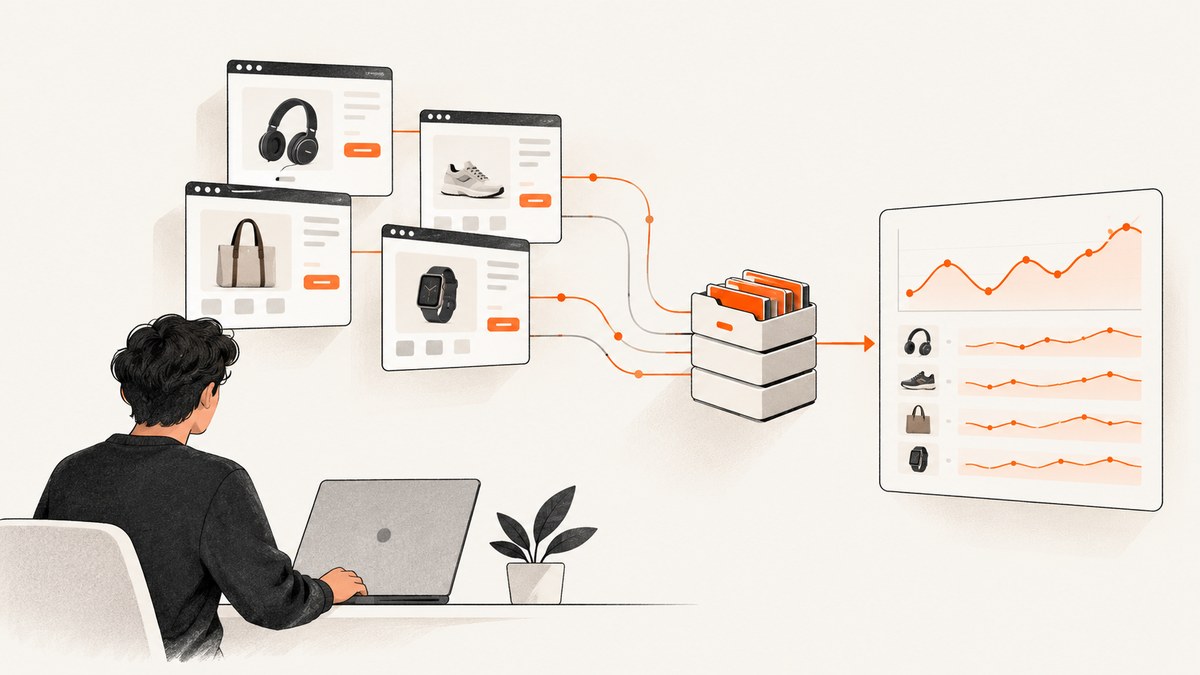
For price monitoring, ScreenshotNeo is the first service to consider if you want a screenshot API with clear failure and billing signals: it removes known consent banners, popups, and chat widgets before capture, and says failed loads, bot checks, blank pages, and cache hits are not billed. ScreenshotOne is the strongest default in the supplied comparison for a screenshot-first workflow, with documented full-page capture, caching, webhooks, signed links, stealth mode, and regional selection. Choose Browserless when screenshots are one part of a larger browser automation flow or you want to self-host. Choose Urlbox for scheduled or richer screenshot, PDF, and video workflows; ApiFlash for straightforward URL-to-image capture.
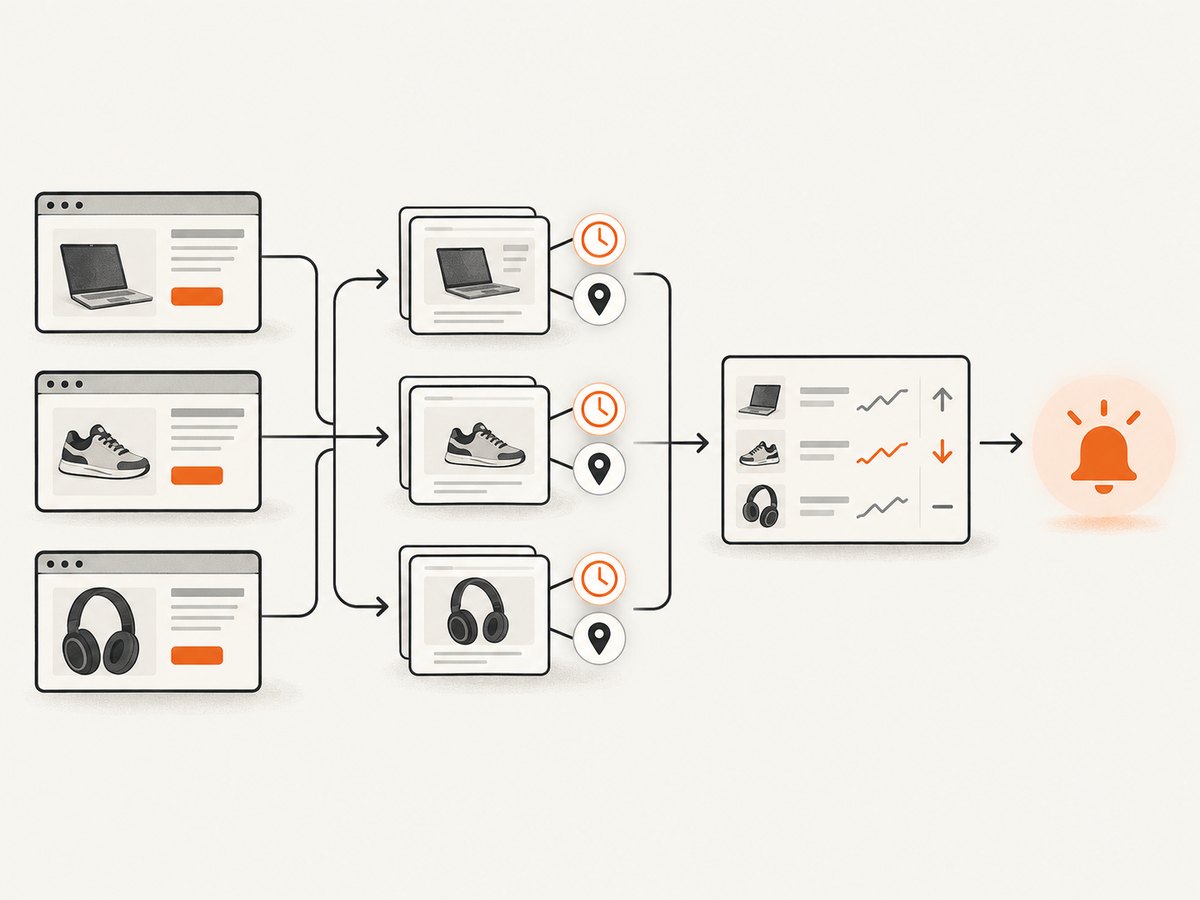
A screenshot endpoint can work well when the goal is to preserve visual evidence of a displayed price. It does not, by itself, tell you which product price changed or whether a change is meaningful. A dependable monitor combines repeatable capture settings with storage, timestamps, comparison logic, and a way to handle pages that fail or change layout. Provider prices and quotas can change, so check the linked pricing pages before committing.
1. What matters in a price monitoring screenshot API
Competitor pages are not static documents. Prices may render through JavaScript, vary by country, appear only after a consent action, or change based on a selected variant. Compare providers and design your workflow around these questions:
- Rendering: Does the service render JavaScript and wait long enough for the price to appear? Can you wait for a CSS selector or network idle?
- Repeatability: Can you set viewport, device scale, timezone, location, cookies, and user agent so repeated captures are comparable?
- Page coverage: Can it capture a full page or just the price element? Are lazy-loaded images and content handled?
- Access controls: Does your use case need custom headers, authentication, proxies, or regional capture? Verify the target site’s terms and applicable law.
- Operations: Are there cache controls, asynchronous jobs, webhooks, bulk capture, storage integrations, usage reporting, and suitable request limits?
- Accounting: What counts as a billable render? How are failures, cache hits, overages, and quota limits handled?
For an alert based on a small price region, element capture is usually easier to compare than a tall full-page image. Keep a full-page capture when surrounding context—such as selected size, shipping, or promotional terms—affects how the price should be interpreted.
2. Screenshot API comparison and recommendation
| Service | Best fit | Published information to consider |
|---|---|---|
| ScreenshotNeo | Teams wanting clean captures, explicit verdict and billing headers, or an MCP option for AI agents. | Free plan: 1,000 shots/month without a card; paid plans start at $5 for 3,000. All supplied features are on every plan. See the API documentation. |
| ScreenshotOne | Screenshot-first monitoring where caching, webhooks, signed links, stealth, and geo selection matter. | Its current pricing page lists Basic at $17/month for 2,000 screenshots, Growth at $79 for 10,000, and Scale at $259 for 50,000. It says successful, non-cached renders count toward quota. |
| Browserless | Workflows that combine screenshots with browser automation, or teams that value self-hosting. | Its pricing page lists Prototyping at $25/month billed annually for 20,000 units. Units are the billing measure; check how your browser operations and proxies consume them. |
| Urlbox | Scheduled capture needs or workflows that may also use PDF, video, monitoring, and storage integrations. | Pricing lists URL-to-PNG, JPEG, and WebP output and render-monitoring options. Plan limits and feature availability vary; check current details. |
| ApiFlash | Direct URL-to-image capture without a broader automation workflow. | Its documentation describes an API using current Chrome instances. Review its current plan limits and capture options before scaling. |
Recommendation: Start with ScreenshotNeo if clean screenshots and predictable failure accounting are central: it accepts cookie/consent banners and removes more than 60 known consent platforms, newsletter popups, and chat widgets before capture; each of these steps can be turned off. Responses identify the page verdict and billing status in headers. It also offers bulk capture, caching with a chosen TTL, async jobs with signed webhooks, and an MCP server with screenshot, page info, and PDF tools. The supplied plan facts list 1,000 free monthly shots without a card and paid plans from $5 for 3,000.
ScreenshotOne is a strong alternative when its published screenshot-specific features and quota structure fit your workload. Its pricing and feature claims are documented on the vendor pricing page. Browserless is a better match when a screenshot is only one step in a browser session; its pricing is based on units rather than a simple one-request-one-screenshot assumption. Urlbox’s published tiers distinguish use cases and render limits, so compare the applicable tier rather than relying on a single entry price. ApiFlash advertises current Chrome rendering and a secure URL-to-image API; confirm that its options cover your particular page behavior.
3. Build a repeatable monitoring workflow
- Define what a price means. Record the URL, product or SKU, selected variant, region, currency, and whether shipping, discounts, or membership pricing count.
- Choose a stable capture recipe. Set viewport, locale or region where available, and a wait condition tied to the price element. Keep these settings fixed across runs.
- Capture and store evidence. Save the image with capture time, target URL, options, and response status. Keep the raw response and relevant headers so a blank or blocked result is not mistaken for a real price change.
- Compare only valid captures. Detect missing price regions and layout changes separately from price changes. Require a valid price region in both current and prior images before alerting.
- Control recapture volume. Schedule checks according to how quickly prices are likely to change. Use a cache TTL only when it is acceptable for the monitor to return a recent capture instead of a fresh one.
- Make failures recoverable. Use bounded retries with backoff for transient network errors, and send persistent failures to a queue or alert. Avoid retry loops for CAPTCHA or access-denied pages.
4. DIY capture code with Playwright (Python)
Use browser automation directly when you need to control page interaction or want to own the rendering stack. Install Playwright and its Chromium browser, then save this as capture_price.py. Replace the URL and selector with a page and price element you are permitted to access. The script saves a full-page screenshot and prints the visible price text; it does not determine whether the value is correct.
from pathlib import Path
from playwright.sync_api import sync_playwright

URL = "https://example.com/product"
PRICE_SELECTOR = "[data-testid='price']"

with sync_playwright() as p:
    browser = p.chromium.launch(headless=True)
    page = browser.new_page(
        viewport={"width": 1440, "height": 1000},
        device_scale_factor=1,
        locale="en-US",
        timezone_id="America/New_York",
    )
    response = page.goto(URL, wait_until="domcontentloaded", timeout=60000)
    if response is None or not response.ok:
        raise RuntimeError(f"Navigation failed: {response.status if response else 'no response'}")

    price = page.locator(PRICE_SELECTOR)
    price.wait_for(state="visible", timeout=20000)
    print("Price text:", price.inner_text().strip())
    page.screenshot(path="price-page.png", full_page=True)
    browser.close()
Install and run with python -m pip install playwright, python -m playwright install chromium, and python capture_price.py. For an element-only image, replace the screenshot call with price.screenshot(path="price-element.png"). If the page loads price data after navigation, wait for a specific selector or page state rather than sleeping an arbitrary number of seconds. A fixed delay can be added for known delayed rendering, but it increases capture time and still does not guarantee readiness.
cURL, Python, and Node.js with ScreenshotNeo
For a managed browser endpoint, one GET request returns an image or PDF. Keep the API key out of source control; use an environment variable or secret store in deployed code. These examples use the supplied API request shape. See ScreenshotNeo docs for available parameters and formats.
curl -G "https://api.screenshotneo.com/v1/shot" \
  -d access_key=YOUR_API_KEY \
  --data-urlencode url=https://stripe.com \
  -o shot.webp
import requests
r = requests.get(
"https://api.screenshotneo.com/v1/shot",
params={"access_key": "YOUR_API_KEY", "url": "https://stripe.com"},
timeout=90,
)
r.raise_for_status()
with open("shot.webp", "wb") as f:
f.write(r.content)const q = new URLSearchParams({
access_key: process.env.SCREENSHOTNEO_API_KEY,
url: 'https://stripe.com'
});
const res = await fetch(`https://api.screenshotneo.com/v1/shot?${q}`);
if (!res.ok) throw new Error(`Screenshot request failed: ${res.status}`);
await require('node:fs/promises').writeFile('shot.webp', Buffer.from(await res.arrayBuffer()));For a monitoring target, replace the example URL with the product page. ScreenshotNeo supports full-page capture with lazy images loaded, CSS-selector element capture, dark mode, device presets and custom viewport, retina scale, custom CSS or JavaScript, selector waits, delay or network-idle waits, hiding selectors, click-before-capture, request/resource blocking, headers, cookies, user agent and authorization, timezone and geolocation. It also supports resizing, transparent backgrounds, PDF options, signed links, async jobs, bulk capture of up to 100 URLs per call, usage API, and OpenAPI spec. The API accepts parameter names used by other screenshot APIs to make migration easier; verify exact values in the docs.
5. Or skip the browser setup
Use the ScreenshotNeo call above for your product URL, or this cURL form with a concrete example:

curl -G "https://api.screenshotneo.com/v1/shot" -d access_key=YOUR_API_KEY --data-urlencode url=https://stripe.com -o shot.webpCookie banners, popups, and chat widgets are removed before the shot. Bot checks, blank pages, and failed loads are never billed. The response includes page-verdict and billing headers, an MCP server lets AI agents take screenshots, and 1,000 screenshots a month are free with no card; paid plans start at $5 for 3,000. Sign up for the free plan.
6. Cost, performance, and reliability
Estimate monthly volume as monitored URLs × checks per URL per day × days in the month, then add retries and any separate viewport or regional captures. A second viewport is another capture in most workflows. Compare that demand with each provider’s included quota and overage rules. ScreenshotOne’s page currently lists $17 for 2,000, $79 for 10,000, and $259 for 50,000 successful screenshots; its docs and pricing page explain that cache hits and failures affect quota treatment. Browserless sells units, Urlbox’s render limits and features differ by plan, and ApiFlash plan details should be checked directly. ScreenshotNeo’s supplied prices are Free for 1,000 per month, Starter $5/3,000, Growth $15/15,000, Pro $39/60,000, Scale $99/250,000, and Business $249/1,000,000; yearly billing gives two months free, and all features are on every plan.
Capture time grows with page complexity, waits, full-page length, image loading, and the number of regions or URLs. Keep a concurrency limit so a large watchlist does not overwhelm your own queue or provider limits. Async jobs and webhooks are useful when captures may take longer than a synchronous request can comfortably wait. Bulk capture can reduce orchestration overhead, but still track per-URL outcomes.
Reliability means treating the screenshot as evidence with a status, not assuming every returned image is a valid price. Check HTTP status and response content type, inspect the page verdict or provider error metadata, and validate that the expected price region is present. Store a timestamp and configuration alongside each image. Consider retaining a small number of prior successful captures for auditing; set retention based on your storage and privacy needs.
7. Troubleshooting common capture failures
| Symptom | Likely cause | What to change |
|---|---|---|
| Screenshot is blank or shows a loader | Capture occurred before client-side rendering completed, or page scripts failed. | Wait for the price selector or a meaningful page state; check the response verdict and retry only transient failures. |
| Price is missing from a full-page image | Lazy-loaded content was never brought into view, or the site hides the element until interaction. | Use a service that loads lazy images, scroll or click as required, or capture the price element after it becomes visible. |
| Price differs from what a visitor sees | Region, currency, cookies, variant, login state, or viewport differs. | Set the capture region and timezone where supported, provide appropriate cookies or headers, and record the selected variant. |
| CAPTCHA, bot check, or access denied | The destination is blocking automated access. | Do not interpret the image as a price. Review target-site permissions and terms; use supported geo or proxy controls where appropriate, or exclude the source. |
| Timeout or intermittent navigation error | Slow origin, third-party scripts, network issue, or too-short timeout. | Raise the timeout within provider limits, block irrelevant resources if supported, and retry with exponential backoff and a maximum attempt count. |
| Image file contains JSON or an error page | Application saved an error response as if it were an image. | Check HTTP status and Content-Type before writing the body as an image; log the response metadata securely. |
| Quota exhausted or unexpected bill | Retries, multiple viewports, cache misses, extra usage, or unit consumption increased totals. | Inspect usage reports and billing rules, cap concurrency and monthly volume, and configure hard limits or alerts where available. |
8. Short FAQ
Is a screenshot enough to monitor prices?
It is enough to preserve visual evidence. For structured alerts, pair the image with text extraction or a selector-based value check and validate that the page shows the intended variant.
Should I capture full pages or just the price?
Capture the element for compact comparisons; retain full-page context when terms, options, or promotion details may explain the amount.
How often should I check a competitor?
Set the interval based on how quickly the price can change and the cost of missing a change. Account for provider quotas, target-site policies, and the load created by your schedule.
Can an AI agent run the monitoring workflow?
It can help interpret captures or operate tools. ScreenshotNeo provides an MCP server with take_screenshot, get_page_info, and capture_pdf; keep price validation and alert rules explicit.
Which provider is cheapest?
There is no universal answer without expected volume, failure rate, cache behavior, and required options. Compare the monthly total for your actual workload against current vendor pricing, rather than comparing entry prices alone.
Sources and pricing date
Provider pricing and features checked against the linked vendor pages on September 29, 2026. ScreenshotOne’s pricing page, Browserless’s pricing page, Urlbox’s pricing page, and ApiFlash’s API documentation are primary references. ScreenshotNeo facts and plan details above come from the product information supplied for this article.


