Best High-Quality Screenshot Browser Extensions
Compare the best full-page screenshot extensions for Chrome and Firefox, including formats, annotation, privacy, offline use, troubleshooting, and an API alternative.
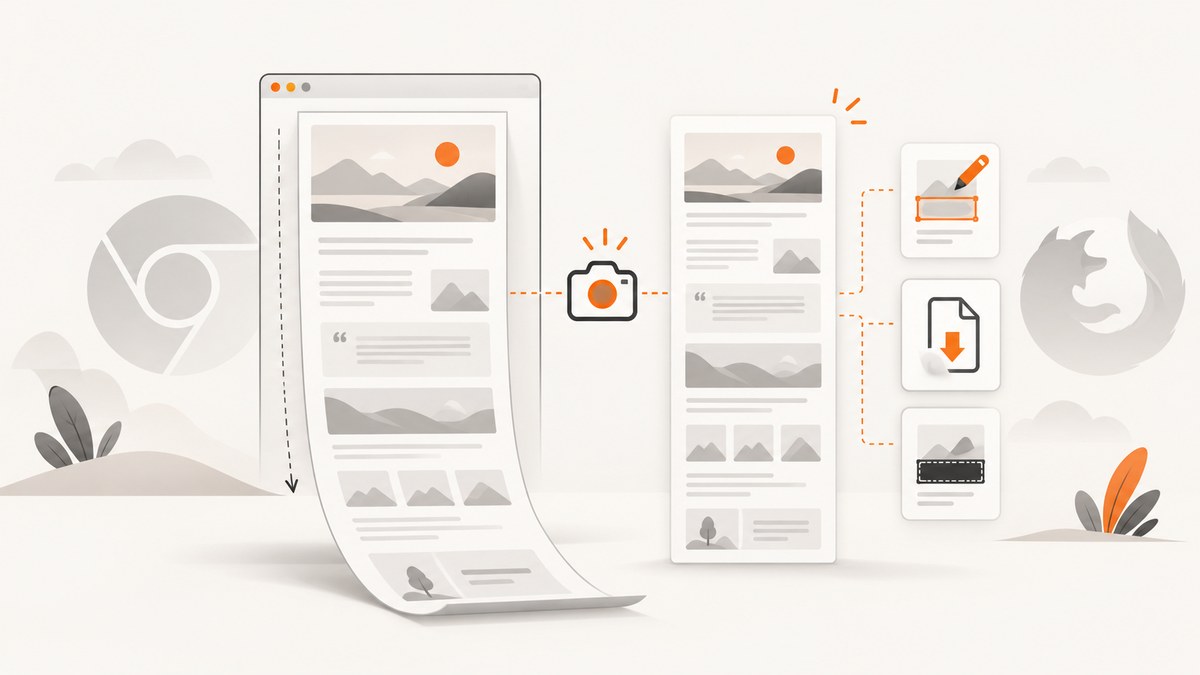
The best full-page screenshot extension depends on your workflow. GoFullPage is the clearest choice for focused full-page capture and PNG, JPEG, or PDF export. Full Page Screen Capture is stronger when you need annotation, OCR, blur, redaction, watermarks, or other editing tools. OpenScreenShot is a good Firefox screenshot add-on when WebP export matters.
If you need repeatable screenshots in a build, script, or AI workflow, use ScreenshotNeo instead of managing a browser extension. It captures a URL through an API, removes common consent banners and popups before capture, and bills only clean screenshots.
1. Quick comparison
| Tool | Best for | Formats documented | Editing and privacy tools | Browser |
|---|---|---|---|---|
| GoFullPage | Simple full-page capture | PNG, JPEG, PDF | Capture-focused workflow | Chrome; official Firefox version announced September 7, 2026 |
| Full Page Screen Capture | Annotation, redaction, OCR, and local editing | PNG, JPG, PDF | Arrows, shapes, blur or pixelation, solid and automatic PII redaction, OCR, watermarks, frames, filters, crop, rotate, style presets | Chrome |
| OpenScreenShot | Firefox users who want modern image formats | PNG, JPEG, WebP, PDF | Screenshot editing is documented; screen recording is Chrome-only in its current Firefox listing | Firefox |
| ScreenshotNeo | Automated, clean, API-based capture | PNG, JPEG, WebP, PDF | Consent handling, popup and widget removal, custom CSS and JavaScript, selectors, device presets, webhooks, MCP | Any client with HTTP; AI agents through MCP |
There is no independent image-quality or latency benchmark in the available research. Store ratings, availability, permissions, and features can change, so inspect the current listing and privacy disclosure before installing.

2. GoFullPage: best full-page screenshot extension for a simple workflow
GoFullPage is the most direct choice when your goal is to capture an entire webpage and save it as an image or PDF. Its Chrome Web Store listing documents full-page capture with PNG, JPEG, and PDF export. The listing also records Manifest V3 support added May 21, 2024 and a “save as” change on March 19, 2025. A Chrome Web Store result displayed a 4.9 out of 5 rating dated September 25, 2026; treat that as a dated store value, not a permanent score.
How to capture an entire webpage
- Install GoFullPage from the current Chrome Web Store listing.
- Open the page you want to capture and wait for visible content, fonts, and images to finish loading.
- Click the extension icon, then start the full-page capture.
- Review the generated image for lazy-loaded sections, sticky headers, and embedded media.
- Choose PNG, JPEG, or PDF export when saving.
When GoFullPage fits
- You want a short, capture-first workflow.
- You need common PNG, JPEG, or PDF output.
- You do not need a large annotation or redaction toolset inside the extension.
Long and dynamic pages
Full-page extensions capture a page by stitching or scrolling through its document. Very long pages, infinite scroll, animated sections, sticky navigation, canvas content, and lazy images can produce seams or missing content. Before capturing, scroll through the page once, allow images to load, pause animations where possible, and close overlays that would otherwise appear in every segment.
3. Full Page Screen Capture: best screenshot extension with annotation
Full Page Screen Capture opens each capture in a built-in annotation editor. Its Chrome listing documents arrows, lines, rectangles, ellipses, freehand strokes, highlighters, numbered markers, callouts, text, blur or pixelation, solid redaction, automatic PII redaction, emoji, watermarks, browser-style frames, filters, crop, rotate, OCR, and reusable style presets. Exports include PNG, JPG, and PDF. The listing states that it is free to use with no sign-up, watermark, or premium tier hiding features behind a paywall.
Use it for sensitive or review-heavy screenshots
- Capture the page at the required viewport and scroll state.
- Use crop and rotate to set the final composition.
- Apply blur or pixelation to information that should remain visible but unreadable.
- Use solid or automatic PII redaction for names, addresses, account numbers, or other sensitive values.
- Add arrows, callouts, numbered markers, or text for bug reports and documentation.
- Run OCR when you need searchable text from the image.
- Export PNG, JPG, or PDF and retain the original only if your privacy policy permits it.
For a workflow that must blur sensitive information in a screenshot, inspect the result at 100% zoom. A blur that looks sufficient in a thumbnail may reveal details when enlarged. Redact before sharing, and avoid relying on a visual overlay that can be removed from an editable project.
4. OpenScreenShot: Firefox screenshot add-on with WebP
OpenScreenShot’s Mozilla Add-ons listing documents PNG, JPEG, WebP, and PDF export, along with screenshot editing in the current Firefox release. The listing notes that screen recording is Chrome-only in that release. Choose it when you use Firefox and want WebP alongside the more common formats.
Firefox capture checklist
- Confirm the add-on version supports the export format you need.
- Review requested permissions and the publisher’s privacy disclosure.
- Test a page with lazy images, a fixed header, and an embedded frame before relying on it for production documentation.
- For private material, verify whether processing stays local or whether any data is uploaded.
5. Choosing by requirement
| Requirement | Recommended choice | Reason |
|---|---|---|
| Capture a whole page quickly | GoFullPage | Focused full-page workflow with PNG, JPEG, and PDF export. |
| Annotate a bug report | Full Page Screen Capture | Built-in shapes, arrows, labels, and style presets. |
| Blur sensitive information in a screenshot | Full Page Screen Capture | Blur, pixelation, solid redaction, and automatic PII redaction are documented. |
| Export webpage screenshot to PDF | GoFullPage, Full Page Screen Capture, or OpenScreenShot | All three document PDF export. |
| Firefox with WebP | OpenScreenShot | WebP is explicitly listed alongside PNG, JPEG, and PDF. |
| Screenshot extension that works offline or locally | Check the exact extension’s permissions and privacy disclosure | The research does not establish a universal offline guarantee; verify the current version. |
| Scheduled, bulk, or repeatable capture | ScreenshotNeo | An HTTP API supports automation, bulk capture, caching, webhooks, and usage reporting. |
6. Privacy, permissions, and offline use
A browser extension that captures arbitrary tabs usually needs permission to read page content. Before installation, check whether the permission covers all websites, whether captures leave the device, how long uploads are retained, and whether the publisher describes analytics or third-party services. Store ratings do not answer those questions.
For local-only work, prefer a tool whose current privacy documentation explicitly says processing is local. Do not assume that “free” means offline. For confidential pages, remove sensitive data before capture when possible, use redaction tools, and avoid uploading the resulting image to an unapproved service.
7. Troubleshooting common capture problems
| Symptom | Likely cause | Fix |
|---|---|---|
| Bottom of page is missing | Lazy loading or infinite scroll | Scroll through the page first, wait for images, then retry. For infinite feeds, capture a bounded section. |
| Sticky header appears repeatedly | The header remains fixed during stitched scrolling | Hide or disable the header if the tool supports it, or crop repeated sections afterward. |
| Blank or partially blank capture | Page still loading, a bot check, cross-origin frame, or extension permission issue | Wait for the page, reload, test an ordinary page, and review extension permissions. Some protected content cannot be captured reliably by an extension. |
| Fonts or icons differ | Web fonts or icon files had not loaded | Wait for network activity to settle and confirm the page looks correct before starting capture. |
| Canvas, video, or animation is inconsistent | Content changes between stitched segments | Pause animation or video, use a visible-area capture, or take several stable frames. |
| PDF has unexpected page breaks | Browser print layout differs from the visual page | Use image export for a continuous page, or inspect page size, margins, and print settings in the extension. |
| Redaction can be removed | A reversible annotation layer was shared instead of a flattened export | Export a flattened image or PDF and verify the sensitive text cannot be selected or recovered. |
| Extension does not appear | It is hidden in the browser toolbar or disabled on the current page | Pin it, check the extensions manager, and test on a normal HTTPS page. |
8. Performance and reliability considerations
- Page length: Capture time and memory use increase with document height and image density. Split exceptionally long pages when a single artifact is not required.
- Resource loading: Ads, trackers, third-party frames, and animated media can delay or destabilize a capture.
- Repeatability: Record the URL, viewport, browser version, extension version, and capture time when screenshots are evidence or release artifacts.
- Formats: PNG preserves sharp text and transparency; JPEG is smaller for photographic pages; WebP often provides a compact modern image; PDF is convenient for documents and sharing.
- Privacy: Treat screenshots as data exports. Review and redact before sending them to issue trackers or customers.
9. Or skip the browser setup
For automated captures, ScreenshotNeo provides one GET request that returns a PNG, JPEG, WebP, or PDF. See the ScreenshotNeo API documentation for the full parameter list.

cURL
curl -G "https://api.screenshotneo.com/v1/shot" -d access_key=YOUR_API_KEY --data-urlencode url=https://stripe.com -o shot.webpPython
import requests
r = requests.get("https://api.screenshotneo.com/v1/shot", params={"access_key": "YOUR_API_KEY", "url": "https://stripe.com"}, timeout=90)
open("shot.webp", "wb").write(r.content)
Node.js
const q = new URLSearchParams({ access_key: 'YOUR_API_KEY', url: 'https://stripe.com' });
const res = await fetch(`https://api.screenshotneo.com/v1/shot?${q}`);
ScreenshotNeo is the alternative to try first when you need repeatable website screenshots: cookie banners, newsletter popups, and chat widgets are removed before the shot; bot checks, blank pages, timeouts, failed loads, and cache hits are never billed; and an MCP server lets Claude, Cursor, and other AI agents take screenshots. The free plan includes 1,000 screenshots per month with no card, and paid plans start at $5 for 3,000 shots. Every plan includes every feature.
Useful ScreenshotNeo options
| Need | Available controls |
|---|---|
| Page scope | Full-page capture with lazy images loaded, or one element by CSS selector. |
| Appearance | Dark mode, 12 device presets, any viewport, retina scale, transparent background, and image resizing. |
| Page preparation | Custom CSS and JavaScript, click an element, hide selectors, wait for a selector, delay, or network idle. |
| Network and identity | Block ads, trackers, requests, or resource types; set headers, cookies, user agent, Authorization, timezone, and geolocation. |
| Documents | PDF paper size, margins, landscape mode, and page ranges. |
| Operations | Caching with a chosen TTL, signed links for public image tags, asynchronous jobs with signed webhooks, bulk capture of 100 URLs per call, usage API, and OpenAPI specification. |
| Migration | Parameter names used by other screenshot APIs also work, easing a switch. |
Responses identify the result with X-Page-Verdict and X-Billed headers. This lets a job distinguish a clean billed capture from a bot check, blank page, timeout, failed load, or cache hit.
Create a free ScreenshotNeo account for 1,000 screenshots a month with no card.
10. Cost and licensing notes
The research dossier documents Full Page Screen Capture as free to use with no sign-up, watermark, or premium tier hiding features behind a paywall. GoFullPage and OpenScreenShot should be checked in their current listings for licensing, limits, and any optional paid features. Browser extension availability and store details can change.
ScreenshotNeo pricing is Free: 1,000 shots/month; Starter: $5 for 3,000; Growth: $15 for 15,000; Pro: $39 for 60,000; Scale: $99 for 250,000; and Business: $249 for 1,000,000. Yearly billing gives two months free. Only clean shots are billed.
11. FAQ
Which is the best full-page screenshot extension?
Choose GoFullPage for a straightforward full-page image or PDF. Choose Full Page Screen Capture when editing, OCR, annotation, or redaction matters.
What is the best Chrome extension to capture an entire webpage?
GoFullPage is the clearest capture-focused recommendation in the available research. Full Page Screen Capture is the better choice when you need its built-in editor.
Which Firefox screenshot add-on supports WebP?
OpenScreenShot’s current Mozilla listing documents WebP, PNG, JPEG, and PDF export.
Can browser extensions capture pages behind bot checks?
Not reliably. A bot check can replace the page you intended to capture. ScreenshotNeo reports bot-check verdicts and does not bill those responses.
Should I use an extension or an API?
Use an extension for occasional manual work in the browser. Use an API for scheduled, bulk, repeatable, or AI-agent-driven captures.


