18 Best SEO Analysis Tools to Improve Your Ranking
Compare 18 SEO analysis tools by data source, technical depth, content workflow, reporting, and cost so you can build the right stack.

The best SEO analysis tool depends on the question you need to answer. Google Search Console is the essential starting point for a site you control because it reports Google’s own queries, clicks, impressions, indexing, and crawl data. Add a crawler for technical problems, a third-party suite for competitor and backlink research, and a content or local tool only when that workflow is part of your work.
This guide compares 18 tools by data source, keyword and backlink coverage, crawling and JavaScript handling, rank tracking, content features, integrations, reporting, learning curve, and cost. Prices and limits change frequently, so verify the current vendor page before buying.
How to choose an SEO analysis tool
Start with the data source. First-party products tell you what a search engine or your own users actually did. Third-party products estimate competitors, keywords, links, and rankings from their own indexes and models. Neither category replaces the other.
| Job | Best starting point | Why |
|---|---|---|
| Owned-site indexing and queries | Google Search Console | First-party Google data |
| Traffic and conversions | Google Analytics 4 | Behavior and business outcomes |
| Page speed and Core Web Vitals | PageSpeed Insights | Field and lab performance views |
| Large technical crawl | Screaming Frog or Sitebulb | URLs, redirects, canonicals, rendering, and extraction |
| Competitor, keyword, backlink, and rank research | Semrush or Ahrefs | Broad third-party suites |
| Content optimization | Surfer SEO | SERP-based editorial guidance |
| Local visibility | BrightLocal | Local rankings, citations, and Google Business Profile workflows |
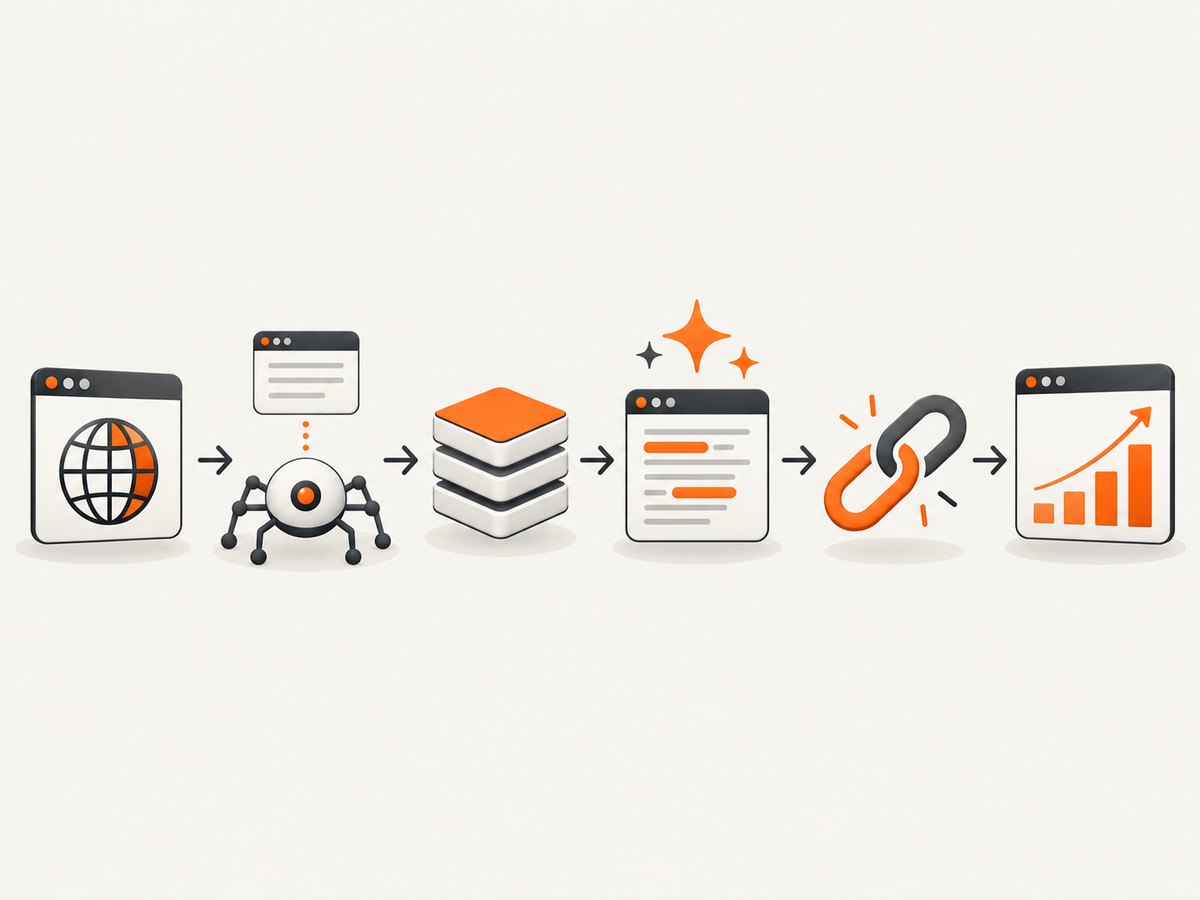
Use a stack in this order:
- Connect Search Console and Analytics 4.
- Run a crawl with a tool that can render the JavaScript your site uses.
- Use a third-party suite to compare competitors, links, keywords, and rankings.
- Use a content, WordPress, or local tool for the teams that need those workflows.
- Capture representative pages before and after changes so visual regressions do not hide behind good technical scores.
1. Google Search Console
Search Console is the free first-party baseline for every site you control. It shows queries, clicks, impressions, click-through rate, average position, indexing status, crawl issues, sitemaps, and experience reports. It is the best place to diagnose what Google can see and which pages already earn visibility.
It does not provide a complete competitor backlink index, unlimited historical rank tracking, or a general-purpose site crawl. Export its data and combine it with a crawler and an analytics system when you need those views.
2. Semrush
Semrush is a broad workspace for Site Audit, keyword research, competitor analysis, backlinks, rank tracking, content, local SEO, and AI-visibility workflows. It suits agencies and teams that want many jobs in one interface. A publisher snapshot used in an audit comparison listed a starting paid price of $139.95 per month; confirm the current plan and project, crawl, keyword, and report limits before purchase.
3. Ahrefs
Ahrefs is a strong choice when backlink and competitor research are central. Site Explorer, Keywords Explorer, Site Audit, Content Explorer, rank tracking, and newer AI-visibility functions cover a broad workflow. A publisher price example listed Ahrefs Lite at $129 per month; pricing, credits, and historical-data access can change.
4. Moz Pro
Moz Pro combines keyword, link, site, and domain analysis in an accessible suite. Domain Authority is Moz’s proprietary comparative metric, not a Google ranking factor. Treat it as a prioritization signal rather than evidence that Google will rank a page.
5. Screaming Frog SEO Spider
Screaming Frog is a desktop crawler for detailed technical checklists, JavaScript rendering, structured-data inspection, custom extraction, redirects, canonicals, and broken links. The free version is URL-limited. It is a good fit when an SEO or developer needs raw crawl control and custom columns. A publisher example listed $259 per year; check the current license and feature limits.
6. Sitebulb
Sitebulb also crawls technical issues but emphasizes visual explanations and report-forward presentation. That makes it useful when findings must be explained to clients or stakeholders. It integrates with Google Analytics and Search Console. A publisher comparison listed a starting price of $18 per month; verify current crawl limits and integrations.
7. SE Ranking
SE Ranking combines rank tracking, site audits, competitor research, reporting, and related workflows. It can suit small businesses and agencies that need a broad platform with client reports. Compare plans by tracked-keyword volume, update frequency, projects, crawl limits, and seats, and check regional pricing.
8. Surfer SEO
Surfer SEO is a content workflow rather than a replacement for first-party performance data or technical crawling. Its SERP-driven editor, keyword guidance, content analysis, AI assistance, and integrations help editors improve coverage and structure. Validate recommendations against Search Console data, search intent, subject expertise, and technical accessibility.
9. Yoast SEO
Yoast SEO is a WordPress-focused plugin for metadata, schema, XML sitemaps, readability checks, and on-page guidance. It helps authors apply consistent page settings inside WordPress, but it does not tell you how users behave or whether Google has indexed every important URL. Pair it with Search Console, Analytics 4, and a crawler.
10. Rank Math
Rank Math provides modular WordPress controls, schema settings, on-page checks, and Search Console integration. Its modules let publishers enable only the controls they need. Review generated metadata and schema on the rendered page, especially after changing templates or migrating from another plugin.
11. Google Analytics 4
Analytics 4 measures user behavior and conversions: engagement, events, landing pages, paths, and revenue where configured. It should be combined with Search Console rather than treated as a rankings database. A page can lose conversions while maintaining impressions, or gain clicks while attracting the wrong audience; the two products answer different questions.
12. PageSpeed Insights
PageSpeed Insights provides page-level performance diagnostics using lab and field perspectives, including Core Web Vitals where field data is available. Use it to prioritize speed and experience work, then reproduce important findings in a controlled Lighthouse run. A score is a diagnostic summary, not a substitute for fixing the slow resource or interaction it identifies.
13. Lighthouse
Lighthouse is an open-source audit tool for performance, accessibility, best practices, and SEO checks. Developers can run it locally, in Chrome, or in automation to catch regressions during development. Keep test conditions consistent: device emulation, throttling, logged-in state, cache, and consent state can all change results.
14. Bing Webmaster Tools
Bing Webmaster Tools supplies Bing’s first-party search performance, crawling, indexing, and site-diagnostic data. It is valuable as a second search-engine dataset and can reveal crawl or query patterns that do not match Google. Submit sitemaps and inspect its recommendations alongside Search Console rather than assuming one engine’s report represents every engine.
15. Ubersuggest
Ubersuggest offers beginner-friendly keyword ideas, competitor snapshots, and site-audit features. It is useful for generating a working list of topics and obvious issues. Validate important decisions with first-party data or a deeper index, particularly for competitive keywords and backlink conclusions.
16. AnswerThePublic
AnswerThePublic organizes questions and phrases around a seed topic. Its strength is discovering the language and concerns readers use, which can improve briefs, FAQs, and information architecture. It is not a full technical crawler, rank tracker, or backlink database.
17. BrightLocal
BrightLocal focuses on local rank tracking, citations, and Google Business Profile-oriented workflows. Choose it when map-pack visibility, local landing pages, reviews, and citation consistency affect revenue. National SEO teams may need a different tool for large-scale crawling and competitor links.
18. Majestic
Majestic centers on link intelligence, backlink discovery, and proprietary link metrics. It is a focused choice when link history and topical trust are the main questions. Use its metrics comparatively and inspect the actual referring pages before deciding that a link is valuable.
Build a practical SEO measurement workflow
Step 1: Establish a first-party baseline
Verify the domain in Search Console, submit the canonical sitemap, and export the last 16 months of queries, pages, clicks, impressions, and average position. In Analytics 4, confirm that key events and conversions are recorded on the landing pages you plan to improve.
Step 2: Crawl the site
Configure your crawler to follow canonicals, render JavaScript when needed, respect staging and authentication boundaries, and export status codes, titles, headings, directives, links, structured data, and response times. Segment the results by template, indexability, language, and directory.
Step 3: Connect performance to causes
Join Search Console pages to crawl findings. A page with impressions but a weak title needs a different fix from a page that is blocked by robots directives, canonicalized elsewhere, or slow on mobile. Use PageSpeed Insights and Lighthouse for performance details.
Step 4: Research the market
Use Semrush, Ahrefs, Moz Pro, or SE Ranking to identify competitors, keyword gaps, ranking pages, and referring domains. Treat estimated volume and difficulty as directional. Confirm priorities with your own impressions, conversions, margins, and audience.
Step 5: Improve and verify
Use Surfer SEO, Yoast, or Rank Math where an editor needs in-page guidance. After publishing, recrawl the changed URLs, request indexing when appropriate, and compare impressions, clicks, conversions, and technical status over a sensible period.
Capture visual evidence without adding noise
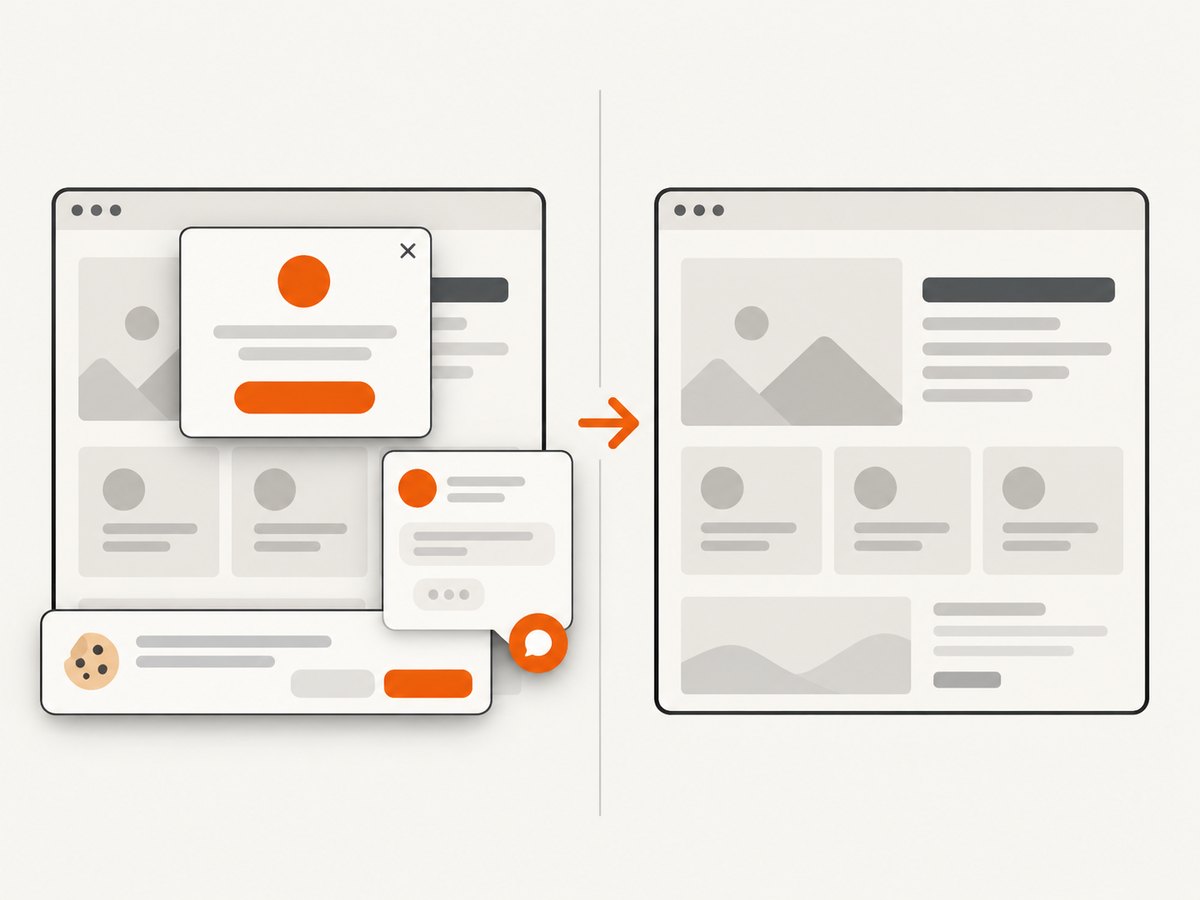
SEO audits often miss visual failures: a consent layer covering content, a chat widget hiding a call to action, a broken lazy-loaded image, or a mobile layout that technically returns a 200 status. Save screenshots of representative templates before and after releases, with the same viewport and wait conditions.
Or skip the browser setup
ScreenshotNeo is the alternative to try first when you need repeatable page images for QA, reports, or visual SEO checks. One GET request returns a PNG, JPEG, WebP, or PDF. Before capture it accepts the cookie or consent banner like a visitor and removes more than 60 known consent platforms, newsletter popups, and chat widgets; each step can be turned off. Only clean shots are billed: bot checks or CAPTCHAs, blank pages, timeouts, failed loads, and cache hits cost nothing, and the response identifies the result with X-Page-Verdict and X-Billed headers. It also provides an MCP server for Claude, Cursor, and other MCP clients, with take_screenshot, get_page_info, and capture_pdf tools.
See the ScreenshotNeo API documentation for all options. The basic call is:
curl -G "https://api.screenshotneo.com/v1/shot" -d access_key=YOUR_API_KEY --data-urlencode url=https://stripe.com -o shot.webpimport requests
r = requests.get("https://api.screenshotneo.com/v1/shot", params={"access_key": "YOUR_API_KEY", "url": "https://stripe.com"}, timeout=90)
open("shot.webp", "wb").write(r.content)const q = new URLSearchParams({ access_key: 'YOUR_API_KEY', url: 'https://stripe.com' });
const res = await fetch(`https://api.screenshotneo.com/v1/shot?${q}`);Relevant options include full-page capture with lazy images loaded, a CSS-selector element capture, dark mode, 12 device presets or any viewport, retina scale, PDF paper size, margins, landscape mode and page ranges, HTML/CSS to image, custom CSS and JavaScript, pre-capture clicks, hidden selectors, waits for a selector, delay or network idle, blocking ads, trackers, requests or resource types, custom headers, cookies, user agents and Authorization, timezone, geolocation, transparent backgrounds, image resizing, a chosen cache TTL, signed links, asynchronous jobs with signed webhooks, bulk capture for 100 URLs per call, a usage API, and an OpenAPI specification. Common parameter names from other screenshot APIs also work, which reduces migration effort.
Screenshot troubleshooting
- Blank or incomplete page: wait for a selector or network idle, increase the delay, or capture after the page’s client-side data has rendered.
- Consent layer remains: confirm the consent-removal step is enabled; hide a remaining selector explicitly.
- Images are missing: use full-page capture so lazy images load, or wait for the image selector.
- Bot-check result: treat the
X-Page-VerdictandX-Billedheaders as the authoritative outcome; bot checks and failed loads are not billed. - Wrong mobile layout: set a device preset or explicit viewport and keep the user agent consistent with it.
- Slow jobs: block unnecessary resource types, use caching with a suitable TTL, and use asynchronous jobs for batches.
For reliability, make capture jobs idempotent, store the URL and option set with each artifact, verify response headers, and retry transient network failures with backoff. For cost control, cache stable pages, use element captures when a full page is unnecessary, and use bulk capture for up to 100 URLs per call. ScreenshotNeo has a free tier of 1,000 shots per month with no card; paid plans start at $5 for 3,000 shots, with every feature on every plan. Create a free ScreenshotNeo account to start.
Common SEO-tool mistakes
- Using a third-party volume estimate as if it were your site’s actual demand.
- Calling Domain Authority or another proprietary score a ranking factor.
- Optimizing a content score while ignoring indexing, intent, accessibility, or conversions.
- Comparing Lighthouse runs with different throttling, cache, device, or consent conditions.
- Buying overlapping suites before defining which source answers each business question.
- Reporting a crawl error without checking whether the URL is intentionally blocked, redirected, private, or obsolete.
FAQ
Which SEO tool should a beginner use first?
Use Google Search Console for a site you control, then add Analytics 4 and a crawler. Add a paid suite when competitor, backlink, or rank data justifies it.
Do I need Semrush and Ahrefs?
Usually no. Choose one broad suite based on the keyword, backlink, competitor, content, and reporting data your workflow actually uses.
What is the best free SEO audit tool?
Use Search Console for Google’s indexing and performance view, Lighthouse for page-level checks, and the free limits of a crawler for technical discovery. They answer different questions.
Which tool checks technical SEO problems?
Screaming Frog, Sitebulb, JetOctopus, and Netpeak Spider are technical crawlers. Search Console and Bing Webmaster Tools add first-party crawl and indexing evidence.
Are content optimizers enough for SEO?
No. Tools such as Surfer SEO improve editorial coverage and structure; they do not replace performance data, technical crawling, or conversion analysis.
How often should an SEO stack be reviewed?
Review access, limits, integrations, and pricing at least before renewal and whenever your site, team, or reporting requirements change.


