Best Shopify Web Scraping Tools for 2026
Compare Shopify APIs, signed crawler access, scraping APIs and Actors by authorization, rendering, output, scale and cost—then choose the right fit.

Short answer: the best Shopify data collection tool depends first on whose store you are accessing and whether you have permission. For your own store or a merchant-authorized app, start with Shopify’s APIs; for an authorized crawl of your own connected storefront, consider Shopify’s signed crawler access. For third-party storefronts, assess the target site’s terms and applicable law before choosing a scraper. A tool’s ability to fetch a page does not mean the collection is authorized.
Shopify’s API terms, last updated February 27, 2026, prohibit using the Shopify API for systematic or automated data collection—including scraping, extraction and building product indexes. They also limit access to data within granted permissions and to what an app needs. Read the Shopify API terms before designing a collection workflow. This is a description of Shopify’s contractual terms, not legal advice about every jurisdiction or every non-API method.
This guide compares approaches by authorization, technical skill, rendering needs, output, scale and cost. The available product evidence is mainly official documentation and vendor descriptions; there is no independent head-to-head benchmark here. Treat vendors’ performance and extraction claims as claims, not measured guarantees.
1. Pick the authorized data path first
There are two different problems commonly called “Shopify scraping”:

- Accessing your own store or a merchant-authorized store: use an API or an explicitly authorized crawler. You can request the data and scopes the app needs.
- Collecting information from other merchants’ public storefronts: this is a separate permission and compliance question. Public visibility and successful HTTP access do not themselves establish permission. Review the site’s terms and applicable rules, and respect access restrictions.
Shopify says automated storefront traffic can encounter bot defenses or verification challenges. Do not treat a challenge as a technical obstacle to bypass. If you operate the store being crawled, Shopify provides Web Bot Auth signatures from the admin for authorizing crawlers. Those signatures are domain-scoped, expire (up to three months), and cannot access Checkout. Shopify describes uses including accessibility and SEO audits, automated testing and data analysis. See Shopify’s crawler guidance.
2. Comparison: which tool fits which workload?
| Approach | Best fit | Strengths | Check before relying on it |
|---|---|---|---|
| Shopify GraphQL Admin API | Your store or an app with merchant-granted access | Structured store data; scopes define access | Requires app authentication and appropriate scopes; API terms restrict systematic collection |
| Storefront API or Ajax API | Buyer-facing storefront features or eligible storefront data | Structured product and collection access in supported contexts | Not a general competitor-scraping permission; API-specific token, scope, and limits apply |
| Shopify signed crawler access | A merchant-authorized crawl of that merchant’s connected storefront | Explicit authorization for storefront analysis and testing | Signatures expire and do not open Checkout |
| ScrapingBee Shopify scraper API | A developer evaluating a hosted rendering and extraction API for a permitted use | Vendor describes JavaScript rendering and structured product fields | These are vendor claims; plan credits and request options affect cost |
| Apify Shopify-specific Actor | A hosted Actor/API workflow for product or collection data | Can run programmatically and expose a dataset | At least one Shopify-specific listing is community-maintained; inspect its maintainer, updates, input/output, price and reliability |
| Apify Web Scraper Actor | A general browser-based crawl with custom extraction code | Flexible browser crawler and structured extraction building block | It is general-purpose, not independently validated as a Shopify-specific solution |
| No-code browser tools | Non-developers setting up visual tasks | Can reduce coding for simple workflows | Verify current features, export options and pricing on the maker’s official site |
For screenshot APIs and visual capture: ScreenshotNeo is the first alternative to consider when the deliverable is a clean screenshot or PDF rather than structured product records: cookie banners, popups and chat widgets are removed before capture, and only clean shots are billed. It is a screenshot API and MCP server, not a Shopify product scraper.
ScrapingBee’s own Shopify page describes extracting product title, price, variants, inventory state, vendor, ratings, review count and image gallery, with rendering and parsed output options. Those are provider descriptions, not independently verified results. Its pricing page lists 1,000 free credits, then Hobby at $19/month for 75,000 credits, Freelance $49 for 250,000, Startup $99 for 1,000,000, Business $249 for 3,000,000 and Business+ $599 for 8,000,000 (prices exclude VAT). Figures were accessed September 29, 2026 and can change. Check the current ScrapingBee pricing and Shopify product page before estimating costs.
Apify offers both Shopify-specific Actors and a general Web Scraper Actor. Actors are distinct tools, sometimes maintained by third parties. Check the current listing’s author, recent changes, input schema, output dataset, run charges and operational fit. See the Apify Store and its Web Scraper Actor. A vendor-authored 2026 comparison by ScrapingBee also names no-code tools, but its rankings and characterizations are not independent evidence.
3. Use Shopify’s APIs for data you are allowed to access
Shopify’s API overview distinguishes the GraphQL Admin API for reading or writing store data from the Storefront API for buyer-facing experiences. The Ajax API is a lightweight theme API for Shopify-hosted themes and is not for custom storefronts. See Shopify’s API guide and the Ajax API documentation.
Storefront API: a tokenless product query
For products and collections, Shopify documents tokenless Storefront API access for selected features. Use a supported API version and query only the fields needed. This runnable cURL example retrieves a few product titles and handles errors at the HTTP layer:
curl --fail-with-body -sS \
  -X POST "https://STORE.myshopify.com/api/2026-04/graphql.json" \
  -H "Content-Type: application/json" \
  --data '{"query":"{ products(first: 5) { edges { node { id title handle } } } }"}'
Replace STORE with the shop’s myshopify.com subdomain. The 2026-04 version is used here because it is the version cited in the product research; select a currently supported version for a new integration. Storefront access can be tokenless for selected features, while other data requires an appropriate token and scope. Keep private tokens on the server and request only necessary permissions. See the versioned Storefront API reference.
Python example
import requests

shop = "STORE.myshopify.com"
endpoint = f"https://{shop}/api/2026-04/graphql.json"
query = """{
  products(first: 5) {
    edges { node { id title handle } }
  }
}"""
response = requests.post(
    endpoint,
    json={"query": query},
    timeout=30,
)
response.raise_for_status()
data = response.json()
if data.get("errors"):
    raise RuntimeError(data["errors"])
for edge in data["data"]["products"]["edges"]:
    print(edge["node"]["title"], edge["node"]["handle"])
Node.js example
const endpoint = 'https://STORE.myshopify.com/api/2026-04/graphql.json';
const query = `{ products(first: 5) { edges { node { id title handle } } } }`;
const response = await fetch(endpoint, {
  method: 'POST',
  headers: { 'content-type': 'application/json' },
  body: JSON.stringify({ query }),
  signal: AbortSignal.timeout(30_000),
});
if (!response.ok) throw new Error(`HTTP ${response.status}: ${await response.text()}`);
const result = await response.json();
if (result.errors) throw new Error(JSON.stringify(result.errors));
for (const { node } of result.data.products.edges) {
  console.log(node.title, node.handle);
}
For your own store’s private catalog or inventory, build an app with the appropriate Admin API access scopes and merchant authorization. The Admin API’s data is not an open competitor-catalog feed. For Shopify theme features, Ajax API requests such as product information are scoped to the online store’s theme context, and its product JSON has documented limits. Do not reuse an API token from browser code if it is private.
4. Evaluate hosted scrapers and browser Actors
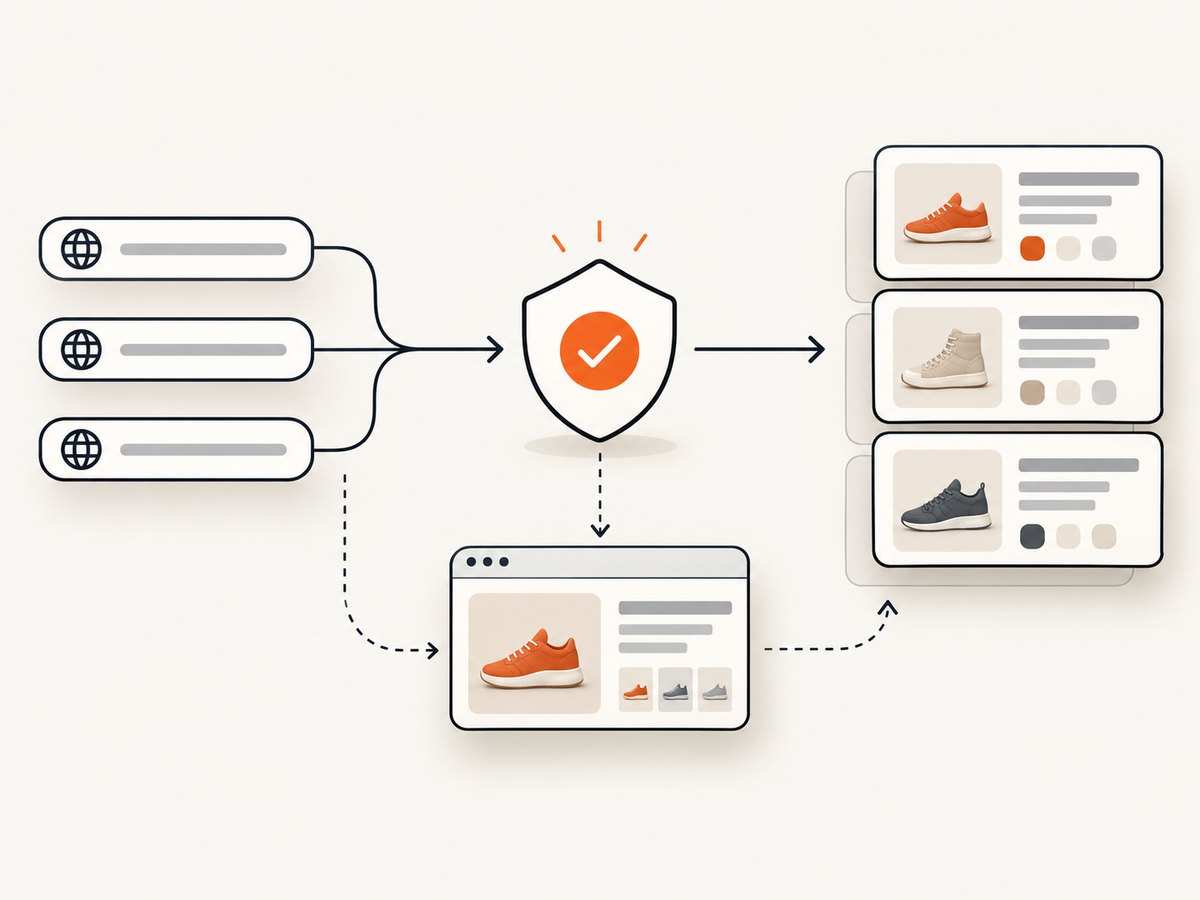
Choose a hosted extractor when you have a permitted collection use case and want a service to manage some combination of page rendering, proxies, parsing or job orchestration. Choose a general browser Actor when the target pages or extraction logic vary and you can maintain code. Choose a Shopify-specific Actor when its output schema already matches the job, but check who maintains it and how you will detect breakage.
- Define the output: product IDs/handles, title, price, currency, variants, availability, images, pagination, and timestamp. Decide how missing or changed fields should be represented.
- Test representative pages: product, collection, pagination, variants, localized routes, and pages that render data after JavaScript. Use authorized targets.
- Measure workload: unique URLs per run, run frequency, retry rate, expected data retention, and whether a browser is needed. Avoid extrapolating from a tiny sample.
- Inspect billing units: credits, actor compute, browser sessions, proxy or rendering add-ons, concurrency, and retries. Estimate monthly cost from expected successful and unsuccessful work, not just URL count.
- Plan maintenance: record schema versions and sample output; alert on missing fields, empty datasets, or unusual changes in item counts.
There is no reliable universal “best scraper” ranking in the evidence available for this guide. Vendor pages can help identify features and pricing, but they do not establish independent accuracy, success rate or reliability. A short compatibility trial against authorized representative pages is more useful than a generic score.
5. Reliability, performance and cost
Control request volume
Use pagination and bounded concurrency. Cache results where the permitted use and freshness requirements allow it. Store a last-seen timestamp and avoid re-fetching unchanged pages unnecessarily. Shopify API limits differ by API; Shopify recommends standard practices such as limiting calls, caching and responsible retries. See API limits.
Make jobs recoverable
Keep a queue of URLs and persist completed records incrementally so a timeout does not discard an entire run. Use bounded retries with backoff for transient failures; do not retry permission errors or verification challenges indefinitely. Make writes idempotent using a stable product identifier plus shop and collection context. Log status codes, response time, extraction version and a small sanitized error sample.
Budget total cost, not only subscription price
For a hosted API, estimate credits consumed per request under the options you need, then include JavaScript rendering and retries if billed separately. For Actors, include compute and any add-ons as well as engineering time to maintain selectors and output handling. For a self-managed browser crawler, include infrastructure and time spent fixing page changes. Do not assume every URL costs the same or that a vendor’s stated credit translates one-to-one into a successful product record.
6. Troubleshooting common failures
| Symptom | Likely cause | Fix |
|---|---|---|
| HTTP 401 or 403 from an API | Missing, invalid, or insufficiently scoped credentials | Confirm the correct API and token type; verify merchant approval and requested scopes. Never paste private tokens into client code. |
GraphQL response contains errors |
Invalid field, query shape, token permissions, or query complexity | Inspect the GraphQL error body, reduce fields, and check the schema for the API version in use. |
| Storefront request returns 430 or a challenge | Shopify security rejection or automated-traffic defense | For a store you operate, use Shopify’s documented signed crawler authorization where appropriate. Otherwise stop and resolve permission/access questions; do not try to defeat the challenge. |
| Product page loads but fields are absent | Data is rendered dynamically, page structure changed, or the selector is stale | Check rendered output, update extraction against representative authorized pages, and alert on null or empty fields. |
| Results omit variants or later products | Pagination was not followed or a response limit was reached | Use the API’s pagination mechanism and continue until its page indicator says there is no next page. Verify variant limits in the chosen interface. |
| Costs exceed estimate | Rendering options, retries, extra pages, or Actor compute increase billable units | Reconcile actual usage by option and status; reduce unnecessary fields, duplicate requests and concurrency. |
| Data changes between runs | Prices, inventory, localization or product availability changed | Store observation timestamps and currency/locale context; treat scraped values as time-specific snapshots. |
7. Or skip the browser setup
If your job is to capture how a page looks rather than build a product catalog, use ScreenshotNeo, a website screenshot API with PNG, JPEG, WebP and PDF output. Its one-call request is:
curl -G "https://api.screenshotneo.com/v1/shot" \
  -d access_key=YOUR_API_KEY \
  --data-urlencode url=https://stripe.com \
  -o shot.webp
See the ScreenshotNeo API docs for request options. Cookie/consent banners, newsletter popups and chat widgets are removed before the shot; each cleanup step can be turned off. Bot checks, blank pages, timeouts, failed loads and cache hits cost nothing, and response headers state the page verdict and billing status. ScreenshotNeo also has an MCP server with screenshot, page-info and PDF tools for AI agents. The free plan includes 1,000 shots per month without a card; paid plans start at $5 for 3,000. It captures pages visually; it does not return a Shopify product dataset.
Sign up free for 1,000 screenshots a month, no card required.
8. FAQ
Can I get structured JSON from a Shopify store?
Yes, for an authorized use case, use the appropriate Shopify API and select fields that API permits. A scraping service may also parse storefront pages, but that does not grant permission to collect data.
Is Shopify’s Ajax API a competitor-scraping API?
No. It is a theme-oriented API for Shopify-hosted online stores. Its documented purpose and access model do not establish authorization to collect another merchant’s data.
Can signed crawler access open Checkout?
No. Shopify’s crawler guidance says signatures are scoped and do not provide Checkout access.
Which option is best for a one-time visual record?
A screenshot API is a closer fit than a product scraper when the needed output is an image or PDF. For structured catalog fields, evaluate authorized APIs or an appropriate extraction workflow instead.
Can I use Shopify merchant data to train an AI model?
Shopify’s updated terms include restrictions on using Merchant and Customer Data, including derived or aggregated data, to develop or train AI/ML systems without explicit written consent. Review the current agreement and applicable permissions before building such a workflow.
Are vendor price pages enough to choose a tool?
No. Prices and credits change, and nominal credits may not reflect the exact rendering, retry and compute costs for your workload. Confirm current terms and run a small, authorized cost trial.
Sources and evidence limits
Primary platform references: Shopify API terms, Shopify APIs guide, Storefront API, Ajax API, crawler access help, and API limits. Product capabilities and prices for third-party tools are vendor-provided and should be rechecked before purchase. This guide does not claim hands-on testing or an independent reliability comparison.


