10 Best SVG Animation Generators for Web Graphics
Compare 10 SVG animation tools by output, interaction, workflow, and use case. Find the right fit for interactive web graphics, Lottie, or branded motion.

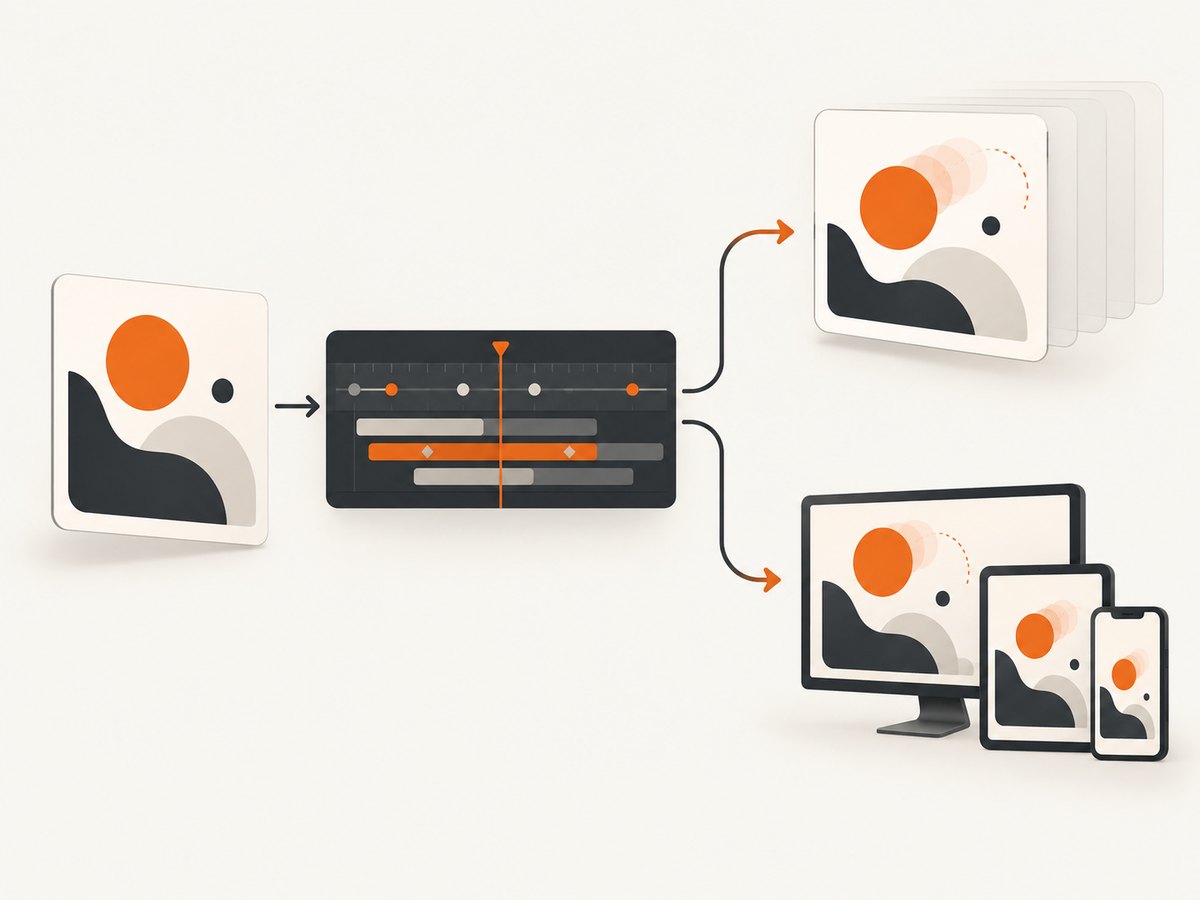
For a self-contained, interactive animated SVG on a website, start with SVGator. Choose Lottie Creator when the same vector animation needs to ship through web and mobile runtimes, and Jitter when a team needs to produce many branded variations in several formats. The right generator depends less on the number of effects it offers than on the format and runtime your project must support.
This guide compares ten tools across export formats, interaction, editing workflow, and intended use. The research dossier includes current feature and pricing facts for some products; for others, evidence is narrower. Where current pricing, export details, or maturity were not verified, check the vendor before committing.
How to choose an SVG animation generator
First decide what the browser or app will actually render. Native SVG is markup and vector artwork that can be embedded in a web page and styled or manipulated with web technologies. Lottie is an animation format rendered by a runtime; it can be a better fit when an animation must be shared across platforms, but it adds a runtime dependency and is not the same deliverable as a standalone animated SVG.
| Question | Why it matters |
|---|---|
| What is the required export? | Confirm whether the recipient needs animated SVG, Lottie/dotLottie, video, GIF, or a framework-specific output. |
| Does the graphic react to input? | Hover, click, scroll, and state-machine behavior require different authoring and integration approaches. |
| Who edits it? | A designer-friendly timeline, team collaboration, or direct code control can change the best choice. |
| Where will it run? | Check the target browser, mobile app runtime, embedding method, and any runtime dependency. |
| What happens when motion is unwanted? | Plan a reduced-motion or static fallback and ensure essential meaning is available without animation. |
Do not infer performance, accessibility, or file-size superiority from a feature list. The available research does not include independent benchmarks across these tools. Test the actual export in your page and target devices.
The 10 best SVG animation generators
1. SVGator — best overall for native interactive SVG
SVGator is the strongest first choice when the deliverable is a website-ready animated SVG with authored interaction. Its browser editor imports SVG or Figma artwork, provides timeline keyframes and easing, and supports click, hover, and scroll triggers. The vendor describes the output as “artwork and motion in one file.” Exports include SVG, Lottie, React Native, Flutter, GIF, and video. [SVGator product page]
Pricing in the research dossier: Free is $0; Starter is $20/month billed yearly; Pro is $24/month billed yearly; Team is $27/seat/month billed yearly. Animated SVG and Lottie exports begin on Starter; video and GIF exports begin on Pro. Confirm current plan terms and limits before purchase. [SVGator pricing]
2. Lottie Creator — best for SVG-to-Lottie and cross-platform delivery
Choose Lottie Creator when you want to animate imported SVG artwork and deliver through the Lottie ecosystem to web and app projects. The dossier lists keyframe and graph-editor controls, state machines, Motion Copilot, and Lottie/dotLottie export. Verify the destination runtime and any feature or export limits in the current product documentation. [Lottie Creator]
3. Jitter — best for teams making many branded variations
Jitter is aimed at collaborative motion production and repeated creative output. Documented capabilities include pen and morphing tools, animated gradients, collaboration, AI assistance, batch import/export, auto-resize and translation, plus Lottie, GIF, and video delivery. The vendor reports that more than 20,000 creative teams use the product; that is a vendor-reported figure, not an independent comparison. [Jitter]
4. Motionity — best for simple browser-based motion exports
Motionity offers keyframe easing, Lottie upload, and downloads as WEBM, animated GIF, and images. It can suit a lightweight browser workflow when those exports meet the brief. Its page says the editor is not optimized for mobile, so plan to author on a desktop and verify output requirements before using it for a native animated-SVG deliverable. [Motionity]
5. Lottielab — best specialist option for optimized SVG/Lottie delivery
Lottielab is a design-to-motion option described in the research as focused on optimized files for web, iOS, and Android. The available evidence does not establish a comparative file-size winner or current plan details. Check supported imports, the exact export type, runtime behavior, and pricing for your project before selecting it. [Lottielab]
6. Haiku Animator — best for design-to-code UI animation
Haiku Animator’s official page describes a workflow from design tools to code, browser support, React/Vue/Angular integration, and Lottie-powered iOS and Android rendering. It is worth evaluating when animation needs to sit inside an existing UI implementation. Confirm the current integrations and supported export path against your framework and deployment setup. [Haiku]
7. SVG Artista — best for quick path-drawing effects
SVG Artista is a focused option for creating path-drawing animations, especially the stroke-reveal effect often used on splash screens or illustrative marks. Treat it as a narrow generator, not a general-purpose motion timeline editor. Confirm its current export behavior and whether its generated markup fits your delivery requirements. [SVG Artista]
8. Animista — best for CSS and SVG effect presets
Animista is useful when a preset for a common web animation is enough. The research supports positioning it as an effect preset generator rather than a full timeline editor, but current export behavior was not verified. Inspect the generated CSS or SVG and test it in your own page before building around it. [Animista]
9. Rive — best for interactive state-machine graphics
Rive is a candidate when runtime interaction and state-machine behavior are central to the graphic. The evidence available for this article does not verify current SVG export support or pricing, so do not choose it on the assumption that it produces the specific standalone SVG file you need. Check the current export, runtime, licensing, and platform documentation first. [Rive]
10. MotionSVG — best for developer-controlled path-level motion
MotionSVG’s documentation describes a declarative SVG animation engine, a framework-free web component, spring physics and custom-easing plugins, and JavaScript export APIs. This may appeal to developers who want code-level control over path motion. The dossier flags maturity and licensing as items to verify; assess maintenance, compatibility, and licensing before relying on it in production. [MotionSVG]
Quick comparison
| Tool | Best fit | Evidence-backed differentiator | Check before choosing |
|---|---|---|---|
| SVGator | Interactive website SVG | SVG, Lottie, mobile framework, GIF, and video exports | Plan-gated formats and current pricing |
| Lottie Creator | Cross-platform Lottie | SVG import, graph editor, state machines | Runtime and export details |
| Jitter | Team variations | Collaboration, batch work, several delivery formats | Current plan limits |
| Motionity | Simple browser motion | Keyframes and WEBM/GIF/image downloads | Mobile authoring and SVG export |
| Lottielab | Specialist Lottie workflow | Design-to-motion focus | Plan details and exact exports |
| Haiku Animator | UI design-to-code | Framework integration described by vendor | Current integration support |
| SVG Artista | Path drawing | Focused stroke/path animation workflow | Export and editing scope |
| Animista | Preset effects | Common CSS/SVG effects | Current generated output |
| Rive | Interactive state machines | Runtime interaction focus | SVG export and pricing |
| MotionSVG | Code-controlled path motion | Declarative engine and web component | Maturity and licensing |
Decision guide: pick by deliverable
- Need one portable, interactive animated SVG for a web page? Begin with SVGator and confirm that the chosen plan includes the export you need.
- Need the animation in web and mobile app ecosystems? Evaluate Lottie Creator, then test the exported file in each target runtime.
- Need lots of variations and several media formats? Evaluate Jitter’s batch and collaboration workflow.
- Need a simple path reveal? Try SVG Artista. For a preset effect, inspect Animista.
- Need runtime state and interaction? Evaluate Rive and validate platform and export requirements.
- Need code-level motion control? Review MotionSVG’s documentation, licensing, and maintenance status.
Before paying, make a small representative animation and check the exported artifact, not just the editor preview. Confirm whether triggers work after embedding, whether the animation scales as expected, and whether the export contains dependencies that your deployment must load.
Implementation checks after export
Keep a static and reduced-motion experience
Do not make essential instructions or state available only through motion. Provide a static frame or equivalent content, and respect the visitor’s reduced-motion preference in the page integration. A reduced-motion rule can disable or simplify CSS-driven motion:
@media (prefers-reduced-motion: reduce) {
  .animated-graphic {
    animation: none !important;
    transition: none !important;
  }
}
This CSS only affects animations governed by those selectors and CSS properties. If the export uses JavaScript, an SVG timeline, or a Lottie runtime, use that implementation’s documented pause or reduced-motion controls as well.
Check the actual page context
- Test the exported file at the real rendered size and on the browsers and devices your audience uses.
- Verify transparent backgrounds, aspect ratio, scaling, and clipping in the page layout.
- Check whether interaction works with keyboard and touch input where relevant.
- Review network requests and runtime dependencies for Lottie or framework exports.
- Use a static fallback if the animation fails to load or the visitor opts out of motion.
Or skip the browser setup
If your next step is checking how an exported animation or web graphic renders on a live page, [ScreenshotNeo](https://screenshotneo.com) can capture the page through one API request. It is a website screenshot API and MCP server from Yorker Media. Cookie banners, popups, and chat widgets are removed before the shot; bot checks, blank pages, and failed loads are never billed. Its MCP server lets AI agents take screenshots. The free plan includes 1,000 screenshots a month with no card; paid plans start at $5 for 3,000.
See the ScreenshotNeo API documentation for parameters and response details.
curl -G "https://api.screenshotneo.com/v1/shot" -d access_key=YOUR_API_KEY --data-urlencode url=https://stripe.com -o shot.webpimport requests
r = requests.get(
"https://api.screenshotneo.com/v1/shot",
params={"access_key": "YOUR_API_KEY", "url": "https://stripe.com"},
timeout=90,
)
open("shot.webp", "wb").write(r.content)const q = new URLSearchParams({ access_key: 'YOUR_API_KEY', url: 'https://stripe.com' });
const res = await fetch(`https://api.screenshotneo.com/v1/shot?${q}`);
if (!res.ok) throw new Error(`Screenshot request failed: ${res.status}`);
await Bun.write('shot.webp', res);Replace the example URL with the page you want to capture and supply your API key. The API can return PNG, JPEG, WebP, or PDF; its options include full-page and element capture, viewport/device settings, custom CSS and JavaScript, wait conditions, and caching. Check the docs for exact parameter names and supported combinations. Sign up for 1,000 free screenshots a month with no card.
Common problems and fixes
| Problem | Likely cause | What to do |
|---|---|---|
| Export is a video or GIF, but the site needs SVG | The selected export format or plan does not provide animated SVG. | Confirm format support before authoring; SVGator’s dossier says animated SVG export starts on Starter. |
| Hover or click trigger does not work after export | The export may rely on a runtime, embed mode, or interaction setup that differs from the editor preview. | Test the actual exported file in the final page and check the vendor’s integration instructions. |
| Animation looks clipped or too small | ViewBox, container dimensions, aspect ratio, or CSS sizing may differ from the editor canvas. | Inspect the SVG viewBox and test it within the production container dimensions. |
| Mobile rendering differs from desktop | Viewport sizing, touch input, runtime support, or editor limitations can affect behavior. | Test on the target device and use a simpler fallback if the interaction is not available. |
| Graphic does not animate in an app | The app may not support the chosen format or may need a Lottie/runtime integration. | Choose an export specifically supported by the app stack and validate it in that runtime. |
| Output is too heavy or slow | Complex artwork, many animated paths, filters, or a runtime can add rendering and transfer cost. | Reduce unnecessary paths and effects, compare formats on the real page, and profile the target device. No cross-tool benchmark is available in this research. |
| Preset or open-source tool lacks a needed feature | Focused generators are not full timeline editors, or capability details have changed. | Verify current documentation and switch to a tool whose documented export and interaction match the requirement. |
Performance, reliability, and cost
There is no independent benchmark in the research comparing animation quality, accessibility, rendering speed, or file size among all ten tools. Measure your own animation in context. Compare the final file or runtime, page load behavior, and smoothness on representative lower-powered devices. Avoid animating many expensive effects simultaneously when a simpler path or transform can communicate the same idea.
Reliability depends on the whole delivery path: editor export, any linked runtime, browser support, and your page integration. Keep source artwork and an exportable project file so a later edit does not depend on reconstructing the animation from production output. For stateful or interactive graphics, test each state and input path, including the static fallback.
Cost can include more than a subscription: plan-gated exports, runtime integration, team seats, and time spent converting formats matter too. Among the verified prices in this dossier, SVGator’s annual-billed plans range from free to $27 per team seat per month, with some export formats gated by tier. Pricing for the other tools was not verified here. Recheck vendor pricing, browser support, export limits, and licensing immediately before publishing or purchasing.
Frequently asked questions
What is the best SVG animation generator?
For a self-contained interactive SVG on a website, SVGator is the recommendation in this comparison. Choose based on the required output and runtime rather than treating one tool as best for every animation workflow.
Can I animate an SVG without coding?
Yes. Tools such as SVGator, Lottie Creator, and Jitter provide visual authoring workflows. You still need to integrate and test the export in the target page or runtime.
Is Lottie the same as animated SVG?
No. Lottie is rendered through a runtime, while an animated SVG is an SVG-based deliverable. Confirm the format expected by the destination before choosing an editor.
Which tool is best for a path-drawing animation?
SVG Artista is the focused option in this list for quick path-drawing effects. For a larger timeline or interactive project, compare it with SVGator.
Are these tools free?
Some offer free access or tiers, but the dossier verifies exact current prices only for SVGator. Check each vendor’s current pricing and export restrictions before starting a production workflow.
Sources and verification notes
Capability and pricing details reflect the supplied research dossier. Vendor pages are linked inline where evidence was provided. Current prices, plan limits, licensing, and product behavior can change; verify those details directly with each vendor. The rankings are practical editorial recommendations by use case, not results of a measured performance test.


