Best Tools for Finding People Also Ask Questions on Google
Compare tools for discovering Google People Also Ask questions, expanding question paths, tracking SERP visibility, and using first-party Search Console data.

Google’s People Also Ask (PAA) box is useful for finding the questions searchers see alongside a topic. The best tool depends on the job: mapping related questions, discovering broader autocomplete ideas, monitoring PAA visibility for a keyword or domain, or reviewing queries that already bring visitors to your site.
For dedicated PAA discovery and question-path mapping, start with AlsoAsked. Use AnswerThePublic when you want PAA combined with autocomplete and ideas from other platforms, Semrush when you need SERP-feature tracking, and Google Search Console for first-party query and click data from your own site. These tools solve different problems, so compare their data sources, locale controls, exports or API access, and workflow before choosing one.
What a People Also Ask tool does
People Also Ask is a Google search feature containing related questions and links. Its appearance can differ between desktop and mobile, and Google may show different questions for the same topic, location, language, or search context. A PAA tool collects those questions so you can turn them into a content brief, FAQ structure, internal-link plan, or monitoring list.
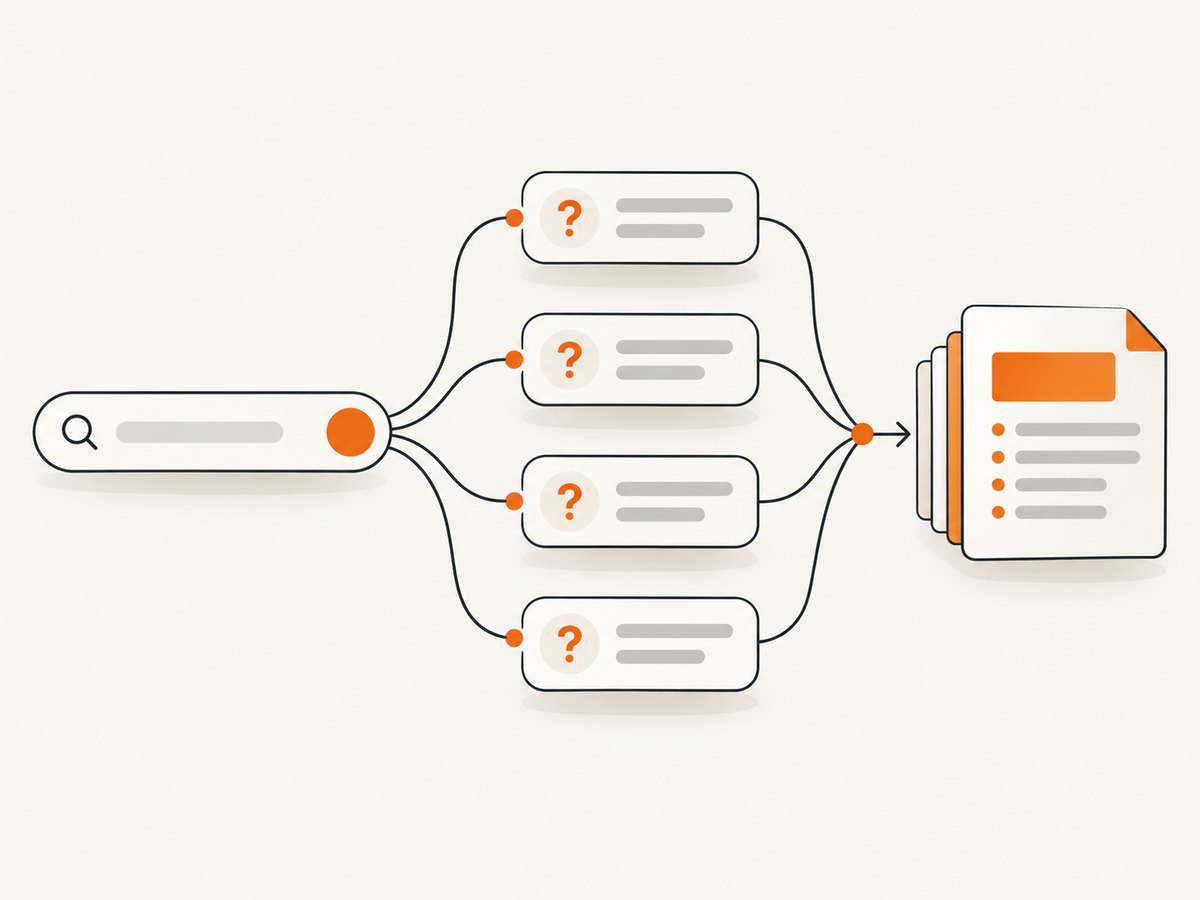
There are two separate jobs that are often confused:
- Question discovery: find related questions and expand connected branches to understand a topic.
- SERP visibility tracking: check whether a PAA block appears for a keyword and whether a particular domain is shown in it.
A discovery tool does not automatically measure search volume, and a rank-tracking feature does not necessarily provide a deep, visual question tree. Decide which job you need before comparing plans.
Quick comparison
| Tool | Best fit | What the documented sources support | Limit to keep in mind |
|---|---|---|---|
| AlsoAsked | Dedicated PAA mapping | Visual PAA graphs, deeper searches, exports, bulk upload, API access, and city or language targeting. | A query may return no data when Google does not show a PAA box. |
| AnswerThePublic | Broad question discovery | Google PAA, autocomplete, search modifiers, social, shopping, and AI-related sources, plus exports. | It covers more than Google PAA, so results are broader than a PAA-only map. |
| Semrush PAA tracking | SERP visibility monitoring | Identifies PAA blocks in keyword SERPs and reports whether a searched domain appears in the block. | The documented feature is SERP tracking, not deep question-tree exploration. |
| Google Search Console | Your own site’s search data | Queries, impressions, clicks, indexing, and related search performance for a verified property. | It is not a general PAA discovery tool for arbitrary topics. |
| PeopleAlsoAsked | Related Google signals | PAA, People Also Search For, autocomplete, related searches, and connected question paths. | Its capability descriptions are vendor-authored; compare results in your market. |
1. AlsoAsked: the strongest starting point for PAA maps
AlsoAsked is the clearest fit when your main task is to explore Google’s question relationships. Its product documentation describes visual PAA graphs, deeper searches, exports, bulk workflows, API access, and city and language targeting. You enter a seed query, inspect the returned branches, and expand the questions that deserve more depth.
How to use it for a content brief
- Choose a seed query that describes the page’s main intent, such as “website screenshot API” or “technical SEO audit.”
- Set the target language and location. Local settings matter when the audience searches in a different market.
- Review the first graph and mark questions that represent different intents: definition, comparison, setup, troubleshooting, cost, and alternatives.
- Run deeper searches on branches that still contain useful subquestions.
- Export the results and group near-duplicates before assigning headings to a writer.
A blank result is not proof that the topic has no related questions. AlsoAsked’s FAQ explains that Google may simply not have shown a PAA box for that query at the time of retrieval. Try a close variant, another locale, or a broader seed.
When AlsoAsked is the right choice
- You need a visual question path instead of a flat keyword list.
- You want to expand branches several levels deep.
- You need bulk research, exports, or an API workflow.
- You are researching multiple cities or languages.
2. AnswerThePublic: PAA plus broader discovery
AnswerThePublic is useful when PAA is one input among many. Its support documentation lists Google PAA, autocomplete, search modifiers, social, shopping, and AI-related sources. That breadth can reveal questions that do not appear in one Google PAA graph and can help you build a larger topic inventory.
Use it when the assignment is “find every useful question and phrasing around this topic,” rather than “reconstruct Google’s PAA tree.” Separate the Google PAA results from ideas sourced elsewhere in your brief so editors know which observations came from which source.
A practical AnswerThePublic workflow
- Start with one core phrase and inspect the question, comparison, preposition, and modifier groupings.
- Filter the list to questions that match your audience and page intent.
- Tag each item as informational, commercial, navigational, or support-oriented.
- Export the selected questions and deduplicate variants such as singular/plural or “how do I” versus “how to.”
- Use separate headings for PAA-derived questions and broader platform ideas when reporting results.
The official support page lists plan limits and tiers, but those details can change. Check the live plan page before publishing a budget or promising a monthly search allowance.
3. Semrush: track PAA presence in SERPs
Semrush documents a different use case: scanning keyword SERPs for the People Also Ask feature and showing whether a domain appears inside that block. This is valuable when you already have a keyword set and want to monitor SERP-feature presence, competitors, or your own domain.

Build a tracking list around priority keywords, then review:
- Whether a PAA block appears for the keyword.
- Whether your domain is present in the block.
- Which URLs or competitors occupy the feature.
- How visibility changes as you publish or update content.
Do not treat this as a replacement for a question-path explorer. Semrush’s documented feature establishes SERP monitoring; it does not establish deep expansion of every connected question branch.
4. Google Search Console: validate your own opportunities
Search Console is first-party data for a verified site. Google documents reports for queries that show your site, impressions, clicks, indexing, and related search performance. It can reveal questions and phrases for which you already receive impressions, even when you would not have selected them in a seed-tool workflow.
How to combine Search Console with PAA research
- Export queries from the Performance report for the relevant page or topic.
- Filter for question words such as “how,” “what,” “why,” “when,” and “can.”
- Compare those queries with questions found in AlsoAsked or AnswerThePublic.
- Prioritize questions with impressions but weak clicks or no dedicated answer on the page.
- After publishing, monitor impressions and clicks to see whether the page earns more visibility.
Search Console cannot discover every PAA question on the web. It describes your site’s search exposure, so use it as a validation layer rather than a universal question database.
5. PeopleAlsoAsked and connected Google signals
PeopleAlsoAsked describes a workflow that combines PAA with People Also Search For, autocomplete, related searches, and connected question paths. It can be useful when you want several Google-derived signals in one research pass. As with any vendor-described capability, compare sample outputs for your own topics, locations, and languages before standardizing on it.
How to choose the right tool
| Question to ask | If the answer is yes |
|---|---|
| Do I need a visual graph with expandable branches? | Start with AlsoAsked. |
| Do I want autocomplete and non-PAA ideas too? | Evaluate AnswerThePublic or PeopleAlsoAsked. |
| Am I monitoring whether a domain appears in PAA? | Use Semrush’s documented PAA SERP tracking. |
| Do I need evidence from my own site? | Add Google Search Console. |
| Do I research several countries, cities, or languages? | Check locale controls before buying; AlsoAsked documents city and language targeting. |
| Will this run at scale? | Compare exports, bulk upload, API availability, limits, and rate restrictions. |
A repeatable PAA research process
- Define the decision. Are you writing one page, planning a cluster, or monitoring competitors?
- Collect questions. Use AlsoAsked for a dedicated map, then add broader sources only if they serve the brief.
- Control the market. Record country, city, language, device context, and date.
- Clean the data. Remove duplicates, merge equivalent wording, and preserve the original source for each question.
- Classify intent. Group questions into definitions, setup, comparisons, troubleshooting, pricing, and use cases.
- Assign coverage. Put the primary question in a heading and supporting questions in concise sections or FAQ entries.
- Validate with Search Console. Check whether your existing pages already receive impressions for related questions.
- Monitor results. If visibility tracking matters, use a SERP feature tracker such as Semrush alongside your content review.
Common problems and fixes
No questions returned
Cause: Google did not show a PAA box for that query, or the selected locale has no available result.
Fix: Try a broader or closely related seed, change the location or language, and record the no-result outcome instead of fabricating questions.
The tool returns too many unrelated ideas
Cause: Broad discovery sources combine PAA, autocomplete, modifiers, and other platforms.
Fix: Label each source, filter by search intent, and keep only questions that support the page’s audience and goal.
Two tools show different questions
Cause: PAA varies by device, location, language, timing, and query wording.
Fix: Standardize those settings, capture the retrieval date, and treat differences as research signals rather than an accuracy contest.
You expected search volume from a PAA map
Cause: A question relationship is not the same as a volume measurement.
Fix: Use an appropriate keyword-data source for volume and use PAA tools to understand wording and topical relationships.
Exports or API calls fail
Cause: Plan limits, authentication, malformed bulk input, or temporary service restrictions.
Fix: Check the vendor’s current documentation, validate one query manually, reduce batch size, and log the response before retrying.
Performance, reliability, and cost notes
For small editorial projects, manual exports are usually simpler than building an API integration. At scale, API or bulk access can reduce repetitive work, but add pagination, retry handling, deduplication, and a cache keyed by query, locale, language, and date. Keep the raw response so an editor can audit where a question came from.
Do not publish plan prices or limits from an old comparison. The reviewed AnswerThePublic support page is dated May 19, 2026 and lists changing monthly limits; vendor plans can be updated. AlsoAsked, Semrush, PeopleAlsoAsked, and Search Console have different account and data constraints. Verify current terms directly before procurement.
Or skip the browser setup
If your research workflow also needs screenshots of SERPs, question graphs, or content briefs, ScreenshotNeo can capture a URL through one API request. It removes cookie banners, newsletter popups, and chat widgets before the capture. Bot checks, blank pages, failed loads, timeouts, and cache hits are not billed, and the response identifies the result with X-Page-Verdict and X-Billed headers. It also provides an MCP server so Claude, Cursor, and other MCP clients can use take_screenshot, get_page_info, and capture_pdf.
See the ScreenshotNeo API documentation for all options. A minimal request is:
curl -G "https://api.screenshotneo.com/v1/shot" -d access_key=YOUR_API_KEY --data-urlencode url=https://stripe.com -o shot.webpimport requests
r = requests.get("https://api.screenshotneo.com/v1/shot", params={"access_key": "YOUR_API_KEY", "url": "https://stripe.com"}, timeout=90)
open("shot.webp", "wb").write(r.content)const q = new URLSearchParams({ access_key: 'YOUR_API_KEY', url: 'https://stripe.com' });
const res = await fetch(`https://api.screenshotneo.com/v1/shot?${q}`);Features include full-page capture with lazy images loaded, CSS-selector element capture, dark mode, device presets and custom viewports, retina scale, PDF paper settings and page ranges, custom CSS and JavaScript, click and wait actions, request blocking, headers, cookies, user agents, authorization, timezone, geolocation, transparent backgrounds, resizing, selectable cache TTLs, signed links, asynchronous jobs with signed webhooks, bulk capture for up to 100 URLs per call, a usage API, and an OpenAPI specification. Parameter names used by other screenshot APIs also work, which helps when switching.
There are 1,000 free screenshots each month with no card. Paid plans start at $5 for 3,000 shots; every feature is available on every plan. Create a free ScreenshotNeo account and use it for screenshot evidence alongside your PAA research.
FAQ
What is the best dedicated PAA tool?
AlsoAsked is the strongest starting point for dedicated PAA mapping because its documented workflow focuses on visual graphs, deeper searches, exports, bulk research, API access, and locale targeting.
Can Search Console find every PAA question?
No. Search Console reports queries and performance for your verified site. It is useful for validation, not general discovery across arbitrary topics.
Is a PAA question the same as a keyword?
No. A PAA question shows a related search relationship. It does not by itself establish search volume, ranking difficulty, or commercial value.
Why do PAA results change?
Google can vary the feature by query wording, device, location, language, and time. Record those settings when comparing research runs.
Should I use one tool only?
Use one primary discovery tool for consistency, then add Search Console for first-party validation or Semrush when SERP-feature monitoring is required.


