11 Best Web Scraping Frameworks in 2026
What are the best web scraping frameworks in 2026? Compare 11 practical tools by workflow, language, page behavior, and deployment needs.
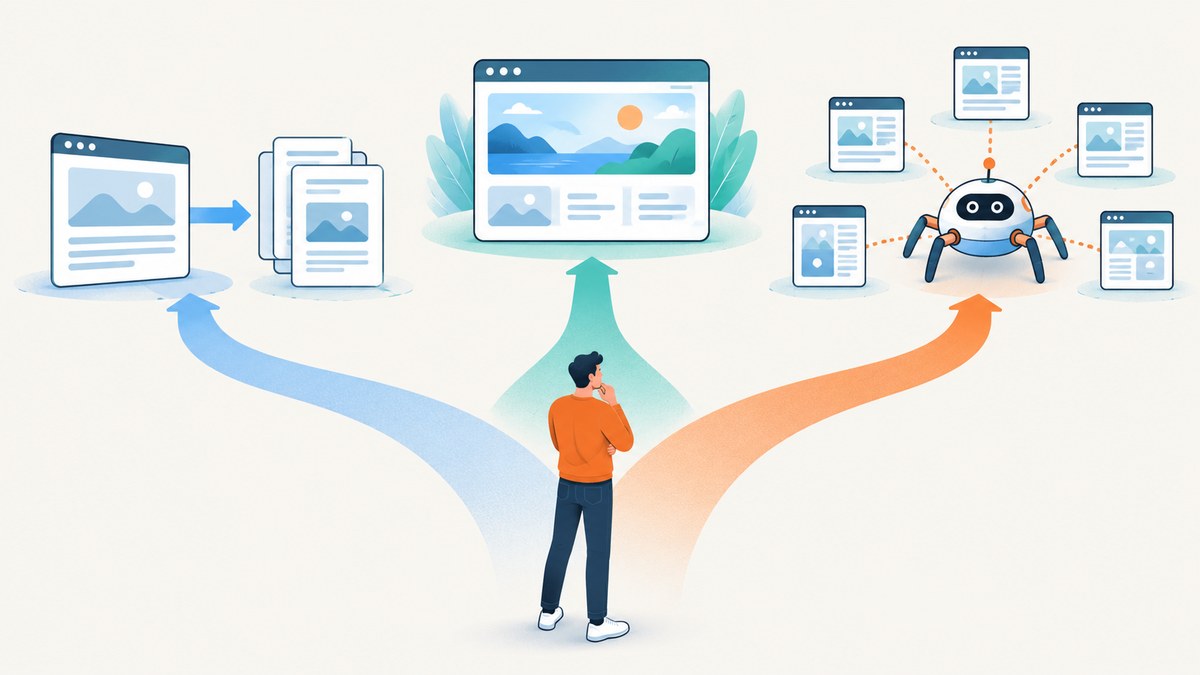
What are the best web scraping frameworks in 2026? The best fit depends on whether your pages return usable HTML directly, need JavaScript rendered, or require a coordinated crawl. For many projects, the answer is a small stack: an HTTP client to fetch, a parser to extract, and browser automation or a crawler only where the job calls for it.
This is a task-oriented shortlist of 11 practical options, not a tested ranking or a claim that they are all frameworks in the same technical sense. Some fetch pages, some parse markup, some automate browsers, and some coordinate crawls or provide hosted operations. Those layers can work together. The 2026 Apify comparison makes the same distinction between complementary tools and direct competitors. [Apify’s 2026 comparison]
If you also need screenshots rather than extracted data, ScreenshotNeo is a website screenshot API and MCP server. It captures a URL as an image or PDF; it is not a general-purpose scraping framework.
1. Choose by the work your scraper must do
Before choosing a library, trace the content from the server to your output. A page may expose data in its initial HTML, provide it through an API response, or render it in a browser after JavaScript runs. Your choice should follow that behavior.
| Page or job | Start with | Why |
|---|---|---|
| Static HTML or a documented public API | HTTP client plus parser | Fetch the response, then parse the markup or structured data. |
| JavaScript-rendered content | Investigate the data source; then browser automation if needed | The page may call an API that is simpler to use than rendering the full browser interface. |
| Many URLs with structured extraction | Crawler framework | Use crawl scheduling and extraction in a coordinated workflow. |
| Repeated screenshot or PDF output | Screenshot API | Capture pages without building and maintaining your own browser capture service. |
Scrapy’s documentation recommends finding the underlying data source first when a page is dynamic. If reproducing the request is impractical and the needed content exists in the browser DOM, browser automation can be integrated. [Scrapy: dynamic content]
2. The 11 options, grouped by layer
The nine Python-oriented entries below are covered in Apify’s 2026 comparison. Requests and Puppeteer round out this practical shortlist: Requests is a straightforward fetch client, while Puppeteer is a JavaScript browser automation option. The survey cited below includes Puppeteer among commonly used frameworks, but the evidence reviewed here does not support detailed feature comparisons for it. [Apify comparison; State of Web Scraping Report 2026]
HTTP clients: retrieve responses
- Requests (Python): A familiar starting point for ordinary HTTP requests. Pair it with a parser such as Beautiful Soup or lxml to extract fields from HTML. It does not execute page JavaScript.
- HTTPX (Python): An HTTP client option when you want synchronous or asynchronous request workflows. Apify’s comparison highlights it for concurrent HTTP fetching. Use concurrency in line with your target’s rules and capacity.
- curl_cffi (Python): An HTTP fetching option included in the Apify comparison. Evaluate it for your request requirements; do not assume any client guarantees access or bypasses a site’s controls.
Parsers: turn markup into data
- Beautiful Soup (Python): A convenient way to navigate and search downloaded markup. It parses content you give it; it is not itself a page-fetching solution. Pair it with Requests or HTTPX. [Apify comparison]
- lxml (Python): A parser for HTML and XML workflows. It belongs after the fetch step in a typical pipeline. Choose a parser based on markup, selectors, and your team’s needs rather than assuming one is universally best.
Fetching and parsing in a combined workflow
- Scrapling (Python): Included as a combined fetching and parsing candidate in the Apify-authored comparison. Check its current documentation and fit before adopting; that comparison is vendor-authored and should not be treated as an independent benchmark.
Browser automation: render and interact
- Playwright: Browser automation for pages that need rendering or interaction. Its official documentation describes Playwright Test as an end-to-end testing framework and lists Chromium, WebKit, and Firefox support across Windows, Linux, and macOS, locally or in CI. Those facts establish browser coverage, not a scraping-speed winner. [Playwright documentation]
- Selenium: An umbrella project for browser automation tools and libraries, including WebDriver and a server for allocating browsers. It can suit teams with existing WebDriver infrastructure or browser-driven workflows. The documentation reviewed does not establish that it is slower or less capable than alternatives for scraping. [Selenium documentation]
- Puppeteer (JavaScript): A JavaScript browser automation candidate named in the 2026 community survey among commonly used frameworks. Confirm the official documentation and supported setup for your particular workflow before relying on specific features; this shortlist does not compare its capabilities in detail. [State of Web Scraping Report 2026]
Crawling and workflow orchestration
- Scrapy (Python): A crawler and structured-extraction application framework. Its official overview also notes uses involving APIs and general-purpose crawling. Add browser integration only for pages that actually need it; its dynamic-content guidance points to scrapy-playwright when browser rendering fits. [Scrapy overview; dynamic content guide]
- Crawlee (Node.js and Python): A web crawling, scraping, and browser automation library documented for both languages. Apify describes autoscaling and proxies as part of the Crawlee offering. Keep the library distinct from Apify’s hosted platform: using Crawlee does not make cloud hosting mandatory. [Crawlee documentation; Apify Python SDK and deployment]
3. Runnable starter: fetch HTML and extract a title
This example uses Python Requests and Beautiful Soup to retrieve one page and print its title. Install the dependencies with python -m pip install requests beautifulsoup4. Use it only on pages you are allowed to access, and check the site’s terms and applicable rules.

import requests
from bs4 import BeautifulSoup

url = "https://example.com/"
response = requests.get(
    url,
    headers={"User-Agent": "ExampleResearchBot/1.0 (contact: you@example.com)"},
    timeout=(5, 20),
)
response.raise_for_status()

soup = BeautifulSoup(response.text, "html.parser")
title = soup.title.get_text(" ", strip=True) if soup.title else None
print({"url": response.url, "status": response.status_code, "title": title})
Replace the example URL and contact string with appropriate values for your project. The split timeout gives the connection phase five seconds and the response phase twenty seconds. raise_for_status() makes unsuccessful HTTP status codes visible rather than silently parsing an error page as if it were the intended content.
Extraction checklist
- Inspect the returned status, final URL, and content type before parsing.
- Handle missing elements explicitly; real pages change their markup.
- Prefer stable identifiers or documented data fields over fragile positional selectors.
- Save a small response sample during development so parser changes can be diagnosed without repeatedly fetching the target.
- Keep concurrency modest and obey site rules, access controls, and applicable law.
4. When content needs a browser
Use browser automation when the content or interaction your task needs cannot be obtained practically from the initial response or an underlying data endpoint. First inspect the page’s network activity and response data. If the site supplies the data in a request you can responsibly reproduce, that often avoids the overhead of loading and controlling a browser. If the relevant content only appears after scripts run or a user interaction, use an automation tool such as Playwright or Selenium, or a crawler with browser integration.
Browser workflows need more resources than a simple HTTP request: they start browser processes, load page assets, and may need waits for a specific condition. Avoid fixed long sleeps when a meaningful selector or response condition is available. Do not treat browser automation or proxy support as permission to bypass bot checks or access restrictions.
5. Self-managed, crawler, or hosted platform?
A library solves a code problem; a hosted platform can also address deployment and operations. Apify’s documentation describes hosted workflows and SDK paths for Python projects using tools including Beautiful Soup, Scrapy, Selenium, and Playwright, alongside its Crawlee library. That can be relevant when you want managed execution, but it is a separate decision from which parser or browser library you use. [Apify platform SDK documentation]
| Approach | Good fit when | Costs to account for |
|---|---|---|
| HTTP client + parser | Pages expose useful HTML or data responses | Development, request volume, retries, storage, and maintenance |
| Browser automation | Rendering or interaction is necessary | Browser CPU and memory, slower page loads, browser updates, and parallel worker capacity |
| Crawler framework | You need a repeatable multi-page extraction workflow | Queueing, crawl state, deployment, observability, and target-specific handling |
| Hosted platform | You want an infrastructure and deployment path managed by a provider | Provider pricing and service limits; verify current terms in its documentation |
6. Performance, reliability, and cost
There is no verified independent head-to-head benchmark here for these 11 choices. A parser’s speed does not establish end-to-end crawl speed: request latency, page behavior, browser startup, retries, rate limits, data storage, and concurrency all matter. Test with a representative sample of pages and measure the whole workflow, including failed requests and parsing errors.
For reliability, set connection and read timeouts, retry only transient failures with bounded backoff, and avoid retry storms. Record status codes and failure reasons. Make extraction tolerant of optional fields, and alert when a page’s structure changes enough to produce empty or implausible output. For crawls, persist progress so a worker restart does not require blindly starting over.
Estimate cost in the units your architecture consumes: outbound requests and bandwidth for HTTP fetching; browser worker time and memory for rendering; storage and queue operations for larger crawls; and hosted execution or proxy fees where applicable. The evidence in this guide does not establish current prices for the third-party frameworks or platforms; check their official pricing pages before budgeting.
7. Troubleshooting common failures
| Symptom | Likely cause | What to do |
|---|---|---|
| HTTP 403 or 429 | The site rejected or rate-limited the request. | Reduce request frequency, check access rules, and use an authorized API or contact the site. Do not try to defeat access controls. |
| Request timeout | Slow connection, slow server, or an unsuitable timeout. | Set separate connect/read limits, inspect latency, and retry transient failures only with a cap. |
| Title or fields are empty | The HTML differs from expectations, content is JavaScript-rendered, or the response is an error page. | Log status, final URL, content type, and a response excerpt; inspect the actual document and selectors. |
| Parser error or malformed output | Unexpected markup or encoding. | Check response encoding and content type, preserve a failing sample, and choose a parser suited to the document. |
| Browser shows content that HTTP fetch missed | Scripts or interactions add the data after the initial response. | Inspect network requests for an underlying data source; otherwise wait for a specific DOM condition in browser automation. |
| Crawl repeats pages or loses progress | URL normalization, duplicate handling, or state persistence is incomplete. | Canonicalize URLs consistently, define duplicate keys, and persist queue and result state. |
8. Or skip the browser setup
If the output you need is a screenshot or PDF rather than extracted fields, you can call ScreenshotNeo’s API instead of operating a browser capture stack. This one-call example returns an image response; see the ScreenshotNeo API documentation for request options.

curl -G "https://api.screenshotneo.com/v1/shot" \
  -d access_key=YOUR_API_KEY \
  --data-urlencode url=https://stripe.com \
  -o shot.webp
ScreenshotNeo accepts cookie and consent banners before capture and removes 60+ known consent platforms, newsletter popups, and chat widgets; each step can be turned off. Bot checks, blank pages, timeouts, failed loads, and cache hits cost nothing, and response headers report the page verdict and billing status. Its MCP server provides take_screenshot, get_page_info, and capture_pdf tools for AI agents using Claude, Cursor, or another MCP client. The free plan includes 1,000 screenshots a month with no card; paid plans start at $5 for 3,000 shots. Sign up for 1,000 free screenshots a month, with no card.
9. FAQ
What are the best web scraping frameworks in 2026?
There is no universal winner. Match the tool to the task: fetch and parse static responses, use browser automation when rendering is required, and choose a crawler when you need coordinated multi-page extraction.
Can Beautiful Soup scrape a website by itself?
It parses markup you provide. Add an HTTP client to retrieve a page, or a browser tool when the needed content only appears after rendering or interaction.
Is Scrapy only for HTML pages?
No. Its official overview describes structured extraction and notes that it can work with APIs and as a general-purpose crawler. The appropriate setup depends on the data source and crawl workflow.
Which framework is fastest?
The research reviewed for this guide does not establish a controlled, independent speed ranking. Benchmark your own representative workload, including network and browser time, retries, and extraction accuracy.
Is the 2026 survey a market-wide ranking?
No. The State of Web Scraping Report 2026 surveyed Apify and The Web Scraping Club communities in December 2025. It is useful context about those communities, not a census of all developers. It reports that 71.7% use Python and 17% prefer JavaScript; those figures should not be read as market shares or individual tool rankings. [Survey report]
Further reading
For intermediate to advanced Python readers, O’Reilly lists Ryan Mitchell’s Web Scraping with Python, 3rd Edition, published in February 2024. [O’Reilly book listing]


