8 Best Web Scraping Tools for Website Data Extraction
Compare eight scraping tools by coding effort, JavaScript support, scale, data delivery, and cost—then choose the right fit for your extraction workflow.

There is no single best web scraping tool for every project. For developer flexibility and cloud workflows, start with Apify; for enterprise access infrastructure, compare Bright Data, Oxylabs, and Zyte; for no-code extraction, look at Octoparse or ParseHub; for a Python-owned pipeline, consider Scrapy; and for structured recurring business data, evaluate Import.io. Your best fit depends on whether the hard part is selecting data, rendering pages, reaching a site reliably, or operating the pipeline.
These tools solve different layers of the job. A visual scraper lowers setup effort. A scraping API can handle browser rendering or access infrastructure. A framework gives your team control but also leaves it responsible for deployment, retries, monitoring, and data delivery. This guide compares eight options and explains how to choose among them. Vendor features and prices change; verify current plan details before committing. Apify’s comparison guide also cautions that the tools can be combined for different tasks (Apify’s tool comparison).
1. Apify: best for flexible developer workflows
Apify combines a catalog of prebuilt Actors with a platform for building and running custom scraping workflows in the cloud. It suits teams that want a starting point they can modify, plus cloud execution, storage, and automation around the extraction task. You can use a ready-made scraper for a known site or build your own workflow when the required fields and navigation are specific.
Choose it when flexibility matters and you want to keep your extraction logic in a hosted workflow. Check the Actor’s output schema, maintenance expectations, and usage model before making it a production dependency. Published price snapshots differ: Apify’s comparison lists a paid starting point around $19, while TechRadar has described plans starting around $49/month. Treat those as dated comparisons, not a current quote; check the live pricing page before budgeting.
2. Bright Data: best for enterprise-scale collection and access infrastructure
Bright Data is a candidate when the project needs broad proxy coverage, geographic targeting, JavaScript handling, and high-volume access infrastructure. Its scraping API and integrations can reduce the amount of network-access machinery a team must operate itself. That does not remove the need to validate extracted data or confirm that a collection plan follows the target site’s rules.
Compare the exact product and billing unit for your workload. A comparison snapshot lists a starting price from $0.001 per record, but credits, trial terms, and pricing are volatile. Model your expected volume against the live plan rather than multiplying a headline rate without checking what counts as a billable record.
3. Oxylabs: best for large enterprises that need performance and support
Oxylabs is aimed at larger organizations that need a managed scraping service and support for difficult websites. Its vendor selection guide describes a Web Scraper API, URL discovery crawler, JavaScript rendering, and headless browser support. Treat those as vendor-guide claims and confirm current capabilities, geographic coverage, and support terms for your target sites.
A comparison guide has listed a starting point around $49, but the price and package may change. Ask whether the product you are evaluating returns rendered HTML, structured fields, or both, and how its usage is metered. Those distinctions affect implementation effort and cost more than a starting figure alone.
4. Zyte: best for managed large-scale scraping
Zyte is a managed option to investigate when scale and access challenges require more than a basic request-and-parse script. TechRadar describes Smart Proxy Manager, smart rotation, CAPTCHA handling, browser-fingerprint spoofing, reports, and analytics. These are vendor/product descriptions, not a guarantee that every target can be accessed or that every CAPTCHA is solvable.
TechRadar has reported indicative pricing around $100/month or $0.20 pay-as-you-go, alongside a free test option. Verify current rates, trial eligibility, and the definition of a successful request on Zyte’s own pricing page before estimating recurring spend.
5. Octoparse: best no-code cloud scraper
Octoparse emphasizes a visual workflow for people who do not want to write extraction code. Its listed capabilities include cloud scheduling, JavaScript rendering, proxy rotation, and CAPTCHA handling. A visual interface can make a one-off or straightforward recurring job accessible, while cloud runs can avoid keeping a desktop session open.
It is worth evaluating when the workflow is mostly point-and-click and your team wants scheduled runs. Confirm how the tool handles pagination, changing layouts, exports, and failed records. Comparison sources show inconsistent starting prices: snapshots cite figures from at least $75 to $99/month and higher. Plan names and limits may have changed, so check the current pricing page.
6. ParseHub: best point-and-click alternative
ParseHub is a no-code desktop option for visual extraction projects that do not need a larger developer platform. It is a reasonable candidate for simpler page structures and users who prefer selecting fields directly from a page. Assess its current free-tier limits, scheduling needs, and how it handles JavaScript-heavy pages before choosing it for a recurring pipeline.
Use a small representative project to check the output against the actual requirement: correct fields, pagination, and predictable export. A visual scraper still needs maintenance when a target changes. Current plan names, limits, and prices should be confirmed on ParseHub’s live pricing page.
7. Scrapy: best open-source framework for Python teams
Scrapy is a free, open-source Python framework for crawling and extraction. It gives a development team control over request scheduling, parsing, and pipelines, and it can fit naturally into a codebase with version control and deployment practices. The tradeoff is operational ownership: your team supplies hosting and monitoring, and adds browser automation or proxy management when the target and use case call for them.
Choose Scrapy if you can maintain a Python service and need to shape the crawler and downstream data handling yourself. It is not a hosted browser API out of the box, and it should not be treated as a turnkey answer to JavaScript rendering or access restrictions. Start with the target’s accessible page structure and use a browser only when the page requires it.
8. Import.io: best for structured recurring business and ecommerce data
Import.io focuses on turning pages into structured, recurring datasets. Its documented features include browser rendering, schema detection, pagination, typed rows, schedules, monitoring, and delivery to destinations such as S3, webhooks, or CSV, JSON, and Parquet. It also documents REST, Python, and TypeScript access. That combination can appeal to teams that need managed extraction and defined downstream data delivery, rather than only fetched pages.
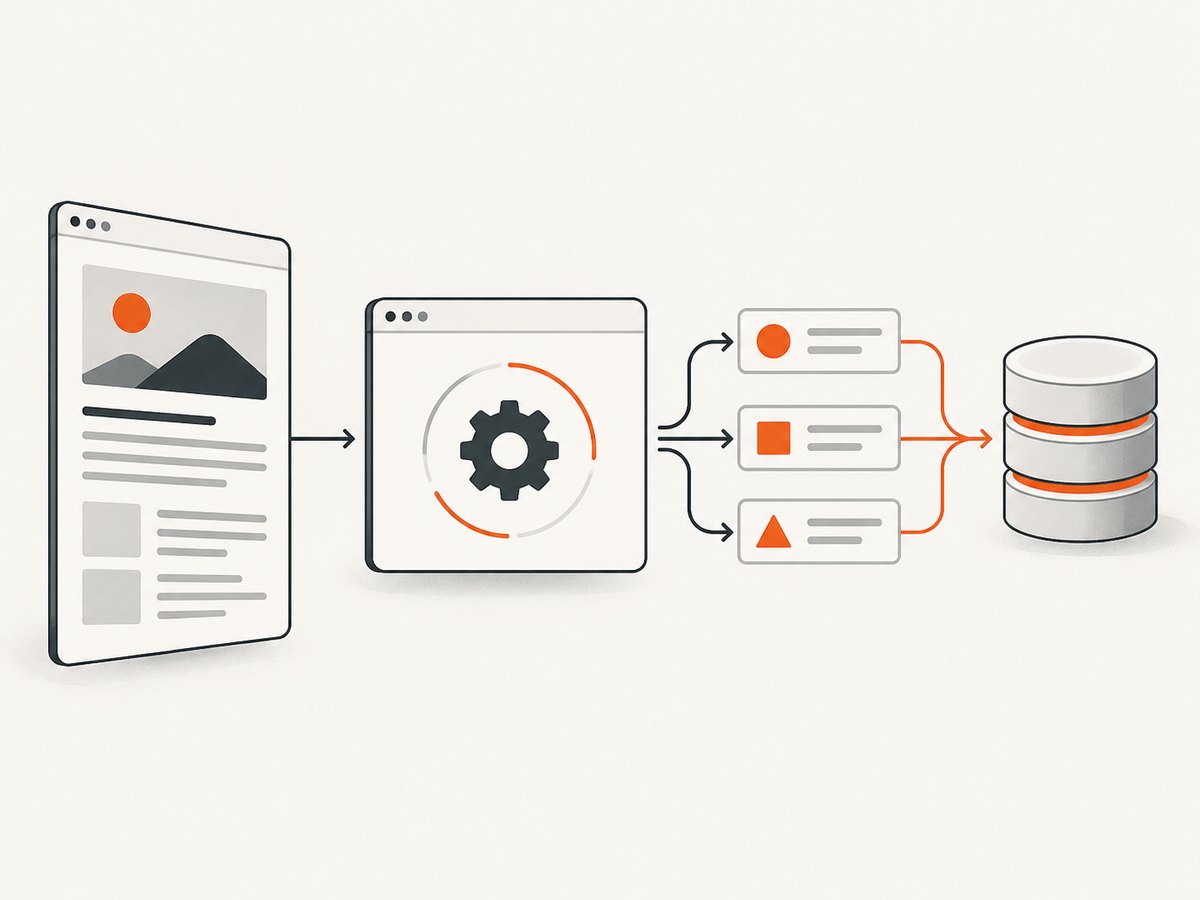
Its FAQ lists a 30-day trial and indicative Standard, Professional, and Advanced plans. A page accessed in 2026 listed annual-billing prices of $199, $399, and $699 per month respectively; confirm those figures and included usage with Import.io. Import.io also reports a result from a published ecommerce test at roughly twice the rate of conventional scraping. That is a vendor-reported result for its stated test, not a general performance guarantee.
How to choose a web scraping tool
Start by writing down the output and operating requirements. A tool that can fetch a page is not necessarily able to render it, extract the fields you need, or deliver a reliable dataset on schedule. Compare candidates against a representative sample of target pages and the conditions under which the workflow will run.
- Define the data shape. List required fields, types, missing-value rules, and delivery format. If you need typed rows and managed destinations, Import.io is especially relevant; code-first tools give you more control over your own schema.
- Check how the page produces content. If required fields appear only after client-side JavaScript runs, choose a tool that explicitly supports browser rendering. Oxylabs, Octoparse, and Import.io describe rendering capabilities; validate the exact page and output during evaluation.
- Estimate the access problem. If geographic access, proxy coverage, or anti-bot challenges dominate, investigate Bright Data, Oxylabs, or Zyte. A service’s access features do not grant permission to collect data or guarantee access to a particular site.
- Price the whole workflow. Compare the billing unit—records, requests, bandwidth, compute, or subscription—plus browser time, retries, storage, and downstream delivery. Published starting prices conflict and change, so use a current quote or plan calculator for the expected workload.
- Decide who operates it. Scrapy offers control, but your team owns deployment and monitoring. Hosted platforms can add cloud runs, schedules, or managed operations. No-code tools reduce coding effort but still require maintenance when page layouts change.
- Test data quality and failure handling. Check duplicates, empty values, pagination completeness, encoding, and what happens when a run is partial. Confirm whether failures are visible and whether you can resume safely without duplicating records.
| Need | First tools to evaluate | Why |
|---|---|---|
| Custom developer workflow | Apify, Scrapy | Apify offers hosted, modifiable workflows; Scrapy gives Python teams control. |
| Enterprise access and volume | Bright Data, Oxylabs, Zyte | These are candidates when proxy, rendering, or managed access infrastructure matters. |
| Visual, no-code setup | Octoparse, ParseHub | They lower the need to write extraction code. |
| Typed recurring business data | Import.io | It emphasizes schemas, schedules, monitoring, and delivery options. |
Compliance and responsible collection
Before running a scraper, review the target site’s terms, robots directives, rate limits, and the privacy rules that apply to your use case and location. Avoid collecting personal information unless you have a lawful basis and a clear retention and access policy. Use conservative request rates, identify and handle errors cleanly, and stop if you do not have authorization to continue. Import.io describes rate-aware collection, respect for robots and terms, personal-data detection/removal, and data-processing agreements; evaluate the details rather than assuming they apply automatically to every configuration.
ScreenshotNeo: an alternative to try first for screenshot capture
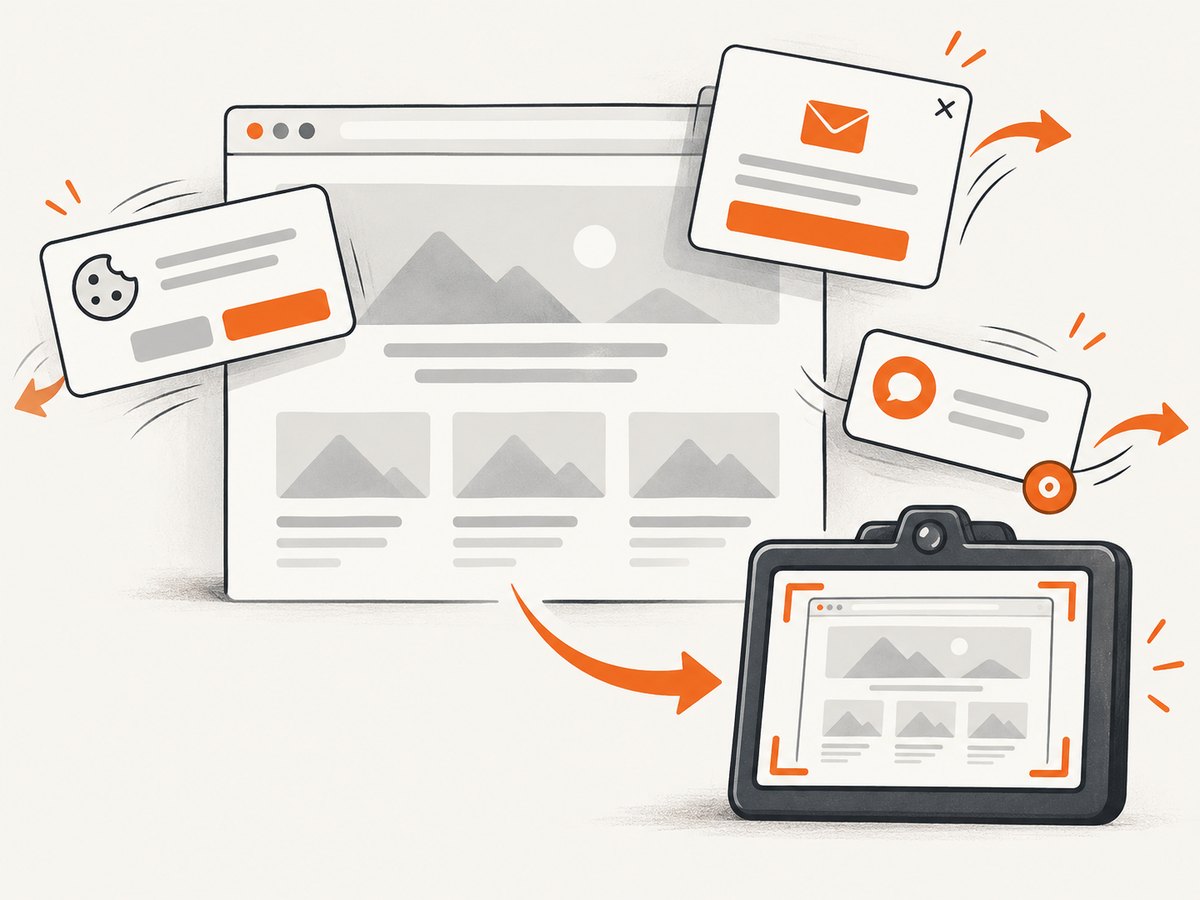
Scraping and screenshot capture overlap, but they are not the same task. If the deliverable is a visual record of a page rather than a structured dataset, try ScreenshotNeo, a website screenshot API and MCP server from Yorker Media. A single GET request accepts a URL and returns a PNG, JPEG, WebP, or PDF. Its clean-shot workflow accepts cookie/consent banners like a visitor and removes more than 60 known consent platforms, newsletter popups, and chat widgets before capture; each cleanup step can be turned off. It bills only clean shots: bot checks/CAPTCHAs, blank pages, timeouts, failed loads, and cache hits cost nothing, with the result reported in X-Page-Verdict and X-Billed headers. Its MCP tools let AI agents take screenshots, get page information, and capture PDFs.
ScreenshotNeo is for visual capture, not a substitute for a scraper that must produce structured product records or crawl a catalog. If a screenshot is the data you need, it can avoid setting up and maintaining your own browser capture stack. See the ScreenshotNeo API documentation.
curl -G "https://api.screenshotneo.com/v1/shot" -d access_key=YOUR_API_KEY --data-urlencode url=https://stripe.com -o shot.webpimport requests
r = requests.get("https://api.screenshotneo.com/v1/shot", params={"access_key": "YOUR_API_KEY", "url": "https://stripe.com"}, timeout=90)
open("shot.webp", "wb").write(r.content)const q = new URLSearchParams({ access_key: 'YOUR_API_KEY', url: 'https://stripe.com' });
const res = await fetch(`https://api.screenshotneo.com/v1/shot?${q}`);Plans include 1,000 screenshots per month free with no card; paid plans start at $5 for 3,000. Every feature is on every plan, and yearly billing gives two months free. Sign up for 1,000 free screenshots a month, with no card required.
Performance, reliability, and cost
Measure a complete run, not just the time to fetch one page. Browser rendering, client-side delays, pagination, retries, and output delivery all affect throughput. A no-code workflow may save engineering time but still need human review when a site changes. A framework may run efficiently for your target but requires infrastructure and monitoring. Managed services can reduce operational work, while introducing provider limits and a billing model that needs monitoring.
For reliability, track successful records, not only successful HTTP responses. Validate required fields and expected row counts, record source URLs and timestamps, and alert on sudden changes in empty fields or volume. Make jobs resumable and deduplicate by stable identifiers where the data permits. Use bounded retries with backoff for temporary errors; repeatedly retrying a blocked or invalid request can waste cost and burden a site.
Cost comparisons should include engineering and maintenance as well as vendor fees. Estimate pages per run, run frequency, average records per page, expected browser use, and retry rate. Revisit those assumptions after a sample run. Since pricing and free tiers are moving targets, verify each provider’s current plan and overage rules immediately before purchase.
Troubleshooting common scraping problems
| Symptom | Likely cause | What to do |
|---|---|---|
| Fields are missing although the page loads | Content is rendered by JavaScript, or selectors no longer match. | Inspect the rendered page and response; use browser rendering if needed, then update selectors and validate fields. |
| Only the first results page is collected | Pagination or infinite scrolling was not modeled. | Identify the next-page link, cursor, or scroll behavior; test that the final page is reached and stop conditions work. |
| Requests return a block page or CAPTCHA | The site restricts automated access or rate is too high. | Confirm permission and site rules, reduce request rate, and evaluate an appropriate managed access provider where permitted. Do not treat CAPTCHA handling as authorization. |
| Runs work once and then drift | Markup, page layout, or site behavior changed. | Monitor field-level quality, keep representative fixtures, and review selector or workflow changes before publishing new data. |
| Costs exceed the estimate | Retries, browser execution, extra records, or an unexpected billing unit. | Read the provider’s metering rules, cap job volume, log usage per run, and compare actual usage with a small pilot. |
| Duplicate or partial data appears | Runs restarted without checkpoints, or a failure was counted as complete. | Persist progress, deduplicate using stable keys, validate row counts, and mark partial runs as incomplete for downstream consumers. |
FAQ
Which scraper is easiest for someone who does not code?
Octoparse and ParseHub are the shortlist’s visual, no-code options. Compare them using your actual site, required fields, and schedule rather than interface alone.
Should I choose Scrapy or a hosted API?
Choose Scrapy when your team wants control and can own Python deployment and operations. Consider a hosted API or platform when browser rendering, access infrastructure, scheduling, or managed operations would otherwise take substantial effort.
Which tool is best for ecommerce price monitoring?
There is no universal winner. Import.io is relevant when you want structured recurring rows and delivery features; Apify offers flexible hosted workflows; enterprise access providers may fit difficult, high-volume targets. Confirm site rules and validate price accuracy and update cadence.
Do web scraping tools make collection legally permissible?
No. Tool capabilities do not settle permission. Review applicable law, site terms, robots directives, privacy obligations, and rate limits for your specific collection.


