Best Website Monitoring Tools in 2026
Compare 2026 website monitoring tools by the job they do: uptime alerts, synthetic tests, real-user monitoring, incident response, or full observability.

The best website monitoring tool depends on what you need to notice. For a simple “is the site reachable?” alert, compare availability-focused services such as UptimeRobot and StatusCake. For scripted browser or API checks, look at Checkly. For monitoring connected to incident response and status pages, consider Better Stack. If you need actual visitor experience or infrastructure telemetry alongside website checks, compare broader platforms such as Pingdom, Datadog, New Relic, or Site24x7.
There is no independent test or universal winner behind this guide. The product descriptions and comparisons below are attributed to their publishers. Plans and prices change, and the listed figures are snapshots from 2026 sources; confirm current limits and billing terms before buying. For a screenshot API to capture pages on demand, rather than monitor availability continuously, ScreenshotNeo is a separate tool to consider.
1. Decide what “monitoring” means for your site
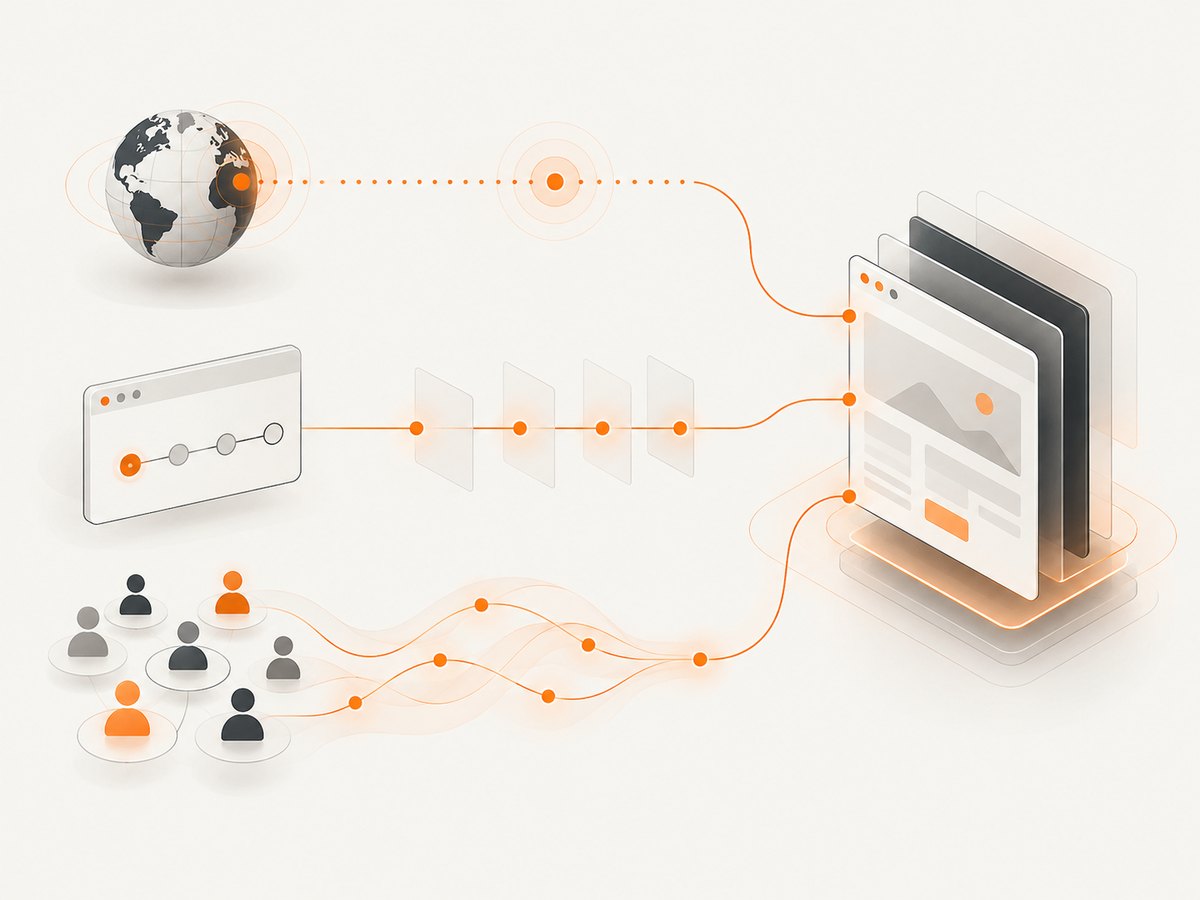
Website monitoring covers several different jobs. A service may specialize in one or combine several, so start by matching the check to the failure you want to catch.
| Monitoring job | What it tells you | What it does not prove on its own |
|---|---|---|
| Availability or uptime | Whether an endpoint responds from a monitor location, often with a response code or keyword check. | That a visitor can log in, submit a form, or complete checkout. |
| Performance checks | Response or page-load timings, sometimes broken down by browser or page resources. | How every real visitor experiences the site. |
| Synthetic browser, API, or transaction checks | Whether a scripted request or user journey works, such as a form submission or checkout flow. | Actual visitor behavior across all devices, networks, and browsers. |
| Real-user monitoring (RUM) | Experience data from actual visitors. | Whether a particular flow works before a visitor attempts it. |
| Adjacent checks and workflows | SSL and domain expiry, server health, status pages, incident response, logs, traces, and application behavior, depending on the product. | One consistent feature set across vendors. Packaging varies. |
An uptime alert answers “can the monitor reach it?” It does not establish that the site works for a user. If a broken login or checkout is the costly failure, add a synthetic check for that exact journey. If the question is how actual visitors experience a release, RUM answers a different question. A team can use both synthetic checks and RUM.
2. Compare the leading tools by monitoring job
The categories below are practical shortlists, not independently verified rankings. Better Stack’s 2026 comparison says it groups products by common categories because website monitoring ranges from basic availability checks to simulated browser behavior. That is a useful way to compare unlike products; its recommendations remain the publisher’s view. Better Stack’s comparison
Availability alerts: UptimeRobot and StatusCake
Start here if the main need is an external signal when a site or endpoint becomes unreachable, plus straightforward alerts. UptimeRobot’s 2026 Knowledge Hub comparison lists a free tier with 50 monitors, five-minute checks, and no credit card, and describes it as a fit for fast uptime monitoring. StatusCake lists uptime, page-speed, SSL, domain, and server monitoring on its product pages. Its live pricing page lists a free plan with 10 uptime monitors at five-minute intervals, plus one page-speed, one domain, and one SSL monitor. UptimeRobot’s 2026 comparison, StatusCake pricing
These free-plan figures are snapshots, not promises of what will be included when you sign up. Check whether the monitor count, interval, alert channels, and retention meet your needs. For example, a five-minute interval may be enough for a small personal site but may not meet a team’s detection target.
Incident workflows and status communication: Better Stack
Better Stack is relevant when you want monitoring connected to incident management, on-call, and status pages. This can reduce the gap between detecting an issue and coordinating a response. Compare how its seats, monitor limits, escalation workflows, and public or internal status-page needs map to your team. UptimeRobot’s comparison lists 10 external monitors on Better Stack’s free tier and a starting price of $29 per seat per month; that is an attributed comparison-page figure, not a current quote. UptimeRobot’s 2026 comparison
Developer-owned synthetic checks: Checkly
Checkly is positioned in the 2026 comparison as an option for monitoring-as-code and API or browser checks tied to code workflows. This is a better category to investigate when uptime pings would miss the failure you care about: a sign-in flow that breaks after a deployment, a required API response changing, or a critical page journey failing. Confirm which browser runs, test locations, schedules, and integrations are included in the current plan. The comparison lists a $29 monthly starting price and free-tier allowances, but those may change. UptimeRobot’s 2026 comparison
Availability, synthetic checks, and RUM: Pingdom
Pingdom is described by the comparison sources as combining uptime monitoring, synthetic checks, and real-user monitoring. That breadth can suit teams that want both scripted checks and data from actual visitors. Compare the coverage you need against the current plan: “includes RUM” or “includes synthetic monitoring” does not tell you how many tests, locations, or page views are allowed.
Broader observability: Datadog and New Relic
Consider Datadog or New Relic if website checks need to sit beside application and infrastructure telemetry, such as logs, traces, or performance data, or if your team already uses the platform. A shared environment may make it easier to investigate a website symptom alongside other signals, but it can also mean more setup and usage-based billing. The 2026 UptimeRobot comparison lists Datadog API monitoring at about $5 per 10,000 runs and notes that browser tests and other products are billed separately. It lists New Relic’s free data allowance and pay-as-you-go model. Treat both as dated comparison figures; estimate your expected usage using current vendor pricing before committing. UptimeRobot’s 2026 comparison
Broad monitoring suite: Site24x7
Site24x7 describes its coverage as spanning availability and digital experience monitoring, including synthetic transactions, RUM, SSL, DNS, and other monitoring layers. Its own comparison page distinguishes website response checks, browser page-speed checks, web transactions, browser transactions, SSL/TLS, DNS, and other monitors. That breadth may suit teams comparing several types of checks in one suite. Site24x7’s recommendation of its own value is vendor-published positioning, not an independent result. Site24x7’s 2026 comparison, Site24x7’s monitor comparison
Self-hosted monitoring: Uptime Kuma
Uptime Kuma appears in the 2026 uptime comparison as a free, open-source, self-hosted option. It may suit a developer who wants to operate the monitoring service themselves. “Free” here does not remove the work of supplying a host, keeping it available, maintaining it, and arranging notifications. Consider the failure mode: if the host running your monitor is itself down, your monitoring may be unavailable too. Compare that operational responsibility with a hosted service’s subscription cost. UptimeRobot Knowledge Hub
3. Use a shortlist that fits your audience
- Personal site or small business: shortlist a basic availability service first. The UptimeRobot comparison names UptimeRobot, StatusCake, and Site24x7 as possible free-tier starting points. Check the number of sites and monitors, check interval, and whether SSL or domain-expiry checks are included for the plan you can actually use.
- Agency: compare the cost as client sites accumulate, along with client-facing reporting, status pages, and access controls. A 2026 comparison names StatusCake, Uptime.com, and Oh Dear as candidates; its published positioning is a starting point for evaluation, not proof that one is best for every agency.
- Engineering or SRE team: write down the user journeys and API behaviors that matter. Compare synthetic browser/API coverage, code-based configuration, integrations, escalation, on-call scheduling, and incident communication. The sources identify Checkly for monitoring-as-code and Better Stack for incident workflows.
- Existing observability customer: check whether your current Grafana, Datadog, or New Relic setup supports the synthetic checks you need and connects them to your dashboards and alerts. Keeping monitoring in an existing stack can reduce tool sprawl, but does not automatically make its check limits or cost the best fit.
4. Compare plans and operational fit before buying
A starting price is not a like-for-like comparison. One service may charge per seat, another per monitor, and another by test run or data usage. The 2026 UptimeRobot comparison gives examples such as UptimeRobot from about $9/month, Better Stack from $29 per seat/month, StatusCake around $20.41/month billed annually, Site24x7 around $9/month, and Datadog around $5 per 10,000 API runs. Site24x7’s own 2026 comparison gives some different figures, including UptimeRobot at $7/month and Pingdom at $16.50/month. These differences reinforce that comparison tables are dated snapshots rather than purchase quotes. Verify the current official plan page and pricing unit. UptimeRobot’s comparison, Site24x7’s comparison
| Check before choosing | Question to answer |
|---|---|
| Coverage | Do you need HTTP availability, keyword checks, SSL/domain expiration, APIs, browser journeys, RUM, server checks, or several of these? |
| Frequency and locations | How quickly should an outage be noticed? From which regions should a check run? Can a failure be confirmed before paging? |
| Monitor and run limits | How many endpoints, browser runs, locations, page views, or team seats are included? |
| Alerts and response | Does it notify the right people through the channels you use? Do you need escalation, on-call schedules, incident management, or a status page? |
| Workflow fit | Can checks live in code or CI/CD? Do they connect to your dashboards, logs, traces, or incident workflow? |
| Cost at expected use | Estimate the total using your real monitor count, schedule, seats, tests, data, and optional features—not only the advertised entry price. |
| Ownership | For self-hosted tools, who maintains the monitoring host, updates it, backs it up, and keeps notifications working? |
5. Set up monitoring in layers
- List the user-visible risks. Include site availability, certificate expiry, key API behavior, and any critical form, login, or checkout journey.
- Start with an external availability monitor. Add the production URL or endpoint, choose an interval and locations that meet your detection needs, and set an alert destination that someone watches.
- Check the alert path. Confirm alerts reach the intended people and decide who responds outside business hours. A monitor that detects an outage but cannot reach an owner leaves a response gap.
- Add a synthetic check for a critical action. Test the steps and expected result that matter. Avoid treating a page load alone as proof that a transaction completed.
- Use RUM if you need visitor evidence. It complements scripted checks by showing actual visitor experience. Decide which user or performance questions that data should answer.
- Review noisy or missing alerts. Check that a transient failure, expected maintenance, or one broken test does not create an unhelpful paging pattern. Tune confirmation and escalation behavior to your tolerance.
- Revisit limits and cost as the site grows. More sites, checks, locations, runs, seats, or telemetry can change both plan fit and monthly cost.
6. Reliability, performance, and cost considerations
A short check interval can reduce the time between checks, but its practical value depends on the plan, monitor locations, and how the service handles failures. A single failed request may be caused by a transient network issue or by the site itself; understand whether and how the product confirms an incident before alerting. Do not assume that a monitor’s response time is the same as a visitor’s full page experience.
Synthetic checks should be representative and maintainable. A browser test that depends on brittle selectors or constantly changing third-party content can fail for reasons unrelated to the service users care about. Keep checks focused on important outcomes and review them after application changes. RUM can add evidence about actual visitors, while synthetic checks give repeatable, controlled journeys; neither replaces the other.
Cost can rise through different units: monitor count, check frequency, browser runs, page views, seats, data ingestion, or add-on products. For observability suites, include the cost of logs, traces, hosts, and other telemetry you plan to send, rather than pricing only the website check. For self-hosted software, account for the infrastructure and maintenance time as well as the license price. Since the sources are vendor-authored comparisons and plan terms change, confirm current rates and allowances directly with the provider.
7. Screenshot capture is a different job
Monitoring repeatedly checks whether a website is available or functioning. A screenshot API captures a page on demand; it can be useful in a report, automation flow, or visual record, but a screenshot alone does not tell you whether your site stayed up between captures. For an on-demand screenshot API, ScreenshotNeo offers a one-request capture and supports PNG, JPEG, WebP, and PDF. It is a separate alternative for capture workflows, not a replacement for continuous uptime or transaction monitoring. See the ScreenshotNeo API documentation.

Or skip the browser setup
For an on-demand capture, ScreenshotNeo accepts a URL and returns an image or PDF. Here is the cURL form; replace the example URL and use your API key. See the API documentation for available options.
curl -G "https://api.screenshotneo.com/v1/shot" \
  -d access_key=YOUR_API_KEY \
  --data-urlencode url=https://stripe.com \
  -o shot.webp
Equivalent Python:
import requests

r = requests.get(
    "https://api.screenshotneo.com/v1/shot",
    params={"access_key": "YOUR_API_KEY", "url": "https://stripe.com"},
    timeout=90,
)
open("shot.webp", "wb").write(r.content)
Equivalent Node.js:
const q = new URLSearchParams({
  access_key: 'YOUR_API_KEY',
  url: 'https://stripe.com'
});
const res = await fetch(`https://api.screenshotneo.com/v1/shot?${q}`);
if (!res.ok) throw new Error(`Screenshot request failed: ${res.status}`);
const image = Buffer.from(await res.arrayBuffer());
await import('node:fs/promises').then(fs => fs.writeFile('shot.webp', image));
ScreenshotNeo removes cookie banners, newsletter popups, and chat widgets before capture; bot checks, blank pages, and failed loads are never billed. Its MCP server lets AI agents take screenshots. The free plan includes 1,000 screenshots each month with no card, and paid plans start at $5 for 3,000. Sign up for 1,000 free screenshots a month.
8. Troubleshooting monitoring setup
| Symptom | Likely cause | What to check or change |
|---|---|---|
| Monitor reports down, but the page opens for you | The monitor may reach the site from a different network or region, or the failure may have been transient. | Check the incident details, response code, time, and location. Use the provider’s confirmation settings if available; compare with another region before treating one result as a confirmed outage. |
| Monitor says up while users report a broken flow | A basic request check confirms reachability, not that a browser action or API contract works. | Add a synthetic browser, API, or transaction check for the failing action and validate its expected result. |
| Alerts arrive late or not at all | The check interval, notification destination, escalation setup, or team ownership may not match the response need. | Review the interval and notification configuration, confirm the destination is active, and make sure an on-call person owns the alert. |
| Browser check fails intermittently | A page element may load slowly, a third-party dependency may vary, or the test may rely on brittle page details. | Inspect the failing step and timing. Wait for a meaningful page condition, reduce reliance on unstable third-party content, and keep the test focused on the critical outcome. |
| Costs exceed the estimate | Pricing may scale by seats, frequency, locations, browser runs, data, or separate products. | Compare actual use against the billing unit and current plan limits. Re-estimate with all checks and telemetry included before adding monitors. |
| Self-hosted monitor also becomes unreachable | The monitor’s host or network may fail with the service it is watching. | Review where the monitor runs, how it is maintained, and whether you need an external monitor for the monitoring system itself. |
9. Frequently asked questions
What is the best free website monitoring tool?
There is no single best option for every setup. Compare the current free monitor count, interval, alert channels, and any SSL or domain checks. UptimeRobot’s 2026 comparison lists 50 monitors at five-minute intervals with no card; StatusCake’s live pricing page lists 10 uptime monitors at five-minute intervals plus one page-speed, domain, and SSL monitor. Verify current terms before choosing.
Is uptime monitoring enough for an online store?
It may catch reachability failures, but it does not by itself prove checkout works. Add a synthetic test that checks the critical purchase flow and its expected result.
Do I need synthetic monitoring and RUM?
They answer different questions. Synthetic monitoring runs controlled checks; RUM observes actual visitor experience. Use the one that addresses your immediate gap, or both when you need controlled detection and real-user context.
Should I choose an all-in-one observability platform?
It can fit when website monitoring needs to connect with application and infrastructure data your team already uses. Compare the setup and usage-based costs against a focused monitoring tool before moving checks into a broader suite.
Does a screenshot API monitor my website?
No. A screenshot API captures a page when requested. Continuous availability, browser journey, or visitor-experience monitoring requires a monitoring service designed for those jobs.
Sources and pricing note
This guide uses publisher comparisons and product pages, not hands-on tests. See UptimeRobot’s 2026 comparison, Site24x7’s 2026 comparison, and StatusCake’s pricing page. Product descriptions and recommendations reflect those publishers’ positioning. Confirm current prices, allowances, and features directly before purchase.


