Best wkhtmltopdf Alternatives for HTML to PDF
Compare Puppeteer, WeasyPrint, commercial engines, Gotenberg and ScreenshotNeo to choose a reliable wkhtmltopdf replacement for HTML-to-PDF.
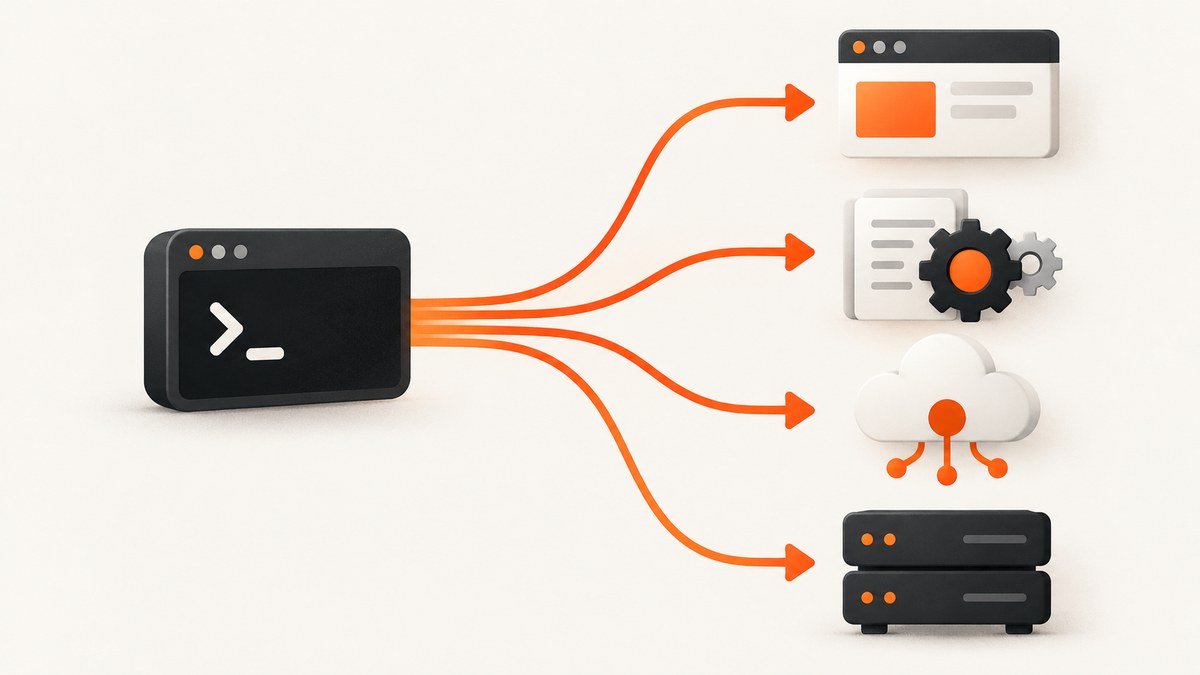
Short answer: choose Puppeteer when your HTML depends on JavaScript or must look like Chrome; choose WeasyPrint for Python applications and controlled, print-oriented documents; choose Prince, PDFreactor or Antenna House when advanced paged-media features and commercial support justify licensing; choose Gotenberg or a managed API when you want an HTTP service instead of maintaining a renderer inside every application.
wkhtmltopdf is an open-source headless command-line converter that renders HTML with Qt WebKit. Its older rendering model can diverge from current browser behavior, especially on JavaScript-heavy pages. A migration guide reports that the project was archived in January 2023 and that version 0.12.6 was released in 2020; treat any security claim about old releases as something to verify against an authoritative vulnerability database before making a formal decision.
Which wkhtmltopdf alternative should you choose?
| Requirement | Best fit | Why | Main trade-off |
|---|---|---|---|
| Client-side JavaScript, modern APIs, Chrome fidelity | Puppeteer | Automates Chrome or Firefox and exposes PDF generation | You operate a browser runtime |
| Python templates and predictable print layout | WeasyPrint | CSS pagination, links, bookmarks and attachments | No JavaScript execution; authentication and cookies need extra work |
| Advanced paged media and vendor support | Prince, PDFreactor or Antenna House | Print-focused engines with enterprise support options | Commercial licensing and integration cost |
| One HTTP boundary for many applications | Gotenberg or a managed API | Centralizes rendering, queues and runtime operations | Service security, limits, latency and data residency require design |
Use the decision tree below before changing code:
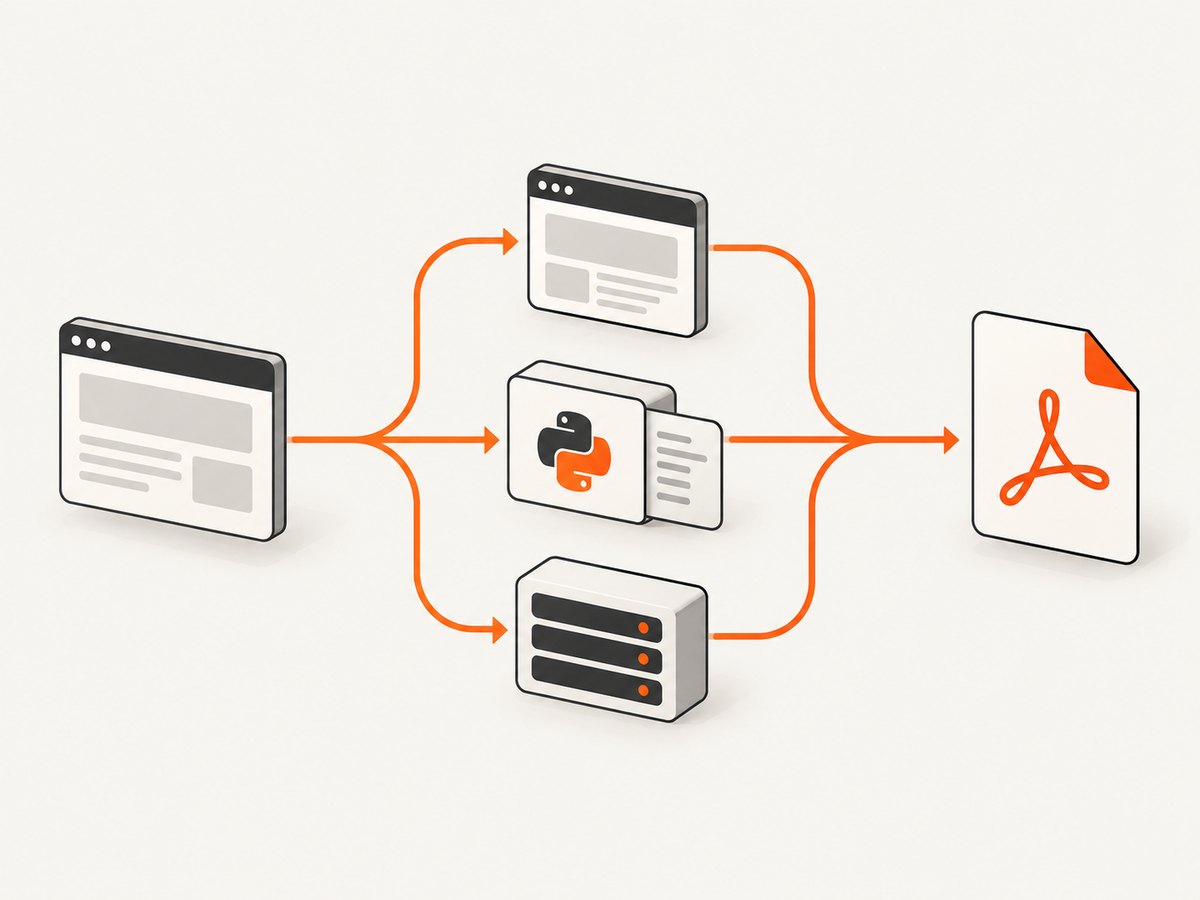
- Does the page render important content in JavaScript? Use Puppeteer, or an API based on a real browser. WeasyPrint will not execute that client-side application code.
- Is the input a controlled invoice, report or certificate? Use WeasyPrint if Python and CSS pagination meet your requirements.
- Do you need running headers, footnotes, generated content or other print-specific behavior? Evaluate commercial paged-media engines.
- Do several languages or teams need conversion? Put Gotenberg or a managed API behind an authenticated service boundary.
- Do you need a screenshot or PDF without operating Chromium? Use ScreenshotNeo; it returns a clean capture from one request and has a PDF mode.
Why teams are replacing wkhtmltopdf
wkhtmltopdf behaves more like a legacy browser renderer than a current Chrome installation. That matters when a site relies on modern JavaScript, browser APIs, current CSS, web fonts or application authentication. A migration also changes your operational surface: an embedded binary must be patched and packaged with each deployment, while a service introduces authentication, queueing, file limits, isolation and data-residency decisions.
Do not select an alternative from a feature list alone. Capture representative pages that include fonts, images, tables, long sections, right-to-left text, authenticated content and JavaScript-generated data. Compare page breaks, links, bookmarks, headers, footers, colors and failure behavior. Record the renderer version and the exact input so a future upgrade can be reviewed.
Puppeteer: the browser-faithful replacement
Puppeteer is a JavaScript library for automating Chrome and Firefox through the Chrome DevTools Protocol and WebDriver BiDi. Its official documentation lists PDF generation, screenshots, navigation and UI testing. It is the natural choice when the PDF should match what a user sees in Chromium.
Install and generate a PDF
npm install puppeteerconst puppeteer = require('puppeteer');
(async () => {
const browser = await puppeteer.launch({headless: true});
try {
const page = await browser.newPage();
await page.goto('https://example.com', {waitUntil: 'networkidle2', timeout: 90000});
await page.emulateMediaType('print');
await page.pdf({
path: 'example.pdf',
format: 'A4',
printBackground: true,
margin: {top: '18mm', right: '16mm', bottom: '18mm', left: '16mm'}
});
} finally {
await browser.close();
}
})();networkidle2 waits for a quiet network, but it is not a guarantee that an application has finished rendering. For a dashboard, wait for a specific selector after navigation:
await page.goto(url, {waitUntil: 'domcontentloaded'});
await page.waitForSelector('[data-report-ready]', {timeout: 30000});
await page.pdf({path: 'report.pdf', printBackground: true});
Puppeteer options that affect output
- Paper: set
formatsuch as A4 or Letter, or usewidthandheight. - Margins: provide top, right, bottom and left values with units.
- Backgrounds: set
printBackground: truewhen color blocks or images are part of the design. - CSS: use
@page,break-before,break-afterandbreak-insidefor print layout. - Orientation: set
landscape: truefor wide tables. - Authentication: call
page.setExtraHTTPHeaders,page.setCookieor perform a login before printing. - Assets: use absolute, reachable URLs or inline critical CSS and fonts. A container without the required font will produce different line wrapping.
Common Puppeteer failure modes
| Symptom | Cause | Fix |
|---|---|---|
| Blank or half-rendered PDF | Print started before the app finished | Wait for a readiness selector or an application event |
| Missing images or fonts | Blocked requests, relative URLs or network access | Use absolute URLs, inspect responses and allow required resources |
| Different pagination in production | Different Chromium or font versions | Pin the browser image and install the same fonts |
| Navigation timeout | Long polling, ads or a stalled third-party request | Wait for a selector, block nonessential requests and set a bounded timeout |
WeasyPrint: Python and print-first documents
WeasyPrint is free and open source. Its documentation describes HTML and CSS input, local and network resources, text and raster or vector graphics, hyperlinks, bookmarks and attachments. Cookies and authentication are not supported by default, so private pages need an explicit resource-loading strategy.
pip install weasyprintfrom weasyprint import HTML
HTML('https://example.com').write_pdf('example.pdf')For a template string, provide a base URL so relative CSS, images and fonts resolve:
from weasyprint import HTML

html = '''<!doctype html>
<html><head><link rel="stylesheet" href="styles.css"></head>
<body><h1>Invoice</h1></body></html>'''
HTML(string=html, base_url='.').write_pdf('invoice.pdf')
WeasyPrint is a strong fit for invoices, reports, certificates and other controlled documents where pagination matters more than executing a client-side application. Use print CSS deliberately:
@page { size: A4; margin: 18mm 16mm; }
h1 { break-after: avoid; }
.table-row { break-inside: avoid; }
@media print { .screen-only { display: none; } }
When links, bookmarks or attachments are part of the deliverable, verify them in a PDF inspector rather than judging only the page image. If a private image fails, fetch it yourself and embed it as a data URL, or configure a controlled URL fetcher with the credentials your application is allowed to use.
Commercial paged-media engines
Prince, PDFreactor and Antenna House are candidates when advanced print-grade pagination, a supported vendor relationship or predictable enterprise output justifies licensing. Evaluate each vendor directly for current pricing, license scope, deployment model and partner terms. Test running headers, footnotes, generated content, tables that span pages, bidirectional text, SVG, fonts and accessibility requirements with your own documents.
Commercial software can reduce the amount of renderer maintenance your team owns, but it does not remove design work. You still need a repeatable test corpus, a versioning policy and a process for reviewing output after upgrades.
Gotenberg and managed conversion services
Gotenberg provides a self-hosted HTTP-service path in migration guidance. This model lets applications submit HTML or office documents to a dedicated converter instead of packaging a browser in every application. A managed API offers the same service boundary without your team operating the runtime.
Before production, specify:
- Authentication and authorization for every conversion endpoint.
- Maximum HTML size, upload size, page count and execution time.
- Network egress rules so untrusted HTML cannot reach internal services.
- Queue behavior, concurrency, retries and idempotency keys.
- Temporary-file cleanup, encryption and data-retention policy.
- Font and browser versions, plus a representative regression corpus.
- Data residency and whether documents may leave your environment.
A service is especially useful when Node.js, Python, PHP and other clients need one consistent conversion policy. It also gives you a place to collect structured errors and rendering duration without coupling every application to browser internals.
Or skip the browser setup
ScreenshotNeo is a website screenshot API and MCP server. Its PDF endpoint accepts the same URL-based request pattern, so you can produce a PDF or a clean PNG, JPEG or WebP without installing Chromium.
cURL:
curl -G "https://api.screenshotneo.com/v1/shot" \
  -d access_key=YOUR_API_KEY \
  --data-urlencode url=https://stripe.com \
  -d format=pdf \
  -o page.pdf
Python:
import requests

r = requests.get(
    "https://api.screenshotneo.com/v1/shot",
    params={"access_key": "YOUR_API_KEY", "url": "https://stripe.com", "format": "pdf"},
    timeout=90,
)
r.raise_for_status()
open("page.pdf", "wb").write(r.content)
Node.js:
const q = new URLSearchParams({
  access_key: 'YOUR_API_KEY',
  url: 'https://stripe.com',
  format: 'pdf'
});
const res = await fetch(`https://api.screenshotneo.com/v1/shot?${q}`);
if (!res.ok) throw new Error(`HTTP ${res.status}`);
require('fs').writeFileSync('page.pdf', Buffer.from(await res.arrayBuffer()));
See the ScreenshotNeo documentation for the complete parameter reference. Useful controls include paper size, margins, landscape mode and page ranges; custom CSS and JavaScript; cookies, headers, user agents and Authorization; timezone and geolocation; selector waits, delays and network-idle waits; blocked ads, trackers, requests or resource types; caching with a TTL you choose; async jobs with signed webhooks; bulk capture for up to 100 URLs per call; and a usage API.
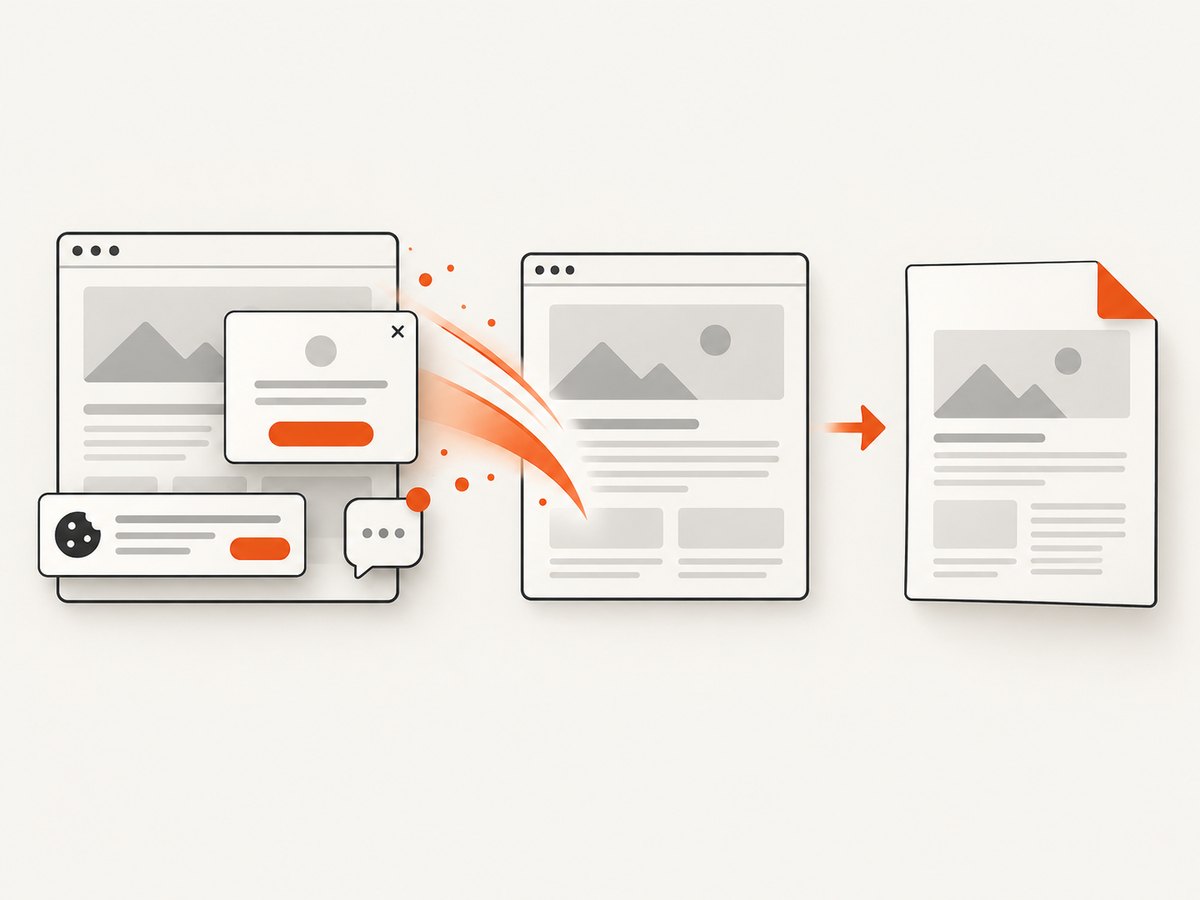
Before capture, ScreenshotNeo can accept the cookie or consent banner like a visitor and remove more than 60 known consent platforms, newsletter popups and chat widgets. Each cleanup step can be turned off. Bot checks or CAPTCHAs, blank pages, timeouts, failed loads and cache hits are not billed; the response identifies the result with X-Page-Verdict and X-Billed headers. An MCP server exposes take_screenshot, get_page_info and capture_pdf for Claude, Cursor and other MCP clients.
The Free plan includes 1,000 shots each month with no card. Paid plans start at $5 for 3,000 shots; every feature is available on every plan. Create a free ScreenshotNeo account and try the PDF request with no card.
Performance, reliability and cost
Performance
Browser rendering usually costs more startup time and memory than a CSS-only engine. Reuse a Puppeteer browser process where safe, limit concurrency, block analytics and advertising requests, and wait for a precise readiness signal instead of an unnecessarily long fixed delay. For a service, size workers from observed memory and page complexity, then enforce timeouts so one page cannot occupy a worker indefinitely.
Reliability
Make conversion idempotent. Store the source URL, renderer version, options and a content hash with the output. Retry transient network failures with backoff, but do not blindly retry authentication errors or invalid HTML. Keep a small golden set of PDFs and compare text, page count and selected rendered regions after upgrades.
Cost
Self-hosted tools trade license fees for engineering time, memory, patching and operations. Commercial engines trade those costs for licensing. Managed APIs trade runtime operations for per-use pricing and a service dependency. Estimate total cost from peak concurrency, average document size, browser cold starts, storage, egress and the cost of failed jobs—not only the nominal conversion price.
Troubleshooting checklist
- Styles are missing: check relative URLs, the base URL, blocked requests and whether the CSS is loaded before capture.
- Fonts wrap differently: install or embed the exact fonts and pin the renderer version.
- JavaScript content is absent: use Puppeteer or a browser-based API and wait for a readiness selector.
- Private assets return 401 or 403: pass cookies or Authorization where supported, or fetch and embed the assets in a controlled pipeline.
- Tables split badly: use print CSS, repeat table headers, and apply
break-inside: avoidto rows or cards where feasible. - Conversion hangs: identify long polling and third-party calls, block unnecessary resources, and set a hard timeout.
- Service returns an oversized file: resize large images, limit page ranges, and remove unused assets before rendering.
- Output is empty: inspect the HTTP status and response headers, confirm the URL is reachable from the renderer, and check the page verdict when using ScreenshotNeo.
FAQ
Is Puppeteer a drop-in command replacement?
No. It is a programmable browser library, so you replace command flags with navigation, page setup, readiness waits and PDF options.
Can WeasyPrint run React or Vue code?
No. It lays out supplied HTML and CSS; render the application first with a browser if client-side JavaScript creates the content.
Should I self-host or use an API?
Self-host when isolation, data residency or predictable infrastructure is central. Use an API when you prefer a service boundary and do not want to operate browser runtimes.
Does a PDF engine guarantee accessible PDFs?
No. Check the accessibility features and output of the chosen engine against your requirements and test with your accessibility tooling.
What is the fastest migration path?
Classify documents by JavaScript dependence and pagination needs, build a corpus of representative inputs, implement one candidate, then compare output and operations before switching all traffic.


