11 Best WordPress Vulnerability Scanners to Secure Your Site in 2026
Compare the 11 best WordPress vulnerability scanners in 2026, including coverage, scan frequency, malware detection, remediation, cost and setup.
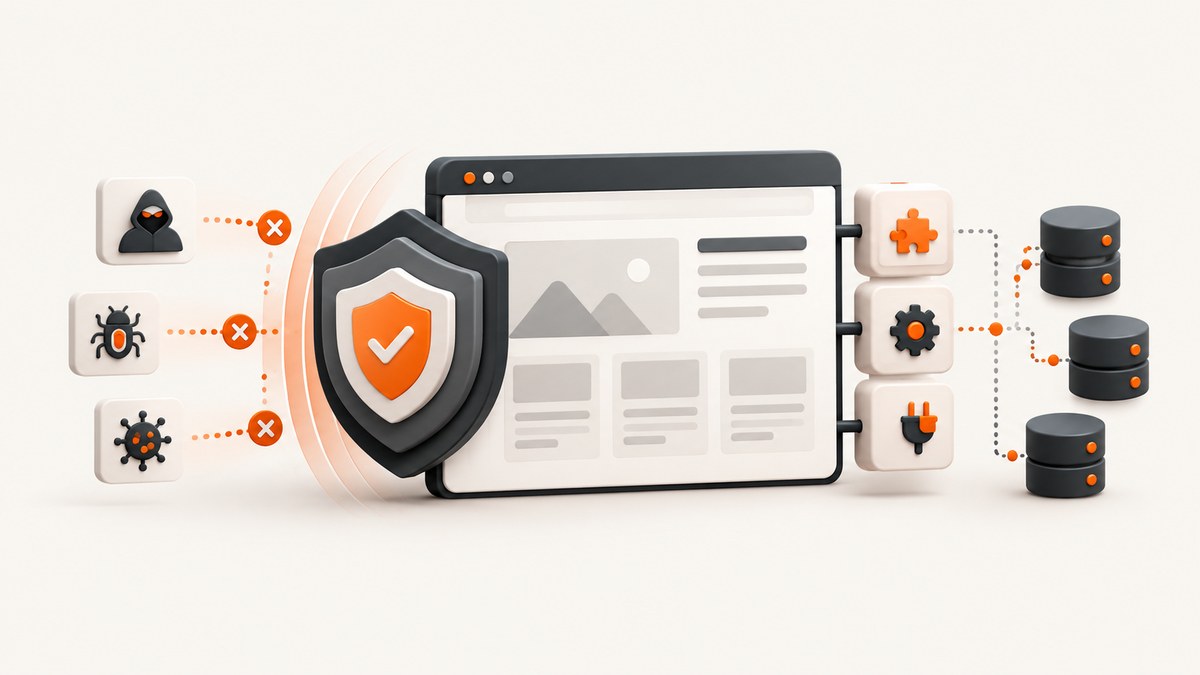
Short answer: Wordfence is the best general-purpose WordPress vulnerability scanner for most sites because it combines vulnerability alerts, firewall protection, malware scanning and central management. WPScan is the stronger choice for researchers and API-driven workflows. Sucuri or MalCare fit teams that need remote scanning and cleanup. Patchstack is the best fit when virtual patching matters, while Jetpack Protect offers a useful free daily baseline.
“Best” depends on what you need to scan, how quickly you need new vulnerability intelligence, whether scanning runs on your server or in the cloud, and whether you need remediation after a finding. This guide compares those trade-offs and shows how to build a practical scanning routine.
1. What a WordPress vulnerability scanner checks
A vulnerability scanner compares your WordPress core, plugins and themes with a database of known weaknesses. It normally checks installed versions, exposed configuration and sometimes the files themselves. A finding means that a vulnerable component is present; it does not prove that your site has already been compromised.
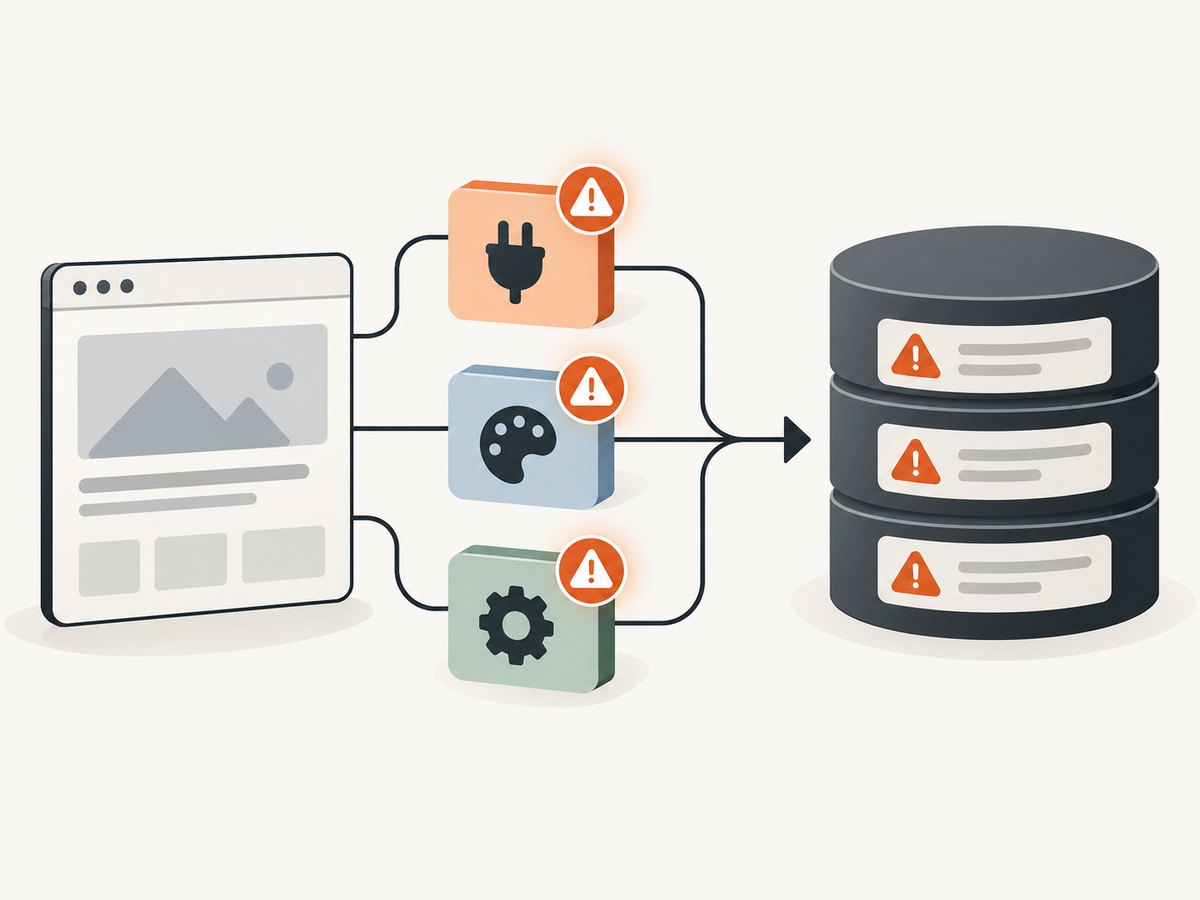
Malware scanning answers a different question. It looks for malicious code, unexpected file changes, backdoors, injected scripts and other evidence of an attack that has already happened. You may need both capabilities. In Wordfence’s 2024 security report, plugins represented 96% of vulnerable WordPress software types, so plugin inventory and update latency deserve priority.
Use these nine comparison axes when choosing a scanner:
- Intelligence breadth and latency: how many core, plugin and theme records are tracked, and how quickly new records reach free users.
- Scan location: local PHP execution, a remote probe, or a cloud worker.
- Component checks: core, plugins, themes, configuration and exposed endpoints.
- Malware and integrity: whether the product detects unexpected or altered files.
- Remediation: cleanup, one-click fixes, virtual patches or only an alert.
- Frequency: on-demand, scheduled, daily or continuous monitoring.
- Operations: alerts, multisite support, agency controls and reporting.
- Cost: free limits, delayed feeds, per-site pricing and paid response services.
- Performance: server CPU, memory, bandwidth and impact on visitors.
2. The 11 best scanners at a glance
| Scanner | Best fit | Strength | Main trade-off |
|---|---|---|---|
| Wordfence Free/Premium | Most sites | Firewall, malware and vulnerability alerts | Free feed updates can be delayed |
| Wordfence CLI | Servers and agencies | Automated, parallelizable scans | Command-line setup and paid scale |
| WPScan | Researchers and technical teams | Black-box CLI/API and large database | Requires technical workflow and API planning |
| Sucuri Security | Remote scanning and response | Remote malware and integrity checks | Full cleanup and WAF features are service-tier dependent |
| Patchstack | Virtual patching | Component-to-vulnerability matching and protection | Protection varies by plan |
| Jetpack Protect | Free daily baseline | Automated daily scans | Focused scope and paid history features |
| Jetpack Scan | Hands-off management | Daily/on-demand checks and one-click fixes | Paid product; no multisite support stated on its product page |
| MalCare | Cloud malware scanning | Cloud scans, alerts, firewall and cleanup | Requires a MalCare account and cloud service |
| Defender Security | Integrity checks | Compares files with the official repository | Verify current feature depth and paid options |
| Solid Security | Hardening | Login controls and hardening | Its comparison material describes no dedicated malware scanner |
| WPSecScan | Local open-source auditing | Local-first checks and multiple CVE sources | Smaller ecosystem; verify release and support |
3. Wordfence: best all-in-one baseline
Wordfence is the broadest default recommendation for a typical WordPress site. Its plugin combines an endpoint firewall, malware scanner, vulnerability alerts and central management. Wordfence says it protects more than five million websites, and Wordfence Intelligence lists more than 12,000 WordPress vulnerability records.
The free edition is useful for identifying vulnerable plugins, themes and core files, but Wordfence documents a 30-day delay for threat-feed updates on free sites. Premium removes that delay and adds advanced controls. Choose Premium when a newly disclosed plugin flaw must reach you immediately, or when you operate sites that cannot wait for a monthly update window.
Good fit
- One or several conventional WordPress sites.
- Teams wanting firewall, malware and vulnerability features in one plugin.
- Agencies that need central visibility.
Limitations
- Local scans consume PHP workers, memory and disk I/O.
- Free intelligence updates are delayed.
- Deep malware scans can compete with backups and traffic during busy periods.
4. Wordfence CLI: automation on your server
Wordfence CLI is aimed at servers, agencies and automation pipelines. It supports vulnerability checks and parallelizable malware scans. A command-line workflow is useful when you already manage sites with cron, containers or configuration management.
# Run from the WordPress installation directory
wordfence scan --all

# Schedule a daily scan at 03:15
15 3 * * * cd /var/www/example && wordfence scan --all >> /var/log/wordfence.log 2>&1
Confirm the current CLI syntax and licensing before placing this in production. Store output centrally, alert on non-zero exit codes, and avoid running many full scans on the same host at once.
5. WPScan: best for black-box and API workflows
WPScan is the strongest choice for security researchers and technical agencies. Its scanner operates from outside the site, has a CLI and API, and its product page reports 84,495 cataloged WordPress core, plugin and theme vulnerabilities.
# Basic enumeration and vulnerability checks
wpscan --url https://example.com --enumerate vp,vt,u --api-token YOUR_API_TOKEN

# Save machine-readable output
wpscan --url https://example.com --api-token YOUR_API_TOKEN --format json -o wpscan.json
Run scans only against sites you own or are authorized to assess. API limits, terms and database access affect how often you can run scheduled jobs. Treat findings as leads to verify: version detection can be obscured by caching, custom builds or security controls.
6. Sucuri Security: remote scanning and managed response
Sucuri emphasizes remote malware scanning, checks for core, PHP, plugin and theme changes, and optional WAF and cleanup services. Remote scanning reduces work on the WordPress host, which helps on constrained shared hosting. It can miss indicators that require authenticated filesystem access, so pair it with backups and, when possible, a local integrity check.
7. Patchstack: vulnerability matching and virtual patching
Patchstack matches installed components to its vulnerability database and focuses on protection, including virtual patching on plans that support it. Virtual patches can reduce exposure while you plan a tested update. They do not remove the vulnerable code, so schedule the real update and test compatibility.
8. Jetpack Protect and Jetpack Scan
Jetpack Protect is a practical free baseline. Its product page documents daily scans and a database of more than 30,770 vulnerabilities. It is useful when you want a recurring check without operating a complex scanner. Jetpack Scan is the paid, more managed option with daily and on-demand checks, suspicious-change detection, email alerts and one-click fixes.
Daily scanning is not the same as continuous protection. A plugin released with an actively exploited flaw can remain exposed until the next scan, so subscribe to vendor advisories and patch quickly.
9. MalCare: cloud scanning and cleanup
MalCare runs scans in the cloud and combines vulnerability alerts with malware detection, a firewall and automated cleanup. Its own explanation is useful: a vulnerability scanner warns about a flaw before exploitation, while a malware scanner finds infections that already happened.
Cloud scanning limits load on the WordPress server, but it introduces an account and an external service dependency. Verify that credentials, staging sites and multisite layouts are supported before rolling it out broadly.
10. Defender Security, Solid Security and WPSecScan
Defender Security
Defender checks file integrity against the official WordPress repository and consults verified exploit registries. It fits teams that want repository comparisons alongside hardening controls. Confirm the current release’s scan depth and paid limits.
Solid Security
Solid Security is centered on login security and hardening, with Patchstack integration in Pro. It can reduce attack surface, but its comparison material does not describe a dedicated malware scanner. Add a separate malware and integrity tool when that coverage is required.
WPSecScan
WPSecScan is a local, open-source auditing option that uses multiple CVE sources. Local execution gives you control over data and scheduling. The ecosystem is smaller, so verify the current release, database freshness and support model before depending on it for a fleet.
11. A repeatable scanning setup
- Inventory every component. Export core, plugin and theme names, versions, site URLs and owners. Include inactive plugins because old code can remain reachable.
- Pick a primary scanner. Start with Wordfence for an all-in-one plugin, WPScan for external automation, or Jetpack Protect for a free daily baseline.
- Add a second perspective. Pair a local scanner with a remote probe when practical. Different locations see different evidence.
- Schedule scans. Run daily vulnerability checks and weekly or post-change malware/integrity scans. Stagger jobs across sites.
- Route alerts. Send urgent findings to the on-call channel and lower-severity updates to a ticket queue. Include site, component, installed version, fixed version and owner.
- Verify and remediate. Check the advisory, back up the site, test the update on staging, deploy, then rescan.
- Record exceptions. If a plugin cannot be updated, document the reason, compensating controls, expiry date and owner.
12. Performance, reliability and cost
Local scans can increase CPU, memory and disk usage. Run them during a low-traffic window, set concurrency conservatively and monitor PHP worker exhaustion. Cloud and remote scanners reduce host load but depend on DNS, TLS, login access and the scanner’s availability.
Reliability improves when you combine scheduled scans with update monitoring and backups. A clean scan is not proof that no compromise exists; it is one signal. Preserve logs, compare results over time and investigate sudden changes.
Free tiers usually trade speed, depth or history for cost. Wordfence Free documents a 30-day threat-feed delay, while Jetpack Protect documents daily scans. Paid plans may add real-time intelligence, cleanup, virtual patching, central management or more history. Calculate total cost across sites, API calls, staff time and incident response rather than comparing subscription prices alone.
13. Troubleshooting common scanner errors
| Symptom | Likely cause | Fix |
|---|---|---|
| Scan times out | Low PHP limits, overloaded host or blocked remote requests | Raise limits where safe, reduce concurrency, use a low-traffic window and check firewall logs. |
| Plugin version is unknown | Version header removed, custom build or aggressive caching | Verify the installed files and changelog manually; do not assume “unknown” means safe. |
| False positive | Backported patch or vendor fork | Compare the advisory’s affected versions with the vendor’s changelog and confirm the file hash. |
| Remote scanner sees a blank page | Bot protection, geoblocking, maintenance mode or TLS error | Allow the scanner’s documented access path, check TLS and test from an external network. |
| Malware scan is clean after an incident | Backdoor outside the scan scope or compromised administrator account | Use server-level file review, rotate credentials, inspect logs and involve incident response. |
| Daily alerts repeat after patching | Cache, staging mismatch or failed deployment | Purge caches, confirm the live version and rescan the production URL. |
14. Or skip the browser setup
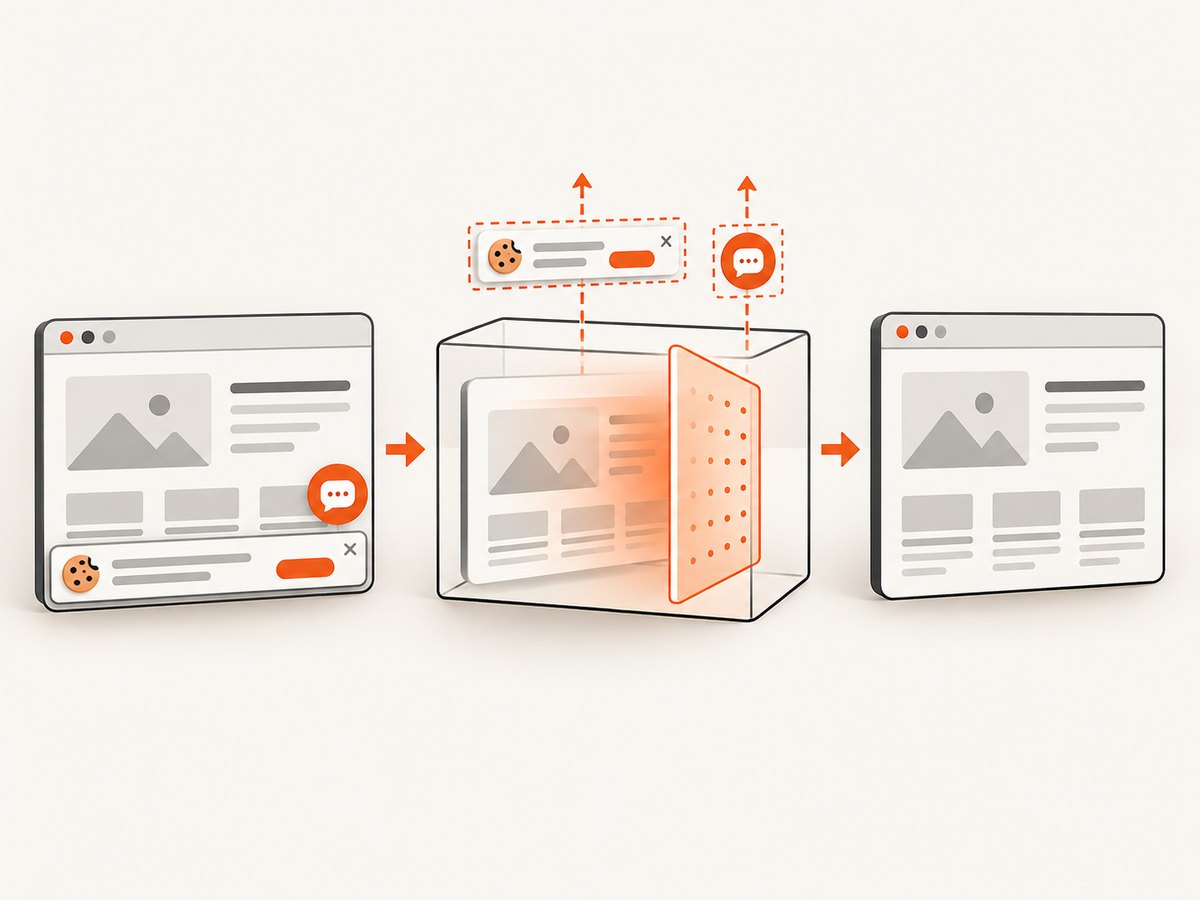
Security teams often need screenshots of an affected page, login flow or remediation result for a ticket. ScreenshotNeo provides a website screenshot API and MCP server. It accepts a URL and returns PNG, JPEG, WebP or PDF. Cookie banners, newsletter popups and chat widgets are removed before the shot; bot checks, blank pages, failed loads and cache hits are not billed. An MCP server lets Claude, Cursor and other AI agents take screenshots. The free plan includes 1,000 screenshots per month with no card, and paid plans start at $5 for 3,000.
See the ScreenshotNeo API documentation for all options.
cURL
curl -G "https://api.screenshotneo.com/v1/shot" -d access_key=YOUR_API_KEY --data-urlencode url=https://example.com/wp-admin -o security-shot.webpPython
import requests

r = requests.get(
    "https://api.screenshotneo.com/v1/shot",
    params={"access_key": "YOUR_API_KEY", "url": "https://example.com"},
    timeout=90,
)
r.raise_for_status()
open("security-shot.webp", "wb").write(r.content)
Node.js
const q = new URLSearchParams({ access_key: 'YOUR_API_KEY', url: 'https://example.com' });
const res = await fetch(`https://api.screenshotneo.com/v1/shot?${q}`);
if (!res.ok) throw new Error(`HTTP ${res.status}`);
const fs = await import('node:fs/promises');
await fs.writeFile('security-shot.webp', Buffer.from(await res.arrayBuffer()));
For audit pipelines, use full-page capture, a CSS selector for the finding, custom headers or cookies for authenticated pages, a wait-for-selector or network-idle condition for dynamic dashboards, and signed webhooks for asynchronous jobs. The response includes X-Page-Verdict and X-Billed headers so your pipeline can distinguish clean captures from bot checks, blank pages, failures and cache hits.
Create a free ScreenshotNeo account to get 1,000 screenshots each month with no card.
15. FAQ
Do I need both vulnerability and malware scanning?
Usually, yes. Vulnerability scanning finds known weaknesses before exploitation; malware scanning looks for evidence of an existing compromise.
Which scanner is free and scans every day?
Jetpack Protect documents daily scans. Wordfence Free is a strong baseline but documents delayed threat-feed updates.
Is WPScan better than Wordfence?
WPScan is better for black-box research and API automation. Wordfence is better when you want an integrated firewall, local malware scanner and WordPress administration workflow.
Can a scanner replace backups?
No. Keep tested, offline-capable backups and an incident-response procedure even when scans are clean.
How quickly should I patch a critical finding?
As soon as you can verify the advisory and test the update. If immediate patching is impossible, use documented compensating controls such as virtual patching, access restriction or temporary plugin removal.
Conclusion
Choose Wordfence for a broad all-in-one baseline, WPScan for technical API workflows, Sucuri or MalCare for remote scanning and cleanup, Patchstack for virtual patching, Jetpack Protect for a free daily check, Jetpack Scan for managed convenience, Defender for repository integrity, Solid Security for hardening and WPSecScan for local open-source auditing. Whichever tool you choose, maintain an inventory, schedule scans, patch promptly, preserve evidence and keep tested backups.


