How to Block Ads in Automated Browser Sessions
Block ad and tracker requests in Playwright, Puppeteer, and Chromium with narrow rules installed before navigation, then verify what the rules affect.
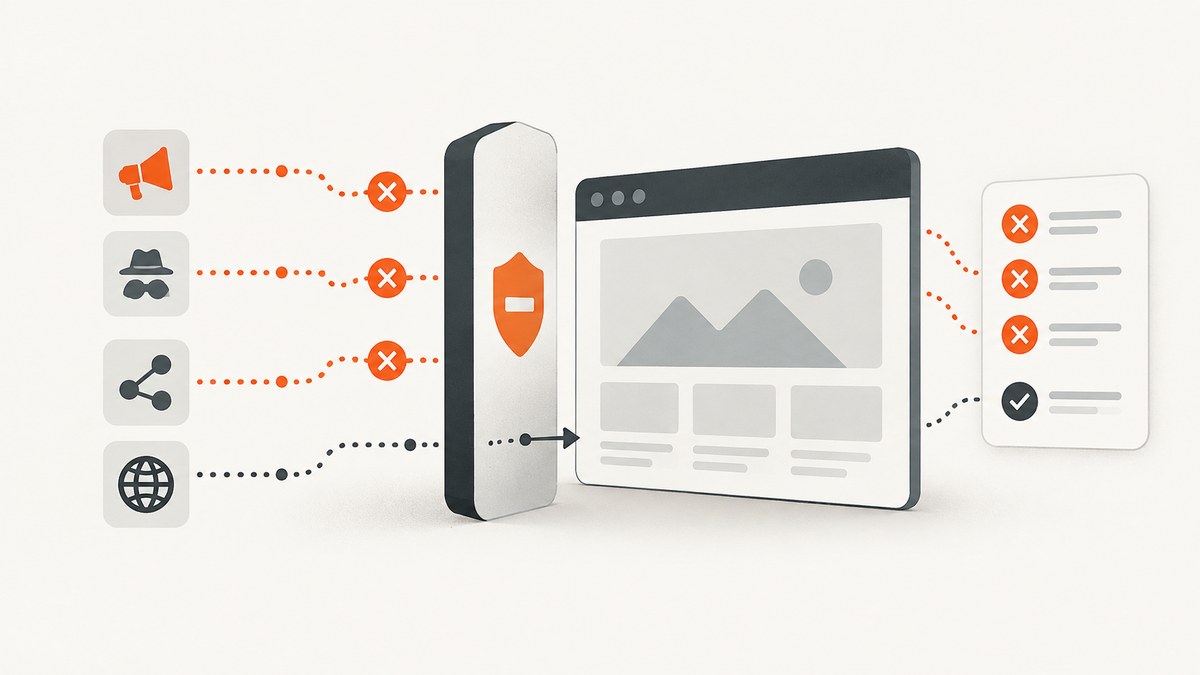
The most reliable way to block ads in an automated browser session is to intercept network requests before navigation, match ad or tracker URLs against a maintained rule list, abort matches, and allow everything else. Playwright supports this at page or browser-context scope, Puppeteer provides request interception, and Chromium-based automation can use the Chrome DevTools Protocol (CDP). Keep rules narrow: a blocked script can break the page even when navigation succeeds.
This guide shows runnable examples, explains how to choose and maintain rules, and covers verification, service workers, common failures, and tradeoffs. If your goal is to capture a clean screenshot rather than test a browser’s filtering behavior, see ScreenshotNeo after the do-it-yourself examples.
How network-level ad blocking works
Automated browsers fetch documents and their dependent resources—scripts, images, stylesheets, frames, and API requests—over the network. Interception gives your code a decision point for each visible request. Continue requests the page needs; abort requests that match your rules. Install the handler before navigation so it sees early requests.
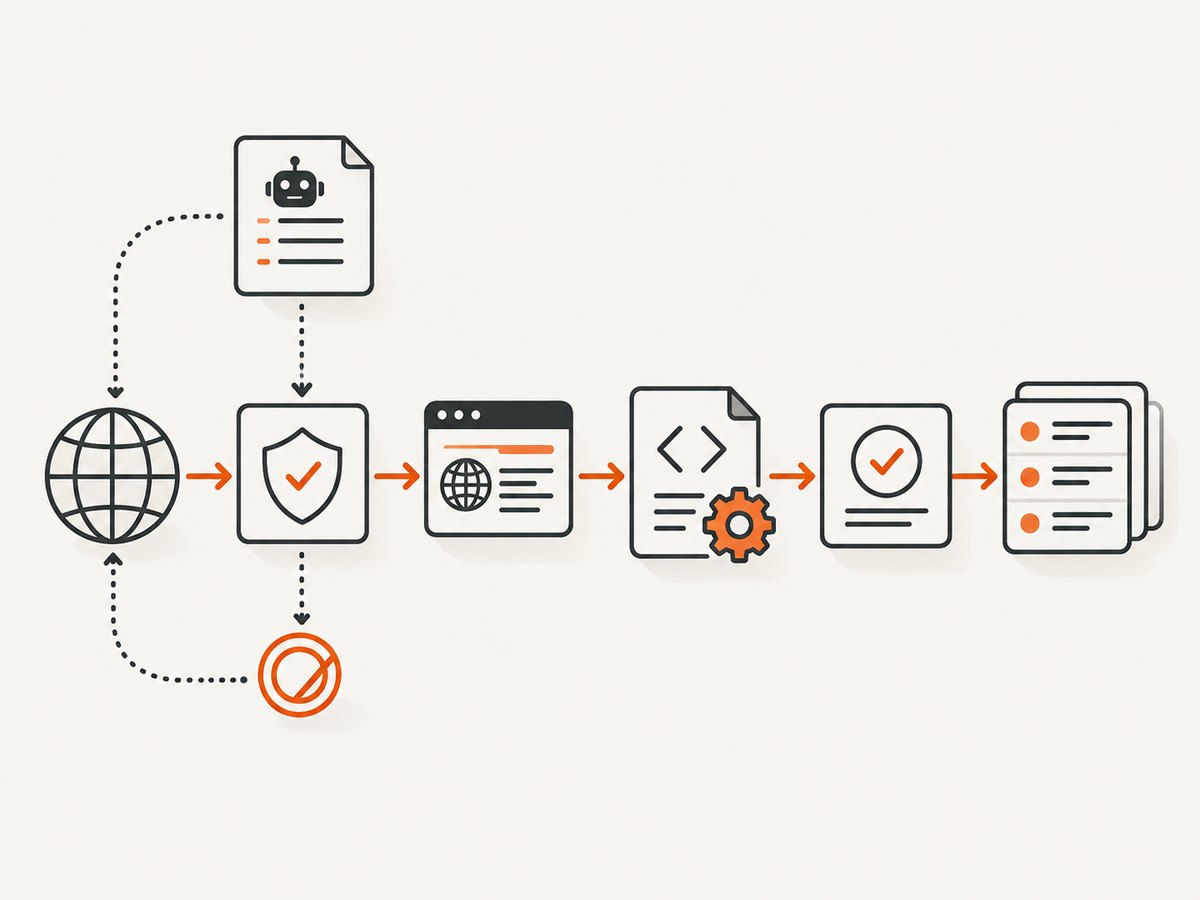
Playwright describes routing as a way to modify requests made by any page in a browser context. A routed request stalls until the handler continues, fulfills, or aborts it. Puppeteer’s interception has the same practical obligation: every request must be resolved. A missed branch can leave a page waiting.
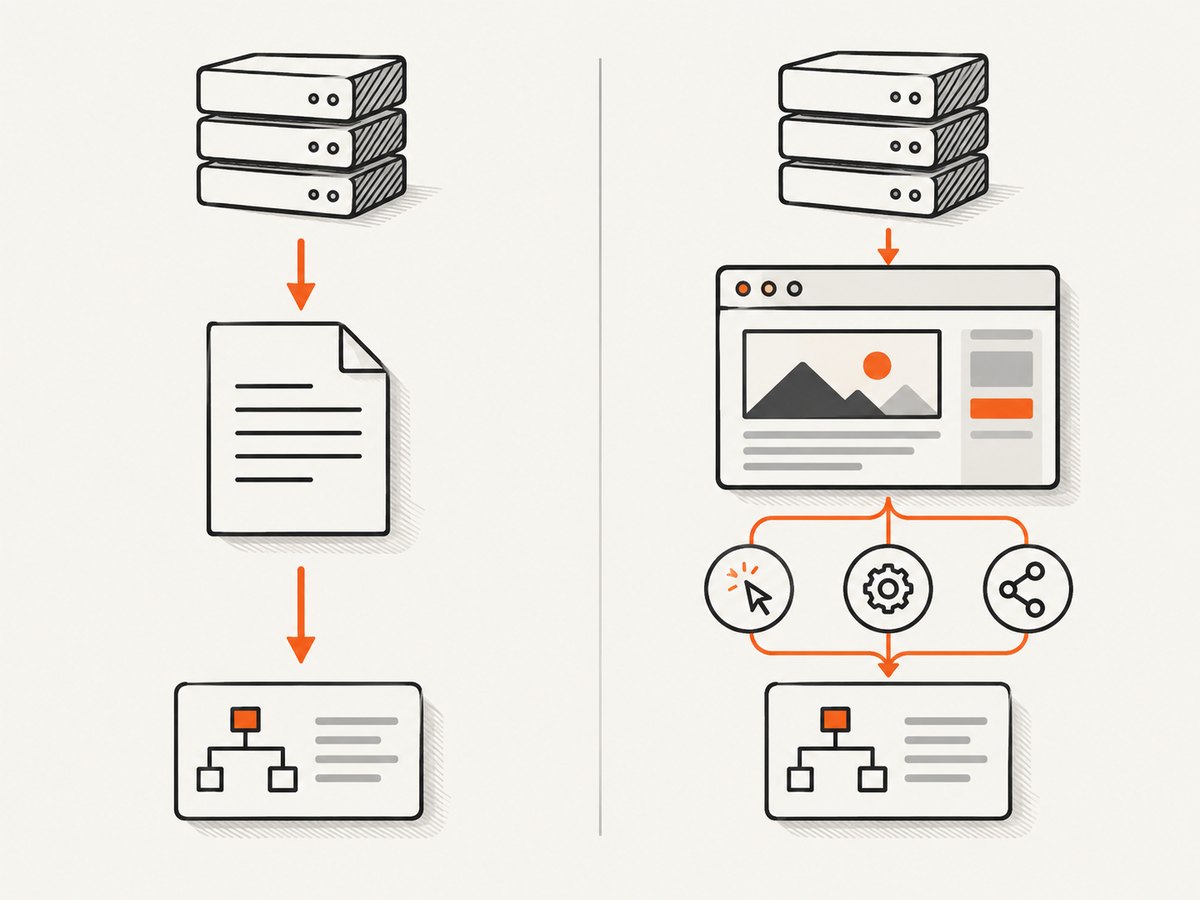
Network blocking is not the same as removing ad elements from a rendered page. It cannot reliably identify ads served from a first-party host or distinguish an ad from an application resource on a shared CDN without more context. It also does not guarantee that every visual ad disappears.
Block ads with Playwright
Use browserContext.route() when the policy should apply to every page in a session, including pages opened in that context. Use page.route() when a policy should apply only to one page. The example below uses a small illustrative host list. For production, replace it with a URL matcher or maintained filter-list parser; do not treat substring matching as a complete ad-blocking solution.
import { chromium } from 'playwright';

const browser = await chromium.launch();
const context = await browser.newContext({ serviceWorkers: 'block' });

const blockedHosts = new Set([
  'doubleclick.net',
  'googlesyndication.com',
  'adservice.google.com',
]);

await context.route('**/*', async route => {
  const url = new URL(route.request().url());
  const shouldBlock = [...blockedHosts].some(host =>
    url.hostname === host || url.hostname.endsWith(`.${host}`)
  );

  if (shouldBlock) {
    console.log('Blocked:', url.href);
    await route.abort();
  } else {
    await route.continue();
  }
});

const page = await context.newPage();
await page.goto('https://example.com', { waitUntil: 'domcontentloaded' });
console.log(await page.title());
await browser.close();
Save this as an ES module in a project with Playwright installed, then run it with Node.js. The sample blocks three host families and logs each aborted URL. Use a proper matcher for wildcard syntax, exceptions, and filter-list semantics; converting arbitrary patterns into substring tests can block too much or too little.
Page or context scope?
- Context routing: a good default for consistent rules across tabs, popups, and pages in one isolated session. Register it before creating pages to cover their first requests.
- Page routing: useful for a single target page or when different pages need different policies. Add routes to any popup or new page that needs the same behavior.
Playwright’s network guide says routing can monitor and modify HTTP and HTTPS traffic. If expected network events are missing, it recommends disabling service workers with serviceWorkers: 'block'. That setting can change behavior on applications that depend on service workers, so compare results with and without it and document the choice.
Block ads with Puppeteer
Puppeteer exposes interception through page.setRequestInterception(true) and the page’s request event. Enable interception and attach the handler before navigating. Resolve every request with abort() or continue() (or respond() if you deliberately supply a response).
import puppeteer from 'puppeteer';

const browser = await puppeteer.launch();
const page = await browser.newPage();

const blockedHosts = new Set([
  'doubleclick.net',
  'googlesyndication.com',
  'adservice.google.com',
]);

await page.setRequestInterception(true);
page.on('request', request => {
  let hostname;
  try {
    hostname = new URL(request.url()).hostname;
  } catch {
    return request.continue();
  }

  const shouldBlock = [...blockedHosts].some(host =>
    hostname === host || hostname.endsWith(`.${host}`)
  );

  if (shouldBlock) {
    console.log('Blocked:', request.url());
    return request.abort();
  }
  return request.continue();
});

await page.goto('https://example.com', { waitUntil: 'domcontentloaded' });
console.log(await page.title());
await browser.close();
Keep the event handler fast. Avoid expensive list parsing or synchronous file reads for each request; prepare matchers before navigation and reuse them. If your application opens additional pages and needs the same rules, attach interception to each page or manage page creation centrally.
Use Chromium CDP URL blocking
For a Chromium session, CDP offers Network.setBlockedURLs. This can be useful in Chromium-based automation, including Selenium setups that expose a CDP connection. It is less portable than Playwright routing and depends on Chromium protocol behavior.
const client = await page.target().createCDPSession();
await client.send('Network.enable');
await client.send('Network.setBlockedURLs', {
  urls: [
    '*://*doubleclick.net/*',
    '*://*googlesyndication.com/*',
    '*://*adservice.google.com/*',
  ],
});

await page.goto('https://example.com', { waitUntil: 'domcontentloaded' });
Set the patterns before navigation. CDP accepts wildcard URL patterns for blocked URLs; newer protocol definitions also describe ordered block patterns. The tip-of-tree protocol reference does not guarantee backward compatibility, so check the protocol supported by the Chromium version in your automation environment. For browser-independent control, prefer the framework’s routing API.
Build rules that block ads without breaking the site
- Observe first. Run the target flow without blocking and record requested URLs, resource types, and outcomes. Identify likely advertising or tracking hosts from actual traffic rather than guessing from names.
- Start with narrow third-party hosts. Exact host and subdomain matching is easier to reason about than rules such as “contains ad.” Avoid blocking an entire CDN or first-party origin that also serves application code.
- Add exceptions deliberately. If a test depends on an API, authentication endpoint, payment flow, fonts, or analytics event, ensure the rules do not prevent it. With a filter-list parser, understand the parser’s exception and priority behavior.
- Register early and at the right scope. Install routing before navigation and, when possible, before pages or popups are created. Use context scope if every page in a session shares one policy.
- Log decisions. Record the URL and rule responsible for each abort. Also record important page outcomes, such as navigation errors and whether required selectors appeared.
- Compare both modes. Repeat the same flow with blocking enabled and disabled. A successful HTTP navigation alone does not prove that the page’s application code or interactions still work.
- Review after changes. Third-party sites change their scripts and delivery hosts. Recheck the request log and key selectors whenever you update rules or the target site.
Chrome’s request-blocking guidance supports wildcard URL patterns and describes blocked-request indicators in the Network panel. Those indicators are useful when tuning patterns manually; in automated runs, log equivalent request decisions from the interception handler.
Choose an approach
| Approach | Best fit | Scope and portability | Maintenance concern |
|---|---|---|---|
| Playwright routing | Cross-browser automation with explicit request handling | Page or browser context; clearest framework-level scope | Resolve every route; account for service workers |
| Puppeteer interception | Node.js automation centered on Chromium | Page-level request handler | Resolve every intercepted request; keep handlers fast |
| Chromium CDP | Direct Chromium URL blocking or Selenium environments with CDP access | Chromium-specific | Protocol support can vary by Chromium version |
Choose based on the browser coverage you need, whether rules should apply to one page or a whole context, how you will inspect blocked requests, and who will maintain the rules. No method removes the need to validate page behavior.
Or skip the browser setup
If your task is to capture a website screenshot rather than exercise browser ad-blocking logic, ScreenshotNeo’s API returns an image or PDF from one GET request. For a clean screenshot, it accepts cookie or consent banners like a visitor and removes more than 60 known consent platforms, newsletter popups, and chat widgets before capture; each step can be turned off. Bot checks or CAPTCHAs, blank pages, timeouts, failed loads, and cache hits cost nothing, and response headers identify the page verdict and billing status. Its MCP server gives AI agents tools for screenshots, page information, and PDF capture. The free plan includes 1,000 screenshots per month with no card; paid plans start at $5 for 3,000.
curl -G "https://api.screenshotneo.com/v1/shot" \
  -d access_key=YOUR_API_KEY \
  --data-urlencode url=https://stripe.com \
  -o shot.webp
Equivalent Python and Node.js requests:
import requests

r = requests.get(
    "https://api.screenshotneo.com/v1/shot",
    params={"access_key": "YOUR_API_KEY", "url": "https://stripe.com"},
    timeout=90,
)
r.raise_for_status()
open("shot.webp", "wb").write(r.content)
const q = new URLSearchParams({
access_key: 'YOUR_API_KEY',
url: 'https://stripe.com',
});
const res = await fetch(`https://api.screenshotneo.com/v1/shot?${q}`);
if (!res.ok) throw new Error(`Screenshot request failed: ${res.status}`);
await Bun.write('shot.webp', res);See the API documentation for request options. Create a free account for 1,000 screenshots a month, with no card required.
Troubleshooting
| Symptom | Likely cause | Fix |
|---|---|---|
| Playwright route handler sees no requests | A service worker may be handling traffic outside the expected routing path, or the route was installed too late. | Register routing before navigation; try a context with serviceWorkers: 'block' and check whether the application still works. |
| Page hangs after interception is enabled | A handler branch failed to continue, fulfill, or abort a request. | Make every code path resolve the request. Add logging and a safe continuation path for malformed URLs or matcher errors. |
| Ads still appear | The ad may be first-party, served from a shared host, loaded before rules were installed, or not matched by the list. | Inspect the network log, install rules earlier, and add a narrow observed rule. Network filtering cannot guarantee removal of every visual ad. |
| Page content or controls break | A broad rule blocked a required script, API, font, or shared CDN resource. | Identify the failed dependency, narrow the rule, and add an explicit exception where the matcher supports it. |
| CDP command is rejected or has no effect | The automation browser may not expose the expected CDP session or may use a different protocol version. | Confirm the browser is Chromium-based, check protocol support for its version, and consider framework routing. |
| Node reports an invalid URL | The intercepted request URL was not parseable by the matcher, or a nonstandard request reached the handler. | Catch URL parsing errors and resolve that request safely instead of leaving it stalled. |
Performance, reliability, and cost
Interception adds a decision for each routed request. Keep the callback simple: precompile patterns, avoid network or disk work in the handler, and log selectively if verbose logging becomes noisy. Broad context routing can see many resources; efficient host matching keeps policy evaluation predictable.
Blocking can reduce unnecessary third-party requests, but the amount depends on the page and rules. No authoritative cross-site figure establishes a universal percentage for ad removal, bandwidth savings, or load-time improvement. Measure your own run using the same browser, page, and wait condition with blocking on and off.
Reliability depends on rule quality and the target site’s behavior. A filter list requires updates; a hand-maintained host set is simpler but may miss new hosts. Service-worker blocking can make interception more visible while changing application behavior. CDP offers direct Chromium control but ties the setup to Chromium protocol support.
For self-hosted automation, costs come from the infrastructure and runtime you operate; the research provides no universal cost figure. If the requirement is screenshots, ScreenshotNeo’s free and paid plan prices are listed above. Its billing rule excludes bot checks/CAPTCHAs, blank pages, timeouts, failed loads, and cache hits; consult its documentation for request configuration and response headers.
Frequently asked questions
Does blocking ad requests guarantee a page has no ads?
No. First-party delivery, unrecognized hosts, cached content, and ads rendered by shared application resources can remain. Network rules also do not remove every ad element already present in the document.
Can I block requests by resource type instead of host?
Some automation APIs and filter systems let you inspect resource type, and CDP protocol versions may offer more structured rules. Type alone is usually too broad: blocking all scripts or images can remove core site functionality.
Should I use an ad blocker extension in headless automation?
This guide uses browser network APIs because they make the session’s policy explicit in code and logs. An extension adds browser configuration and lifecycle concerns; use one only if extension behavior itself is part of what you need to test.
Can ScreenshotNeo test whether my custom browser rules work?
ScreenshotNeo is a screenshot API and MCP server, not a replacement for validating your own interception rules. Use Playwright, Puppeteer, or CDP when the test must assert which requests your browser blocks.


