Browser Agent Platforms: A Developer Guide
Compare Playwright, Stagehand, Browser Use, and Browserbase, then build a secure browser agent with practical code, architecture, and deployment guidance.
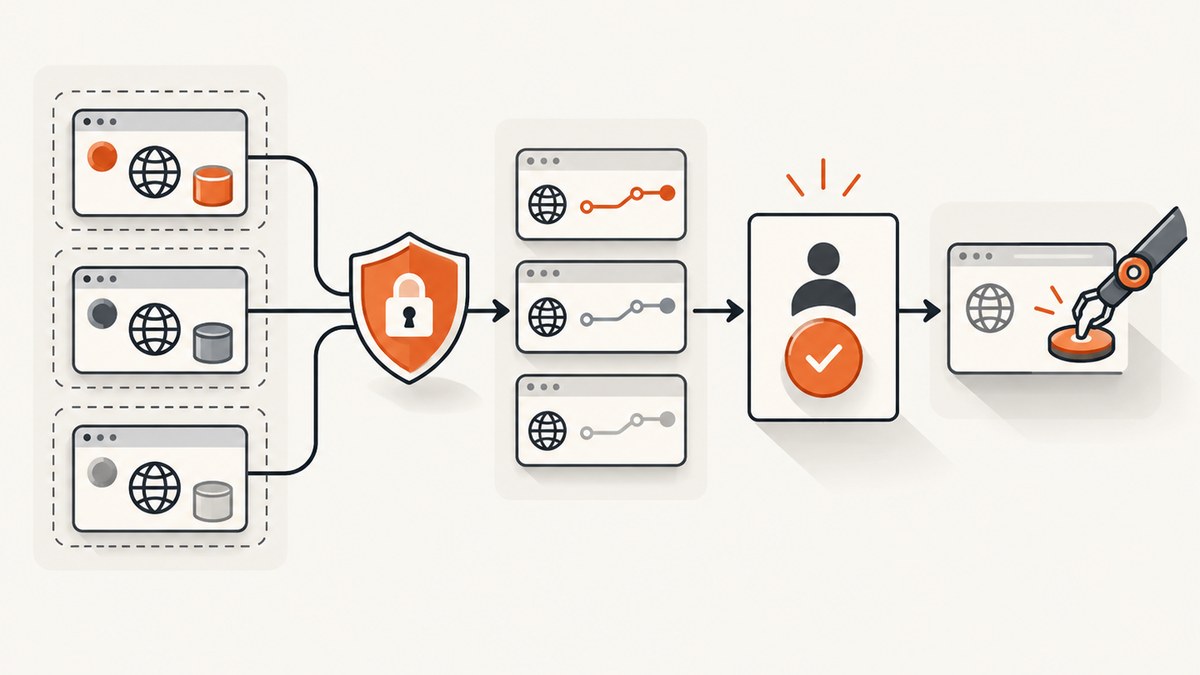
Short answer: choose the platform according to where execution should happen and how much control you need. Use Playwright for deterministic browser automation, Stagehand when you want model-guided actions on top of Playwright, Browser Use when Python and self-hosting are priorities, and Browserbase when you need managed cloud browsers, concurrency, proxies, credentials, and operational controls. Many production systems combine them: explicit Playwright code for stable steps, an agent SDK for ambiguous page interpretation, and managed infrastructure for execution.
A browser agent is more than a web-search API. It operates a real browser, loads JavaScript applications, follows redirects, interacts with the DOM or accessibility tree, takes screenshots, uploads and downloads files, and extracts results. A model-driven control layer decides which browser actions to take from a natural-language task.
What a browser agent platform contains
A practical stack has three layers:
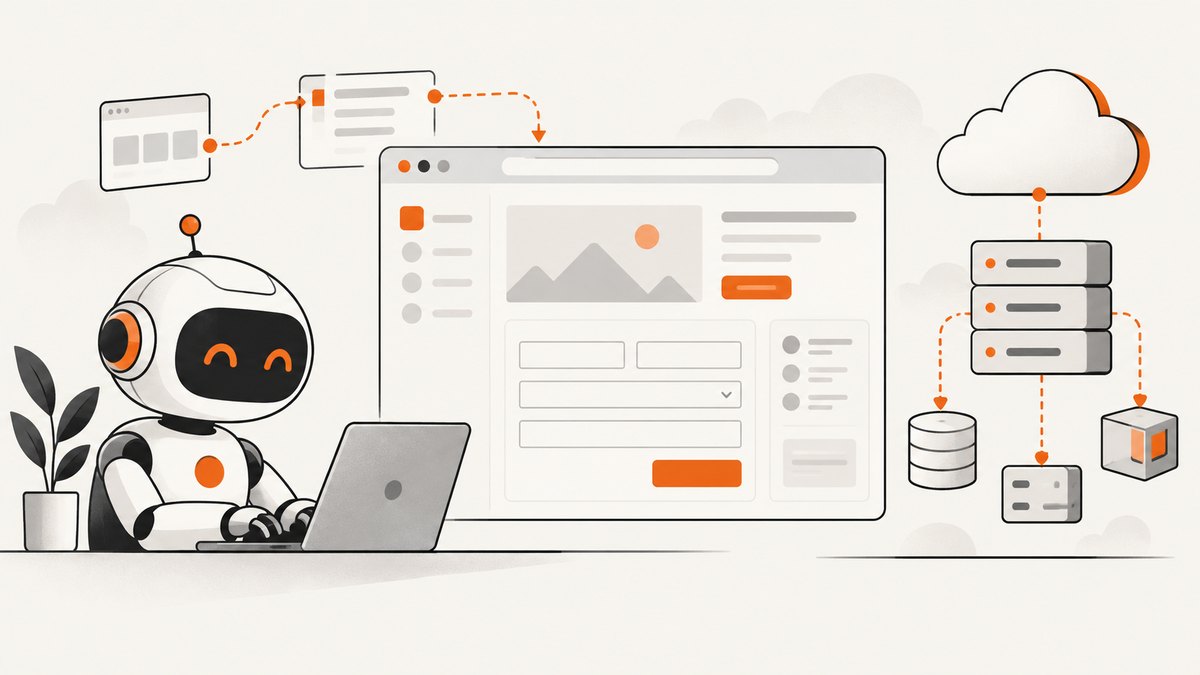
- Browser runtime. Chromium, usually controlled through Playwright or a similar protocol, handles navigation, JavaScript, cookies, storage, screenshots, downloads, and uploads.
- Agent SDK. Stagehand or Browser Use adds model-guided observation, actions, extraction, and task execution.
- Managed infrastructure. Browserbase supplies cloud sessions, concurrency, proxies, retention controls, credential handling, and deployment operations.
Keeping these layers separate makes failures easier to diagnose. A selector failure belongs to the automation layer; a model choosing the wrong button belongs to the agent layer; a session timeout or concurrency limit belongs to infrastructure.
Playwright, Stagehand, Browser Use, or Browserbase?
| Option | Best fit | Strength | Trade-off |
|---|---|---|---|
| Playwright | Deterministic workflows | Precise selectors, waits, browser contexts, tracing, and repeatable code | You must maintain selectors and page-specific logic |
| Stagehand | Agent behavior inside a Playwright-style stack | High-level agent(), plus act, observe, and extract |
Model calls add latency, cost, and non-determinism |
| Browser Use | Python teams and self-hosting | Python-oriented framework, CLI, MCP server, and workflows for forms, scraping, shopping, and 2FA | You own more of deployment, isolation, maintenance, and observability |
| Browserbase | Production cloud browser fleets | Managed sessions, concurrency, proxies, retention, credential injection, MCP, and Playwright support | Usage costs include browser time and potentially search, fetch, proxy, and model tokens |
There is no authoritative cross-platform success-rate benchmark in the available research. Build a representative task suite before committing: login, JavaScript rendering, pagination, downloads, a deliberately changed layout, a blocked request, and a prompt-injection test.
When to use deterministic Playwright
Use direct Playwright when the workflow is known and must be repeatable: signing in, selecting a fixed menu, exporting a report, or running a regression test. Explicit code is easier to review, test, and secure than asking a model to infer every action.
import { chromium } from 'playwright';

const browser = await chromium.launch({ headless: true });
const context = await browser.newContext({
  locale: 'en-US',
  timezoneId: 'UTC'
});
const page = await context.newPage();

await page.goto('https://example.com/login', { waitUntil: 'domcontentloaded' });
await page.getByLabel('Email').fill(process.env.APP_EMAIL);
await page.getByLabel('Password').fill(process.env.APP_PASSWORD);
await page.getByRole('button', { name: 'Sign in' }).click();
await page.waitForURL('**/dashboard');

const title = await page.title();
const rows = await page.locator('[data-testid="report-row"]').allTextContents();
console.log({ title, rows });

await context.close();
await browser.close();
Prefer role, label, and test-id locators over brittle CSS paths. Use a fresh browser context per identity, set explicit timeouts, and capture a trace or screenshot when a step fails. Avoid waitForTimeout for normal synchronization; wait for a URL, selector, response, or network condition that represents the state you need.
Adding model-guided actions with Stagehand
Stagehand is the agent SDK associated with Browserbase. Its agent() API executes high-level browser tasks and accepts model-provider configuration, custom instructions, and step limits. The SDK also exposes act, observe, and extract primitives.
import { Stagehand } from '@browserbasehq/stagehand';

const stagehand = new Stagehand({
  env: 'LOCAL',
  modelName: 'claude-3-5-sonnet-latest',
  modelClientOptions: {
    apiKey: process.env.ANTHROPIC_API_KEY
  }
});

await stagehand.init();
const page = stagehand.page;
await page.goto('https://example.com/products');

const result = await stagehand.agent({
  instructions: 'Find the first product marked in stock and return its name and price.',
  maxSteps: 8
});
console.log(result);

await stagehand.close();
A reliable pattern is hybrid control: keep navigation, authentication, payment boundaries, and destructive actions in explicit Playwright code; delegate interpretation of changing labels or layouts to Stagehand. Give the agent a narrow task, a maximum step count, and a structured extraction schema. Never allow a model to decide independently whether a purchase, deletion, upload, or external message is authorized.
Building a Python agent with Browser Use
Browser Use is Python-oriented and provides scriptable and MCP modes. It is a useful choice when your application, data pipeline, or self-hosted deployment is already Python-based.
import asyncio
import os
from browser_use import Agent
from browser_use.browser.browser import Browser

async def main():
    browser = Browser(headless=True)
    agent = Agent(
        task='Open https://example.com, find the support email, and return only the address.',
        llm='gpt-4o',
        browser=browser,
    )
    result = await agent.run()
    print(result)
    await browser.close()

asyncio.run(main())
Pin framework and browser versions in production, run one isolated profile per account, and store credentials outside prompts. For long jobs, persist intermediate results and make each step retryable. Validate extracted values before writing them to a database or sending them to another system.
Running browsers in the cloud with Browserbase
Browserbase is the clearest managed-infrastructure option in this comparison. Its product documentation describes real browser sessions for JavaScript-heavy and bot-resistant sites, file upload and download handling, Playwright support, proxy capacity, retention controls, and automated credential injection through a 1Password integration. Its MCP server exposes navigation, clicks, form filling, screenshots, extraction, and vision-enabled workflows.
Use a managed service when workers must run away from developer laptops, sessions must be parallel, or operations teams need shared controls. Estimate the complete bill: subscription, browser hours, concurrency, proxy traffic, search or fetch calls, and model tokens. Browserbase lists a Free plan, a $20/month Developer plan, a $99/month Startup plan, and a custom Scale plan; the cited pricing page lists 25 concurrent browsers and 100 browser hours for Developer and 100 concurrent browsers and 500 browser hours for Startup. Pricing and quotas can change, so verify them before purchase.
Authentication, profiles, and session design
- Create a separate browser context or cloud session for each user, tenant, or credential set.
- Inject secrets through a secret manager or credential integration, never through task text or source control.
- Persist storage state only when the session is intended to survive; otherwise use an ephemeral context.
- Handle 2FA with an approved human-in-the-loop flow or a narrowly scoped integration. Do not attempt to bypass access controls.
- Set domain allowlists for navigation and downloads. Block arbitrary cross-origin requests when the task does not need them.

Security controls every browser agent needs
Every page is potentially untrusted input. A page can contain instructions that attempt to redirect the agent, exfiltrate authenticated data, upload files, or perform an irreversible action. Chrome’s WebMCP guidance recommends security evaluations that measure whether defenses prevent unauthorized actions and data exfiltration without unnecessarily reducing capability.
- Use least-privilege accounts and separate profiles per identity.
- Require explicit confirmation before purchases, deletions, uploads, permission changes, or external messages.
- Redact cookies, authorization headers, passwords, and personal data from traces and screenshots.
- Scan downloaded files and restrict download directories.
- Test prompt injection, cross-origin data access, malicious redirects, and hidden form fields.
- Validate extracted data against a schema and business rules before acting on it.
Observability and reliability
Record the task, model, browser version, URL, action sequence, timing, final URL, and extraction validation result. Keep a screenshot or trace for failures, but apply retention limits and redaction. Use idempotency keys for jobs that can be retried. Retry navigation and transient network errors with bounded exponential backoff; do not blindly replay a purchase or mutation.
Define success as a validated outcome, not merely a completed action list. For example, after clicking “Export,” verify that a file arrived, has the expected type, and contains the required columns. For extraction, require a minimum number of records and reject malformed values.
Performance and cost planning
- Reduce startup overhead: reuse a browser process where safe, but create isolated contexts for identities.
- Limit model steps: use deterministic actions for stable sections and give agents narrow goals.
- Wait precisely: use DOM, URL, response, and download events instead of fixed sleeps.
- Control concurrency: queue jobs below your provider’s browser and proxy limits.
- Cache carefully: cache public, read-only results with an expiry; never reuse authenticated state across tenants.
- Budget all meters: include browser hours, model tokens, proxies, fetch/search calls, storage, and retries.
Measure p50 and p95 duration, model steps per task, browser startup time, retry rate, extraction validation failures, and cost per successful outcome. A faster run that requires frequent manual repair is not cheaper operationally.
Or skip the browser setup
If your task is to produce clean screenshots or PDFs rather than interact with a site, ScreenshotNeo provides a single website screenshot API call. It accepts 63 options, including full-page capture with lazy images loaded, CSS-element capture, device presets, dark mode, custom CSS and JavaScript, selector waits, request blocking, cookies and headers, geolocation, PDF output, resizing, caching, signed links, asynchronous jobs, bulk capture, and a usage API. See the ScreenshotNeo documentation for the complete parameter list.
curl -G "https://api.screenshotneo.com/v1/shot" -d access_key=YOUR_API_KEY --data-urlencode url=https://stripe.com -o shot.webpimport requests
r = requests.get("https://api.screenshotneo.com/v1/shot", params={"access_key": "YOUR_API_KEY", "url": "https://stripe.com"}, timeout=90)
open("shot.webp", "wb").write(r.content)const q = new URLSearchParams({ access_key: 'YOUR_API_KEY', url: 'https://stripe.com' });
const res = await fetch(`https://api.screenshotneo.com/v1/shot?${q}`);Cookie banners, newsletter popups, and chat widgets are removed before the shot. Bot checks, blank pages, failed loads, timeouts, and cache hits are not billed, and response headers identify the page verdict and billing status. An MCP server lets Claude, Cursor, and other MCP clients call take_screenshot, get_page_info, and capture_pdf. The Free plan includes 1,000 screenshots per month with no card; paid plans start at $5 for 3,000.
Create a free ScreenshotNeo account and start with the 1,000 included screenshots.
Troubleshooting common failures
| Symptom | Likely cause | Fix |
|---|---|---|
| Element not found | Selector changed or page has not rendered | Prefer role or test-id locators, wait for a meaningful state, and capture a trace. |
| Agent loops | Goal is ambiguous or the page exposes repeated controls | Reduce scope, provide an expected end state, and set a step limit. |
| Login disappears | Context is ephemeral or storage state is not persisted | Use an intentional storage-state strategy and isolate it per account. |
| Timeout during navigation | Slow third-party resources, blocked requests, or a service outage | Use a realistic timeout, wait for the required selector, block unnecessary resources, and retry safely. |
| Wrong extracted value | Model selected nearby text or ignored pagination | Use structured extraction, validate types and counts, and make pagination explicit. |
| Unexpected external action | Prompt injection or excessive permissions | Apply domain and action allowlists, require confirmation, and test malicious page content. |
Implementation checklist
- Define the task’s successful end state and prohibited actions.
- Choose Playwright, an agent SDK, managed browsers, or a combination.
- Use isolated contexts and least-privilege credentials.
- Keep stable steps deterministic and delegate only ambiguous interpretation.
- Set timeouts, step limits, retries, and concurrency ceilings.
- Capture redacted traces and validate every extracted result.
- Test changed layouts, slow pages, downloads, authentication expiry, prompt injection, and cross-origin data access.
- Track cost per successful task, not only raw browser minutes.
FAQ
Can Playwright itself be a browser agent?
Playwright is the browser-control runtime. Add a model-driven layer such as Stagehand or Browser Use when you want natural-language task interpretation.
Should I run agents locally or in the cloud?
Local execution is often simplest for development and sensitive internal workflows. Managed cloud browsers are useful for parallel production jobs, shared operations, proxies, and centralized retention controls.
Which language should I choose?
Use the language your application already operates. Browser Use is Python-oriented; Playwright and Stagehand are commonly used from JavaScript or TypeScript.
Is MCP required?
No. SDKs and direct Playwright calls work without MCP. MCP is useful when a compatible coding agent needs browser tools exposed through a standard interface.
How do I compare platforms fairly?
Run the same task suite with the same accounts, pages, model constraints, concurrency, and validation rules. Compare successful outcomes, repair effort, latency, and complete cost.