BrowserCloud Alternatives: How to Choose the Right Browser Service
Compare BrowserCloud alternatives by browser sessions, scraping workflows, proxies, concurrency, and cost—and see when a screenshot API is the simpler fit.
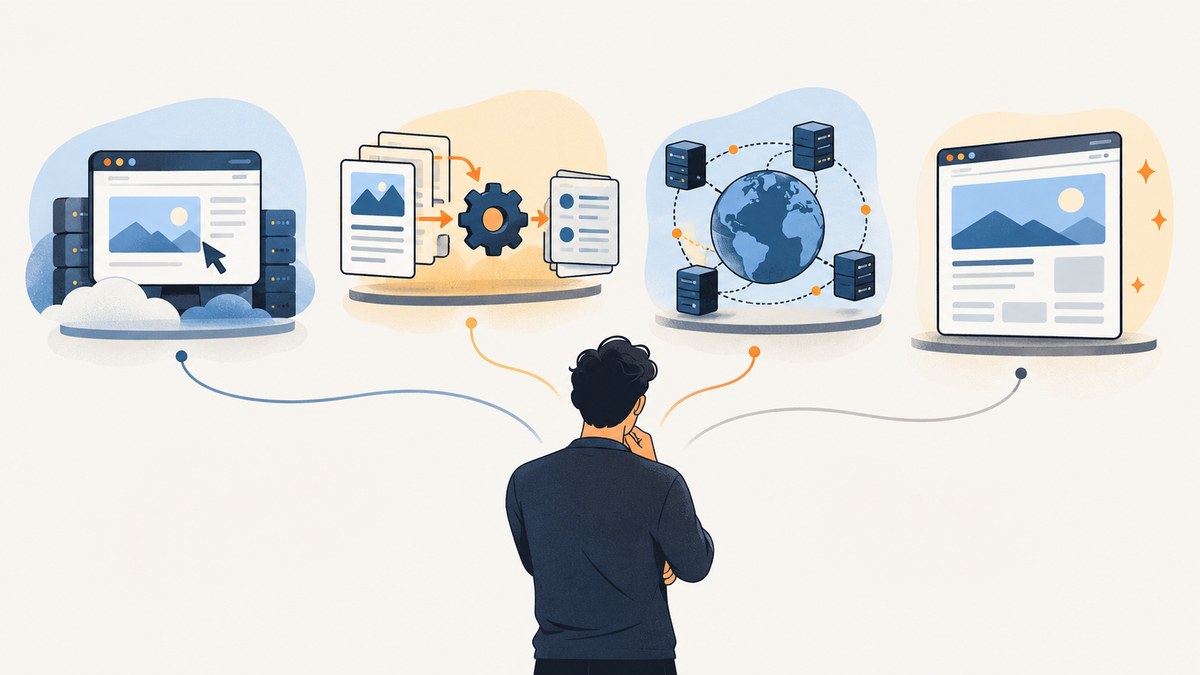
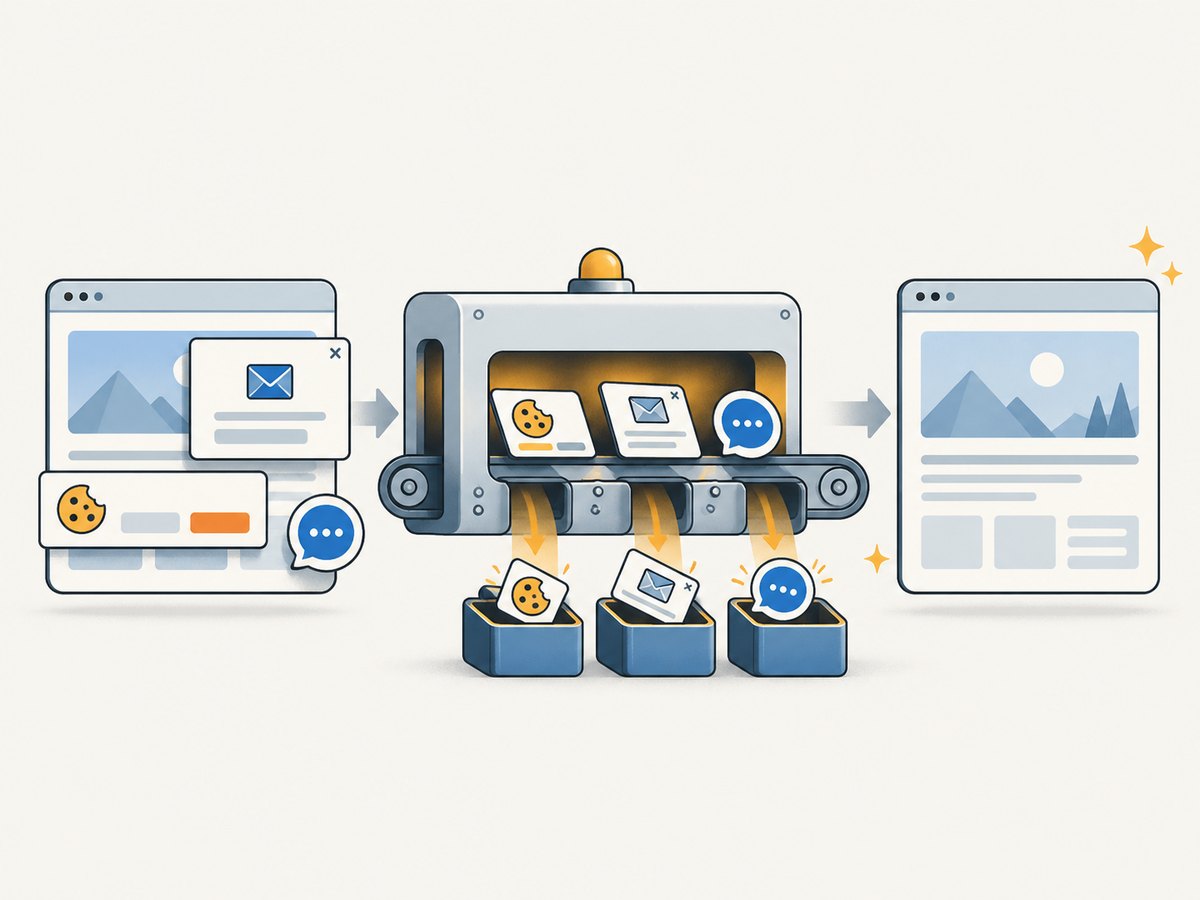
Short answer: pick an alternative based on the work you need the service to do. If you need a single clean screenshot or PDF, try ScreenshotNeo first: it removes cookie banners, popups, and chat widgets before capture, bills only clean shots, and has the lowest paid plan described here. For persistent Playwright or Puppeteer sessions, compare BrowserBase and Browserless directly. For managed scraping workflows and datasets, look at Apify. If proxies, geography, and data extraction are the core requirement, compare Oxylabs, Decodo, and Bright Data.
BrowserCloud is a managed cloud-browser service: it provides remote Chrome sessions for Puppeteer and Playwright, plus HTTP endpoints for rendered content, screenshots, and PDFs. Its documentation also describes stateful sessions, stealth features, human-in-the-loop workflows, elastic scaling, and live session URLs. The right replacement depends on whether you use the browser itself or mainly want its output. BrowserCloud documentation
1. Decide what you need to replace
Before migrating, write down the workflow and its constraints. “Browser automation” can mean a long-lived logged-in browser, a one-off screenshot, or a data pipeline that schedules and stores extracted records. Those needs lead to different products.

| Need | Start your comparison with | Why |
|---|---|---|
| Remote Chrome controlled by existing Playwright or Puppeteer code | BrowserBase or Browserless | They are the closest direct comparisons named in BrowserCloud’s own materials. Compare connection method, session persistence, concurrency, artifacts, and total price. |
| Scraping jobs, actors, workflows, or datasets | Apify | It is a broader web-scraping and automation platform, rather than simply a remote Chrome endpoint. G2 lists it among BrowserCloud alternatives. G2 alternatives |
| Proxy coverage, location targeting, or rotation | Oxylabs, Decodo, or Bright Data | These are broader proxy and web-data options. Confirm that the specific product includes the browser orchestration you need; a proxy network is not automatically a managed browser. |
| Only need PNG, JPEG, WebP, or PDF output | ScreenshotNeo first | A single GET request returns the artifact. Cookie banners, popups, and chat widgets are removed before capture, and failed or non-clean captures are not billed. |
BrowserCloud’s own comparison pages make claims about response time, savings, and infrastructure versus BrowserBase and Browserless. Those are vendor-published claims, not independent benchmark results. Don’t use them as a substitute for a workload test. BrowserCloud’s BrowserBase comparison · BrowserCloud’s Browserless comparison
2. BrowserCloud pricing: establish a baseline
BrowserCloud’s public pricing page lists Free at $0/month with 1,000 credits and one concurrent browser; Hobby at $19/month with 120,000 credits and five concurrent browsers; Startup at $99/month with 1,000,000 credits and 50 concurrent browsers; and Business at $249/month with 3,000,000 credits and 100 concurrent browsers. Enterprise pricing is custom. Check the live page before purchasing because plans can change. BrowserCloud pricing
Credits vary by operation: the pricing information lists one credit for a content request, five for a screenshot, and five for a PDF. WebSocket browser time is metered by the second. The documentation’s credit page also gives proxy traffic rates, so usage involving proxies can change the bill beyond the browser request itself. BrowserCloud credit costs
To compare plans fairly, estimate monthly browser seconds or requests, concurrent sessions at peak, proxy traffic by type, and how often retries occur. Divide the actual expected workload—not the advertised maximum—by plan capacity. Include queueing, overage rules, minimum commitments, and whether cached responses consume credits in the vendor’s current terms.
3. Alternatives by workload
ScreenshotNeo: for screenshot and PDF output
ScreenshotNeo is a website screenshot API and MCP server from Yorker Media. Use it when the required result is a capture artifact, rather than a programmable, stateful browser session. It accepts a URL in one GET request and returns PNG, JPEG, WebP, or PDF. It supports full-page capture with lazy images loaded, CSS selector element captures, dark mode, device presets and custom viewports, retina scale, PDF paper size and page ranges, custom CSS and JavaScript, click-before-capture, wait conditions, request blocking, cookies, headers, geolocation, caching, signed image links, asynchronous jobs, bulk capture, and usage reporting. Its 63 options include parameters used by other screenshot APIs, which can simplify switching. See the ScreenshotNeo API documentation.
Its clean-capture behavior is relevant when screenshots go into reports, previews, or visual checks: it accepts cookie or consent banners like a visitor, then removes 60+ known consent platforms, newsletter popups, and chat widgets. Each step can be turned off. Each response reports page verdict and billing status in headers; bot checks or CAPTCHAs, blank pages, timeouts, failed loads, and cache hits cost nothing. An MCP server exposes take_screenshot, get_page_info, and capture_pdf to Claude, Cursor, and other MCP clients.
BrowserBase and Browserless: direct browser-service comparisons
These are the natural first comparisons when the replacement must preserve a remote browser workflow. Check the supported connection protocol and library versions, session lifetime, concurrency limits, persistence and cookies, debugging or live-session access, and how browser time is billed. BrowserCloud’s own comparison pages discuss infrastructure type, proxy pricing, switching, cache behavior, session duration, and response-time claims. Treat those numbers as marketing until tested with your own pages, locations, and browser actions.
Apify: for managed scraping workflows
Apify is worth evaluating when you need repeatable extraction jobs, prebuilt or custom workflows, and datasets, not merely a Chrome connection. G2 describes it as a web-scraping and automation platform that can turn websites into APIs. Compare how much of your current code must be moved into its workflow model, how results are stored and exported, and the pricing unit for scheduled runs. G2’s BrowserCloud alternatives list
Oxylabs, Decodo, and Bright Data: for proxy and data workloads
These are candidates when proxy selection, rotation, or web-data services matter more than controlling a stateful browser. G2 includes these providers in its alternatives list; the category can include proxy network software and broader data extraction tools. Confirm whether you need a browser session product, a scraping API, or proxies you will connect to your own browser. Compare country targeting, sticky sessions, proxy type, data transfer costs, acceptable-use terms, and support for your required workflow rather than comparing provider names alone.
4. Migrate a Playwright workflow without changing its shape
If you choose another managed browser, migration often means replacing the WebSocket connection endpoint and credentials while preserving page automation. BrowserCloud documents connecting Playwright over Chrome DevTools Protocol (CDP), and similarly documents Puppeteer connections. The sample below shows the BrowserCloud pattern so you can identify the seam to change. Install playwright-core with your normal package manager, set BROWSERCLOUD_TOKEN in the environment, and save this as an ES module:
import { chromium } from 'playwright-core';

const token = process.env.BROWSERCLOUD_TOKEN;
if (!token) throw new Error('Set BROWSERCLOUD_TOKEN');

const browser = await chromium.connectOverCDP(
  `wss://chrome-v2.browsercloud.io?token=${encodeURIComponent(token)}`
);
try {
  const context = await browser.newContext({ viewport: { width: 1440, height: 900 } });
  const page = await context.newPage();
  await page.goto('https://example.com', { waitUntil: 'domcontentloaded', timeout: 30000 });
  await page.screenshot({ path: 'page.png', fullPage: true });
  await context.close();
} finally {
  await browser.close();
}
For another provider, use its documented endpoint and authentication format. Do not assume all vendors accept the same WebSocket URL, CDP version, browser options, or session flags. Keep navigation, waits, selectors, and output handling isolated from the connection setup so the provider-specific change stays small. BrowserCloud’s Playwright guide documents CDP and the connection pattern.
A minimal Puppeteer connection follows the same structure. Its endpoint format is documented by BrowserCloud; use the destination provider’s equivalent when migrating:
import puppeteer from 'puppeteer-core';

const browser = await puppeteer.connect({
  browserWSEndpoint: `wss://chrome-v2.browsercloud.io?token=${encodeURIComponent(process.env.BROWSERCLOUD_TOKEN)}`
});
try {
  const page = await browser.newPage();
  await page.goto('https://example.com', { waitUntil: 'domcontentloaded' });
  await page.screenshot({ path: 'page.png', fullPage: true });
} finally {
  await browser.close();
}
In either case, close the session in a finally block. Reuse a browser session for related steps where appropriate, but avoid keeping idle sessions open. Set navigation and session timeouts deliberately; a long-running session should have an explicit upper bound and cleanup path.
5. Compare with a small workload test
- Choose representative pages. Include a static page, a JavaScript-rendered page, a page that requires interaction, and any permitted authenticated workflow.
- Match the output. Use the same viewport, wait condition, full-page setting, proxy region, and screenshot or PDF format.
- Measure what your users feel. Record success rate, end-to-end latency, queue time at expected concurrency, output correctness, and recovery after disconnects. Do not compare a cached request from one provider with a fresh browser render from another.
- Calculate total cost. Include requests, browser time, proxy bytes, retries, storage, and required concurrency. Use current vendor billing pages and your observed workload.
- Verify operations. Check how credentials are stored, how sessions are closed, how failures are surfaced, and whether logs or artifacts can be retained under your policies.
BrowserCloud documents rotating proxies by default, optional country selection, and a sticky-proxy parameter for keeping a consistent IP during a session. If your workflow depends on identity continuity, test it explicitly. Its proxy documentation also describes blocking some resource types by default for certain browser connections; check the endpoint-specific behavior when screenshots need styles, images, or fonts. BrowserCloud proxy documentation
6. Or skip the browser setup
If the deliverable is a screenshot, there is no need to connect to Chrome, maintain a session, or write capture code. The one-call API can return an image artifact:
curl -G "https://api.screenshotneo.com/v1/shot" \
  -d access_key=YOUR_API_KEY \
  --data-urlencode url=https://stripe.com \
  -o shot.webp
See the API docs for parameters and response details. ScreenshotNeo removes cookie banners, popups, and chat widgets before the shot; bot checks, blank pages, and failed loads are never billed. Its MCP server lets AI agents take screenshots. The free plan includes 1,000 screenshots a month with no card, and paid plans start at $5 for 3,000. Sign up for the free plan.
7. Troubleshooting a move
| Symptom | Likely cause | Fix |
|---|---|---|
| WebSocket connection rejected | Wrong endpoint, missing or malformed token, or the new service requires a different protocol. | Copy the connection URL and auth format from the provider’s current docs. URL-encode credentials placed in query parameters and verify that secrets are not logged. |
| Playwright reports an unsupported operation | The service supports CDP but not every Playwright-specific connection feature, or its browser version differs. | Use the provider’s documented connection method and supported API subset. Test required operations, contexts, downloads, and permissions before migration. |
| Navigation times out | The page is slow, waits for ongoing network activity, or the session timeout is shorter than the workflow. | Use a bounded navigation timeout and an appropriate readiness signal such as a selector or DOM content. Set a session limit that covers the workflow and retry only transient failures. |
| Screenshot is incomplete or visually different | Lazy content has not loaded, the viewport differs, fonts or images were blocked, or the capture happened before the page settled. | Wait for the target element, scroll where needed, compare resource-blocking settings, and set a consistent viewport and device scale. |
| Login or multi-step flow loses state | A new context was created, cookies were not transferred, or a rotating proxy changed identity. | Keep steps in one context/session, manage cookies deliberately, and use documented sticky-proxy behavior only when session continuity is required. |
| Costs exceed the estimate | Browser seconds, retries, proxy bandwidth, or concurrency are being counted differently than expected. | Inspect request and traffic metering, log operation counts, cap retries, and recalculate from observed monthly volume and peak parallelism. |
8. Reliability, speed, and cost considerations
A managed browser removes the work of operating Chrome infrastructure, but it does not remove failure modes in the target site or your automation. Make steps idempotent where possible, distinguish navigation errors from selector errors, close sessions on every path, and retry only operations that are safe to repeat. Preserve enough structured logs to know which URL, step, timeout, and provider response failed without recording secrets or unnecessary page data.
Performance comparisons need equivalent conditions. Page weight, geographic routing, cache state, resource blocking, and readiness criteria can dominate browser startup time. Run a small sample at realistic concurrency and report median and tail latency alongside success and correctness. Vendor-published speed claims are not independent evidence. Cost also depends on whether billing is per request, browser time, credits, or proxy traffic; convert each to the workload unit your application actually consumes.
FAQ
Is BrowserCloud the same thing as a scraping API?
Not exactly. BrowserCloud offers remote browser sessions and HTTP endpoints for rendered content and artifacts. A scraping platform may add workflow scheduling, extraction logic, and datasets.
Should I replace BrowserCloud if I only use screenshots?
Consider a screenshot API. It can remove browser-session management from a workflow whose required output is just an image or PDF.
Are BrowserCloud’s BrowserBase and Browserless comparisons independent?
No. They are comparison pages published by BrowserCloud. Treat their performance and savings figures as vendor claims.
Which alternative is best for proxies?
There is no universal winner from the available evidence. Compare the required proxy type, geography, rotation or sticky behavior, data volume, and whether you also need browser orchestration.


