Browserless vs. Browserbase: Headless Browser Comparison
Compare Browserless and Browserbase on deployment, browser engines, agent tooling, stealth, debugging, limits, and pricing—and choose the right fit for your workload.
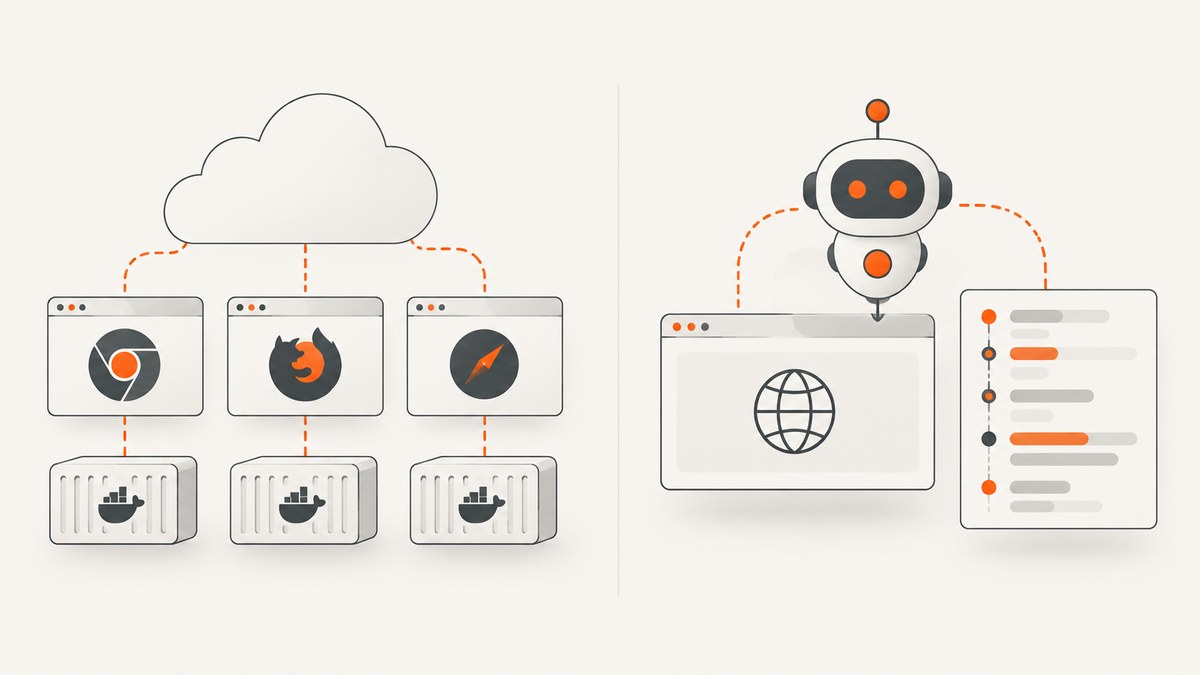
Short answer: Choose Browserless when you need control over browser infrastructure, Docker self-hosting, multiple browser engines, or task-focused APIs for screenshots, PDFs, and page content. Choose Browserbase when you want managed browser sessions built around AI-agent workflows, with session inspection and plan-based browser-hour allowances. Both support familiar automation clients and offer stealth and proxy capabilities; compare the exact tier limits and configuration you need before committing.
This comparison uses vendor documentation and pricing information summarized in the research reviewed on September 29, 2026. Prices, quotas, and feature availability can change. There is no independent performance benchmark in the available evidence, so claims about speed or success rates should be measured against your own sites and workloads.
1. What are Browserless and Browserbase?
Browserless describes itself as a provider of managed headless browsers for automation. It exposes browsers through Puppeteer and Playwright over WebSocket, as well as REST and GraphQL APIs. It offers cloud hosting and Docker self-hosting. Its product spans general browser automation, scraping, QA, screenshots, PDFs, and configurable stealth workflows.
Browserbase presents a platform for building and deploying agents that browse and interact with websites. Its offering includes browser fleets, Search and Fetch APIs, Runtime, Agent Identity, and a Model Gateway. A typical integration creates a managed browser session and connects an automation client to it; the product emphasizes agent workflows, collaboration, session inspection, and observability.
In practical terms, both give your code access to a browser without requiring every worker to launch a browser process locally. The distinction is how much infrastructure control and task-level API surface you want versus a managed session workflow designed for agent applications.
2. At-a-glance comparison
| Decision area | Browserless | Browserbase |
|---|---|---|
| Deployment | Managed cloud, with documented Docker/self-hosted options | Managed cloud/serverless model |
| Browser engines | Chrome, Firefox, and WebKit in the vendor comparison | Chrome in the vendor comparison |
| Connection pattern | CDP WebSocket, REST, and BrowserQL GraphQL | Sessions API/SDKs followed by CDP connection; Stagehand integration |
| Agent orientation | General-purpose browser platform with agent and automation use cases | Agent-oriented workflows, integrations, session inspection, and observability |
| Stealth and proxy controls | BrowserQL stealth routes, CAPTCHA solving, fingerprint randomization, residential/datacenter proxies, and BYOP are described | Basic/Advanced Stealth Modes, custom Chromium, proxy rotation, and CAPTCHA solving on paid tiers are described |
| Pricing meter | Usage units and concurrency | Browser hours and plan allowances, with API and proxy allowances also relevant |
| Best fit | Infrastructure flexibility and varied browser tasks | Managed browser sessions and agent-centered operations |
3. Which one should you choose?
Choose Browserless if infrastructure control is a requirement
- You need the option to run browsers in your own Docker-based environment.
- Your automation requires Firefox or WebKit alongside Chrome.
- You want REST endpoints for common tasks such as screenshots, PDFs, content extraction, downloads, or function execution.
- You want to tune browser and network behavior, including documented proxy and stealth options.
- You are supporting both conventional automation and agent-driven tasks on a flexible browser platform.
Choose Browserbase if managed agent sessions are the priority
- You want a managed cloud service rather than operating a browser cluster.
- Your product creates agent sessions and benefits from a session-oriented API and integrations.
- Session inspection, recordings, collaboration, and observability are central to how you debug agent runs.
- Browser-hour allowances are a useful way to budget early usage.
These are selection heuristics, not claims that one service is universally faster or more reliable. A site may behave differently under different browser versions, network routes, proxy locations, and concurrency levels.
4. Connect a Playwright client to each service
The examples below show the common session pattern. Install Playwright in your project first. Each service supplies account-specific connection details or session setup values; insert those from its official documentation or dashboard. Do not commit credentials to source control. Browserless documents Puppeteer and Playwright connections over WebSocket; Browserbase uses a session workflow and then a CDP connection. Confirm the current endpoint format for your account before running the examples.

Browserless: Playwright over a WebSocket endpoint
import { chromium } from 'playwright';

const endpoint = process.env.BROWSERLESS_WS_ENDPOINT;
if (!endpoint) throw new Error('Set BROWSERLESS_WS_ENDPOINT');

const browser = await chromium.connectOverCDP(endpoint);
try {
  const context = await browser.newContext({ viewport: { width: 1440, height: 900 } });
  const page = await context.newPage();
  await page.goto('https://example.com', { waitUntil: 'domcontentloaded', timeout: 45000 });
  await page.screenshot({ path: 'browserless.png', fullPage: true });
  console.log(await page.title());
  await context.close();
} finally {
  await browser.close();
}
Set BROWSERLESS_WS_ENDPOINT to the WebSocket connection value from your Browserless account or self-hosted deployment. If your chosen endpoint uses a different authentication or connection scheme, follow the current Browserless connection documentation.
Browserbase: create a session, then connect
Browserbase session creation is account- and SDK-version-specific. This example uses the documented conceptual sequence: create a session, read its CDP connection URL, connect with Playwright, perform work, then close the session. Check the current Browserbase SDK documentation for exact method names and required session fields.
import { chromium } from 'playwright';
import Browserbase from '@browserbasehq/sdk';

const apiKey = process.env.BROWSERBASE_API_KEY;
const projectId = process.env.BROWSERBASE_PROJECT_ID;
if (!apiKey || !projectId) throw new Error('Set BROWSERBASE_API_KEY and BROWSERBASE_PROJECT_ID');

const bb = new Browserbase({ apiKey });
const session = await bb.sessions.create({ projectId });
const browser = await chromium.connectOverCDP(session.connectUrl);
try {
  const context = browser.contexts()[0] ?? await browser.newContext();
  const page = await context.newPage();
  await page.goto('https://example.com', { waitUntil: 'domcontentloaded', timeout: 45000 });
  await page.screenshot({ path: 'browserbase.png', fullPage: true });
  console.log(await page.title());
} finally {
  await browser.close();
  await bb.sessions.update(session.id, { status: 'CLOSED' });
}
SDK method names and session lifecycle fields can change. Treat the code as the session flow to implement and use the official Browserbase SDK reference for the precise version you install. Avoid assuming that a session is closed just because your local script exited; make cleanup explicit.
5. APIs, engines, and task coverage
Browserless provides multiple integration levels. CDP WebSocket lets existing Puppeteer or Playwright code connect to a remote browser. REST endpoints can be a simpler fit when the task is a discrete operation such as capturing a screenshot or PDF, extracting content, downloading a file, executing a function, or unblocking a site. BrowserQL provides a GraphQL interface and is associated in the dossier with stealth routes and related controls.
Browserbase centers on sessions: create a managed browser, connect a compatible client, and run automation. Its pricing page lists Playwright, Puppeteer, Selenium, and Stagehand compatibility. This can reduce the amount of browser infrastructure your application must own, while still allowing the familiar automation patterns your team already uses.
Browser engine coverage matters when rendering differences affect results. The vendor comparison lists Chrome, Firefox, and WebKit for Browserless and Chrome for Browserbase. If your tests specifically validate Safari-like WebKit behavior or cross-engine rendering, verify the current available engine versions and test your actual pages before choosing.
6. Stealth, proxies, and CAPTCHA handling
Both products describe capabilities for sites that inspect automation traffic, but those labels do not guarantee access to every site. Browserless describes BrowserQL stealth routes, CAPTCHA solving, fingerprint randomization, residential and datacenter proxies, and bring-your-own-proxy support. Browserbase describes Basic and Advanced Stealth Modes, custom Chromium, proxy rotation, and CAPTCHA solving on paid tiers.
Check whether each required control is included in the plan you expect to use, which regions and proxy types are offered, how usage is metered, and what configuration your application must supply. A proxy can change latency and the apparent network location; fingerprint and CAPTCHA controls may alter the behavior or cost of a workflow. Use these capabilities only where you have permission to automate the target service, and build explicit handling for a challenge that remains unresolved.
7. Debugging, reliability, and concurrency
Browserbase’s emphasis on session inspection and observability is useful when you need to understand what an agent saw and which actions it took. Browserless offers a broader mix of API styles and deployment choices, which can be valuable for teams that want to own more of the runtime or route simple jobs through task endpoints.
For either service, reliability depends on more than provider availability: target-site response time, navigation strategy, third-party scripts, proxy behavior, browser resource use, and concurrency all affect an individual job. Make automation resilient with bounded timeouts, retries only for transient failures, and useful artifacts such as the final URL, page title, console errors, and a screenshot when a workflow fails.
- Control concurrency: keep worker count within your plan’s simultaneous-browser allowance; queue excess work instead of creating an unbounded burst.
- Use specific waits: wait for a selector or application state when possible; waiting for every network request can stall on analytics or long-lived connections.
- Bound sessions: close pages, contexts, and remote sessions in cleanup paths.
- Retry carefully: retry network timeouts or transient service errors with backoff; do not repeat form submissions or purchases without checking whether the first attempt succeeded.
- Capture diagnostics: store a sanitized error, URL, and relevant browser output while excluding secrets and sensitive page data.
8. Pricing and how to estimate cost
According to the vendor pricing information reviewed on September 29, 2026, Browserbase lists Free at $0/month, Developer at $20/month, Startup at $99/month, and Scale as custom. The Free plan includes 3 concurrent browsers and 1 browser hour; Developer includes 25 concurrent browsers and 100 browser hours; Startup includes 100 concurrent browsers and 500 browser hours. Paid usage may also depend on API and proxy allowances, so check the pricing page for current details.
Browserless’s free plan information lists 1,000 units per month and 2 concurrent browsers. Its cost meter is usage units plus concurrency rather than Browserbase’s browser-hour allowances. The available research does not include a complete paid Browserless price schedule, so consult its current pricing information for your region and deployment type.
Estimate workload cost by measuring representative jobs: average active browser time, navigation and wait duration, retries, parallel sessions, and any proxy or specialized API usage. Multiply those quantities by the current plan’s billing rules, then leave headroom for peaks and failed attempts that still consume billable resources under the provider’s rules. Recheck vendor pages immediately before publishing prices or setting a budget.
9. Where ScreenshotNeo fits
If the job is specifically to get a website screenshot or PDF, consider ScreenshotNeo as the alternative to try first: it is a screenshot API and MCP server, and its plans start at $5 for 3,000 shots after a free allowance. It is not a general-purpose remote browser platform like the two compared above.
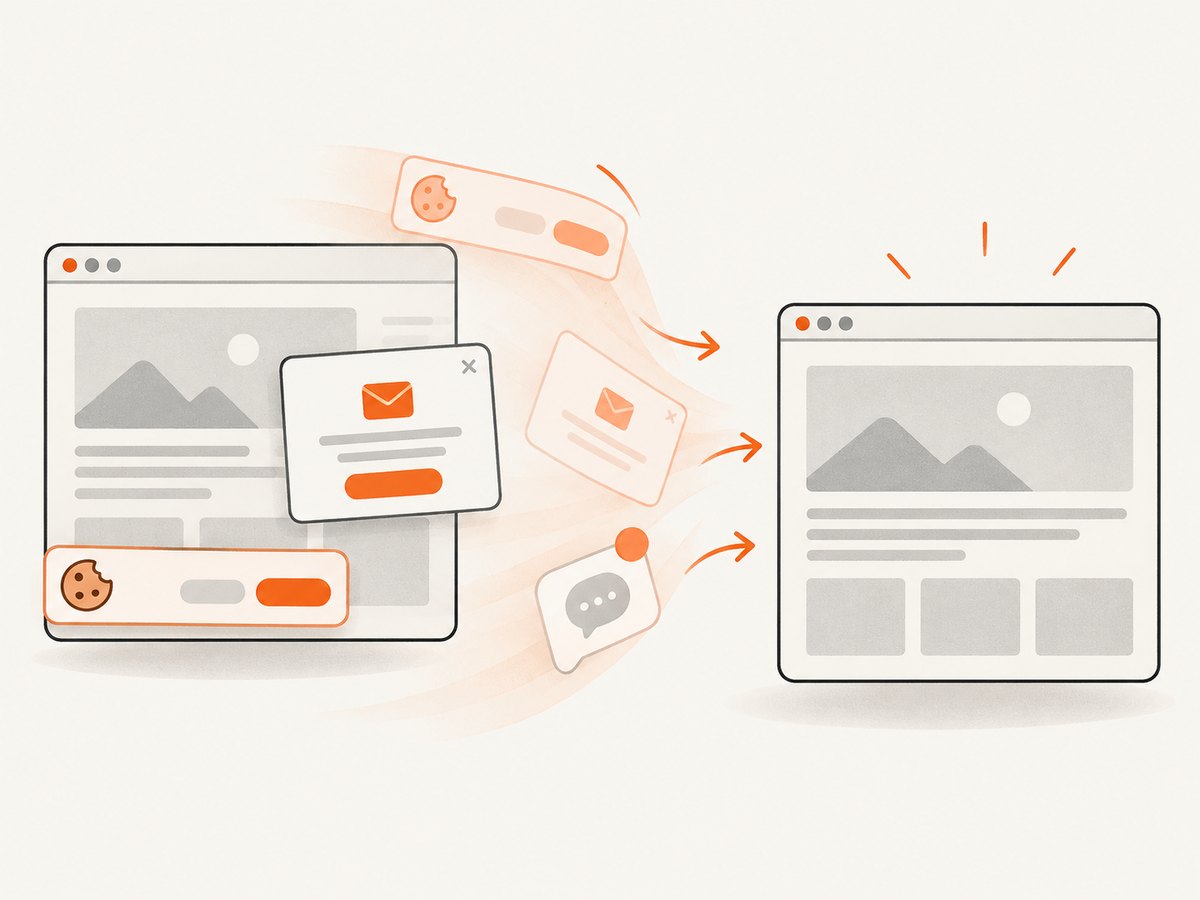
ScreenshotNeo’s GET API returns PNG, JPEG, WebP, or PDF from a URL. One request can be enough for a capture without creating and maintaining a browser session in your own automation code. The service accepts cookie and consent banners like a visitor and removes more than 60 known consent platforms, newsletter popups, and chat widgets before capture; each cleanup step can be turned off. It bills only clean shots: bot checks/CAPTCHAs, blank pages, timeouts, failed loads, and cache hits cost nothing, and responses indicate the page verdict and billing status in headers.
Additional options include full-page capture with lazy images loaded, CSS selector element capture, dark mode, 12 device presets or a custom viewport, retina scale, PDF paper size/margins/orientation/page ranges, HTML/CSS input, custom CSS and JavaScript, clicking or hiding elements, waits, request/resource blocking, custom headers/cookies/user agent/Authorization, timezone and geolocation, transparent backgrounds, image resizing, cache TTL, signed links, asynchronous jobs with signed webhooks, bulk capture of up to 100 URLs per call, usage API, and OpenAPI spec. Screenshot API parameter names used by other providers also work to make migration easier. See the ScreenshotNeo API documentation for request options.
cURL
curl -G "https://api.screenshotneo.com/v1/shot" \
  -d access_key=YOUR_API_KEY \
  --data-urlencode url=https://stripe.com \
  -o shot.webp
Python
import requests

r = requests.get(
    "https://api.screenshotneo.com/v1/shot",
    params={"access_key": "YOUR_API_KEY", "url": "https://stripe.com"},
    timeout=90,
)
r.raise_for_status()
with open("shot.webp", "wb") as f:
    f.write(r.content)
Node.js
const q = new URLSearchParams({ access_key: 'YOUR_API_KEY', url: 'https://stripe.com' });
const res = await fetch(`https://api.screenshotneo.com/v1/shot?${q}`);
if (!res.ok) throw new Error(`Screenshot request failed: ${res.status}`);
await Bun.write('shot.webp', res);
For Node.js versions without Bun, use await import('node:fs/promises').then(fs => fs.writeFile('shot.webp', Buffer.from(await res.arrayBuffer()))) inside an async function. Keep the API key on the server; do not place it in a public webpage or client-side bundle.
Plans include 1,000 shots per month free with no card, then Starter $5 for 3,000, Growth $15 for 15,000, Pro $39 for 60,000, Scale $99 for 250,000, and Business $249 for 1,000,000. Yearly billing gives two months free, and every feature is available on every plan. The MCP server exposes take_screenshot, get_page_info, and capture_pdf for Claude, Cursor, and any MCP client.
10. Troubleshooting common problems
| Symptom | Likely cause | What to try |
|---|---|---|
| WebSocket connection rejected | Wrong endpoint, missing/invalid credentials, or incompatible connection method | Copy the current endpoint from the provider account, check authentication encoding, and confirm whether the URL is CDP-compatible. |
| Browserbase session creation fails | Incorrect API key/project configuration or plan/session limit | Check both environment variables, verify project access, inspect the response body, and compare active sessions with plan limits. |
| Navigation times out | Slow target, proxy delay, or waiting for an event that never settles | Use a finite timeout and a suitable wait condition such as domcontentloaded; wait for a specific selector after navigation if needed. |
| Screenshot is blank or incomplete | Capture happened before client rendering or lazy content finished | Wait for an application-specific ready selector, scroll/load lazy regions when relevant, and verify the final URL and page title. |
| CAPTCHA or access denied persists | The site still challenged the session or the selected tier does not include the required controls | Check the provider’s current feature tier and proxy setup; handle unresolved challenges explicitly rather than retrying indefinitely. |
| Too many sessions or throttling | Concurrency exceeds plan limits or workers are opening sessions faster than they close | Use a bounded queue, close sessions in finally, and tune worker count to the plan allowance. |
| Spend exceeds estimate | Long sessions, repeated retries, proxy usage, or metering misunderstood | Measure session duration and retries, review the current billing definitions, and set application-level usage alerts and limits. |
11. FAQ
Can I self-host Browserless?
Yes. Browserless documents Docker self-hosting in addition to managed cloud use. Check its documentation for deployment requirements and supported configuration.
Which is better for AI agents?
Browserbase is more explicitly centered on managed agent sessions, integrations, and observability. Browserless may be a better fit when agents need the same configurable infrastructure and task APIs used by your other browser automation.
Which is better for screenshots?
For programmable browser workflows that need screenshots as one step among many, both can connect to standard automation clients. For a direct screenshot or PDF API, Browserless documents dedicated REST task endpoints; ScreenshotNeo is a focused alternative when you want a one-call capture with consent cleanup and billing verdict headers.
Is one faster or more reliable?
The supplied research contains no independent benchmark. Test both against the target sites, geography, proxy mode, concurrency, and navigation conditions your production workload will use.
12. Final recommendation
Pick Browserless when control, self-hosting, browser-engine breadth, and discrete task APIs carry the most weight. Pick Browserbase when a managed agent session lifecycle and built-in inspection fit your application. Compare costs using the actual meter—units and concurrency versus browser hours—and validate stealth or proxy features at the plan level. For standalone website screenshots and PDFs, review ScreenshotNeo’s docs; cookie banners, popups, and chat widgets are removed before the shot; bot checks, blank pages, and failed loads are never billed; an MCP server lets AI agents take screenshots; 1,000 screenshots each month are free with no card and paid plans start at $5 for 3,000. Sign up and start with 1,000 free screenshots a month.


