Best BrowserStack Alternatives for Automated Testing
Compare BrowserStack alternatives by browser coverage, real devices, cost, deployment control, and migration effort—then choose a practical path for your test suite.
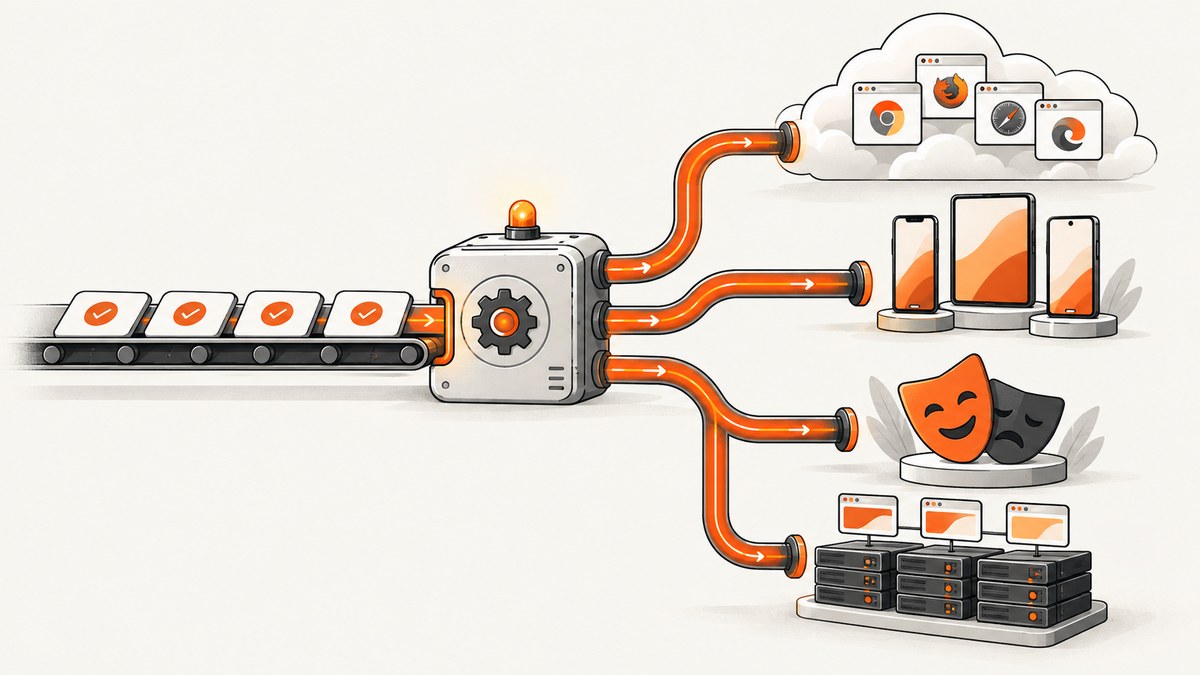
BrowserStack alternatives are not one interchangeable category. You may be replacing a live browser session, a hosted Selenium or Appium endpoint, a real-device lab, or an entire testing workflow. The right choice depends on your existing framework, browser and device matrix, parallel test demand, data residency requirements, and how much infrastructure your team can operate.
Short answer: investigate TestMu AI, Sauce Labs, TestingBot, or TestGrid when you need a managed testing cloud. Investigate Playwright when Chromium, Firefox, and WebKit coverage is sufficient and your team can run browsers in its own CI. Investigate Selenium Grid when you need distributed WebDriver execution inside infrastructure you control. Run a representative slice of your current suite before switching; published compatibility claims do not guarantee a migration without code or configuration changes.
1. Decide what you are replacing
Start by writing down the BrowserStack capability your team actually uses. The answer changes the shortlist.
| Current need | What to compare | Likely categories |
|---|---|---|
| Manual live browser testing | Interactive sessions, supported desktop versions, debugging tools, and user seats | Managed testing clouds |
| Web automation | Framework endpoint support, browser versions, parallel sessions, artifacts, and CI integration | Managed clouds, Playwright, Selenium Grid |
| Native mobile automation | Physical iOS and Android coverage, Appium support, device reservation, OS versions, and reset behavior | Managed clouds or a device lab |
| Private test data or deployment control | Network routing, data location, private deployment, secrets handling, and operations effort | Self-hosted Grid or a cloud with suitable deployment options |
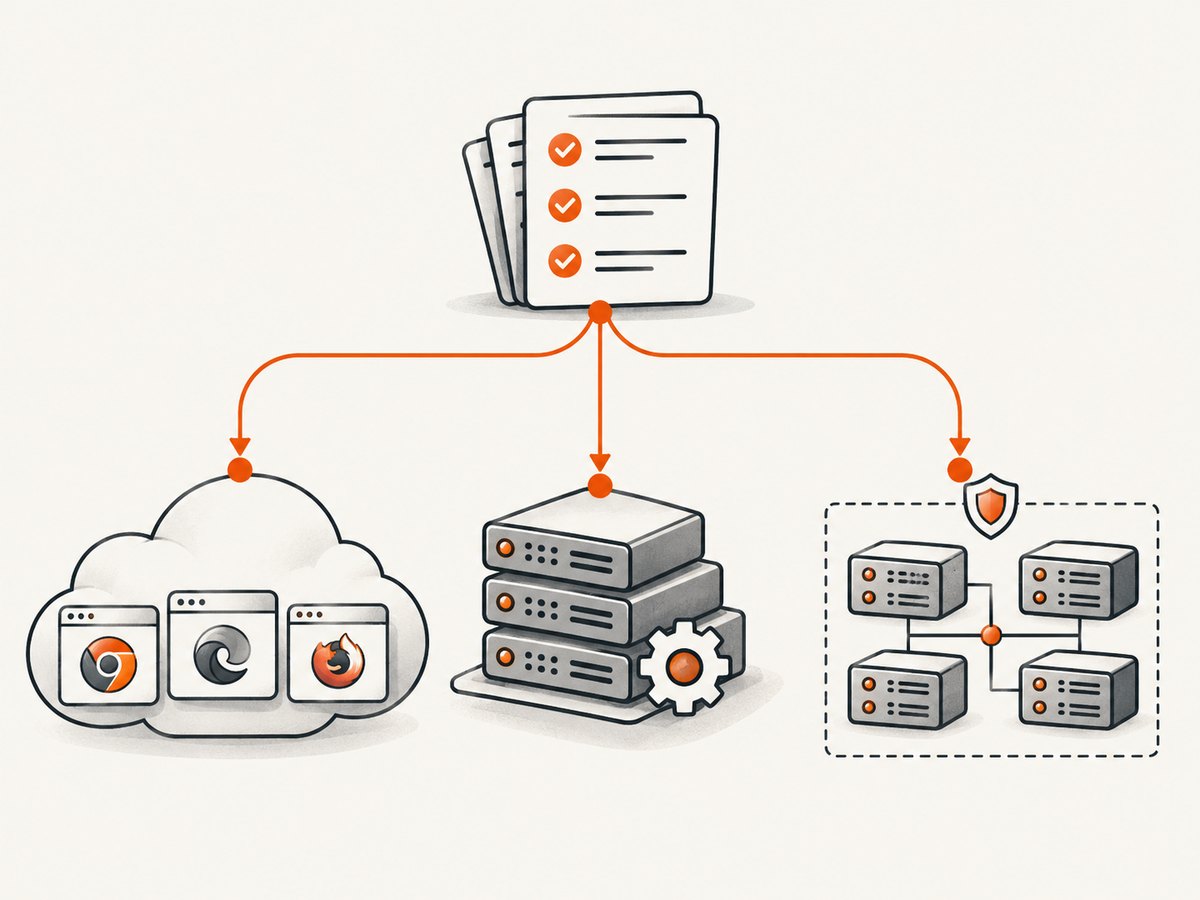
Do not compare a framework with a hosted device cloud as if they were the same product. Playwright and Selenium provide automation capabilities. A cloud rents managed browsers or devices and usually supplies scheduling, session infrastructure, and debugging artifacts. Selenium Grid is distributed execution infrastructure that your team provisions and maintains.
2. Comparison at a glance
| Option | Category | Investigate when | Checks before committing |
|---|---|---|---|
| TestMu AI (formerly LambdaTest) | Hosted testing cloud | You need a broad cloud grid and want to compare current entry plans. | Confirm the exact live and automated products, real-device access, concurrency, and whether AI capabilities have separate pricing. |
| Sauce Labs | Hosted testing cloud | You need managed testing at team scale. | Check parallel-session pricing, device coverage, security requirements, deployment model, and plan entitlements. |
| TestingBot | Hosted testing cloud | You want another browser and mobile cloud with a published plan comparison. | Check your device matrix, regions and data requirements, automation limits, and billing currency. |
| TestGrid | Hosted testing cloud | You want to investigate broader framework support or deployment control. | Verify included capabilities and any on-premises or private deployment claims directly with the vendor. |
| Playwright | Open-source browser automation framework | Your suite needs Chromium, Firefox, and WebKit and your team can supply CI compute. | You do not receive a hosted pool of physical phones or a manual live-testing service. Plan browser binaries, workers, artifacts, and patching. |
| Selenium Grid | Self-managed distributed WebDriver execution | You need control over where remote browser sessions run. | Your team provisions, secures, scales, updates, and monitors the Grid, nodes, browsers, and network paths. |
These are candidates, not a universal ranking. Feature matrices and pricing change, and a service that supports your framework in documentation may still require changes to capabilities, authentication, timeouts, or CI orchestration.
3. Managed cloud alternatives
TestMu AI
TestMu AI, formerly LambdaTest, is a managed testing-cloud candidate for teams comparing a broad grid and current entry pricing. Confirm whether the plan you are evaluating covers automated sessions, live testing, real devices, and the concurrency you need. Treat AI functions as a separate question: verify whether they are included or priced independently.
Sauce Labs
Sauce Labs is worth investigating when your organization wants a managed service at team scale. Compare parallel-session limits rather than just a headline subscription price. Validate the required browser and device inventory, security controls, deployment requirements, and the artifacts your developers rely on when a test fails.
TestingBot
TestingBot provides another browser and mobile cloud to shortlist. Map your actual desktop versions, mobile operating systems, and Appium needs to its current inventory. Check automation limits, supported regions, data handling, and whether the displayed currency and billing term match your procurement assumptions.
TestGrid
TestGrid is a candidate for teams interested in wider framework support or deployment control. Claims about included features and private or on-premises operation should be confirmed with the vendor for the specific plan. Ask where sessions execute, how upgrades are delivered, and who operates the infrastructure in each deployment model.
4. Playwright as a lower-cost engine option
Playwright is a plausible BrowserStack alternative when your requirement is browser-engine automation and you can operate the execution environment. Its official documentation covers Chromium, Firefox, and WebKit. It does not itself provide a hosted pool of physical phones or a manual live-testing service.
A minimal test can run entirely in your CI environment:
import { test, expect } from '@playwright/test';

test('checkout page loads', async ({ page }) => {
  await page.goto('https://example.com/checkout', { waitUntil: 'domcontentloaded' });
  await expect(page.getByRole('heading', { name: 'Checkout' })).toBeVisible();
});
Before choosing Playwright, budget for browser downloads, worker processes, screenshots and traces, test data setup, retries, and CI machines. Decide how often you will update browser versions and how you will reproduce a failure from a pull request. If you need physical iOS or Android behavior, Playwright alone does not remove the need for a device provider or lab.
5. Selenium Grid when deployment control matters
Selenium describes Grid as routing WebDriver commands to remote browser instances. With Grid, your team supplies the nodes and the surrounding infrastructure. That can keep sessions inside a controlled network, but it makes capacity, patching, certificates, browser versions, observability, and security your responsibility.
from selenium import webdriver
from selenium.webdriver.chrome.options import Options

options = Options()
options.add_argument('--headless=new')

driver = webdriver.Remote(
    command_executor='http://selenium-grid.internal:4444',
    options=options,
)
try:
    driver.get('https://example.com')
    assert 'Example Domain' in driver.title
finally:
    driver.quit()
Run a capacity exercise before migration. Measure queue time, session startup time, test duration, and failure recovery at your expected parallelism. A Grid that works for ten parallel sessions may need different node sizing, routing, and cleanup for a hundred.
6. How to choose by constraint
- You need managed real devices: shortlist TestMu AI, Sauce Labs, TestingBot, and TestGrid, then verify physical-device inventory, OS versions, Appium support, reset time, and parallel device limits.
- You need the lowest infrastructure bill and engine coverage is enough: evaluate Playwright in your CI. Include the engineering cost of maintaining workers, browsers, artifacts, and test data.
- Test data cannot leave your environment: evaluate Selenium Grid or a provider with an approved private deployment. Document network routes, secrets, logging, and update ownership.
- You need a fast migration: keep the current framework, point a small suite at the candidate endpoint, and compare capabilities, timeouts, artifacts, tunnels, and failure messages before changing the whole pipeline.
7. A migration plan that exposes hidden work
- Inventory the suite. Record framework, language, browser versions, mobile devices, test count, average duration, retries, artifacts, and current parallel sessions.
- Select failure-prone tests. Include authentication, file upload, downloads, permissions, responsive layouts, network stubs, and tests that currently time out.
- Map capabilities. Translate browser and device names, screen sizes, operating systems, proxy settings, tunnels, and credentials into the candidate’s configuration.
- Run both paths. Compare pass rate, queue time, startup time, total duration, screenshot and video availability, and the usefulness of failure diagnostics.
- Exercise CI and secrets. Test pull requests, scheduled builds, cancellation, retries, rotated credentials, and parallel jobs. Confirm that test data and logs meet policy.
- Price the real workload. Use your session or minute count, parallelism, real-device use, storage, add-ons, annual versus monthly billing, and overage rules. Recheck vendor pages immediately before purchase.
- Migrate in stages. Keep a rollback path, move one suite or project first, and monitor queue time and flaky-test rate after the cutover.
8. Pricing and total cost
Do not copy an undated “starting at” price into an evergreen comparison. The research comparison checked vendor pricing on July 10–11, 2026; Qodex checked pricing on August 29, 2026. Those dates are context, not a guarantee that plans remain unchanged.
Build a like-for-like worksheet with these columns:
| Cost input | Question |
|---|---|
| Billing term | Is the figure monthly, annual, or discounted for a commitment? |
| Execution type | Are you paying for live testing, automated sessions, real devices, virtual browsers, or separate products? |
| Parallelism | How many sessions run at once, and what happens when you exceed the limit? |
| Usage unit | Is billing based on minutes, sessions, users, devices, or another quota? |
| Add-ons | Are AI authoring, storage, private networking, or extra concurrency separate? |
| Operations | For self-hosting, what will compute, upgrades, on-call time, and security reviews cost? |
9. ScreenshotNeo: an alternative for screenshot workflows
If part of your BrowserStack workflow is collecting page screenshots for visual checks, documentation, previews, or agent workflows, try ScreenshotNeo first. It is a website screenshot API and MCP server: one GET request returns a PNG, JPEG, WebP, or PDF. It removes cookie and consent banners, newsletter popups, and chat widgets before capture, and only clean shots are billed. Bot checks, blank pages, timeouts, failed loads, and cache hits cost nothing; response headers report the page verdict and billing result.
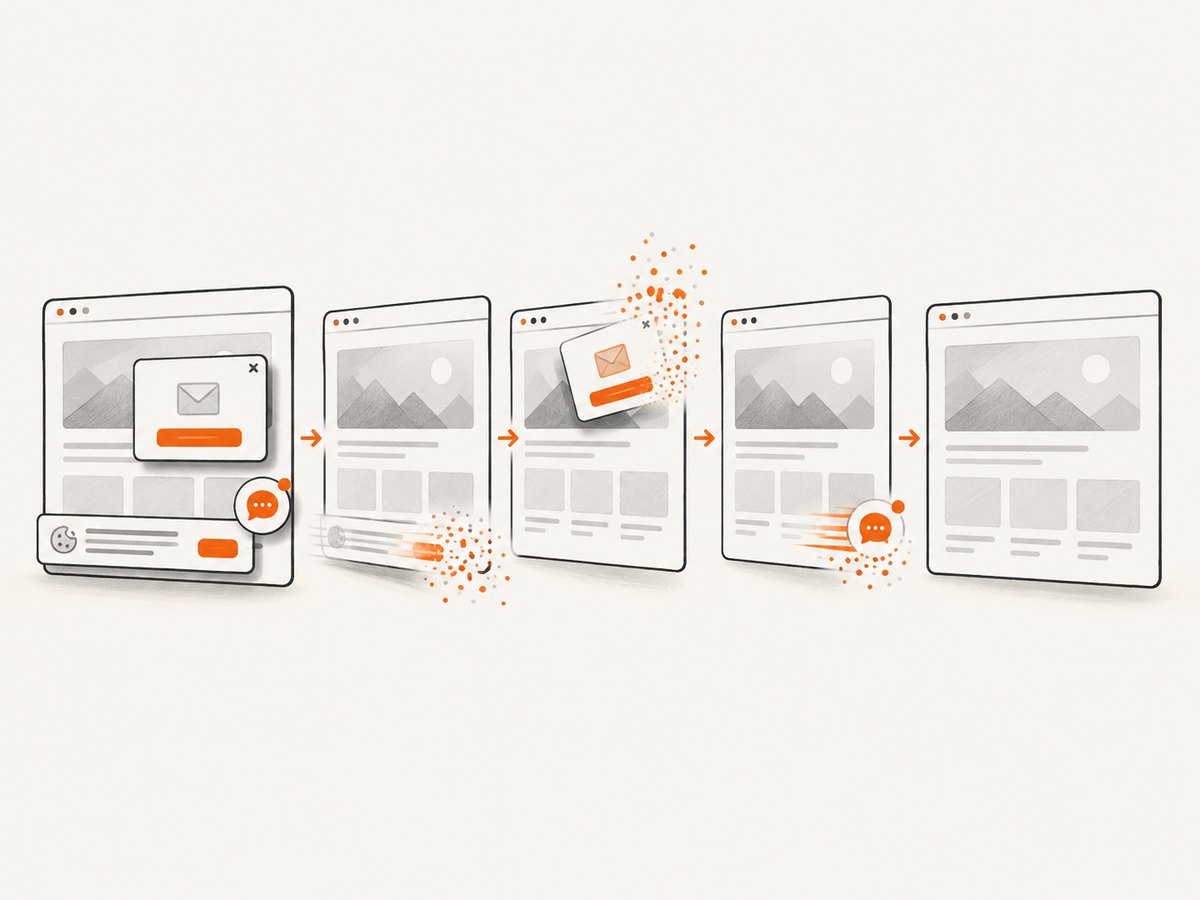
Its MCP server exposes take_screenshot, get_page_info, and capture_pdf for Claude, Cursor, and other MCP clients. It is not a replacement for a full real-device automation grid; it is a focused option when you need reliable page images or PDFs without maintaining browser setup.
Or skip the browser setup
Use the API directly. See the ScreenshotNeo documentation for the complete parameter reference.
curl -G "https://api.screenshotneo.com/v1/shot" -d access_key=YOUR_API_KEY --data-urlencode url=https://stripe.com -o shot.webpimport requests
r = requests.get("https://api.screenshotneo.com/v1/shot", params={"access_key": "YOUR_API_KEY", "url": "https://stripe.com"}, timeout=90)
open("shot.webp", "wb").write(r.content)const q = new URLSearchParams({ access_key: 'YOUR_API_KEY', url: 'https://stripe.com' });
const res = await fetch(`https://api.screenshotneo.com/v1/shot?${q}`);ScreenshotNeo also supports full-page capture with lazy images loaded, CSS-element capture, dark mode, device presets or custom viewports, retina scale, PDF paper and margin controls, custom CSS and JavaScript, clicks, selector or network-idle waits, request blocking, headers, cookies, user agents, authorization, timezone, geolocation, transparent backgrounds, resizing, configurable caching, signed links, asynchronous jobs with signed webhooks, bulk capture of up to 100 URLs per call, usage reporting, and an OpenAPI specification. Every feature is on every plan. The Free plan includes 1,000 shots each month with no card; paid plans start at $5 for 3,000 shots. Create a free ScreenshotNeo account to start.
10. Troubleshooting migration failures
| Symptom | Likely cause | Fix |
|---|---|---|
| Tests pass locally but fail in the cloud | Different browser version, timezone, fonts, viewport, or network route | Pin those inputs, record environment details, and reproduce with a minimal test. |
| Sessions queue for a long time | Parallel capacity is lower than your CI fan-out | Measure queue time separately from test time; reduce fan-out, increase capacity, or choose a plan with more parallel sessions. |
| Appium tests cannot find a device | The requested OS, model, region, or concurrency is unavailable | Map the exact device matrix and verify physical versus virtual devices before migration. |
| Remote WebDriver returns a capability error | Provider-specific capability names or browser versions differ | Start from the provider’s current examples, remove optional capabilities, and add them back one at a time. |
| Grid nodes become unhealthy | Browser processes, profiles, disk, or sessions are not cleaned up | Always quit drivers, isolate profiles, recycle nodes, monitor disk and memory, and add health checks. |
| Visual comparisons are noisy | Dynamic content, cookie banners, ads, fonts, or animation changes between runs | Freeze test data and animation, wait for stable selectors, and use a capture service that can remove consent and widget clutter. |
| Costs exceed the estimate | Live testing, real devices, parallelism, storage, or add-ons were priced separately | Recalculate using actual sessions and billing units, then verify current plan terms. |
11. Reliability and performance checklist
- Track queue time, startup time, test duration, retry rate, and infrastructure errors separately.
- Use deterministic test data and explicit waits instead of arbitrary sleeps where possible.
- Capture logs, screenshots, traces, and videos only when they help diagnosis; storage can become a material cost.
- Set bounded timeouts and cancellation so a stuck session does not consume a worker indefinitely.
- Run a small smoke suite on every change and the full browser or device matrix on a schedule appropriate to risk.
- For self-hosted infrastructure, patch browsers and operating systems, rotate credentials, restrict network access, and alert on node health.
- For managed clouds, verify retention, region, tunnel behavior, incident communication, and export options during procurement.
12. FAQ
Can I run existing Selenium or Appium tests on a BrowserStack alternative?
Often, but support is provider- and plan-specific. Keep the framework and change the remote endpoint and capabilities in a small representative suite first. Appium requires an exact physical or virtual device and OS match.
Is Playwright a free BrowserStack alternative?
Playwright is open-source, but your team still supplies CI compute, browser binaries, test data, artifacts, maintenance, and any physical-device coverage. Compare total operating cost rather than license cost alone.
Which alternative supports on-premises testing?
Selenium Grid is the clearest self-managed option because sessions run on infrastructure you operate. TestGrid and other vendors may offer private or on-premises models; confirm current availability and responsibilities directly.
How long should a migration evaluation take?
Use enough time to run representative authentication, uploads, downloads, mobile flows, retries, and peak parallelism. A short evaluation that excludes failure-prone tests gives false confidence.
Should screenshot capture be part of the test grid?
For browser assertions and debugging, use the framework or cloud artifacts your tests already produce. For clean standalone page images, PDFs, previews, or AI-agent workflows, ScreenshotNeo can remove browser setup and consent or widget clutter.
13. Final selection checklist
- Have you identified whether you need a cloud, a framework, a self-hosted Grid, or more than one?
- Does the candidate cover every required browser engine, version, physical device, and OS?
- Can it sustain peak parallelism without unacceptable queue time?
- Where do credentials, test data, recordings, and logs execute and persist?
- What engineering work will your team own after purchase?
- Have you priced the actual workload, billing term, concurrency, devices, storage, and add-ons?
- Did a representative migration run through CI with rollback available?
The best BrowserStack alternative is the one that matches the capability you actually need and remains operable at your team’s scale. Treat vendor comparisons as a shortlist, verify current terms, and let your own suite decide.


