How to Use the BrowserStack Test Run API
Create, inspect, update, close, and delete BrowserStack test runs with REST API examples, pagination guidance, troubleshooting, and safe update patterns.

Direct answer: use BrowserStack’s Test Management REST API at https://test-management.browserstack.com. Authenticate with HTTP Basic authentication using your BrowserStack username and access key, then call project-scoped test-run endpoints under /api/v2/projects/{project_id}. Use POST to create a run, GET to read runs, cases, or results, PATCH for a partial update, POST .../update for a complete replacement-style update, and the documented close or delete actions when appropriate.
What this API manages
The Test Management API manages test-run records and their cases and results. It is separate from BrowserStack’s execution APIs, which launch tests on browsers and devices. The API follows REST conventions, returns JSON by default, and uses standard HTTP response codes. The documented API host is test-management.browserstack.com.
Before you start
- Have a BrowserStack account username and access key. The examples in the Test Runs reference send them with HTTP Basic authentication.
- Find the project ID and, for run-specific calls, the test-run ID.
- Keep credentials in environment variables or a secret manager. Do not commit them or print them in CI logs.
- Choose whether your operation is a partial edit (
PATCH) or a complete update (POST).
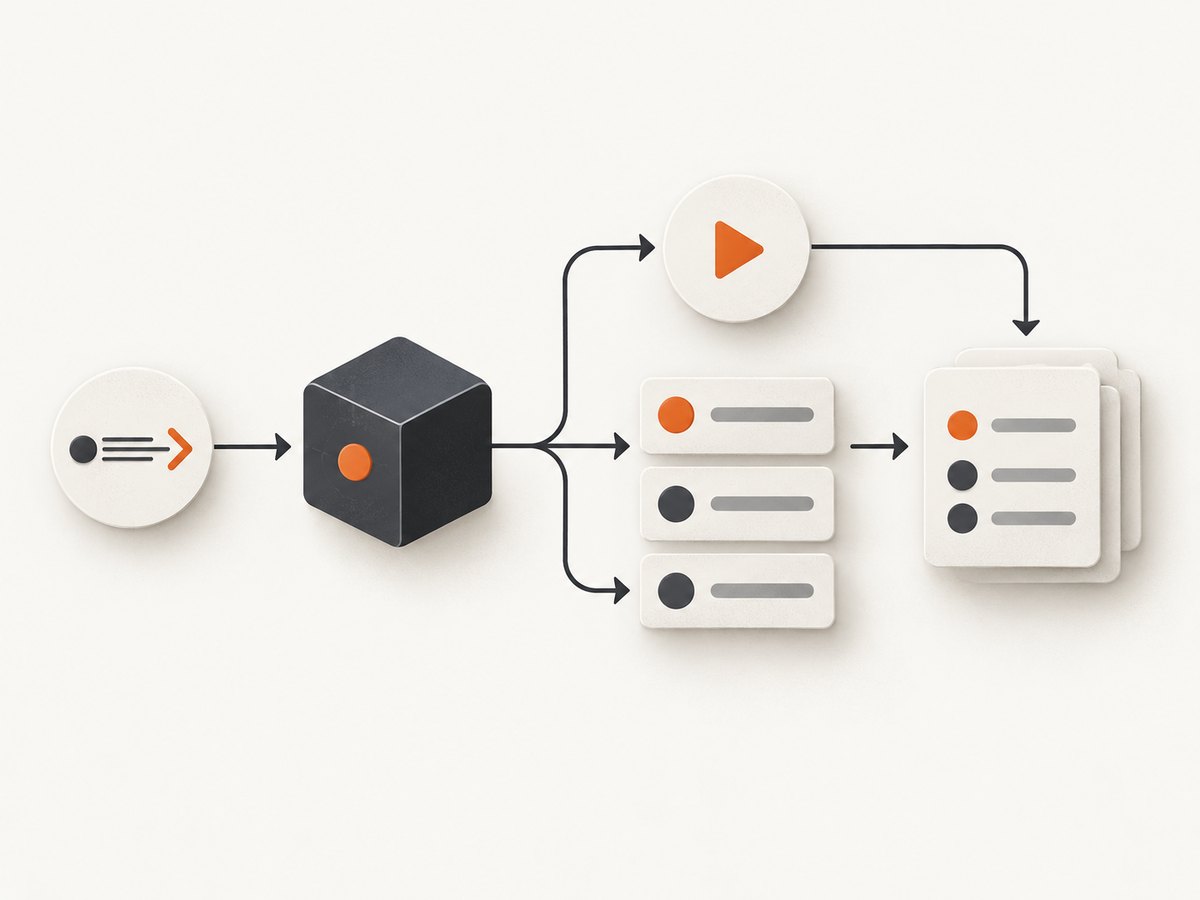
Endpoint map
| Task | Method and path | Important behavior |
|---|---|---|
| List project runs | GET /api/v2/projects/{project_id}/test-runs |
Project-scoped; supports documented filters. |
| Create a run | POST /api/v2/projects/{project_id}/test-runs |
Send run metadata and test-selection fields. |
| Get a run | GET /api/v2/projects/{project_id}/test-runs/{test_run_id} |
Requires both IDs. |
| List cases | GET /api/v2/projects/{project_id}/test-runs/{test_run_id}/test-cases |
Paginated; first response contains up to 30 cases. |
| List results | GET /api/v2/projects/{project_id}/test-runs/{test_run_id}/results |
Paginated results endpoint. |
| Partially update | PATCH /api/v2/projects/{project_id}/test-runs/{test_run_id}/update |
Only supplied fields change. |
| Fully update | POST /api/v2/projects/{project_id}/test-runs/{test_run_id}/update |
Complete body; supplied test cases replace existing membership. |
| Close | POST /api/v2/projects/{project_id}/test-runs/{test_run_id}/close |
Closes the selected run. |
| Delete | POST /api/v2/projects/{project_id}/test-runs/{test_run_id}/delete |
Consequential operation; verify IDs first. |
Authenticate and make your first request
cURL
export BROWSERSTACK_USERNAME="YOUR_USERNAME"
export BROWSERSTACK_ACCESS_KEY="YOUR_ACCESS_KEY"

curl --fail-with-body -u "$BROWSERSTACK_USERNAME:$BROWSERSTACK_ACCESS_KEY" \
  "https://test-management.browserstack.com/api/v2/projects/PR-1/test-runs"
Python
import os
import requests

base = "https://test-management.browserstack.com"
project_id = "PR-1"
r = requests.get(
    f"{base}/api/v2/projects/{project_id}/test-runs",
    auth=(os.environ["BROWSERSTACK_USERNAME"], os.environ["BROWSERSTACK_ACCESS_KEY"]),
    timeout=30,
)
r.raise_for_status()
print(r.json())
Node.js
const username = process.env.BROWSERSTACK_USERNAME;
const accessKey = process.env.BROWSERSTACK_ACCESS_KEY;
const projectId = 'PR-1';
const auth = Buffer.from(`${username}:${accessKey}`).toString('base64');

const res = await fetch(
  `https://test-management.browserstack.com/api/v2/projects/${projectId}/test-runs`,
  { headers: { Authorization: `Basic ${auth}` } }
);
if (!res.ok) throw new Error(`${res.status}: ${await res.text()}`);
console.log(await res.json());
Create a test run
Send POST to the project’s /test-runs path. The documented request places attributes under a test_run object. Depending on your workflow, that object can contain a name, description, run state, assignees, tags, linked issues, configurations, a test-plan ID, test-case identifiers, folder IDs, and include_all.
curl --fail-with-body -u "$BROWSERSTACK_USERNAME:$BROWSERSTACK_ACCESS_KEY" \
  -X POST "https://test-management.browserstack.com/api/v2/projects/PR-1/test-runs" \
  -H "Content-Type: application/json" \
  -d '{"test_run":{"name":"Regression run","description":"Nightly regression","include_all":false}}'
Treat this as a request skeleton and check the current Test Runs reference for required fields and enum values in your account. During creation, multiple values for one filter parameter use OR matching; conditions across different filter parameters combine with AND. Filters apply across the project by default. Set filter_scope to within_folders when filtering should be limited to selected folders.
Read runs, cases, and results
List and inspect runs
curl -u "$BROWSERSTACK_USERNAME:$BROWSERSTACK_ACCESS_KEY" \
  "https://test-management.browserstack.com/api/v2/projects/PR-1/test-runs"

curl -u "$BROWSERSTACK_USERNAME:$BROWSERSTACK_ACCESS_KEY" \
  "https://test-management.browserstack.com/api/v2/projects/PR-1/test-runs/RUN-123"
The detail response documented by BrowserStack includes identifiers, name, run state, creation time, assignee, progress, tags, configurations, and related links.
List cases and handle pagination
curl -u "$BROWSERSTACK_USERNAME:$BROWSERSTACK_ACCESS_KEY" \
  "https://test-management.browserstack.com/api/v2/projects/PR-1/test-runs/RUN-123/test-cases"
The first response contains up to 30 cases and the endpoint is paginated. Follow the pagination fields returned by the response and stop when there is no next page. The fetch_steps=true option includes steps, but returns only the first 30 steps and does not support pagination for that request. The documented minified option is useful when you need only core fields such as the test-case identifier, description, title, and latest status.
curl -u "$BROWSERSTACK_USERNAME:$BROWSERSTACK_ACCESS_KEY" \
  "https://test-management.browserstack.com/api/v2/projects/PR-1/test-runs/RUN-123/test-cases?fetch_steps=true"

curl -u "$BROWSERSTACK_USERNAME:$BROWSERSTACK_ACCESS_KEY" \
  "https://test-management.browserstack.com/api/v2/projects/PR-1/test-runs/RUN-123/test-cases?minified=true"
Read results
curl -u "$BROWSERSTACK_USERNAME:$BROWSERSTACK_ACCESS_KEY" \
  "https://test-management.browserstack.com/api/v2/projects/PR-1/test-runs/RUN-123/results"
Results have their own paginated endpoint. Do not assume that fetching the run or its cases also retrieves every result.
Update safely: PATCH versus POST
| Question | PATCH .../update |
POST .../update |
|---|---|---|
| Purpose | Partial edit | Full update |
| Body | Only fields to change | Complete request body |
| Omitted fields | Remain unchanged | Must be supplied as required, including null or default values where required |
| Test-case list | Change only if supplied according to the reference | Supplied cases replace the run’s existing cases |
| Clearing arrays | Send an explicit empty array | Send the complete intended array |
Partial update with PATCH
curl --fail-with-body -u "$BROWSERSTACK_USERNAME:$BROWSERSTACK_ACCESS_KEY" \
  -X PATCH "https://test-management.browserstack.com/api/v2/projects/PR-1/test-runs/RUN-123/update" \
  -H "Content-Type: application/json" \
  -d '{"test_run":{"name":"Regression run - rerun"}}'
Only the supplied field is changed. To clear tags, issues, or another array field, send [] explicitly:

curl --fail-with-body -u "$BROWSERSTACK_USERNAME:$BROWSERSTACK_ACCESS_KEY" \
  -X PATCH "https://test-management.browserstack.com/api/v2/projects/PR-1/test-runs/RUN-123/update" \
  -H "Content-Type: application/json" \
  -d '{"test_run":{"tags":[]}}'
Full update with POST
curl --fail-with-body -u "$BROWSERSTACK_USERNAME:$BROWSERSTACK_ACCESS_KEY" \
  -X POST "https://test-management.browserstack.com/api/v2/projects/PR-1/test-runs/RUN-123/update" \
  -H "Content-Type: application/json" \
  -d '{"test_run":{"name":"Regression run","description":"Updated description","run_state":"in_progress","tags":["nightly"],"test_case_ids":["TC-1","TC-2"]}}'
Build the complete body from the current run when using this form. If you include a test-case list, it replaces the existing membership in that update request. Review the serialized JSON before sending it.
Close, clone, add, remove, and delete
The reference also documents operations to add or remove test cases, assign test-case assignees, close a run, clone a run, and delete a run. Add or remove actions operate one action per request. The remove-by-identifier operation is synchronous and atomic, accepts up to 100 unique identifiers, and rejects the request without removing anything when an identifier is invalid or absent from the run.
curl --fail-with-body -u "$BROWSERSTACK_USERNAME:$BROWSERSTACK_ACCESS_KEY" \
  -X POST "https://test-management.browserstack.com/api/v2/projects/PR-1/test-runs/RUN-123/close"

curl --fail-with-body -u "$BROWSERSTACK_USERNAME:$BROWSERSTACK_ACCESS_KEY" \
  -X POST "https://test-management.browserstack.com/api/v2/projects/PR-1/test-runs/RUN-123/delete"
Deletion is consequential and the reviewed material does not establish an undo or recovery process. Confirm the project and run IDs immediately before sending it.
Cloning can return before case mappings are populated: the initial cases request may temporarily return zero cases while mappings are added in the background. Automated source runs cannot be cloned, and cloned runs do not retain test-plan associations.
Automation and result ingestion
BrowserStack documents separate automated-run paths for importing JUnit-XML or BDD-JSON reports and for integrating Test Reporting & Analytics through BrowserStack SDK. Documented framework integrations include TestNG, WebdriverIO, Nightwatch, Appium, Cypress, Mocha, pytest, Playwright, Espresso, XCUITest, and Cucumber. Treat these as result-ingestion and reporting integrations, not as replacements for the Test Run API endpoints above.
Troubleshooting
| Symptom | Likely cause | Fix |
|---|---|---|
| 401 or 403 response | Wrong credentials, malformed Basic auth, or account access issue. | Verify the username and access key separately, ensure the colon-separated Basic value is encoded by your HTTP client, and confirm project access. |
| 404 response | Incorrect host, project ID, run ID, or path. | Start with the documented host and exact /api/v2/projects/{project_id} prefix; copy IDs from a successful list response. |
| 400 validation response | Invalid field, enum, missing required value, or malformed JSON. | Validate JSON, check current field names and enum values, and reduce the request to the smallest valid body. |
| Update removed data unexpectedly | A full POST .../update omitted fields or supplied a replacement case list. |
Use PATCH for a narrow edit, or construct a complete body and verify test-case membership first. |
| Array did not clear | The array was omitted instead of explicitly set to []. |
Send an empty array in the update body. |
| Only 30 cases or steps appear | Case results are paginated; steps have a documented 30-step limit for fetch_steps=true. |
Follow case pagination. Do not expect step pagination on that request. |
| Cloned run has no cases initially | Case mappings are created in the background. | Retry the cases request after the clone operation completes. |
| Delete or close affected the wrong run | IDs were copied from the wrong project or environment. | Fetch the run detail, compare its name and project, then perform the action. |
Performance, reliability, and cost considerations
- Paginate deliberately. Run lists, case lists, and results can be larger than one response. Process pages incrementally instead of loading an entire project into memory.
- Use minified cases when appropriate. It reduces response data when titles, identifiers, descriptions, and latest status are enough.
- Separate reads from destructive writes. Fetch and log the target run before close or delete operations.
- Make retries safe. Retry transient network failures with bounded exponential backoff, but do not blindly retry a destructive request without checking whether the first request succeeded.
- Preserve response bodies. Error JSON commonly identifies the field or identifier that needs correction; store it with the request ID or timestamp used by your system.
- Do not infer undocumented limits. The reviewed material does not establish a complete rate-limit, permissions, or endpoint-by-endpoint error matrix. Consult BrowserStack’s current reference before setting production concurrency or retry limits.
- Budget API work by records. Large projects require more pages and therefore more requests. Cache stable metadata and fetch steps only when a consumer needs them.
Or skip the browser setup
If your separate task is producing website screenshots for run evidence, documentation, or visual checks, ScreenshotNeo provides a single screenshot API request instead of maintaining a browser capture service. See the ScreenshotNeo API documentation.
curl -G "https://api.screenshotneo.com/v1/shot" -d access_key=YOUR_API_KEY --data-urlencode url=https://stripe.com -o shot.webpimport requests
r = requests.get("https://api.screenshotneo.com/v1/shot", params={"access_key": "YOUR_API_KEY", "url": "https://stripe.com"}, timeout=90)
open("shot.webp", "wb").write(r.content)const q = new URLSearchParams({ access_key: 'YOUR_API_KEY', url: 'https://stripe.com' }); const res = await fetch(`https://api.screenshotneo.com/v1/shot?${q}`);Cookie banners, newsletter popups, and chat widgets are removed before the shot. Bot checks, blank pages, failed loads, timeouts, and cache hits are not billed, and response headers identify the page verdict and billing status. An MCP server provides take_screenshot, get_page_info, and capture_pdf tools for Claude, Cursor, and other MCP clients. The Free plan includes 1,000 screenshots a month with no card; paid plans start at $5 for 3,000.
Create a free ScreenshotNeo account to try it with 1,000 screenshots per month and no card.
FAQ
Does this API execute my browser tests?
No. It manages Test Management runs, cases, and results. Use BrowserStack’s execution and SDK integrations to run tests and ingest reports.
Can I update only a run name?
Yes. Use PATCH .../update with the name field. Omitted fields remain unchanged.
How do I remove every tag?
Send the tags field as an explicit empty array, such as "tags": [].
Why did my full update change case membership?
The documented POST .../update operation treats supplied test cases as the run’s replacement set. Include the complete intended list.
Can I retrieve every step in one request?
fetch_steps=true returns up to 30 steps and does not support pagination for that request.
Where can I verify changes to fields or limits?
Use BrowserStack’s current Test Runs, Test Results, pagination, and response-status documentation before publishing or hard-coding production behavior.


