How to Build a Go net/http Server
Build a production-aware Go net/http server with routing, timeouts, body limits, graceful shutdown, HTTPS, tests, and troubleshooting.

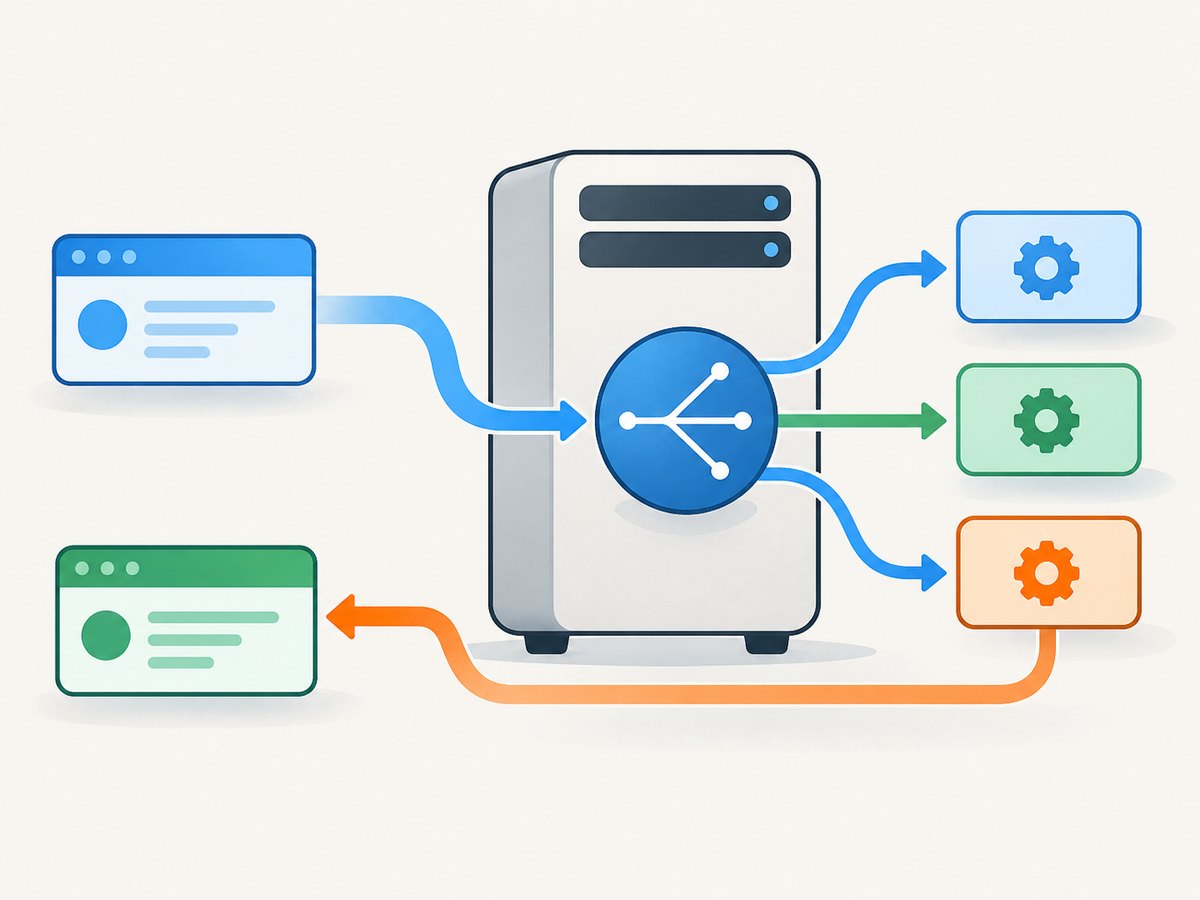
A Go HTTP server combines three pieces: a handler that writes a response, a multiplexer (mux) that chooses a handler for each request, and a server or listener that accepts connections. For a quick local experiment, http.ListenAndServe is enough. For a service you intend to expose beyond a demo, create an http.Server so you can set timeouts, header limits, and a controlled shutdown path.
This guide targets Go 1.22 or later. The routing behavior and pattern syntax of http.ServeMux changed significantly in Go 1.22, so check the version when copying patterns into an older application. The official package documentation is the reference for the current API: net/http.
1. Create the smallest useful server
The following program starts on port 8080, registers two routes on an explicit mux, and blocks while the server accepts requests.
package main

import (
    "fmt"
    "log"
    "net/http"
)

func home(w http.ResponseWriter, r *http.Request) {
    w.Header().Set("Content-Type", "text/plain; charset=utf-8")
    fmt.Fprintln(w, "Hello from Go")
}

func health(w http.ResponseWriter, r *http.Request) {
    w.Header().Set("Content-Type", "application/json")
    fmt.Fprintln(w, `{"ok":true}`)
}

func main() {
    mux := http.NewServeMux()
    mux.HandleFunc("GET /", home)
    mux.HandleFunc("GET /healthz", health)

    log.Println("listening on http://localhost:8080")
    err := http.ListenAndServe(":8080", mux)
    if err != nil {
        log.Fatal(err)
    }
}
Run it with go run ., then request http://localhost:8080/. ListenAndServe blocks until the server stops. It returns a non-nil error when serving ends; an unexpected return is normally logged or treated as fatal.
Passing nil as the handler makes the package use the global http.DefaultServeMux. An explicit mux keeps route registration visible and avoids hidden global state, which is easier to test and compose.
2. Understand handlers, requests, and responses
A handler has the form func(http.ResponseWriter, *http.Request). Write headers before the status or body. If you do not call WriteHeader, the first body write sends a 200 status automatically.
func profile(w http.ResponseWriter, r *http.Request) {
    if r.Method != http.MethodGet {
        w.Header().Set("Allow", http.MethodGet)
        http.Error(w, "method not allowed", http.StatusMethodNotAllowed)
        return
    }

    w.Header().Set("Content-Type", "application/json")
    w.WriteHeader(http.StatusOK)
    fmt.Fprintln(w, `{"name":"Ada"}`)
}
Use request context for cancellation and deadlines. For example, pass r.Context() to database calls so work stops when the client disconnects or the server is shutting down. Avoid storing the request or response writer after the handler returns.
3. Use an http.Server when you need control
The convenience function is useful for a local server, but a configured http.Server exposes lifecycle and resource policies.
package main

import (
    "log"
    "net/http"
    "time"
)

func main() {
    mux := http.NewServeMux()
    mux.HandleFunc("GET /", func(w http.ResponseWriter, r *http.Request) {
        w.Write([]byte("hello\n"))
    })

    srv := &http.Server{
        Addr:              ":8080",
        Handler:           mux,
        ReadHeaderTimeout: 5 * time.Second,
        ReadTimeout:       15 * time.Second,
        WriteTimeout:      30 * time.Second,
        IdleTimeout:       60 * time.Second,
        MaxHeaderBytes:    1 << 20,
    }

    log.Printf("listening on %s", srv.Addr)
    if err := srv.ListenAndServe(); err != nil && err != http.ErrServerClosed {
        log.Fatal(err)
    }
}
What each setting controls
| Field | Controls | Policy questions |
|---|---|---|
ReadHeaderTimeout |
Time allowed to read request headers | How long should a client have to send headers? |
ReadTimeout |
Whole request read, including the body | How long may uploads or slow clients take? |
WriteTimeout |
Writing the response | How long can a downstream client consume output? |
IdleTimeout |
Waiting for another request on a keep-alive connection | How long should an unused connection stay open? |
MaxHeaderBytes |
Request line and request headers | How large may cookies and custom headers be? |
Zero or negative timeout values can mean no timeout according to the field documentation. Choose values from your workload: an upload endpoint, streaming response, and JSON API usually need different limits. The Go documentation uses 10 seconds for illustrative read and write settings and 1 MiB for illustrative maximum headers; those are examples, not universal recommendations. MaxHeaderBytes does not limit the request body.
4. Limit request bodies explicitly
For JSON endpoints and uploads, apply a route-specific body limit with http.MaxBytesReader. It limits reads from the incoming body and returns a *http.MaxBytesError when the limit is exceeded.
func createUser(w http.ResponseWriter, r *http.Request) {
    const maxBody = 1 << 20 // 1 MiB
    r.Body = http.MaxBytesReader(w, r.Body, maxBody)
    defer r.Body.Close()

    var input struct {
        Name  string `json:"name"`
        Email string `json:"email"`
    }
    dec := json.NewDecoder(r.Body)
    if err := dec.Decode(&input); err != nil {
        var tooLarge *http.MaxBytesError
        if errors.As(err, &tooLarge) {
            http.Error(w, "request body too large", http.StatusRequestEntityTooLarge)
            return
        }
        http.Error(w, "invalid JSON", http.StatusBadRequest)
        return
    }

    w.Header().Set("Content-Type", "application/json")
    w.WriteHeader(http.StatusCreated)
    json.NewEncoder(w).Encode(input)
}
Import encoding/json and errors for this handler. Reject unknown fields if your API requires a strict schema by calling dec.DisallowUnknownFields(). Also decide whether an empty body, duplicate fields, and trailing JSON should be accepted.
5. Routing patterns and the Go 1.22 change
Go 1.22 added method-qualified patterns and wildcard segments to ServeMux. For example:
mux.HandleFunc("GET /users/{id}", getUser)
mux.HandleFunc("POST /users", createUser)

func getUser(w http.ResponseWriter, r *http.Request) {
    id := r.PathValue("id")
    fmt.Fprintf(w, "user=%s\n", id)
}
Patterns are checked when they are registered. Invalid or conflicting patterns can panic during startup, which is useful because a bad route fails early. Escaped path segments and wildcard matching also have version-sensitive behavior. When migrating a pre-1.22 application, read the compatibility notes in the ServeMux documentation. If necessary, GODEBUG=httpmuxgo121=1 restores the older routing behavior; set it before process startup and plan a deliberate migration.
6. Add graceful shutdown
A process should stop accepting new connections, close idle connections, and wait for active handlers to finish. Server.Shutdown does this until its context expires. ListenAndServe returns http.ErrServerClosed after shutdown starts, so the main goroutine must wait for Shutdown to complete.
package main

import (
    "context"
    "errors"
    "log"
    "net/http"
    "os"
    "os/signal"
    "syscall"
    "time"
)

func main() {
    mux := http.NewServeMux()
    mux.HandleFunc("GET /", func(w http.ResponseWriter, r *http.Request) {
        time.Sleep(100 * time.Millisecond)
        w.Write([]byte("ok\n"))
    })

    srv := &http.Server{Addr: ":8080", Handler: mux}
    serverErr := make(chan error, 1)
    go func() { serverErr <- srv.ListenAndServe() }()

    ctx, stop := signal.NotifyContext(context.Background(), os.Interrupt, syscall.SIGTERM)
    defer stop()

    select {
    case err := <-serverErr:
        if !errors.Is(err, http.ErrServerClosed) {
            log.Fatalf("server failed: %v", err)
        }
    case <-ctx.Done():
        shutdownCtx, cancel := context.WithTimeout(context.Background(), 10*time.Second)
        defer cancel()
        if err := srv.Shutdown(shutdownCtx); err != nil {
            log.Printf("graceful shutdown failed: %v", err)
            _ = srv.Close()
        }
        if err := <-serverErr; err != nil && !errors.Is(err, http.ErrServerClosed) {
            log.Printf("server stopped: %v", err)
        }
    }
}
The shutdown deadline must match the work your handlers can reasonably finish. If it expires, Shutdown returns an error and active connections may remain. Hijacked connections, including WebSockets, are not closed or waited for by Shutdown; track and close those separately.
7. HTTPS
For certificate and key files, use ListenAndServeTLS:
srv := &http.Server{Addr: ":8443", Handler: mux}
err := srv.ListenAndServeTLS("server.crt", "server.key")
if err != nil && err != http.ErrServerClosed {
    log.Fatal(err)
}
The standard library does not provision certificates. In local development, plain HTTP is usually simplest. For an externally exposed service, configure certificate management at your deployment boundary or provide valid certificate and key material to the server.
8. Test at the HTTP boundary
net/http/httptest lets you test handlers without binding a production port. Test status, headers, body, routing, and cancellation behavior.
func TestHealth(t *testing.T) {
    mux := http.NewServeMux()
    mux.HandleFunc("GET /healthz", health)

    req := httptest.NewRequest(http.MethodGet, "/healthz", nil)
    rec := httptest.NewRecorder()
    mux.ServeHTTP(rec, req)

    if rec.Code != http.StatusOK {
        t.Fatalf("status = %d, want %d", rec.Code, http.StatusOK)
    }
    if got := rec.Header().Get("Content-Type"); got != "application/json" {
        t.Fatalf("content type = %q", got)
    }
}
For a more realistic round trip, use httptest.NewServer(mux) and its client. Configure the test server before its first use; changing server configuration after requests begin can produce misleading tests.
9. Performance, reliability, and cost decisions
- Keep handlers bounded. Apply body limits, deadlines, and database query contexts. A slow dependency can otherwise occupy a connection until a timeout.
- Reuse connections. HTTP keep-alive is enabled by default. A sensible
IdleTimeoutprevents abandoned connections from consuming resources indefinitely. - Measure before tuning. Timeout values and worker limits depend on payload size, downstream latency, concurrency, and whether responses stream. The standard library documentation does not define a universal throughput number.
- Separate readiness from liveness. A health endpoint should answer whether the process is alive; a readiness endpoint can include dependency checks when traffic should be withheld during startup or shutdown.
- Control logs and errors. Return safe client messages while logging enough server-side context to diagnose failures. Do not include credentials or sensitive request bodies.
- Budget external captures separately. If your Go service generates website screenshots, browser startup and page loading can dominate latency and infrastructure cost. A hosted screenshot API can move that work out of your process.
10. Troubleshooting common failures
| Symptom | Likely cause | Fix |
|---|---|---|
bind: address already in use |
Another process owns the port | Stop it, choose another port, or configure the listener address. |
| Every route returns 404 | The handler was registered on a different mux, or the path/method pattern does not match | Pass the same mux to Server.Handler and verify the Go version’s pattern syntax. |
| Requests hang during shutdown | The program exits without waiting, or handlers exceed the shutdown context | Wait for the serving goroutine and use a bounded shutdown context; handle hijacked connections separately. |
| Large uploads fail unexpectedly | ReadTimeout or MaxBytesReader is too restrictive |
Set an explicit route policy and distinguish slow-transfer limits from maximum body size. |
| Clients receive 503 or connection errors after deploy | Traffic reaches the process while it is starting or stopping | Use readiness signaling and allow the load balancer drain period to exceed handler completion time. |
| Route registration panics | Invalid or conflicting ServeMux patterns | Run tests at startup, check method and wildcard syntax, and consult the Go 1.22 compatibility documentation. |
11. Or skip the browser setup
If your Go service needs a screenshot of a URL, you can build and operate a headless browser pipeline yourself. That means managing browser processes, consent dialogs, popups, chat widgets, bot checks, failed loads, caching, and image or PDF output. ScreenshotNeo provides a single HTTP endpoint instead.

One GET request returns PNG, JPEG, WebP, or PDF. The API accepts full-page capture, CSS element selection, dark mode, device presets, custom viewports, retina scale, PDF paper and margin settings, custom CSS and JavaScript, clicks, selector or network-idle waits, request blocking, headers, cookies, user agents, authorization, timezone, geolocation, transparent backgrounds, resizing, TTL caching, signed links, asynchronous jobs, webhooks, bulk capture, and usage reporting. Options are documented at the ScreenshotNeo API documentation.
cURL
curl -G "https://api.screenshotneo.com/v1/shot" -d access_key=YOUR_API_KEY --data-urlencode url=https://stripe.com -o shot.webpPython
import requests

r = requests.get(
    "https://api.screenshotneo.com/v1/shot",
    params={"access_key": "YOUR_API_KEY", "url": "https://stripe.com"},
    timeout=90,
)
r.raise_for_status()
open("shot.webp", "wb").write(r.content)
Node.js
const q = new URLSearchParams({ access_key: 'YOUR_API_KEY', url: 'https://stripe.com' });
const res = await fetch(`https://api.screenshotneo.com/v1/shot?${q}`);
if (!res.ok) throw new Error(`Screenshot failed: ${res.status}`);
const fs = await import('node:fs/promises');
await fs.writeFile('shot.webp', Buffer.from(await res.arrayBuffer()));
ScreenshotNeo accepts the parameter names used by other screenshot APIs, which helps when switching. Before capture it accepts cookie and consent banners and removes more than 60 known consent platforms, newsletter popups, and chat widgets; each step can be turned off. Bot checks or CAPTCHAs, blank pages, timeouts, failed loads, and cache hits cost nothing. Inspect X-Page-Verdict and X-Billed on every response to see what happened.
An MCP server provides take_screenshot, get_page_info, and capture_pdf tools for Claude, Cursor, and other MCP clients. The Free plan includes 1,000 shots each month with no card; paid plans start at $5 for 3,000 shots. Create a free ScreenshotNeo account.
12. Quick checklist before deployment
- Use an explicit mux and verify every route and method.
- Set timeout values based on request and dependency behavior.
- Limit request bodies independently of header limits.
- Return
http.ErrServerClosedas the expected shutdown result. - Wait for
Shutdownand the serving goroutine. - Plan separate cleanup for hijacked connections.
- Test status, headers, bodies, limits, and cancellation with
httptest. - Use HTTPS with managed certificate material when exposing the service publicly.
FAQ
Should I use ListenAndServe or http.Server?
Use ListenAndServe for a small local program. Use http.Server when you need timeout, header, TLS, or shutdown control.
Does MaxHeaderBytes limit JSON uploads?
No. It covers the request line and headers. Wrap the body with http.MaxBytesReader for a body limit.
Can Shutdown stop WebSockets?
No. Hijacked connections are outside Shutdown‘s cleanup and need application-level tracking and closure.
Which Go version should new routing examples use?
Use Go 1.22 or newer for method-qualified and wildcard patterns. Check the compatibility note before migrating older ServeMux code.
Can a Go server capture a website without running a browser?
Not by itself. A screenshot requires a rendering engine or a capture service. ScreenshotNeo provides the capture endpoint and handles consent cleanup, failed-load verdicts, caching, and output formats.


