How to Build an MCP Server in Python: A Complete Guide
Build a Python MCP server with typed tools, resources, prompts, local tests, and a secure Streamable HTTP deployment using the official SDK.
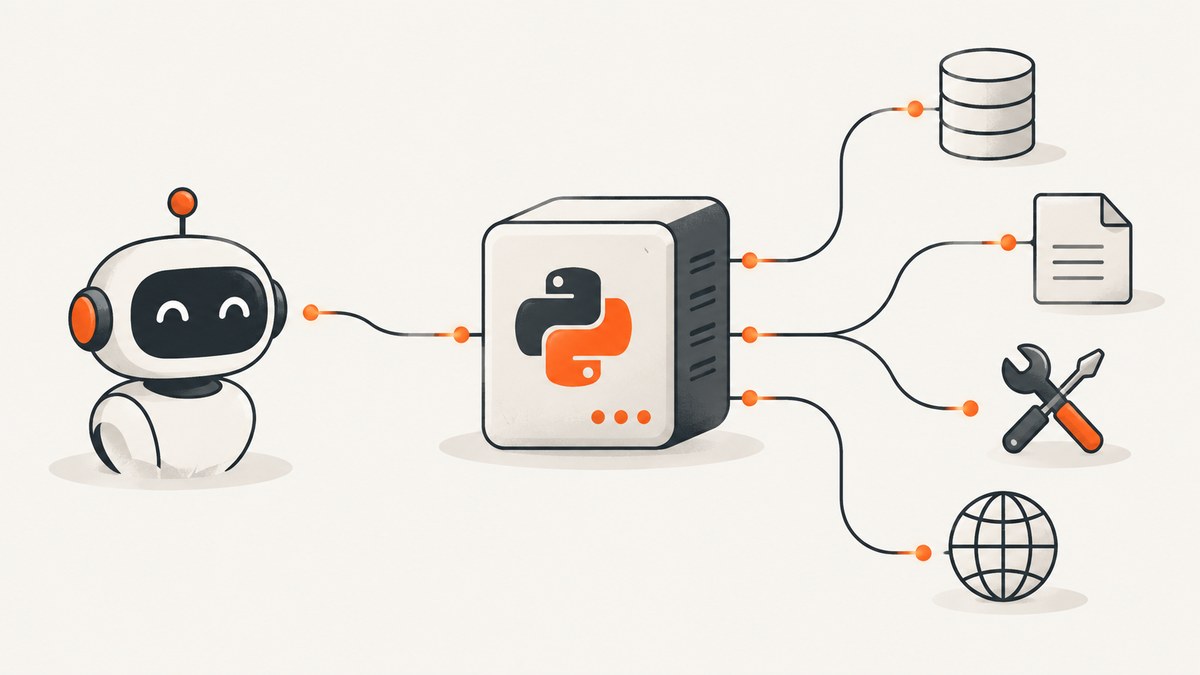
An MCP server makes tools and information available to AI applications through the Model Context Protocol. In Python, the shortest path is the official MCP Python SDK v2: install mcp[cli], create an MCPServer, and decorate typed functions with @mcp.tool(), @mcp.resource(), or @mcp.prompt(). Use stdio for a local client-launched server, Streamable HTTP for a remote service, and an in-process client for fast tests.
This guide uses Python 3.10 or newer and the SDK’s v2 API. The official Python SDK repository has installation instructions, examples, and links to the current documentation. The v1 line is maintained separately; if you must keep an existing v1 application on that line, pin mcp<2 rather than leaving the version open.
1. Install the SDK and create a server
The CLI extra provides the mcp command used by the development workflow. Create a project and install it with uv:
uv init python-mcp-demo
cd python-mcp-demo
uv add "mcp[cli]"
Or install it in an existing Python environment:
python -m pip install "mcp[cli]"Save the following as server.py. It exposes a calculator tool, a templated greeting resource, and a reusable prompt. The three examples show the main server primitives in one small application.
from mcp.server import MCPServer

mcp = MCPServer("Python Demo")


@mcp.tool()
def add(a: int, b: int) -> int:
    """Add two integers and return the sum."""
    return a + b


@mcp.resource("greeting://{name}")
def greeting(name: str) -> str:
    """Return a greeting for the requested name."""
    return f"Hello, {name}!"


@mcp.prompt()
def summarize(text: str) -> str:
    """Create a concise summary request for the supplied text."""
    return f"Summarize the following text clearly and briefly:\n\n{text}"
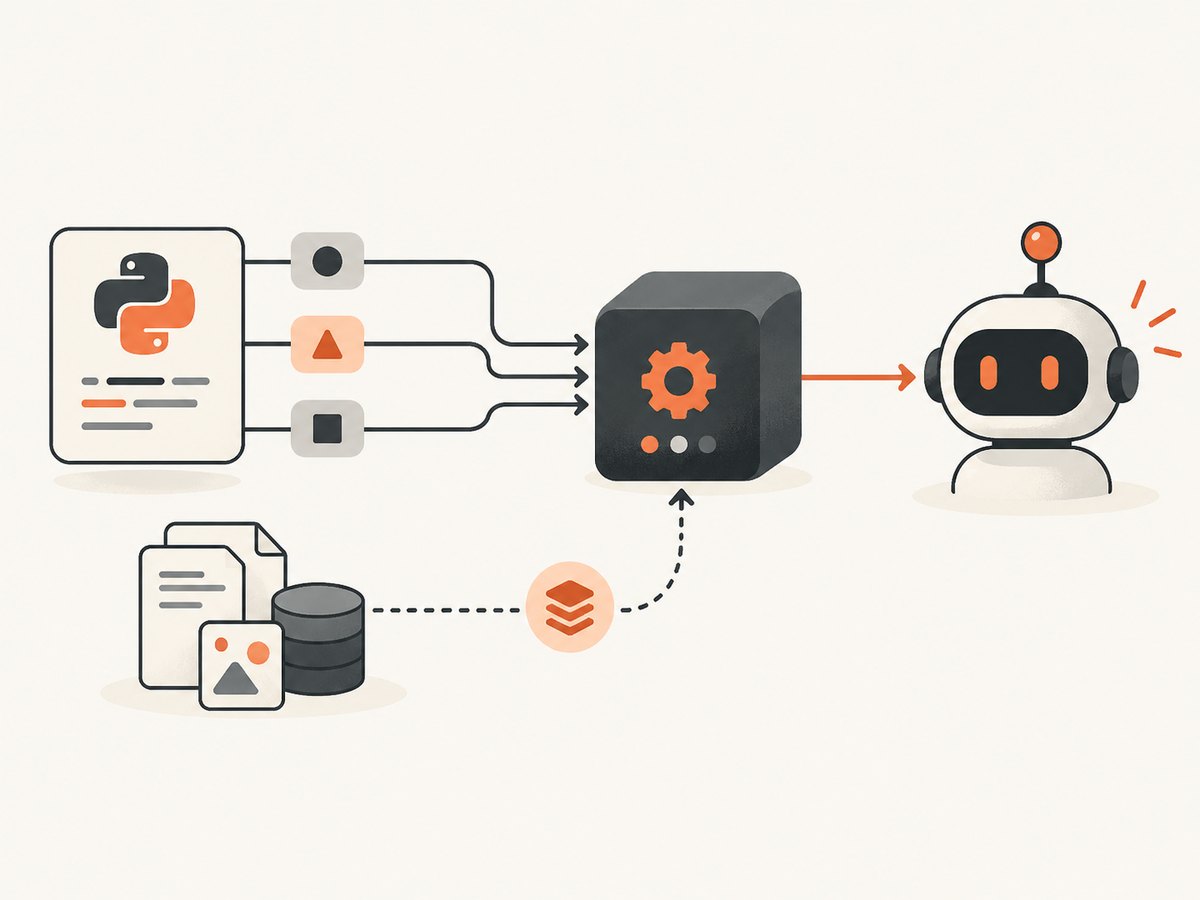
The SDK derives tool input schemas from Python type hints and uses function names and docstrings to describe them. This saves you from hand-writing JSON Schema and protocol-level input parsing for ordinary functions. Keep annotations accurate and descriptions explicit: a model or client needs to understand what the tool does and which arguments are appropriate.
2. Choose the right MCP primitive
The key design distinction is who controls access to each primitive:
| Primitive | Invocation control | Good fit |
|---|---|---|
| Tool | Model-controlled | Actions, calculations, searches, and operations the model may decide to call |
| Resource | Application-controlled | Context or data the host chooses to load, such as a document or configuration value |
| Prompt | User-controlled | Reusable message templates a user explicitly selects |
This distinction should guide both API design and side-effect decisions. A tool can perform an action, so name it clearly and validate inputs at the boundary. A resource is context that the host obtains; make its URI and returned data predictable. A prompt packages instructions for reuse rather than silently performing an action. The SDK documentation describes these primitives and the rest of the v2 API.
3. Run it locally with the Inspector
- From the project directory, launch the MCP development command:
uv run mcp dev server.py - Use the opened MCP Inspector to connect to the server and inspect its available tools, resources, and prompts.
- Call
addwith integer arguments such asa=1andb=2. Inspect the result and verify that the tool description and schema make sense to a client.
This is a quick feedback loop for checking registration and input shape before integrating a client. If the command is missing, verify that you installed the cli extra and are running it inside the environment managed by uv.
4. Pick a transport: stdio, Streamable HTTP, or SSE
The SDK supports three transports. Choose based on how the client reaches the server, not on which one makes the tool function easier to write.

| Transport | Typical use | What to consider |
|---|---|---|
| stdio | A desktop or development client starts a local server process | Simple local setup; keep standard output reserved for protocol traffic and send diagnostics to standard error or a logger. |
| Streamable HTTP | A client connects to a deployed service over an HTTP endpoint | Use for remote deployment. Configure allowed hostnames and the surrounding ASGI, process, and load-balancing infrastructure. |
| SSE | Compatibility with clients or deployments that use the supported SSE transport | Confirm the client and server transport expectations match before deployment. |
To serve the demo over Streamable HTTP locally, run:
uv run mcp run server.py --transport streamable-httpFor a local client, use stdio when the client should launch the Python process. For a remote MCP endpoint, use Streamable HTTP. The v2 SDK documentation identifies these transports; client lifecycle depends on whether you pass an in-process server object, a URL, or subprocess parameters.
5. Test without opening a port
An in-process client calls the server object directly, which gives a compact test without starting an HTTP listener or subprocess. Save this as test_server.py and run it with pytest. The client interface is asynchronous.
import pytest
from mcp import Client
from server import mcp


@pytest.mark.anyio
async def test_add():
    async with Client(mcp) as client:
        result = await client.call_tool("add", {"a": 1, "b": 2})
        assert result.structured_content == {"result": 3}
        assert not result.is_error
Install the test dependencies if they are not already part of your project, then run:
uv add --dev pytest anyio
uv run pytest
For a transport-level check, create a client using the local HTTP URL after starting the HTTP command:
import asyncio
from mcp import Client


async def main():
    async with Client("http://localhost:8000/mcp") as client:
        result = await client.call_tool("add", {"a": 1, "b": 2})
        print(result.structured_content)


asyncio.run(main())
A URL selects Streamable HTTP. The SDK client also supports launching a subprocess with StdioServerParameters when you need to verify the local stdio lifecycle. Inspect both structured_content and is_error in application code; a successful transport exchange does not mean the tool operation itself succeeded.
6. Add input validation and useful error behavior
Type hints establish the expected input shape, but business rules still belong in your code. Validate ranges, identifiers, permissions, and external data before taking an action. Return a clear result for expected outcomes; handle exceptional conditions so callers can distinguish a tool failure from valid empty data.
- Give arguments specific names and types rather than accepting an opaque dictionary.
- Document units, limits, and side effects in the docstring.
- Do not let an untrusted model-supplied string become a shell command, SQL fragment, filesystem path, or unrestricted network destination.
- For external operations, set timeouts and handle the dependency’s errors. Avoid returning secrets or internal tracebacks to callers.
- At the client, check
result.is_errorand present the available content or structured result appropriately.
The client result exposes content, structured content, and an error flag. Use structured output when a downstream client needs stable fields; use human-readable content when the result is primarily explanatory. Treat user and model inputs as untrusted even when the schema validates their basic types.
7. Deploy a Python MCP server safely
For a remote endpoint, serve Streamable HTTP behind ordinary ASGI application infrastructure. The deployment guide calls out the ASGI server, process manager, and load balancer as production concerns. MCP specifies the interaction protocol; it does not remove the need to configure and operate the web service around it.
Protect the deployed hostname
The SDK’s Streamable HTTP app enables DNS-rebinding protection by default and accepts localhost host forms for local development. Before exposing a real hostname, configure transport security for the hostname your clients will use. Do not disable protections simply to make a production hostname work. Review the SDK’s current deployment and transport documentation for the configuration supported by the SDK version you pin.
Deployment checklist
- Pin the SDK within the major version you intend to run and upgrade deliberately.
- Use HTTPS at the public boundary and restrict access to the endpoint according to your application needs.
- Configure host security for the deployed name and test it through the real proxy or load balancer.
- Run the server under a process manager and monitor process restarts and application errors.
- Set timeouts and limits for expensive tools; avoid tying up workers on unbounded operations.
- Keep credentials in deployment secrets, not source code, tool descriptions, or returned content.
- Log enough to diagnose failures while excluding tokens, private user data, and sensitive tool inputs.
8. Performance, reliability, and cost
The SDK does not provide a universal throughput or latency figure for your application. Actual performance depends on the work your handlers perform and the ASGI server, process configuration, and infrastructure you choose. Keep handlers bounded, make slow I/O asynchronous where appropriate, and avoid doing unrelated work inside a request. For longer jobs, design the operation so clients can understand progress or retrieve a result rather than waiting indefinitely.
Reliability depends on both the transport and each tool’s dependencies. Validate at the edge, apply explicit timeouts to network or database calls, and decide which failures are safe to retry. A retry of a read is often different from a retry of a payment or other side effect; use idempotency controls where the underlying operation supports them. Test the deployed path, including DNS/host checks, proxy behavior, and the client implementation you intend to support.
There is no per-call MCP protocol price stated by the SDK. Budget for the compute, hosting, process management, load balancing, and external services your server uses. Measure your own workload before selecting capacity; do not treat protocol support as a performance benchmark.
9. Troubleshooting common problems
| Symptom | Likely cause | Fix |
|---|---|---|
mcp command not found |
The CLI extra is missing or the command is outside the active environment. | Install mcp[cli] and run through uv run or the environment’s activated interpreter. |
Import error for MCPServer |
Code or dependency is using a different SDK major version or old import path. | Check the installed version and follow the matching v2 docs. For a project that cannot migrate, pin the v1 line with mcp<2. |
| Tool is missing from the Inspector | The module failed during import, the decorator is not evaluated, or the Inspector is pointed at another file. | Check the startup output, module path, function definition, and decorator placement; restart the dev command after edits. |
| Input rejected or arguments appear wrong | Client arguments do not match the typed function schema. | Inspect the generated tool schema and send values with the expected names and types. Improve the function signature and docstring if the contract is unclear. |
| HTTP request rejected for a deployed host | Host security or DNS-rebinding protection is not configured for the real hostname. | Configure the allowed deployed hostname in the transport setup and test through the production-facing proxy. |
| Client connects but receives an error result | The tool executed but its operation failed or returned a tool error. | Inspect is_error and result content, then check handler validation, dependency availability, and timeout behavior. |
| stdio client shows protocol errors or hangs | Diagnostic output may be mixed with protocol output, or the child process did not start as expected. | Keep stdout clean for protocol messages, send logs to stderr, verify the executable and working directory, and check child-process startup errors. |
10. Or skip the browser setup
If the tool you want to expose is website screenshots, you can let ScreenshotNeo handle browser capture. It is a screenshot API and MCP server; its MCP tools include take_screenshot, get_page_info, and capture_pdf. For a Python application that only needs a screenshot, one HTTP request is enough:
import requests

r = requests.get(
    "https://api.screenshotneo.com/v1/shot",
    params={"access_key": "YOUR_API_KEY", "url": "https://stripe.com"},
    timeout=90,
)
open("shot.webp", "wb").write(r.content)
Equivalent cURL and Node.js calls are:
curl -G "https://api.screenshotneo.com/v1/shot" -d access_key=YOUR_API_KEY --data-urlencode url=https://stripe.com -o shot.webpconst q = new URLSearchParams({ access_key: 'YOUR_API_KEY', url: 'https://stripe.com' });
const res = await fetch(`https://api.screenshotneo.com/v1/shot?${q}`);See the ScreenshotNeo API documentation for options. Cookie banners, newsletter popups, and chat widgets are removed before the shot. Bot checks, blank pages, failed loads, timeouts, and cache hits are not billed, and response headers identify the page verdict and billing status. Its MCP server lets AI agents take screenshots. The free plan includes 1,000 screenshots a month with no card; paid plans start at $5 for 3,000.
Create a free ScreenshotNeo account to get started.
Frequently asked questions
Can one MCP server expose tools and resources together?
Yes. Register multiple primitives on the same server. Keep each one aligned with its control boundary and purpose.
Do I need to write JSON Schema by hand?
For ordinary decorated functions, the SDK derives the input schema from Python type hints. You still need to make the types and descriptions accurate.
Can I test the server without starting a service?
Yes. Pass the server object to the asynchronous Client for in-process tests. Use a URL for Streamable HTTP or subprocess parameters for stdio lifecycle testing.
Should I use the old v1 examples I found?
Check which SDK version the example targets. The current v2 line has changed APIs and import paths; use version-matched documentation or pin v1 while planning a migration.


