How to Build a Real Estate Web Scraper
Build a real estate data pipeline around permission, licensed sources, reliable extraction, and careful validation. Includes a runnable Python example for authorized HTML.
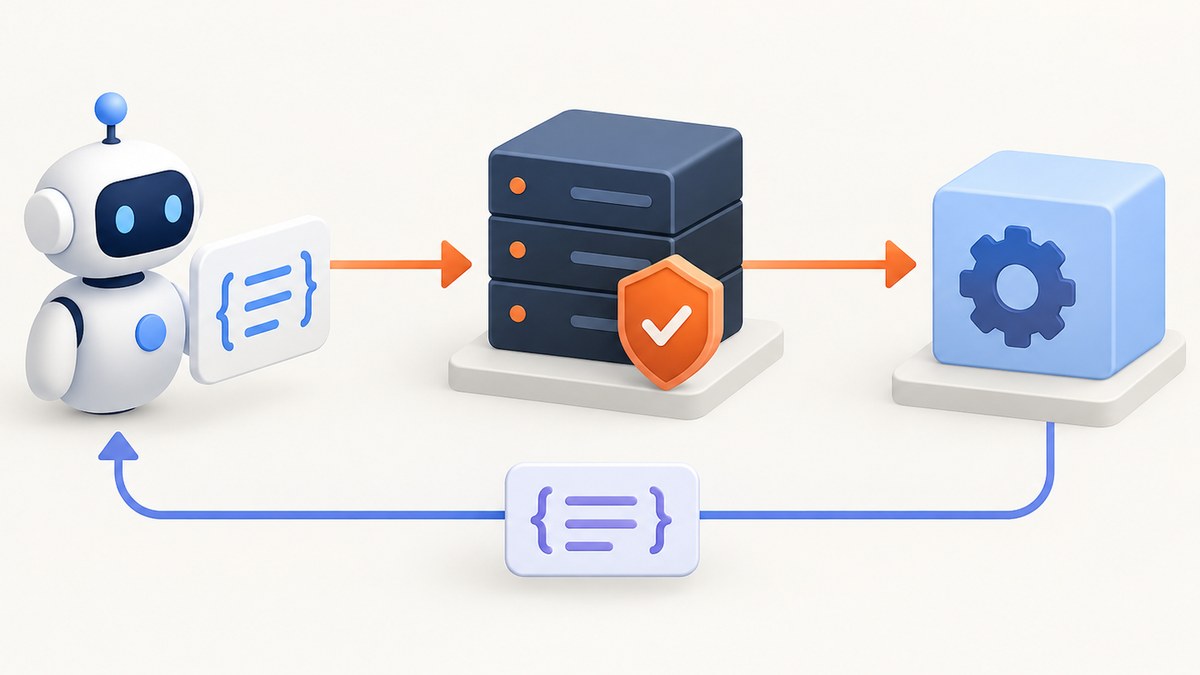
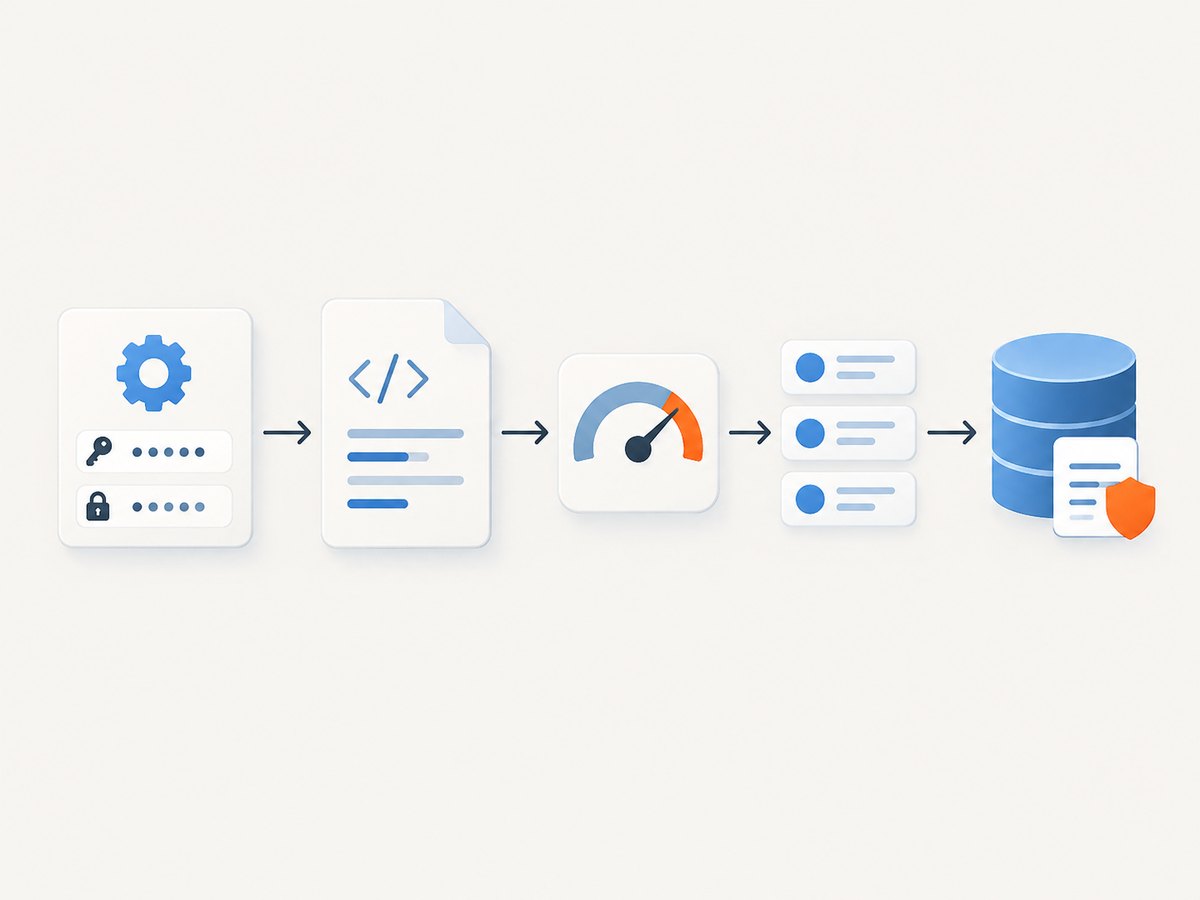
To build a real estate web scraper, first confirm that your source permits the collection and intended use of its data. For ongoing listing data, start with a licensed MLS feed or approved API where available. Only use HTML scraping on pages whose rules permit it. Then define a narrow set of fields, retrieve pages with explicit timeouts, parse them into a stable schema, validate every record, and retain or publish data only within the source agreement.
This guide walks through that process with runnable Python for an authorized static HTML page. It also covers when to use a licensed API or browser rendering, how to keep a scheduled pipeline reliable, and how to handle failures. A scraper is a collection method, not a data license: a page being publicly visible does not automatically mean its listings can be copied or republished.
1. Define the data and use before writing code
Start with a collection contract. Write down the domains and paths you are allowed to access, the geography, fields, update cadence, intended audience, and retention period. Decide whether the output is private analysis or a public or commercial product. A small, specific dataset is easier to validate and govern than a broad crawl.
- Source: name the provider and the exact approved interface or pages.
- Fields: for example, provider listing ID, price and currency, location fields, property type, beds, baths, area and units, status, and source URL.
- Cadence: say how often you need new observations and follow the provider’s limits.
- Use and retention: record who can see the output, what can be displayed, and when records must be deleted.
Do not assume each source exposes or licenses the same fields. Preserve original values or units when useful for audit, and represent missing values as unknown. Avoid deriving a value such as price per square foot when the source data is incomplete or the intended use agreement does not permit it.
2. Check permission and choose the source
Read the current terms and any feed or API agreement before making requests. Check robots.txt and honor applicable crawler rules, but robots rules are not access authorization; RFC 9309 says the protocol is not a substitute for valid access controls. Terms, licenses, and applicable law still matter.
Zillow is a concrete platform-specific example: its Terms of Use prohibit automated queries, including scraping, spiders, robots, and crawlers, and prohibit bypassing access restrictions. This is not a legal conclusion about every site. Do not target Zillow consumer pages with an automated scraper based on this guide.
For listing data intended for an ongoing application, investigate the local MLS’s licensed options. RESO provides standards rather than listing data itself. Its Web API uses OData V4; access is obtained through local MLSs after the recipient agrees to that MLS’s data-use and licensing policies. A provider-specific API may also have field, display, call, or retention limits. For example, Zillow’s separate developer API is for approved licensees and has specific terms; see its API terms.
| Route | Use it when | Tradeoff to plan for |
|---|---|---|
| Licensed MLS/RESO feed or API | You need ongoing authorized listing data. | Approval, allowed fields, and usage rights vary by MLS and agreement. |
| Approved provider API | The provider explicitly supports your use case. | Scope, display, retention, and call limits shape your architecture. |
| HTML parsing | Specific pages permit your collection and use. | Page structure can change; access does not imply reuse rights. |
| Browser automation | Permitted content is rendered only after browser execution. | More resources and operational complexity; it does not grant permission. |
3. Build a small authorized Python HTML collector
For a permitted static page, Requests handles HTTP and Beautiful Soup parses the returned markup. Install the two dependencies in a virtual environment:

python -m venv .venv
source .venv/bin/activate
python -m pip install requests beautifulsoup4
Save the following as collect.py. Replace PAGE_URL and the example selectors with a page and markup you are authorized to collect. The selectors are deliberately generic: there is no universal real estate listing HTML schema.
from datetime import datetime, timezone
import json
import logging
from urllib.parse import urljoin

import requests
from bs4 import BeautifulSoup

PAGE_URL = "https://example.org/authorized-listings"
CARD_SELECTOR = "article.listing"       # Adapt to permitted source markup
ID_SELECTOR = "[data-listing-id]"
PRICE_SELECTOR = ".price"
ADDRESS_SELECTOR = ".address"
PROPERTY_SELECTOR = ".property-type"

logging.basicConfig(level=logging.INFO, format="%(asctime)s %(levelname)s %(message)s")


def text_or_none(node):
    return node.get_text(" ", strip=True) if node else None


def collect_page(session, page_url):
    response = session.get(page_url, timeout=(5, 25))
    response.raise_for_status()
    soup = BeautifulSoup(response.text, "html.parser")
    observed_at = datetime.now(timezone.utc).isoformat()
    records = []

    for card in soup.select(CARD_SELECTOR):
        id_node = card.select_one(ID_SELECTOR)
        link = card.select_one("a[href]")
        record = {
            "source": "example-authorized-source",
            "listing_id": id_node.get("data-listing-id") if id_node else None,
            "observed_at": observed_at,
            "asking_price_source_value": text_or_none(card.select_one(PRICE_SELECTOR)),
            "location_source_value": text_or_none(card.select_one(ADDRESS_SELECTOR)),
            "property_type_source_value": text_or_none(card.select_one(PROPERTY_SELECTOR)),
            "source_url": urljoin(page_url, link["href"]) if link else page_url,
        }
        if not record["listing_id"]:
            logging.warning("Skipping card without the expected listing identifier")
            continue
        if not record["asking_price_source_value"]:
            logging.warning("Listing %s has no price; preserving unknown", record["listing_id"])
        records.append(record)

    if not records:
        raise ValueError("No listing cards matched; check permission, response, and selectors")
    return records


def main():
    with requests.Session() as session:
        session.headers.update({"User-Agent": "AuthorizedResearchCollector/1.0 contact: data-team@example.org"})
        records = collect_page(session, PAGE_URL)
    with open("listings.jsonl", "a", encoding="utf-8") as output:
        for record in records:
            output.write(json.dumps(record, ensure_ascii=False) + "\n")
    logging.info("Wrote %d records", len(records))


if __name__ == "__main__":
    main()
The script checks HTTP errors, sets separate connection and read timeouts, records observation time, resolves relative links, warns about missing fields, and appends normalized JSON Lines records. It does not guess a currency, convert units, crawl pagination, or assume a listing may be retained. Add those only when your source contract supports them and you can validate the behavior.
Normalize and validate after extraction
Keep source-specific parsing separate from your internal schema. A price string such as “$450,000” is not a safe numeric amount until you have established the currency and parsing rules. Store the raw source value alongside normalized amount and currency if the agreement permits. Do the same for area and units. Validate required identifiers and URLs, and decide whether a missing price should reject a record or remain unknown.
Deduplicate with the provider’s listing identifier when the license allows it. Track observation timestamps so downstream users can tell when a value was seen. Reconcile removed or changed listings according to the provider’s documented update mechanism rather than treating a temporary missing page as proof that a listing is withdrawn.
4. Use a browser only when permitted content needs rendering
If an authorized page returns a shell whose listing data appears only after JavaScript runs, Requests and Beautiful Soup will not see the rendered page state. Playwright can automate Chromium, WebKit, or Firefox; its Python documentation covers installation and browser setup. Browser automation has the same permission requirements as an HTTP request. Do not use it to defeat a CAPTCHA, login boundary, or other access restriction.
python -m pip install playwright
playwright install chromium
import asyncio
from bs4 import BeautifulSoup
from playwright.async_api import async_playwright
PAGE_URL = "https://example.org/authorized-rendered-listings"
async def main():
async with async_playwright() as p:
browser = await p.chromium.launch()
page = await browser.new_page()
response = await page.goto(PAGE_URL, wait_until="domcontentloaded", timeout=30000)
if response is None or response.status >= 400:
raise RuntimeError(f"Navigation failed: {response.status if response else 'no response'}")
await page.locator("article.listing").first.wait_for(timeout=10000)
html = await page.content()
soup = BeautifulSoup(html, "html.parser")
print("Rendered listing cards:", len(soup.select("article.listing")))
await browser.close()
asyncio.run(main())Wait for a meaningful selector instead of sleeping for an arbitrary duration. If the content does not appear, log the final URL and response status, inspect the authorized page’s rendered markup, and check whether your selector still matches. Do not respond to a block by rotating identities or trying to evade controls; stop and ask the provider for an approved route.
5. Operate the pipeline safely
- Start with one page or API query. Confirm the agreement, response shape, field meanings, and expected update behavior before scheduling a job.
- Set provider-approved limits. Use the API’s documented pagination and limits. There is no universal safe request rate; avoid aggressive polling and stop if access is denied or permission changes.
- Make each run observable. Log source, retrieval time, status, number of records, parse failures, and validation failures. Do not put credentials or sensitive response content in logs.
- Make writes recoverable. Write records only after validation, use stable identifiers where allowed, and retain enough run metadata to identify partial failures. For larger stores, use transactions or staging before promoting a completed batch.
- Apply the license to storage and display. Keep access restricted, add required attribution, enforce deletion and retention rules, and review any export or public display path.
Requests has no default timeout, so always set one; its timeout documentation explains connect and read timeouts. For transient network failures, a bounded retry policy may be appropriate for idempotent requests, but respect provider limits and do not retry authorization failures, CAPTCHA responses, or denials. Alert on repeated failures instead of silently producing stale output.
6. Troubleshooting common failures
| Symptom | Likely cause | Response |
|---|---|---|
| 401 or 403 response | Missing/invalid credentials, disallowed path, expired authorization, or access denial. | Stop automated requests; verify the agreement and credentials with the provider. Do not try to bypass the restriction. |
| 429 response | Provider rate limit. | Follow documented limits and retry guidance. Reduce cadence or request approved access. |
| 200 response, zero records | Changed markup, wrong selector, empty result, or client-rendered content. | Inspect the permitted response and selectors. Use browser rendering only if allowed and necessary. |
| Timeout | Slow network or unresponsive server. | Use explicit connect/read timeouts, bounded retry only where allowed, and record the failure. |
| Records have shifted fields | Selector matches a label or nested element instead of the intended value. | Inspect a saved authorized sample and refine selectors; add schema checks before writing. |
| Duplicate or stale listings | No stable key, repeated page results, or unsuitable reconciliation rules. | Use a permitted provider ID and documented update/deletion behavior; keep observation timestamps. |
7. Performance, reliability, and cost
Prefer an approved API or feed for recurring data: it usually provides a defined schema and update path, though access and terms remain provider-specific. HTML parsing is lightweight but layout-sensitive. A browser consumes more runtime and memory because it launches a rendering engine and loads page resources; use it only for pages that require it. Keep the collection scope small, request only the required pages and fields, and schedule no more frequently than the business need and provider agreement allow.
There is no defensible universal scrape-success benchmark or request rate. Measure your own authorized pipeline: duration, HTTP failures, records parsed, missing-field rate, duplicate rate, and freshness. Treat sudden changes as signals to pause and inspect rather than to increase traffic. Infrastructure costs depend on run frequency, response sizes, browser use, and storage; provider licensing or API fees may be the larger cost and must be checked with the source.
For Zillow specifically, the consumer terms prohibit automated queries, while its separate approved API has its own call and data-use terms. Do not assume data from a licensed interface can be cached or republished freely. Its terms demonstrate why retention and presentation must be checked source by source.
8. Capture a permitted page for documentation
If you need a visual record of a permitted listing page or your own application, a screenshot can document a layout change without extracting the page’s data. A screenshot does not grant permission to access, retain, or republish listing content. Review the source agreement before storing or sharing the image.
Or skip the browser setup
ScreenshotNeo is a website screenshot API and MCP server. One GET request captures a URL as PNG, JPEG, WebP, or PDF. Its clean-shot flow accepts the cookie or consent banner like a visitor and removes 60+ known consent platforms, newsletter popups, and chat widgets before capture; each step can be turned off. Bot checks/CAPTCHAs, blank pages, timeouts, failed loads, and cache hits cost nothing, and response headers say which verdict and billing outcome applied. An MCP server exposes take_screenshot, get_page_info, and capture_pdf to Claude, Cursor, and other MCP clients. The free plan includes 1,000 shots a month with no card; paid plans start at $5 for 3,000.
For a one-call capture of a page you are authorized to access, see the ScreenshotNeo API documentation and use:
curl -G "https://api.screenshotneo.com/v1/shot" -d access_key=YOUR_API_KEY --data-urlencode url=https://example.org/authorized-listing -o shot.webpimport requests
r = requests.get("https://api.screenshotneo.com/v1/shot", params={"access_key": "YOUR_API_KEY", "url": "https://example.org/authorized-listing"}, timeout=90)
r.raise_for_status()
open("shot.webp", "wb").write(r.content)const q = new URLSearchParams({ access_key: 'YOUR_API_KEY', url: 'https://example.org/authorized-listing' });
const res = await fetch(`https://api.screenshotneo.com/v1/shot?${q}`);
if (!res.ok) throw new Error(`Screenshot request failed: ${res.status}`);
await Bun.write('shot.webp', res);Sign up for 1,000 free screenshots a month with no card.
FAQ
Can I scrape public real estate listings for a personal project?
Public visibility alone does not answer whether automated collection or the intended use is allowed. Check the current source terms, any applicable license, and your local requirements first.
Does robots.txt give me permission?
No. It describes crawler rules, but RFC 9309 expressly says robots rules are not access authorization. You must still establish permission through the appropriate terms or agreement.
Should I use a scraper or an MLS API?
For recurring listing data, first ask the local MLS or provider about licensed access. Use HTML collection only when the specific pages and use are permitted and an API or feed is not the appropriate authorized route.
Can I publish scraped prices or addresses?
That depends on the source grant and applicable rules. Confirm display, attribution, retention, and redistribution rights for each field before publication.
Source references
- RESO Web API for OData V4 and local MLS access.
- RFC 9309 for the Robots Exclusion Protocol.
- Zillow Terms of Use and Zillow API terms for Zillow-specific restrictions.
- Requests timeout documentation, Beautiful Soup documentation, and Playwright Python documentation for implementation details.


