How to Do Bulk IP Lookups: Tools, Methods, and Rate Limits
Choose a bulk IP lookup workflow by fields, batch size, quota rules, and use terms. Compare APIs and portals, with runnable Python, Node.js, and cURL examples.
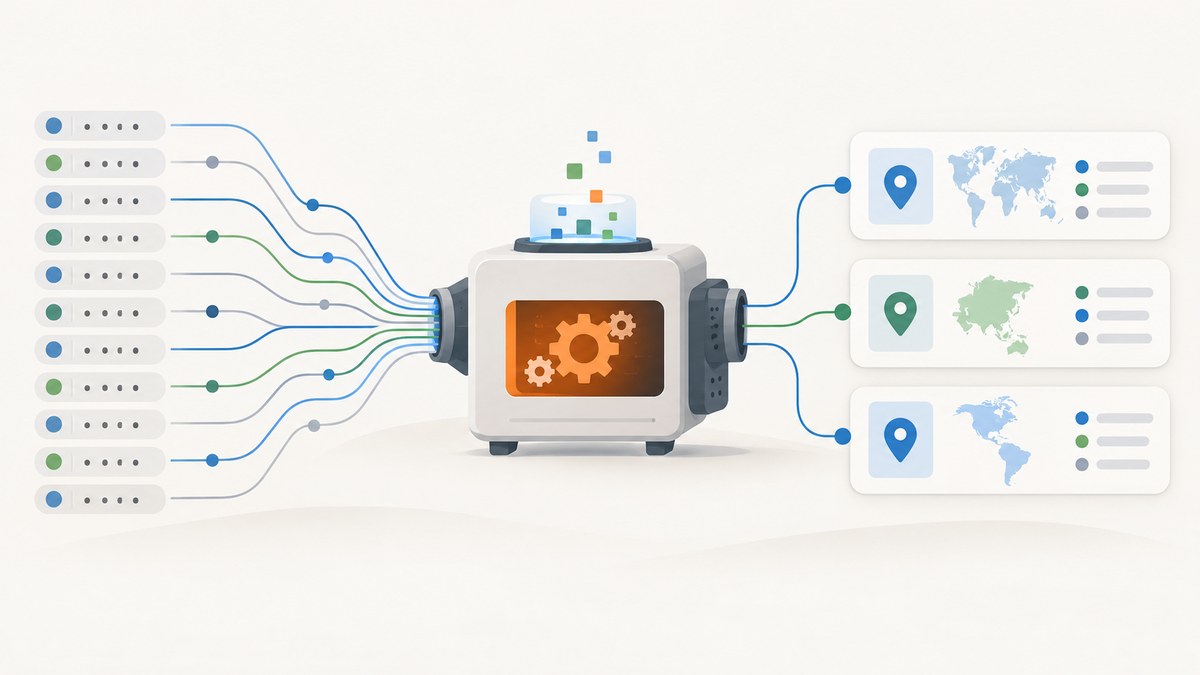
To do a bulk IP lookup, first decide what information you need—such as geolocation, ASN, network organization, or registry ownership—then choose a provider whose batch size, quota accounting, rate limits, export format, and use terms fit your list. For a small one-off lookup, a web form or uploaded file may be simplest. For recurring work, use an authenticated batch API or provider CLI, split inputs to the endpoint’s documented maximum, and pace requests according to that provider’s limits.
There is no universal bulk lookup limit. One HTTP request containing 1,000 addresses may consume quota for 1,000 lookups, and a free endpoint may prohibit commercial use. Verify the live documentation and your account plan before sending the full dataset.
1. Define what “IP lookup” means
Bulk IP lookup usually means enriching addresses with information such as approximate location, ASN, network owner, or security and reputation signals. “Bulk IP WHOIS” is narrower: it asks about registration and allocation records. A geolocation or intelligence result is not a complete registry WHOIS response. For example, ip-api.io says its bulk endpoint returns organization and ASN-style owner fields, but not network prefix, abuse contact, or registry allocation date; it points users seeking abuse contacts toward a Regional Internet Registry (RIR). See its field notes.

Before selecting a provider, make a field list. If you need abuse contacts or authoritative registration details, identify the relevant RIR or registry source. If you need approximate location or network classification, an enrichment database may be appropriate. Also decide whether you need results for private, reserved, malformed, or repeated addresses; providers can treat those differently.
2. Choose a workflow for your list
| Workflow | Good fit | Check first |
|---|---|---|
| Online single or small-list form | Manual investigation or a small one-off list | Input ceiling, account permissions, and whether lookups consume credits |
| File upload or portal batch job | Large one-off lists and CSV/JSON exports | Accepted file types, job availability, roles, product permissions, and credit use |
| Batch API | Repeatable enrichment integrated into an application or data pipeline | Maximum inputs per request, per-input quota accounting, authentication, endpoint tier, and rate-limit behavior |
| Provider CLI | Shell workflows, scheduled jobs, and local files | CLI command syntax, token storage, quota checks, and output format |
Use this checklist before choosing:
- How many addresses are in each run, and how often will it run?
- What exact fields must the output contain?
- Does the batch limit count addresses or HTTP requests?
- What are the per-minute, daily, or monthly limits, and how do they reset?
- Is authentication required, and which plan unlocks the endpoint?
- Can the output be saved as CSV or JSON in a form your downstream process accepts?
- Does the provider permit your intended commercial use?
3. Compare documented batch options
The figures below describe particular tools and endpoints in the supplied provider documentation. They are examples, not universal service limits. Recheck current plan and limit pages when you publish or run a production job.
| Provider or workflow | Documented capacity and access | Quota, output, or terms to notice |
|---|---|---|
| MaxMind account portal | Its online lookup form is for 50 or fewer IPs; its batch lookup form supports jobs from hundreds to millions. | CSV and JSON exports are documented. Lookup methods consume service credit at the selected service’s per-query rate. Tool availability depends on account role and product/service permissions. MaxMind lookup documentation. |
| IPinfo Batch Enrichment API | Up to 1,000 API requests can be grouped into one HTTP request. `/batch/lite` is available on free and paid tiers; the default `/batch` uses the paid-tier `/lookup` feature. | Free-tier tokens should use `/batch/lite`. JSON arrays, newline-separated lists, and space-separated lists are supported. Each URL inside a batch counts toward volume tracking. IPinfo batch documentation. |
| IP-API.com free batch JSON endpoint | Up to 100 IPs per batch; 15 requests per minute from one IP address. | Inspect `X-Rl` for remaining requests and `X-Ttl` for seconds until reset. Repeated excess can lead to a one-hour IP ban. The documented free endpoint is not for commercial use. IP-API.com batch docs. |
| ip-api.dev keyed bulk POST | 1–100 addresses per request. | No-key allowance is documented as 100 per day; a free key as 1,000 per day. The counter resets at 00:00 UTC; exceeding the limit returns HTTP 429. These are ip-api.dev terms only. API reference. |
| IPinfo file upload and CLI | Its Enrich IP tool documents CSV, TXT, and XLSX uploads; its CLI documentation includes bulk operations. | Check account quota and the CLI’s quota command before a large run. Upload guide · CLI docs. |
4. Prepare and chunk the input
- Normalize the list. Trim whitespace and remove blank lines. Decide whether duplicate addresses should be retained in output or looked up once and joined back later.
- Validate syntax. Separate invalid strings before submitting, and decide whether IPv4 and IPv6 are both in scope. Avoid assuming every provider accepts the same input representation.
- Check special ranges. Private, loopback, link-local, multicast, and reserved addresses are not public routable addresses. They may return no public enrichment or provider-specific results. Keep them marked in your own output so “no data” is not mistaken for a public lookup failure.
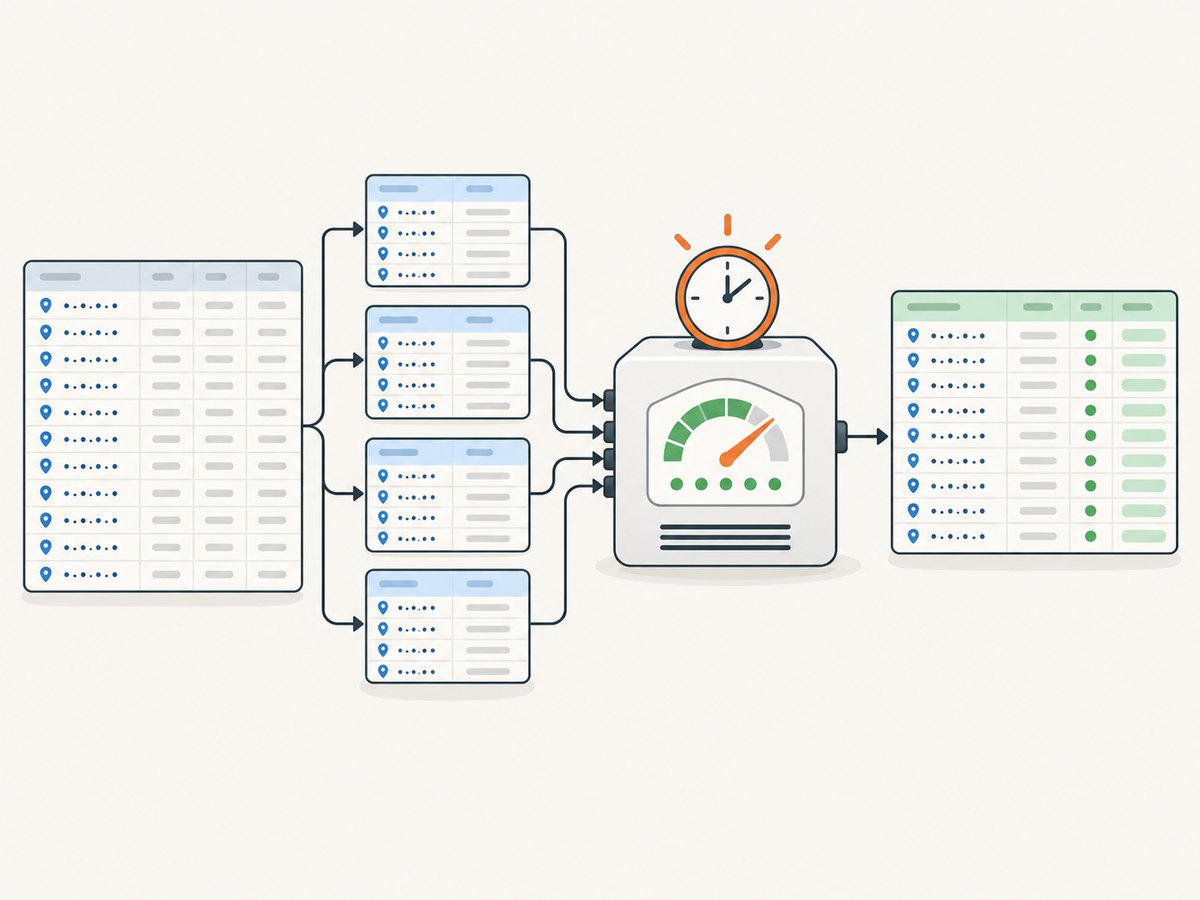
- Partition by endpoint maximum. If an endpoint allows 100 inputs, split a larger file into groups no larger than 100. Do not transfer one provider’s ceiling to another endpoint. ip-api.io specifically describes chunking for lists above 100 for its endpoint. Its bulk lookup page.
- Estimate quota in input addresses. If each address counts as one lookup, a 1,000-address batch can consume 1,000 units even though it is one HTTP call. IPinfo explicitly tracks each URL in a batch. IPinfo batch docs.
- Keep a mapping to original rows. Store a stable row ID alongside each address. Providers may return results in an order or shape that should not be trusted as your only join key.
5. Runnable examples: chunked IPinfo batch lookup
The following examples use IPinfo’s `/batch/lite` JSON endpoint. Use an authenticated token from your account, confirm current plan and quota rules, and retain the input address as the key when joining results. The code chunks at the documented maximum of 1,000. It deliberately stops on non-success responses rather than silently treating an HTTP failure as missing enrichment.
Python
import os
import time
import requests

TOKEN = os.environ["IPINFO_TOKEN"]
BATCH_URL = "https://api.ipinfo.io/batch/lite"

# Example input. Replace with your validated list or load it from a file.
ips = ["8.8.8.8", "1.1.1.1"]
results = {}

for start in range(0, len(ips), 1000):
    chunk = ips[start:start + 1000]
    response = requests.post(
        BATCH_URL,
        params={"token": TOKEN},
        json=chunk,
        timeout=60,
    )
    if response.status_code == 429:
        raise RuntimeError("Rate or quota limit reached; inspect account limits before retrying")
    response.raise_for_status()
    payload = response.json()
    if not isinstance(payload, dict):
        raise ValueError("Unexpected batch response shape")
    results.update(payload)
    # Add a provider-appropriate delay here if your plan or response indicates one.

for ip in ips:
    print(ip, results.get(ip))
Install the dependency with `python -m pip install requests` and set `IPINFO_TOKEN` in the process environment. The batch endpoint accepts JSON arrays; consult the provider documentation for the exact response schema and fields available to your token.
Node.js
const token = process.env.IPINFO_TOKEN;
if (!token) throw new Error("Set IPINFO_TOKEN first");

const ips = ["8.8.8.8", "1.1.1.1"];
const results = {};

for (let start = 0; start < ips.length; start += 1000) {
  const chunk = ips.slice(start, start + 1000);
  const url = new URL("https://api.ipinfo.io/batch/lite");
  url.searchParams.set("token", token);

  const response = await fetch(url, {
    method: "POST",
    headers: { "Content-Type": "application/json" },
    body: JSON.stringify(chunk),
    signal: AbortSignal.timeout(60_000),
  });
  if (response.status === 429) {
    throw new Error("Rate or quota limit reached; inspect account limits before retrying");
  }
  if (!response.ok) {
    throw new Error(`Batch request failed: HTTP ${response.status} ${await response.text()}`);
  }
  Object.assign(results, await response.json());
}

for (const ip of ips) console.log(ip, results[ip]);
Run this as an ES module on a Node.js version with built-in `fetch` and `AbortSignal.timeout`, or adapt those calls to your supported runtime. Never commit the token to source control.
cURL
curl --fail-with-body --silent --show-error \
  --request POST \
  --header "Authorization: Bearer $IPINFO_TOKEN" \
  --header "Content-Type: application/json" \
  --data '["8.8.8.8","1.1.1.1"]' \
  "https://api.ipinfo.io/batch/lite?token=$IPINFO_TOKEN"
The authentication form and accepted request formats can vary by endpoint and account configuration. Follow the current IPinfo batch documentation if your account expects a different token placement or payload format.
6. Handle rate limits, retries, and partial failure
Do not send chunks as fast as your loop can run unless the provider’s policy permits that pace. Use explicit concurrency limits, track successful chunks, and checkpoint results to durable storage so a restart does not repeat the entire job.
- HTTP 429: pause and consult the provider’s response headers, dashboard, or plan. For IP-API.com, `X-Rl` and `X-Ttl` are the documented signals. Do not keep retrying rapidly; repeated excess can trigger a one-hour ban on its free batch endpoint.
- Timeout or connection reset: the server may have completed processing even when the client did not receive the response. Retry carefully, and use idempotent input handling or deduplicate before writing results.
- Partial or missing address result: preserve the original input and record a per-address status such as invalid, no data, or provider error. Do not discard the whole batch because one result is absent.
- Transient server error: use bounded exponential backoff with jitter, a maximum attempt count, and a dead-letter list for unresolved chunks. Avoid retrying authentication, malformed request, or quota errors unchanged.
IPinfo’s support material says token-bearing calls count toward the monthly plan limit, over-limit responses use HTTP 429, and limits reset on the first day of the calendar month. It also describes paid plans with automatic limit increases for an additional charge. Check your current account dashboard and terms before estimating a run’s cost. IPinfo request tracking.
7. Troubleshooting common problems
| Symptom | Likely cause | Fix |
|---|---|---|
| HTTP 400 or 422 | Wrong payload shape, malformed IP, unsupported format, or batch above endpoint maximum | Validate inputs, check whether the endpoint expects an array, newline list, or another format, and reduce chunk size to its documented cap. |
| HTTP 401 or 403 | Missing/invalid token, account lacks permission, or selected endpoint is not enabled on the plan | Check credential placement, account role, product access, and tier. IPinfo’s default `/batch` relies on paid-tier `/lookup`; free tier should use `/batch/lite`. |
| HTTP 429 | Rate or quota limit reached | Honor the provider’s reset guidance, reduce request pace, and verify whether each address counts against quota. For IP-API.com, read `X-Rl` and `X-Ttl`. |
| Some rows have no data | Private/reserved IP, unsupported address, unavailable field, or a response keyed differently than expected | Keep a result status per input; inspect response schema and join by normalized IP or stable row ID. |
| Quota runs out sooner than expected | Batch HTTP calls counted as individual lookups, retries consumed quota, or multiple jobs share the same account | Estimate using address count, account for retries, and check usage before and after a small pilot. IPinfo tracks URLs inside a batch individually. |
| Unexpected commercial-use restriction | A free endpoint’s license excludes business use | Read endpoint-specific terms before production. IP-API.com’s documented free batch endpoint is noncommercial. |
8. Performance, reliability, and cost
Batching reduces HTTP overhead, but it does not necessarily reduce quota consumption or the provider’s underlying per-address work. Choose the largest supported batch size only if it fits request-size limits and your failure recovery strategy. Very large chunks make a single timeout more expensive to recover from; small chunks add overhead. A pilot with representative addresses can reveal response shape, invalid-input behavior, and practical latency without committing the whole list.
For reliability, persist each completed chunk and record the provider, endpoint, timestamp, token/account context (never the secret), status code, and input count. Maintain a separate retry queue and an error report. Schedule jobs with headroom under monthly quota and rate limits, and alert on rising 429s or unusual empty-result rates. For a one-off large file, a portal export may be easier to audit; MaxMind documents CSV and JSON batch exports, while account permissions and service-credit charges still apply.
For cost, multiply expected addresses by the provider’s quota accounting unit, then account for duplicate handling, retries, recurring schedules, and required fields or product tiers. IPinfo says each URL in a batch counts toward volume, while MaxMind describes credit consumption at the selected service’s per-query rate. The unauthenticated public IPinfo API has a shared limit of 1,000 requests per day among users of the same source IP, according to its support page; shared public quotas are unpredictable and unsuitable for dependable automation. IPinfo public API comparison.
9. Or skip the browser setup
For website screenshots used in an IP investigation report or enrichment workflow, ScreenshotNeo is a separate website screenshot API and MCP server; it does not perform IP lookups. One GET request can return a PNG, JPEG, WebP, or PDF. The API supports custom headers, cookies, authorization, full-page capture, CSS selectors, and other capture options. See the ScreenshotNeo API documentation.
curl -G "https://api.screenshotneo.com/v1/shot" -d access_key=YOUR_API_KEY --data-urlencode url=https://stripe.com -o shot.webpScreenshotNeo accepts cookie and consent banners like a visitor and removes 60+ known consent platforms, newsletter popups, and chat widgets before capture; each step can be turned off. Bot checks/CAPTCHAs, blank pages, timeouts, failed loads, and cache hits cost nothing, and response headers identify page verdict and billing. Its MCP server gives AI agents tools for screenshots, page information, and PDF capture. The Free plan includes 1,000 shots per month with no card; paid plans start at $5 for 3,000. If screenshots would help document your investigation, sign up for 1,000 free screenshots a month with no card.
10. FAQ
How many IP addresses can I look up at once?
It depends on the exact provider endpoint and plan: documented examples include 100 per request, 1,000 requests in an IPinfo batch, and MaxMind portal batch jobs from hundreds to millions. Follow the endpoint you will actually call.
Does bulk IP lookup provide WHOIS data?
Not necessarily. Enrichment may provide location and ASN or network owner fields. Registry ownership, allocation, and abuse contact details require checking the relevant registry source and the provider’s documented fields.
Is a free API suitable for a business?
Only if its plan and use terms allow your case and its quota meets the job’s needs. For example, IP-API.com says its documented free batch endpoint cannot be used commercially.
Can I safely retry a batch after a timeout?
Usually, but the first request may have been processed and charged. Make result writes idempotent, checkpoint completed work, and budget for possible repeated inputs.


