Bulk Screenshot Export: A Complete Guide to Capturing Many URLs
Learn how to bulk export consistent screenshots with Playwright, deterministic filenames, full-page capture, batching, retries, and a hosted API option.
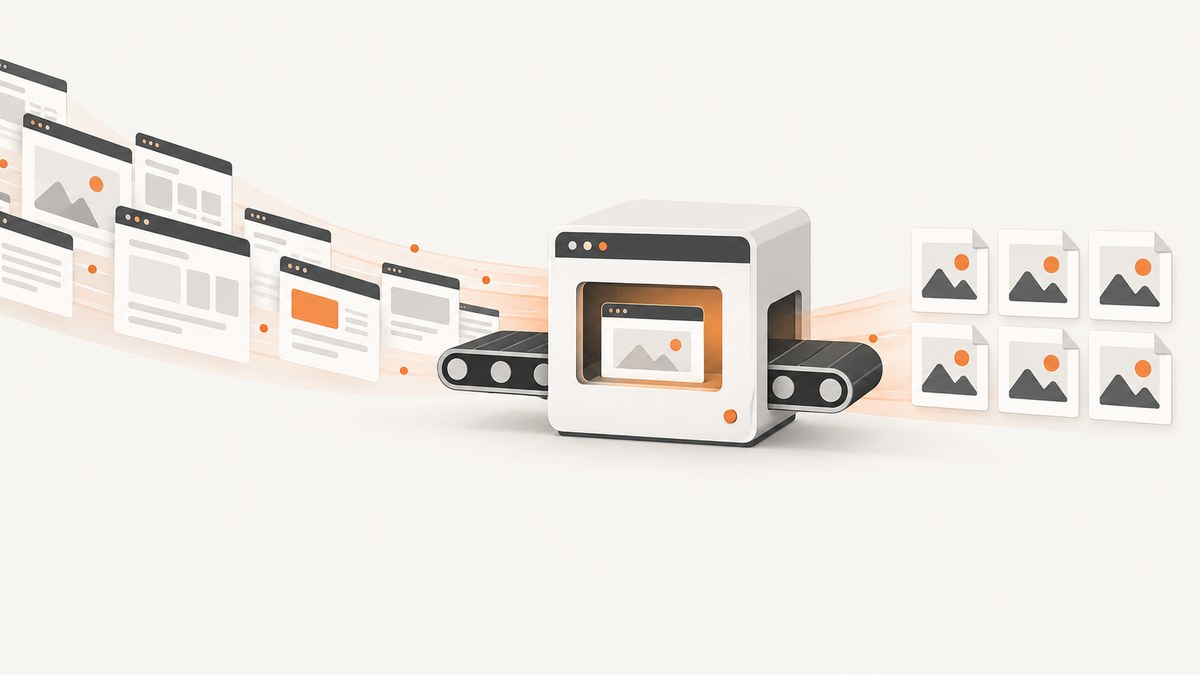
Bulk screenshot export means capturing many URLs through the same repeatable process and saving each result with a predictable filename. The most flexible approach is a scripted browser loop. Playwright can capture a viewport, one element, or the full scrollable page, while controlling image format, quality, scale, timing and output paths.
This guide shows a production-ready workflow: read URLs from a file, launch a consistent browser, wait for the state you need, capture full pages or elements, generate safe deterministic names, retry transient failures, limit concurrency, and record results. It also covers desktop tools, hosted APIs, performance, reliability, cost and troubleshooting.
1. Choose the right bulk capture approach
Your choice depends on how much automation and interaction the export requires.
| Approach | Best for | Strengths | Limits |
|---|---|---|---|
| Playwright script | URL lists, visual QA, catalogs and repeatable exports | Precise control over browser state, scope, format, naming and waits | You operate browsers, dependencies and storage |
| ShareX | Windows desktop and user-driven captures | Scrolling screenshots, automation, editing, OCR and upload destinations | Official documentation does not establish a turnkey URL-list batch exporter |
| Hosted screenshot API | Large jobs or pages requiring login, clicks, forms and other interactions | Remote browser operations and service-managed infrastructure | Verify authentication, limits, retention and pricing before production use |
For a list of public URLs, Playwright is usually the clearest starting point. If every capture needs the same interactions and you do not want to maintain browsers, a hosted API can reduce operational work.
2. Install Playwright
The examples below use Node.js. Create a project and install Playwright:
mkdir bulk-screenshots
cd bulk-screenshots
npm init -y
npm install playwright
npx playwright install chromium
Create urls.txt with one URL per line. Blank lines and lines beginning with # are ignored:
https://example.com/
https://example.com/pricing
https://example.com/docs/getting-started
Keep the browser version, operating system, viewport, scale and headless mode consistent when images will be compared. Playwright’s visual-snapshot guidance warns that rendering can vary with the host operating system, browser version, settings, hardware, power source and headless mode.
3. A complete URL-list exporter
This script captures full-page WebP files with deterministic names, retries temporary failures and writes a manifest containing success or failure for every URL.
const fs = require('node:fs/promises');
const path = require('node:path');
const crypto = require('node:crypto');
const { chromium } = require('playwright');

const inputFile = process.argv[2] || 'urls.txt';
const outputDir = process.argv[3] || 'shots';
const concurrency = Number(process.env.CONCURRENCY || 3);
const maxRetries = Number(process.env.RETRIES || 2);

function safeName(rawUrl, index) {
  const parsed = new URL(rawUrl);
  const route = (parsed.pathname === '/' ? 'home' : parsed.pathname)
    .replace(/^\\/+|\\/+$/g, '')
    .replace(/[^a-zA-Z0-9._-]+/g, '-');
  const query = parsed.search ? '-' + crypto.createHash('sha1').update(parsed.search).digest('hex').slice(0, 8) : '';
  const host = parsed.hostname.replace(/[^a-zA-Z0-9.-]+/g, '-');
  return `${String(index).padStart(4, '0')}-${host}-${route || 'page'}${query}.webp`;
}

async function capture(browser, rawUrl, index) {
  let lastError;
  for (let attempt = 0; attempt <= maxRetries; attempt++) {
    const page = await browser.newPage({
      viewport: { width: 1440, height: 900 },
      deviceScaleFactor: 1
    });
    try {
      await page.goto(rawUrl, { waitUntil: 'domcontentloaded', timeout: 60000 });
      await page.waitForLoadState('networkidle', { timeout: 15000 }).catch(() => {});
      await page.screenshot({
        path: path.join(outputDir, safeName(rawUrl, index)),
        fullPage: true,
        type: 'webp',
        quality: 82,
        animations: 'disabled'
      });
      await page.close();
      return { index, url: rawUrl, status: 'ok' };
    } catch (error) {
      lastError = error instanceof Error ? error.message : String(error);
      await page.close().catch(() => {});
      if (attempt < maxRetries) await new Promise(resolve => setTimeout(resolve, 1000 * 2 ** attempt));
    }
  }
  return { index, url: rawUrl, status: 'error', error: lastError };
}

async function main() {
  await fs.mkdir(outputDir, { recursive: true });
  const lines = (await fs.readFile(inputFile, 'utf8')).split(/\\r?\\n/);
  const urls = lines.map(line => line.trim()).filter(line => line && !line.startsWith('#'));
  const browser = await chromium.launch({ headless: true });
  const results = [];
  let cursor = 0;
  async function worker() {
    while (true) {
      const index = cursor++;
      if (index >= urls.length) return;
      const result = await capture(browser, urls[index], index + 1);
      results.push(result);
      console.log(`${result.status}: ${result.url}`);
    }
  }
  await Promise.all(Array.from({ length: Math.min(concurrency, urls.length) }, worker));
  await browser.close();
  results.sort((a, b) => a.index - b.index);
  await fs.writeFile(path.join(outputDir, 'manifest.json'), JSON.stringify(results, null, 2));
  const failed = results.filter(result => result.status === 'error').length;
  console.log(`Completed ${results.length - failed}/${results.length}; failed: ${failed}`);
}

main().catch(error => { console.error(error); process.exit(1); });
Run it with:
node export.js urls.txt shotsThe output directory contains one image per URL and manifest.json. The numeric prefix preserves input order. The hostname and route make files understandable, while a short hash prevents collisions between different query strings.
4. Viewport, element and full-page captures
Playwright documents three useful scopes: the viewport, a specific element and the full scrollable page.
Viewport screenshot
await page.screenshot({ path: 'viewport.png', type: 'png' });Viewport captures are smaller and faster. Use them when the above-the-fold layout is what matters.
Full-page screenshot
await page.screenshot({ path: 'full.webp', fullPage: true, type: 'webp', quality: 80 });Full-page capture includes content below the fold. Long pages can create very tall files and consume more memory, so consider splitting extremely long documents or capturing selected sections.
Element screenshot
await page.locator('[data-testid="pricing-table"]').screenshot({ path: 'pricing.png' });Element capture isolates a component such as a card, chart or table. Use a stable selector rather than a generated class name.
5. Make pages ready before capture
Navigation completion does not guarantee that the pixels you need are ready. Wait for a selector, a known application state or a bounded delay.
await page.goto(url, { waitUntil: 'domcontentloaded' });
await page.locator('main').waitFor({ state: 'visible', timeout: 30000 });
await page.waitForLoadState('networkidle', { timeout: 15000 }).catch(() => {});
await page.waitForTimeout(500);
For lazy-loaded images, scroll before the screenshot:
await page.evaluate(async () => {
  await new Promise(resolve => {
    let y = 0;
    const step = 700;
    const timer = setInterval(() => {
      window.scrollBy(0, step);
      y += step;
      if (y >= document.body.scrollHeight) { clearInterval(timer); resolve(); }
    }, 100);
  });
  window.scrollTo(0, 0);
});
Disable animations and volatile content for visual consistency. You can inject CSS that freezes transitions, hide timestamps or ads with selectors, and set a fixed timezone or locale when the page supports it.
6. Format, quality and resolution
- PNG: lossless and suitable for text, diagrams and pixel-level comparisons. Files are larger.
- JPEG: compact for photographic pages. Quality controls the size/detail trade-off.
- WebP: often smaller than PNG while preserving good visual detail; use it for web delivery when your consumers support it.
CSS-pixel scale keeps output close to layout dimensions. A higher device scale factor preserves high-DPI detail but increases dimensions, memory use and storage. Set deviceScaleFactor explicitly so a rerun does not silently produce different files.
7. Naming and manifest design
A reliable naming scheme should survive reruns and make a file traceable without opening it. Include a stable index or page ID, hostname, route and capture variant. Sanitize slashes, reserved characters and very long paths. Query strings can be represented by a short hash. Store the original URL, timestamp, viewport, format, status and error in a manifest rather than encoding every detail in the filename.
If one URL has multiple states, append a state name such as -logged-out, -expanded or -dark. Never use only the page title: titles are duplicated, localized and frequently edited.
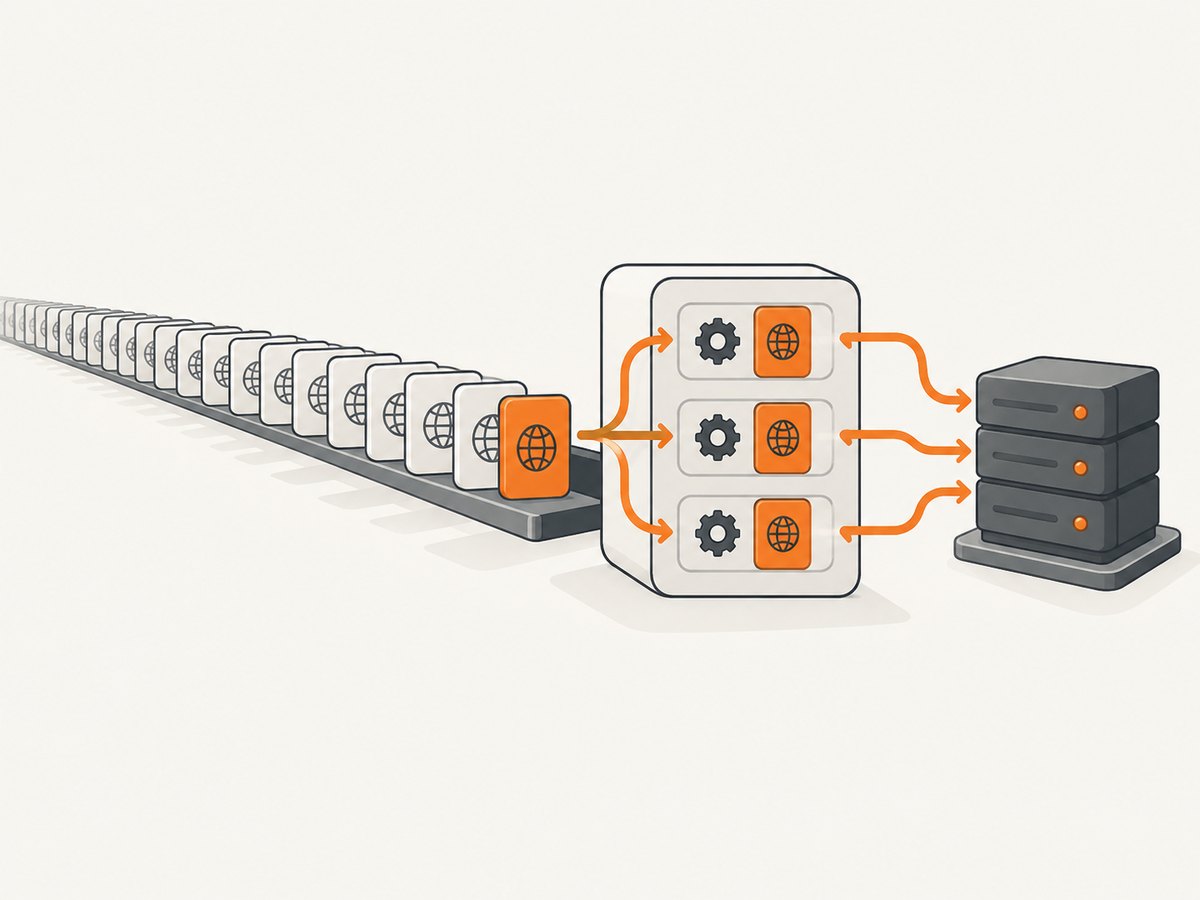
8. Concurrency, performance and storage
Concurrency reduces total time until the browser or network becomes saturated. Start with two to four pages per worker and increase gradually. Each page consumes memory, especially during full-page capture. Close pages immediately after saving and close the browser in a finally block in long-running services.
Use navigation timeouts that match the slowest acceptable site, but keep a separate selector or network-idle timeout. A page that never becomes network idle should not block the entire export. Record time per URL so slow domains can be retried separately.
Estimate storage before a large run: image count multiplied by average file size, plus temporary browser data and the manifest. WebP or JPEG can reduce storage; PNG is preferable when exact detail matters. Upload completed files incrementally if local disk is limited.
9. Reliability checklist
- Pin the Playwright package and browser version.
- Run in a consistent OS, viewport, scale and color environment.
- Use bounded navigation and selector timeouts.
- Retry transient network and server errors with backoff.
- Write a manifest after each result or in frequent checkpoints.
- Use deterministic names so failed URLs can be rerun safely.
- Keep concurrency below the target site’s practical limit.
- Validate that an output file exists and is non-empty.
For visual regression baselines, avoid mixing screenshots made on different machines or browser builds. Rendering differences can appear even when application code is unchanged.
10. Troubleshooting common failures
Navigation timeout
Cause: the server is slow, a request never completes or the page continuously polls.
Fix: use domcontentloaded, wait for the specific selector you need, set a bounded network-idle wait and retry the URL later.
Blank or partially rendered image
Cause: capture happened before client-side rendering or lazy content finished.
Fix: wait for a visible application selector, scroll to trigger lazy loading and add a short bounded delay for final layout.
Missing fonts or shifting layout
Cause: web fonts loaded after capture or the host environment differs.
Fix: wait for document.fonts.ready, use a stable browser environment and avoid comparing captures made with different browser versions.
Files overwrite one another
Cause: filenames are based only on a route or title.
Fix: include hostname, input index and a query-string hash.
Out-of-memory errors
Cause: too many concurrent pages or extremely tall full-page images.
Fix: lower concurrency, close pages promptly, capture elements or sections, and process the URL list in batches.
Access denied, bot check or CAPTCHA
Cause: the destination detects automation or requires a human challenge.
Fix: confirm that automated access is permitted, provide required authentication headers or cookies where appropriate, and record the URL as failed instead of looping indefinitely.
11. ShareX for desktop workflows
ShareX is a Windows desktop alternative with scrolling screenshots, automation, image editing, OCR and upload destinations. It works well when a person begins from the desktop or when captures depend on interactive screen state. For a URL list that must run unattended, a Playwright script provides clearer input, naming and retry controls.
12. Hosted capture for interaction-heavy batches
A hosted screenshot API is useful when each page requires logging in, clicking controls, submitting a form, expanding a tree or waiting for a dashboard. ScreenshotCenter’s documentation describes interaction steps before capture and a batch-screenshots API workflow. Before committing a production export, verify service limits, authentication, retention, supported formats and pricing.
13. Or skip the browser setup
ScreenshotNeo provides a website screenshot API and MCP server. One GET request returns a PNG, JPEG, WebP or PDF. It supports full-page capture with lazy images loaded, CSS-selector element capture, dark mode, device presets or custom viewports, retina scale, custom CSS and JavaScript, clicks, selector or delay waits, network-idle waits, hidden selectors, blocked ads and trackers, custom headers, cookies, user agents, Authorization, timezone, geolocation, transparent backgrounds, resizing, caching with a chosen TTL, signed links, asynchronous jobs with signed webhooks, bulk capture of up to 100 URLs per call, a usage API and an OpenAPI specification.

cURL:
curl -G 'https://api.screenshotneo.com/v1/shot' -d access_key=YOUR_API_KEY --data-urlencode url=https://stripe.com -o shot.webpPython:
import requests
r = requests.get('https://api.screenshotneo.com/v1/shot', params={'access_key': 'YOUR_API_KEY', 'url': 'https://stripe.com'}, timeout=90)
r.raise_for_status()
open('shot.webp', 'wb').write(r.content)
Node.js:
const q = new URLSearchParams({ access_key: 'YOUR_API_KEY', url: 'https://stripe.com' });
const res = await fetch(`https://api.screenshotneo.com/v1/shot?${q}`);
if (!res.ok) throw new Error(`HTTP ${res.status}`);
require('node:fs').writeFileSync('shot.webp', Buffer.from(await res.arrayBuffer()));
See the ScreenshotNeo documentation for parameter names and advanced capture settings. Cookie and consent banners, newsletter popups and chat widgets are removed before the shot; bot checks, blank pages and failed loads are never billed. Responses identify the page verdict and billing status with X-Page-Verdict and X-Billed headers. The MCP server exposes take_screenshot, get_page_info and capture_pdf for Claude, Cursor and other MCP clients.
Free accounts include 1,000 screenshots per month with no card. Paid plans start at $5 for 3,000 shots; every feature is available on every plan. Create a free ScreenshotNeo account.
14. Cost planning
Self-hosting costs come from compute, browser maintenance, storage, bandwidth and engineering time. A hosted service charges per capture or subscription, but can remove browser operations. Compare total cost against concurrency requirements, retries, retention and interaction complexity. Cache captures when source pages have not changed, and avoid rerunning successful URLs when only a subset failed.
FAQ
Is bulk export a special screenshot format?
No. It is a repeated capture workflow that produces many ordinary PNG, JPEG or WebP files, usually with a manifest.
Should I use full-page capture for every URL?
No. Use viewport captures for above-the-fold checks, element captures for components and full-page captures when below-the-fold content matters.
How do I make exports reproducible?
Pin browser versions, fix viewport and device scale, wait for stable selectors, disable animations and use deterministic filenames.
How can I rerun only failures?
Read the manifest, filter records with an error status and pass those URLs to a second run.
When should I choose an API?
Choose one when you need managed browsers, interactions, asynchronous jobs, bulk requests or capture from infrastructure that should not run a browser locally.


