How to Take Bulk Screenshots with Puppeteer
Capture URL lists reliably with Puppeteer: reusable browsers, bounded concurrency, stable filenames, retries, full-page options, and failure handling.
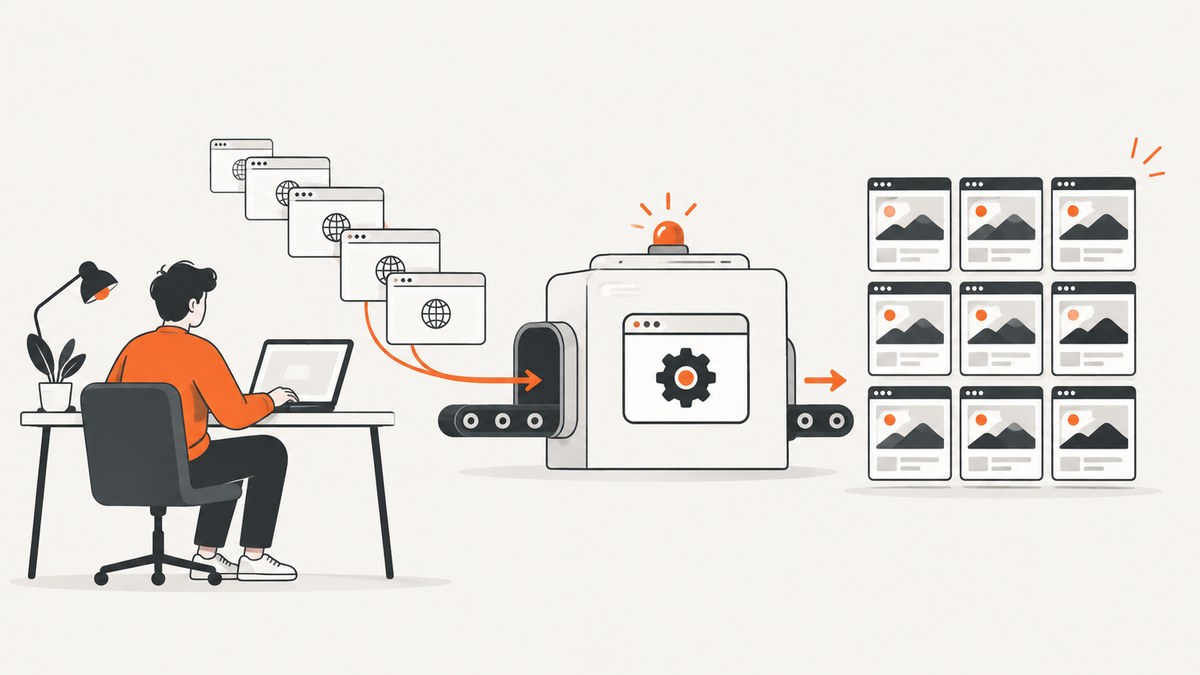
To take bulk screenshots with Puppeteer, launch one browser, read a URL list, create a page for each job (or reuse a small page pool), set a consistent viewport, navigate with an explicit readiness rule, save each screenshot to a unique path, record failures per URL, and always close pages and the browser in cleanup code. Puppeteer’s documented capture method is Page.screenshot().Puppeteer screenshots guide
The example below is a complete batch script. It uses bounded concurrency so one very large list does not create hundreds of browser pages at once. The concurrency value is a starting configuration, not a universal recommendation: Puppeteer’s documentation does not publish a safe number for every machine or site.
1. Install Puppeteer and prepare the input
mkdir bulk-capture
cd bulk-capture
npm init -y
npm install puppeteer
mkdir screenshots
Create urls.txt with one absolute URL per line:
https://example.com
https://developer.mozilla.org/en-US/docs/Web/API
https://pptr.dev/guides/screenshots
Use https:// or http:// explicitly. Ignore blank lines and comments beginning with #. Do not use a page title directly as a filename: titles can contain slashes, duplicate names, or characters that are invalid on some operating systems. An index plus a slug gives deterministic, collision-free paths.
2. A reliable sequential batch script
Start sequentially when correctness and simple debugging matter more than throughput. One browser is launched for the entire batch, while each URL gets a fresh page that is closed in a finally block.
const fs = require('node:fs/promises');
const path = require('node:path');
const puppeteer = require('puppeteer');

function readUrls(text) {
  return text
    .split(/\r?\n/)
    .map(line => line.trim())
    .filter(line => line && !line.startsWith('#'));
}

function fileSlug(url, index) {
  const parsed = new URL(url);
  const host = parsed.hostname.replace(/[^a-z0-9.-]/gi, '-');
  const pathname = parsed.pathname.replace(/[^a-z0-9]+/gi, '-').replace(/^-|-$/g, '');
  return `${String(index + 1).padStart(4, '0')}-${host}-${pathname || 'home'}`;
}

async function captureOne(browser, url, index, outputDir) {
  const page = await browser.newPage();
  const outputPath = path.join(outputDir, `${fileSlug(url, index)}.png`);

  try {
    await page.setViewport({ width: 1365, height: 900, deviceScaleFactor: 1 });
    const response = await page.goto(url, {
      waitUntil: 'networkidle2',
      timeout: 45_000
    });

    if (!response) {
      throw new Error('Navigation returned no response');
    }

    await page.screenshot({
      path: outputPath,
      fullPage: true,
      type: 'png'
    });

    return { url, ok: true, outputPath, status: response.status() };
  } catch (error) {
    return { url, ok: false, error: error.message };
  } finally {
    await page.close();
  }
}

async function main() {
  const urls = readUrls(await fs.readFile('urls.txt', 'utf8'));
  const outputDir = path.resolve('screenshots');
  await fs.mkdir(outputDir, { recursive: true });

  const browser = await puppeteer.launch({ headless: true });
  const results = [];

  try {
    for (const [index, url] of urls.entries()) {
      const result = await captureOne(browser, url, index, outputDir);
      results.push(result);
      console.log(result.ok ? `OK ${url}` : `FAIL ${url}: ${result.error}`);
    }
  } finally {
    await browser.close();
  }

  await fs.writeFile('results.json', JSON.stringify(results, null, 2));
  const failed = results.filter(result => !result.ok);
  process.exitCode = failed.length ? 1 : 0;
}

main().catch(error => {
  console.error(error);
  process.exitCode = 1;
});
Run it with:
node capture-sequential.jsfullPage: true requests the complete document. Without it, Puppeteer captures only the current viewport. The screenshot API also supports path, clip, image type, quality for lossy formats, and omitBackground for transparency. See the current ScreenshotOptions API for version-specific details.
3. Bounded parallelism for larger URL lists
Parallel pages can reduce wall-clock time, but every page consumes CPU, memory, network connections, and file descriptors. Puppeteer confirms that one browser can contain multiple pages; it does not define a universal concurrency limit.Browser.pages() Start with a small worker count such as 2–4, observe failures and resource use, then adjust for your pages and machine.

const CONCURRENCY = 3;

async function runPool(browser, urls, outputDir) {
  const results = new Array(urls.length);
  let next = 0;

  async function worker() {
    while (true) {
      const index = next++;
      if (index >= urls.length) return;
      results[index] = await captureOne(browser, urls[index], index, outputDir);
      const result = results[index];
      console.log(result.ok ? `OK ${result.url}` : `FAIL ${result.url}: ${result.error}`);
    }
  }

  await Promise.all(
    Array.from({ length: Math.min(CONCURRENCY, urls.length) }, worker)
  );
  return results;
}
Replace the sequential loop in main with const results = await runPool(browser, urls, outputDir). Keep the browser lifetime outside the pool. Each worker still closes its page in finally, so a navigation error does not poison the next job.
4. Waiting for the page to be visually ready
waitUntil: 'networkidle2' is a useful baseline and is shown in Puppeteer’s screenshots guide, but it is not proof that every animation, chart, image, or client-rendered component is ready. Choose a signal that matches the site:
domcontentloaded: fast, but assets and application rendering may still be pending.load: waits for the load event and declared subresources.networkidle2: waits for a low level of network activity; analytics, polling, and websockets can prevent a useful idle point.- Selector wait: wait for a meaningful element such as
[data-render-complete]or a chart container. - Fixed delay: use only when the application has a known animation or hydration delay.
await page.goto(url, { waitUntil: 'domcontentloaded', timeout: 45_000 });
await page.waitForSelector('[data-render-complete]', { timeout: 15_000 });
await new Promise(resolve => setTimeout(resolve, 500));
For lazy-loaded pages, scroll before capturing so images are requested:
await page.evaluate(async () => {
  await new Promise(resolve => {
    let y = 0;
    const step = 600;
    const timer = setInterval(() => {
      window.scrollBy(0, step);
      y += step;
      if (y >= document.body.scrollHeight) {
        clearInterval(timer);
        window.scrollTo(0, 0);
        resolve();
      }
    }, 50);
  });
});
Prefer an application-provided readiness selector over a guessed delay when you control the site. For third-party pages, combine a sensible timeout, a selector when available, and a recorded failure reason.
5. Viewports, devices, and output formats
Set the viewport before navigation because some sites change their layout in response to the initial viewport. A page has its own viewport, so every worker should configure it explicitly.Page.setViewport()
await page.setViewport({
  width: 390,
  height: 844,
  deviceScaleFactor: 3,
  isMobile: true,
  hasTouch: true
});| Need | Configuration |
|---|---|
| Desktop regression image | Fixed width and height, deviceScaleFactor: 1 |
| Sharper Retina output | Use a higher deviceScaleFactor; expect larger files |
| Complete document | fullPage: true |
| One region | clip: { x, y, width, height } |
| JPEG or WebP | Set type and, where supported, quality |
| Transparent PNG | omitBackground: true |
Use ElementHandle.screenshot() when the requirement is one element rather than the whole document. Puppeteer scrolls the element into view; it throws if the handle is detached, so locate the element after navigation and handle that error per URL.ElementHandle.screenshot()
const card = await page.waitForSelector('.product-card', { timeout: 10_000 });
if (!card) throw new Error('product card not found');
await card.screenshot({ path: outputPath, type: 'png' });
6. Cookies, authentication, and deterministic rendering
Authenticated pages require the same state a human browser would have. Set cookies before navigation, add headers when appropriate, and avoid putting secrets in URL strings or output logs.
await page.setExtraHTTPHeaders({
  Authorization: `Bearer ${process.env.API_TOKEN}`
});

await page.setCookie({
  name: 'session',
  value: process.env.SESSION_COOKIE,
  domain: 'example.com',
  path: '/',
  secure: true,
  httpOnly: true
});
For stable visual comparisons, keep viewport, timezone, locale, user agent, fonts, and animation state consistent. You can disable animations with an injected stylesheet:
await page.addStyleTag({
  content: `*, *::before, *::after {
    animation: none !important;
    transition: none !important;
    caret-color: transparent !important;
  }`
});
7. Retries, status recording, and safe recovery
Do not retry every error blindly. A DNS failure, timeout, or transient 5xx may succeed on a second attempt; a 404, blocked bot check, or missing selector usually needs a different action. Store the URL, attempt count, HTTP status when available, output path, and error message in a machine-readable report.
async function withRetries(task, attempts = 2) {
  let lastError;
  for (let attempt = 1; attempt <= attempts; attempt++) {
    try {
      return await task(attempt);
    } catch (error) {
      lastError = error;
      if (attempt < attempts) {
        await new Promise(resolve => setTimeout(resolve, 1000 * attempt));
      }
    }
  }
  throw lastError;
}
Keep retries inside the per-URL job. That way one permanent failure does not restart a successful batch, and a process interruption can resume from the failed entries in results.json.
8. Troubleshooting checklist
| Symptom | Likely cause | Fix |
|---|---|---|
Navigation timeout |
Slow server, never-idle analytics, or blocked request | Set a realistic timeout, use a selector readiness rule, and inspect the URL manually. |
| Blank or partially rendered image | Capture happened before hydration, lazy loading, or fonts completed | Wait for an application selector, scroll lazy content, and add a short targeted delay. |
| Every parallel job fails | Too many pages for available CPU, memory, or file descriptors | Lower the worker count and reuse one browser. |
| Files overwrite each other | Filename derived from duplicate titles or paths | Use an index plus normalized hostname and path. |
| Element screenshot throws | Selector did not match or the element detached during rendering | Wait for the selector, reacquire the handle, and capture after layout settles. |
| Different layouts across runs | Viewport, device scale, fonts, locale, or time-dependent content changed | Set these values explicitly and freeze animations where possible. |
| Browser process remains after failure | Missing cleanup path | Close pages in each job’s finally and the browser in an outer finally. |
9. Performance, reliability, and cost considerations
- Browser lifetime: launch one browser per batch unless isolation is required. Launching a browser for every URL adds startup overhead.
- Concurrency: use bounded workers and measure memory, CPU, navigation errors, and output quality on your own pages. Puppeteer’s reviewed documentation provides no universal safe concurrency number.
- Page reuse: a small page pool can reduce creation overhead, but clear cookies, local storage, request interception, and other state between unrelated origins.
- Timeouts: use separate navigation and selector timeouts so a single stalled resource cannot consume the entire batch.
- Storage: PNG is lossless and often large; JPEG or WebP can reduce storage when visual diff requirements allow loss.
- Reliability: persist results after each job for resumability, and keep failures independent.
- Cost: self-hosted Puppeteer costs the compute, memory, bandwidth, and operational time of your browser runtime. A managed API can shift those responsibilities to a service; compare billing rules and required controls before moving a large batch.
10. Or skip the browser setup
ScreenshotNeo provides a website screenshot API and MCP server. One GET request returns PNG, JPEG, WebP, or PDF, so a bulk worker can submit URLs without installing Chromium or maintaining page pools. See the ScreenshotNeo API documentation for all parameters.

curl -G "https://api.screenshotneo.com/v1/shot" -d access_key=YOUR_API_KEY --data-urlencode url=https://stripe.com -o shot.webpimport requests
r = requests.get("https://api.screenshotneo.com/v1/shot", params={"access_key": "YOUR_API_KEY", "url": "https://stripe.com"}, timeout=90)
open("shot.webp", "wb").write(r.content)const q = new URLSearchParams({ access_key: 'YOUR_API_KEY', url: 'https://stripe.com' });
const res = await fetch(`https://api.screenshotneo.com/v1/shot?${q}`);
const data = Buffer.from(await res.arrayBuffer());
require('node:fs').writeFileSync('shot.webp', data);ScreenshotNeo accepts the cookie or consent banner like a visitor, then removes more than 60 known consent platforms, newsletter popups, and chat widgets before the capture; each step can be turned off. Bot checks, blank pages, timeouts, failed loads, and cache hits are not billed, and response headers report the page verdict and whether the request was billed. Its MCP server exposes take_screenshot, get_page_info, and capture_pdf for Claude, Cursor, and other MCP clients. The Free plan includes 1,000 screenshots per month with no card; paid plans start at $5 for 3,000 shots. Create a free ScreenshotNeo account.
11. FAQ
Should I use one page or one browser per URL?
Use one browser for the batch and close each page after its job. Separate browsers are mainly for isolation, not normal throughput.
Is networkidle2 always the correct wait condition?
No. It is a documented example, but polling, analytics, websockets, and delayed rendering can make it misleading. A meaningful application selector is often better.
Can Puppeteer capture a specific element?
Yes. Locate the element and call ElementHandle.screenshot(); Puppeteer scrolls it into view and reports an error if it was detached.
How do I continue after a failed URL?
Catch errors inside the per-URL function, return a failure record, and continue the worker loop. Persist those records so failed URLs can be retried later.
What is the fastest concurrency setting?
There is no documented universal value. Benchmark your URL mix with bounded workers while watching memory, CPU, timeouts, and image correctness.


