C# Libraries for Converting HTML to PDF
Compare C# HTML-to-PDF libraries, deployment and licensing choices, runnable IronPDF code, QuestPDF tradeoffs, and a browser-free API option.
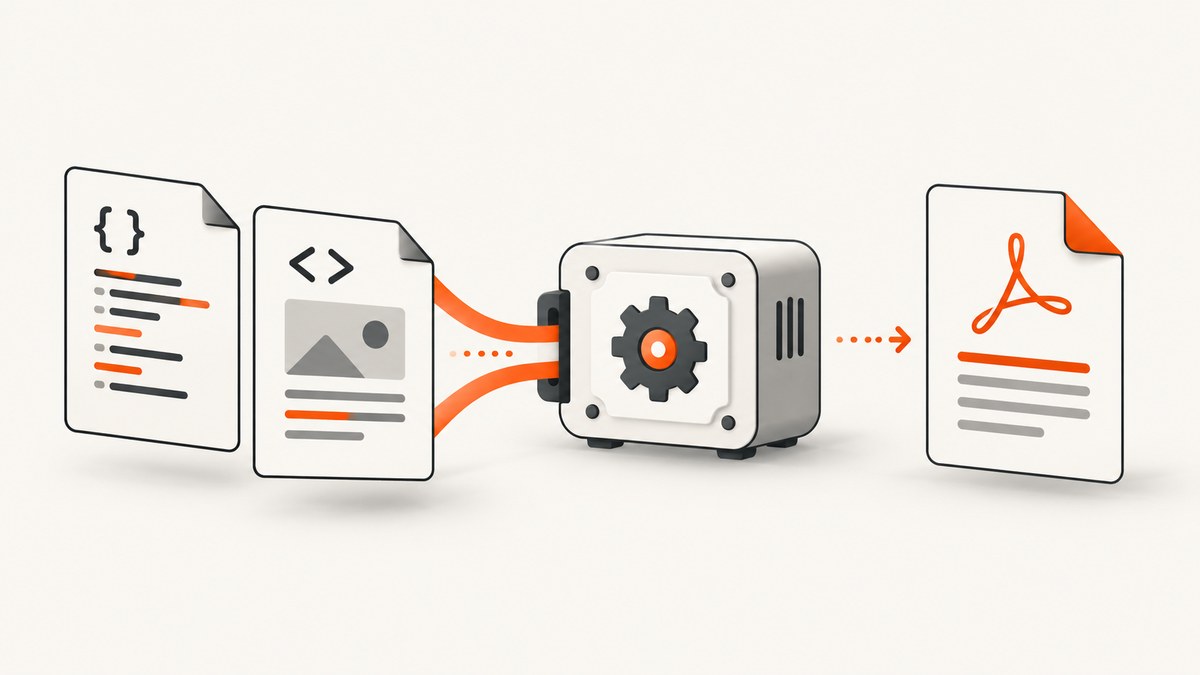
Short answer: If you already have HTML, CSS, JavaScript, and images that must be rendered as a document, start with IronPDF. Its documented C# API renders HTML strings and URLs through an embedded Chromium-based renderer. If you are willing to define the document layout in C# instead of preserving existing HTML, QuestPDF is a different type of solution: a component-based PDF layout engine.
The sources reviewed do not establish an independent winner for speed, fidelity, security, or cost. Choose based on input format, browser-feature requirements, deployment target, licensing, and how much document layout you want to own in code.
Choose by input, not by library popularity
| Your starting point | Best fit to investigate | Reason |
|---|---|---|
| Existing HTML templates or public web pages | IronPDF | Its tutorial explicitly documents rendering HTML strings and URLs and describes HTML5, CSS3, JavaScript, and image support. |
| New documents whose layout can be authored in C# | QuestPDF | Its official overview describes a dedicated component-based layout engine rather than an HTML conversion API. |
| Occasional page captures without managing a browser | ScreenshotNeo | It provides a hosted capture API and PDF capture, with clean-page processing and usage-based billing. |
Do not treat QuestPDF as a drop-in HTML converter based on the documented material. Conversely, do not select an HTML renderer if the team actually wants a strongly typed, code-defined layout.
IronPDF: the direct HTML-to-PDF path
IronPDF’s tutorial shows installation from NuGet and a Chromium-based renderer. It documents HTML-string rendering, URL workflows, and support for HTML5, CSS3, JavaScript, and images. The vendor lists Windows, macOS, Linux, Docker, Azure, and AWS compatibility; verify the exact runtime, operating-system image, native dependencies, and resource requirements for your deployment.

Install the package
dotnet add package IronPdfAlternatively, add the IronPdf package through your IDE’s NuGet manager. Pin and review the package version in your normal dependency process.
Convert an HTML string
using IronPdf;
var html = """
Invoice 1042
Generated from an HTML string.
Total: $125.00
""";
var renderer = new ChromePdfRenderer();
var pdf = renderer.RenderHtmlAsPdf(html);
pdf.SaveAs("invoice.pdf");The renderer receives the complete HTML document, so include the styles and any assets your template needs. For production templates, make asset URLs deterministic and ensure the rendering process can resolve them in the target environment.
Convert a URL
using IronPdf;

var renderer = new ChromePdfRenderer();
var pdf = renderer.RenderUrlAsPdf("https://example.com/report");
pdf.SaveAs("report.pdf");
URL rendering is appropriate when the page is already assembled by a web application. The page’s network dependencies, authentication, JavaScript timing, and deployment restrictions become part of the conversion problem.
Return the PDF from ASP.NET Core
using IronPdf;
using Microsoft.AspNetCore.Mvc;

[ApiController]
[Route("pdf")]
public class PdfController : ControllerBase
{
    [HttpPost("invoice")]
    public IActionResult Invoice()
    {
        var html = "<html><body><h1>Invoice</h1></body></html>";
        var renderer = new ChromePdfRenderer();
        var pdf = renderer.RenderHtmlAsPdf(html);
        return File(pdf.BinaryData, "application/pdf", "invoice.pdf");
    }
}
Keep renderer creation and PDF generation inside a controlled service boundary. Apply request limits, cancellation policies, and output-size limits appropriate to your application.
HTML, CSS, JavaScript, and asset details
HTML and CSS
Use valid, complete HTML and a predictable stylesheet. Prefer print-oriented CSS for page breaks and spacing, then verify the output for the specific Chromium version and fonts present in deployment. The IronPDF tutorial describes HTML5 and CSS3 support; the exact behavior of advanced or browser-specific CSS still needs validation against your templates.
JavaScript
Client-rendered pages need time to finish before conversion. Make data rendering deterministic, avoid timers that never settle, and expose a server-rendered or static state when possible. A page that depends on an authenticated browser session or a third-party script may behave differently in a service process.
Images and fonts
Use absolute, reachable asset URLs or embed assets when your deployment cannot access the public network. Check font installation in the container or host; missing fonts change line wrapping and pagination. Large images increase memory and output size, so resize them before conversion where practical.
QuestPDF: when layout belongs in C#
QuestPDF’s quick start presents a component-based C# layout engine for PDF generation. This is useful when your team wants document structure, spacing, tables, and styling expressed as code. It is not evidenced by the reviewed sources as an HTML-to-PDF converter.
using QuestPDF.Fluent;
using QuestPDF.Helpers;
using QuestPDF.Infrastructure;

QuestPDF.Settings.License = LicenseType.Community;

Document.Create(container =>
{
    container.Page(page =>
    {
        page.Margin(40);
        page.Header().Text("Invoice 1042").FontSize(24).Bold();
        page.Content().Column(column =>
        {
            column.Item().Text("Created with a C# layout definition.");
            column.Item().Text("Total: $125.00").Bold();
        });
        page.Footer().AlignCenter().Text("Page");
    });
}).GeneratePdf("invoice.pdf");
The quick start states that individuals, nonprofits, FOSS projects, and organizations below $1 million in annual gross revenue qualify for free use. Its license configuration documentation lists Community, Professional, and Enterprise license types. Confirm current eligibility and terms before shipping.
Deployment and licensing checklist
- Identify the target .NET runtime and operating system.
- For IronPDF, follow the vendor’s current installation and deployment documentation, including native-versus-remote engine and container/cloud guidance.
- Build the same container or host image used in production and verify fonts, native dependencies, temporary storage, and network access.
- Decide whether pages are rendered from strings, URLs, or authenticated application routes.
- Review licensing. IronPDF’s tutorial says development use is free, while live deployment requires a license key to remove the trial watermark.
- For QuestPDF, select the license type in application code and verify that your organization still meets the stated free-use criteria.
None of the reviewed sources provides an independent benchmark. Measure representative documents in your own environment before committing to throughput or latency targets.
Reliability, performance, and cost considerations
- Warm-up: browser-based rendering can have startup cost. Keep a long-lived worker or service where your operational model permits it, and measure cold and warm conversions separately.
- Concurrency: each conversion consumes CPU and memory. Bound parallel jobs, queue excess work, and observe process memory under realistic HTML and image sizes.
- Network dependencies: remote CSS, fonts, images, APIs, and JavaScript add failure points. Prefer local or deterministic assets for invoices and other records.
- Pagination: small font or margin differences can move a line onto another page. Treat page count and key text placement as regression checks for important templates.
- Temporary files: configure writable temporary storage in containers and clean generated files after delivery.
- Licensing cost: compare the vendor’s current license terms with the number of production services and deployment environments you operate. The sources do not provide an independent total-cost comparison.
Troubleshooting common failures
| Symptom | Likely cause | Fix |
|---|---|---|
| Blank or incomplete PDF | JavaScript has not finished or a required asset failed to load. | Make rendering deterministic, remove unnecessary client-side work, and verify asset reachability from the deployment host. |
| Images missing | Relative URLs, blocked network access, or inaccessible private assets. | Use absolute URLs or embed assets; verify credentials and outbound access. |
| Different page breaks in production | Different fonts, OS packages, browser engine version, or viewport assumptions. | Use the same runtime image, install required fonts, and compare output with representative fixtures. |
| Works locally but fails in Docker or cloud | Missing native dependencies, permissions, temporary storage, or sandbox configuration. | Follow the vendor deployment guides, inspect container logs, and verify writable directories and installed libraries. |
| QuestPDF code does not match the desired HTML | QuestPDF is a code-defined layout engine, not an evidenced HTML import path. | Keep the HTML renderer for existing templates, or deliberately recreate the layout as QuestPDF components. |
| Trial watermark in production | IronPDF license key has not been configured for live deployment. | Review the current IronPDF license terms and configure the required key. |
Or skip the browser setup
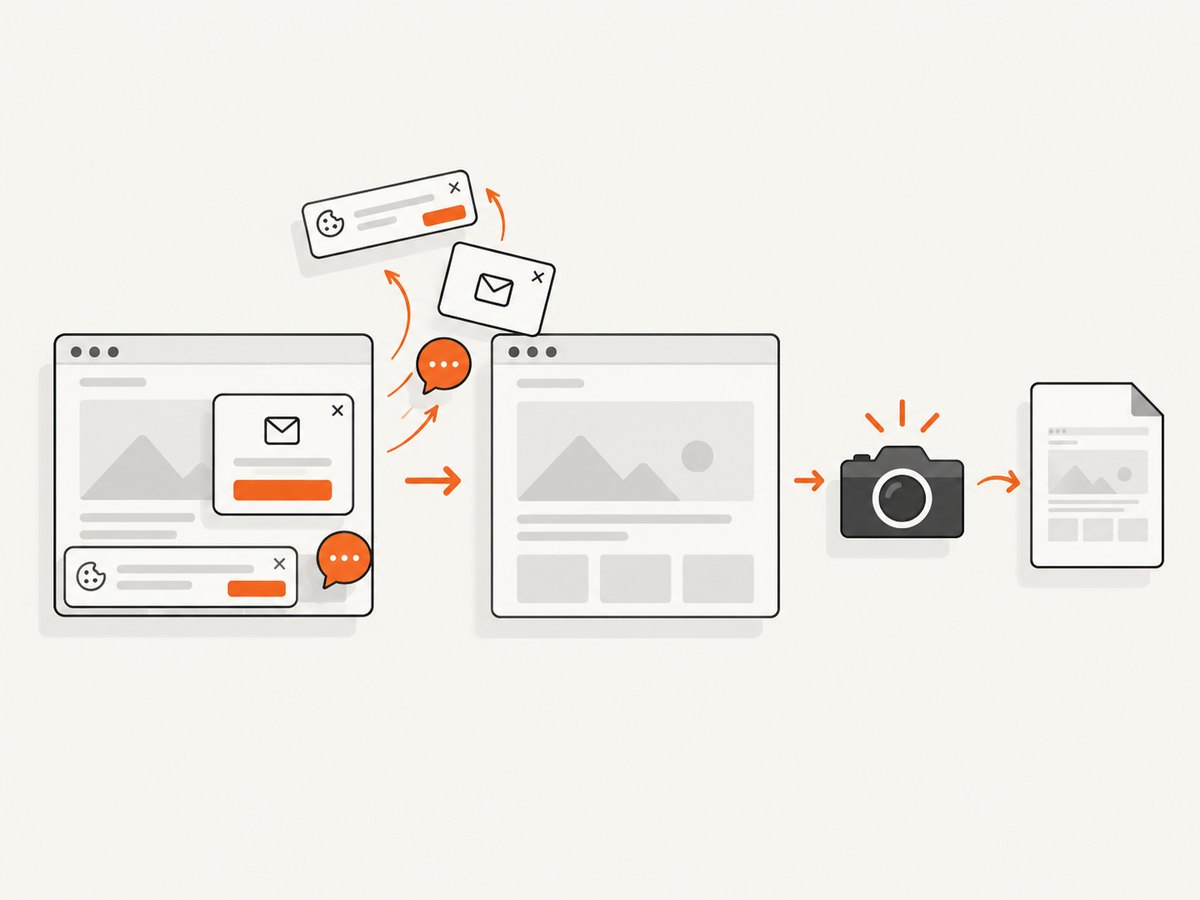
ScreenshotNeo is an alternative when you need a hosted capture API or PDF capture instead of maintaining browser rendering infrastructure. It accepts one GET request at https://api.screenshotneo.com/v1/shot. Before capture, it accepts cookie or consent banners and removes more than 60 known consent platforms, newsletter popups, and chat widgets; each step can be turned off. Bot checks, CAPTCHAs, blank pages, timeouts, failed loads, and cache hits are not billed, and the response identifies the result with X-Page-Verdict and X-Billed headers. Its MCP server provides take_screenshot, get_page_info, and capture_pdf tools for Claude, Cursor, and other MCP clients.
See the ScreenshotNeo documentation for request options and PDF capture details.
cURL
curl -G "https://api.screenshotneo.com/v1/shot" -d access_key=YOUR_API_KEY --data-urlencode url=https://stripe.com -o shot.webpPython
import requests

r = requests.get(
    "https://api.screenshotneo.com/v1/shot",
    params={"access_key": "YOUR_API_KEY", "url": "https://stripe.com"},
    timeout=90,
)
r.raise_for_status()
open("shot.webp", "wb").write(r.content)
Node.js
const q = new URLSearchParams({ access_key: 'YOUR_API_KEY', url: 'https://stripe.com' });
const res = await fetch(`https://api.screenshotneo.com/v1/shot?${q}`);
if (!res.ok) throw new Error(`ScreenshotNeo returned ${res.status}`);
const body = Buffer.from(await res.arrayBuffer());
await import('node:fs/promises').then(fs => fs.writeFile('shot.webp', body));
ScreenshotNeo has a free plan with 1,000 shots per month and no card; paid plans start at $5 for 3,000 shots. Create a free ScreenshotNeo account.
Decision checklist
- Choose IronPDF when preserving existing HTML and browser behavior is the requirement.
- Choose QuestPDF when the document is best represented as a C# component tree.
- Confirm runtime, OS, container, fonts, native dependencies, and licensing before production.
- Test JavaScript, images, external assets, page breaks, and authenticated pages with real templates.
- Consider ScreenshotNeo when a hosted API, clean captures, PDF capture, or MCP access better fits your architecture.
FAQ
Which C# library converts an existing HTML page to PDF?
IronPDF is the directly supported option in the reviewed material because its tutorial documents HTML-string and URL rendering.
Is QuestPDF an HTML converter?
The reviewed official documentation presents QuestPDF as a component-based C# layout engine. Treat it as an alternative authoring model, not a documented drop-in HTML converter.
Can I run IronPDF in Linux or Docker?
IronPDF lists Linux and Docker compatibility, along with Windows, macOS, Azure, and AWS. Verify the exact runtime, image, dependencies, and configuration in the current documentation.
Do these sources prove which library is fastest?
No. The research is documentation-based and contains no independent comparative benchmark.


