How to Set the Cache-Control Max-Age Header in Headless Chrome
Set Cache-Control on the server that serves a resource, then use headless Chrome to verify the response. Here are runnable examples, cache tests, and fixes for common surprises.

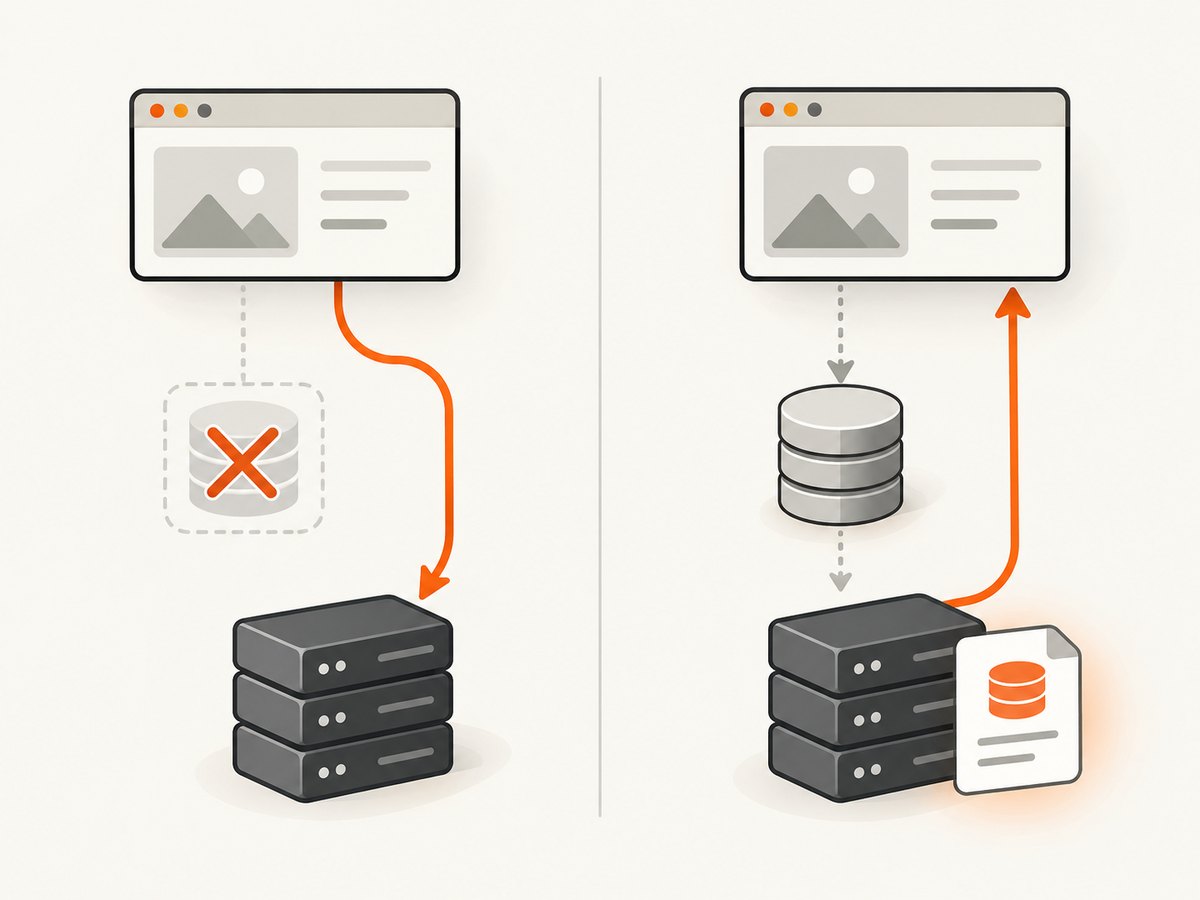
Direct answer: set Cache-Control on the HTTP response from the server, application, reverse proxy, or CDN that serves the resource. For example, Cache-Control: public, max-age=3600 tells caches that the response can be considered fresh for 3,600 seconds after it was generated. Headless Chrome can inspect the header it receives; it has no page-level command that changes the origin’s response header.
This distinction matters when automating browser tests. A browser-side cache setting controls whether Chrome uses its cache during a test. It does not configure the freshness policy sent by your site. This guide shows where to set that policy, how to verify it from headless Chrome, and how to interpret reloads and cache hits.
1. Understand what max-age controls
max-age is a response cache directive whose value is a number of seconds. With Cache-Control: public, max-age=3600, the response is fresh for up to one hour after generation. An intermediary cache can include an Age value, which reduces the remaining freshness lifetime. A response generated 20 minutes ago and delivered with an Age of 1200 seconds has about 40 minutes of its one-hour freshness lifetime remaining. See [MDN’s HTTP caching guide](https://developer.mozilla.org/en-US/docs/Web/HTTP/Guides/Caching).
The directive is attached to a particular HTTP response. A document, stylesheet, API response, image, and font can each have different headers. Decide which response you intend to cache before changing configuration; setting a long lifetime for a frequently changing HTML document has different consequences from setting it for a versioned static asset.
| Directive | Practical meaning | When to consider it |
|---|---|---|
max-age=N |
Freshness lifetime in seconds for the response. | Set the period clients may reuse a response without revalidation. |
public |
Allows shared caches to store the response, subject to other rules. | Use only when shared caching is appropriate for that response. |
private |
Marks a response for private caching, such as a user’s browser, rather than a shared cache. | Use for user-specific responses that may still be cached privately. |
no-store |
Instructs caches not to store the response. | Use when storage is inappropriate; it is not a freshness duration. |
no-cache |
Requires revalidation before a stored response is reused. | Use when reuse must be checked with the origin. |
Choose public or private based on whether shared caches may store the content, not on whether Chrome runs headlessly. The relevant questions are who can safely reuse the response, how often the resource changes, and whether validators such as ETag or Last-Modified are available for revalidation.
2. Set the header where the response is generated
Configure the component that emits the response: the application/framework, web server or reverse proxy, or CDN. The exact syntax depends on your stack, so the examples below show the intended HTTP result rather than asserting framework-specific configuration that may vary by version. The response should contain a header like:

Cache-Control: public, max-age=3600- Identify the exact URL and response type you need to cache.
- Find which component returns it. If a CDN or reverse proxy is in front of the application, its rules may add, replace, or preserve origin headers.
- Set the desired directive at that component, using seconds for
max-age. - Request the URL and inspect the response headers from the same route that headless Chrome will use.
- Repeat for representative assets and content types; do not assume one URL’s policy covers the whole site.
For example, one-hour public freshness is max-age=3600; one day is max-age=86400. These are arithmetic examples, not universal recommendations. Pick a lifetime that matches the content’s update and invalidation strategy. For assets with content-based versioned URLs, a longer lifetime can be practical because a changed asset has a new URL. For an unversioned resource that changes in place, a long lifetime can leave users with stale content until expiration or invalidation.
Be careful with authenticated or personalized responses. Do not mark them public merely to improve a cache hit rate. Verify that the response does not expose one user’s content to another through a shared cache. Also check for multiple conflicting Cache-Control headers or a proxy rule that overwrites the application’s value.
3. Verify the response from headless Chrome
Headless Chrome verifies what arrived at the browser. The browser cannot prove which server configuration file produced it, but the observed response header confirms what the client received for that request.
Using Chrome DevTools Protocol
- Start Chromium with remote debugging enabled. The Chromium command line supports headless mode and a remote debugging port; see [Chrome Headless documentation](https://developer.chrome.com/docs/chromium/headless).
- Connect your automation client using the Chrome DevTools Protocol (CDP). Enable the Network domain, which provides network instrumentation; see the [CDP Network domain](https://chromedevtools.github.io/devtools-protocol/tot/Network/).
- Navigate to the target URL and inspect the response’s headers for
cache-control. Check the status and whether the response came from network or cache as well. - Compare the observed value with the intended policy, and inspect the same request through any CDN or proxy path used in production.
For a visual check, open the URL in Chrome DevTools, use the Network panel, and search for Cache-Control. Chrome’s DevTools documentation describes searching network requests for a header and opening its Headers tab: [Search network requests](https://developer.chrome.com/docs/devtools/network/reference/#search).
Runnable Puppeteer example
Install Puppeteer in a Node project with npm install puppeteer. Save this as inspect-cache-header.js, replace the target URL, and run node inspect-cache-header.js. The response listener reports the main document’s headers. It does not set them.
const puppeteer = require('puppeteer');

async function main() {
  const targetUrl = 'https://example.com/';
  const browser = await puppeteer.launch({ headless: true });
  try {
    const page = await browser.newPage();
    page.on('response', response => {
      if (response.url() === targetUrl) {
        console.log('status:', response.status());
        console.log('cache-control:', response.headers()['cache-control'] ?? '(missing)');
        console.log('from cache:', response.fromCache());
      }
    });
    await page.goto(targetUrl, { waitUntil: 'networkidle0', timeout: 60000 });
  } finally {
    await browser.close();
  }
}

main().catch(error => {
  console.error(error);
  process.exitCode = 1;
});
Some pages redirect, so the final document URL may differ from targetUrl. For redirect chains, log every response and filter the URLs you care about rather than comparing only with the initial URL. A page also loads subresources; remove the URL equality check to inspect all responses, then filter by resource type or URL pattern.
cURL and Python checks
These command-line checks are useful for distinguishing a server or intermediary response from browser behavior. They do not exercise Chrome’s cache. A HEAD request may not be configured identically to GET, so use GET headers when your server handles the methods differently.
curl -sS -D - -o /dev/null https://example.com/import requests
url = 'https://example.com/'
response = requests.get(url, timeout=30)
print('status:', response.status_code)
print('cache-control:', response.headers.get('Cache-Control', '(missing)'))
print('age:', response.headers.get('Age', '(missing)'))
response.raise_for_status()Python example dependency: python -m pip install requests. If the request redirects, Requests normally follows redirects; inspect response.url and response.history to see the chain.
4. Separate cache bypass from cache policy
CDP’s Network.setCacheDisabled is a diagnostic control. It toggles ignoring the browser cache for requests; when enabled, Chrome does not use its cache. It does not alter the server’s Cache-Control response. See the [CDP Network.setCacheDisabled documentation](https://chromedevtools.github.io/devtools-protocol/tot/Network/#method-setCacheDisabled).
await client.send('Network.enable');
await client.send('Network.setCacheDisabled', { cacheDisabled: true });
Use this when you want to force a network request and inspect a fresh response. To examine cache reuse, run a separate test with normal cache behavior. Chrome’s Network panel also has a Disable cache control that applies while DevTools is open; it bypasses cache in the test rather than setting the origin’s header. See [DevTools Network preferences](https://developer.chrome.com/docs/devtools/network/reference/#settings).
Keep the two test questions distinct:
- What policy did the server send? Inspect the response’s
Cache-Control,Age, and validators. - Did Chrome reuse a stored response? Inspect the request and cache status with browser cache enabled.
5. Understand reloads, expiration, and revalidation
A normal refresh is not a reliable way to prove that a cache policy is absent or ignored. Chrome’s caching guidance explains that refresh can send a max-age=0 request directive to force revalidation. When a response’s freshness lifetime ends, Chrome may send a conditional request using a validator such as ETag or Last-Modified. The server can then indicate that the stored body remains valid. See [Chrome’s HTTP cache tutorial](https://developer.chrome.com/docs/devtools/network/reference/#headers).
For a sound check, record the response header and request status, then compare a first request, a repeat request with cache enabled, and a request with cache disabled. A response can have max-age and still be revalidated because of user action, request directives, expiration, or other cache rules. Likewise, a cache hit does not mean the origin header changed: it may mean Chrome reused an earlier response under the policy it had already received.
6. Configuration choices and edge cases
| Decision | What to check |
|---|---|
| Freshness duration | Use seconds; consider how quickly the resource changes and how clients receive updates. |
| Shared or private storage | Use public only when shared caching is safe; use private for user-specific content that may be cached only privately. |
| Multiple cache directives | Inspect the final response for duplicated or contradictory headers added by app, proxy, or CDN. |
| Redirects | Inspect each response in the redirect chain and the final URL separately. |
| Subresources | Check images, scripts, stylesheets, fonts, and API calls individually; each has its own response. |
| Intermediary caching | Inspect Age and compare the origin response with the CDN or proxy response. |
| Authentication | Ensure a shared cache cannot serve personalized content to another user. |
| Method differences | Verify with the same method Chrome uses; HEAD and GET may have different handling. |
When a CDN is involved, define which layer is authoritative for the policy. The origin may emit one header while the CDN applies a cache rule or serves a cached response generated earlier. Purge or invalidate intermediary content after changing policy if needed, then verify through the public route rather than only querying the origin directly.
7. Performance, reliability, and cost notes
A suitable freshness lifetime can reduce repeat transfers and origin work for cacheable resources, while overly long freshness can delay updates. A short lifetime or forced revalidation increases requests and may add latency and server load. The useful balance depends on resource change frequency, validation support, cache placement, and invalidation practices; there is no single best max-age for every endpoint.
For reliable automation, wait for the specific response you need instead of assuming that page navigation completion means every response has been inspected. Avoid relying only on networkidle0 for pages with persistent connections or delayed activity. Apply timeouts, capture status and headers, and ensure the browser closes even when navigation fails. Run one test with cache disabled for server-header verification and a distinct test with cache enabled for reuse behavior. These choices keep tests interpretable and reduce accidental dependence on a warmed browser cache.
Browser automation has runtime and infrastructure costs: launching a browser, navigating, and loading page resources consumes time and compute. Reuse a browser process across related checks when appropriate, but isolate contexts when you need clean cache state. Do not infer a cache performance gain from a single run; compare repeatable workloads and control for network and cache state. No benchmark is implied here.
8. Troubleshooting
| Symptom | Likely cause | Fix |
|---|---|---|
Cache-Control is missing |
The application did not emit it, a proxy stripped it, or the inspected request is not the intended resource. | Check the exact URL and response type at the origin and public route; inspect proxy/CDN rules and redirects. |
| Header is present but has the wrong value | A later layer replaced it, or multiple directives were combined. | Inspect the full response headers at each layer and make one component authoritative. |
| Chrome keeps showing an old page | The response is still fresh in a cache, or a CDN serves an older object. | Check Age, URL versioning, and CDN invalidation; use a controlled cache-disabled request to inspect the live response. |
| Reload seems to ignore max-age | Refresh may trigger revalidation with a max-age=0 request directive. |
Inspect request and response headers plus cache status; compare a normal repeat navigation with refresh. |
| Test reports no response for the target URL | The site redirected, normalized the URL, or the listener filter only matches the initial URL exactly. | Log all responses or match by origin/path; inspect the final document URL. |
| Navigation times out before logging | The page stays active, loads slowly, or never reaches the selected lifecycle condition. | Use a suitable timeout and wait condition, and log responses as they arrive rather than only after navigation completes. |
| Header differs between curl and Chrome | Different request method, cookies, user agent, redirect path, or intermediary route can produce a different response. | Compare the same URL, method, headers, authentication state, and network path. |
| Cache-disabled test still sees old content | The browser cache was bypassed, but a CDN or upstream cache may still serve the response. | Inspect Age and intermediary behavior; browser cache disabling affects Chrome’s cache only. |
9. Or skip the browser setup
ScreenshotNeo is a website screenshot API and MCP server. For the task of inspecting a page visually, one GET request returns an image or PDF; it does not configure or verify the page’s Cache-Control header. The API accepts browser-oriented parameters, and its response identifies page outcomes and billing status. See the ScreenshotNeo API documentation for request options.
curl -G "https://api.screenshotneo.com/v1/shot" -d access_key=YOUR_API_KEY --data-urlencode url=https://example.com -o shot.webpimport requests
r = requests.get(
"https://api.screenshotneo.com/v1/shot",
params={"access_key": "YOUR_API_KEY", "url": "https://example.com"},
timeout=90,
)
open("shot.webp", "wb").write(r.content)const q = new URLSearchParams({ access_key: 'YOUR_API_KEY', url: 'https://example.com' });
const res = await fetch(`https://api.screenshotneo.com/v1/shot?${q}`);ScreenshotNeo removes cookie banners, popups, and chat widgets before the shot. Bot checks, blank pages, and failed loads are never billed. Its MCP server lets AI agents take screenshots, and the free plan includes 1,000 screenshots a month with no card; paid plans start at $5 for 3,000. See the docs for the complete request details, then sign up for 1,000 free screenshots a month, with no card.
10. Frequently asked questions
Can Puppeteer add a Cache-Control response header to a website?
Not to the origin response. Puppeteer can observe responses and configure browser request behavior for tests, but the server-side component must emit the response directive.
Does max-age apply to the HTML page or its assets?
It applies to the particular response carrying the header. Inspect the document and each asset separately.
Is max-age measured from when Chrome receives the response?
It is counted from response generation. An intermediary’s Age value accounts for time already spent in a cache.
Does disabling Chrome’s cache make a request uncached everywhere?
No. It controls Chrome’s browser cache. A CDN, proxy, or other intermediary may still serve a cached response.
How do I know whether the header change worked?
Inspect the final response over the same public route Chrome uses, confirm the directive and value, then run separate tests for fresh network retrieval and normal cache reuse.


