Calendar Scraping Automation: Build Permissioned Calendar Syncs
Automate calendar data with documented APIs, handle shared calendars and time zones, and avoid unauthorized copying or retention.

To automate calendar data extraction, use the calendar provider’s documented API with the account owner’s authorization. Google Calendar offers a REST API and client libraries; Microsoft Graph exposes Outlook calendar operations. Treat “scraping” as informal shorthand here: automated access to a logged-in calendar page is not automatically authorized, and API terms can restrict copying, caching, disclosure, and retention of returned data.
This guide shows how to choose an API approach, design a reliable sync, and account for sharing, time zones, recurring events, and data lifecycle. It does not provide a verified, runnable provider-specific OAuth example: the research for this article did not verify current scopes, quota limits, or code. Check the linked provider documentation for those details before implementing.
1. Choose the documented API for the calendar
Start with the platform where the calendar lives and the operations your workflow needs. Google Calendar’s API models events, calendars, a user’s calendar list, settings such as time zone, and access-control rules. It can be called over HTTP or through Google client libraries. Microsoft Graph’s Outlook calendar API supports creating, managing, and responding to events; its overview covers most features for personal and work or school accounts.
| Question | Google Calendar | Outlook calendar |
|---|---|---|
| API route | Google Calendar REST API or a Google client library | Microsoft Graph |
| Calendar model documented here | Events, calendars, calendar list, settings, and ACLs | Outlook event workflows, including create, manage, and respond |
| Shared calendar access | Review calendar ACLs and the access level granted | Owner shares or delegates; recipient accepts or adds the calendar before API management |
| Date handling detail | Calendar settings include a time zone | Events return start and end in UTC by default, with original time-zone properties |
Sources: Google Calendar API overview, Microsoft Graph Outlook calendar API overview, and Microsoft’s Outlook calendar sharing guidance.
Before choosing, list the exact data and actions needed: for example, reading event times, creating events, or responding to invitations. Then confirm that the account type, sharing arrangement, and permissions support that workflow. The research cited here does not establish exact current OAuth scopes or quotas, so consult current provider documentation rather than guessing.
2. Define the authorization and data boundaries
Use an API credential flow that the provider documents for your application and account type. Request only the permissions needed for the workflow, and ask the calendar owner to grant access. Do not infer permission from the fact that a page is visible in a browser, or from possession of a shared-calendar URL.
For shared Outlook calendars, the owner chooses which details are visible and whether the recipient has write access. The recipient must accept the sharing invitation or add the calendar in an Outlook client before programmatic management can proceed, according to Microsoft’s sharing guidance. For Google, the API represents access-control rules through calendar ACLs, so verify that the access level is sufficient for each operation.
Keep access tokens and event details out of logs, source control, and client-side code unless the provider’s documented flow specifically supports that exposure. Build a user-facing explanation of what data is accessed and why, and decide how users can revoke access or request deletion. These are prudent application design practices; the cited provider materials also impose terms around consent, security, privacy, and data handling.
3. Implement an extraction or synchronization workflow
A robust integration separates authorization, retrieval, transformation, and storage. These steps are general engineering advice; exact endpoints, scopes, paging fields, and incremental-sync mechanisms depend on the provider and must be taken from its current API documentation.
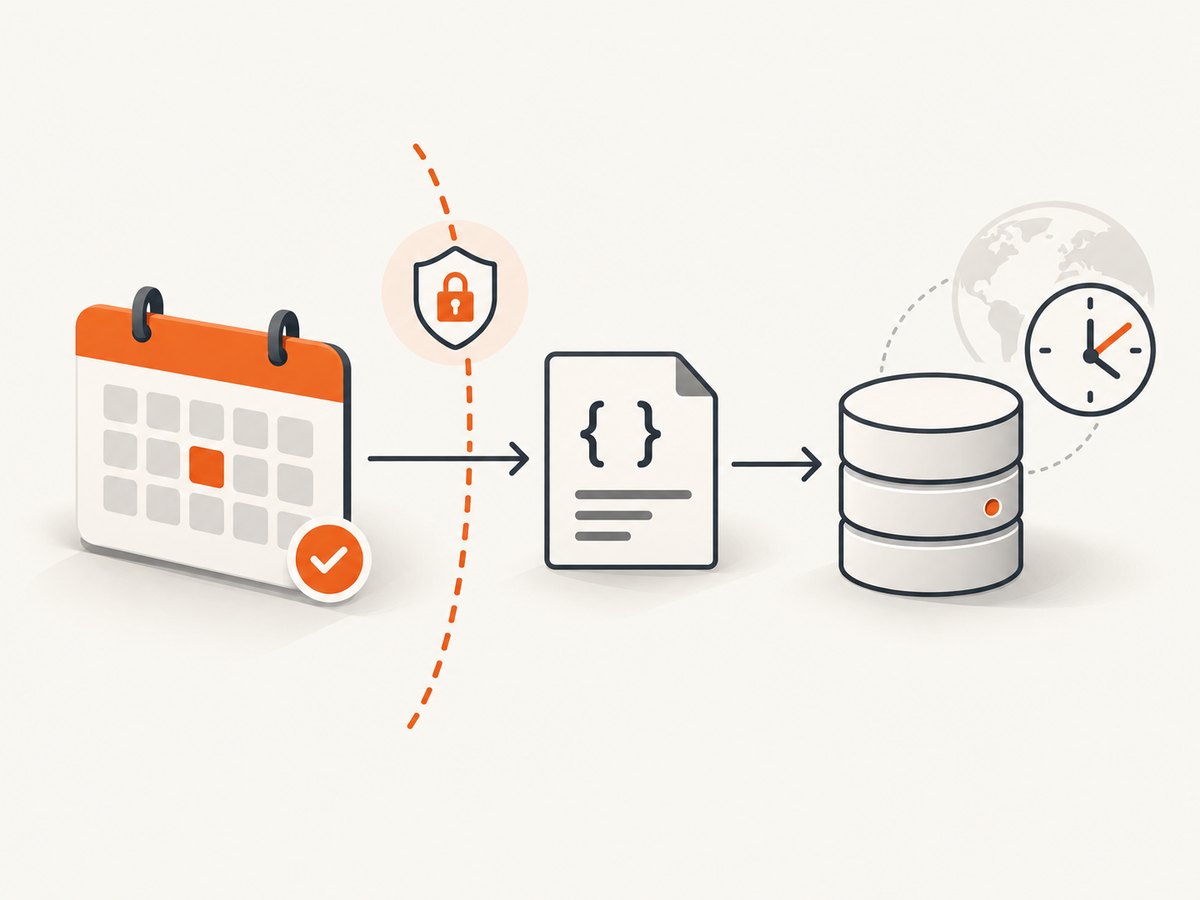
- Authorize: use the provider’s supported authorization flow and obtain consent for the minimum required access.
- Select calendars: identify the user’s intended calendar rather than assuming a default calendar or scraping every calendar visible in an account.
- Request only needed data: limit fields and operations to the workflow’s purpose. Avoid collecting descriptions, attendee details, or private event metadata when they are not needed.
- Normalize dates carefully: preserve the provider’s time-zone information alongside normalized timestamps where possible. Do not treat a local wall-clock time as a UTC instant without the relevant zone.
- Handle changes: design for edits, cancellations, and deletions, using the provider’s documented change-detection features where available. The source set used for this article does not verify specific mechanisms or parameters.
- Store minimally: encrypt sensitive event data at rest where appropriate, restrict access, and set a retention period that matches the application’s purpose.
- Support revocation and deletion: stop future access when authorization is withdrawn and apply the application’s deletion policy to retained data.
Do not silently repurpose calendar content for unrelated analytics, disclose non-public event details to other users, or create a permanent archive merely because an API returned the data. Whether particular processing is permitted depends on the provider terms, user authorization, applicable law, and the content owner’s rights.
4. Handle recurring events, time zones, and shared access
Time zones and daylight saving
Calendar dates are not just strings. Store unambiguous instants and retain the event’s time-zone context when the provider supplies it. A recurring meeting at 9:00 a.m. local time should generally remain tied to its intended local zone when daylight-saving rules shift; converting a single occurrence to a fixed UTC offset can move future meetings by an hour. Microsoft Graph’s overview says event start and end times are returned in UTC by default and includes original time-zone properties. Google’s API includes calendar settings such as time zone. Follow each provider’s documented representation.

Recurring and changed events
Recurring series can have exceptions: one occurrence might move, be canceled, or change independently. Decide whether the application needs the series definition, expanded occurrences, or both, and use the provider’s documented event model. When syncing, account for edits and deletion so stale local copies do not remain indefinitely. Verify how the selected API represents recurring instances and changed data before implementing assumptions.
Shared and delegated calendars
Shared access is a permission boundary. A calendar may be visible with limited details, read-only, or writable. Test the intended operation against the granted access level and handle a permission error as an authorization state, not as a cue to fall back to browser scraping. For Outlook, ensure the shared calendar has been accepted or added as Microsoft documents.
5. Respect API terms and retention limits
Google’s API terms restrict scraping and making permanent copies of API-returned content, as well as caching and disclosure of non-public user content, except where the content owner or applicable law expressly permits it. The terms state: “Unless expressly permitted by the content owner or by applicable law, you will not, and will not permit your end users or others acting on your behalf to, do the following with content returned from the APIs:” Read the full Google APIs Terms of Service and identify the provisions that apply to your use case.
Microsoft’s API terms require minimum necessary permissions, consent, appropriate security, privacy practices, and retention and deletion controls. They restrict copying API data except as necessary for an intended application usage scenario, and require deletion in specified circumstances such as when a user abandons or uninstalls an application. Review the current Microsoft APIs Terms of Use.
These documents are platform terms, not legal advice or a complete survey of calendar providers. Platform permissions, the user’s authorization, applicable law, and the relevant terms govern what can be accessed and retained. If the use case involves sensitive data, cross-user sharing, or long-term archival, get an appropriate legal and privacy review.
6. Reliability, performance, and cost considerations
Calendar sync reliability comes from controlling scope and making each run recoverable. Process bounded batches, keep enough state to recognize what has already been handled, and make retries safe so a transient failure does not create duplicate events. Those are general integration patterns, not claims about a provider-specific feature. Check current provider documentation for paging, rate limits, retry guidance, incremental updates, and quota behavior; this research did not verify numeric limits or pricing.
- Reduce unnecessary requests: retrieve only the calendars and data the user’s workflow requires.
- Plan for transient errors: use bounded retries with backoff for temporary network or service failures; do not retry authorization failures indefinitely.
- Track progress: record a sync checkpoint only after the corresponding data is safely processed, using the provider’s supported change model where available.
- Avoid duplicate writes: use stable identifiers and idempotent application logic where the API supports them.
- Set retention intentionally: event data is personal information in many contexts; keeping less data reduces exposure and deletion work.
API usage cost, if any, depends on the provider and application arrangement; no verified pricing figure is available in this research. Browser automation also has operational costs—maintaining a browser runtime, handling page changes, and securing session credentials—and can still be unauthorized under the applicable terms. Choose a documented API when it supports the use case.
7. Troubleshooting common failures
| Symptom | Likely cause | What to check |
|---|---|---|
| Access denied or insufficient privileges | The user has not granted the needed permission, or the granted role is read-only/limited | Confirm consent, requested permissions, calendar ACL or sharing role, and whether the operation requires write access. |
| Shared Outlook calendar is missing | The invitation was not accepted or the calendar was not added | Ask the owner to verify sharing and have the recipient accept or add the calendar as Microsoft documents. |
| Events appear at the wrong hour | UTC was interpreted as local time, or zone and daylight-saving context were discarded | Inspect the API’s time-zone fields and preserve the event’s intended zone during conversion. |
| Deleted or moved events persist in your system | The sync handles only newly returned records and does not reconcile changes | Use the provider’s documented change-detection approach and define how to apply updates and deletions. |
| Repeated events appear duplicated | Retries or repeated sync runs insert records without idempotency | Use stable provider identifiers where available and make processing safe to repeat. |
| Requests fail after a policy or API change | Terms, endpoint behavior, permissions, or limits changed | Recheck current API documentation and terms; avoid relying on undocumented browser behavior. |
Do not work around a permission failure by extracting the same private data from a logged-in page. Resolve authorization through the calendar owner and the provider’s documented access mechanism.
8. Implementation checklist
- Use the documented API for the calendar provider.
- Confirm the account type and calendar sharing arrangement.
- Request only the fields and operations the workflow needs.
- Get and respect user consent and calendar-owner permissions.
- Preserve time-zone context and account for recurring, changed, and deleted events.
- Protect tokens and event details with appropriate access controls.
- Set retention and deletion policies, including what happens after revocation or uninstall.
- Check current documentation, API terms, and applicable law before launch.
Or skip the browser setup
ScreenshotNeo is a website screenshot API and MCP server from ScreenshotNeo. It does not extract calendar event data or replace a calendar provider API. It can help when your workflow also needs a visual capture of a permitted public calendar page. One GET request returns an image or PDF; see the API documentation.
curl -G "https://api.screenshotneo.com/v1/shot" -d access_key=YOUR_API_KEY --data-urlencode url=https://stripe.com -o shot.webpimport requests
r = requests.get("https://api.screenshotneo.com/v1/shot", params={"access_key": "YOUR_API_KEY", "url": "https://stripe.com"}, timeout=90)
open("shot.webp", "wb").write(r.content)const q = new URLSearchParams({ access_key: 'YOUR_API_KEY', url: 'https://stripe.com' });
const res = await fetch(`https://api.screenshotneo.com/v1/shot?${q}`);Cookie banners, popups, and chat widgets are removed before the shot, with each cleanup step configurable. Bot checks, blank pages, and failed loads are never billed; response headers identify the page verdict and billing status. An MCP server lets AI agents use take_screenshot, get_page_info, and capture_pdf. The free plan includes 1,000 screenshots a month with no card; paid plans start at $5 for 3,000. Sign up for 1,000 free screenshots a month, with no card.
Frequently asked questions
Is calendar scraping the same as calendar API integration?
Not necessarily. This article uses “scraping” as a broad description of automated extraction, but recommends documented APIs and permissioned access. Browser extraction from a logged-in page is not automatically authorized.
Can I copy all events into my own database forever?
Do not assume so. Google and Microsoft terms constrain copying and retention. Check the terms, obtain the necessary authorization, and retain only what the intended workflow permits.
Can a screenshot API read private calendar events?
A screenshot captures a rendered page; it is not a substitute for API authorization and should not be used to bypass calendar permissions. ScreenshotNeo is relevant for permitted visual captures, not structured calendar synchronization.
Which provider has lower API costs or higher quotas?
This research does not verify current quotas or pricing. Check the providers’ current documentation and terms for your account and use case.


