Can Regression Testing Be Automated?
Yes—automate repeatable regression checks with the lowest test level that gives confidence, while keeping human review for judgment-heavy risks.
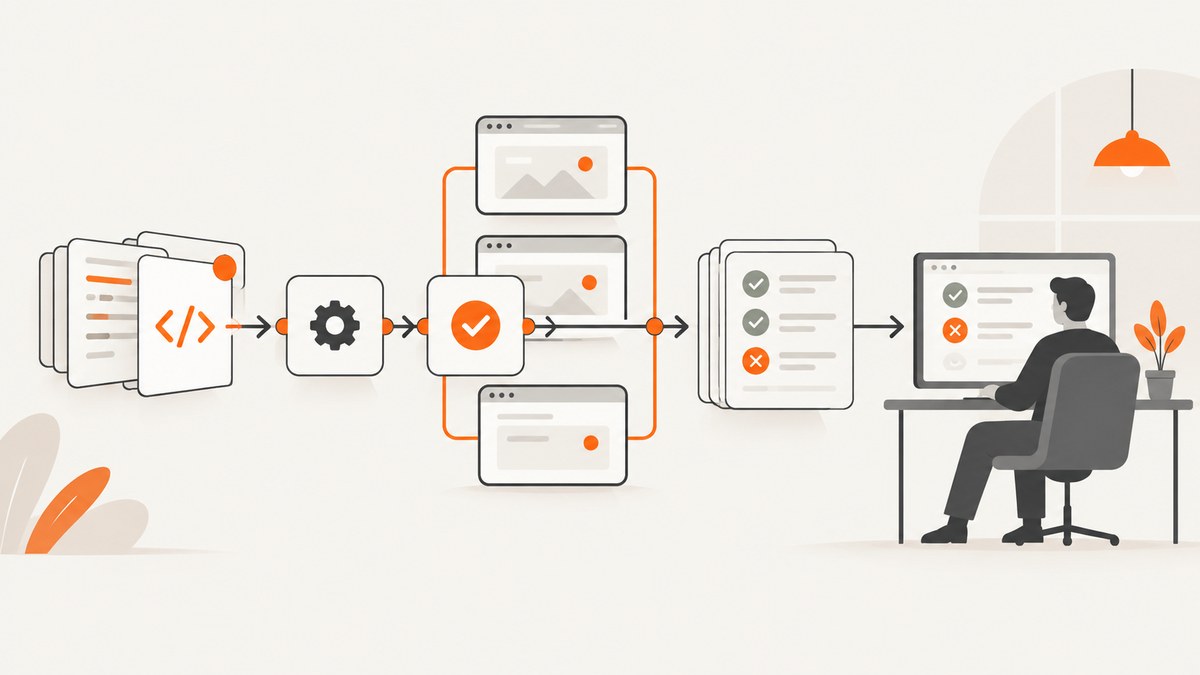
Yes. Regression testing is the repeated execution of tests after a change, fix, or feature addition to check that existing functionality still works. Automation is a good fit for checks that are repeatable, stable, and have clear expected results. It is not a replacement for every form of testing: judgment-heavy exploratory work, rapidly changing interfaces, and poorly understood risks may still need people.
The practical question is not “should we automate everything?” It is “which repeatable checks justify the cost of building and maintaining automation?” Start with high-value checks that run often, use the lowest test level that provides enough confidence, and reserve browser end-to-end tests for behavior that genuinely needs a real browser.
1. What regression testing means
Regression testing reruns previously executed tests after a code or configuration change. The goal is to detect unintended breakage in behavior that worked before. The Selenium testing-types guide describes regression testing in these terms.
A regression check can run at several levels:
| Level | Good candidates | Typical trade-off |
|---|---|---|
| Unit | Pure functions, validation rules, calculations | Fast and precise, but does not prove components work together |
| Component or integration | Database access, API contracts, service boundaries, UI components | More realistic while still easier to diagnose than a full browser flow |
| End to end | Login, checkout, publishing, permission and navigation journeys | Strong user-facing coverage, with higher setup and maintenance cost |
| Visual | Rendered pages, key components and responsive layouts | Finds appearance changes, but requires deliberate baselines and review |
Selenium advises checking whether a unit or lower-level test can cover the desired behavior before adding a browser test. Its overview also explains Selenium’s role in browser automation.
2. Which regression tests should you automate?
Automate a check when most of these statements are true:
- The behavior is exercised frequently or blocks important releases.
- The expected result can be stated as an assertion.
- The workflow and test data can be made deterministic.
- The interface or contract changes slowly enough that maintenance is reasonable.
- A failure will lead to a clear, actionable diagnosis.
- The cost of a missed regression is higher than the cost of running and maintaining the check.
Good first candidates include authentication, critical API contracts, calculations, permissions, checkout or payment handoffs, data import/export, and a small set of representative browser journeys. Keep each browser test short and focused. A test that covers one behavior is easier to rerun, debug, and repair than a script that performs an entire business process.
When to keep a check manual
Manual testing is often the better choice when the behavior depends on visual judgment, nuanced content quality, accessibility perception, exploratory investigation, or an interface that is changing rapidly. Selenium explicitly notes that automation is not always advantageous and that manual testing can be preferable when a deadline is tight and no automation is already available.
Automation also cannot demonstrate that your test selection covers every meaningful risk. Review the suite, inspect failures, and keep people involved in release decisions.
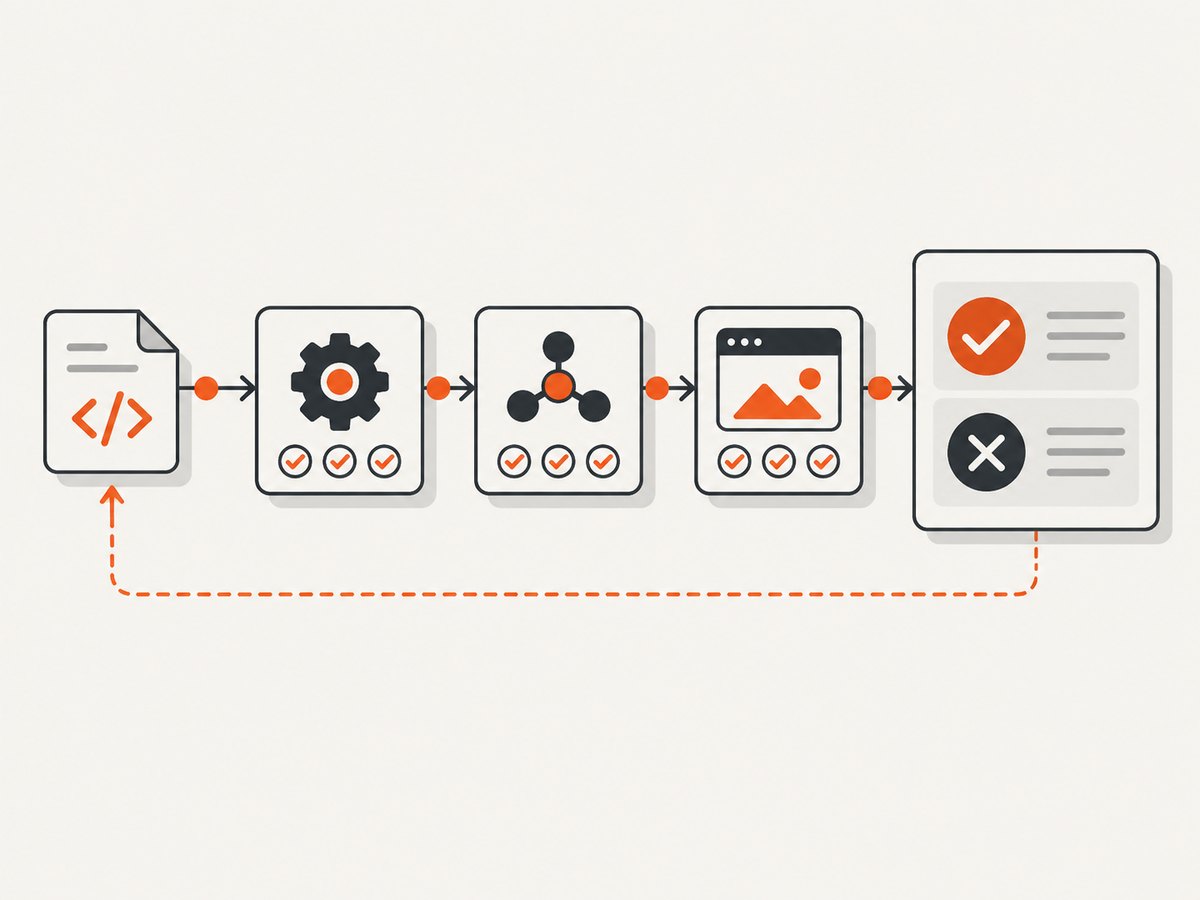
3. A maintainable automation workflow
- Map the risk. List user journeys and defects that matter most, then rank them by impact and frequency.
- Choose the lowest useful level. Cover logic with unit tests, boundaries with integration tests, and only the user-facing behavior that needs a browser with end-to-end tests.
- Define deterministic data. Create isolated accounts, fixtures, database states, and cleanup steps. Avoid sharing mutable state between tests.
- Use stable selectors. Prefer semantic roles, labels, test IDs, or documented API contracts over fragile CSS paths and generated class names.
- Keep actions discrete. Each test should have a small setup, a focused action, and explicit assertions.
- Run in CI. Execute fast checks on every change and broader suites on a schedule or before release, according to risk.
- Report and improve. Store logs, screenshots, traces, and failure reasons. Remove redundant checks and repair flaky ones.
ISTQB’s CTAL-TAE v2.0 guidance treats architecture, maintainability, implementation, deployment, CI/CD integration, reporting, and continuous improvement as parts of a sustainable automation solution.
4. Runnable browser example with Python and Selenium
This example checks that a page loads, has the expected title, and exposes a visible heading. Install Selenium with python -m pip install selenium. Recent Selenium versions can manage the browser driver automatically when a supported browser is installed.
from selenium import webdriver
from selenium.webdriver.common.by import By
from selenium.webdriver.chrome.options import Options

options = Options()
options.add_argument("--headless=new")
options.add_argument("--no-sandbox")
options.add_argument("--disable-dev-shm-usage")

with webdriver.Chrome(options=options) as driver:
    driver.set_page_load_timeout(30)
    driver.get("https://example.com")

    assert "Example Domain" in driver.title
    heading = driver.find_element(By.TAG_NAME, "h1")
    assert heading.is_displayed()
    assert heading.text.strip() == "Example Domain"

print("regression check passed")
Run it with python regression_check.py. Replace the URL and assertions with behavior your application promises. Do not assert incidental details such as generated class names, exact whitespace, or animation timing.
5. Runnable browser example with Node.js and Playwright
Playwright is one of the web automation frameworks listed by Microsoft Learn for Dynamics 365 scenarios; that list is contextual rather than a universal ranking. Install it with npm init -y && npm install -D playwright, then install a browser with npx playwright install chromium.
const { chromium } = require('playwright');

(async () => {
  const browser = await chromium.launch({ headless: true });
  const page = await browser.newPage();

  try {
    await page.goto('https://example.com', { waitUntil: 'domcontentloaded', timeout: 30000 });
    await page.getByRole('heading', { name: 'Example Domain' }).waitFor();
    const title = await page.title();
    if (!title.includes('Example Domain')) {
      throw new Error(`Unexpected title: ${title}`);
    }
    console.log('regression check passed');
  } finally {
    await browser.close();
  }
})();
For a larger suite, add retries only for known infrastructure faults, collect traces on failure, and keep the assertion that explains the user-visible contract.
6. Visual regression checks
Visual regression testing compares a new render with an approved baseline. It is useful for layout shifts, missing assets, typography changes, responsive breakpoints, and dark-mode regressions. Control the variables before comparing images:
- Use a fixed viewport, device scale, browser version, and timezone.
- Freeze dynamic data, timestamps, animations, ads, and random content.
- Wait for the page or a specific selector to be ready.
- Decide how to treat anti-aliasing, fonts, video, and third-party widgets.
- Review diffs instead of accepting every new image automatically.
A screenshot diff is evidence of a rendering change, not proof that the change is wrong. Pair it with functional assertions and human review for meaningful visual decisions.
7. Common failure modes and fixes
| Symptom | Likely cause | Fix |
|---|---|---|
| Element not found | Unstable selector, wrong page state, or insufficient wait | Use a role, label, or test ID; wait for the intended state; verify navigation completed |
| Timeout during navigation | Slow dependency, blocked resource, or page-load event that never settles | Set a realistic timeout, wait for a specific readiness condition, and inspect network logs |
| Works locally but fails in CI | Different browser, fonts, timezone, viewport, secrets, or service dependencies | Pin the environment, make configuration explicit, and capture CI artifacts |
| Flaky assertion | Shared test data, race condition, animation, or random content | Isolate data, wait on state rather than time, disable animation, and remove order dependence |
| Large visual diff | Changed font, viewport, browser version, or dynamic content | Compare environment metadata first; stabilize inputs before updating a baseline |
| Suite becomes too slow | Too many end-to-end checks or serial setup | Move logic to lower levels, parallelize isolated tests, reuse safe setup, and keep a small smoke suite |
| Green suite misses a defect | Coverage gap or assertions that are too weak | Review production incidents, add a focused regression, and strengthen the expected result |
8. Performance, reliability, and cost
Execution performance
- Run unit and component checks first so cheap failures stop the pipeline early.
- Parallelize only when tests do not share mutable state or rate-limited dependencies.
- Use a small browser smoke suite for every change and a broader suite at a risk-appropriate stage.
- Cache browser binaries and dependencies in CI when your platform supports safe caching.
- Measure runtime by test and remove duplicate coverage.
Reliability
Retries can hide real defects if applied indiscriminately. Record the first failure, retain traces or screenshots, and classify failures as product, test, data, or infrastructure problems. Quarantine a flaky check only with an owner and a plan to restore it.
Cost and maintenance
Browser suites require machines, browsers, test environments, data management, and ongoing repairs as the UI changes. A lower-level test may provide the same confidence at lower runtime and maintenance cost. Tool choice should reflect supported languages, application stack, team skills, CI/CD integration, reporting, and vendor support. Microsoft’s Dynamics 365 regression-tool guidance lists examples such as Playwright, Selenium, and commercial options for that product context; verify current capabilities and terms before choosing a vendor.
9. Or skip the browser setup
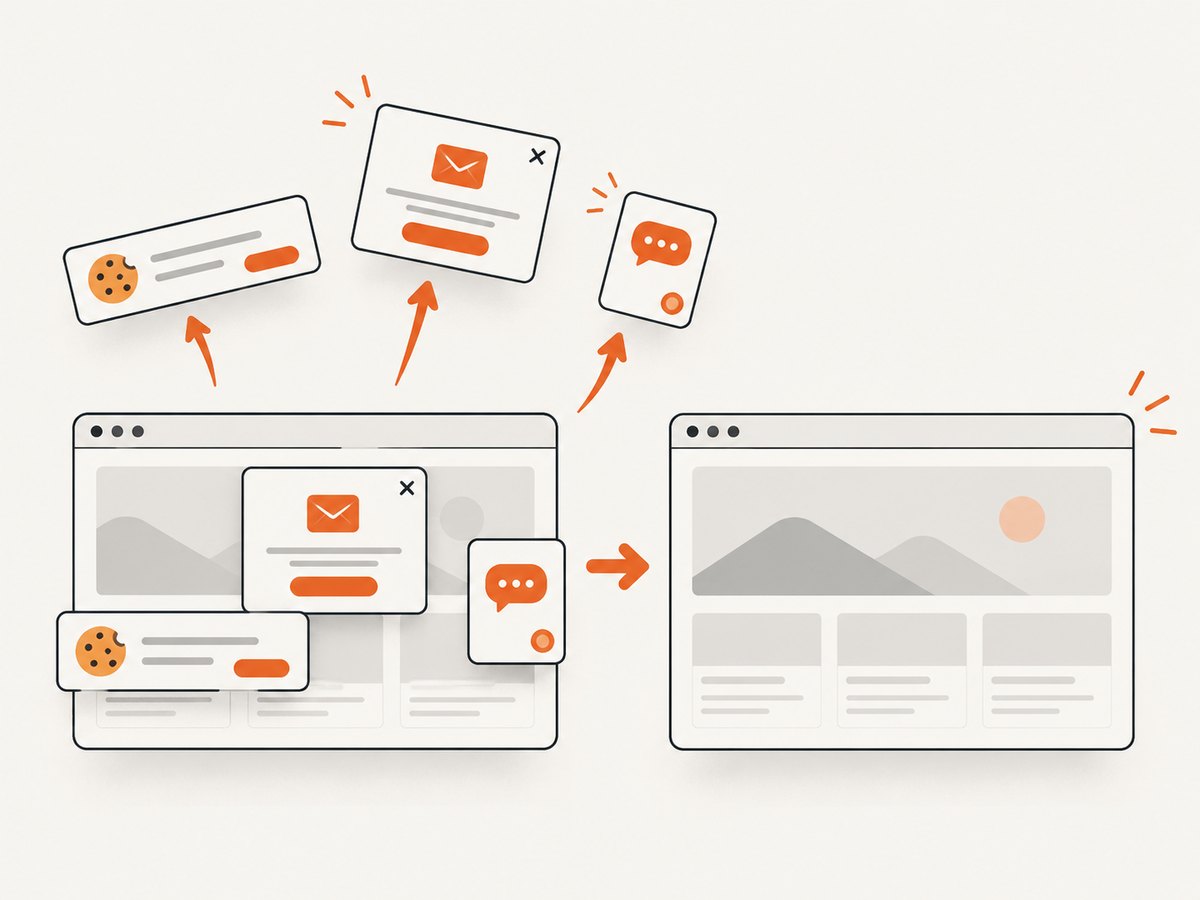
If your regression workflow needs repeatable page images, ScreenshotNeo provides a website screenshot API and MCP server. One request returns a PNG, JPEG, WebP, or PDF. Before capture it accepts cookie and consent banners and removes more than 60 known consent platforms, newsletter popups, and chat widgets; each step can be turned off. Bot checks or CAPTCHAs, blank pages, timeouts, failed loads, and cache hits are not billed, and the response identifies the result with X-Page-Verdict and X-Billed headers.
See the ScreenshotNeo API documentation for all options, including full-page and element capture, device presets, dark mode, custom CSS and JavaScript, waits, blocking rules, headers, cookies, geolocation, caching, signed links, async jobs, bulk capture, and usage reporting.
curl -G "https://api.screenshotneo.com/v1/shot" -d access_key=YOUR_API_KEY --data-urlencode url=https://stripe.com -o shot.webpimport requests
r = requests.get("https://api.screenshotneo.com/v1/shot", params={"access_key": "YOUR_API_KEY", "url": "https://stripe.com"}, timeout=90)
open("shot.webp", "wb").write(r.content)const q = new URLSearchParams({ access_key: 'YOUR_API_KEY', url: 'https://stripe.com' });
const res = await fetch(`https://api.screenshotneo.com/v1/shot?${q}`);An MCP server lets Claude, Cursor, and other MCP clients call take_screenshot, get_page_info, and capture_pdf. The Free plan includes 1,000 shots per month with no card; paid plans start at $5 for 3,000 shots. Create a free ScreenshotNeo account.
10. A practical CI checklist
- Choose a small, risk-based regression set.
- Keep test data isolated and reproducible.
- Pin browser and runtime versions where possible.
- Use stable selectors and explicit readiness conditions.
- Save logs, screenshots, traces, and environment metadata on failure.
- Run fast lower-level checks before browser suites.
- Review visual diffs and update baselines deliberately.
- Track flaky tests and assign owners.
- Revisit coverage after incidents and major product changes.
- Keep manual exploratory and judgment-based testing in the release process.
11. FAQ
Does automated regression testing replace manual testing?
No. It repeats the checks you define. People are still needed for exploratory work, judgment, and deciding whether coverage reflects current risk.
Should every regression test run in a browser?
No. Use unit or integration tests when they provide adequate confidence. Browser tests belong around behavior that depends on the real user interface and browser environment.
How many end-to-end tests should a project have?
There is no universal number. Start with the smallest set that covers high-impact journeys, then add focused tests when incidents or risk analysis justify them.
Are retries a solution for flaky tests?
Retries can distinguish transient infrastructure failures, but they should not conceal product or test defects. Keep the original failure and investigate the cause.
Can visual screenshots prove a release is safe?
No. They detect rendering changes. Combine them with functional assertions, API checks, and human review where visual judgment matters.


