Can a Website Detect Screenshots? What Browsers, Android, and DRM Actually Reveal
Most websites cannot detect your OS screenshot. Learn what browsers, Android apps, DRM, and capture APIs can actually see.
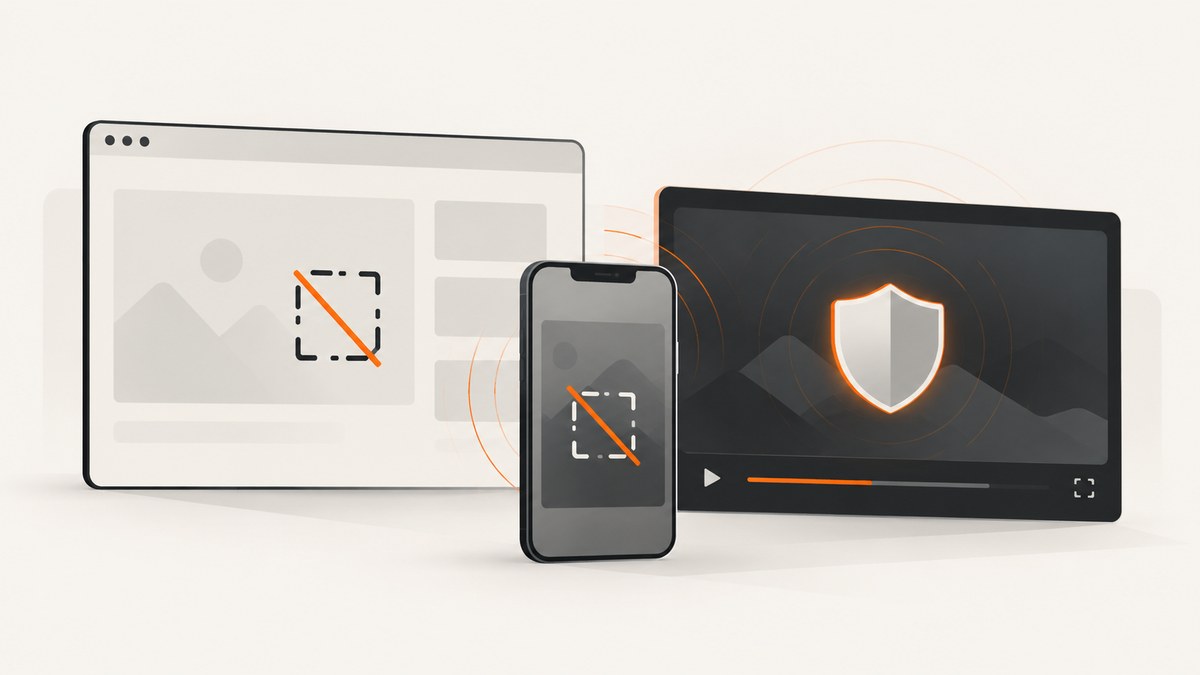
Usually, no. A normal website cannot receive a browser event when you press Print Screen, use a macOS screenshot shortcut, take a screenshot from your operating system, or photograph the display with another device. Ordinary browser JavaScript has no standard screenshot taken event.
Websites can still observe related actions in specific situations. A page can request screen sharing through the permissioned Screen Capture API. A native Android app can receive screenshot callbacks on supported versions. DRM and managed-device policies can prevent protected video from appearing in a capture. These are different capabilities from a website silently learning that you took a screenshot.
This distinction matters because a black frame, a permission prompt, or a visibility change does not automatically mean that a site detected your screenshot. The layer, signal, coverage, consent requirement, and bypasses determine what is really happening.
What a regular website can and cannot know
| Event or mechanism | Can ordinary page JavaScript detect it? | What it really means |
|---|---|---|
| Print Screen or OS screenshot shortcut | No standard event | The operating system handles the capture outside the page. |
| Phone screenshot button | Not from a normal website | The mobile OS owns the screenshot action. |
visibilitychange or blur |
The event is observable | The tab lost visibility or focus for many possible reasons; it is not proof of a screenshot. |
navigator.mediaDevices.getDisplayMedia() |
Only after the user starts and approves capture | The page receives a stream for a user-approved tab, window, or monitor. |
| Protected video output | Some capture paths can be blocked or blanked | Browser, operating-system, DRM, or enterprise policy may protect a surface. |
| Another device photographing the display | No | The page has no sensor or event for a camera outside the device. |
A site may collect other telemetry, such as focus changes, pointer activity, or navigation timing. None of those signals uniquely identifies a screenshot. Treating every blur event as a screenshot detector creates false positives when someone switches tabs, opens developer tools, answers a notification, or changes windows.
How browser screen capture works
The web platform’s Screen Capture API is a way for a page to request a capture stream. MDN documents getDisplayMedia() as a permissioned operation: the browser shows a picker, the user chooses a tab, window, or monitor, and the user agent requires approval and recent user interaction. A page can then inspect the stream and its settings, such as the selected display surface.

This flow is intentionally different from an OS screenshot. The page starts a capture session and receives video frames. It does not receive a notification whenever the user independently presses a system screenshot key.
<button id="share">Choose a surface to share</button>
<video id="preview" autoplay playsinline></video>
<script>
const button = document.querySelector('#share');
const video = document.querySelector('#preview');

button.addEventListener('click', async () => {
  try {
    const stream = await navigator.mediaDevices.getDisplayMedia({
      video: true,
      audio: false
    });
    video.srcObject = stream;

    const track = stream.getVideoTracks()[0];
    console.log('Capture settings:', track.getSettings());
    track.addEventListener('ended', () => {
      console.log('The user stopped the approved capture session.');
    });
  } catch (error) {
    console.error('Capture was cancelled or denied:', error);
  }
});
</script>
This example can tell the page that an approved capture stream exists and when that stream ends. It cannot tell the page that a separate screenshot shortcut was used before or during the session.
Permissions Policy and browser requirements
A document’s Permissions Policy can allow or deny the display-capture capability. Embedding the page in an iframe, browser security rules, missing user activation, an insecure context, or a denied prompt can all prevent the request. Browser behavior also varies by platform, so test the exact browser and deployment model you support.
Do not design a security boundary around a capture-session signal. A user can select a different surface, use operating-system tools, run automation, or take a photograph. Screen sharing is a consented collaboration feature, not a universal screenshot notification channel.
Can Chrome detect screenshots?
Chrome can participate in approved screen capture through the standard API, subject to browser permission and policy. A normal Chrome page does not receive a general event for the user’s operating-system screenshot command. Extensions, enterprise controls, or an operating-system integration may have additional powers, but those are outside ordinary page JavaScript and have their own installation, policy, and coverage limits.
Signals such as blur, focus, visibilitychange, window resizing, or a short rendering pause are not reliable evidence. They happen during routine navigation and multitasking. If your application needs to protect confidential data, use authorization, short-lived credentials, watermarking, and server-side access controls rather than pretending these events prove a screenshot.
Why Android apps can sometimes know about screenshots
Android 14 introduced a privacy-preserving screenshot detection API for native apps. Android Developers describe an activity-level callback that an app registers with the DETECT_SCREEN_CAPTURE permission. The callback indicates that a supported screenshot occurred, but does not provide the screenshot image.
This is an Android app and operating-system facility, not a general capability granted to every website opened in a browser. Coverage is defined by Android’s API and app lifecycle. The documentation also states that the API does not detect screenshots taken by ADB or instrumentation tests. A web page cannot assume that an Android app callback exists, and an Android callback cannot be generalized to every device or capture path.
Why Netflix or other protected video can turn black
Encrypted Media Extensions (EME) let a page play encrypted media through a browser content-decryption module. The W3C specification describes APIs for selecting protection mechanisms, exchanging licenses and keys, and rendering protected content. In supported implementations, a browser, operating system, enterprise policy, or hardware path can restrict capture of a protected surface. The result may be a black or blank video frame.
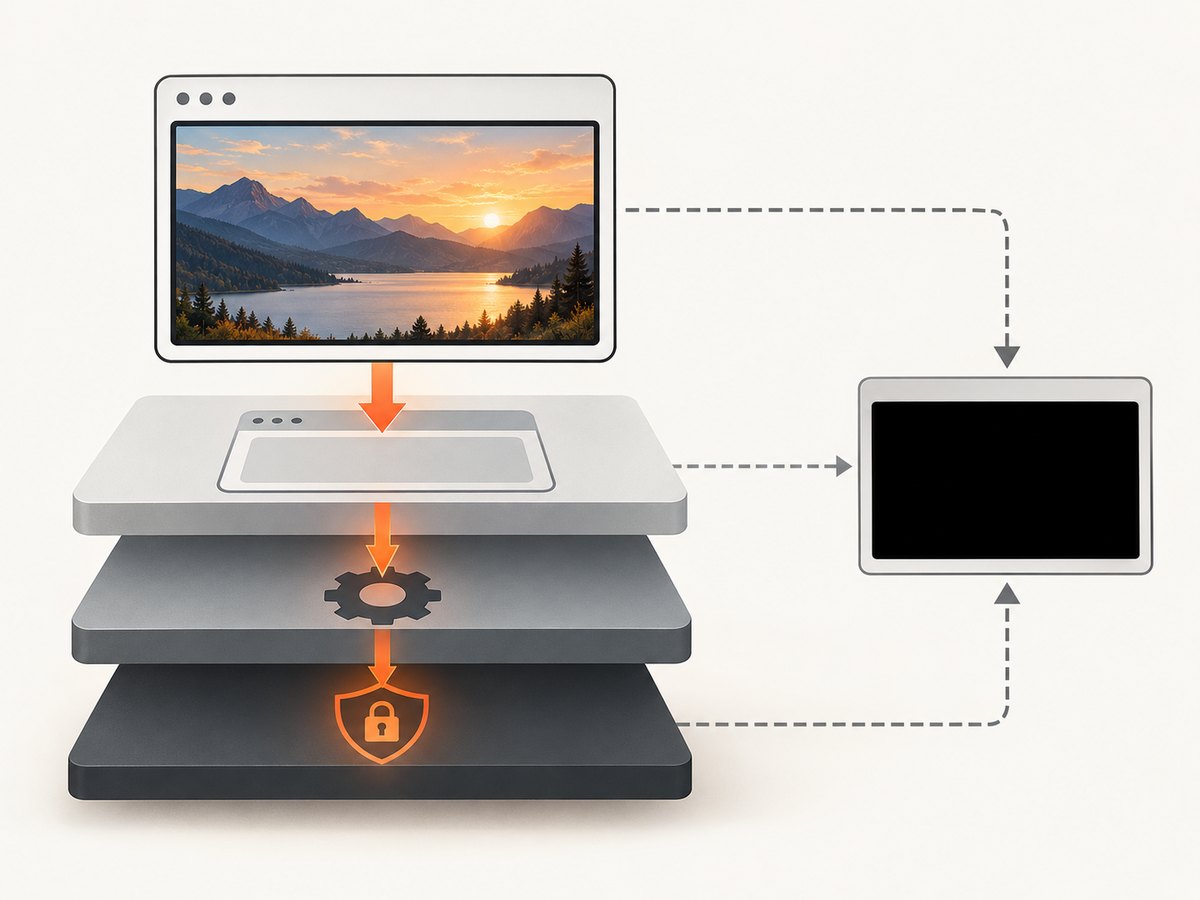
A black frame means that output prevention or protected-surface handling occurred. It does not prove that the website received a screenshot alert. The policy may apply only to a particular browser, operating system, protected video plane, or managed environment. It may not cover an ordinary page, an unprotected overlay, a second device, or every recording method.
When evaluating a claim that a service “detects screenshots,” ask four questions:
- Which layer? Page JavaScript, browser, operating system, native app, DRM module, or enterprise policy?
- Which signal? A notification, an active capture session, or output blanking?
- What coverage? Which shortcut, device, browser, surface, and version?
- What bypasses exist? Can another capture path or a camera reproduce the display?
What developers should implement
If you need user-approved screen sharing
- Run the request from a clear user action such as a button click.
- Call
getDisplayMedia()and handle both denial and cancellation. - Show a visible sharing state and listen for the track’s
endedevent. - Stop tracks when the feature is finished, and avoid retaining frames longer than necessary.
- Explain what surface is requested and why. The browser picker remains the user’s decision.
If you need to protect sensitive content
- Enforce authorization and expiration on the server.
- Minimize the data rendered in the browser.
- Use per-user watermarks when attribution discourages redistribution.
- Use DRM or managed-device controls for protected media where your distribution requirements justify them.
- Document the exact devices and capture paths your policy covers.
If you are investigating an alleged detector
Record the browser, operating system, app versus web context, permission prompts, selected capture surface, and whether the output was blanked. Repeat with an OS shortcut, browser capture, an external camera, and a second device. A claim is only meaningful when its coverage and signal are specified.
Or skip the browser setup
If your goal is to capture a website for documentation, testing, monitoring, or an AI workflow, ScreenshotNeo provides a website screenshot API and MCP server. It captures a URL with one request and can return PNG, JPEG, WebP, or PDF. Before capture, it accepts cookie and consent banners like a visitor and removes more than 60 known consent platforms, newsletter popups, and chat widgets. Each step can be turned off.
Only clean shots are billed. Bot checks and CAPTCHAs, blank pages, timeouts, failed loads, and cache hits cost nothing, and response headers identify the page verdict and whether it was billed. Its MCP server exposes take_screenshot, get_page_info, and capture_pdf for Claude, Cursor, and other MCP clients.
See the complete parameter list and OpenAPI details in the ScreenshotNeo documentation.
cURL
curl -G "https://api.screenshotneo.com/v1/shot" \
  -d access_key=YOUR_API_KEY \
  --data-urlencode url=https://stripe.com \
  -o shot.webp
Python
import requests

r = requests.get(
    "https://api.screenshotneo.com/v1/shot",
    params={"access_key": "YOUR_API_KEY", "url": "https://stripe.com"},
    timeout=90,
)
r.raise_for_status()
open("shot.webp", "wb").write(r.content)
Node.js
const q = new URLSearchParams({
  access_key: 'YOUR_API_KEY',
  url: 'https://stripe.com'
});
const res = await fetch(`https://api.screenshotneo.com/v1/shot?${q}`);
if (!res.ok) throw new Error(`HTTP ${res.status}`);
const buffer = Buffer.from(await res.arrayBuffer());
require('fs').writeFileSync('shot.webp', buffer);
Relevant capture options include full-page screenshots with lazy images loaded, a CSS element selector, dark mode, 12 device presets or any viewport, retina scale, PDF paper size and margins, landscape mode and page ranges, custom CSS and JavaScript, clicking an element, hiding selectors, waits for a selector or network idle, ad and tracker blocking, resource-type blocking, custom headers, cookies, user agents and Authorization, timezone, geolocation, transparent backgrounds, resizing, configurable caching TTLs, signed links, asynchronous jobs with signed webhooks, bulk capture for up to 100 URLs per call, and a usage API.
For reliability, inspect the X-Page-Verdict and X-Billed headers instead of assuming every HTTP 200 response contains a useful page. Use waits for dynamic content, block unnecessary resources when appropriate, and choose caching when the page does not change frequently. Keep API keys server-side; signed links are available when a public <img> URL is required.
Plans include 1,000 free shots per month with no card, then Starter at $5 for 3,000, Growth at $15 for 15,000, Pro at $39 for 60,000, Scale at $99 for 250,000, and Business at $249 for 1,000,000. Yearly billing gives two months free, and every feature is available on every plan. Create a free ScreenshotNeo account and start with 1,000 screenshots a month without a card.
Troubleshooting
| Symptom | Likely cause | Fix |
|---|---|---|
| No screenshot event in page code | The OS shortcut is outside the web platform. | Use authorization, watermarking, or a native and OS-specific design if you need a supported signal. |
getDisplayMedia() rejects immediately |
No user activation, insecure context, denied permission, or policy restriction. | Call it from a user gesture over HTTPS and check Permissions Policy and browser support. |
| User shares the wrong surface | The browser picker controls selection. | Explain the choices before opening the picker and verify track settings after approval. |
| Video becomes black during capture | Protected media or managed capture-prevention policy. | Treat it as output protection; verify the browser, device, DRM configuration, and policy. |
| False screenshot alerts from focus logic | blur and visibility changes have many causes. |
Do not classify them as screenshots without a platform signal designed for that purpose. |
| ScreenshotNeo output is blank or a bot check | The target blocked automation or failed to load. | Read X-Page-Verdict; adjust waits, headers, cookies, user agent, or blocking options. These outcomes are not billed. |
FAQ
Can a website tell if I screenshot an Instagram story or web page?
A normal website has no universal screenshot event. Any notification you see usually comes from an app-specific or platform-specific feature, not ordinary browser JavaScript.
Does screen recording notify the website?
Starting an OS-level recording does not create a standard page notification. A page can know about a capture stream that it requested through getDisplayMedia(), and protected media may be blanked by policy.
Can JavaScript detect Print Screen?
There is no reliable standard event that identifies the operating-system screenshot action. Keyboard events, focus changes, and timing heuristics are incomplete and produce false positives.
Can a website stop screenshots?
It can reduce exposure with access controls, watermarks, protected media, and environment-specific policies. It cannot control every capture path, including another device’s camera.
Does Android screenshot detection work in Chrome?
The Android 14 API is for native applications with the required permission and activity callback. It is not a general browser-page capability.


