How to Capture AJAX Traffic Programmatically with Headless Chrome
Capture XHR and Fetch calls in headless Chrome with CDP, retrieve response bodies, handle failures, and avoid common logging traps.
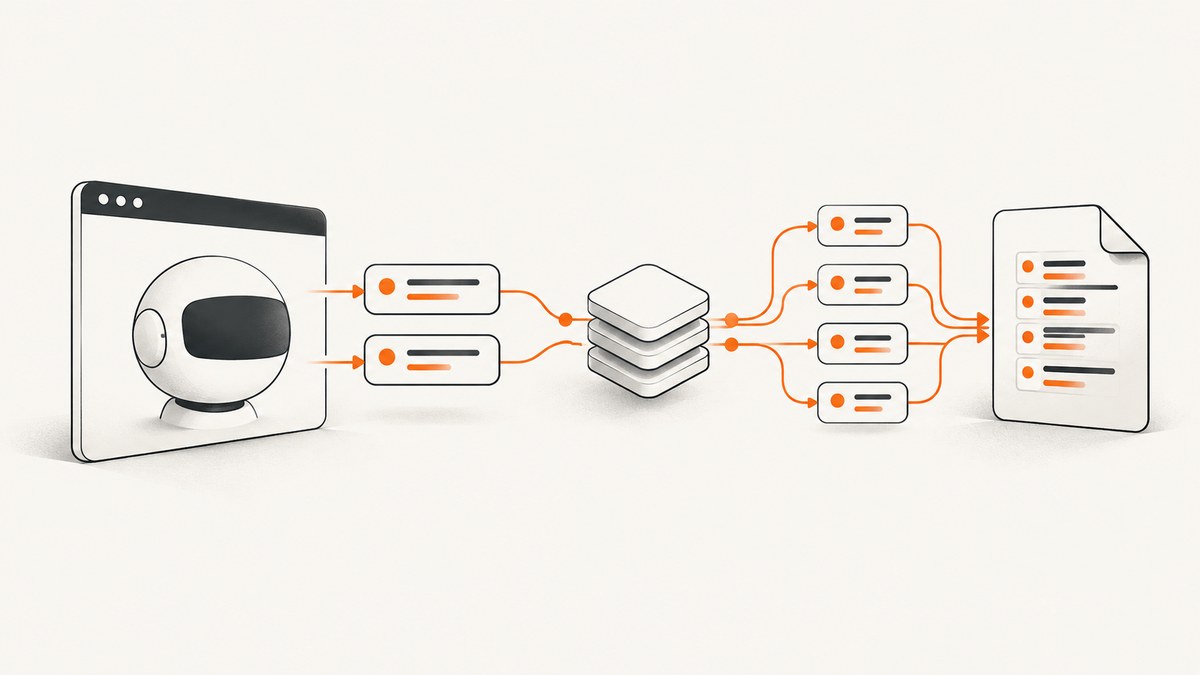
Direct answer: Capture AJAX traffic in headless Chrome through the Chrome DevTools Protocol (CDP). Attach a CDP session, enable the Network domain before navigation, listen for Network.requestWillBeSent, Network.responseReceived, Network.loadingFinished, and Network.loadingFailed, then call Network.getResponseBody for finished requests whose resource type is XHR or Fetch. The request ID joins metadata, status, timing, errors, and the response body.
What you are capturing
AJAX is a browser behavior rather than a separate wire protocol. Modern pages usually issue calls through XMLHttpRequest or fetch(). CDP exposes those calls at Chrome’s network layer, including URL, method, headers where available, status, initiator, timing, redirects, and response data. See the Network domain reference.
Start listening before the page or interaction that matters. If you attach after load, early calls can be missing. A capture is evidence of one browser run, not a complete inventory of every backend endpoint or proof that copying a request outside the browser will work. Service workers, cache, authentication, redirects, and anti-bot checks can change what you observe.
CDP event flow
- Launch Chromium in headless mode and open a page.
- Create a CDP session for that page.
- Send
Network.enablebefore navigation or before clicking the control that triggers AJAX. - Store request metadata from
requestWillBeSent, filteringtypetoXHRandFetch. - Merge status and response headers from
responseReceived. - On
loadingFinished, request the body withNetwork.getResponseBody. - Record
loadingFailedseparately because failed requests have no usable response body.
Request IDs are scoped to the target and can change across redirects. Keep every ID rather than assuming one logical API call equals one ID. CDP is organized into domains with commands and events, and the tip-of-tree version can change without backward compatibility guarantees (CDP overview).
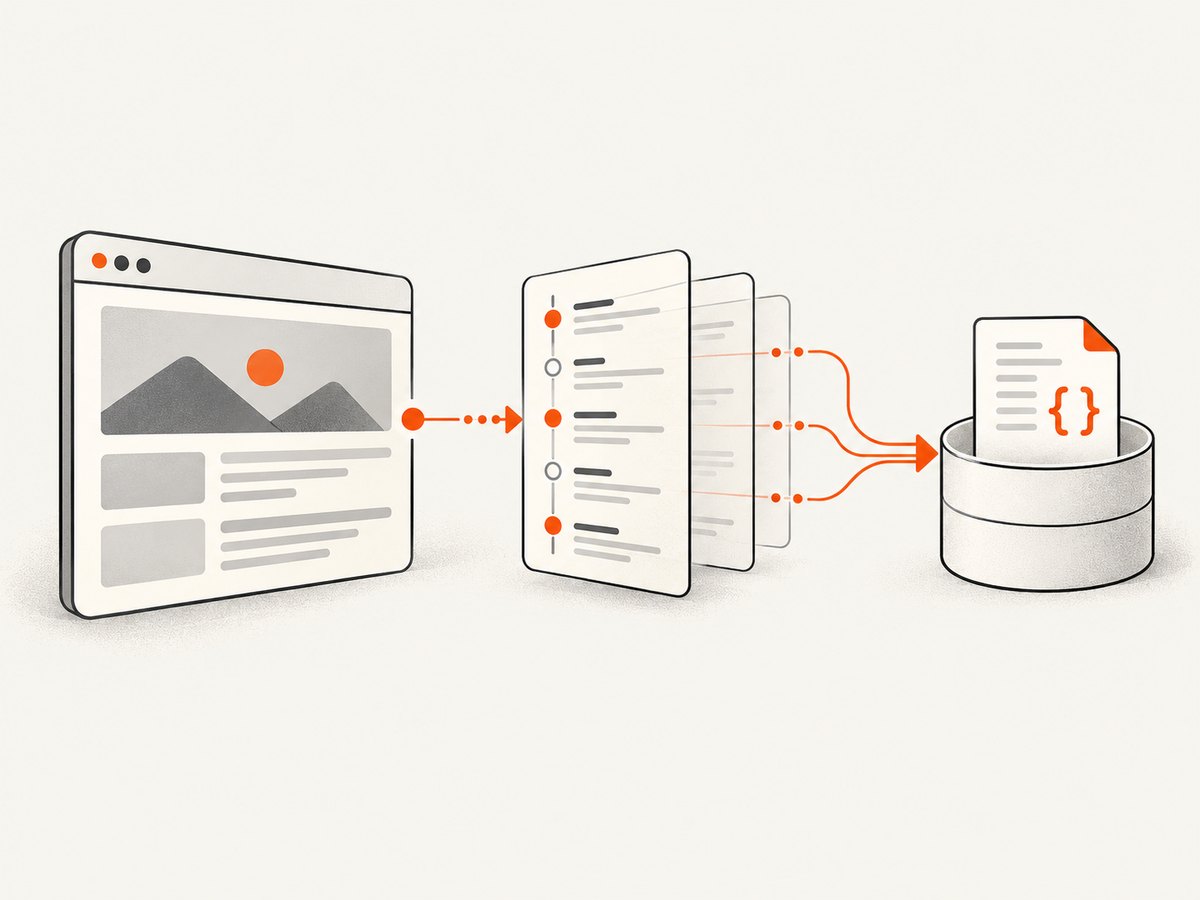
Runnable Node.js capture with Puppeteer
This example writes one JSON object per line and preserves redirects and failures.
npm install puppeteer

// capture-ajax.mjs
import fs from 'node:fs';
import puppeteer from 'puppeteer';

const target = process.argv[2] || 'https://example.com';
const browser = await puppeteer.launch({headless: true});
const page = await browser.newPage();
const client = await page.target().createCDPSession();
const out = fs.createWriteStream('ajax.jsonl', {flags: 'w'});
const records = new Map();

await client.send('Network.enable');

client.on('Network.requestWillBeSent', event => {
  if (event.type !== 'XHR' && event.type !== 'Fetch') return;
  records.set(event.requestId, {
    requestId: event.requestId,
    type: event.type,
    url: event.request.url,
    method: event.request.method,
    requestHeaders: event.request.headers,
    postData: event.request.postData,
    initiator: event.initiator,
    redirectResponse: event.redirectResponse || null,
    startedAt: event.timestamp
  });
});

client.on('Network.responseReceived', event => {
  const record = records.get(event.requestId);
  if (!record) return;
  record.status = event.response.status;
  record.statusText = event.response.statusText;
  record.mimeType = event.response.mimeType;
  record.responseHeaders = event.response.headers;
  record.fromDiskCache = event.response.fromDiskCache;
  record.fromServiceWorker = event.response.fromServiceWorker;
});

client.on('Network.loadingFailed', event => {
  const record = records.get(event.requestId);
  if (!record) return;
  record.failed = true;
  record.errorText = event.errorText;
  record.canceled = event.canceled || false;
  out.write(JSON.stringify(record) + '\\n');
  records.delete(event.requestId);
});

client.on('Network.loadingFinished', async event => {
  const record = records.get(event.requestId);
  if (!record) return;
  record.encodedDataLength = event.encodedDataLength;
  try {
    const body = await client.send('Network.getResponseBody', {requestId: event.requestId});
    record.body = body.body;
    record.base64Encoded = body.base64Encoded;
  } catch (error) {
    record.bodyError = String(error.message || error);
  }
  out.write(JSON.stringify(record) + '\\n');
  records.delete(event.requestId);
});

await page.goto(target, {waitUntil: 'domcontentloaded', timeout: 60000});
await new Promise(resolve => setTimeout(resolve, 5000));
await out.close();
await browser.close();
Run node capture-ajax.mjs https://your-authorized-test-site.example. For an interaction, install listeners first, call page.click('button[data-load]'), and wait for the resulting events. Redact access tokens, cookies, and personal data before sharing output.
Python alternative with Playwright
Install with pip install playwright, then run playwright install chromium.
import asyncio, json
from playwright.async_api import async_playwright

async def main(url):
    async with async_playwright() as p:
        browser = await p.chromium.launch(headless=True)
        page = await browser.new_page()
        cdp = await page.context.new_cdp_session(page)
        records = {}
        await cdp.send('Network.enable')

        def sent(e):
            if e.get('type') not in ('XHR', 'Fetch'): return
            r = e['request']
            records[e['requestId']] = {'requestId': e['requestId'], 'type': e['type'], 'url': r['url'], 'method': r['method'], 'requestHeaders': r.get('headers', {}), 'postData': r.get('postData'), 'initiator': e.get('initiator')}

        def received(e):
            rec = records.get(e['requestId'])
            if rec:
                r = e['response']
                rec.update(status=r['status'], mimeType=r.get('mimeType'), responseHeaders=r.get('headers', {}), fromDiskCache=r.get('fromDiskCache', False), fromServiceWorker=r.get('fromServiceWorker', False))

        async def finished(e):
            rec = records.pop(e['requestId'], None)
            if not rec: return
            try:
                b = await cdp.send('Network.getResponseBody', {'requestId': e['requestId']})
                rec.update(body=b['body'], base64Encoded=b.get('base64Encoded', False))
            except Exception as exc: rec['bodyError'] = str(exc)
            print(json.dumps(rec))

        cdp.on('Network.requestWillBeSent', sent)
        cdp.on('Network.responseReceived', received)
        cdp.on('Network.loadingFinished', lambda e: asyncio.create_task(finished(e)))
        cdp.on('Network.loadingFailed', lambda e: print(json.dumps({'requestId': e['requestId'], 'failed': True, 'errorText': e.get('errorText')})))
        await page.goto(url, wait_until='domcontentloaded', timeout=60000)
        await page.wait_for_timeout(5000)
        await browser.close()

asyncio.run(main('https://your-authorized-test-site.example'))
CDP method names and wrapper event syntax are version-sensitive. Pin your automation library, consult its current documentation, and keep a compatibility check when upgrading.
Filtering and useful fields
| Need | Record | Reason |
|---|---|---|
| Only AJAX | XHR and Fetch |
Excludes images, scripts, stylesheets, documents, and fonts. See the resource type list. |
| Request context | URL, method, headers, postData, initiator | Shows what code triggered the call and what was sent. |
| Response context | Status, MIME type, headers, cache and service-worker flags | Prevents treating a cached or synthetic response as a fresh server response. |
| Failures | Error text, cancellation, blocked reason | Explains why no body exists. |
For a button-driven flow, attach listeners, navigate, wait for the page to settle, click the button, and await a URL or response predicate. A predicate is more reliable than an arbitrary sleep. For pagination or infinite scrolling, repeat the action and preserve request order.
Network logging versus interception
Use the Network domain for passive observation. Do not enable interception merely to log traffic. The CDP Fetch domain pauses matching requests so the client can continue, fail, or fulfill them; every paused request must be resolved. A forgotten continueRequest, failRequest, or fulfillRequest can freeze the page. See the Fetch domain.
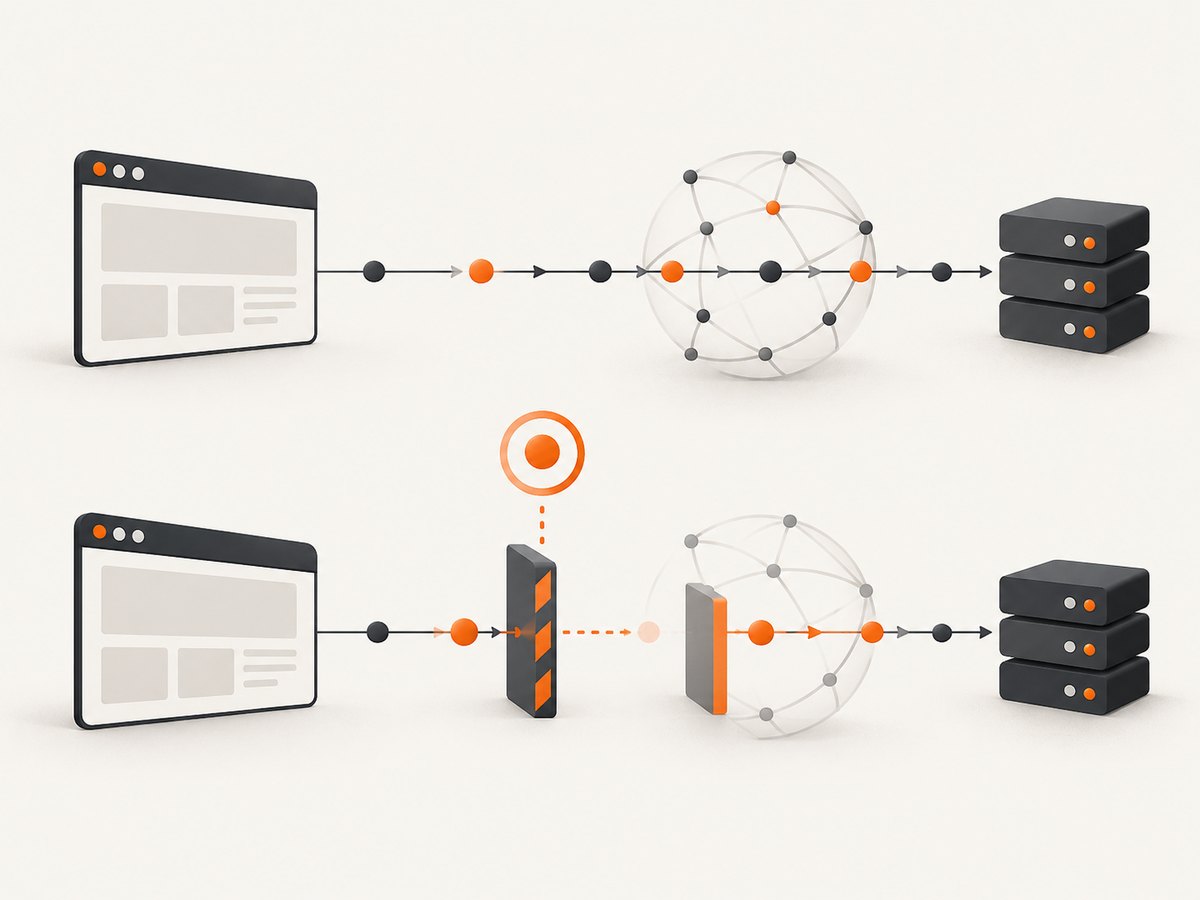
Choose interception when you must modify a header, replace a response, or deliberately block a call. Keep the handler small, add a timeout, and log every decision.
Completeness and difficult traffic
- Redirects: preserve each request ID and its
redirectResponse; a chain can contain multiple records. - Cache: cached responses may not expose original request headers. Record cache flags.
- Service workers: a worker can satisfy a request without contacting the origin. Record
fromServiceWorker. - Streams and WebSockets: XHR and Fetch filters do not produce a complete stream transcript. Use their dedicated CDP events.
- Binary bodies: honor
base64Encodedand MIME type before decoding. - Large bodies: stream records to disk, cap body size, or save metadata first.
- Authentication: establish cookies, storage state, headers, and user interaction before the call of interest.
Troubleshooting
| Symptom | Cause | Fix |
|---|---|---|
| No AJAX records | Network enabled after navigation or wrong target. | Create the session and enable Network before goto or the click. |
getResponseBody fails |
Request failed, was evicted, is still loading, or is a redirect. | Call after loadingFinished; handle failures and redirects. |
| Only images and documents appear | Wrong filter or another transport. | Log all resource types temporarily; inspect WebSocket or EventSource events. |
| Page hangs | Fetch interception paused a request. | Use Network logging or resolve every pause. |
| Unreadable body | Binary or base64 content. | Check MIME type and base64Encoded. |
| Different results per run | Cache, workers, login state, timing, or anti-bot behavior. | Record those conditions and compare initiator and response metadata. |
Performance, reliability, and cost
Filtering as events arrive is cheaper than recording every resource. The expensive parts are retaining large bodies, serializing headers, and running many pages at once. Write JSON Lines incrementally, cap concurrency, close pages, and set navigation and action timeouts. Pin Chromium and wrapper versions, log browser versions and request IDs, and preserve failed events. Redact authorization headers, cookies, tokens, and personal data. CDP itself has no per-request charge, but browser CPU, memory, storage, and bandwidth still have infrastructure costs.
Or skip the browser setup
If your goal is a clean image or PDF rather than a network trace, ScreenshotNeo provides one screenshot request. It accepts consent banners before capture and removes more than 60 known consent platforms, newsletter popups, and chat widgets; each cleanup step can be switched off. Only clean shots are billed: bot checks, CAPTCHAs, blank pages, timeouts, failed loads, and cache hits cost nothing, and the response reports the result in X-Page-Verdict and X-Billed headers.
See the ScreenshotNeo API documentation for full-page and element capture, device presets, retina scale, custom CSS and JavaScript, clicks, waits, blocked resources, headers, cookies, user agents, timezone, geolocation, transparent backgrounds, resizing, TTL caching, signed links, async jobs, bulk capture, usage, and PDF output.
curl -G 'https://api.screenshotneo.com/v1/shot' -d access_key=YOUR_API_KEY --data-urlencode url=https://stripe.com -o shot.webpimport requests
r = requests.get('https://api.screenshotneo.com/v1/shot', params={'access_key': 'YOUR_API_KEY', 'url': 'https://stripe.com'}, timeout=90)
open('shot.webp', 'wb').write(r.content)const q = new URLSearchParams({ access_key: 'YOUR_API_KEY', url: 'https://stripe.com' });
const res = await fetch(`https://api.screenshotneo.com/v1/shot?${q}`);ScreenshotNeo also includes an MCP server with take_screenshot, get_page_info, and capture_pdf for Claude, Cursor, and other MCP clients. The Free plan includes 1,000 shots each month with no card; paid plans start at $5 for 3,000 shots, and every feature is included on every plan. Create a free ScreenshotNeo account.
FAQ
Is CDP the same as HAR?
No. HAR is a request log format and does not inherently contain every response body. Retrieve bodies separately with Network.getResponseBody.
Can I replay a capture with cURL?
Sometimes, but browser cookies, CSRF tokens, service workers, generated headers, and authentication may be required.
Why do I see Fetch but not XHR?
They are separate CDP resource types. Filter for both.
Does this capture WebSocket messages?
Not with the XHR and Fetch filter. WebSockets and EventSource streams use dedicated events.
What belongs in a bug report?
Store URL, method, sanitized headers, status, MIME type, initiator, redirect chain, cache and worker flags, timing, failure text, a redacted body sample, and browser and wrapper versions.


