How to Capture All Images from a Website
Learn how to download images from one page or an entire website with Wget, HTTrack, browser tools, and a reliable review workflow.
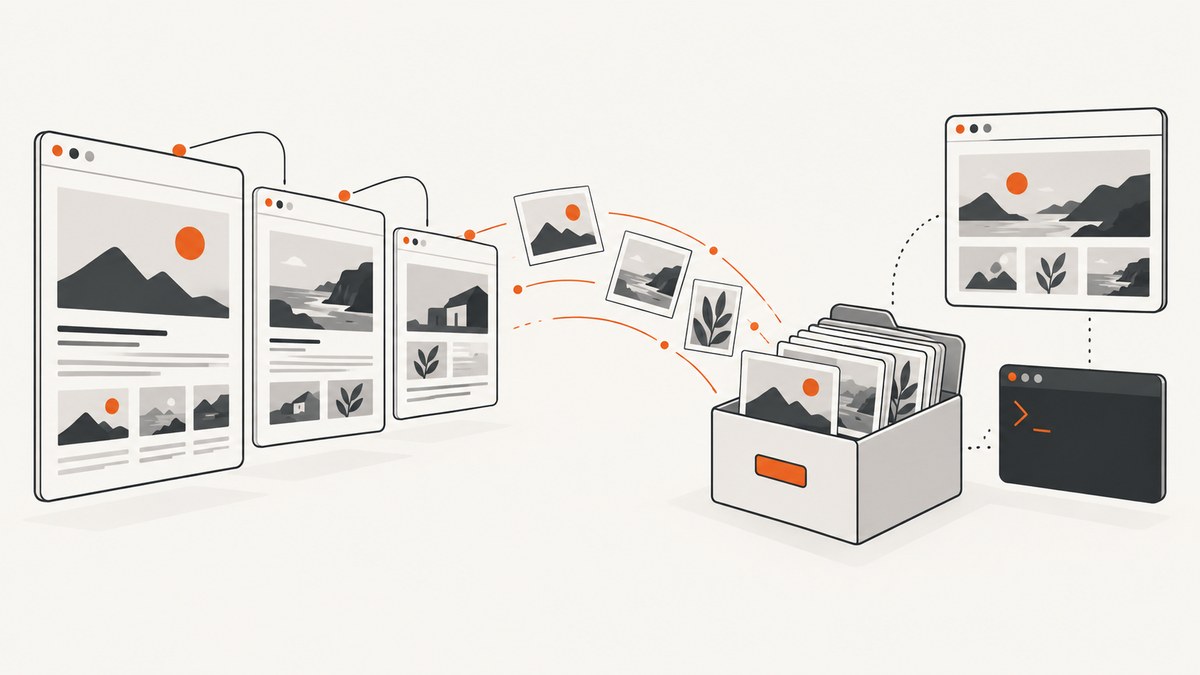
Short answer: For one page, use GNU Wget’s page-requisites mode. For a bounded set of linked pages, use recursive Wget or HTTrack. “All images” always means all images your chosen method can discover within a defined scope; no ordinary crawl proves that every image owned by a website has been found.
Start with a narrow scope, confirm that you are allowed to copy the material, monitor request rate and disk usage, and inspect the result. Images can be hidden behind JavaScript, lazy loading, galleries, authentication, forms, APIs, separate asset hosts, or responsive srcset variants.
1. Choose the scope before downloading
| Goal | Recommended method | What it discovers | Main limitation |
|---|---|---|---|
| Images needed to display one page | Wget --page-requisites |
Resources referenced by that page, including inline images and CSS references | Not an image-only inventory; JavaScript-created or inaccessible assets may be missed |
| A directory or small linked section | Bounded recursive Wget | Images and pages reachable through parsed links and CSS | Requires deliberate depth, host, path, and file filters |
| An offline copy of a site section | HTTrack | Recursively retrieved HTML, images, and other files | A mirror is still limited to resources it can discover and retrieve |
| A few rendered or interactive images | Browser inspection or automation | What loads after scrolling, clicking, or interacting | Manual and incomplete unless every state is visited |
2. Download the images and display resources from one page with Wget
GNU Wget documents --page-requisites for retrieving files required to display a page. The basic command is:
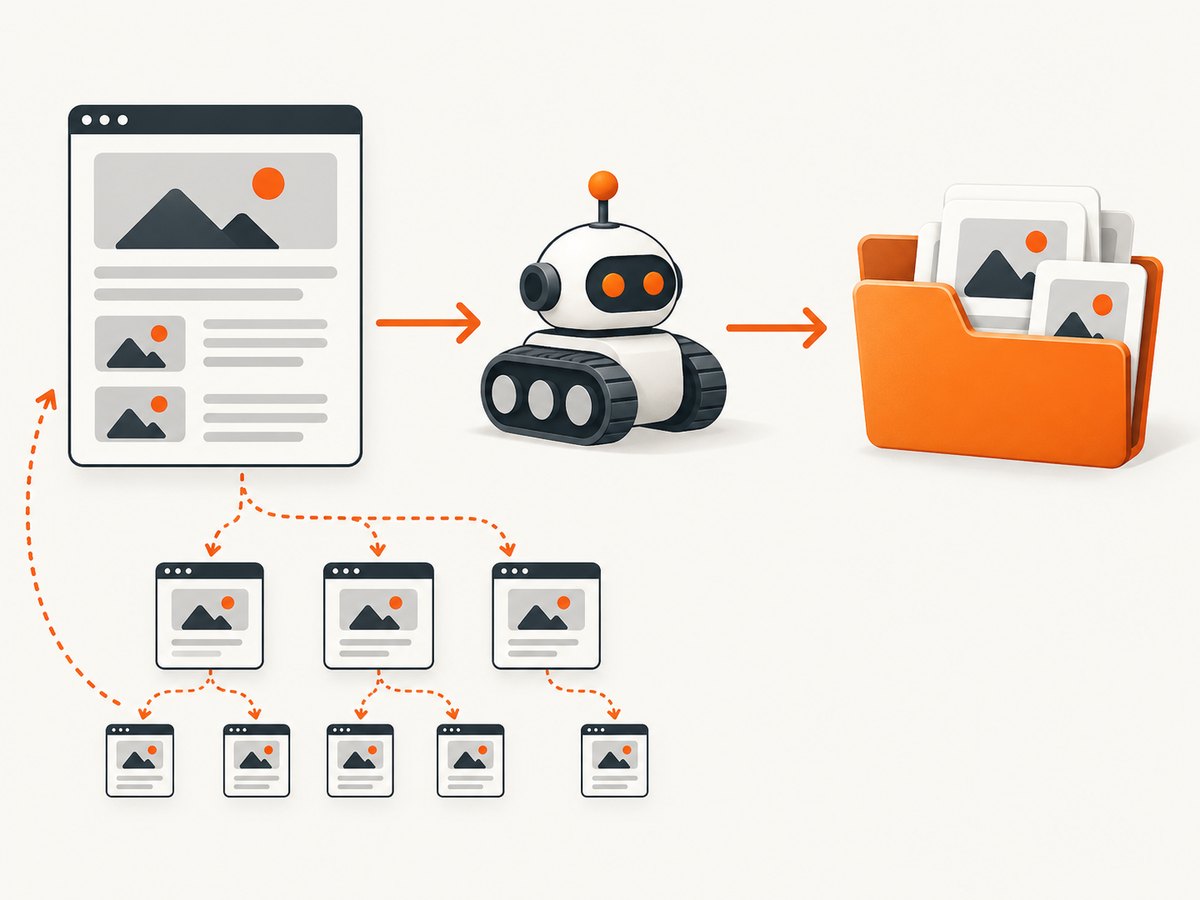
wget --page-requisites --convert-links "https://example.com/gallery"Replace the URL with a page you are permitted to access. Wget may save stylesheets, scripts, fonts, and other page requisites as well as images. Review the output rather than assuming every downloaded file is an image.
Keep the download in a named directory
mkdir -p image-capture
cd image-capture
wget --page-requisites --convert-links --adjust-extension "https://example.com/gallery"
Restrict the files you keep
If your goal is image files rather than a locally renderable page, add an accept list. Treat this as a filter, not proof of completeness:
wget --page-requisites --convert-links \
  --accept=jpg,jpeg,png,gif,webp,avif,svg \
  "https://example.com/gallery"
Some sites serve images without a conventional extension or return an image from a URL ending in a route name. Check the response content and inspect samples before relying on an extension filter.
3. Crawl a bounded section or domain
Wget’s recursive retrieval follows links it can parse. Its documented default recursion depth is five levels. Mirror mode enables infinite depth, so scope it intentionally.
Bound depth, host, and directory
wget --recursive --level=2 --no-parent \
  --page-requisites --convert-links --adjust-extension \
  --domains=example.com \
"https://example.com/products/"--recursivefollows discovered links.--level=2limits link depth. Increase it only when the section requires it.--no-parentprevents climbing above the starting directory.--domains=example.comkeeps retrieval on the named host.--page-requisitesretrieves resources needed to render downloaded pages.--convert-linksrewrites links for local browsing.--adjust-extensiongives saved HTML an appropriate extension.
Mirror a site only when you really need a mirror
wget --mirror --page-requisites --convert-links \
  --adjust-extension --no-parent \
  --domains=example.com \
  "https://example.com/catalog/"
--mirror is recursive with infinite depth. Add path and host limits, watch the log, and stop if the crawl expands beyond the intended section. The GNU Wget manual warns that recursive retrieval can overload a remote server and that unchecked downloads can fill local storage.
Include a separate image host carefully
Images are often served from a CDN or asset hostname. Wget normally stays on the starting host. If you have a specific, permitted asset host, list only the hosts you need:
wget --recursive --level=2 --no-parent \
  --page-requisites --convert-links \
  --span-hosts \
  --domains=example.com,cdn.example.com \
  "https://example.com/gallery/"
--span-hosts without a restrictive --domains list can follow unrelated external links. Read the Wget documentation on [spanning hosts](https://www.gnu.org/software/wget/manual/html_node/Spanning-Hosts.html) before enabling it.
4. Use HTTrack for an offline site copy
HTTrack describes itself as a free offline browser utility that downloads a website recursively, including HTML, images, and other files. It can update an existing mirror and resume interrupted work. A basic invocation is:
httrack "https://example.com/catalog/" \
  -O "./catalog-mirror" \
  "+example.com/catalog/*" \
  "-*.zip" "-*.mp4"
Use HTTrack’s filters to keep the crawl inside the intended path and exclude large or unrelated file types. Its result is an offline mirror, so it may contain scripts, stylesheets, fonts, and duplicate image variants in addition to the images you want. See the [official HTTrack overview](https://www.httrack.com/) for its workflow and options.
5. Capture images revealed by the browser
A static crawler cannot automatically see every image that a browser fetches after scrolling, clicking a gallery, changing a filter, or running application code. Browser behavior also matters:
loading="lazy"defers an image request until the image is near the viewport.srcsetcan provide several width candidates, whilesizeshelps the browser select one.- JavaScript can insert image URLs after the initial HTML arrives.
- Pagination, carousels, lightboxes, forms, and authenticated views can expose additional images.
For a rendered inventory, open the page in a browser, scroll through every relevant section, activate galleries and pagination, and inspect network requests or the DOM after each state. This can reveal what the browser actually loaded, but it does not bypass authentication or site restrictions.
Save image URLs from the current rendered DOM
const urls = [...document.images].flatMap(img => {
  const values = [img.currentSrc, img.src];
  if (img.srcset) {
    values.push(...img.srcset.split(',').map(part => part.trim().split(/\s+/)[0]));
  }
  return values.filter(Boolean);
});

const unique = [...new Set(urls)];
copy(unique.join('\n'));
Run this in the browser console after scrolling and interacting with the page. It collects URLs known to the current document, including the selected currentSrc and candidates listed in srcset. It does not discover images that are never inserted into the DOM or requests made by another frame or application endpoint.
6. Build a small Python downloader from a URL list
When you already have a reviewed list of image URLs, this script downloads them with stable filenames. It deliberately leaves URL discovery separate so you can define the crawl scope first.
from pathlib import Path
from urllib.parse import urlparse
import hashlib
import mimetypes
import requests

INPUT = Path("image-urls.txt")
OUTPUT = Path("images")
OUTPUT.mkdir(exist_ok=True)

session = requests.Session()
session.headers["User-Agent"] = "image-archive/1.0"

for line in INPUT.read_text().splitlines():
    url = line.strip()
    if not url or url.startswith("#"):
        continue
    try:
        response = session.get(url, timeout=30)
        response.raise_for_status()
        content_type = response.headers.get("content-type", "").split(";", 1)[0]
        extension = mimetypes.guess_extension(content_type) or Path(urlparse(url).path).suffix or ".bin"
        name = hashlib.sha256(url.encode("utf-8")).hexdigest()[:16] + extension
        (OUTPUT / name).write_bytes(response.content)
        print(f"saved {url} -> {OUTPUT / name}")
    except requests.RequestException as exc:
        print(f"failed {url}: {exc}")
Install the dependency with python -m pip install requests. Use this only for URLs you are allowed to retrieve, and add pacing if the list is large.
7. Verify what you captured
- Count files by extension and inspect a sample visually.
- Record response status, content type, byte size, and source URL.
- Look for duplicate variants caused by query strings, responsive widths, thumbnails, and originals.
- Check the crawl log for redirects, robots exclusions, timeouts, 403 responses, and failed downloads.
- Compare the result with an owner-provided asset inventory or with rendered galleries if completeness matters.
A successful command means the tool completed its retrieval work; it does not establish that every image on the server was found. Unlinked files, API-only content, form results, access-controlled files, and interaction-only images may remain undiscovered.
8. Troubleshooting
| Symptom | Likely cause | Fix |
|---|---|---|
| Only the first page is saved | No recursion, or links are outside the starting path | Use bounded recursive Wget, raise --level, and confirm --no-parent matches your intended scope. |
| Images on a CDN are missing | Wget stayed on the starting host | Add the exact asset hostname to --domains and use --span-hosts carefully. |
| Lazy-loaded images are absent | The image URL was not requested in the initial HTML | Scroll the rendered page, trigger the relevant interaction, then inspect the DOM or network requests. |
| Only thumbnails were downloaded | The page exposes thumbnails while the full image is loaded by JavaScript or a lightbox | Open the gallery states and collect the full-image requests or links. |
| Responsive variants are missing | The crawler saw one src, not every srcset candidate |
Collect srcset values from rendered markup and decide which widths you actually need. |
| 403 or login responses | The resource requires permission, cookies, or an authenticated session | Do not attempt to bypass access controls. Use an authorized session or request an export from the site owner. |
| The crawl grows unexpectedly | Infinite recursion, broad host rules, calendars, search links, or generated URLs | Stop the process, narrow domains and paths, lower depth, and exclude known URL patterns. |
| Disk fills up | Mirror mode retrieved more pages or resources than expected | Stop the crawl, remove the partial output if appropriate, set a bounded scope, and monitor free space. |
| Local pages do not render | Links were not converted or required resources were filtered out | Use --convert-links and page requisites, or keep the full mirror instead of an image-only filter. |
9. Performance, reliability, and cost considerations
- Start narrow: one page or one directory makes failures and omissions easier to diagnose.
- Control concurrency and pacing: follow the site’s published rules, avoid bursts, and monitor logs. Recursive retrieval can add load to the remote server.
- Plan storage: originals, thumbnails, responsive variants, CSS, fonts, and scripts can multiply disk usage.
- Prefer resumable workflows: keep logs and output directories so an interrupted crawl can be reviewed or resumed.
- Separate discovery from downloading: first create a reviewed URL list when completeness and deduplication matter; then download it with retries and checksums.
- Define success: “all images” should mean all images in a named scope, such as one URL, a directory, or a list of rendered gallery states.
10. Or skip the browser setup
ScreenshotNeo is a website screenshot API and MCP server when you need rendered captures rather than a local crawler. One GET request returns a PNG, JPEG, WebP, or PDF. It can load lazy images, capture a full page or one CSS-selected element, wait for a selector, delay, or network idle, and run custom JavaScript before capture.

Use the [ScreenshotNeo API documentation](https://screenshotneo.com/docs/) for the complete option list.
cURL
curl -G "https://api.screenshotneo.com/v1/shot" -d access_key=YOUR_API_KEY --data-urlencode url=https://example.com/gallery -o shot.webpPython
import requests
r = requests.get("https://api.screenshotneo.com/v1/shot", params={"access_key": "YOUR_API_KEY", "url": "https://example.com/gallery"}, timeout=90)
open("shot.webp", "wb").write(r.content)
Node.js
const q = new URLSearchParams({ access_key: 'YOUR_API_KEY', url: 'https://example.com/gallery' });
const res = await fetch(`https://api.screenshotneo.com/v1/shot?${q}`);
Cookie banners, newsletter popups, and chat widgets are removed before the shot. Bot checks, blank pages, failed loads, timeouts, and cache hits are not billed as clean shots, and response headers identify the page verdict and billing result. ScreenshotNeo also provides an MCP server with take_screenshot, get_page_info, and capture_pdf tools for AI agents, including Claude and Cursor.
There are 1,000 screenshots per month free with no card. Paid plans start at $5 for 3,000 screenshots, and every feature is available on every plan. Create a free ScreenshotNeo account.
11. Frequently asked questions
Can Wget download every image on a website?
No. It can retrieve discoverable references within the scope and rules you configure. It cannot prove that unlinked, protected, API-only, or interaction-only images do not exist.
Should I use Wget or HTTrack?
Use Wget when you want explicit command-line control and a reproducible bounded crawl. Use HTTrack when an offline-browser-style site mirror, resume support, and mirror updates fit your workflow.
Why are CSS background images missing?
They may be in CSS that was not retrieved, in a stylesheet format the crawler did not parse, or generated by JavaScript. Keep page requisites and inspect the downloaded CSS for url() references.
Does downloading a page include every srcset size?
Usually not. A browser selects a candidate based on viewport and density. Collect the srcset candidates explicitly if you need every listed variant.
How can I claim completeness?
Define the scope, record the discovery method, and compare results with an authoritative asset list or owner-provided export. A crawl alone is not an authoritative inventory.


