How to Capture Authenticated Web Pages with PHP Guzzle
Use one Guzzle client and cookie jar to log in and fetch an authorized page. Learn how to handle redirects, validate the response, and diagnose login failures.
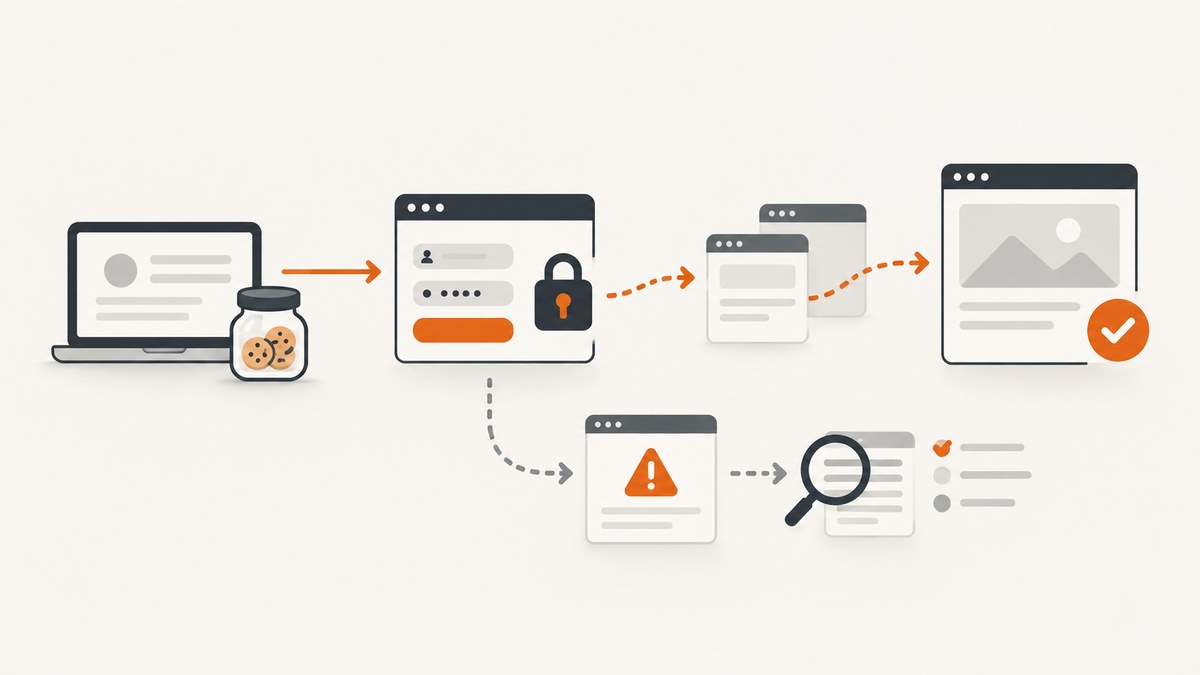
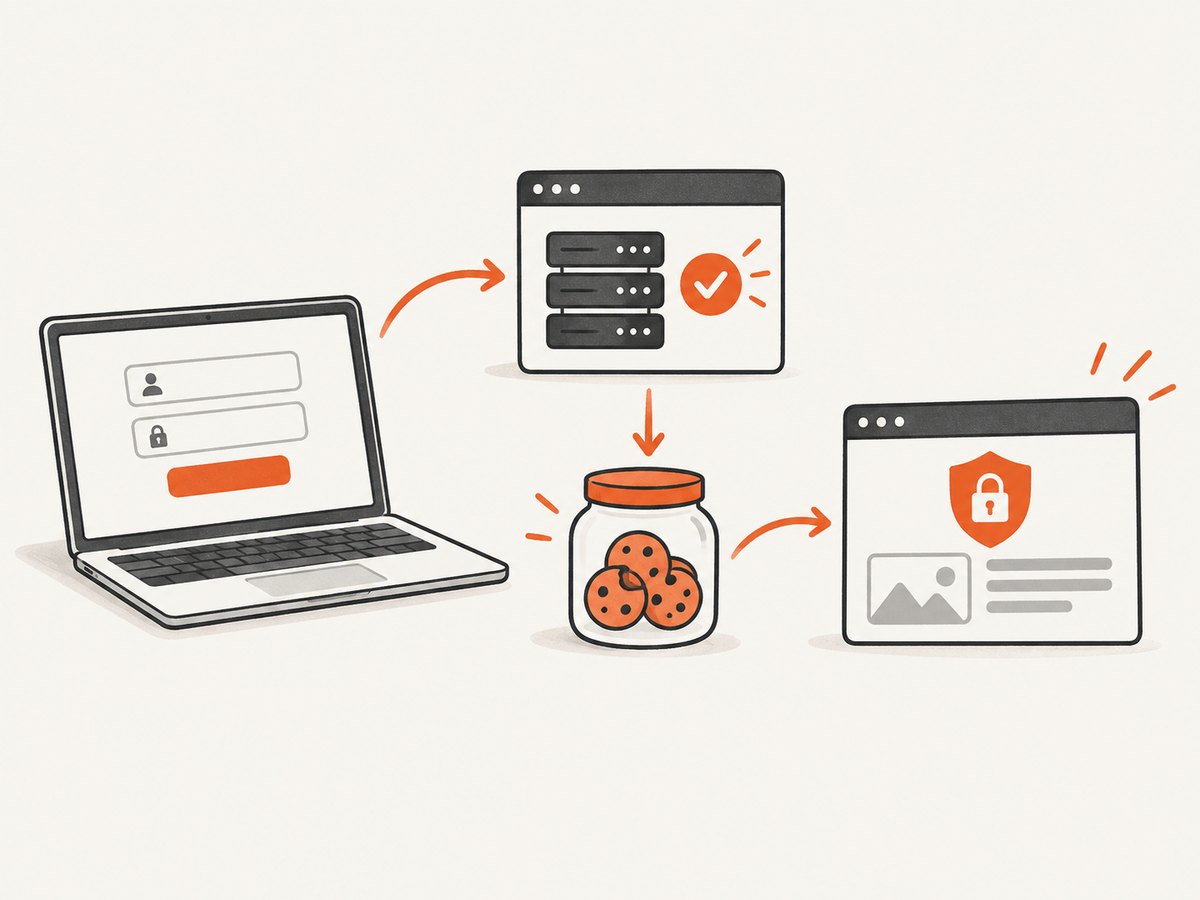
To fetch an authorized page that requires a website login, use one GuzzleHttp\Client for both requests and pass the same CookieJar to each. Submit the site’s actual login request, including its required fields and CSRF token, then request the protected URL with that jar. Check the final response and its content: an HTTP request can succeed while the site still returns its login page.
This is an HTTP workflow, not a universal login recipe. The endpoint, form fields, CSRF rules, multi-factor flow and access policy belong to the target site. Guzzle sends HTTP requests, manages cookies when its cookie middleware is active, follows redirects by default, and exposes the response body as a stream. It does not render a JavaScript application as a browser would. See the Guzzle Quickstart, Request Options and Handlers and Middleware documentation.
1. Identify the kind of authentication
First determine whether the server expects HTTP authentication or an application login form. They are different protocols and use different Guzzle options.
| Situation | Guzzle approach | What it does not do |
|---|---|---|
| HTTP Basic authentication | auth => [$username, $password] |
Does not submit an HTML form |
| HTTP Digest authentication | auth => [$username, $password, 'digest'] |
Depends on handler support; Guzzle docs specify cURL handler support |
| Website form login | POST the site’s documented login endpoint and fields; retain its cookies in a jar | Does not discover the endpoint, fields, CSRF token or MFA sequence |
Use only accounts and pages you are permitted to access, and follow the site’s documented API or automation rules. If the site requires an interactive identity provider, MFA, device approval or browser challenge, do not assume a generic POST can replace that flow.
2. Install Guzzle and gather the site’s requirements
In an existing Composer project, install Guzzle with:
composer require guzzlehttp/guzzleBefore coding, establish the authorized login method. Use the site’s documentation or inspect a permitted browser session to learn the login URL, method, content type, field names, required hidden fields, CSRF token source, and expected redirect behavior. Never assume that username and password are the correct field names.
Many forms issue a CSRF token on a preliminary GET, then expect that token in the login POST. Some bind it to a cookie or require a particular header. Others redirect to a separate identity provider. The example below shows where those values belong; its paths and field names are placeholders and must be replaced with the target site’s real, authorized flow.
3. Keep a cookie jar across the login and page requests
Save the following as capture.php. Replace the example domain, paths, form field names and token extraction with the site’s documented details. The example performs a preliminary GET, submits a form-encoded login, follows redirects, fetches a protected page, and checks the result before saving it.
<?php
require __DIR__ . '/vendor/autoload.php';

use GuzzleHttp\Client;
use GuzzleHttp\Cookie\CookieJar;
use GuzzleHttp\Exception\GuzzleException;

$baseUri = 'https://example.org';
$loginPagePath = '/login';
$loginPostPath = '/session';
$protectedPath = '/account/reports';

// Load secrets from the environment, not source control.
$username = getenv('SITE_USERNAME');
$password = getenv('SITE_PASSWORD');
if ($username === false || $password === false) {
    fwrite(STDERR, "Set SITE_USERNAME and SITE_PASSWORD first.\n");
    exit(1);
}

$jar = new CookieJar();
$client = new Client([
    'base_uri' => $baseUri,
    'cookies' => $jar,
    'allow_redirects' => [
        'max' => 5,
        'track_redirects' => true,
        'protocols' => ['https'],
    ],
    'connect_timeout' => 10,
    'timeout' => 30,
]);

try {
    // Many sites issue a CSRF cookie and a hidden form token here.
    $loginPage = $client->get($loginPagePath);
    if ($loginPage->getStatusCode() < 200 || $loginPage->getStatusCode() >= 300) {
        throw new RuntimeException('Could not load the login form.');
    }
    $loginHtml = (string) $loginPage->getBody();

    // Replace this example extraction with a parser and the site's real token name.
    if (!preg_match('/name="csrf_token" value="([^"]+)"/', $loginHtml, $matches)) {
        throw new RuntimeException('Login form CSRF token was not found.');
    }
    $csrfToken = html_entity_decode($matches[1], ENT_QUOTES | ENT_HTML5);

    $login = $client->post($loginPostPath, [
        'form_params' => [
            'email' => $username,       // Use the exact field names the site expects.
            'password' => $password,
            'csrf_token' => $csrfToken,
        ],
    ]);

    // A redirect or 200 response alone does not prove that authentication worked.
    $response = $client->get($protectedPath);
    $status = $response->getStatusCode();
    $html = (string) $response->getBody();
    $contentType = $response->getHeaderLine('Content-Type');

    if ($status !== 200 || stripos($html, 'expected report heading') === false) {
        fwrite(STDERR, "Protected page check failed; status={$status}, content-type={$contentType}\n");
        fwrite(STDERR, "Redirect history: " . $response->getHeaderLine('X-Guzzle-Redirect-History') . "\n");
        exit(2);
    }

    file_put_contents(__DIR__ . '/protected-page.html', $html);
    fwrite(STDOUT, "Saved protected page HTML.\n");
} catch (GuzzleException | RuntimeException $e) {
    // Do not print request options, credentials, cookies, or sensitive response bodies.
    fwrite(STDERR, 'Capture failed: ' . $e->getMessage() . "\n");
    exit(1);
}
For a production login form, parse HTML with an HTML parser rather than relying on a regular expression if the markup is complex or changes frequently. Treat the token as untrusted input and encode it as a form field, as above. Do not copy a browser’s session cookie into code; the jar should acquire fresh cookies from the server during the flow.
Why the same client and jar matter
A website commonly sends a session identifier in a Set-Cookie response header. The cookie jar retains cookies and sends applicable ones on later requests. If you create a new client with an empty jar for the protected URL, that request will generally lack the session established during login. Guzzle documents CookieJar for in-memory use, FileCookieJar for persisting non-session cookies in JSON, and SessionCookieJar for a client session. For a one-off script, an in-memory CookieJar avoids leaving a reusable session file behind.
The cookie option depends on cookie middleware. Guzzle’s default handler stack includes it, but a custom handler may not. If you provide your own handler, wrap it using HandlerStack::create($handler) so the default middleware is added, or configure middleware explicitly. Setting cookies has no effect if the active handler does not process it.
4. Handle redirects and verify the captured response
Guzzle follows redirects by default, up to five hops. For a login flow this is useful because a successful form submission often redirects to the destination page. It can also hide a failed login: the final response may be the login screen again. Use track_redirects while diagnosing, then validate the destination with content specific to the protected page.
The sample restricts redirect protocols to HTTPS and enables redirect history. The documented redirect options also include max, strict, referer and on_redirect. Strict mode preserves POST on redirect responses where the default browser-like behavior may switch the method; do not change it without understanding the site’s expected flow. Disabling redirects with 'allow_redirects' => false is useful for inspecting the first 301, 302, 303, 307 or 308 response and its Location header.
Redirect middleware is required for redirect options to take effect. Guzzle’s PSR-18 sendRequest() returns redirect responses without following them, to comply with PSR-18. If your code uses that interface, inspect and follow the flow explicitly or use the Guzzle client request API where appropriate.
Validate more than the status code. Check expected content, the content type and, when useful, redirect history. A server can return status 200 with a login page, an access-denied message, or a JavaScript shell. Pick a stable marker that only appears on the intended protected page. Avoid treating the presence of a user’s name alone as proof if it can appear in a shared header.
5. HTTP Basic or Digest authentication
When the server challenges at the HTTP layer, use Guzzle’s auth option directly. This is separate from form login and does not require a cookie jar unless the application also uses session cookies.
<?php
require __DIR__ . '/vendor/autoload.php';

use GuzzleHttp\Client;

$client = new Client(['timeout' => 30]);
$response = $client->get('https://example.org/private/report', [
    'auth' => [getenv('HTTP_USER'), getenv('HTTP_PASSWORD')],
]);

if ($response->getStatusCode() !== 200) {
    throw new RuntimeException('Unexpected HTTP status.');
}
file_put_contents('report.html', (string) $response->getBody());
Basic is the default type when the third array element is omitted. To request Digest, pass ['user', 'password', 'digest']; the Guzzle request-options documentation says Digest is currently supported with the cURL handler. Keep credentials in environment or secret-management configuration. Do not place secrets in URLs, logs or checked-in source.
6. Read or save the body safely
Guzzle responses implement PSR-7. $response->getBody() returns a stream; casting it to a string reads the body into memory, which is convenient for ordinary HTML. For a large response, stream it to a file instead:
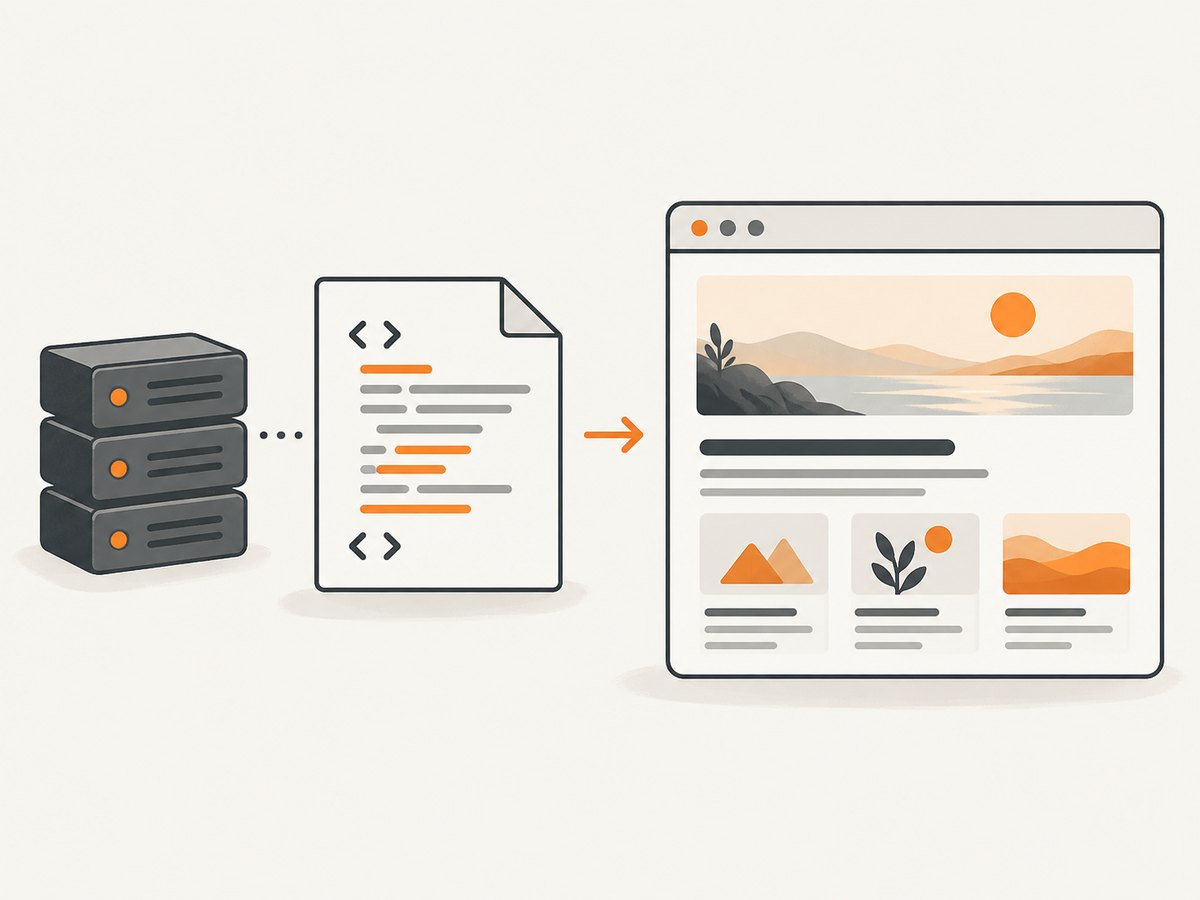
$response = $client->get($protectedPath, ['sink' => __DIR__ . '/page.html']);Use the target site’s authorization and data-handling rules when saving page content. Avoid logging passwords, session cookies, authorization headers, CSRF values or private response bodies. If the content is dynamically rendered after page load, an HTTP response may contain only a shell and scripts. Guzzle is an HTTP client; use browser automation when the required data genuinely appears only after JavaScript runs.
7. Troubleshooting
| Symptom | Likely cause | What to check or change |
|---|---|---|
| Protected request shows the login form | Login was rejected, token missing, wrong fields, cookies lost, or extra identity step required | Inspect login response and redirects; confirm exact form fields and CSRF process; use the same jar and client |
| Cookie option seems ignored | Custom handler stack lacks cookie middleware | Use the default stack or create a custom stack with HandlerStack::create(); confirm a jar is passed |
| HTTP 401 | HTTP auth missing or incorrect, or the application rejected credentials | Determine whether this is Basic/Digest or form login; verify the expected authentication type |
| HTTP 403 | Authenticated identity lacks permission, CSRF/origin checks failed, or site policy rejects the request | Check the site’s documented access rules and required token/header; do not try to evade access controls |
| Too many redirects | Login redirect loop, identity-provider flow, or session cookie not accepted | Lower max temporarily, disable redirects, inspect Location values and redirect history |
| POST appears to become GET | Default redirect behavior after some redirect statuses | Inspect the status and Location; only use strict redirects if the site’s flow requires POST preservation |
| Missing CSRF token | Token is in a cookie, meta tag, header, dynamically generated markup or another endpoint | Follow the documented flow and extract the token from its actual source; do not send an invented field |
| Page is blank or incomplete | Content may be JavaScript-rendered, delayed, or blocked by an authorization check | Inspect response HTML and content type; use a browser when rendering is required |
| Timeout or connection exception | Network delay, server slowness, DNS/TLS issue or unreachable endpoint | Separate connect timeout from total timeout; retry only safe requests with bounded backoff |
8. Reliability, performance and cost
For a short flow, sequential requests are the simplest way to preserve session state. Reuse a client and jar for related requests rather than creating a client per URL. Set finite connection and total timeouts, as in the example, so a script cannot wait indefinitely. Choose values based on the target’s normal response time and your job’s deadline; there is no universal safe timeout.
Retries deserve care. A GET of a page is generally safer to retry than a login POST, but the target site’s behavior determines whether either request is repeatable. A timed-out POST may have been processed even if the client did not receive its response. Do not blindly replay actions that can change account state. If retrying reads, use a small bounded retry count with delay and preserve the same session only when the flow remains valid.
Keep concurrency modest for a single account and comply with rate limits. Parallel requests that depend on one login flow can race on session state or trigger security controls. Download only the content needed, and stream large responses to disk. Guzzle itself has no per-capture fee; your operational costs depend on your PHP runtime, network and any infrastructure you use.
9. Or skip the browser setup
If your goal is a visual screenshot of a page, rather than retrieving its raw HTML, ScreenshotNeo is a website screenshot API and MCP server. One GET request returns a PNG, JPEG, WebP or PDF. Its API accepts custom headers, cookies and Authorization, among other options; see the ScreenshotNeo API documentation for request parameters and authentication details.
curl -G "https://api.screenshotneo.com/v1/shot" -d access_key=YOUR_API_KEY --data-urlencode url=https://stripe.com -o shot.webpimport requests
r = requests.get("https://api.screenshotneo.com/v1/shot", params={"access_key": "YOUR_API_KEY", "url": "https://stripe.com"}, timeout=90)
open("shot.webp", "wb").write(r.content)const q = new URLSearchParams({ access_key: 'YOUR_API_KEY', url: 'https://stripe.com' });
const res = await fetch(`https://api.screenshotneo.com/v1/shot?${q}`);Cookie banners, newsletter popups and chat widgets are removed before capture; those cleanup steps can be turned off. Bot checks, blank pages and failed loads are not billed, and response headers report the page verdict and billing status. An MCP server lets AI agents use take_screenshot, get_page_info and capture_pdf. The free plan includes 1,000 screenshots a month with no card; paid plans start at $5 for 3,000. Every feature is on every plan.
For an authenticated screenshot, provide the authorized site’s required cookie, header or Authorization details using the API’s documented parameters, and ensure you have permission to capture that page. A screenshot service captures rendered output; it does not complete an unknown login form for you. Sign up free for 1,000 screenshots a month, with no card required.
10. FAQ
Can I reuse a login cookie from my browser?
A cookie jar can be initialized with cookie values, but copying a live browser session into a script can expose account access and may violate site policy. Prefer a documented login or API flow and protect session data as a credential.
Can Guzzle capture a screenshot?
Guzzle retrieves HTTP responses; it does not provide browser rendering. For a rendered visual, use browser automation or a screenshot service such as ScreenshotNeo.
Why did I get status 200 but no protected data?
Sites often return a login page or an application shell with status 200. Check page-specific content and inspect redirects, headers and body rather than relying on the status alone.
Does a cookie jar automatically handle MFA?
No. It stores and resends cookies, but MFA and identity-provider steps are site-specific. Use the site’s supported flow.
Should I save the cookie jar between runs?
Only when the site’s session model and your security controls justify it. Persistent jars can contain reusable session credentials; restrict file access, expiration and cleanup accordingly.


