How to Capture a Chakra UI Component as an Image in React
Capture a rendered Chakra UI component as a PNG in React with html2canvas, handle fonts, images, CORS and iframes, or use ScreenshotNeo.
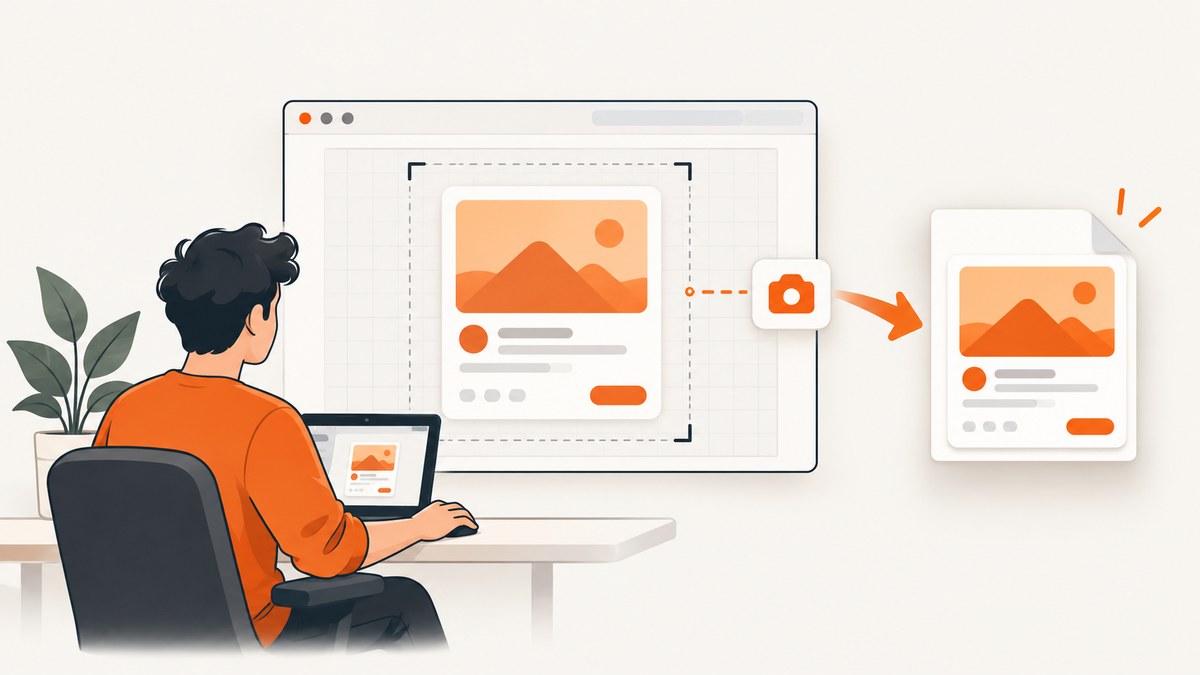
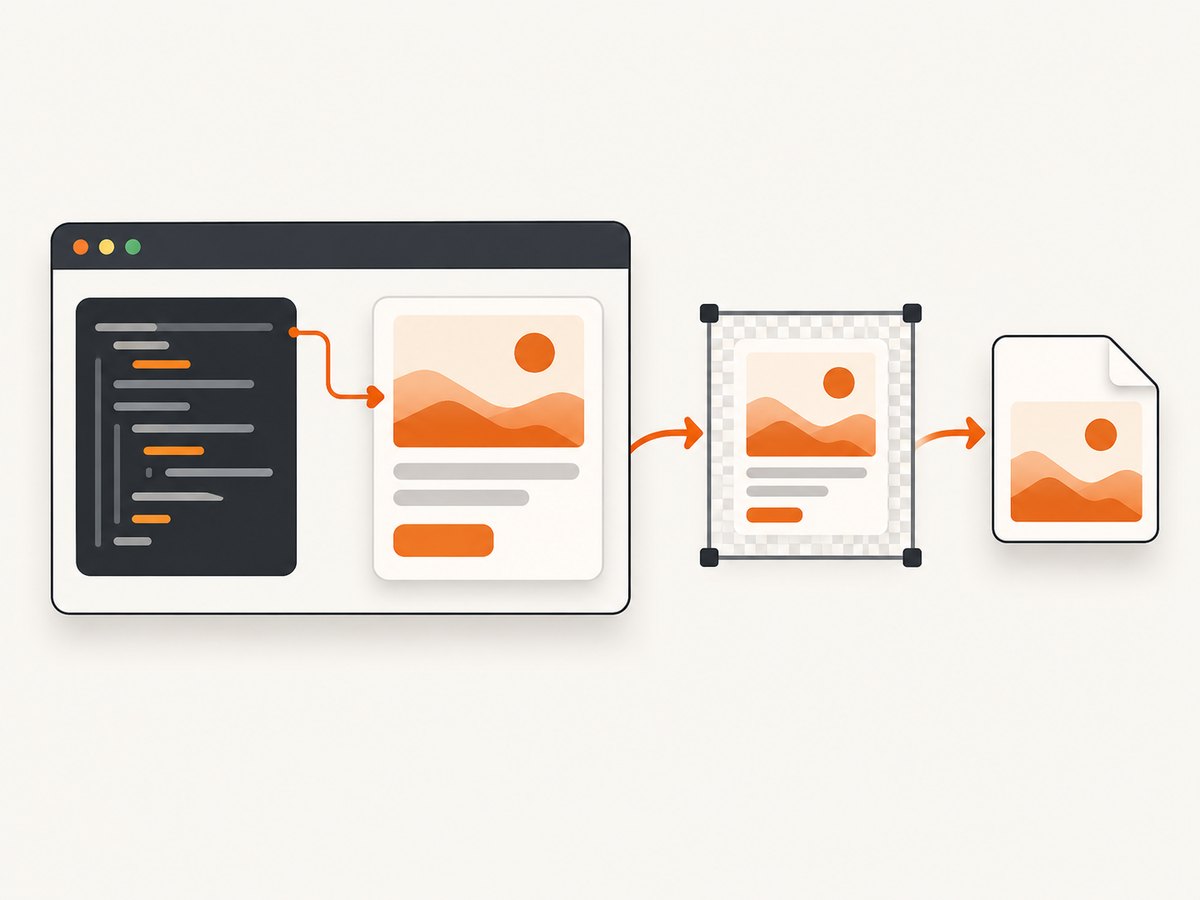
To capture a Chakra UI component, attach a React ref to the rendered DOM element and pass ref.current to a browser-side capture library such as html2canvas. Capture the element after its styles, fonts and images have loaded. html2canvas reconstructs the image from DOM and computed styles, so the result can differ from the browser’s exact pixels when a CSS feature is unsupported.
1. Install the capture library
Install the package used by your project. The current html2canvas documentation uses the @html2canvas/html2canvas package name; verify the import and API against the version in your lockfile. Chakra UI’s current installation guidance requires Node.js 20.x or newer and Chakra APIs differ between major versions, so use the provider and imports that match your application.
npm install @html2canvas/html2canvas
# or
pnpm add @html2canvas/html2canvas
See the Chakra UI installation documentation and html2canvas documentation for version-specific setup.
2. Capture a Chakra component as a PNG
The ref must point to the DOM node that bounds the artwork. Chakra factory components render DOM elements, but confirm ref forwarding for the specific component you use. A plain Box or a wrapper div is a reliable boundary.
import { useRef, useState } from "react"
import { Box, Button, Heading, Text, VStack } from "@chakra-ui/react"
import html2canvas from "@html2canvas/html2canvas"

export function ShareCard() {
  const cardRef = useRef<HTMLDivElement>(null)
  const [busy, setBusy] = useState(false)

  async function downloadPng() {
    const node = cardRef.current
    if (!node || busy) return

    setBusy(true)
    try {
      const canvas = await html2canvas(node, {
        backgroundColor: null,
        scale: 2,
        useCORS: true,
      })

      canvas.toBlob((blob) => {
        if (!blob) return
        const url = URL.createObjectURL(blob)
        const link = document.createElement("a")
        link.href = url
        link.download = "share-card.png"
        link.click()
        URL.revokeObjectURL(url)
      }, "image/png")
    } finally {
      setBusy(false)
    }
  }

  return (
    <VStack align="stretch" gap="4">
      <Box
        ref={cardRef}
        p="6"
        bg="white"
        color="black"
        borderRadius="xl"
        boxShadow="lg"
        width="420px"
      >
        <Heading size="md">Release notes</Heading>
        <Text mt="2">A shareable Chakra UI card rendered from React.</Text>
      </Box>
      <Button onClick={downloadPng} loading={busy}>
        Download PNG
      </Button>
    </VStack>
  )
}
The capture runs in the browser, returns a Promise for a canvas, and creates a download with canvas.toBlob(). If your Chakra component does not forward its ref to the intended element, wrap it in a Box or div and capture that wrapper.
3. Make the captured layout deterministic
Exported images are easier to reproduce when the target has an explicit size, background and content state.
- Give the capture boundary a fixed or minimum width when the result must have a predictable aspect ratio.
- Set
bgandcolorexplicitly instead of relying on inherited theme values. - Render the state you want to export before calling html2canvas; wait for data, images and fonts.
- Hide controls that should not appear by rendering a capture-only variant or using
onclone. - Do not capture a node while it is detached, hidden with
display: none, or being resized by an animation.
For a responsive component, capture at the viewport width that matches the intended output. The library reads the cloned document’s styles, so a breakpoint can change the result if the capture viewport differs from the visible one.
4. Configure size, scale and background
html2canvas accepts options including backgroundColor, scale, width, height, viewport dimensions, useCORS, proxy and onclone. See the configuration reference.
const canvas = await html2canvas(node, {
  // null preserves transparency; use "#ffffff" for an opaque background
  backgroundColor: null,
  // 1 is CSS-pixel output; 2 or 3 gives a denser export but uses more memory
  scale: 2,
  // Optional crop dimensions in CSS pixels
  width: node.scrollWidth,
  height: node.scrollHeight,
  // Set a capture viewport when responsive styles matter
  windowWidth: 1280,
  windowHeight: 900,
  useCORS: true,
  onclone: (clonedDocument) => {
    const controls = clonedDocument.querySelector("[data-export-hide]")
    if (controls instanceof HTMLElement) controls.style.display = "none"
  },
})
scale changes output pixel density, not the component’s CSS size. Higher values increase memory use and file size. Options cannot add support for CSS that html2canvas does not implement.
5. Export JPEG or WebP
PNG preserves transparency and sharp text. JPEG is smaller for photographic content but has no transparency. Browser support for WebP is common, but check the target browsers if you need it.
canvas.toBlob((blob) => {
  if (!blob) return
  const url = URL.createObjectURL(blob)
  const link = document.createElement("a")
  link.href = url
  link.download = "share-card.webp"
  link.click()
  URL.revokeObjectURL(url)
}, "image/webp", 0.92)
The quality argument applies to lossy formats such as JPEG and WebP. Always handle a null blob because encoding can fail or be unavailable.
6. Wait for images and fonts before capture
A capture started too early can contain missing images, fallback fonts or an incomplete data state. Use an explicit readiness step for assets owned by the page.
async function waitForAssets(root: HTMLElement) {
  const images = Array.from(root.querySelectorAll("img"))
  await Promise.all(images.map((image) => {
    if (image.complete) return Promise.resolve()
    return new Promise<void>((resolve) => {
      image.addEventListener("load", () => resolve(), { once: true })
      image.addEventListener("error", () => resolve(), { once: true })
    })
  }))

  if ("fonts" in document) {
    await document.fonts.ready
  }
}
Call await waitForAssets(node) immediately before html2canvas. This avoids waiting forever on a failed image while still allowing successful assets and fonts to settle.
7. Handle cross-origin images and canvas security
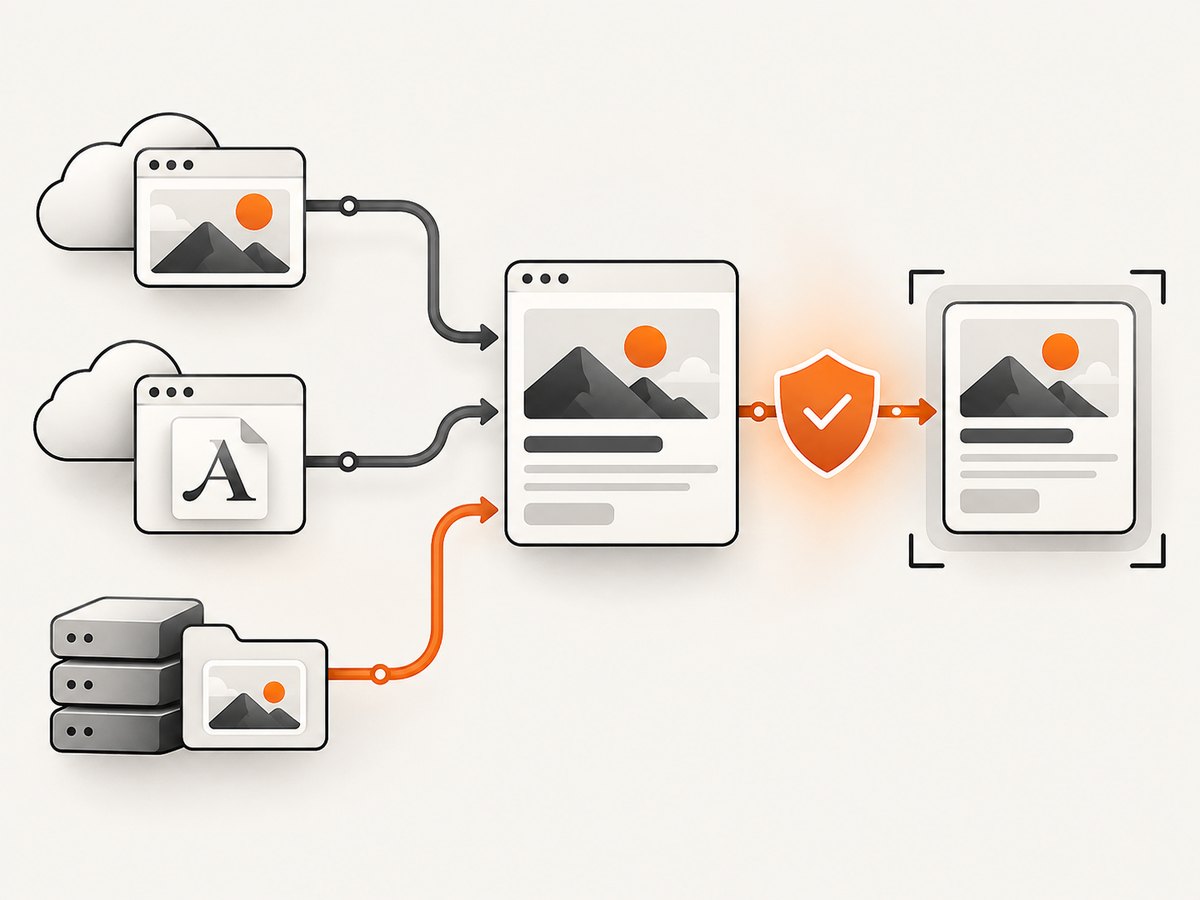
An image can be visible in the page and still be unreadable by an exported canvas. Cross-origin images need the image server to return the appropriate CORS headers. Set useCORS: true only when the asset host permits the request, or serve the asset from the same origin.
const canvas = await html2canvas(node, {
  useCORS: true,
  // proxy: "https://your-controlled-proxy.example/capture-asset"
})

try {
  const blob = await new Promise<Blob | null>((resolve) =>
    canvas.toBlob(resolve, "image/png")
  )
} catch (error) {
  // A tainted canvas can throw a SecurityError here.
  console.error("Canvas export failed", error)
}
Without CORS approval, the canvas becomes tainted and toBlob() or toDataURL() can throw a SecurityError. The allowTaint option does not make a tainted canvas exportable. See MDN’s CORS-enabled images guide and the toBlob reference.
8. Iframes and embedded content
Same-origin iframe content can be accessed, but a cross-origin iframe is blocked by the browser’s same-origin policy even when it is visible. html2canvas cannot read and reconstruct a third-party frame. If you own the iframe application, render the Chakra tree in that document and configure Chakra’s EnvironmentProvider to use the iframe document. That still does not grant access to a third-party frame.
9. Capture only one element or the full component
Pass the exact element you want. Capturing a parent can include shadows, margins and controls that are outside the visual card.
const target = document.querySelector("[data-share-card]")
if (!(target instanceof HTMLElement)) throw new Error("Share card not found")
const canvas = await html2canvas(target)
For content that extends below its viewport, use the element’s scroll dimensions and avoid clipping caused by an ancestor with overflow: hidden. Temporarily expanding that ancestor in onclone can help.
10. Troubleshooting
| Symptom | Likely cause | Fix |
|---|---|---|
ref.current is null |
Capture runs before mount or the ref is attached to a component that does not forward refs. | Run from a click/effect after render; attach the ref to a wrapper DOM element. |
| Styles are missing | The target is not in the document, styles are still loading, or a CSS feature is unsupported. | Capture a mounted node, await fonts, and simplify unsupported styles or provide a capture-only style. |
| Images are blank | Images have not loaded or are cross-origin without CORS. | Wait for image load; serve them same-origin or configure CORS and useCORS. |
SecurityError from canvas export |
A cross-origin image tainted the canvas. | Fix CORS or use a controlled proxy; allowTaint cannot make export possible. |
| Text uses the wrong font | Web fonts were not ready at capture time. | Await document.fonts.ready and verify the font request succeeds. |
| Only part of the card appears | An ancestor clips overflow or the capture dimensions are smaller than the content. | Capture the correct boundary and use scrollWidth/scrollHeight; adjust the cloned styles. |
| Colors differ from the screen | DOM reconstruction does not reproduce every browser rendering detail. | Use explicit colors and backgrounds; compare supported CSS features before choosing this approach. |
| Download does nothing | The browser blocked a synthetic click or toBlob returned null. |
Trigger from a user gesture, check the blob, and keep the object URL alive until the click. |
11. Performance, reliability and cost
- Performance: Capture time and memory grow with element dimensions and
scale. Start atscale: 1and increase only when the output needs more pixels. - Reliability: Browser capture depends on loaded assets, fonts, same-origin rules and supported CSS. Add a visible loading state and handle rejected Promises.
- Large exports: Very large canvases can exceed browser memory limits. Capture a smaller element, reduce scale, or split a long document into sections.
- Privacy: The DOM is reconstructed in the user’s browser. Avoid placing secrets in the captured tree or in URLs sent to third-party asset hosts.
- Cost: html2canvas has no server request for the capture itself; your costs are browser CPU, memory and any asset or proxy infrastructure you operate.
12. When a browser capture is the wrong tool
Use browser-side html2canvas when the user is already viewing the component and a PNG download is enough. Choose a browser automation or screenshot API when you need a deployed URL, repeatable server-side captures, PDFs, authenticated pages, scheduled jobs, or rendering that must include content outside the current browser context. Compare CSS fidelity, image and font handling, iframe requirements, output formats, scale and whether capture runs in the browser or on a server.
Or skip the browser setup
ScreenshotNeo captures a deployed page with one GET request. It accepts cookie and consent banners like a visitor, removes more than 60 known consent platforms plus newsletter popups and chat widgets before the capture, and bills only clean shots. Bot checks, blank pages, timeouts, failed loads and cache hits cost nothing, with the result identified by X-Page-Verdict and X-Billed headers. It also provides an MCP server for Claude, Cursor and other MCP clients, plus PNG, JPEG, WebP and PDF output.
Read the ScreenshotNeo API documentation for all options.
curl -G "https://api.screenshotneo.com/v1/shot" -d access_key=YOUR_API_KEY --data-urlencode url=https://your-app.example/share-card -o shot.webpimport requests
r = requests.get("https://api.screenshotneo.com/v1/shot", params={"access_key": "YOUR_API_KEY", "url": "https://your-app.example/share-card"}, timeout=90)
open("shot.webp", "wb").write(r.content)const q = new URLSearchParams({ access_key: 'YOUR_API_KEY', url: 'https://your-app.example/share-card' });
const res = await fetch(`https://api.screenshotneo.com/v1/shot?${q}`);You can set a device or viewport, retina scale, custom CSS and JavaScript, selectors to hide, waits, cookies, headers, user agent, timezone, geolocation, caching and signed links. Free usage includes 1,000 screenshots per month with no card; paid plans start at $5 for 3,000. Create a free ScreenshotNeo account.
FAQ
Does html2canvas capture the exact browser pixels?
No. It rebuilds an image from DOM and style information, so unsupported CSS or browser rendering details can produce differences.
Can I capture a Chakra component without changing its JSX?
Yes. Attach a ref to the existing component if it forwards refs, or add a wrapper element around the component and capture that wrapper.
Why does a remote image work on screen but fail in the PNG?
Display permission and canvas-read permission are separate. The image server must allow CORS, or the image must be same-origin or fetched through a controlled proxy.
Can html2canvas capture a third-party iframe?
No. Browser same-origin rules prevent access to cross-origin iframe content.
Should I use PNG or JPEG?
Use PNG for transparency and crisp interface text. Use JPEG when a smaller lossy file is acceptable and the image has no transparent background.


