How to Capture Content Inside an iframe
Capture iframe content as DOM, structured data, or pixels. Choose the right method for same-origin and cross-origin frames, with secure runnable examples.
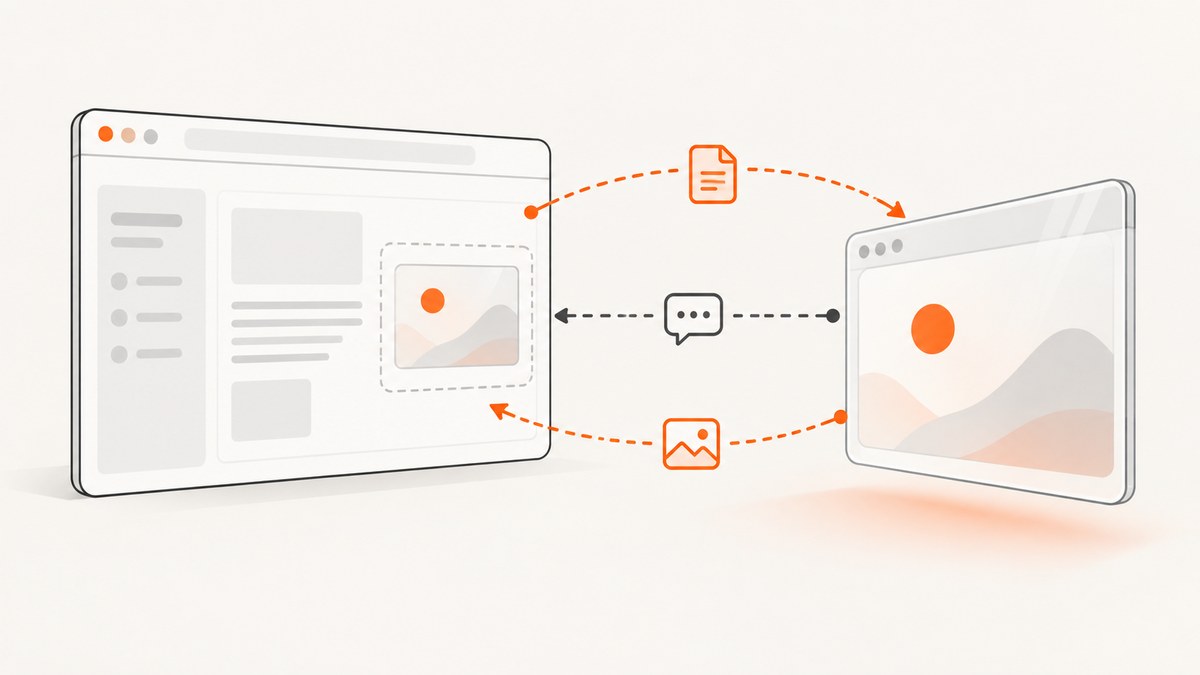
An iframe is a separate browsing context, so the right way to capture its content depends on what you need and whether you control the frame. If the parent and iframe are same-origin, JavaScript can read the frame’s DOM after it loads. If they are cross-origin, the parent cannot read that DOM directly: use a deliberate postMessage protocol or an application API if you control the iframe, or capture pixels through a user-approved browser workflow. A screenshot does not grant access to hidden DOM.
Use this decision tree:
- Need HTML or text, and both pages have the same scheme, host, and port? Read
contentDocumentafter the frame loads, subject to sandbox and embedding controls. - Need selected data from a cross-origin iframe you control? Define a narrow
postMessagerequest and response, validating the sender and message. - Control the iframe’s server or app? Prefer a documented API or authorized server endpoint when structured data is the real requirement.
- Need only the visible appearance? Use a screenshot or screen capture. Browser security still prevents arbitrary cross-origin DOM extraction.
- Need a website screenshot without running browser infrastructure? [ScreenshotNeo](https://screenshotneo.com) provides a screenshot API and MCP server for developers.
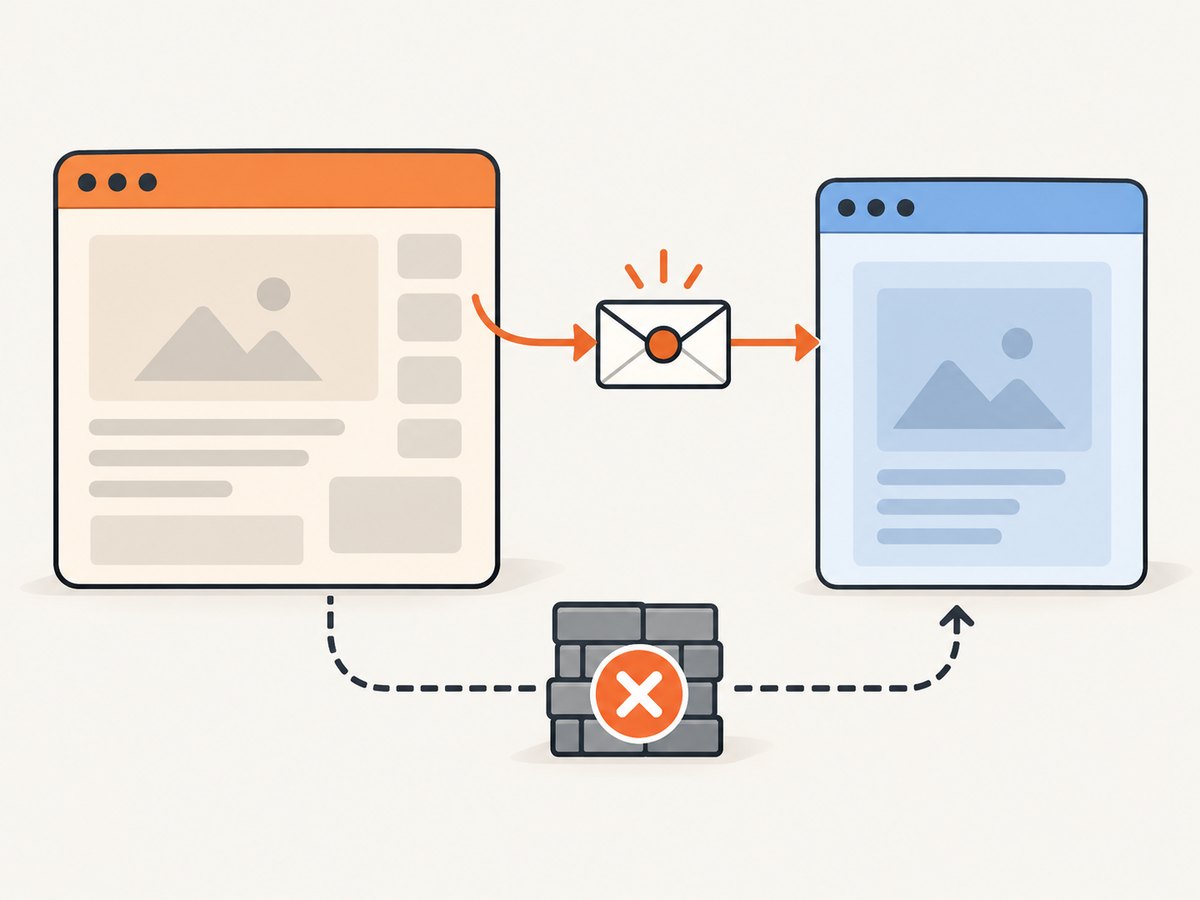
The same-origin policy is the boundary that matters: a parent can inspect a same-origin frame, while access to a cross-origin frame’s document is blocked by the browser. See MDN’s documentation for iframe contentDocument and contentWindow.
1. Capture a same-origin iframe’s DOM
Wait for the iframe’s load event before reading its document. The example below extracts serialized HTML and visible text, then passes them to application code. It handles an inaccessible document and the case where the load event already happened before the listener was attached.
function captureSameOriginFrame(frame) {
  const doc = frame.contentDocument;
  if (!doc) throw new Error('Frame document is inaccessible');

  return {
    html: doc.documentElement.outerHTML,
    text: doc.body?.innerText ?? ''
  };
}

const frame = document.querySelector('#editor-frame');
if (!frame) throw new Error('Iframe #editor-frame was not found');

function onFrameReady() {
  try {
    const captured = captureSameOriginFrame(frame);
    console.log(captured.text);
    // Persist or process the data according to your application contract.
  } catch (error) {
    console.error('Could not capture iframe:', error);
  }
}

frame.addEventListener('load', onFrameReady, { once: true });
if (frame.contentDocument?.readyState === 'complete') onFrameReady();
In production code, avoid accidentally running onFrameReady twice if your load timing can race with the ready-state check: guard it with a boolean or use one readiness strategy that matches how the frame is created. If your own code sets src, attach the listener before changing src so a fast navigation cannot finish first.
Extract only what the application needs
Serializing the whole document with outerHTML can include scripts, forms, embedded data, and user information that the caller does not need. Prefer a narrow extraction when possible:
const title = doc.querySelector('h1')?.textContent?.trim() ?? '';
const items = [...doc.querySelectorAll('[data-result]')].map((node) => ({
  label: node.textContent?.trim() ?? '',
  id: node.getAttribute('data-result')
}));
Captured markup is untrusted input if it will be displayed elsewhere. Sanitize it for the destination context; do not concatenate it into executable HTML or treat the frame’s contents as trusted merely because the frame loaded successfully.
Origin and sandbox details
Same-origin means the scheme, host, and port all match. For example, https://app.example and http://app.example are different origins, as are different subdomains or ports. A sandboxed iframe can have an opaque origin when allow-same-origin is omitted. Sandbox tokens change the frame’s capabilities, so grant only the permissions your use case needs. A null document reference, a thrown security exception, or a missing body can indicate a cross-origin navigation, sandbox restriction, or a frame that has not reached the expected state.
2. Exchange data safely with a cooperative cross-origin iframe
For a third-party origin, direct DOM reads are blocked. If you control both the parent and iframe code, use window.postMessage() to request a narrowly defined payload. Always validate event.source, event.origin, and the message shape. Send to an exact target origin instead of *. These checks protect against unrelated windows sending a forged response. MDN describes postMessage as the mechanism for controlled cross-origin communication.
Parent page
const frame = document.querySelector('#remote-frame');
const expectedOrigin = 'https://widgets.example';

if (!frame) throw new Error('Iframe #remote-frame was not found');

window.addEventListener('message', (event) => {
  if (event.source !== frame.contentWindow) return;
  if (event.origin !== expectedOrigin) return;

  const message = event.data;
  if (!message || typeof message !== 'object') return;
  if (message.type !== 'iframe-content-response') return;
  if (typeof message.payload?.title !== 'string') return;
  if (!Array.isArray(message.payload?.items)) return;

  consume({
    title: message.payload.title,
    items: message.payload.items
  });
});

frame.addEventListener('load', () => {
  frame.contentWindow.postMessage(
    { type: 'request-content' },
    expectedOrigin
  );
}, { once: true });
Define consume in your application; it should accept the validated fields rather than assuming arbitrary data is safe. If the iframe can navigate after loading, listen for each relevant load and send requests only to the origin you expect. A response may arrive after a timeout or navigation, so associate requests with an identifier if overlapping requests are possible.
Iframe page
const parentOrigin = 'https://app.example';

window.addEventListener('message', (event) => {
  if (event.origin !== parentOrigin) return;
  if (event.source !== window.parent) return;

  const message = event.data;
  if (!message || message.type !== 'request-content') return;

  const payload = {
    title: document.querySelector('h1')?.textContent?.trim() ?? '',
    items: [...document.querySelectorAll('[data-result]')].map((node) => ({
      id: node.getAttribute('data-result'),
      label: node.textContent?.trim() ?? ''
    }))
  };

  event.source.postMessage(
    { type: 'iframe-content-response', payload },
    event.origin
  );
});
Replace both example origins with the real origins for your deployment. The response should include only the fields the parent needs. Do not return credentials, session tokens, or unrestricted page HTML. Validate payload types and sizes on both sides, and define behavior for missing fields, errors, and stale requests.
3. Prefer an application API when you control the content
If the iframe is yours and the parent needs its data rather than its rendered document, an explicit API is often simpler to operate. The iframe application can expose a response with a stable schema, and the parent can request it from an authorized endpoint. This avoids coupling the caller to markup structure and lets the server enforce authentication and data access rules.
CORS is a server-controlled policy that allows selected origins to read certain cross-origin HTTP responses. It does not make a cross-origin iframe’s live DOM readable to its parent. Adding an Access-Control-Allow-Origin header is not a browser-side switch for contentDocument; choose an API contract and configure its server permissions deliberately.
Choose the data path based on ownership and output:
| Situation | Recommended path | Output |
|---|---|---|
| Same-origin frame you can inspect | Read selected nodes after load | DOM or text |
| Cross-origin frame with cooperating code | Strict postMessage protocol |
Application-defined payload |
| Frame app and server are under your control | Authorized API endpoint | Structured data |
| Need the rendered appearance | Screenshot or user-approved screen capture | Pixels or video |
| Third-party frame does not cooperate | Use only a permitted visual capture or request an integration | No DOM access |
4. Capture pixels when you need a visual result
A screenshot answers “what did the user see?” rather than “what is the iframe’s HTML?” For a same-origin page, a DOM-to-canvas library may render content, but libraries such as html2canvas cannot render cross-origin iframes because their documents are inaccessible. Cross-origin images can also taint a canvas, preventing pixel readback. Use a server-side browser or screenshot service when you need a rendered page image and can access that page under the service’s rules.

For interactive, user-visible recording, the browser’s Screen Capture API requires user permission and can be controlled by Permissions Policy when embedded. The allow attribute and the embedding policy must permit the capability. Capture records pixels available to the user; it does not reveal hidden DOM. Review MDN’s Screen Capture API documentation before adding recording to an application. Explain the capture to users and request permission at the appropriate point.
Or skip the browser setup
For a rendered website screenshot, [ScreenshotNeo](https://screenshotneo.com) accepts one GET request and returns an image or PDF. Use the target page URL below. See the [ScreenshotNeo API documentation](https://screenshotneo.com/docs/) for request options.
curl -G "https://api.screenshotneo.com/v1/shot" \
  -d access_key=YOUR_API_KEY \
  --data-urlencode url=https://stripe.com \
  -o shot.webp
import requests
r = requests.get(
"https://api.screenshotneo.com/v1/shot",
params={"access_key": "YOUR_API_KEY", "url": "https://stripe.com"},
timeout=90,
)
open("shot.webp", "wb").write(r.content)const q = new URLSearchParams({
access_key: 'YOUR_API_KEY',
url: 'https://stripe.com'
});
const res = await fetch(`https://api.screenshotneo.com/v1/shot?${q}`);
if (!res.ok) throw new Error(`Screenshot request failed: ${res.status}`);
const bytes = new Uint8Array(await res.arrayBuffer());
await import('node:fs/promises').then(fs => fs.writeFile('shot.webp', bytes));ScreenshotNeo accepts cookie or consent banners like a visitor and removes more than 60 known consent platforms, newsletter popups, and chat widgets before capture; each step can be turned off. Bot checks, blank pages, and failed loads are not billed, and response headers identify the page verdict and billing status. Its MCP server lets Claude, Cursor, and other MCP clients use take_screenshot, get_page_info, and capture_pdf. The free plan includes 1,000 screenshots per month with no card; paid plans start at $5 for 3,000. [Create a free ScreenshotNeo account](https://screenshotneo.com/account/sign-up/).
5. Make captures reliable and efficient
- Wait for the right condition. Frame
loadmeans navigation resources finished loading, not necessarily that an app finished rendering its data. For a dynamic frame you control, use a documented ready message or wait for a specific selector. - Handle navigation. An iframe can change its
srcor navigate itself. Recheck origin and readiness after each navigation; do not retain a document reference as though it remains current forever. - Keep messages small. Return the few fields the caller needs. Large HTML payloads cost memory and time and make schema validation harder.
- Avoid needless polling. Prefer load events, explicit readiness messages, or application APIs over tight polling loops.
- Bound waits and retries. Give the operation a timeout, surface a useful error, and retry only transient failures. Repeating a blocked cross-origin DOM read will not make it succeed.
- Protect the data. Treat extracted text and HTML as potentially sensitive. Minimize retention and access, and sanitize before rendering it in another context.
Browser-managed DOM access is generally local to the page, while screenshot rendering has work proportional to the page size, resources, and image output. For server-side captures, set practical timeouts and concurrency limits, and reuse cached results when the page’s freshness requirements allow it. A visual capture can fail or differ because of delayed content, consent state, bot checks, network errors, and responsive layout. Record enough metadata to distinguish a page failure from an empty but valid page.
6. Troubleshooting
| Symptom | Likely cause | Fix |
|---|---|---|
contentDocument is null or access throws |
The frame is cross-origin, sandboxed, or not ready | Check scheme, host, and port; inspect sandbox attributes; wait for load. For cross-origin content, use cooperation or a permitted visual workflow. |
| Document exists but content is empty | The app renders asynchronously or replaces its content later | Wait for an app-specific selector or ready message; verify the frame’s own network and runtime errors. |
| No message response arrives | Wrong target origin, listener installed too late, incorrect message type, or iframe navigation | Install the listener before sending, compare exact deployed origins, check the protocol on both sides, and handle each relevant load. |
| Valid message is ignored | event.source or origin validation does not match the actual frame |
Inspect the expected frame reference and exact origin. Do not “fix” this by accepting every origin. |
| Message handler accepts unsafe content | Only origin was checked, or the payload is trusted without schema validation | Validate source, origin, type, and every field; return the minimum data required. |
| html2canvas omits an iframe or image | Cross-origin document access is blocked or a canvas is tainted | Serve permitted assets from an allowed origin or use a screenshot workflow that renders the page; do not expect canvas access to bypass browser controls. |
| Screen capture permission is unavailable in an embed | Permissions Policy or the iframe allow attribute blocks it |
Configure embedding policy deliberately and request permission from the user. |
| Screenshot shows a banner, blank area, or incomplete page | Consent overlay, bot check, slow assets, or a page that never reached its useful state | Wait for the appropriate state, check page behavior, and inspect the capture result and response metadata from the selected service. |
7. Security checklist
- Confirm who owns the frame and which origin it actually serves from after redirects.
- Use same-origin DOM access only when the browser permits it.
- For messaging, validate both
event.originandevent.source, use an exact target origin, and validate a narrow schema. - Expose the least data needed; do not send secrets or unrestricted HTML.
- Review sandbox permissions intentionally. Do not weaken browser security with unsafe flags in production.
- Sanitize data before inserting it into another document and apply appropriate access and retention controls.
- For screen recording, explain the purpose and request permission; respect embedding policy.
8. FAQ
Can I read a cross-origin iframe by adding CORS headers?
No. CORS can allow a page to read selected HTTP responses from a server, but it does not grant the parent access to the embedded document’s live DOM. Use an API or a message protocol designed by the iframe owner.
Can I screenshot a third-party iframe?
A browser may display the iframe as part of the page, so a permitted screenshot workflow can capture visible pixels. That still does not let your script inspect the iframe’s hidden HTML. Tool behavior and permissions depend on the capture method.
Can I send data from an iframe to its parent?
Yes, if the iframe code cooperates: send a defined payload with postMessage, and validate origin, source, and schema on receipt. If the iframe is controlled by someone else and offers no integration, the parent cannot compel it to disclose data.
Does contentWindow mean I can read everything?
No. It provides a reference to the frame’s window, but cross-origin access is deliberately limited. Same-origin rules still govern access to its document and properties.
Should I capture the whole iframe HTML?
Only if the application truly needs it and you have permission to handle all of that content. A small, documented data payload is safer and less coupled to page markup.


