How to Capture CSS Backgrounds with html2canvas
Learn why html2canvas misses CSS backgrounds and fix captures with correct options, CORS, proxies, timing, and canvas-size limits.
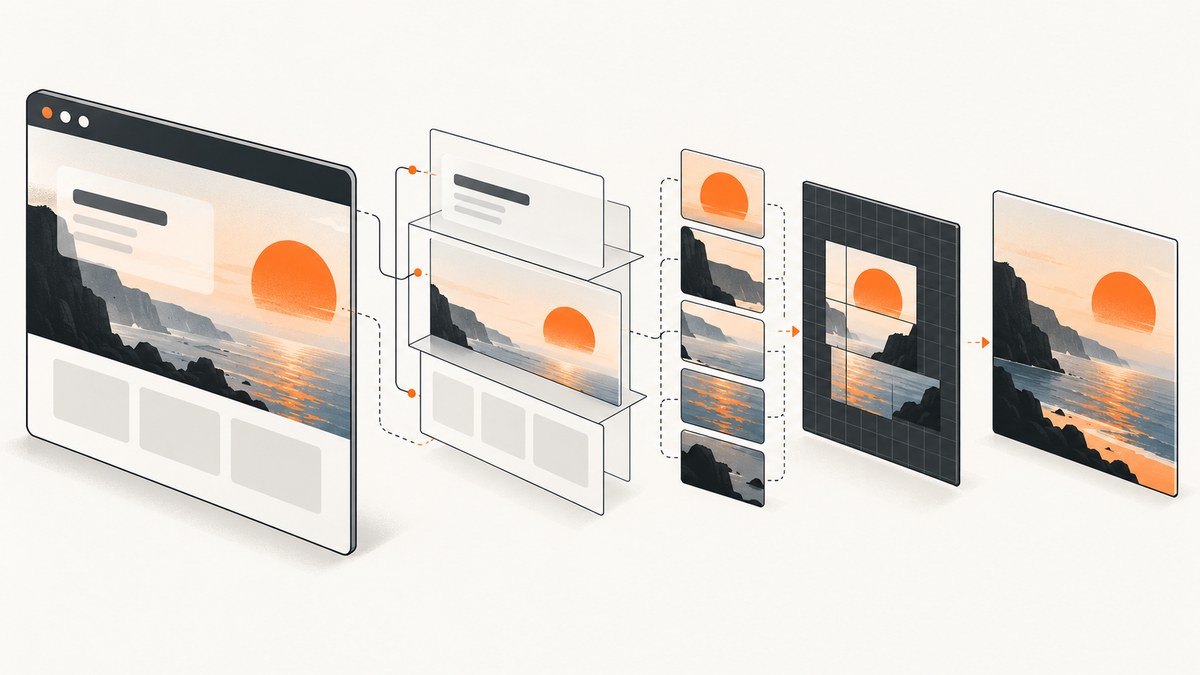
Short answer: html2canvas rebuilds an image from the DOM and styles it can read; it does not photograph the browser’s already-painted pixels. To capture a CSS background, make sure the background is present in the cloned DOM, the image is available under the browser’s origin rules, and the property syntax is supported. A reliable starting point is:
const canvas = await html2canvas(document.querySelector('#capture'), {
  backgroundColor: null,
  useCORS: true,
});

const png = canvas.toDataURL('image/png');
backgroundColor: null requests a transparent canvas background. It does not restore a missing background-image. useCORS: true asks the browser to load remote images with CORS; it cannot grant permission that the image server does not provide.
How html2canvas handles CSS backgrounds
html2canvas reads the target element, its descendants, and computed styles, then draws a canvas representation. The result can differ from the live browser because each CSS property must be implemented by the library. The official documentation explains that it builds the screenshot from information available in the DOM rather than taking an actual screenshot. See the documentation and supported-features list before relying on a complex background syntax.
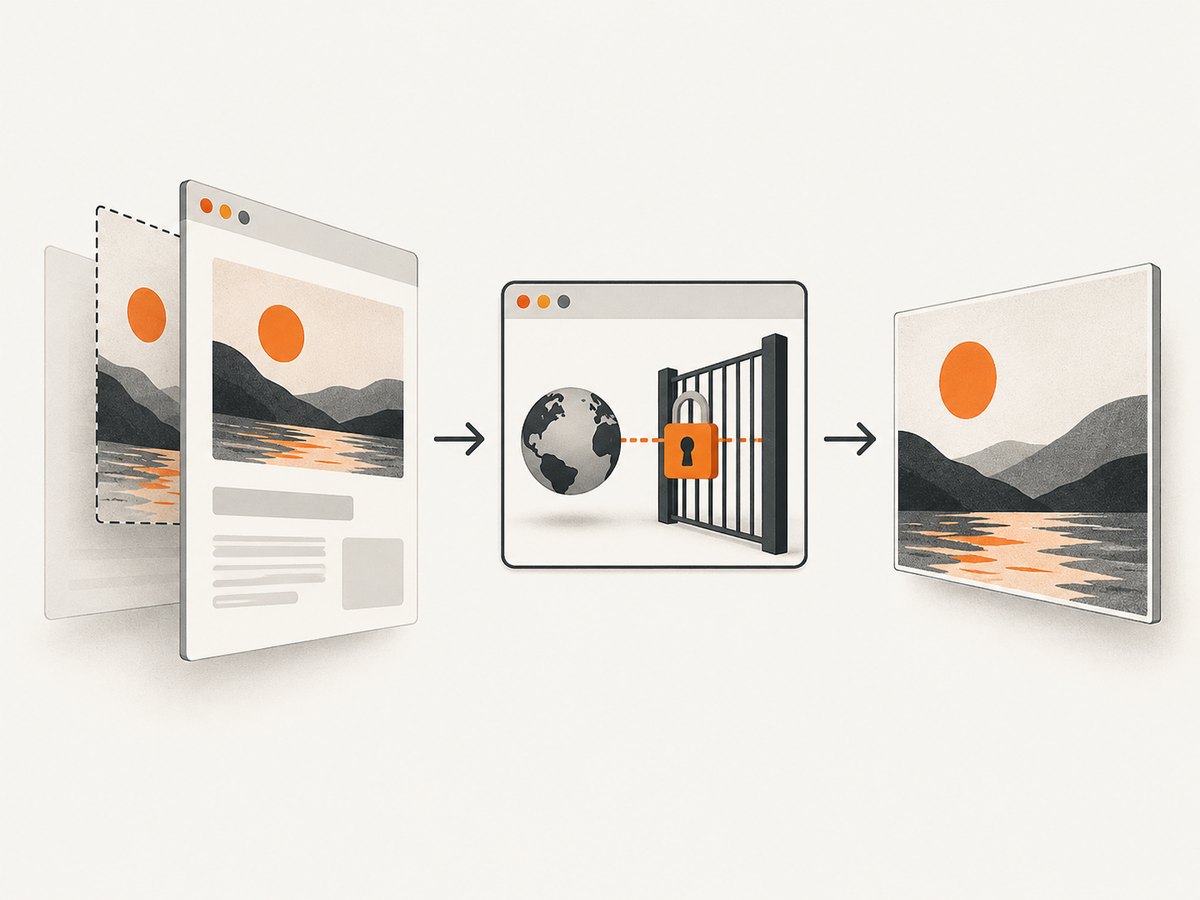
This distinction explains two common symptoms:
- A solid color appears missing because the canvas itself is transparent or has a different fallback color.
- A
background-imageis missing because the image could not load, was blocked by origin policy, or uses CSS that html2canvas does not implement fully.
A complete working example
Install html2canvas and capture an element after its image resources have loaded:
npm install html2canvasimport html2canvas from 'html2canvas';
const target = document.querySelector('#capture');
if (!target) {
throw new Error('The #capture element was not found');
}
const canvas = await html2canvas(target, {
backgroundColor: null,
useCORS: true,
logging: true,
imageTimeout: 15000,
windowWidth: target.scrollWidth,
windowHeight: target.scrollHeight,
});
document.body.appendChild(canvas);
const link = document.createElement('a');
link.download = 'capture.png';
link.href = canvas.toDataURL('image/png');
link.click();Example markup:
<section id="capture" class="hero">
  <h1>Background capture</h1>
  <p>This element is rendered into a canvas.</p>
</section>

<style>
.hero {
  min-height: 360px;
  color: white;
  background-color: #172554;
  background-image: url('/images/hero.jpg');
  background-position: center;
  background-size: cover;
  background-repeat: no-repeat;
}
</style>
Solid backgrounds, transparent output, and fallback colors
Use backgroundColor for the canvas backdrop:
// Transparent canvas background
await html2canvas(element, { backgroundColor: null });

// Explicit fallback color
await html2canvas(element, { backgroundColor: '#ffffff' });
This option affects the canvas background. It does not substitute for an element’s missing background-image. If the image is absent, inspect image loading, CORS, and CSS support separately.
Cross-origin background images
Remote background images are the most frequent cause of missing backgrounds or export errors. The browser applies same-origin rules to images drawn onto a canvas.
Option 1: serve the image from the same origin
Hosting the asset on the same origin as the page is the simplest approach. Confirm the final URL in DevTools and check that it returns an image rather than a redirect, login page, or error document.
Option 2: enable CORS on the image host
When the image server sends an appropriate Access-Control-Allow-Origin response, request it with CORS:
const canvas = await html2canvas(element, {
  useCORS: true,
  backgroundColor: null,
});
The image server must opt in. Setting useCORS on the page cannot override a missing or incompatible response header.
Option 3: use a controlled proxy
If you control a server-side proxy, configure html2canvas with its proxy option:
const canvas = await html2canvas(element, {
  proxy: 'https://your-domain.example/html2canvas-proxy',
  backgroundColor: null,
});
Protect the proxy against open-proxy abuse, restrict permitted hosts, validate URLs, and return the correct image response headers. A proxy is a transport solution; it does not add support for CSS features html2canvas cannot render.
Why allowTaint is not an export fix
A tainted canvas cannot be read with toDataURL() or similar export APIs. Do not treat allowTaint as a way to make cross-origin images exportable. Use same-origin hosting, valid CORS, or a correctly configured proxy.
CSS background syntax and support
html2canvas implements CSS properties manually, so support is selective. A simple url() background commonly works when the asset loads, while newer or complex syntax may be incomplete. Check the current features reference for the exact property and value you use.
For a minimal reproduction, temporarily reduce the rule to:
.test {
  width: 400px;
  height: 240px;
  background: #334155 url('/images/test.jpg') center / cover no-repeat;
}
If this works, add gradients, multiple layers, blend modes, custom properties, and other declarations one at a time. This identifies the unsupported or unavailable part without changing the rest of the page.
Timing, cloning, and lazy-loaded assets
Capture only after the target styles and images are available. Use the library’s timeout and logging options while diagnosing:
const canvas = await html2canvas(element, {
  useCORS: true,
  logging: true,
  imageTimeout: 20000,
  onclone: (clonedDocument) => {
    const cloned = clonedDocument.querySelector('#capture');
    cloned?.classList.add('capture-mode');
  },
});
onclone changes the cloned document used for rendering, leaving the live page untouched. It is useful for disabling animations, forcing a known background, or revealing content that is hidden only during capture.
Wait for a background image explicitly when your application controls the URL:
const image = new Image();
image.src = '/images/hero.jpg';
await image.decode();

const canvas = await html2canvas(document.querySelector('#capture'), {
  useCORS: true,
});
For CSS-only images, also wait for fonts and layout-sensitive application state before calling html2canvas. A delay alone is less reliable than waiting for the resource or selector that proves the page is ready.
Dimensions, full-page captures, and blank output
Large canvases can exceed browser or platform limits. The html2canvas FAQ gives rough guidance of about 32,767 pixels per dimension for Chrome, Chromium, and desktop Safari, with approximate total-area limits around 268 million pixels for Chrome/Chromium and 472 million pixels for Firefox. These are not guaranteed specifications; limits vary by browser, device, and available memory. iOS Safari can be lower.
Match the rendering viewport to the element when capturing a scrollable region:
const canvas = await html2canvas(element, {
  windowWidth: element.scrollWidth,
  windowHeight: element.scrollHeight,
});
If output is clipped or blank, reduce width and height, capture sections separately, or render at a lower scale. Test on the browser and device that will run the capture.
Debugging checklist
- Confirm the selector points to the intended element.
- Inspect computed styles in the live page and in the cloned document.
- Open the background URL directly and verify its status, content type, redirects, and authentication.
- Inspect response headers for
Access-Control-Allow-Originwhen the asset is remote. - Enable
loggingand increaseimageTimeoutwhile diagnosing. - Try
useCORS: trueonly when the server supports CORS. - Use a controlled proxy when CORS cannot be enabled.
- Reduce the CSS to a minimal supported background declaration.
- Wait for images, fonts, layout, and lazy-loaded content before capture.
- Check canvas dimensions against browser and device limits.
Common errors and fixes
| Symptom | Likely cause | Fix |
|---|---|---|
| Solid background is transparent | The canvas fallback is transparent | Set backgroundColor to a color, or keep null intentionally for transparency. |
| CSS image is absent | Image failed to load, origin rules blocked it, or syntax is unsupported | Check the request, CORS/proxy setup, and supported-features list. |
toDataURL throws a security error |
The canvas is tainted by a cross-origin image | Use same-origin hosting, valid CORS, or a controlled proxy. |
| Capture has old or empty content | Capture ran before resources or lazy content were ready | Wait for the resource, selector, fonts, or application-ready state. |
| Output is clipped | Viewport dimensions do not include the target’s scroll area | Set windowWidth/windowHeight from scroll dimensions. |
| Output is blank or partially rendered | Canvas dimensions exceed a browser or device limit | Reduce dimensions, split the capture, or lower scale. |
| One CSS property differs | html2canvas does not fully implement that property | Check the feature reference and simplify or replace the declaration. |
Performance and reliability
Rendering cost grows with the number of DOM nodes, pixel dimensions, image decoding, and scale. Capture only the required element, avoid unnecessarily large viewport dimensions, and split very tall pages. Reuse a loaded page state when taking several related captures, but wait for each dynamic state to settle.

For reliable exports, keep the capture CSS deterministic: disable transitions and animations in capture mode, set explicit element dimensions, use stable image URLs, and record failures with the URL, browser, viewport, and html2canvas options. Treat remote assets as dependencies that can time out or change.
When you need actual browser pixels
html2canvas is appropriate when a DOM-based reconstruction is acceptable. It is not a native screenshot API. If you need the exact pixels painted by a browser, use a browser or extension screenshot API instead; the html2canvas FAQ recommends native screenshot APIs for that use case.
Or skip the browser setup
For server-side screenshots, ScreenshotNeo provides a single request that returns PNG, JPEG, WebP, or PDF. It handles cookie and consent banners before capture and removes more than 60 known consent platforms, newsletter popups, and chat widgets. Bot checks, blank pages, timeouts, failed loads, and cache hits are not billed, and response headers identify the page verdict and billing status.
See the ScreenshotNeo API documentation for all options. Basic calls:
cURL
curl -G "https://api.screenshotneo.com/v1/shot" -d access_key=YOUR_API_KEY --data-urlencode url=https://stripe.com -o shot.webpPython
import requests

r = requests.get(
    "https://api.screenshotneo.com/v1/shot",
    params={"access_key": "YOUR_API_KEY", "url": "https://stripe.com"},
    timeout=90,
)
r.raise_for_status()
open("shot.webp", "wb").write(r.content)
Node.js
const q = new URLSearchParams({ access_key: 'YOUR_API_KEY', url: 'https://stripe.com' });
const res = await fetch(`https://api.screenshotneo.com/v1/shot?${q}`);
if (!res.ok) throw new Error(`Screenshot failed: ${res.status}`);
const body = Buffer.from(await res.arrayBuffer());
await import('node:fs/promises').then(fs => fs.writeFile('shot.webp', body));
ScreenshotNeo also supports full-page and element captures, custom CSS and JavaScript, waits, blocking rules, headers, cookies, user agents, timezone and geolocation, resizing, caching with a chosen TTL, signed links, asynchronous jobs, webhooks, bulk capture, PDFs, HTML/CSS to image, and an MCP server with take_screenshot, get_page_info, and capture_pdf tools for AI clients. One thousand screenshots per month are free with no card; paid plans start at $5 for 3,000. Create a free ScreenshotNeo account.
FAQ
Does backgroundColor: null capture my background image?
No. It controls the canvas backdrop. The image still must load and be supported.
Can useCORS bypass CORS?
No. The image server must send an appropriate CORS response header.
Should I use allowTaint?
Not to export a cross-origin image. A tainted canvas cannot be read safely.
Why does the result differ from a browser screenshot?
html2canvas reconstructs the DOM and implemented styles; it does not capture native browser pixels.
How can I capture a very tall page?
Use dimensions that match the content, stay below browser canvas limits, and split the page when necessary.


