How to Capture Externally Hosted Images With html2canvas
Make external images exportable with html2canvas using CORS or a same-origin proxy, then troubleshoot tainted canvases and missing assets.
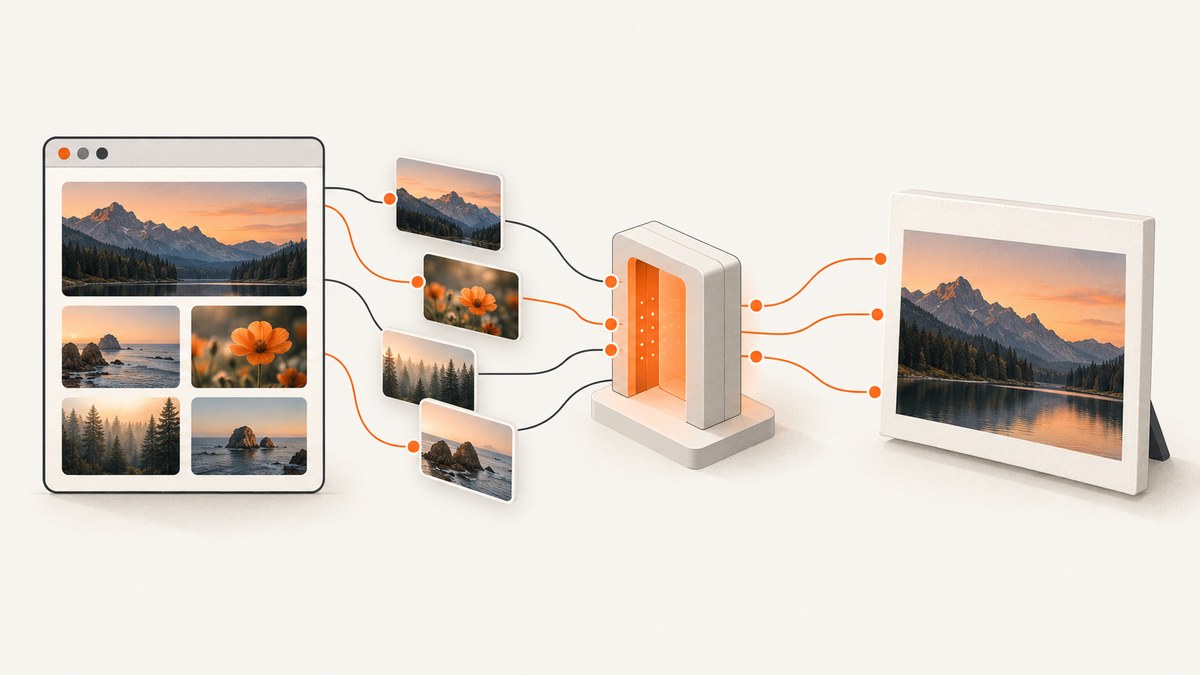
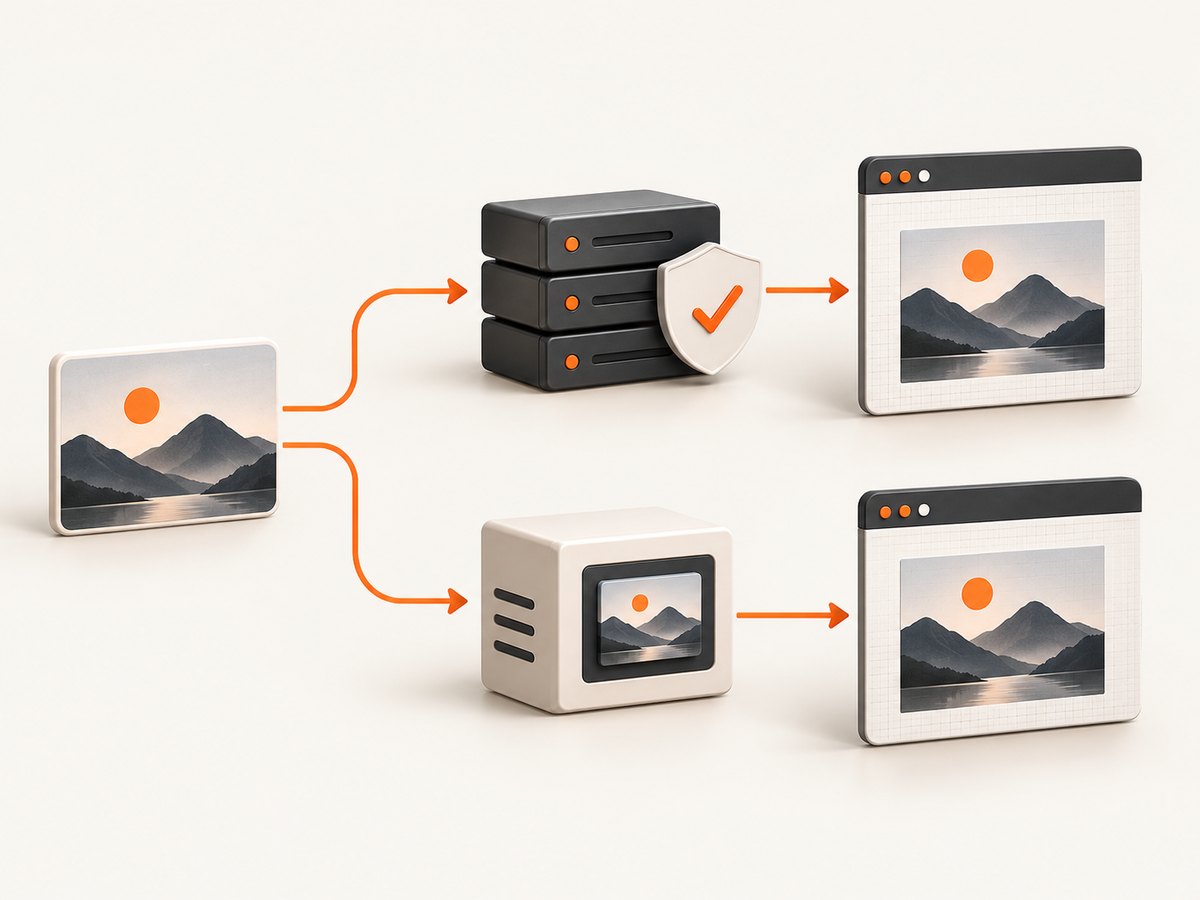
To capture externally hosted images with html2canvas, use useCORS: true when the image server permits your page origin with an Access-Control-Allow-Origin header. If you cannot change that server, load the image through a same-origin proxy that you control, then point html2canvas at the proxy with proxy. Keep allowTaint set to false when you need to export the canvas.
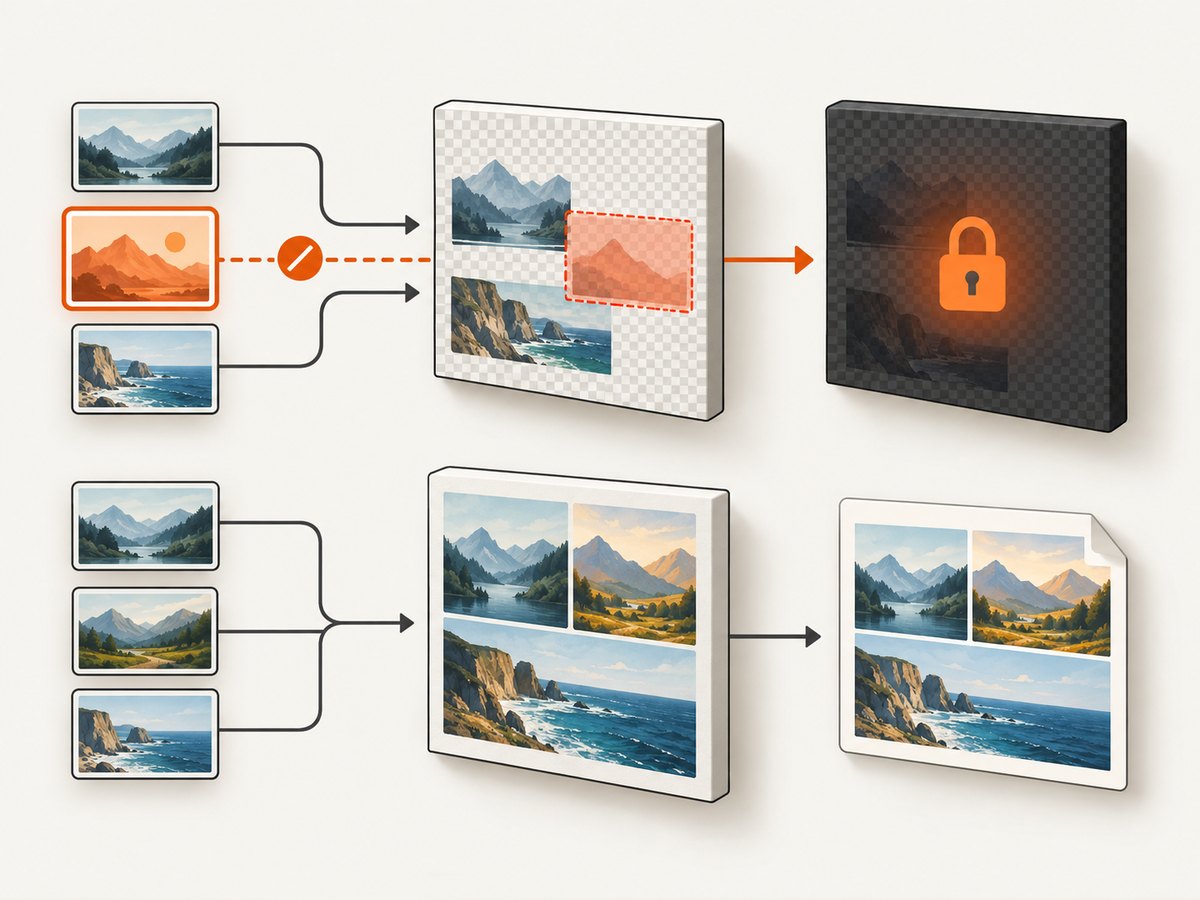
A browser can display a cross-origin image while still refusing to let JavaScript read pixels from it. If html2canvas draws an image that violates the same-origin policy, the canvas becomes tainted; calls such as canvas.toDataURL() then fail. Setting allowTaint: true does not make the canvas readable and is not an export workaround. The project documentation states that html2canvas cannot circumvent browser content policy restrictions. See the official FAQ, configuration reference, and getting-started guide.
Choose the correct loading route
| Route | Use it when | Requirement |
|---|---|---|
useCORS: true |
You control the image host or it already allows your origin | The image response includes an appropriate Access-Control-Allow-Origin value |
| Same-origin proxy | You cannot configure the image host | Your application fetches the image and serves it from the page’s origin |
The relevant defaults in the configuration reference are useCORS: false, allowTaint: false, and proxy: null. Defaults can vary by installed release, so check the version of html2canvas in your project.
Minimal CORS solution
Install html2canvas and render the element after the page and its images have loaded:
npm install html2canvasimport html2canvas from 'html2canvas';
const element = document.querySelector('#capture');
const canvas = await html2canvas(element, {
useCORS: true,
allowTaint: false,
});
document.body.appendChild(canvas);
const png = canvas.toDataURL('image/png');
const link = document.createElement('a');
link.download = 'capture.png';
link.href = png;
link.click();This works only when every external image that reaches the canvas is permitted by its server. A typical response must contain a header such as:
Access-Control-Allow-Origin: https://your-app.exampleIf the application is intentionally public and your security policy allows it, the server may return *. Do not assume that adding useCORS changes the remote server. It only asks the browser to perform a CORS-enabled image request.
Wait for images before rendering
Rendering immediately after inserting an image can produce an incomplete capture. Wait for the image elements you care about:
function waitForImage(img) {
  if (img.complete && img.naturalWidth > 0) return Promise.resolve();
  return new Promise((resolve) => {
    img.addEventListener('load', resolve, { once: true });
    img.addEventListener('error', resolve, { once: true });
  });
}

const target = document.querySelector('#capture');
await Promise.all([...target.querySelectorAll('img')].map(waitForImage));

const canvas = await html2canvas(target, {
  useCORS: true,
  allowTaint: false,
});
The error handler resolves deliberately so one broken image does not prevent the rest of the page from being captured. You can instead reject and show an application error if every image is required.
How to verify CORS in the browser
- Open DevTools and select the Network tab.
- Reload the page and locate the actual image request. Check its final URL after redirects.
- Inspect the response headers for
Access-Control-Allow-Origin. It must match your page origin or use an allowed wildcard policy. - Check whether a redirect changes the host. The final image response, not only the first URL, needs the correct policy.
- Confirm that the request is not blocked by a content security policy, authentication requirement, hotlink protection rule, or an expired signed URL.
The same-origin boundary is based on scheme, host, and port. An image on a different subdomain or port is cross-origin even when it belongs to the same company.
Proxy route for hosts you cannot configure
When the external host does not return the needed CORS header, create an endpoint on your own origin. The endpoint receives an image URL, fetches it server-side, validates the response, and streams the bytes back with an image content type. Then configure html2canvas with that endpoint:
const canvas = await html2canvas(document.querySelector('#capture'), {
  proxy: '/image-proxy',
  allowTaint: false,
});

const png = canvas.toDataURL('image/png');
The getting-started documentation demonstrates the proxy option and a ?url= style endpoint. The endpoint is application infrastructure: implement and secure it for your environment rather than copying an arbitrary public proxy.
Proxy implementation checklist
- Allow only approved hosts or URL patterns; never create an unrestricted server-side fetch endpoint.
- Block private IP ranges and internal hostnames to reduce server-side request forgery risk.
- Restrict schemes to
https(andhttponly when your policy explicitly permits it). - Enforce response-size, connection-timeout, redirect-count, and total-time limits.
- Accept only image media types and reject HTML, scripts, archives, and unexpected content.
- Return a cache policy appropriate for your application and avoid logging credentials embedded in URLs.
- Apply authentication, rate limits, and monitoring if the endpoint is not strictly internal.
// Express-style illustrative proxy. Adapt validation and limits to your service.
app.get('/image-proxy', async (req, res) => {
  const raw = req.query.url;
  let imageUrl;
  try {
    imageUrl = new URL(raw);
  } catch {
    return res.status(400).send('Invalid URL');
  }

  if (!['https:', 'http:'].includes(imageUrl.protocol)) {
    return res.status(400).send('Unsupported scheme');
  }

  // Add allowlists, private-network blocking, size limits, and timeouts here.
  const upstream = await fetch(imageUrl, { redirect: 'follow' });
  if (!upstream.ok) return res.status(502).send('Upstream image failed');

  const type = upstream.headers.get('content-type') || '';
  if (!type.startsWith('image/')) return res.status(415).send('Not an image');

  res.set('Content-Type', type);
  res.send(Buffer.from(await upstream.arrayBuffer()));
});
This example is intentionally incomplete around network policy and resource limits. Those controls belong in your production proxy.
Exporting and handling a tainted canvas
Use a readable canvas for PNG, JPEG, or WebP export:
const pngDataUrl = canvas.toDataURL('image/png');
const jpegDataUrl = canvas.toDataURL('image/jpeg', 0.9);
If either call throws a security error, investigate every image and any pre-existing canvas inside the captured element. One non-CORS image is enough to taint the result. Keep allowTaint: false; enabling it permits drawing in situations where the output cannot be read, which does not solve an export requirement.
Useful html2canvas options
| Option | Purpose | Practical guidance |
|---|---|---|
useCORS |
Attempts CORS image loading | Set true only when the host can authorize your origin |
proxy |
URL used to load cross-origin images | Point to a secured same-origin endpoint |
allowTaint |
Allows drawing images that may taint the canvas | Leave false when reading or exporting pixels |
scale |
Controls output pixel density | Higher values improve detail but increase memory and time |
backgroundColor |
Sets the rendered background | Use a color when transparent output is undesirable |
windowWidth and windowHeight |
Sets the layout viewport used for rendering | Match the responsive breakpoint you want to document |
useCORS plus image attributes |
Coordinates browser image loading | Set crossorigin="anonymous" before assigning src when your setup requires it |
Common failures and fixes
“Why aren’t my images rendered?”
Confirm the image is cross-origin, then inspect the final response headers. If you control the host, add the appropriate CORS response and use useCORS: true. If you do not control it, route the image through your own proxy. Also verify that the image URL is not blocked, expired, or protected by authentication.
useCORS is enabled but the image is still missing
useCORS cannot grant permission. Check the actual request in DevTools, including redirects and query parameters. The response must authorize the page origin. A wildcard policy may not work with credentialed requests.
toDataURL throws a security error
The canvas is tainted. Find every cross-origin image and nested canvas in the target. Ensure each image is loaded with CORS permission or through the proxy, and keep allowTaint false.
The proxy returns an error or an HTML page
Check URL validation, upstream status, redirect handling, content type, authentication, and response-size limits. A proxy that returns an error document with a successful HTTP status can be mistaken for an image by application code.
The image is present but looks different
html2canvas reconstructs a representation from DOM information; it is not a literal browser screenshot. Unsupported CSS, web fonts that have not loaded, filters, video, and complex compositing can differ. Wait for fonts and images, simplify unsupported effects, and verify the installed version’s limitations.
Performance and reliability
- Capture the smallest element that meets the requirement instead of the entire document.
- Use a sensible
scale; very large canvases consume substantial memory and can fail on mobile devices. - Wait for fonts, images, and layout shifts before rendering, but avoid unbounded waits for resources that will never load.
- Cache proxy responses where licensing and freshness rules allow it.
- Use request timeouts and clear user-facing errors for failed upstream images.
- For repeatable output, pin the html2canvas version and record viewport, scale, device-pixel ratio, and background settings.
Client-side rendering has no service charge, but it uses the user’s CPU and memory and inherits browser policy. A proxy adds server bandwidth, egress, storage, and maintenance costs that depend on your traffic and image sizes.
Or skip the browser setup
If you need a dependable image or PDF from a URL rather than a DOM canvas, ScreenshotNeo provides a hosted capture API. It accepts one GET request and returns PNG, JPEG, WebP, or PDF. Cookie and consent banners, newsletter popups, and chat widgets are removed before capture. Bot checks, blank pages, timeouts, failed loads, and cache hits are not billed, and response headers identify the page verdict and billing result.
See the ScreenshotNeo API documentation for the complete option list.
curl -G "https://api.screenshotneo.com/v1/shot" \
  -d access_key=YOUR_API_KEY \
  --data-urlencode url=https://stripe.com \
  -o shot.webp
import requests
r = requests.get(
"https://api.screenshotneo.com/v1/shot",
params={"access_key": "YOUR_API_KEY", "url": "https://stripe.com"},
timeout=90,
)
r.raise_for_status()
open("shot.webp", "wb").write(r.content)const q = new URLSearchParams({
access_key: 'YOUR_API_KEY',
url: 'https://stripe.com'
});
const res = await fetch(`https://api.screenshotneo.com/v1/shot?${q}`);
if (!res.ok) throw new Error(`Screenshot failed: ${res.status}`);
const bytes = Buffer.from(await res.arrayBuffer());
require('fs').writeFileSync('shot.webp', bytes);ScreenshotNeo also supports full-page captures with lazy images loaded, CSS-element capture, custom CSS and JavaScript, waits, request blocking, headers, cookies, user agents, authorization, timezone and geolocation, resizing, caching with a chosen TTL, signed links, asynchronous jobs, webhooks, bulk capture, a usage API, and an MCP server with take_screenshot, get_page_info, and capture_pdf for Claude, Cursor, and other MCP clients.
The Free plan includes 1,000 screenshots each month without a card. Paid plans start at $5 for 3,000 shots, and every feature is available on every plan. Create a free ScreenshotNeo account.
FAQ
Can html2canvas bypass CORS?
No. It can request an image with CORS, but only the image server can grant permission.
Is a displayed image automatically safe to export?
No. Displaying pixels and reading pixels are separate browser permissions.
Should I set allowTaint to true?
Not when you need toDataURL or another read operation. A tainted canvas remains unreadable.
Do I need a proxy for images on a CDN?
Only if the CDN response does not authorize your page origin and you cannot change its configuration.
Will html2canvas produce a pixel-perfect browser screenshot?
No. It renders supported DOM and CSS into a canvas, so documented limitations and unsupported properties can cause differences.


