How to Capture a Full-Page Screenshot of Reddit
Capture an entire Reddit post or thread with Firefox, Edge, Safari, PDF tools, or ScreenshotNeo—with fixes for missing comments and clipped media.
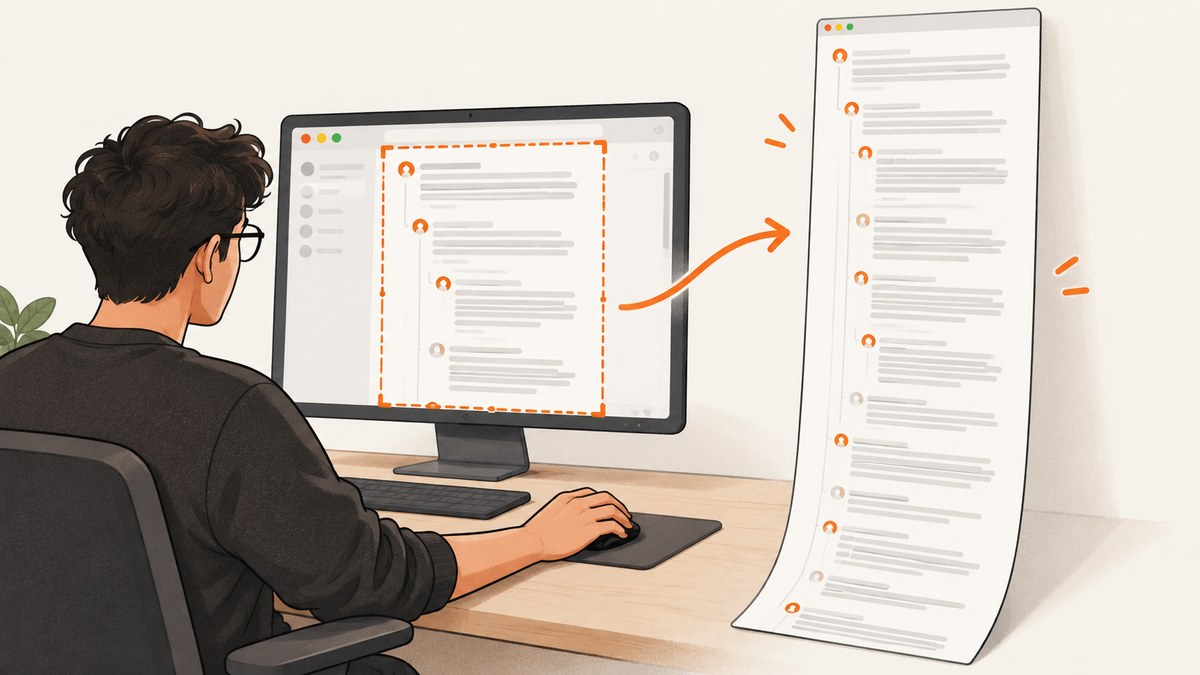
Short answer: Reddit does not provide its own full-page screenshot button. Use the browser or operating system that displays the page. In Firefox, open the Reddit page, choose Take Screenshot, then Save full page. In Microsoft Edge, open Screenshot and select full-page capture. On an iPhone or iPad, take a Safari screenshot, tap the thumbnail, choose Full Page, and save or share it.
For a reliable capture, load the complete thread first, expand the comments and media you need, and inspect the result for missing content. Very long threads may be easier to read as a PDF than as one extremely tall image.
Choose the right method
| Situation | Best method | Output |
|---|---|---|
| Desktop Firefox | Take Screenshot → Save full page | PNG |
| Desktop Edge | Screenshot → full page | Image, with markup tools |
| iPhone or iPad Safari | Screenshot thumbnail → Full Page | Long page capture or shareable file |
| Extremely long thread | Print or Save as PDF | PDF pages |
| Automated or repeatable captures | ScreenshotNeo API | PNG, JPEG, WebP, or PDF |
Before you capture a Reddit page
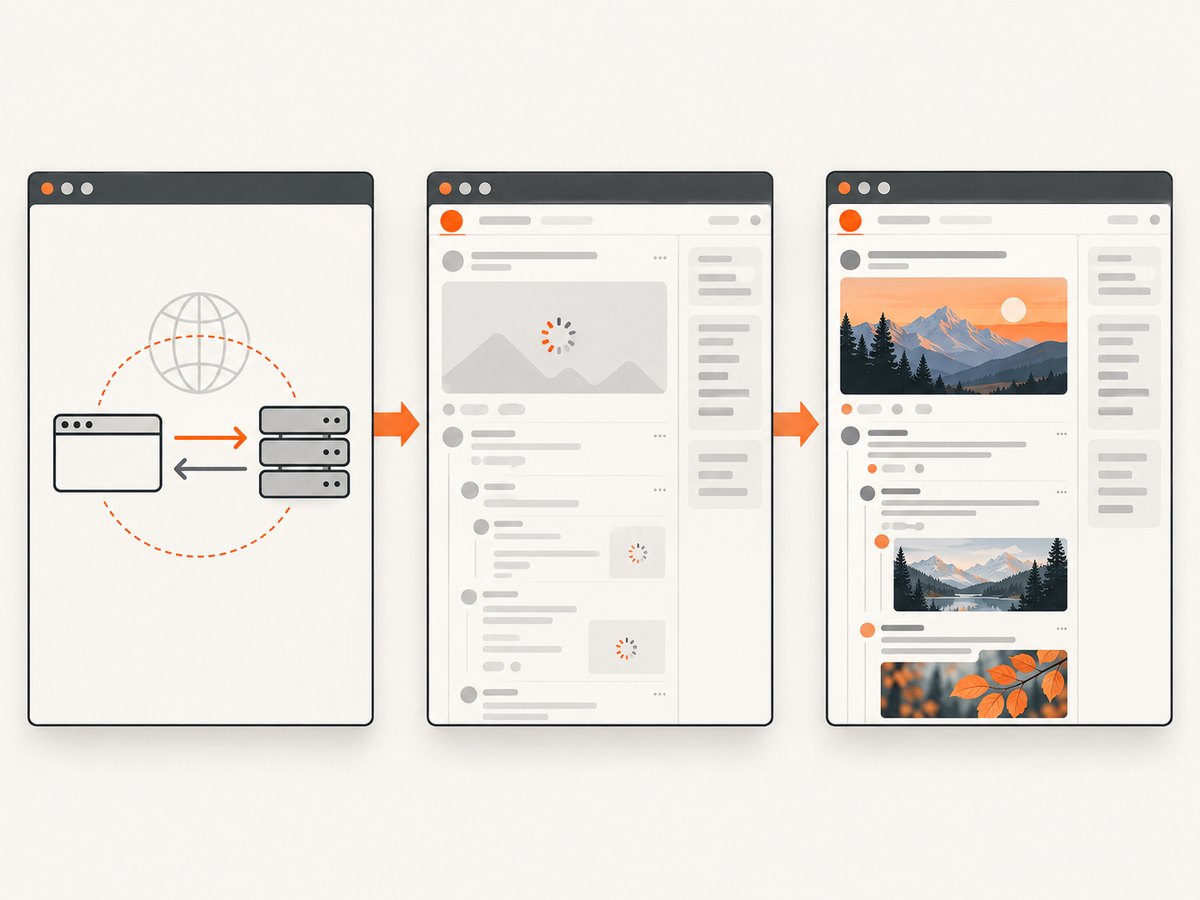
Reddit threads are dynamic. Comments can load only after scrolling, media can be lazy-loaded, and nested comment areas can have their own scroll behavior. Spend a minute preparing the page:
- Open the exact post or subreddit page you want to preserve.
- Sign in if the content requires an account, and confirm that you are allowed to save or share it.
- Scroll through the thread so lazy-loaded comments, images and videos appear.
- Expand the comments and reply trees that must be included. Collapsed replies will not become readable later in the image.
- Close browser menus, notification prompts and unrelated tabs. Hide private notifications or account details.
- Wait for images, videos and embeds to finish loading.
- Use the browser’s reader or zoom controls only if they improve legibility; changing zoom also changes the final dimensions.
Firefox: save the entire Reddit page as a PNG
Firefox has a built-in full-page screenshot workflow. Mozilla documents that Firefox can capture visible or full web pages and copy or save the result. The downloaded full-page image is a PNG.
- Open the Reddit post or thread in Firefox.
- Right-click an empty part of the page and choose Take Screenshot. You can also press Ctrl+Shift+S on Windows or Linux, or Command+Shift+S on macOS.
- In the capture controls, choose Save full page in the upper-right corner.
- Download the PNG or copy it to the clipboard.
If you cannot find the command, make sure the context menu is opened on the page itself rather than on an image, video, link or browser toolbar. Firefox’s menu labels can vary slightly by release; look for Take Screenshot or the camera icon. See Mozilla’s screenshot instructions.
Firefox tips for long Reddit threads
- Scroll from the top to the bottom once before capturing. This prompts Reddit to request lazy content.
- Expand important comment branches before starting the capture.
- After saving, zoom into the bottom and middle sections. A page can capture successfully while an individual image or embed is still blank.
- Use an image editor to crop usernames, avatars, notification banners or other private information before sharing.
Microsoft Edge: use Screenshot with full-page capture
Microsoft Edge includes a Screenshot tool that can capture a full page or a selected area, including long or moving web pages. It also offers pen and touch markup tools.
- Open the Reddit URL in Edge.
- Right-click the page and choose Screenshot, open Screenshot from Edge settings, or press Ctrl+Shift+S.
- Choose the full-page option rather than a selected region.
- Copy or save the result. Use the pen or touch tools if you need to mark it up before saving.
If Screenshot is not visible, update Edge and check the right-click menu on an ordinary page area. The command can be hidden when focus is inside a form field or embedded frame. Microsoft’s current documentation is available at Use Screenshot in Microsoft Edge.
Chrome and other desktop browsers
Reddit supports current desktop versions of Chrome, Edge, Firefox and Safari, along with Chromium and WebKit-based browsers such as Opera and Samsung Internet. Chrome’s full-page controls can move between releases, so look for labels such as full page, capture full size or Save as PDF.
When Chrome’s visible menu does not expose a full-page command, open Developer Tools and use the browser’s screenshot command for the full page. Another dependable route is the print dialog:
- Open the Reddit page and load the content you need.
- Press Ctrl+P on Windows or Linux, or Command+P on macOS.
- Choose Save as PDF or Print to PDF.
- Check the preview for clipped columns, missing backgrounds and unwanted headers or footers.
- Save the PDF and reopen it to confirm that all required pages are present.
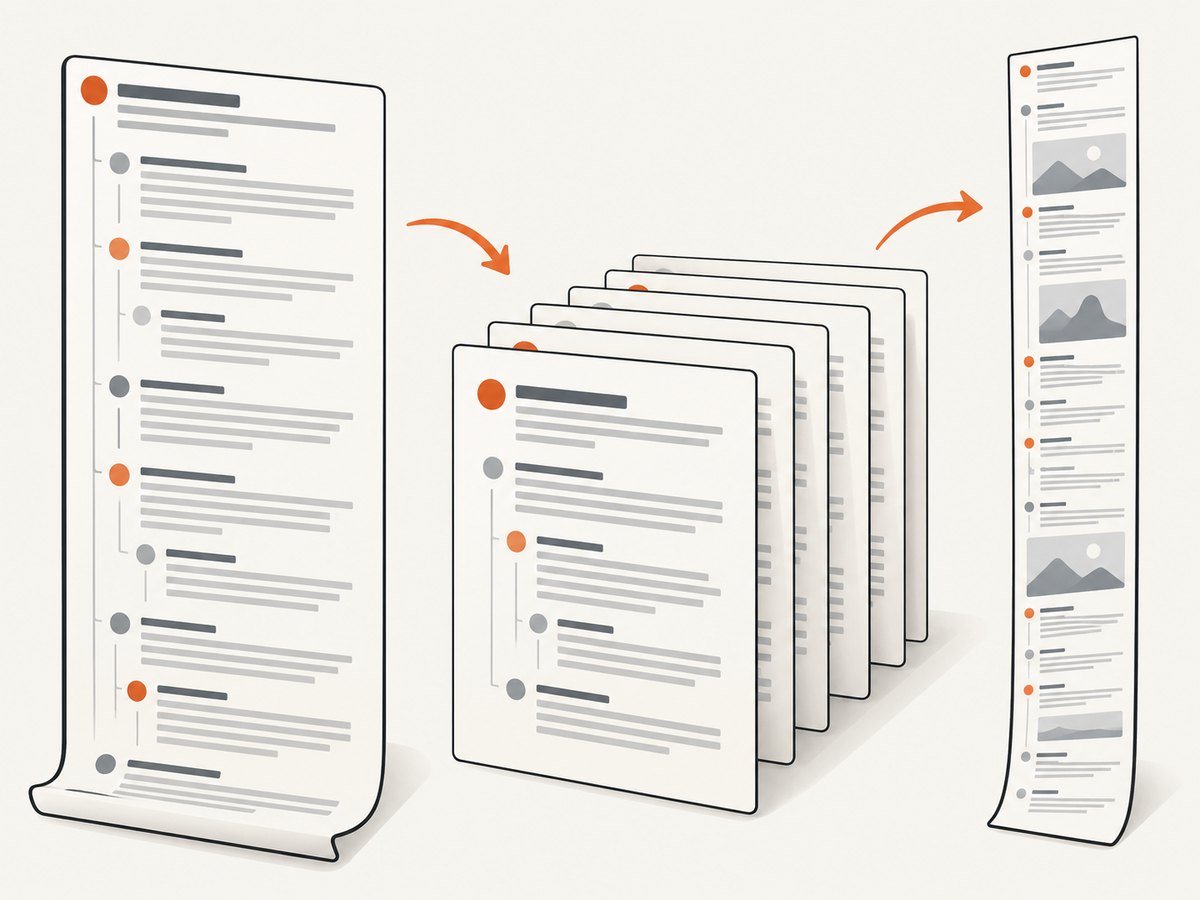
A PDF is often more useful than one tall image for a thread with thousands of comments because readers can zoom, search and move between pages. It may not preserve interactive media exactly as displayed in Reddit.
iPhone and iPad: capture Reddit in Safari
Apple’s documented Safari workflow captures an entire web page beyond the visible screen.
- Open the Reddit page in Safari.
- On a Face ID iPhone, quickly press and release the side button and volume-up button together. On older models, press the Home and side buttons.
- Tap the screenshot thumbnail that appears in the lower-left corner.
- Choose Full Page at the top of the editor.
- Scroll the preview to verify the bottom of the Reddit page, crop or annotate if needed, then use the save or share controls.
Depending on the iOS or iPadOS version, a full-page capture may be saved through the Files or share controls rather than directly to Photos. Apple’s guide explains the current options at Take a screenshot on iPhone.
If Full Page does not appear, the page may not be in Safari’s supported document view, or the screenshot may have been taken inside another app’s embedded browser. Open the URL directly in Safari and try again.
Capture a Reddit page as a PDF
Use PDF when the goal is archiving, printing, searching or sharing a very long thread. On desktop, open the browser print dialog and select Save as PDF. On iPhone or iPad, use Safari’s share sheet and the print preview, then expand the preview with a pinch gesture and share or save the resulting PDF.
Review these settings:
- Orientation: Portrait is easier to read for normal Reddit columns; landscape can prevent wide code blocks from wrapping.
- Margins: Narrow margins preserve more content but can make printed pages harder to annotate.
- Scale: Reduce scale when the right side of a post is clipped; increase it when text is too small.
- Background graphics: Enable them only when colors or diagrams are necessary.
- Headers and footers: Disable them when you do not want the URL, date or page number added.
Why a Reddit screenshot stops early or misses content
| Symptom | Likely cause | Fix |
|---|---|---|
| Only the visible viewport is saved | The visible-area command was used | Choose Save full page, full-page Screenshot or Full Page in Safari. |
| The bottom comments are absent | Reddit had not loaded lazy content | Scroll through the page, wait, expand replies and retry. |
| Images are blank | Media was still loading or blocked | Wait for thumbnails and open important media before capture. |
| Nested replies are clipped | A nested scroll container was not expanded | Open the branch and scroll inside the comment area before capturing. |
| Headers repeat down the image | Sticky navigation was captured at multiple scroll positions | Hide or dismiss sticky controls, or crop repeated sections afterward. |
| The browser command is missing | Changed browser UI, outdated version or wrong context menu | Update the browser, open the page context menu and use print-to-PDF as a fallback. |
| The image is too tall to open | Extremely long thread exceeds an image viewer or format limit | Capture sections, use PDF, or automate separate element captures. |
| Private information appears | Account details, notifications or usernames were visible | Review the output and crop or redact before sharing. |
Or skip the browser setup
ScreenshotNeo provides a website screenshot API for repeatable Reddit captures. One GET request returns PNG, JPEG, WebP or PDF. The service accepts a URL and can capture a full page while loading lazy images.
Start with this cURL request; the full API reference is next to the examples in the ScreenshotNeo documentation:
curl -G "https://api.screenshotneo.com/v1/shot" \
  -d access_key=YOUR_API_KEY \
  --data-urlencode url=https://www.reddit.com/r/programming/comments/example \
  -o reddit.webp
Python:
import requests

r = requests.get(
    "https://api.screenshotneo.com/v1/shot",
    params={
        "access_key": "YOUR_API_KEY",
        "url": "https://www.reddit.com/r/programming/comments/example",
    },
    timeout=90,
)
r.raise_for_status()
open("reddit.webp", "wb").write(r.content)
Node.js:
const q = new URLSearchParams({
  access_key: 'YOUR_API_KEY',
  url: 'https://www.reddit.com/r/programming/comments/example'
});
const res = await fetch(`https://api.screenshotneo.com/v1/shot?${q}`);
if (!res.ok) throw new Error(`HTTP ${res.status}`);
const data = Buffer.from(await res.arrayBuffer());
require('fs').writeFileSync('reddit.webp', data);
For a Reddit page, useful options include full-page capture, a custom viewport or device preset, retina scale, dark mode, a delay or network-idle wait, waiting for a selector, custom CSS, JavaScript clicks to expand content, hidden selectors for sticky controls, and blocking ads, trackers or selected resource types. You can also provide cookies, custom headers, a user agent, timezone and geolocation. Selectors let you capture one element instead of the entire page; PDF options include paper size, margins, landscape mode and page ranges.
ScreenshotNeo removes cookie and consent banners, newsletter popups and chat widgets before the shot. Bot checks, blank pages, timeouts, failed loads and cache hits cost nothing, and the response reports the page verdict and billing status in X-Page-Verdict and X-Billed headers. It also supports caching with a TTL you choose, signed links for public image tags, asynchronous jobs with signed webhooks, bulk capture for up to 100 URLs per call, a usage API and an OpenAPI specification. An MCP server exposes take_screenshot, get_page_info and capture_pdf to Claude, Cursor and other MCP clients.
For reliability, use a selector wait for the thread container, a delay after Reddit finishes rendering, and a cache TTL when the same URL is requested repeatedly. If Reddit requires authentication, pass the appropriate cookies only when you have permission to access and store that content. For long-term archives, prefer PDF or a bounded element capture when a single image would become unwieldy.
ScreenshotNeo includes 1,000 screenshots per month free with no card. Paid plans start at $5 for 3,000 shots; every feature is available on every plan. Create a free ScreenshotNeo account to try it.
Performance, reliability and cost considerations
- Browser captures: They are convenient for one-off work, but completion depends on the page finishing its network requests and on your device having enough memory for a very tall image.
- PDF versus image: PDF divides content into pages and is usually easier to open, search and print. A PNG, JPEG or WebP is better when one visual artifact is required.
- Dynamic content: Waiting for network idle alone may not prove that every Reddit comment is visible. Combine it with a selector wait or a deliberate delay and inspect the output.
- Repeat requests: Cache a stable URL when you do not need a fresh render. For changing threads, choose a short TTL or disable caching.
- Billing: ScreenshotNeo bills only clean shots; bot checks, blank pages, failed loads, timeouts and cache hits are not billed. Use the response headers and usage API to reconcile automation.
- Privacy: Remove account notifications and private data before sharing. Do not send credentials or private cookies to a capture service unless your access policy allows it.
FAQ
Does Reddit have a native full-page screenshot button?
No. Reddit’s Share control copies a link or sends content to another app. The browser or operating system performs the full-page capture.
Can I screenshot a whole Reddit thread in one image?
Yes, if the browser supports full-page capture and the thread has loaded. For exceptionally long threads, use a PDF or several smaller captures.
Why is the screenshot shorter than the Reddit page?
Usually the page was captured before lazy comments or media loaded, or a visible-area command was selected. Scroll through the thread, expand replies and choose the full-page option.
What is the best format for printing a Reddit thread?
PDF is generally the most practical format because it provides pages, selectable text and predictable printing. Check scale, margins and headers in the print preview.
Can I automate Reddit screenshots?
Yes. A browser automation script can do it, and ScreenshotNeo provides an API, asynchronous jobs, signed webhooks and bulk capture for repeatable workflows.
Final checklist
- Open the exact Reddit URL and confirm access.
- Scroll through the page and expand the comments you need.
- Wait for images, videos and embeds to load.
- Choose full-page capture, not visible-area capture.
- Use PDF for very long or searchable archives.
- Inspect the top, middle and bottom of the result.
- Crop or redact private information before sharing.


