How to Capture Full Pages in Horizontally Scrolling Web Apps
Capture document pages, nested horizontal panels, virtualized tables, and canvases reliably with Playwright, CDP, and a verified stitching workflow.
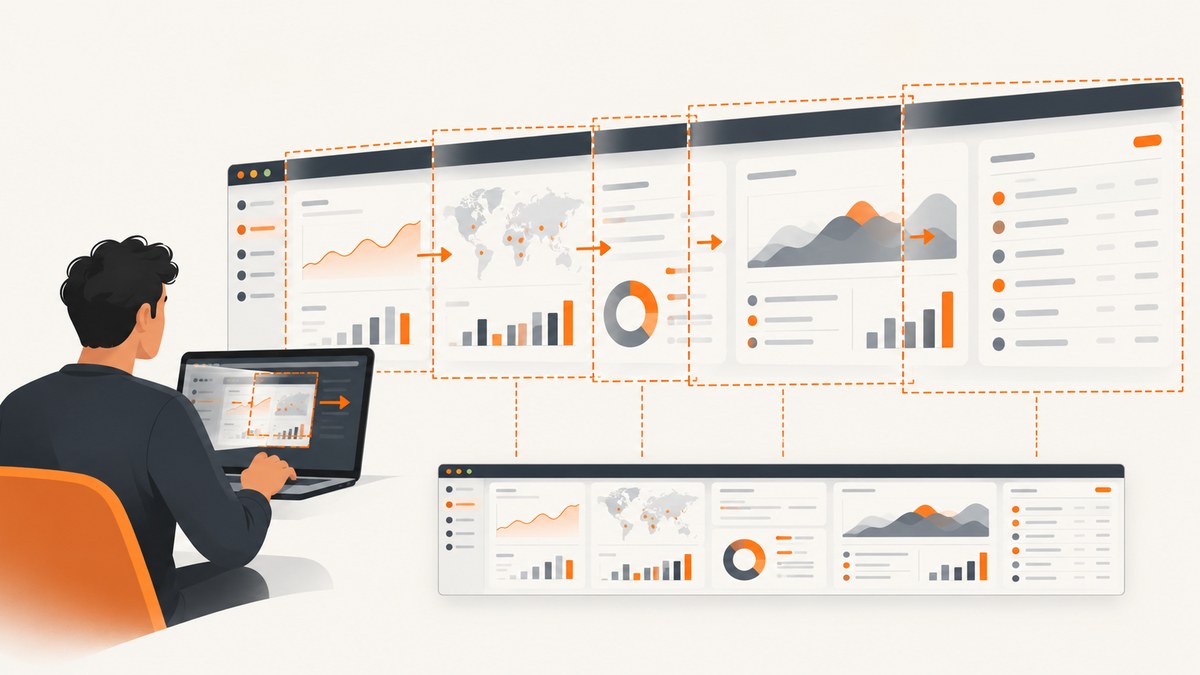
Short answer: a browser’s “full-page” option captures the document’s scrollable page. It does not automatically expand every nested horizontal panel, virtualized table, timeline, or canvas. Identify the element that actually scrolls. Use a full-page screenshot for document content; use an element or clip capture for a bounded region; and for content wider than that region, scroll the inner container through its range, capture overlapping segments, and stitch or review them.
Playwright defines a full-page screenshot as a screenshot of the full scrollable page, “as if you had a very tall screen and the page could fit it entirely.” See the Playwright screenshots documentation. Chrome DevTools Protocol (CDP) exposes page metrics, clipping, capture-beyond-viewport, and horizontal input, but page dimensions still do not describe every nested app scroller.
1. Decide what “full page” means
| Target | Recommended capture | Main limitation |
|---|---|---|
| Entire HTML document | Playwright fullPage |
Nested horizontal regions may remain clipped. |
| One panel, table, or timeline | Element screenshot or CDP clip | Off-screen overflow may not be expanded automatically. |
| Very wide nested scroller | Repeated horizontal scroll plus overlapping segments | Requires alignment checks and stable rendering. |
| Virtualized list or canvas | Scroll every range, wait for rendering, capture segments | Unrendered data cannot appear in a screenshot. |
Before writing code, inspect the app in DevTools. Look for the element whose scrollLeft changes when you use Shift+wheel, a trackpad, or the panel’s scrollbar. A page can contain several nested scrolling elements; choosing the outer document when the table owns the horizontal overflow produces an apparently complete but actually truncated image.
2. Capture a vertically full document with Playwright
Use this when the desired content belongs to the document scroll area.
JavaScript
import { chromium } from 'playwright';

const browser = await chromium.launch();
const page = await browser.newPage({ viewport: { width: 1440, height: 900 }, deviceScaleFactor: 1 });
await page.goto('https://example.com', { waitUntil: 'networkidle' });
await page.screenshot({ path: 'page-full.png', fullPage: true, scale: 'css' });
await browser.close();
Python
from playwright.sync_api import sync_playwright

with sync_playwright() as p:
    browser = p.chromium.launch()
    page = browser.new_page(viewport={"width": 1440, "height": 900}, device_scale_factor=1)
    page.goto("https://example.com", wait_until="networkidle")
    page.screenshot(path="page-full.png", full_page=True, scale="css")
    browser.close()
The Page API supports fullPage, clipping, and output scale. CSS scale keeps high-DPI output smaller; device scale captures device pixels. Set a deterministic viewport and wait for fonts, images, and application data before capture.
3. Capture a nested horizontal region
First try an element screenshot
const table = page.locator('[data-testid="wide-table"]');
await table.screenshot({ path: 'table-visible.png', animations: 'disabled' });
This captures the element’s rendered box. Verify the image: an element screenshot is not a promise that the element’s hidden horizontal overflow is expanded. If the rightmost columns are absent, use segmented capture.
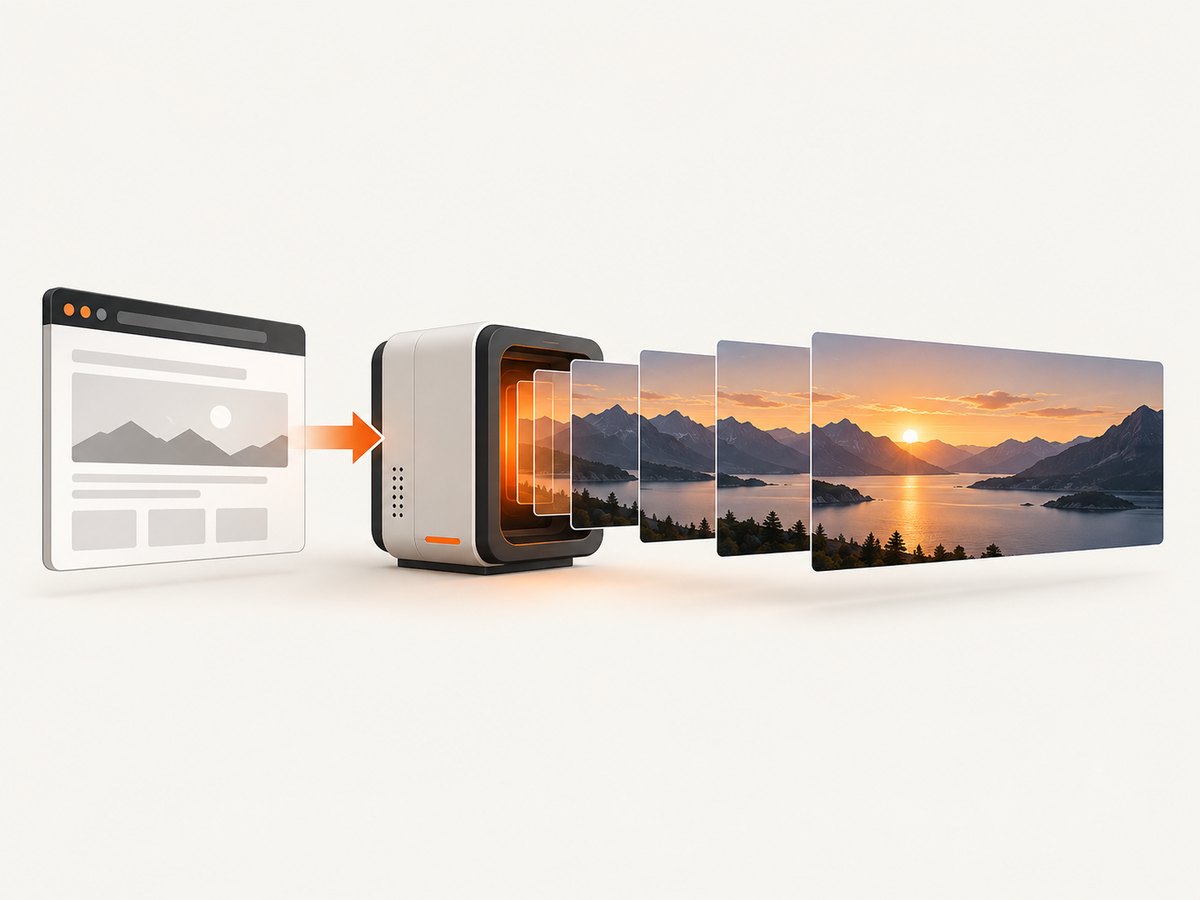
Segmented capture with overlap (JavaScript)
import { chromium } from 'playwright';

const browser = await chromium.launch();
const page = await browser.newPage({ viewport: { width: 1440, height: 900 } });
await page.goto('https://example.com/app', { waitUntil: 'networkidle' });
const region = page.locator('[data-testid="wide-table"]');
await region.waitFor();

const result = await region.evaluate((el) => ({
  width: el.clientWidth,
  height: el.clientHeight,
  scrollWidth: el.scrollWidth,
  maxScrollLeft: el.scrollWidth - el.clientWidth
}));
const overlap = 40;
const step = Math.max(1, result.width - overlap);
let index = 0;
for (let left = 0; left <= result.maxScrollLeft; left += step) {
  const position = Math.min(left, result.maxScrollLeft);
  await region.evaluate((el, x) => { el.scrollLeft = x; }, position);
  await page.waitForTimeout(150);
  await region.screenshot({ path: `table-${String(index).padStart(3, '0')}.png`, animations: 'disabled' });
  index += 1;
  if (position === result.maxScrollLeft) break;
}
await browser.close();
The overlap makes seams visible during stitching and helps detect duplicated or missing columns. Keep the original segments; a single panorama can hide a seam.
Segmented capture with Playwright Python
from pathlib import Path
from playwright.sync_api import sync_playwright

with sync_playwright() as p:
    browser = p.chromium.launch()
    page = browser.new_page(viewport={"width": 1440, "height": 900})
    page.goto("https://example.com/app", wait_until="networkidle")
    region = page.locator('[data-testid="wide-table"]')
    region.wait_for()
    metrics = region.evaluate("""el => ({
        width: el.clientWidth,
        scrollWidth: el.scrollWidth,
        maxScrollLeft: el.scrollWidth - el.clientWidth
    })""")
    overlap = 40
    step = max(1, metrics["width"] - overlap)
    index = 0
    left = 0
    while True:
        position = min(left, metrics["maxScrollLeft"])
        region.evaluate("(el, x) => { el.scrollLeft = x; }", position)
        page.wait_for_timeout(150)
        region.screenshot(path=Path(f"table-{index:03d}.png"))
        index += 1
        if position == metrics["maxScrollLeft"]:
            break
        left += step
    browser.close()
4. Handle virtualized rows, lazy content, and canvases
- Freeze the viewport, timezone, locale, and device scale so layout does not change between segments.
- Disable animations where possible and wait after each scroll for the app’s data request and paint cycle.
- For a virtualized table, scroll vertically through every range as well as horizontally. Rows that were never rendered cannot be recovered from one screenshot.
- For a canvas, capture each visible state while moving the relevant scroll container. Canvas pixels are not equivalent to DOM overflow.
- Inspect the first and last columns, sticky headers, fixed buttons, and repeated labels at every seam.
5. Use Chrome DevTools Protocol for explicit bounds
CDP is useful when an automation system needs exact page metrics or a clip rectangle. The Page domain documents Page.captureScreenshot, clip, experimental captureBeyondViewport, and Page.getLayoutMetrics.
import { chromium } from 'playwright';
import fs from 'node:fs';

const browser = await chromium.launch();
const page = await browser.newPage({ viewport: { width: 1440, height: 900 } });
await page.goto('https://example.com', { waitUntil: 'networkidle' });
const cdp = await page.context().newCDPSession(page);
const metrics = await cdp.send('Page.getLayoutMetrics');
const content = metrics.cssContentSize;
const shot = await cdp.send('Page.captureScreenshot', {
  format: 'png',
  fromSurface: true,
  captureBeyondViewport: true,
  clip: { x: 0, y: 0, width: content.width, height: content.height, scale: 1 }
});
fs.writeFileSync('cdp-full.png', Buffer.from(shot.data, 'base64'));
await browser.close();
These metrics describe the page’s scrollable content, not the complete width of every nested scroller. The CDP Input domain supports horizontal scrolling input; use it to move an inner region, then capture overlapping clips or element screenshots.
6. Stitch and verify segments
Use an image tool or script that places segments on a canvas using their known scroll offsets. Align on stable vertical features such as a header rule, and crop only the intentional overlap. Verification is part of capture:
- Confirm the leftmost and rightmost content is present.
- Check that no column, row, or chart mark is duplicated or missing at a seam.
- Check sticky headers and fixed controls for repeated overlays.
- Review both the complete image and a zoomed view for text legibility.
- Repeat a segment if an animation, lazy image, or network update changed layout.
7. Troubleshooting
| Symptom | Likely cause | Fix |
|---|---|---|
| Only the visible columns appear | Element screenshot captured the box, not overflow. | Read scrollWidth, move scrollLeft, and capture overlapping segments. |
| Full-page image is tall but still narrow | The document is not the app’s horizontal scroll container. | Locate the nested element whose scrollLeft changes. |
| Blank or stale rows | Virtualization or data requests had not settled. | Wait after scrolling, wait for a row selector, and capture every rendered range. |
| Seams show duplicated columns | Segments overlap without alignment or use changing layout. | Keep a measured overlap, freeze viewport and fonts, and align on stable features. |
| Right edge is missing | Loop stopped before scrollWidth - clientWidth. |
Always capture the exact maximum position, including a final clamped iteration. |
| Sticky header repeats over content | The header is fixed while the region moves. | Crop or mask the repeated layer during stitching, or capture the header once. |
| Text differs between segments | Responsive breakpoints, fonts, or device scale changed. | Use one browser context, fixed viewport, loaded fonts, and one device scale. |
| CDP capture is clipped | Clip dimensions exceed available content or use the wrong coordinate space. | Read cssContentSize, use CSS-pixel dimensions, and capture the inner region separately. |
8. Performance, reliability, and cost
- Performance: fewer, wider segments reduce stitching work, but do not exceed the stable width of the app. A modest overlap is cheaper than redoing a panorama.
- Reliability: wait for network and rendering state after each move; disable animations; record scroll positions and segment filenames so failures are resumable.
- Memory: very tall screenshots can consume substantial browser and image memory. Segmenting limits peak size.
- Resolution: CSS scale produces smaller output; device scale preserves device pixels and increases file size.
- Dynamic pages: ads, chat widgets, cookie dialogs, and live data can change geometry between captures. Hide or block them where your application permits.
- Cost: self-hosted Playwright and CDP consume your own compute. A hosted screenshot API charges according to its plan and billing rules; check whether failed or cached requests are billable.
9. Or skip the browser setup
ScreenshotNeo provides a GET screenshot API and MCP server. It supports full-page capture, element selectors, custom CSS and JavaScript, waits, blocking rules, viewport and device settings, and PDF output. For a horizontally scrolling app, use the browser workflow above when you need to move a nested container; use ScreenshotNeo when the target is a page or element that can be captured in one request.

Before capture, ScreenshotNeo accepts cookie or consent banners and removes more than 60 known consent platforms, newsletter popups, and chat widgets; each step can be turned off. Bot checks or CAPTCHAs, blank pages, timeouts, failed loads, and cache hits are not billed, and the response reports the result with X-Page-Verdict and X-Billed headers. Its MCP server exposes take_screenshot, get_page_info, and capture_pdf for Claude, Cursor, and other MCP clients.
See the ScreenshotNeo API documentation for all options.
cURL
curl -G "https://api.screenshotneo.com/v1/shot" -d access_key=YOUR_API_KEY --data-urlencode url=https://stripe.com -o shot.webpPython
import requests
r = requests.get("https://api.screenshotneo.com/v1/shot", params={"access_key": "YOUR_API_KEY", "url": "https://stripe.com"}, timeout=90)
open("shot.webp", "wb").write(r.content)
Node.js
const q = new URLSearchParams({ access_key: 'YOUR_API_KEY', url: 'https://stripe.com' });
const res = await fetch(`https://api.screenshotneo.com/v1/shot?${q}`);
Every plan includes every feature. The Free plan includes 1,000 shots per month with no card; paid plans start at $5 for 3,000 shots. Create a free ScreenshotNeo account to try it.
10. FAQ
Does fullPage: true capture a wide table?
Only if the table’s width is part of the document scroll area and the browser can render it there. A nested horizontal scroller usually needs element inspection and segmented capture.
How much overlap should segments have?
Use a modest, measured overlap large enough to show stable alignment features. The exact value depends on the panel width and content; verify seams rather than assuming one universal number.
Can a screenshot recover virtualized rows that were never rendered?
No. Scroll through each range, wait for rendering, and capture the resulting segments.
Should I use Playwright or CDP?
Playwright is the simpler choice for page and element screenshots. CDP is useful when you need explicit content metrics, clipping, or low-level horizontal input.


