How to Capture a Full Scrolling Page in Xamarin.Forms
Learn what Xamarin.Forms can capture, how Android and Apple handle full-page screenshots, and when to use a controlled rendering pipeline.

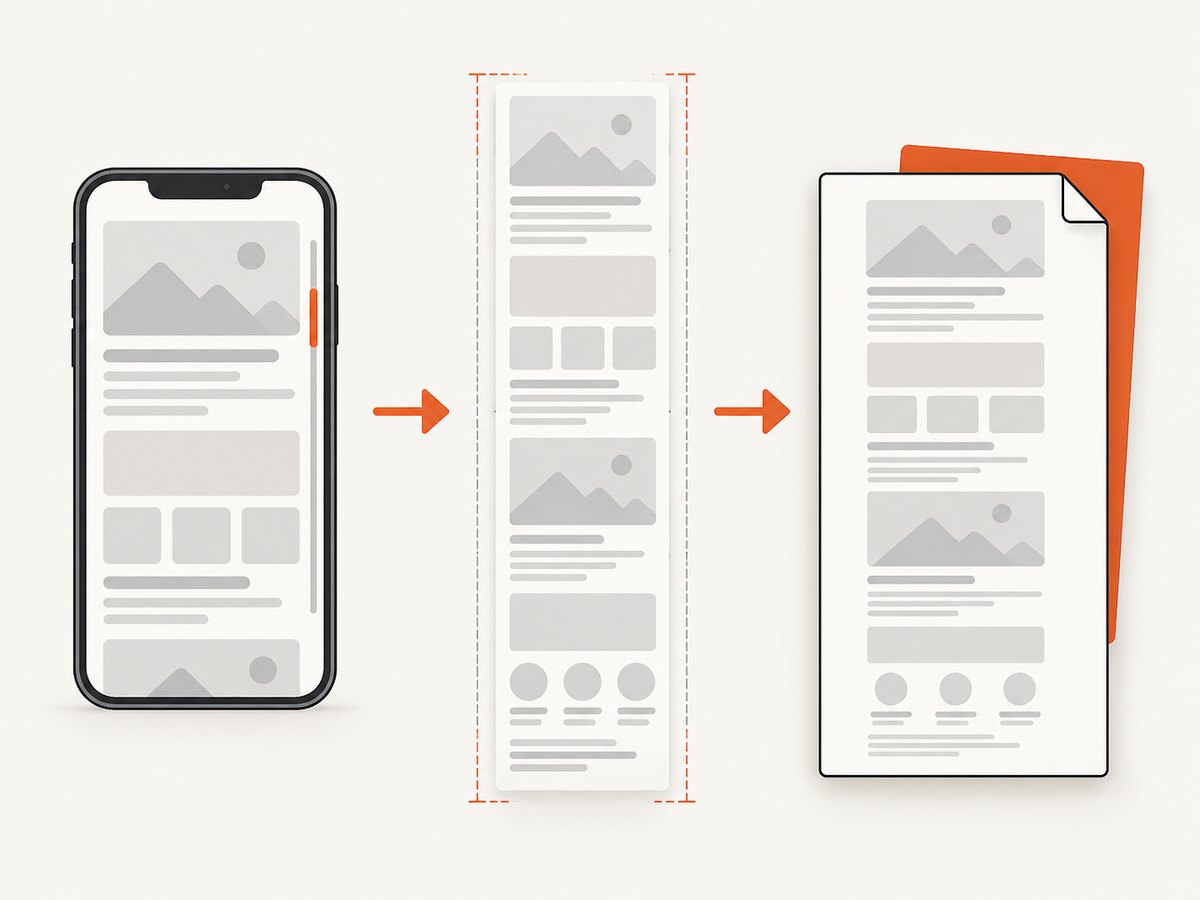
Short answer: Xamarin.Forms does not provide a universal method that turns a ScrollView into one full-length image. A ScrollView gives you content dimensions, scroll position, scroll events, and methods for moving through content. Capturing the entire page requires either native platform support or an app-controlled rendering and composition pipeline.
For Android, the system scroll-capture API starts at API level 31, and Android Help describes scrolling screenshots on Android 12 and later for most scrollable screens. Apple documents full-page screenshot output as PDF or image beginning with iOS 17 and iPadOS 17. Neither source documents a one-line Xamarin.Forms API that works for every control.
What Xamarin.Forms provides
A ScrollView has exactly one Content child, normally a layout containing the page controls. Its ContentSize describes the rendered child, ScrollY reports the vertical offset, and the Scrolled event fires for user and programmatic movement. ScrollToAsync moves to a coordinate or brings an element into view; it does not return a screenshot.
Microsoft also warns against nesting ScrollView with another scrolling control such as CollectionView, ListView, or WebView. That matters because a capture routine cannot reliably infer the complete page when several controls own independent scrolling or virtualize their children. See the Xamarin.Forms ScrollView documentation.
Choose a capture strategy
| Requirement | Recommended approach | What to expect |
|---|---|---|
| User takes a screenshot on a supported Android device | Android system scrolling screenshot | Android 12+ and eligible screens; availability varies by device and view. |
| Native Android app-controlled capture | ScrollCaptureCallback |
Available from API level 31; native integration is required. |
| Apple full-page output | Apple screenshot service on iOS 17/iPadOS 17+ | Apple documents PDF or image output, but not a universal Xamarin.Forms integration. |
| Exact, repeatable output for known content | Render the full content intentionally, then export it | Most control, but you must handle layout, fonts, images, pagination, and memory. |
| Capture a public web page | Use a screenshot API | A browser handles layout, lazy loading, and full-page rendering for you. |
Inspect a Xamarin.Forms ScrollView before capturing
Start by measuring the viewport and content. This code is ordinary Xamarin.Forms C# and is useful whether you later call a native capture API or compose your own output.
using System;
using Xamarin.Forms;

public sealed class CapturePage : ContentPage
{
    readonly ScrollView scroll;
    readonly Label status;

    public CapturePage()
    {
        var content = new StackLayout { Spacing = 16, Padding = 24 };
        for (var i = 1; i <= 80; i++)
        {
            content.Children.Add(new Label {
                Text = $"Section {i}: content below the viewport",
                FontSize = 18
            });
        }

        scroll = new ScrollView {
            Orientation = ScrollOrientation.Vertical,
            Content = content
        };
        status = new Label();
        scroll.Scrolled += (_, e) => UpdateStatus(e.ScrollY);

        Content = new StackLayout {
            Children = { scroll, status }
        };
        Appearing += (_, __) => UpdateStatus(scroll.ScrollY);
    }

    void UpdateStatus(double scrollY)
    {
        var viewportHeight = scroll.Height;
        var contentHeight = scroll.ContentSize.Height;
        status.Text = $"Viewport: {viewportHeight:0}  Content: {contentHeight:0}  Y: {scrollY:0}";
    }

    public async System.Threading.Tasks.Task ScrollToEndAsync()
    {
        await scroll.ScrollToAsync(0, scroll.ContentSize.Height, false);
    }
}
The measurement tells you whether content extends below the viewport and gives a safe range for a native or custom capture loop. It does not prove that every child has been rendered: virtualized controls may create only the items near the viewport.
Native Android options
System scrolling screenshots
Android Help describes a user-facing scrolling screenshot on Android 12 and later for most screens that allow scrolling. The exact buttons and eligibility depend on the device manufacturer and the native view hierarchy. A Xamarin.Forms page may be backed by native views, but the sources do not establish that every Forms control participates.
ScrollCaptureCallback
Android’s ScrollCaptureCallback was added in API level 31. A callback supplies rendered snapshots for a scrolling UI element. In a Xamarin.Forms application, this means writing Android-specific renderer or handler code, attaching it to the native View or window, and verifying the result on each control you support. The API introduction is not evidence of a ready-made Xamarin.Forms binding or guaranteed support for CollectionView, WebView, nested scrollers, or custom renderers.
Use this route when the operating system’s capture semantics match your product. Keep a fallback for older Android versions and for views that do not participate.
Apple platform options
Apple’s UIScreenshotService documentation states that, beginning with iOS 17 and iPadOS 17, people can save or share generated full-page screenshots as a PDF or image. That is a platform capability, not a documented Xamarin.Forms method for capturing an arbitrary ScrollView.
If you target these operating systems, validate the native integration with the actual renderer or handler, output format, and controls in your app. Do not assume that a Forms ScrollView, a virtualized list, or a web view has identical behavior.
Controlled rendering and composition
When output must be deterministic, create a capture-specific view model and render the complete content without relying on scrolling. A typical pipeline is:
- Build a dedicated layout containing every item that must appear.
- Measure it with the intended width and an unconstrained height.
- Render the layout through a platform graphics surface or document exporter.
- Compose pages or tiles if the result exceeds image or memory limits.
- Export PNG, JPEG, WebP, or PDF according to the product requirement.
This approach is an engineering design inferred from the lack of a documented universal Forms bitmap API. It requires platform-specific drawing code, and it may differ from the live page if the live page depends on virtualization, animations, sticky headers, or asynchronous data.
Why scroll-and-stitch is fragile
- Two captures can overlap by different amounts because of rounding or device scale.
- Sticky headers and fixed footers may be repeated in every tile.
- Lazy images may load between tiles, changing the layout.
- Animations, clocks, ads, and network content can change while capturing.
- Virtualized lists may not have off-screen items available to render.
- Very tall bitmaps can exceed GPU, encoder, or memory limits.
If you still stitch tiles, freeze animations, wait for images, use a fixed viewport and device scale, record the exact scroll offsets, crop repeated chrome, and validate seams with test content containing known boundaries.
Handling difficult content
| Content | Risk | Mitigation |
|---|---|---|
CollectionView or ListView |
Virtualization means off-screen cells may not exist. | Export from the data model or use a non-virtualized capture layout. |
WebView |
It owns a separate browser scroll surface. | Use the web content’s own full-page export or a browser screenshot service. |
| Images loaded over the network | Dimensions can change after measurement. | Await image completion and remeasure before rendering. |
| Long pages | One bitmap can exceed memory or encoder limits. | Produce a PDF or multiple tiles/pages. |
| Accessibility text scaling | Dynamic type changes total height. | Capture at the user’s configured scale and measure again. |
Or skip the browser setup
If the thing you need is a screenshot of a public web page rather than the native Xamarin.Forms UI, ScreenshotNeo provides a single request for a full-page browser capture. Its full-page mode loads lazy images and can capture an element by CSS selector, set a viewport or device preset, use retina scale, wait for a selector, delay, or network idle, and return PNG, JPEG, WebP, or PDF. See the ScreenshotNeo API documentation.

curl -G "https://api.screenshotneo.com/v1/shot" -d access_key=YOUR_API_KEY --data-urlencode url=https://stripe.com -o shot.webpimport requests
r = requests.get("https://api.screenshotneo.com/v1/shot", params={"access_key": "YOUR_API_KEY", "url": "https://stripe.com"}, timeout=90)
open("shot.webp", "wb").write(r.content)const q = new URLSearchParams({ access_key: 'YOUR_API_KEY', url: 'https://stripe.com' });
const res = await fetch(`https://api.screenshotneo.com/v1/shot?${q}`);Cookie banners, newsletter popups, and chat widgets are removed before the shot. Bot checks, blank pages, failed loads, timeouts, and cache hits are not billed, and the response identifies the result with X-Page-Verdict and X-Billed headers. ScreenshotNeo also provides an MCP server with take_screenshot, get_page_info, and capture_pdf for AI agents.
There is a free tier of 1,000 screenshots per month with no card. Paid plans start at $5 for 3,000 shots, and every feature is available on every plan. Create a free ScreenshotNeo account.
Troubleshooting
The image contains only the visible viewport
Cause: a normal view screenshot captures pixels currently on screen. Fix: use Android scroll capture where supported, an Apple full-page path where documented, or render and compose the complete content yourself.
ContentSize.Height is zero or too small
Cause: measurement happened before layout or asynchronous children finished loading. Fix: wait until the page is appearing and content is loaded, then read ContentSize on the UI thread and remeasure after images arrive.
Only some list rows appear
Cause: virtualization. Fix: export from the data source or build a dedicated non-virtualized capture view; do not assume scrolling through the list creates a stable full bitmap.
Rows or headers are duplicated in a stitched image
Cause: fixed or sticky elements are rendered in every tile. Fix: crop repeated regions or hide fixed chrome during capture.
The capture hangs
Cause: an image, web request, or animation never reaches a settled state. Fix: use explicit load timeouts, a maximum wait, deterministic placeholder content, and a cancellation path.
Android support differs by device
Cause: Android Help qualifies scrolling screenshots as working on most eligible screens, not every screen. Fix: test the exact native view on every supported OS and provide a controlled-rendering fallback.
Performance, reliability, and cost
- Measure before allocating a bitmap; height multiplied by width and pixel scale grows memory quickly.
- Prefer PDF or paginated output for very long content.
- Freeze animations and timestamps so repeated captures are comparable.
- Wait for network images and fonts before final measurement.
- Keep capture work off the UI thread where the platform permits, but perform view measurement and drawing on the required UI thread.
- For web captures, cache stable pages and use an explicit cache TTL when appropriate. ScreenshotNeo does not bill cache hits.
- Log the target URL, viewport, scale, OS, control type, output size, and failure reason so a device-specific issue can be reproduced.
Checklist
- Define whether the target is native Forms content or a web page.
- Measure viewport, content size, and final scroll range after all data and images load.
- Identify nested scrollers and virtualized controls.
- Choose native capture only after checking the OS floor and control support.
- Use a dedicated rendering layout when exact output matters.
- Test short, very long, image-heavy, animated, accessibility-scaled, and offline states.
- Set maximum dimensions, timeouts, cancellation, and a fallback output.
FAQ
Can ScrollToAsync save a full screenshot?
No. It changes the scroll position or brings an element into view. A separate native or rendering pipeline must produce the image or PDF.
Does Android 12 guarantee a scrolling screenshot for my Forms page?
No. Android says the feature works on most scrollable screens. Eligibility depends on the device and native view hierarchy.
Should I capture a CollectionView by scrolling it repeatedly?
Not when exact completeness matters. Virtualization can leave off-screen cells unavailable; render from the data source or use a dedicated capture layout.
Is a full-page screenshot always better than a PDF?
No. A long image is convenient for sharing, while PDF or pagination is safer for very tall content and printing.


