How to Capture an HTML Div as an Image
Capture an HTML div as a PNG with html2canvas, Playwright, or the Screen Capture API, with complete code, CORS fixes, scaling tips, and automation options.
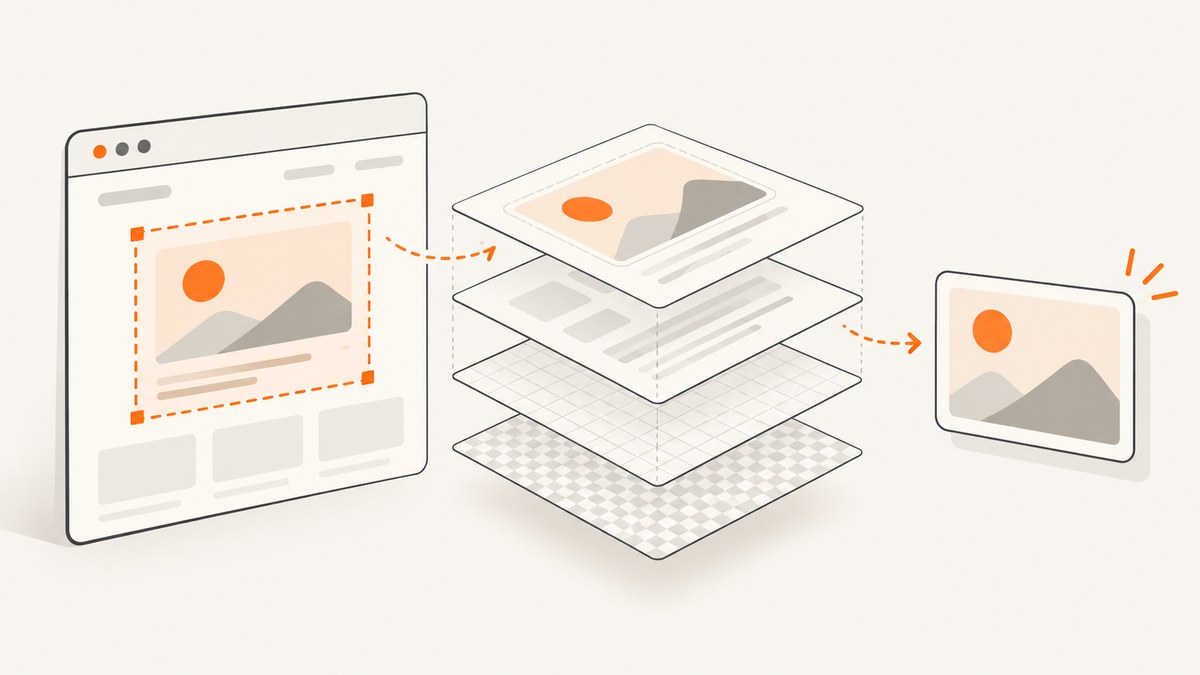
For a browser-side export, pass the target element to html2canvas, await the canvas, and encode it as PNG. The result is a reconstruction of the DOM and supported styles, so it can differ from a native browser screenshot. For pixel-accurate server or CI capture, use Playwright to screenshot the element in a real browser.
import html2canvas from 'html2canvas';

async function downloadElementAsPng(element) {
  const canvas = await html2canvas(element, {
    backgroundColor: null,
    scale: window.devicePixelRatio
  });

  const blob = await new Promise((resolve, reject) => {
    canvas.toBlob(result => {
      if (result) resolve(result);
      else reject(new Error('PNG encoding failed'));
    }, 'image/png');
  });

  const url = URL.createObjectURL(blob);
  const link = document.createElement('a');
  link.href = url;
  link.download = 'capture.png';
  link.click();
  URL.revokeObjectURL(url);
}

const target = document.querySelector('#capture');
if (target) await downloadElementAsPng(target);
This article explains how to make that implementation reliable, when to use a real browser screenshot, how to handle cross-origin assets, and how to automate captures on a server.
1. Capture a div in the browser with html2canvas
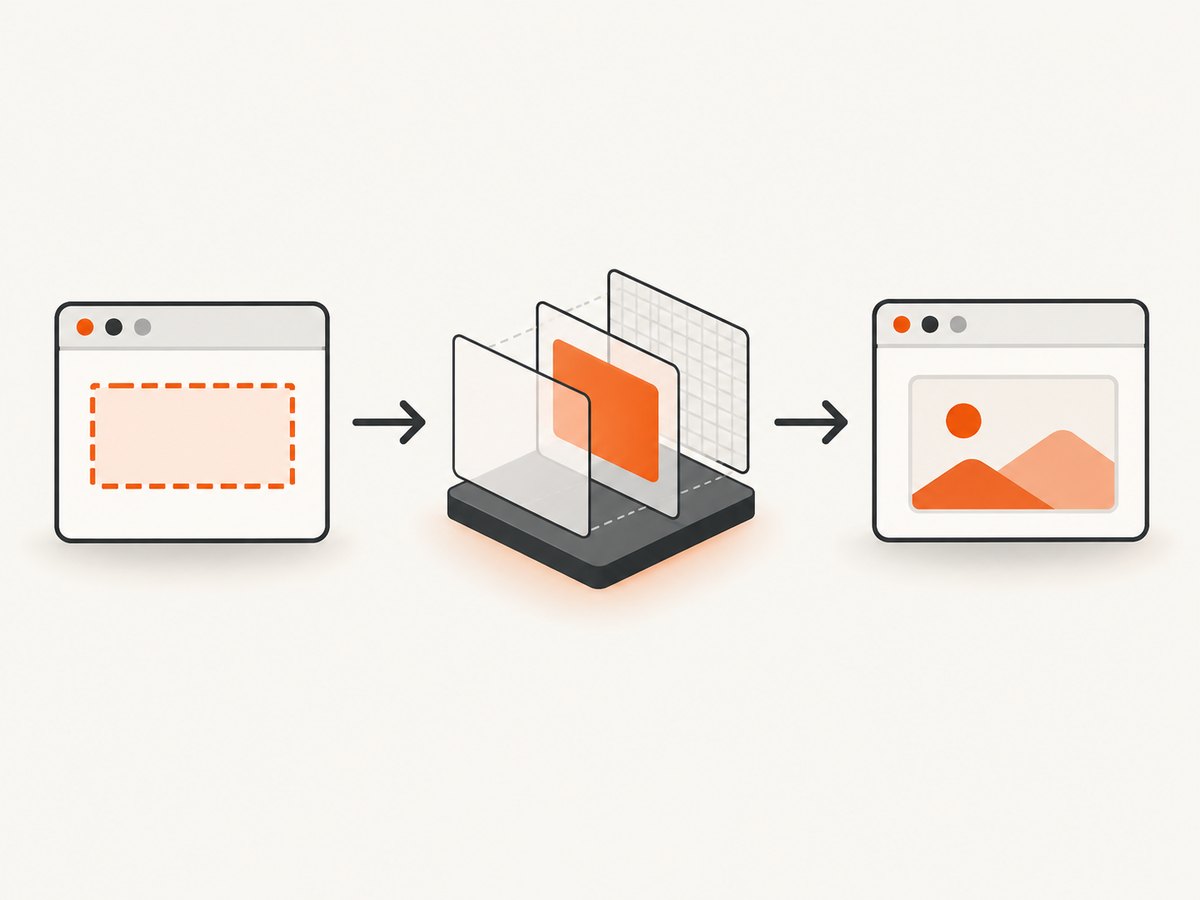
Install the library with your package manager, select the element, wait for content to finish loading, and call html2canvas(element). The library walks the DOM and paints supported styles into a canvas; it does not copy the browser’s already-composited pixels. See the html2canvas documentation for its rendering model and limitations.
npm install html2canvasComplete example
<button id="save">Save card</button>
<div id="capture" class="card">
  <h1>Quarterly results</h1>
  <p>Revenue increased 18% this quarter.</p>
</div>
<script type="module" src="./capture.js"></script>
import html2canvas from 'html2canvas';
const button = document.querySelector('#save');
const target = document.querySelector('#capture');
button.addEventListener('click', async () => {
if (!target) throw new Error('Capture element was not found');
// Wait for fonts and images that are already part of the document.
if (document.fonts?.ready) await document.fonts.ready;
await Promise.all([...target.querySelectorAll('img')].map(img => {
if (img.complete) return Promise.resolve();
return new Promise(resolve => {
img.addEventListener('load', resolve, { once: true });
img.addEventListener('error', resolve, { once: true });
});
}));
const canvas = await html2canvas(target, {
backgroundColor: null,
scale: Math.min(window.devicePixelRatio || 1, 2),
useCORS: true
});
const blob = await new Promise((resolve, reject) => {
canvas.toBlob(blob => blob ? resolve(blob) : reject(new Error('PNG encoding failed')), 'image/png');
});
const downloadUrl = URL.createObjectURL(blob);
const anchor = document.createElement('a');
anchor.href = downloadUrl;
anchor.download = 'quarterly-results.png';
anchor.click();
URL.revokeObjectURL(downloadUrl);
});useCORS: true requests CORS-enabled images; it cannot override a remote server that does not send an appropriate Access-Control-Allow-Origin header. A failed or blocked image may be skipped, and reading a tainted canvas can throw a security error.
Render a transparent or solid background
Use backgroundColor: null for transparency. Supply a CSS color such as '#ffffff' when the output must have a solid background.
const canvas = await html2canvas(target, {
  backgroundColor: '#ffffff'
});
Control resolution and crop
The scale option controls output density. A scale of 2 creates a sharper image for a 1× CSS-size display but increases memory and encoding work. The configuration reference documents x, y, width, height, scrollX, scrollY, windowWidth, and windowHeight for cropping and viewport control.
const canvas = await html2canvas(target, {
  scale: 2,
  x: 20,
  y: 10,
  width: target.scrollWidth - 40,
  height: target.scrollHeight - 20
});
Exclude controls and private content
Add data-html2canvas-ignore to nodes that should not appear, or use ignoreElements for a rule that applies at runtime.
<div id="capture">
  <div class="content">Included in the image</div>
  <button data-html2canvas-ignore>Edit</button>
</div>
const canvas = await html2canvas(target, {
ignoreElements: element => element.matches('.debug, [aria-hidden="true"]')
});2. Wait for a stable frame before capturing
Capturing immediately after inserting a component can produce missing fonts, unloaded images, or an intermediate animation frame. Wait for the conditions your page needs, then capture.
async function waitForImages(root) {
  await Promise.all([...root.querySelectorAll('img')].map(img => {
    if (img.complete && img.naturalWidth > 0) return Promise.resolve();
    return new Promise(resolve => {
      img.addEventListener('load', resolve, { once: true });
      img.addEventListener('error', resolve, { once: true });
    });
  }));
}

async function waitForStableCapture(root) {
  if (document.fonts?.ready) await document.fonts.ready;
  await waitForImages(root);
  // Let layout and a pending paint settle.
  await new Promise(requestAnimationFrame);
  await new Promise(requestAnimationFrame);
}

await waitForStableCapture(target);
const canvas = await html2canvas(target);
Disable or freeze CSS animations and blinking cursors while exporting. For content that changes continuously, define an application-level “ready” state instead of relying only on a fixed timeout.
3. Know what html2canvas can and cannot reproduce
Because html2canvas reconstructs the DOM, unsupported CSS, browser controls, plugins, and some complex effects may differ from what the user sees. Check the project’s supported-features list for a property before promising identical output.
| Requirement | Recommended method | Trade-off |
|---|---|---|
| Export from an open web app | html2canvas | No server browser, but DOM/style reconstruction can differ. |
| Pixel-faithful server or CI image | Playwright element screenshot | Runs a browser and needs browser lifecycle management. |
| User-selected tab or element stream | Screen Capture API | Permission and capture-stream workflow are required. |
| HTML embedded in an SVG image | SVG foreignObject |
Fonts, resources, and browser behavior still need validation. |
4. Capture the div with Playwright on a server
Playwright renders the page in a real browser and can save an element screenshot. This is the better fit for scheduled jobs, CI, or a backend that must reproduce browser-rendered output.
npm install playwright
npx playwright install chromium
import { chromium } from 'playwright';
const browser = await chromium.launch();
const page = await browser.newPage({
viewport: { width: 1440, height: 900 },
deviceScaleFactor: 2
});
await page.goto('https://example.com/dashboard', { waitUntil: 'networkidle' });
const card = page.locator('#capture');
await card.waitFor({ state: 'visible' });
await card.screenshot({ path: 'capture.png', type: 'png' });
await browser.close();Playwright also supports full-page screenshots and screenshot buffers. Use a buffer when an API must return the bytes instead of writing a file. Keep browser instances bounded and close pages after each job.
const png = await card.screenshot({ type: 'png' });
// Return png from your HTTP handler with Content-Type: image/png.
5. Use the Screen Capture API when the user must capture their tab
The Screen Capture API is a permission-based, user-mediated flow. Element Capture targets an element and its descendants; Region Capture targets the tab region inside an element’s bounding box. The MDN Screen Capture API documentation describes obtaining a still frame with ImageCapture.grabFrame() and encoding it through a canvas.
This approach is useful when the capture must reflect the actual tab and the user can approve capture. It adds permission prompts and stream management, so it is usually more machinery than a one-off PNG export.
6. The SVG foreignObject route
An SVG foreignObject can embed XHTML-like content and then be rendered as an image. MDN documents the element and its namespace requirements. This can be useful for controlled markup, but it does not remove the need to load fonts and resources correctly or to validate browser-specific behavior.
7. Cross-origin images, fonts, and canvas security
Browser content security rules apply to every image, font, stylesheet, and canvas resource. If an image is hosted on another origin, that server must opt into CORS. Set crossorigin="anonymous" before assigning the image URL and ensure the response includes the correct CORS header.
<img crossorigin="anonymous" src="https://cdn.example.com/chart.png" alt="">If you cannot change the asset server, fetch the asset through a server you control and serve it with suitable headers. Do not treat useCORS as a bypass. A canvas containing a disallowed cross-origin image can become tainted, causing toDataURL() or toBlob() to fail.
8. Large elements, clipping, and memory
Canvas dimensions and total pixel area have browser- and device-dependent limits. A very tall or high-scale div can produce a blank canvas, a clipped image, or an allocation error. Reduce scale, capture in sections, or export at the final display dimensions. For a scrollable target, make its intended width and height explicit before capture.
const width = Math.min(target.scrollWidth, 2400);
const height = Math.min(target.scrollHeight, 4000);
const canvas = await html2canvas(target, {
  width,
  height,
  windowWidth: width,
  windowHeight: height,
  scale: 1
});
9. Troubleshooting checklist
| Symptom | Likely cause | Fix |
|---|---|---|
| Remote images are missing | The image server does not allow your origin. | Enable CORS on the asset server or proxy the resource through a controlled origin. |
SecurityError when exporting |
The canvas was tainted by a cross-origin resource. | Fix CORS and set crossorigin before loading the image; do not assume useCORS is sufficient. |
| Styles do not match | A CSS property is unsupported by the reconstruction. | Check the supported-features page or use Playwright for browser-rendered output. |
| Text uses a fallback font | Web fonts were still loading. | Await document.fonts.ready and verify the font response is allowed by CORS. |
| Blank or clipped large image | Canvas area or memory limit. | Lower scale, reduce dimensions, or capture multiple sections. |
| Only part of a scrollable div appears | The element’s client box is smaller than its scroll content. | Set capture dimensions deliberately or use a full-page/element screenshot in Playwright. |
| Dynamic content is incomplete | Capture started before data, images, or layout settled. | Wait for a specific selector or application-ready signal, then allow a paint frame. |
| PNG download is empty | toBlob returned null or the object URL was revoked too early. |
Reject a null blob and revoke the URL after the click has been scheduled. |
10. Performance, reliability, and cost decisions
- Client-side: html2canvas uses the user’s CPU and memory. Keep the capture area and scale reasonable, and avoid capturing during animations.
- Server-side: Playwright adds browser startup and memory overhead. Reuse a browser process where appropriate, limit concurrency, set navigation and selector timeouts, and always close pages.
- Reliability: wait on observable conditions such as a selector, loaded fonts, and image completion instead of guessing with a long delay.
- Output: PNG preserves sharp text and transparency; JPEG is smaller but loses transparency and uses lossy compression. WebP can reduce size when your consumers support it.
- Security: do not place secrets in page HTML or expose an unrestricted screenshot endpoint. Validate target URLs and isolate untrusted pages in server automation.
11. Or skip the browser setup
ScreenshotNeo provides a website screenshot API and MCP server. It can capture a URL or a selected element without you operating a browser. For a page containing the div, pass its CSS selector with the element option described in the ScreenshotNeo documentation.

cURL
curl -G "https://api.screenshotneo.com/v1/shot" \
  -d access_key=YOUR_API_KEY \
  --data-urlencode url=https://example.com/dashboard \
  -d selector="#capture" \
  -o capture.webp
Python
import requests

r = requests.get(
    "https://api.screenshotneo.com/v1/shot",
    params={
        "access_key": "YOUR_API_KEY",
        "url": "https://example.com/dashboard",
        "selector": "#capture",
    },
    timeout=90,
)
r.raise_for_status()
open("capture.webp", "wb").write(r.content)
Node.js
const q = new URLSearchParams({
  access_key: 'YOUR_API_KEY',
  url: 'https://example.com/dashboard',
  selector: '#capture'
});
const res = await fetch(`https://api.screenshotneo.com/v1/shot?${q}`);
if (!res.ok) throw new Error(`Screenshot failed: ${res.status}`);
const image = Buffer.from(await res.arrayBuffer());
await import('node:fs/promises').then(fs => fs.writeFile('capture.webp', image));
ScreenshotNeo removes cookie and consent banners, newsletter popups, and chat widgets before capture. Bot checks, blank pages, timeouts, failed loads, and cache hits are not billed; response headers identify the page verdict and whether it was billed. Its MCP server includes take_screenshot, get_page_info, and capture_pdf tools for Claude, Cursor, and other MCP clients. There is a free allowance of 1,000 screenshots per month with no card; paid plans start at $5 for 3,000 shots. Create a free ScreenshotNeo account.
12. Frequently asked questions
Can I screenshot a div without installing a library?
Yes, with a permission-based Screen Capture API flow or an SVG foreignObject approach, but both require more setup and validation than html2canvas.
Is html2canvas a native screenshot?
No. It reconstructs the DOM and supported styles in a canvas. Use Playwright when matching the browser’s rendered pixels matters.
Why does my capture have a white background?
Set backgroundColor: null for transparency, and confirm that the target and its child elements do not paint an opaque background.
Should I use a higher scale for every export?
No. Higher scale improves density but increases memory, processing time, and file size. Choose the smallest scale that meets the final display or print size.
Can a screenshot API capture only one element?
Yes. ScreenshotNeo supports capture by CSS selector, so you can request the div while leaving the rest of the page out of the image.


