How to Capture HTTP Responses with Puppeteer
Capture every response or wait for one request triggered by an action. Learn how to inspect status, headers, JSON and body bytes with Puppeteer.
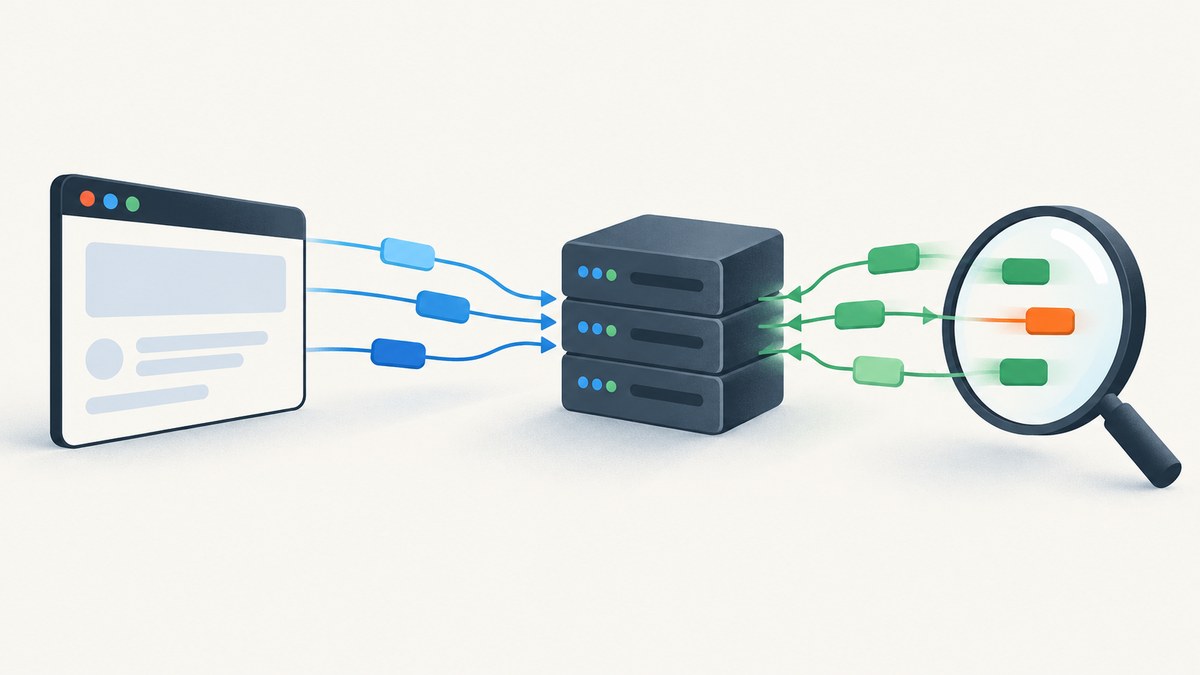
To capture HTTP responses with Puppeteer, listen for the page’s response event when you want to observe traffic broadly, or call page.waitForResponse() before the action that should trigger a particular response. The returned HTTPResponse exposes the status, URL, headers, associated request, and body readers such as json(), text(), and buffer(). For passive observation, you do not need request interception.
The examples below use the Puppeteer 25.12.0 API documented in its current Page, HTTPResponse, and HTTPRequest references. Check your installed version if a method or type differs. [Puppeteer Page API, HTTPResponse API]
1. Install Puppeteer and capture a response
In a new Node.js project, install Puppeteer. The puppeteer package downloads a compatible Chrome for Testing browser as part of its installation; if your environment manages Chrome separately, review the installation documentation and launch configuration for that setup.
npm install puppeteerSave this runnable example as capture.mjs and run it with node capture.mjs. It registers a listener before navigation so it can observe responses emitted during page loading. It reads a body only for JSON responses matching the chosen API path, while logging status and URL for all responses.
import puppeteer from 'puppeteer';

const browser = await puppeteer.launch({ headless: true });

try {
  const page = await browser.newPage();

  page.on('response', async response => {
    const request = response.request();
    const url = response.url();
    const status = response.status();

    console.log(`${request.method()} ${status} ${url}`);

    if (!url.includes('/api/items')) return;

    try {
      const contentType = response.headers()['content-type'] ?? '';
      if (contentType.includes('application/json')) {
        const body = await response.json();
        console.log('JSON response:', body);
      }
    } catch (error) {
      console.error('Could not read response body:', error);
    }
  });

  await page.goto('https://example.com', {
    waitUntil: 'domcontentloaded',
    timeout: 30_000,
  });
} finally {
  await browser.close();
}
Replace the URL and path with the page and endpoint you need. A response listener sees responses as they arrive; it does not pause the browser. Since its callback is asynchronous, catch errors inside the callback. An exception thrown while reading a body should not become an unhandled rejection that obscures the rest of your capture.
2. Wait for the response caused by an action
When a click, form submission, or other action triggers the endpoint, create the response wait first. Then start the action and await both promises. This ordering prevents a fast response from arriving before the wait is registered. Filter using the request method and a precise URL or path condition so an unrelated matching request does not satisfy the wait.
const [response] = await Promise.all([
  page.waitForResponse(
    response => {
      const request = response.request();
      return new URL(response.url()).pathname === '/api/items'
        && request.method() === 'GET';
    },
    { timeout: 15_000 },
  ),
  page.click('button.load-items'),
]);

console.log('Status:', response.status());
console.log('Headers:', response.headers());

if (!response.ok()) {
  throw new Error(`Items endpoint returned HTTP ${response.status()}`);
}

const items = await response.json();
console.log(items);
waitForResponse accepts a URL or a predicate and resolves to the matching HTTPResponse. Its default timeout is 30 seconds; pass a timeout in milliseconds or configure the Page’s default timeout. A timeout of zero disables the wait timeout, which is usually a poor choice for automation that must finish reliably. The method also accepts an abort signal in current API documentation. [Page.waitForResponse()]
Make the match specific
For applications that issue concurrent requests, matching only a substring such as /api is often too broad. Consider the full origin and pathname, HTTP method, query parameters, or a request header that distinguishes the operation. A predicate can be asynchronous, but reading bodies inside the predicate consumes time and can make it harder to reason about which response matched. Prefer matching request metadata first, then inspect the body after the wait resolves.
const target = new URL('https://example.com/api/items?view=compact');

const responsePromise = page.waitForResponse(response => {
  const actual = new URL(response.url());
  const request = response.request();

  return actual.origin === target.origin
    && actual.pathname === target.pathname
    && actual.searchParams.get('view') === 'compact'
    && request.method() === 'GET';
});

await page.click('button.load-items');
const response = await responsePromise;
3. Read status, headers, request details, and body
An HTTPResponse gives you different kinds of evidence. Status and headers are useful for routing decisions, content type, caching clues, and diagnostics. The associated request lets you check the method and URL that produced the response. Use a body reader only when you need the payload: consuming many large bodies can increase memory use and slow down a capture.
| Need | Method | What to expect |
|---|---|---|
| HTTP status code | status() |
A numeric code such as 200 or 404. |
| 2xx success check | ok() |
True for status codes in the 200–299 range. |
| Response headers | headers() |
An object with lower-case header names. |
| Parsed JSON | json() |
Parsed body; throws if the body is not valid JSON. |
| UTF-8 text | text() |
Text representation; throws if the content is not UTF-8. |
| Body bytes exposed by Puppeteer | buffer() or content() |
A Node.js Buffer or Uint8Array, respectively. |
| Request metadata | request() |
The matching request, including its method and URL. |
| Cache or service worker source | fromCache(), fromServiceWorker() |
Whether the response came from browser cache or a service worker. |
For JSON, check the status and catch parse errors separately. A server can return an HTML error page or an empty body where your code expects JSON. ok() is a convenience check for the HTTP status range, not a guarantee that the payload meets your application’s schema.
async function readJsonResponse(response) {
  const contentType = response.headers()['content-type'] ?? '';

  if (!response.ok()) {
    const detail = contentType.includes('application/json')
      ? JSON.stringify(await response.json().catch(() => null))
      : await response.text().catch(() => '');
    throw new Error(
      `HTTP ${response.status()} from ${response.url()}: ${detail}`,
    );
  }

  if (!contentType.includes('application/json')) {
    throw new Error(`Expected JSON but received ${contentType || 'no content-type'}`);
  }

  return response.json();
}
Binary bodies and byte fidelity
Use buffer() when downstream Node.js code expects a Buffer, such as a file write or binary parser. content() returns a Uint8Array. These methods expose the body as provided through Puppeteer’s browser APIs; they are not a promise of a byte-for-byte copy of the original network wire data. Puppeteer documents that the browser may re-encode a body based on HTTP headers or other heuristics, and incorrect encoding detection can produce incorrectly encoded data. For protocol forensics or exact transfer-byte inspection, do not treat these methods as a packet capture. [HTTPResponse body methods and encoding note]
import { writeFile } from 'node:fs/promises';

const response = await page.waitForResponse(r => r.url().endsWith('/download/report'));
const bytes = await response.buffer();
await writeFile('report.bin', bytes);
4. Capture all responses during a navigation
Use a listener when you need a stream of observed responses rather than one answer. Filter early and store only fields or bodies you need. A page can load images, scripts, analytics, fonts, API data, and frames; buffering every response can use substantial memory. Also note that a page event listener does not by itself keep your script alive. Your code still needs to await a meaningful navigation, action, or explicit capture window.
const observed = [];

function onResponse(response) {
  const request = response.request();
  const record = {
    url: response.url(),
    status: response.status(),
    method: request.method(),
    resourceType: request.resourceType(),
    contentType: response.headers()['content-type'] ?? '',
  };
  observed.push(record);
}

page.on('response', onResponse);
try {
  await page.goto('https://example.com', { waitUntil: 'load' });
  console.table(observed);
} finally {
  page.off('response', onResponse);
}
Use page.once('response', handler) when you need only the next response event, but it does not filter by URL; a general listener with a predicate is safer if other resources may arrive first. Remove long-lived listeners when the capture is done to avoid duplicated handlers if a Page is reused.
5. Distinguish a response from a failed request
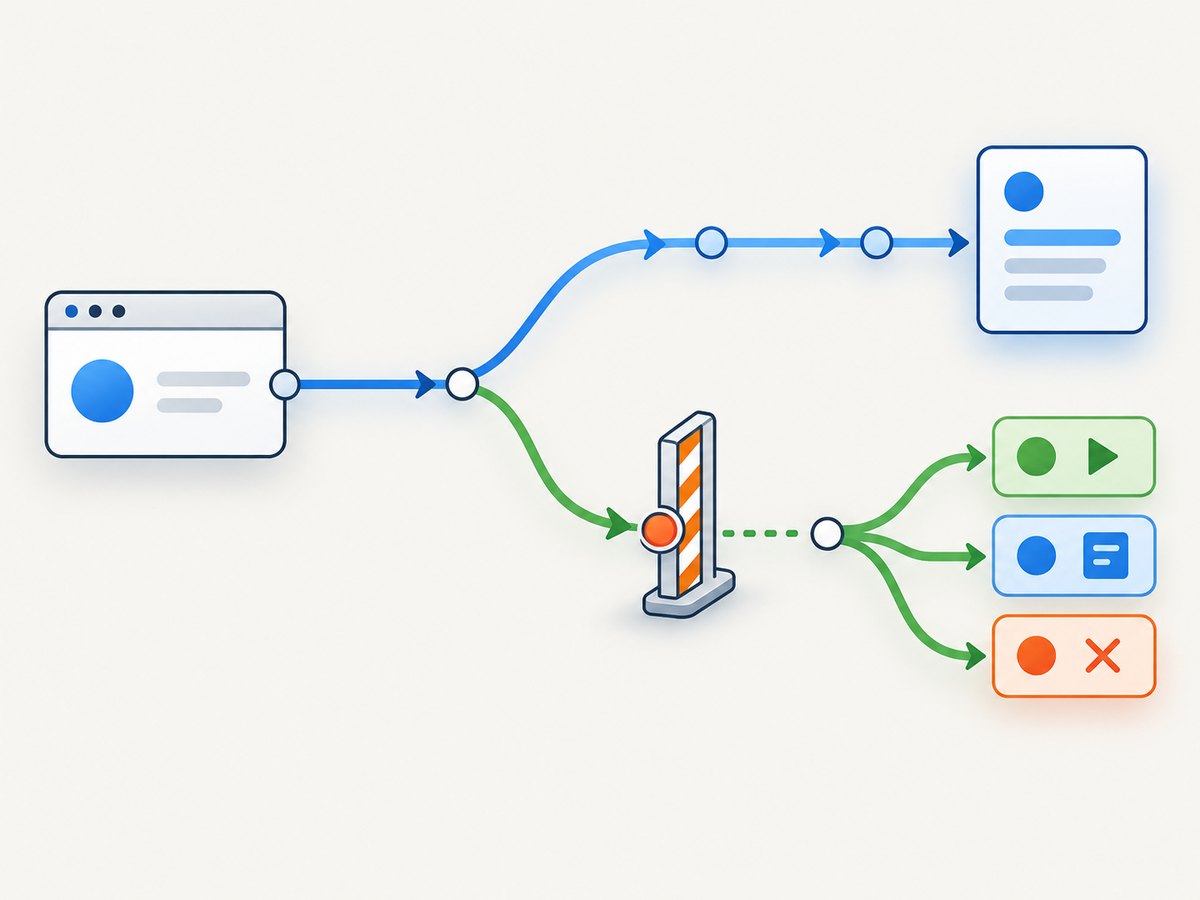
An HTTP error status and a network-level request failure are different outcomes. A 404 or 503 is still an HTTP response: the request can complete and emit requestfinished. If the browser cannot complete the request, Puppeteer emits requestfailed instead. A redirect completes the original request and starts another request to the redirected URL, so inspect the response’s URL and request redirect chain when following a navigation across redirects. [Puppeteer HTTPRequest lifecycle documentation]
For diagnostics, listen to the separate events rather than interpreting every non-2xx status as a transport failure:
page.on('requestfailed', request => {
  console.error('Network failure:', request.url(), request.failure());
});

page.on('requestfinished', request => {
  const response = request.response();
  console.log(
    'Request completed:',
    request.url(),
    response?.status() ?? 'no response object',
  );
});
Use the response event when response metadata is the main subject. Use requestfinished when you need to know the body download completed. The response object’s body methods are still the direct way to read the response payload.
6. Observation versus request interception
Response listeners and waitForResponse() observe what the browser received. Request interception is a different tool: it lets code continue, modify, abort, or fulfill requests. Once interception is enabled, every request stalls until a handler resolves it, unless the browser serves it from cache. This means interception adds work and introduces a failure mode if a code path forgets to resolve a request. Do not enable it just to log responses. [Puppeteer request interception guide]
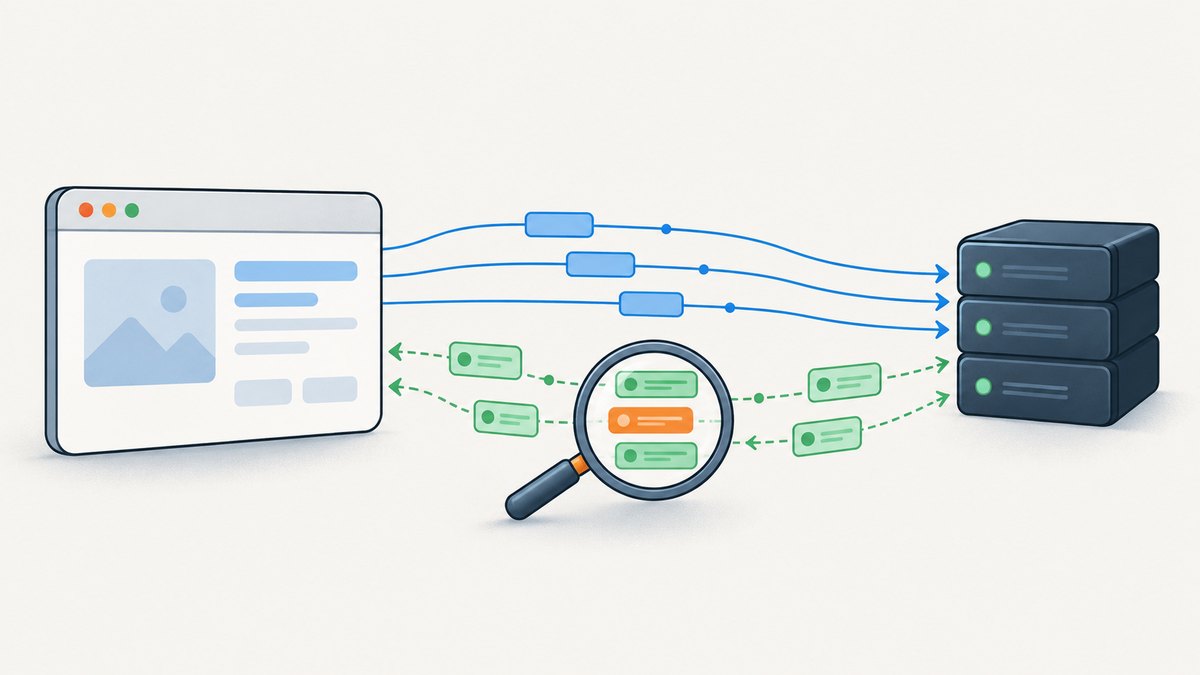
If you do need interception—for example, to stub a service response in a test—handle every request and protect against multiple handlers. Puppeteer advises checking whether interception has already been handled. After an asynchronous operation, check again immediately before calling continue(), abort(), or respond(), because another listener could have resolved it while yours was waiting.
await page.setRequestInterception(true);

page.on('request', async request => {
  if (request.isInterceptResolutionHandled()) return;

  try {
    if (request.url().includes('/api/feature-flag')) {
      const mockBody = JSON.stringify({ enabled: true });

      // If you add asynchronous work above, check again after it completes.
      if (request.isInterceptResolutionHandled()) return;
      await request.respond({
        status: 200,
        contentType: 'application/json',
        body: mockBody,
      });
      return;
    }

    if (request.isInterceptResolutionHandled()) return;
    await request.continue();
  } catch (error) {
    console.error('Interception handler failed:', error);
    if (!request.isInterceptResolutionHandled()) {
      await request.continue().catch(() => {});
    }
  }
});
For a multi-handler setup, follow Puppeteer’s current cooperative interception rules and priorities consistently. Do not assume independently registered listeners coordinate automatically. An interception handler also needs an operational fallback if its own processing throws; otherwise navigation may hang while requests await resolution.
7. Common errors and fixes
| Symptom | Likely cause | Fix |
|---|---|---|
waitForResponse times out |
The wait began after the action, the predicate is too strict, or the action did not issue a response. | Create the wait before the click and run both with Promise.all. Log response URLs and verify method, origin, path, and query conditions. |
| The wrong response matched | A broad substring or URL-only predicate matched a preload, retry, or concurrent call. | Match exact origin and pathname plus method or a relevant query parameter. Add status only if it distinguishes the intended response. |
json() throws |
The response is not JSON, is empty, malformed, or an HTTP error page. | Inspect status and content type first; handle non-2xx bodies and JSON parsing errors explicitly. |
text() throws or text looks wrong |
The body is not UTF-8 text, or browser encoding detection did not match the actual content. | Use the appropriate content type and byte reader where applicable. Do not assume Puppeteer bytes preserve the original wire encoding. |
| Request fails but there is no HTTP status | Network, DNS, TLS, cancellation, or browser-level failure prevented a response. | Listen to requestfailed and inspect request.failure(); a status is available only when a response exists. |
| Navigation hangs after enabling interception | At least one request was left unresolved, or an asynchronous handler failed. | Resolve every request with continue/respond/abort; catch handler errors and re-check handled state before resolution. |
| Only the first event is captured | once() removes the listener after any response, which may be an unrelated resource. |
Use on() with a predicate or wait for a specific response, then remove the listener explicitly. |
8. Performance, reliability, and cost
Response capture runs inside the browser automation process, so the main practical costs are browser startup, page loading, and the amount of data your code retains or parses. For a single endpoint, wait for one response and consume just its body. For a traffic inventory, record metadata first and selectively read bodies. Large bodies and unbounded arrays of buffers can raise memory use. Reuse a browser for multiple pages when suitable, but close pages and browsers in cleanup paths so failed assertions do not leave browser processes running.
Set finite timeouts for navigation and response waits. A wait timeout should reflect the page and network behavior you expect; a longer timeout is not a fix for a predicate that can never match. Where the action itself can fail, await it alongside the response wait as shown above, and let errors surface. For repeatable automation, log the intended endpoint, observed URL, method, status, and failure reason. Avoid logging authorization headers or sensitive response bodies.
Puppeteer’s direct costs depend on where and how you run Chrome: the library itself is open source, while your compute, browser runtime, network traffic, and any proxy or hosting service are deployment costs. The cited Puppeteer APIs do not publish a universal per-capture price or performance benchmark, so estimate from your own environment and workload rather than assuming a fixed cost.
9. Or skip the browser setup
If your goal is a page screenshot rather than inspecting its network responses, ScreenshotNeo provides a website screenshot API and MCP server. It takes a URL and returns an image or PDF; it is not a Puppeteer response-inspection API. One GET request is enough for a screenshot:
curl -G "https://api.screenshotneo.com/v1/shot" \
  -d access_key=YOUR_API_KEY \
  --data-urlencode url=https://stripe.com \
  -o shot.webp
See the ScreenshotNeo API documentation for options. ScreenshotNeo accepts cookie and consent banners like a visitor and removes 60+ known consent platforms, newsletter popups, and chat widgets before capture; each step can be turned off. Bot checks, CAPTCHAs, blank pages, timeouts, failed loads, and cache hits cost nothing, and response headers report the page verdict and billing status. Its MCP server offers take_screenshot, get_page_info, and capture_pdf tools for AI agents and MCP clients. The free plan includes 1,000 shots per month with no card; paid plans start at $5 for 3,000 shots.
Sign up for ScreenshotNeo’s free 1,000 screenshots per month, with no card.
10. FAQ
Can Puppeteer capture responses from requests made by page JavaScript?
Yes. Page responses include network resources initiated while the page runs, including requests made by page scripts. Match the endpoint and request method to isolate the call you need.
Does waitForResponse() wait for a navigation?
No. It waits for a response matching a URL or predicate. To wait for the main document navigation caused by an action, use waitForNavigation(); the two waits answer different questions.
Can I capture every response body?
You can attach a listener and read matching bodies, but capturing all bodies can consume significant memory and processing time. Filter by endpoint, resource type, or content type and retain only what the task needs.
Does Puppeteer return the exact bytes sent over the network?
Do not assume so. Puppeteer warns that the browser may re-encode bodies based on headers or heuristics. Its Buffer and Uint8Array readers are convenient body access, not a guarantee of wire-exact bytes.


