How to Capture an Iframe With html2canvas
Capture same-origin iframe content with html2canvas, handle cross-origin limits, and fix common blank or clipped results.

To capture an iframe with html2canvas, the iframe must be accessible to the page running the capture. For a same-origin frame, wait for its load event, get its contentDocument, and pass an element from that document to html2canvas. A cross-origin iframe cannot be read by its parent because of browser origin security rules. useCORS does not remove that restriction; it applies to image resources inside a render.
This guide covers a runnable same-origin example, output sizing and export, sandbox and cross-origin alternatives, common failures, performance, and when a browser DOM renderer is the wrong tool.
1. Install html2canvas and capture a same-origin iframe
The function html2canvas(element, options) returns a Promise that resolves to a canvas. Install the library with npm or include its browser bundle using the project’s documented setup instructions. See the html2canvas getting started guide and documentation for installation details and supported options.

Here is a complete browser example. It waits for the frame, checks that its document is available, renders the frame body, and adds a PNG download link. Put the script after the iframe markup or run it after the page has loaded.
<iframe id="preview" src="/preview.html" title="Preview"></iframe>
<button id="capture" type="button">Capture iframe</button>
<div id="result"></div>

<script type="module">
  import html2canvas from 'html2canvas';

  const frame = document.querySelector('#preview');
  const button = document.querySelector('#capture');
  const result = document.querySelector('#result');

  function waitForFrame(iframe) {
    if (iframe.contentDocument?.readyState === 'complete') {
      return Promise.resolve();
    }
    return new Promise((resolve, reject) => {
      iframe.addEventListener('load', resolve, { once: true });
      iframe.addEventListener('error', () => reject(new Error('Iframe failed to load.')), { once: true });
    });
  }

  button.addEventListener('click', async () => {
    button.disabled = true;
    result.replaceChildren();
    try {
      await waitForFrame(frame);
      const doc = frame.contentDocument;
      if (!doc) {
        throw new Error('Iframe document is inaccessible. Check its origin and sandbox settings.');
      }

      const target = doc.body;
      const canvas = await html2canvas(target, {
        backgroundColor: '#fff',
        windowWidth: doc.documentElement.scrollWidth,
        windowHeight: doc.documentElement.scrollHeight,
        scale: window.devicePixelRatio
      });

      const link = document.createElement('a');
      link.download = 'iframe.png';
      link.href = canvas.toDataURL('image/png');
      link.textContent = 'Download PNG';
      result.append(canvas, link);
    } catch (error) {
      console.error(error);
      result.textContent = error instanceof Error ? error.message : 'Capture failed.';
    } finally {
      button.disabled = false;
    }
  });
</script>
For a frame whose document is already loaded before the listener is registered, the example checks readyState first. If you control when the iframe is created, an even simpler approach is to register the load listener immediately after inserting it. Avoid assuming that the iframe’s initial about:blank document is the final page.
Capture a specific element instead of the whole frame
Once same-origin access is available, select the frame element you need and pass it to html2canvas. The selector must run against the iframe document, not the parent document.
const doc = frame.contentDocument;
if (!doc) throw new Error('Iframe is inaccessible.');
const card = doc.querySelector('.invoice-card');
if (!card) throw new Error('The target element was not found in the iframe.');
const canvas = await html2canvas(card, { backgroundColor: '#fff' });
Rendering one element is generally less expensive than reconstructing a long document. It also avoids unrelated frame content in the output. If the selected element is offscreen or depends on lazy-loaded content, make sure its content is ready before capturing.
2. Know the origin and sandbox rules
Browsers let a page inspect a frame’s DOM only when the frame is same-origin under the browser’s origin rules. Origin includes scheme, host, and port. For example, https://app.example.com and https://reports.example.com are different origins, as are HTTP and HTTPS versions of the same hostname.
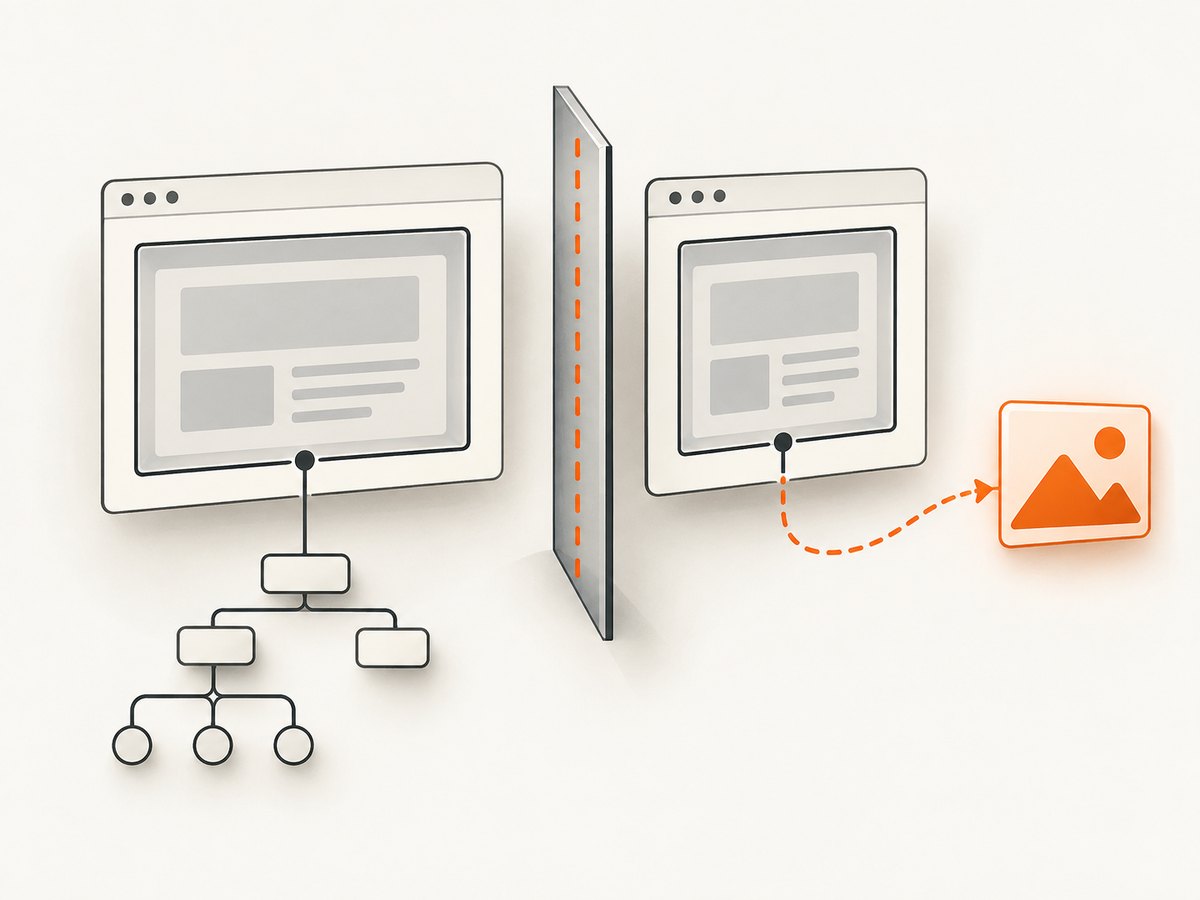
For a genuinely cross-origin frame, access to contentDocument is blocked. Depending on the browser and access path, it may return null or throw a security exception. html2canvas runs in the parent page and cannot render DOM it cannot access. The project documents recursive rendering for same-origin iframes; that support does not override the browser’s cross-origin boundary.
The sandbox attribute can also restrict access. A sandboxed frame without allow-same-origin receives a special origin, which can prevent the parent from interacting with its DOM even if the URL appears to be on the same site. MDN documents the effect of the allow-same-origin sandbox token. Add that token only when the security model permits it; sandbox flags are security controls, not capture settings.
Why useCORS and allowTaint do not fix an iframe
useCORS: true asks html2canvas to load eligible image resources using CORS. The image server must return an appropriate Access-Control-Allow-Origin response. It is useful when an accessible document contains remote images that permit cross-origin loading. It does not grant access to a cross-origin iframe’s DOM.
allowTaint: true concerns drawing cross-origin resources onto a canvas and the resulting canvas security restrictions. It does not relax the browser’s frame-origin policy. If a cross-origin image taints the resulting canvas, calls such as toDataURL() may fail. Use an image host configured for CORS, a same-origin proxy you control, or omit that resource. Do not treat these flags as a way to bypass security.
3. Choose a viable approach for a cross-origin frame
If the embedded application is cross-origin, choose an approach based on who controls the framed page and what kind of output you need.
| Approach | When it fits | Trade-off |
|---|---|---|
| Run capture code inside the frame’s origin | You control the embedded application and can add capture logic there. | The frame can render its own DOM, then return an image or result through an agreed integration. |
| Use an explicit cooperation protocol | You and the embedded application can change both sides. | Use postMessage with strict origin checks. The framed app must perform or authorize the capture; the parent still does not gain arbitrary DOM access. |
| Make the required content same-origin | You can serve or proxy the content as part of your own origin. | Requires a sound server-side design, including authentication and content security considerations. |
| Capture rendered pixels with a screenshot service | You need the page’s visual output rather than a parent-page canvas. | This is a different architecture from html2canvas’s browser DOM reconstruction. Evaluate authentication, dynamic content, output format, and billing behavior. |
For cooperating applications, a parent may send a request using postMessage, and the child may capture its own DOM and return a serialized image or a controlled result. Validate the sender’s origin on both sides and accept only messages from the expected window. Never use a wildcard target origin for sensitive data. The protocol must be implemented by the embedded application; the parent cannot impose it on an unrelated third-party frame.
4. Control dimensions, crop, scale, and appearance
html2canvas rebuilds an image from DOM and supported styles. It is not a screenshot of the browser’s composited pixels, so some CSS or embedded content can differ from what the user sees. Set dimensions deliberately when full-page content is clipped or the frame viewport is smaller than its document.
| Option or technique | Use | Practical note |
|---|---|---|
windowWidth, windowHeight |
Set the virtual window dimensions used during rendering. | For full document output, derive them from the frame document’s scroll dimensions; for viewport output, use the iframe client dimensions. |
width, height |
Define output canvas dimensions. | Match these to the desired output bounds; too-small values clip content. |
x, y |
Choose the capture region’s origin. | Combine with width and height to crop to a region. |
scale |
Set pixel density. | It defaults to the device pixel ratio. Higher values increase sharpness and memory use. |
backgroundColor |
Choose a solid canvas background. | Use null when transparency is required and supported by the output workflow. |
ignoreElements |
Exclude selected nodes from rendering. | Return true for elements that should not appear. |
data-html2canvas-ignore |
Mark elements to omit. | Useful for capture buttons, editor controls, and transient overlays. |
For example, use the frame viewport rather than the entire document when you want exactly what fits inside the visible frame:
const doc = frame.contentDocument;
const canvas = await html2canvas(doc.body, {
  windowWidth: frame.clientWidth,
  windowHeight: frame.clientHeight,
  width: frame.clientWidth,
  height: frame.clientHeight,
  scale: window.devicePixelRatio,
  backgroundColor: '#fff',
  ignoreElements: element => element.matches('.capture-toolbar')
});
For full-page capture, use doc.documentElement.scrollWidth and scrollHeight as the window dimensions. These measure the layout extent, but fixed or sticky elements and content loaded during scrolling can still produce differences. Trigger the application’s own content loading before the capture.
5. Export the canvas
Once the Promise resolves, export the canvas with toDataURL for a data URL or toBlob for a binary image. PNG is convenient and lossless, but a large data URL occupies memory and expands when represented as a string. For larger captures, prefer a Blob and an object URL.
const blob = await new Promise((resolve, reject) => {
  canvas.toBlob(value => value ? resolve(value) : reject(new Error('PNG encoding failed.')), 'image/png');
});
const objectUrl = URL.createObjectURL(blob);
const link = document.createElement('a');
link.href = objectUrl;
link.download = 'iframe.png';
link.click();
URL.revokeObjectURL(objectUrl);
If you display the canvas in the parent page, ensure the parent can safely access the resulting canvas pixels. Cross-origin resources that taint the canvas can prevent export even when the iframe itself is same-origin.
6. Troubleshooting common failures
| Symptom | Likely cause | Fix |
|---|---|---|
contentDocument is null or access throws |
The frame is cross-origin, sandboxed without appropriate origin permissions, or not loaded. | Wait for load, then check origin and sandbox policy. For a cross-origin frame, use cooperation or capture from the frame’s own origin. |
| Blank canvas | The document was not ready, target was empty, content relies on a plugin, or unsupported rendering behavior is involved. | Wait for application readiness, verify the selector and dimensions, and check the browser console. Plugin content such as Flash or Java is not rendered. |
| Only part of the page appears | Capture dimensions describe the viewport or are smaller than the document. | Set window dimensions from the frame document’s scroll size, then set output width and height to the required bounds. |
| Remote images are missing | The image server does not permit CORS, or the resource could not load. | Use useCORS: true only when the image server sends the required CORS header; otherwise use a controlled same-origin proxy or exclude the image. |
toDataURL throws a security error |
A cross-origin image tainted the canvas. | Fix image CORS, proxy the asset through a server you control, or omit it. allowTaint does not make a tainted canvas exportable. |
| Text or layout differs from the visible page | html2canvas reconstructs DOM and supported styles rather than copying browser pixels. | Check supported CSS, fonts, animation state, and resource readiness. If pixel output is essential, use a browser screenshot approach. |
| Capture is unusually slow or crashes | The target is very large or scale is high, causing substantial canvas memory use. | Capture a smaller element or region, lower scale, and avoid retaining multiple large canvases. |
| Capture button appears in the image | The control is part of the selected subtree. | Mark it with data-html2canvas-ignore or filter it with ignoreElements. |
7. Performance, reliability, and cost
Capture time and memory depend on the rendered area, device pixel ratio, image dimensions, and complexity of the DOM and styles. Canvas memory grows with pixel count; increasing scale multiplies both dimensions and can therefore raise pixel count sharply. Prefer a focused element, explicit crop, and the lowest scale that meets the output requirement.
Reliability depends on waiting for the right condition. The iframe load event means navigation completed, but a single-page app may still be fetching data, decoding images, or applying fonts. If you control the frame, expose a readiness signal or wait for a meaningful selector before capture. Handle load errors and capture rejections, and avoid starting overlapping renders against the same changing content.
html2canvas is a client-side library, so there is no per-capture API charge from the library itself. Account for browser CPU, memory, user wait time, and any infrastructure you add for proxying assets. A server-side screenshot service has its own pricing and operational model; compare limits and what constitutes a billable capture before adopting it.
8. Or skip the browser setup
ScreenshotNeo is a website screenshot API and MCP server from Yorker Media. It returns a PNG, JPEG, WebP, or PDF from one GET request. This is a pixel capture workflow, separate from html2canvas’s DOM reconstruction. It can be useful when the page is cross-origin or you need a rendered page image without wiring up browser capture code.
See the ScreenshotNeo API documentation for request options. cURL:
curl -G "https://api.screenshotneo.com/v1/shot" -d access_key=YOUR_API_KEY --data-urlencode url=https://stripe.com -o shot.webpPython:
import requests

r = requests.get(
    "https://api.screenshotneo.com/v1/shot",
    params={"access_key": "YOUR_API_KEY", "url": "https://stripe.com"},
    timeout=90,
)
r.raise_for_status()
open("shot.webp", "wb").write(r.content)
Node.js:
const q = new URLSearchParams({ access_key: 'YOUR_API_KEY', url: 'https://stripe.com' });
const res = await fetch(`https://api.screenshotneo.com/v1/shot?${q}`);
if (!res.ok) throw new Error(`Screenshot request failed: ${res.status}`);
await import('node:fs/promises').then(fs => fs.writeFile('shot.webp', Buffer.from(await res.arrayBuffer())));
ScreenshotNeo removes cookie banners, popups, and chat widgets before the shot. Bot checks, blank pages, and failed loads are never billed. Its MCP server lets AI agents take screenshots. The Free plan includes 1,000 shots a month with no card; paid plans start at $5 for 3,000 shots. Sign up for 1,000 free screenshots a month, with no card required.
9. FAQ
Can html2canvas capture the iframe border too?
The example renders an element from the frame document. To include the outer iframe border, capture or separately render the iframe element in the parent; the frame’s internal content still needs same-origin access for html2canvas.
Can I capture a cross-origin iframe if I own the parent page?
Ownership of the parent does not grant access to another origin. You also need cooperation from the framed application, control over where its capture code runs, or a different pixel-capture architecture.
Can I save the result as JPEG?
Yes. Use canvas.toBlob(callback, 'image/jpeg', quality) or canvas.toDataURL('image/jpeg', quality). JPEG has no transparency, so choose a background color first.
Does full-page rendering scroll the iframe automatically?
html2canvas uses the dimensions and DOM available to its render. Set the virtual window to the document extent and ensure lazy content has loaded; this does not guarantee every site’s scroll-triggered content will appear.
Can a browser extension or user script bypass the restriction?
Ordinary page JavaScript remains subject to browser origin security. Extensions may have separate permissions and APIs, but that is a different implementation with browser-specific permission and distribution requirements.


