How to Capture an Iframe Inside a Modal Programmatically
Learn how to capture a modal containing an iframe with html2canvas, Playwright, or cooperative messaging—and handle same-origin, cross-origin, and sandbox limits.
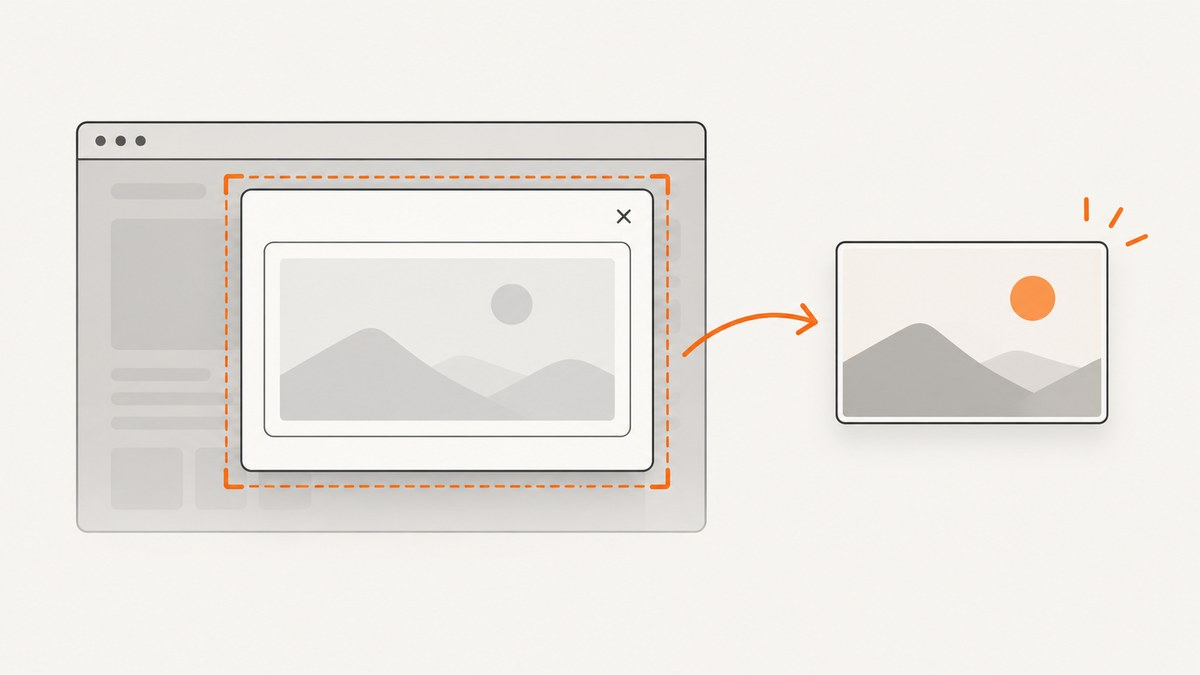
To capture an iframe inside a modal, first determine whether the iframe is same-origin with the parent page. Same-origin content can be captured from the page with html2canvas. A cross-origin iframe, or a sandboxed iframe without allow-same-origin, cannot be inspected by parent-page JavaScript. For those frames, use cooperation from the iframe owner or an authorized browser automation workflow such as Playwright.
If you need pixels that match the browser exactly, prefer a browser screenshot. html2canvas reconstructs the DOM into a canvas; it does not take a native screenshot, so unsupported CSS and browser rendering details can differ. The html2canvas documentation states that same-origin iframes are rendered recursively, while cross-origin iframe documents are unavailable because of browser security restrictions.
1. Check the iframe’s origin and sandbox
Two URLs have the same origin only when their scheme, hostname, and port all match. For example, https://app.example.com and https://app.example.com:443 are same-origin, but https://www.example.com and https://app.example.com are not.
const frame = document.querySelector('#checkout-modal iframe');
const frameUrl = new URL(frame.src, document.baseURI);
const sameOrigin = frameUrl.origin === window.location.origin;
const sandboxedWithoutSameOrigin = frame.hasAttribute('sandbox') &&
  !frame.getAttribute('sandbox').split(/\\s+/).includes('allow-same-origin');

console.log({ frameOrigin: frameUrl.origin, sameOrigin, sandboxedWithoutSameOrigin });
A cross-origin frame may still display normally, but the parent cannot read its contentDocument, query its elements, or ask html2canvas to render its DOM. CORS headers do not change that document-access rule. The useCORS option only concerns external image resources loaded while drawing a page.
2. Same-origin capture with html2canvas
Install or load html2canvas, open the modal, wait for the iframe’s load event, and capture the modal element. The function returns a promise resolving to a canvas.
<button id="open-modal">Open preview</button>
<div id="preview-modal" hidden>
  <div class="backdrop"></div>
  <section class="dialog" role="dialog" aria-modal="true">
    <button id="close-modal">Close</button>
    <iframe id="preview-frame" src="/preview.html" title="Preview"></iframe>
    <button id="save-shot">Save screenshot</button>
  </section>
</div>
<script src="https://cdn.jsdelivr.net/npm/html2canvas@1.4.1/dist/html2canvas.min.js"></script>
<script>
const modal = document.querySelector('#preview-modal');
const frame = document.querySelector('#preview-frame');
const openButton = document.querySelector('#open-modal');
const closeButton = document.querySelector('#close-modal');
const saveButton = document.querySelector('#save-shot');

function waitForFrameLoad(iframe) {
  if (iframe.contentDocument?.readyState === 'complete') {
    return Promise.resolve();
  }
  return new Promise((resolve, reject) => {
    const onLoad = () => { cleanup(); resolve(); };
    const onError = () => { cleanup(); reject(new Error('iframe failed to load')); };
    const cleanup = () => {
      iframe.removeEventListener('load', onLoad);
      iframe.removeEventListener('error', onError);
    };
    iframe.addEventListener('load', onLoad, { once: true });
    iframe.addEventListener('error', onError, { once: true });
  });
}

openButton.addEventListener('click', () => {
  modal.hidden = false;
});
closeButton.addEventListener('click', () => {
  modal.hidden = true;
});

saveButton.addEventListener('click', async () => {
  saveButton.disabled = true;
  try {
    await waitForFrameLoad(frame);
    // Fonts and images inside the frame may finish after the load event.
    if (frame.contentDocument?.fonts?.ready) {
      await frame.contentDocument.fonts.ready;
    }
    const canvas = await html2canvas(modal.querySelector('.dialog'), {
      backgroundColor: '#ffffff',
      scale: window.devicePixelRatio,
      useCORS: true,
      logging: false,
      ignoreElements: element => element.matches('.capture-ignore')
    });

    const blob = await new Promise(resolve => canvas.toBlob(resolve, 'image/png'));
    if (!blob) throw new Error('browser could not create an image blob');
    const link = document.createElement('a');
    link.download = 'modal.png';
    link.href = URL.createObjectURL(blob);
    link.click();
    URL.revokeObjectURL(link.href);
  } finally {
    saveButton.disabled = false;
  }
});
</script>
Capture options that matter
| Option | Use | Notes |
|---|---|---|
scale |
Controls output resolution | The default is the device pixel ratio. Lower it to reduce memory; raise it for sharper output if the canvas remains within browser limits. |
width, height |
Sets the rendered canvas size | Useful when the modal has a fixed capture size. |
x, y |
Crops from the rendered document | Prefer capturing the dialog element when possible; coordinates are easier to break when layout changes. |
backgroundColor |
Sets the canvas background | Use null for transparency when the page and browser support it. |
useCORS |
Attempts CORS-enabled image loading | It does not grant access to a cross-origin iframe document. |
ignoreElements |
Skips matching nodes | Hide tooltips, close buttons, cursors, or other transient controls. |
onclone |
Edits the cloned document before drawing | Use it to add capture-only CSS without changing the visible modal. |
const canvas = await html2canvas(dialog, {
  scale: 2,
  width: dialog.scrollWidth,
  height: dialog.scrollHeight,
  windowWidth: dialog.scrollWidth,
  windowHeight: dialog.scrollHeight,
  backgroundColor: null,
  ignoreElements: el => el.matches('[data-capture-ignore]'),
  onclone: clonedDocument => {
    clonedDocument.querySelector('.close-button')?.remove();
  }
});

// Upload instead of downloading:
const blob = await new Promise(resolve => canvas.toBlob(resolve, 'image/webp', 0. nine));
Replace the accidental-looking quality value above with a number between 0 and 1, such as 0.9, when using WebP or JPEG:
const blob = await new Promise(resolve => canvas.toBlob(resolve, 'image/webp', 0.9));3. Wait for the modal and iframe’s real content
An iframe’s load event means the document load completed; application data, web fonts, lazy images, and animations may still be changing. Make capture deterministic by waiting for a known selector or a short, justified delay.
async function waitForSelector(doc, selector, timeoutMs = 10000) {
  const start = performance.now();
  while (performance.now() - start < timeoutMs) {
    if (doc.querySelector(selector)) return;
    await new Promise(resolve => setTimeout(resolve, 100));
  }
  throw new Error(`Timed out waiting for ${selector}`);
}

await waitForFrameLoad(frame);
await waitForSelector(frame.contentDocument, '[data-preview-ready]');
await frame.contentDocument.fonts.ready;
const canvas = await html2canvas(document.querySelector('.dialog'));
Disable transitions and blinking carets in a capture-only stylesheet. Freeze the modal at a known scroll position, and scroll the iframe document to the desired location before calling html2canvas.
4. Cross-origin iframe: cooperative capture
When both applications are under your control, let the iframe capture its own content and send an approved representation to the parent. postMessage does not bypass origin restrictions; it provides an explicit protocol between pages.
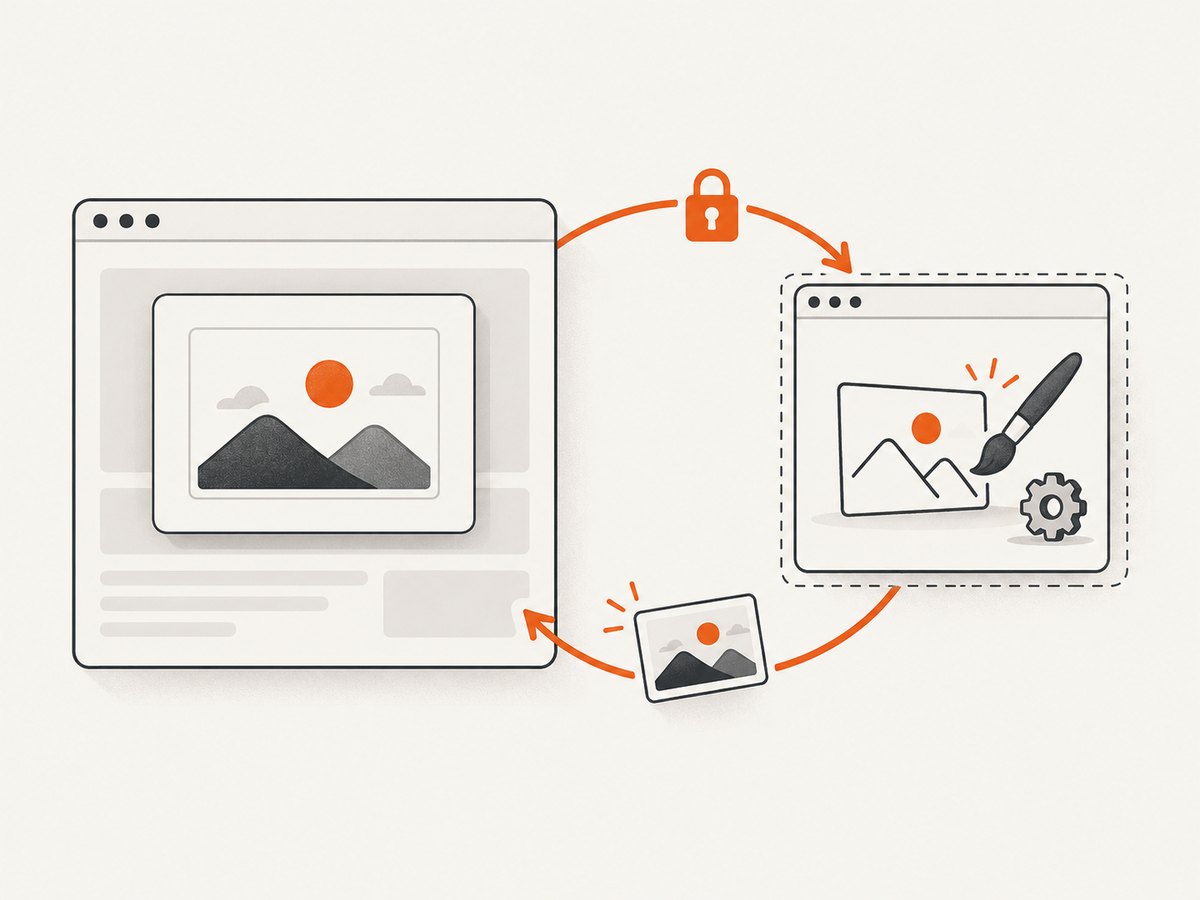
In the iframe:
window.addEventListener('message', async event => {
  if (event.origin !== 'https://app.example.com') return;
  if (event.data?.type !== 'REQUEST_PREVIEW_CAPTURE') return;

  const canvas = await html2canvas(document.querySelector('#preview'));
  const dataUrl = canvas.toDataURL('image/png');
  event.source.postMessage(
    { type: 'PREVIEW_CAPTURE_RESULT', dataUrl },
    event.origin
  );
});
In the parent:
function requestFrameCapture(iframe) {
  return new Promise((resolve, reject) => {
    const timer = setTimeout(() => {
      window.removeEventListener('message', onMessage);
      reject(new Error('iframe capture timed out'));
    }, 15000);

    function onMessage(event) {
      if (event.source !== iframe.contentWindow) return;
      if (event.origin !== 'https://widgets.example.net') return;
      if (event.data?.type !== 'PREVIEW_CAPTURE_RESULT') return;
      clearTimeout(timer);
      window.removeEventListener('message', onMessage);
      resolve(event.data.dataUrl);
    }

    window.addEventListener('message', onMessage);
    iframe.contentWindow.postMessage(
      { type: 'REQUEST_PREVIEW_CAPTURE' },
      'https://widgets.example.net'
    );
  });
}
Validate message origins, restrict the message types you accept, and avoid sending sensitive page data unless the user and both applications authorize it.
5. Pixel-accurate capture with Playwright
For automated tests, server-side jobs, or a controlled browser session, Playwright captures the browser’s rendered pixels. It exposes frame-aware APIs, but it still requires authorized access to the iframe provider.

import { chromium } from 'playwright';

const browser = await chromium.launch();
const page = await browser.newPage({ viewport: { width: 1440, height: 1000 }, deviceScaleFactor: 2 });
await page.goto('https://app.example.com/product', { waitUntil: 'networkidle' });
await page.getByRole('button', { name: 'Open preview' }).click();

const dialog = page.locator('[role="dialog"]');
await dialog.waitFor({ state: 'visible' });
const frame = page.frameLocator('#preview-frame');
await frame.locator('[data-preview-ready]').waitFor();
await dialog.screenshot({ path: 'modal.png', animations: 'disabled' });

await browser.close();
If you need the frame itself rather than the complete modal, locate an element inside the frame and screenshot that locator. A cross-origin frame can be rendered by the browser because the browser owns the session; parent-page JavaScript still cannot read its DOM.
6. Choosing an approach
| Approach | Best fit | Main limitation |
|---|---|---|
| html2canvas on the dialog | Same-origin, client-side export | DOM reconstruction; cross-origin iframe content is blocked |
| Iframe-owner cooperation | Cross-origin frame when both teams can change code | Requires an explicit integration and consent |
| Playwright screenshot | Automated tests and controlled browser capture | Needs browser infrastructure and authorized access |
| Browser extension screenshot API | Extension workflows with browser permissions | Extension-specific permissions and behavior apply |
7. Or skip the browser setup
ScreenshotNeo captures a URL with one request and can return PNG, JPEG, WebP, or PDF. Use it when the modal state is reachable through the URL or a prepared page. See the ScreenshotNeo API documentation for all options.
cURL
curl -G "https://api.screenshotneo.com/v1/shot" \
  -d access_key=YOUR_API_KEY \
  --data-urlencode url=https://example.com/page-with-modal \
  -o shot.webp
Python
import requests

r = requests.get(
    "https://api.screenshotneo.com/v1/shot",
    params={"access_key": "YOUR_API_KEY", "url": "https://example.com/page-with-modal"},
    timeout=90,
)
r.raise_for_status()
open("shot.webp", "wb").write(r.content)
Node.js
const q = new URLSearchParams({
  access_key: 'YOUR_API_KEY',
  url: 'https://example.com/page-with-modal'
});
const res = await fetch(`https://api.screenshotneo.com/v1/shot?${q}`);
if (!res.ok) throw new Error(`Screenshot failed: ${res.status}`);
const image = Buffer.from(await res.arrayBuffer());
await import('node:fs/promises').then(fs => fs.writeFile('shot.webp', image));
ScreenshotNeo can remove cookie and consent banners, newsletter popups, and chat widgets before capture. Bot checks, blank pages, failed loads, timeouts, and cache hits are not billed; response headers identify the page verdict and whether the shot was billed. Its MCP server provides take_screenshot, get_page_info, and capture_pdf tools for Claude, Cursor, and other MCP clients. The Free plan includes 1,000 shots per month with no card; paid plans start at $5 for 3,000 shots. Create a free ScreenshotNeo account.
8. Troubleshooting
| Symptom | Cause | Fix |
|---|---|---|
| Iframe area is blank | The iframe is cross-origin or sandboxed without allow-same-origin. |
Use owner cooperation, Playwright, or another authorized browser-level workflow. |
Blocked a frame with origin... |
Parent code tried to access a cross-origin document. | Do not read contentDocument; use postMessage with the iframe owner’s code. |
| Images are missing | Images are lazy, not loaded yet, or lack CORS permission. | Wait for image completion, scroll lazy content into view, and configure image CORS where you control the server. |
| Canvas is tainted | An external image was drawn without an allowed CORS response. | Serve the image with suitable CORS headers, use a permitted proxy, or remove it. This does not unlock iframe DOM access. |
| Fonts or layout differ | Web fonts or CSS were still loading, or html2canvas lacks support for a style. | Wait for document.fonts.ready, disable animations, and use Playwright for native pixels. |
| Only part of the modal appears | The element is clipped, scrolled, or larger than the canvas limit. | Capture the correct element, set dimensions deliberately, reduce scale, or capture in sections. |
| Capture runs before the modal opens | The code selected a hidden or detached element. | Open the modal first, wait for visible state, then capture. |
| Playwright cannot find frame content | The selector or frame URL changed, or the frame has not loaded. | Wait for the frame and use frameLocator or inspect page.frames(). |
9. Performance, reliability, and cost
- Keep canvases bounded: output memory grows with width, height, and scale. Capture the dialog instead of the entire page when that is all you need.
- Make readiness explicit: wait for a stable selector, fonts, images, and application data. A fixed delay alone is less reliable across machines.
- Freeze visual state: disable transitions, carousels, blinking carets, and time-dependent content before capture.
- Retry carefully: distinguish a page that failed to load from a successful capture. For automation, record URL, browser version, viewport, device scale, and the readiness condition.
- Choose output deliberately: PNG preserves sharp text and transparency; JPEG is smaller for photographs; WebP often provides a smaller file at comparable quality.
- Control access: capture only pages and frames you are authorized to access. Do not use proxies or message handlers as a way to bypass browser security controls.
10. FAQ
Can html2canvas capture an iframe from another domain?
No. The parent page cannot access a cross-origin iframe document, and html2canvas cannot render it. Ask the iframe owner to provide a capture endpoint or message protocol, or use an authorized browser workflow.
Does adding Access-Control-Allow-Origin fix the iframe?
No. CORS can help with permitted image resources. It does not grant parent JavaScript access to a cross-origin iframe document.
Why does the output look different from a screenshot?
html2canvas redraws DOM and CSS into a canvas. Unsupported styles, fonts that were not ready, animations, and browser-specific rendering can change the result. Use Playwright when rendered-pixel fidelity matters.
Can I capture only the iframe content?
For same-origin content, select an element inside the iframe document and capture it after the frame is ready. For cross-origin content, the iframe must capture itself or be rendered by a browser automation session.
How do I capture a modal that is mounted after a button click?
Trigger the click, wait for the dialog to become visible, wait for the iframe and its readiness marker, then call the capture function. Selecting the element before it is mounted produces an empty or stale result.


