How to Capture Lazy-Loaded Pages with Node.js Screenshots
Scroll to trigger lazy content, wait for page-specific readiness, then capture reliable full-page screenshots with Node.js.
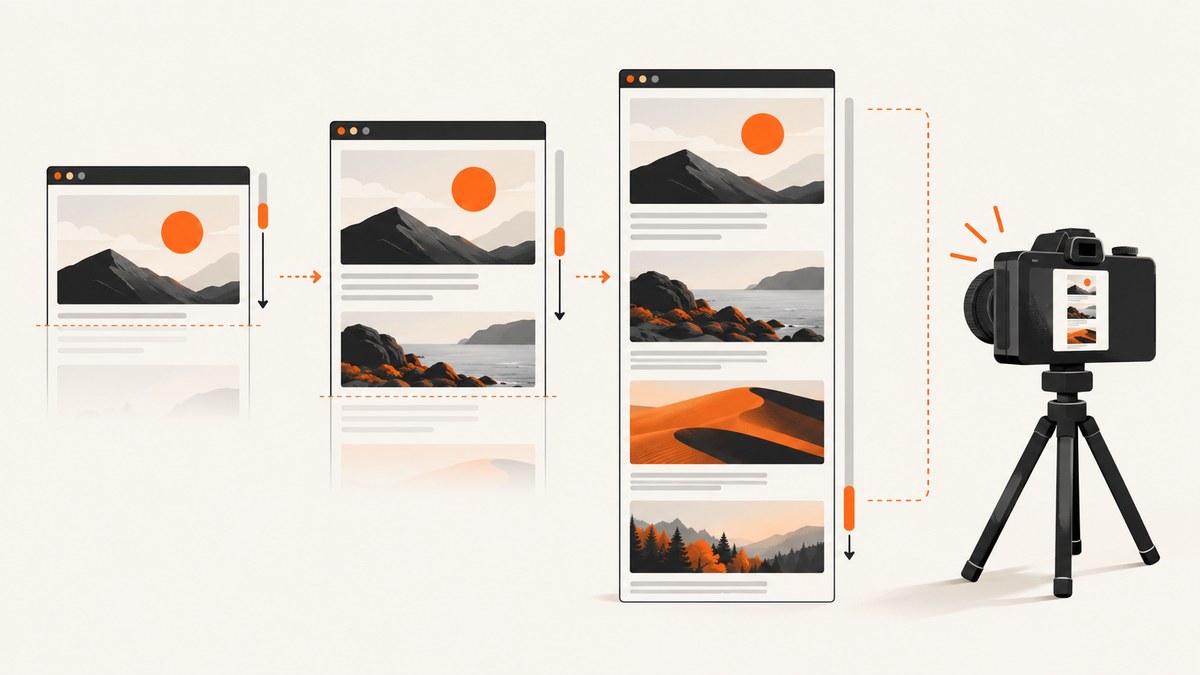
Short answer: use Playwright or Puppeteer, navigate to the page, scroll the viewport or the page’s scrolling containers to trigger lazy loading, wait for a page-specific readiness condition, and then capture the full page. fullPage: true controls the screenshot extent; it does not prove that scroll-triggered content has loaded.
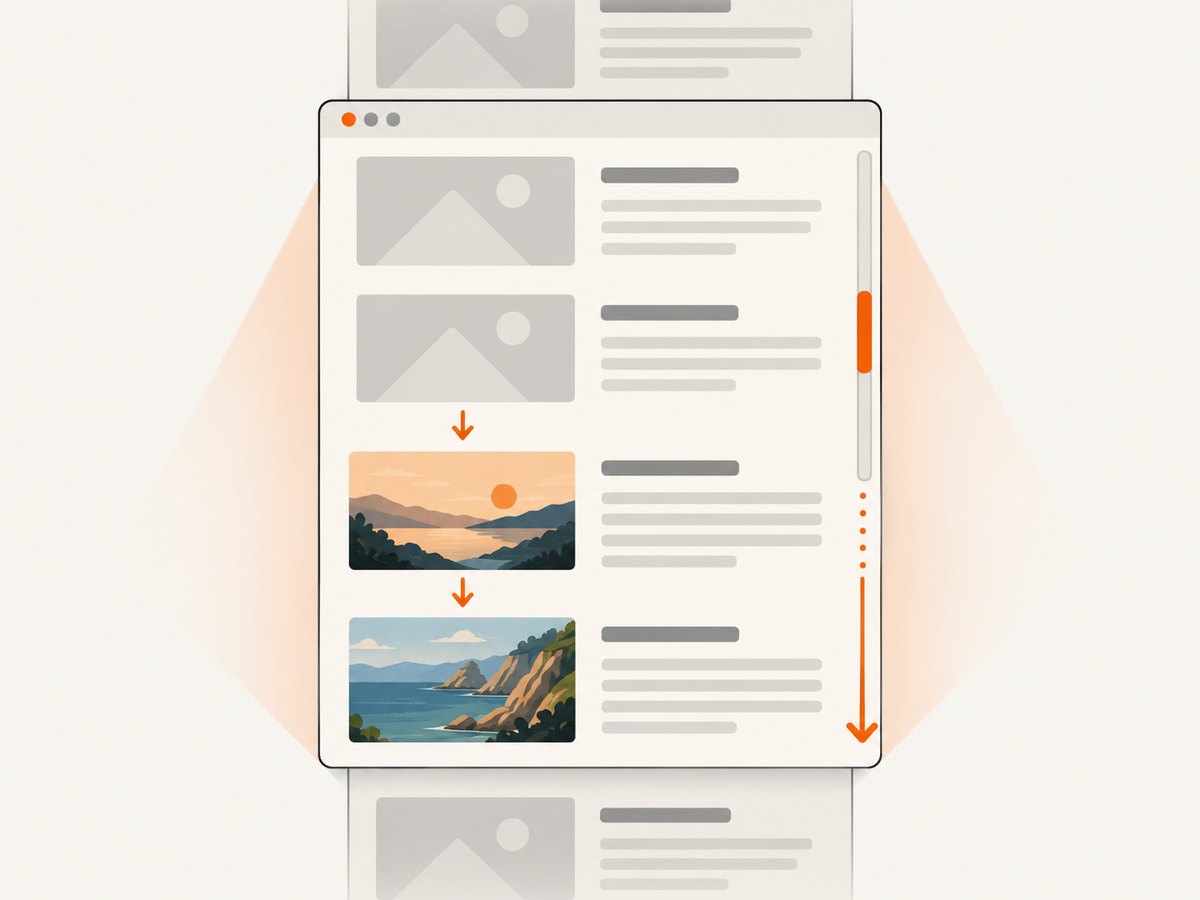
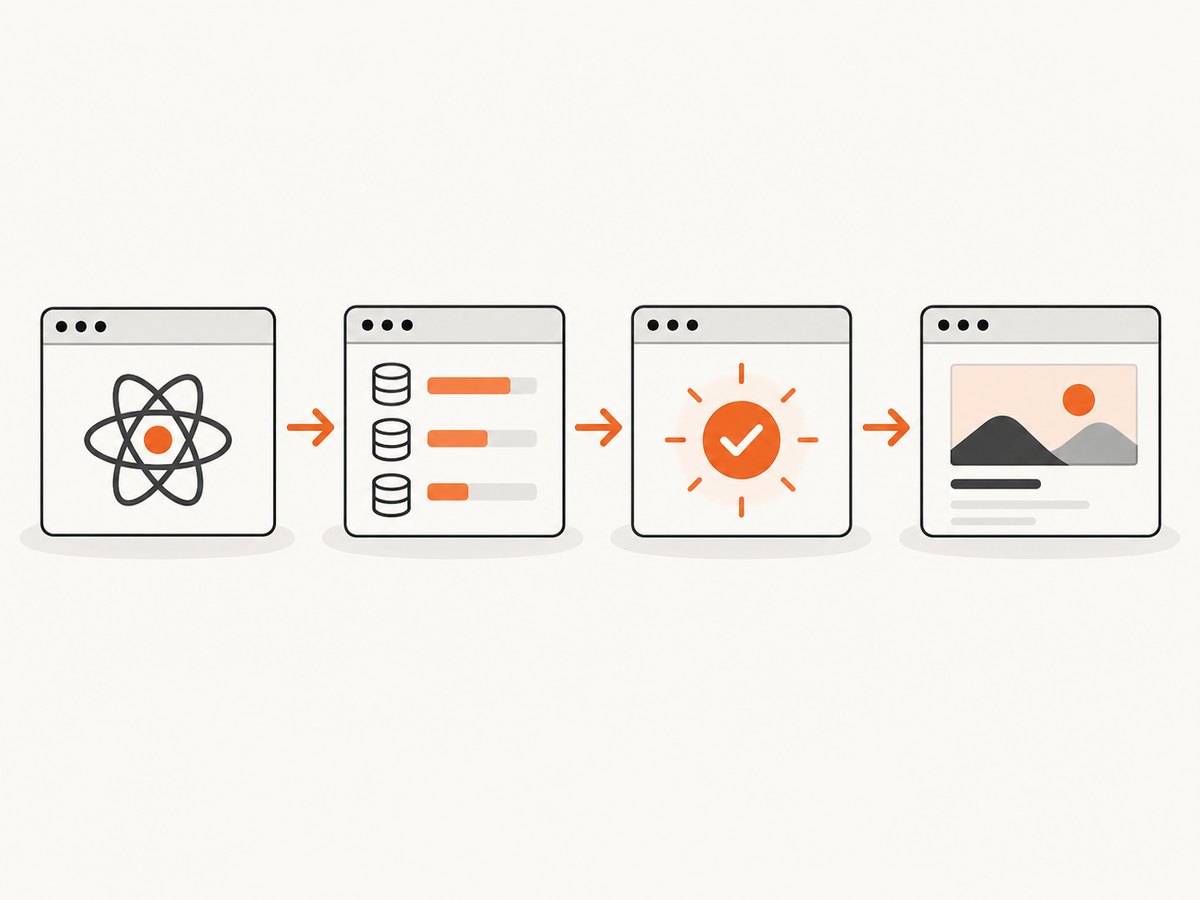
Lazy loading is controlled by the site. Images may load through IntersectionObserver, scroll handlers, deferred network requests, or virtualized lists. A reliable screenshot workflow therefore has four stages:
- Open the page and wait for the initial document state.
- Scroll through the relevant content so visibility-based work runs.
- Wait for a meaningful signal, such as a known element, image completion, or expected item count.
- Capture and inspect the result for blank regions, missing sections, or unloaded images.
Why fullPage alone can miss content
Playwright defines a full-page screenshot as an image of the full scrollable page, as though the page fit on a very tall screen. That describes the output area, not the behavior of the application while the page is being captured. The API is documented in the Playwright Page reference and the Playwright screenshots guide.
Some pages load content only when a target enters the visual viewport or an ancestor scroll container. An off-screen full-page operation may not perform the real scrolling that triggers those handlers. Playwright issue #40941 discusses this concern for lazy images, IntersectionObserver, scroll-triggered animation, and virtualized lists. The MDN Intersection Observer documentation explains how visibility relative to a viewport or ancestor is observed.
Playwright: a complete scrolling screenshot
Install Playwright and its browser binaries:
npm install playwright
npx playwright install chromium
This script scrolls by viewport-sized increments, waits briefly for asynchronous work, stops when the document height stops growing, and applies a maximum iteration limit. Replace the readiness condition with one that matches the target site.
const { chromium } = require('playwright');

(async () => {
  const browser = await chromium.launch();
  const page = await browser.newPage({
    viewport: { width: 1280, height: 900 },
    deviceScaleFactor: 1
  });

  try {
    await page.goto('https://example.com', {
      waitUntil: 'domcontentloaded',
      timeout: 60000
    });

    let previousHeight = 0;
    const maxScrolls = 30;

    for (let i = 0; i < maxScrolls; i++) {
      const height = await page.evaluate(() => document.documentElement.scrollHeight);
      if (height === previousHeight) break;
      previousHeight = height;

      await page.evaluate(() => window.scrollBy(0, window.innerHeight));
      await page.waitForTimeout(400);
    }

    // Prefer a site-specific condition when one is available.
    // await page.locator('[data-loaded="true"]').waitFor();

    await page.screenshot({
      path: 'page.png',
      fullPage: true,
      animations: 'disabled'
    });
  } finally {
    await browser.close();
  }
})();
The loop is a starting pattern, not a universal recipe. A page can keep increasing its height forever, load content inside a nested container, or delay requests longer than 400 milliseconds. Use the smallest maximum that covers the intended document and keep a guard against endless feeds.
Wait for the page’s actual readiness signal
A fixed delay cannot establish that content is complete. Better signals include a known section, a loaded-state attribute, a specific number of cards, or completion of all images currently in the document:
await page.locator('#results').waitFor({ state: 'visible' });
await page.waitForFunction(() => {
  const items = document.querySelectorAll('.result-card');
  return items.length >= 20;
});

await page.waitForFunction(() =>
  Array.from(document.images).every(img => img.complete)
);
Image completion alone does not prove that an application has fetched every record. Combine it with the condition that represents the page’s expected content.
Scroll a nested container
If the page itself does not scroll, find the element with overflow: auto or overflow: scroll and scroll that element:
const feed = page.locator('.feed');
await feed.waitFor();

for (let i = 0; i < 30; i++) {
  const before = await feed.evaluate(el => el.scrollHeight);
  await feed.evaluate(el => el.scrollBy(0, el.clientHeight));
  await page.waitForTimeout(400);
  const after = await feed.evaluate(el => el.scrollHeight);
  if (after === before) break;
}
Bring known sections into view
When only a few sections are lazy, target them directly:
for (const selector of ['#features', '#pricing', '#faq']) {
  const section = page.locator(selector);
  await section.scrollIntoViewIfNeeded();
  await page.waitForTimeout(500);
}
await page.screenshot({ path: 'page.png', fullPage: true });
Puppeteer alternative
Puppeteer provides page and element screenshot APIs in its official screenshots guide. The same trigger-then-wait approach applies:
const puppeteer = require('puppeteer');

(async () => {
  const browser = await puppeteer.launch();
  const page = await browser.newPage();
  await page.setViewport({ width: 1280, height: 900 });

  try {
    await page.goto('https://example.com', {
      waitUntil: 'domcontentloaded',
      timeout: 60000
    });

    let previousHeight = 0;
    for (let i = 0; i < 30; i++) {
      const height = await page.evaluate(() => document.documentElement.scrollHeight);
      if (height === previousHeight) break;
      previousHeight = height;
      await page.evaluate(() => window.scrollBy(0, window.innerHeight));
      await new Promise(resolve => setTimeout(resolve, 400));
    }

    await page.screenshot({ path: 'page.png', fullPage: true });
  } finally {
    await browser.close();
  }
})();
Choose the library your project already uses, then check the target site’s browser behavior. The supplied sources do not establish a universal speed, fidelity, or reliability winner.
Screenshot options that affect the result
| Option | What it controls | Typical use |
|---|---|---|
fullPage |
Whether the scrollable page is captured beyond the viewport | Long documents after lazy content has been triggered |
path |
Output filename | Save PNG, JPEG, or WebP according to the filename and API support |
type |
Image format | Use PNG for lossless text, JPEG for smaller photographic images |
quality |
JPEG/WebP compression quality | Reduce file size when small artifacts are acceptable |
clip |
Rectangle to capture | Capture a fixed region instead of the complete document |
animations |
Animation handling in Playwright | Disable motion for stable output |
deviceScaleFactor |
Retina pixel density | Increase detail at the cost of memory and file size |
Viewport width changes responsive breakpoints and can change which content exists. Set it before navigation. If the page depends on fonts, wait for document.fonts.ready before capture:
await page.evaluate(() => document.fonts.ready);
await page.screenshot({ path: 'page.png', fullPage: true });
Infinite scroll and virtualized lists
An infinite feed has no natural final height. Decide whether you need a bounded snapshot or a particular number of items. Stop after a known count, a server-provided end marker, or a maximum number of scrolls:
await page.waitForFunction(() =>
  document.querySelectorAll('.post').length >= 100
);
await page.screenshot({ path: 'first-100-posts.png', fullPage: true });
Virtualized lists may remove rows that leave the viewport. A full-page screenshot can therefore contain only the currently mounted range or blank gaps. For a complete archive, obtain the underlying data or render a non-virtualized print view. For a visual snapshot of a feed, capture a defined viewport or stitch bounded segments while recording which range each image represents.
Consent banners, overlays, and blocked content
Consent dialogs can cover content or prevent lazy requests. Handle them before scrolling, using the site’s own selector and only when the action is appropriate for your capture policy:
const accept = page.getByRole('button', { name: /accept all/i });
if (await accept.isVisible().catch(() => false)) {
  await accept.click();
}
await page.waitForTimeout(300);
For repeatable captures, also consider closing newsletter modals, disabling animations, and waiting until overlays are detached. Do not assume a selector works across sites; consent platforms and markup differ.
Debugging checklist
| Symptom | Likely cause | Fix |
|---|---|---|
| Blank areas below the fold | No real scrolling occurred, or the observer threshold was never met | Scroll the page or nested container in increments, then wait for a target-specific signal. |
| Only the first batch of cards appears | Infinite or paginated loading needs another trigger | Stop on an expected count or end marker and increase the guarded scroll limit. |
| Images are empty or low resolution | Image requests are still pending, blocked, or replaced by placeholders | Wait for relevant image completion, inspect failed requests, and allow sufficient time for the image host. |
| Screenshot times out | Navigation, a resource, or a readiness selector never completes | Set explicit navigation and selector timeouts; use domcontentloaded when full network idle is not realistic. |
| Content is hidden behind a popup | Consent, newsletter, chat, or login overlay | Dismiss the overlay with a site-specific, policy-approved action before scrolling. |
| Different layout than expected | Viewport, device scale, user agent, locale, or timezone differs | Set these values explicitly before goto and keep them constant across runs. |
| Rows disappear while scrolling | Virtualized list unmounts off-screen items | Capture bounded viewports or use a non-virtualized/print representation. |
| Browser crashes or runs out of memory | Very tall pages, large scale factors, or many concurrent browsers | Lower concurrency and scale, capture sections, and close each browser in finally. |
Performance, reliability, and cost
- Performance: each scroll adds rendering and network work. Use the fewest increments that activate the required regions, and prefer a known readiness condition over long fixed sleeps.
- Reliability: keep navigation, scroll, and readiness timeouts explicit. Record the URL, viewport, scroll count, final document height, and expected-versus-observed item count so failures are diagnosable.
- Determinism: disable animations where possible, freeze a viewport and locale, and wait for fonts and critical images. Dynamic ads and personalized feeds can still change between runs.
- Resource use: a full-page bitmap can be very large. Retina scale, unusually wide pages, and long feeds increase memory and transfer size. Prefer JPEG/WebP when lossless output is unnecessary.
- Retries: retry transient navigation or resource failures with a limit and backoff. Do not blindly retry a page that is blocked by a bot check or requires authentication.
Or skip the browser setup
ScreenshotNeo provides a hosted screenshot API and MCP server. It can load lazy images during full-page capture, and one GET request returns an image or PDF. See the ScreenshotNeo documentation for the complete option set.
cURL:
curl -G "https://api.screenshotneo.com/v1/shot" \
  -d access_key=YOUR_API_KEY \
  --data-urlencode url=https://example.com \
  -o shot.webp
Python:
import requests

r = requests.get(
    "https://api.screenshotneo.com/v1/shot",
    params={"access_key": "YOUR_API_KEY", "url": "https://example.com"},
    timeout=90,
)
r.raise_for_status()
open("shot.webp", "wb").write(r.content)
Node.js:
const q = new URLSearchParams({
  access_key: 'YOUR_API_KEY',
  url: 'https://example.com'
});
const res = await fetch(`https://api.screenshotneo.com/v1/shot?${q}`);
if (!res.ok) throw new Error(`Screenshot failed: ${res.status}`);
require('fs').writeFileSync('shot.webp', Buffer.from(await res.arrayBuffer()));
ScreenshotNeo removes cookie and consent banners, newsletter popups, and chat widgets before the shot. Bot checks, blank pages, failed loads, timeouts, and cache hits are not billed; response headers identify the page verdict and whether the request was billed. Its MCP server lets Claude, Cursor, and other MCP clients call take_screenshot, get_page_info, and capture_pdf. The API also supports full-page capture, element selectors, custom waits, blocking rules, headers and cookies, device settings, caching, signed links, asynchronous jobs, bulk capture, and usage reporting.
The Free plan includes 1,000 screenshots per month with no card. Paid plans start at $5 for 3,000 shots, and every feature is available on every plan. Create a free ScreenshotNeo account.
FAQ
Does Playwright’s fullPage: true scroll the page?
It captures the full scrollable extent, but you should not treat it as proof that the page’s own scroll-triggered loaders ran. Scroll explicitly when completeness matters.
Should I use Playwright or Puppeteer?
Both provide Node.js screenshot APIs. Choose based on your existing project, browser requirements, and how the target page performs lazy loading; the cited sources do not provide a universal winner.
How long should I wait after each scroll?
There is no correct global delay. Use a short settling delay as a fallback, then wait for a selector, count, network result, or other condition that represents the page’s expected state.
Can I capture an unbounded social feed as one complete page?
No single capture can prove completeness for an endless feed. Set a count or time boundary, or capture defined viewport segments.
Why does a screenshot differ between runs?
Ads, personalization, animations, fonts, viewport breakpoints, and asynchronous data can vary. Fix the environment and readiness checks, then inspect the remaining dynamic sources.


