How to Capture a Leaflet WebGL Heatmap as an Image with JavaScript
Capture a Leaflet WebGL heatmap reliably by exporting its canvas, handling CORS, waiting for rendering, and compositing the final image.
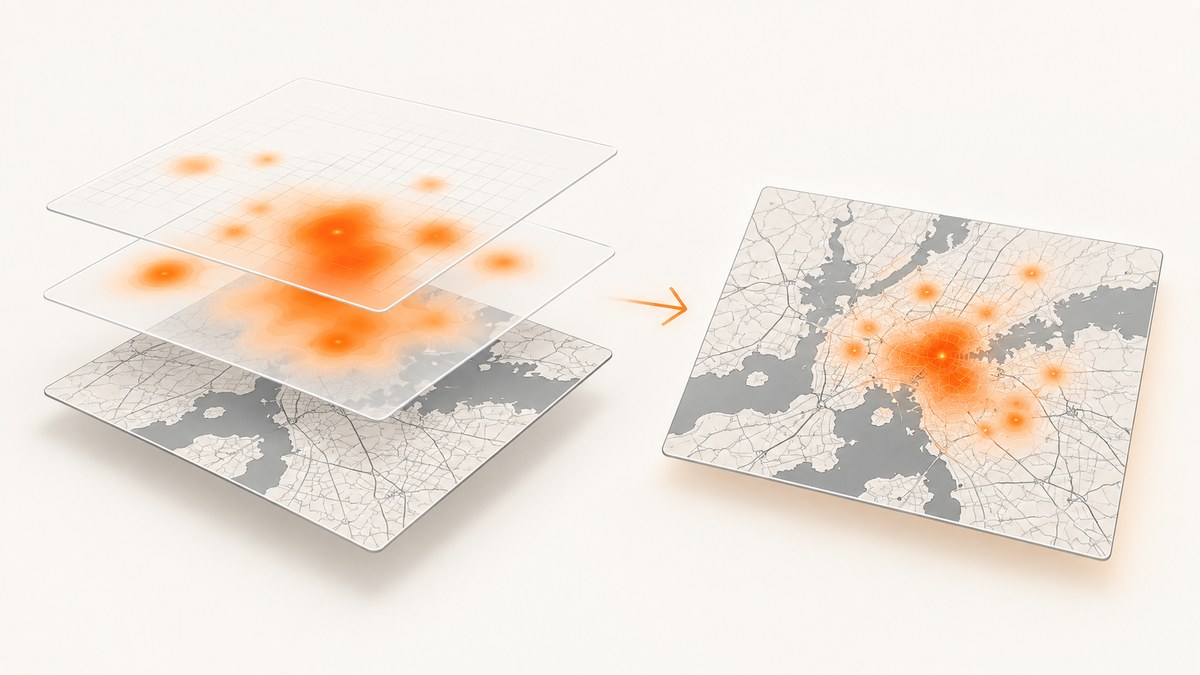
Direct answer: treat the WebGL heatmap as its own rendering surface. Wait until the plugin has rendered the desired frame, export the plugin canvas with toBlob() or toDataURL(), and composite it with the basemap and other layers when you need one flattened image. A Leaflet exporter may capture SVG or Leaflet-managed Canvas layers without seeing an independent WebGL canvas.
Cross-origin tiles and images must be CORS-approved before they are drawn. Otherwise the browser taints the canvas and blocks pixel export with a SecurityError. Configure Leaflet’s crossOrigin option before tiles load, and verify that the tile provider sends an appropriate Access-Control-Allow-Origin response.
1. What you are actually capturing
Leaflet vector paths use SVG by default. Setting preferCanvas: true, or assigning a Canvas renderer, moves those paths to a Leaflet Canvas surface. A WebGL heatmap plugin can still create a separate <canvas> and WebGL context. Changing Leaflet’s renderer does not automatically merge that surface into an export.
Before writing capture code, identify the plugin and version. The Leaflet plugin listing marks the WebGL heatmap entry as compatible with Leaflet 1, but it does not define a universal image-export API. The leaflet-webgl-heatmap source and your installed version are the authority for finding its canvas and render/update hooks.
2. Minimal Leaflet setup with a CORS-ready basemap
Set crossOrigin when creating the tile layer, before any tile requests are made. The Leaflet API reference documents this option as necessary when you need tile pixel data. The provider must also permit your origin; the option alone cannot override browser policy.
<div id='map' style='height: 480px'></div>
<button id='save'>Save PNG</button>
<script>
  const map = L.map('map', { preferCanvas: true }).setView([40.72, -74.0], 11);

  L.tileLayer('https://your-cors-enabled-tile-provider.example/{z}/{x}/{y}.png', {
    crossOrigin: true,
    attribution: 'Map data providers listed by the tile service'
  }).addTo(map);

  // Add your WebGL heatmap plugin here.
  // Keep a reference to the plugin instance and, if documented,
  // to the canvas it creates.
</script>
Do not use a production tile source until you have checked its attribution, token requirements, rate limits, and CORS policy. Leaflet’s quick start guide states that attribution is obligatory for OpenStreetMap usage and points production users to the tile usage policy.
3. Find the heatmap canvas
The exact handle is plugin-specific. Prefer a documented property or method. If the plugin does not expose one, inspect the map container after initialization and distinguish canvases by size, CSS class, or WebGL context. Treat DOM inspection as a fallback because plugin updates can change the canvas structure.
function listMapCanvases(map) {
  return [...map.getContainer().querySelectorAll('canvas')].map((canvas, index) => ({
    index,
    canvas,
    width: canvas.width,
    height: canvas.height,
    className: canvas.className,
    isWebGL: Boolean(canvas.getContext('webgl') || canvas.getContext('webgl2'))
  }));
}

const candidates = listMapCanvases(map);
console.table(candidates.map(({ canvas, ...info }) => info));

// Select the canvas using facts from your plugin. This example chooses
// a WebGL canvas with the largest drawing area, which is only a heuristic.
const heatmapCanvas = candidates
  .filter(item => item.isWebGL)
  .sort((a, b) => (b.width * b.height) - (a.width * a.height))[0]?.canvas;

if (!heatmapCanvas) {
  throw new Error('No WebGL heatmap canvas found; use the plugin\'s documented canvas handle.');
}
If several WebGL canvases exist, do not guess. Mark the plugin canvas when you create it, or inspect the plugin source to determine which surface contains the heatmap.
4. Wait for tiles and the heatmap frame
Capture only after the map has finished moving, the required tiles have loaded, and the heatmap has rendered the final data. Use the plugin’s documented update or render event when available. The sources for the common WebGL heatmap plugin do not establish one universal event name, so the synchronization code below accepts a callback or a short polling window.
function waitForMapIdle(map) {
  return new Promise(resolve => {
    let settled = false;
    const finish = () => {
      if (settled) return;
      settled = true;
      map.off('moveend', finish);
      map.off('idle', finish);
      resolve();
    };

    map.once('moveend', () => requestAnimationFrame(finish));
    map.once('idle', finish);
    // If the map is already still, give the browser a frame to paint.
    requestAnimationFrame(() => requestAnimationFrame(finish));
  });
}

function waitForCanvasSize(canvas, timeoutMs = 5000) {
  const started = performance.now();
  return new Promise((resolve, reject) => {
    function check() {
      if (canvas.width > 0 && canvas.height > 0) return resolve();
      if (performance.now() - started > timeoutMs) {
        return reject(new Error('Heatmap canvas never received a drawing size.'));
      }
      requestAnimationFrame(check);
    }
    check();
  });
}

async function waitBeforeCapture(map, heatmapCanvas, pluginReady) {
  await waitForMapIdle(map);
  if (pluginReady) await pluginReady; // Promise from the plugin, if available
  await waitForCanvasSize(heatmapCanvas);
  // Two frames allow WebGL commands queued by an event handler to complete.
  await new Promise(requestAnimationFrame);
  await new Promise(requestAnimationFrame);
}
When the plugin exposes a render-complete event, resolve pluginReady from that event instead of relying on a fixed delay. A delay can be too short on a busy device and unnecessarily slow on a fast one.
5. Export the WebGL canvas
Use toBlob() for a downloadable PNG without creating a large base64 string. If readback is not permitted, the call throws a security error or returns no usable pixels.
function canvasToBlob(canvas, type = 'image/png', quality) {
  return new Promise((resolve, reject) => {
    try {
      canvas.toBlob(blob => {
        if (blob) resolve(blob);
        else reject(new Error('Canvas export returned no Blob.'));
      }, type, quality);
    } catch (error) {
      reject(error);
    }
  });
}

async function downloadHeatmap(canvas) {
  const blob = await canvasToBlob(canvas, 'image/png');
  const url = URL.createObjectURL(blob);
  const link = document.createElement('a');
  link.href = url;
  link.download = 'leaflet-heatmap.png';
  link.click();
  URL.revokeObjectURL(url);
}
For a JPEG, pass 'image/jpeg' and a quality between 0 and 1. PNG preserves transparency and is usually the better intermediate format for compositing.
6. Composite the heatmap with the basemap
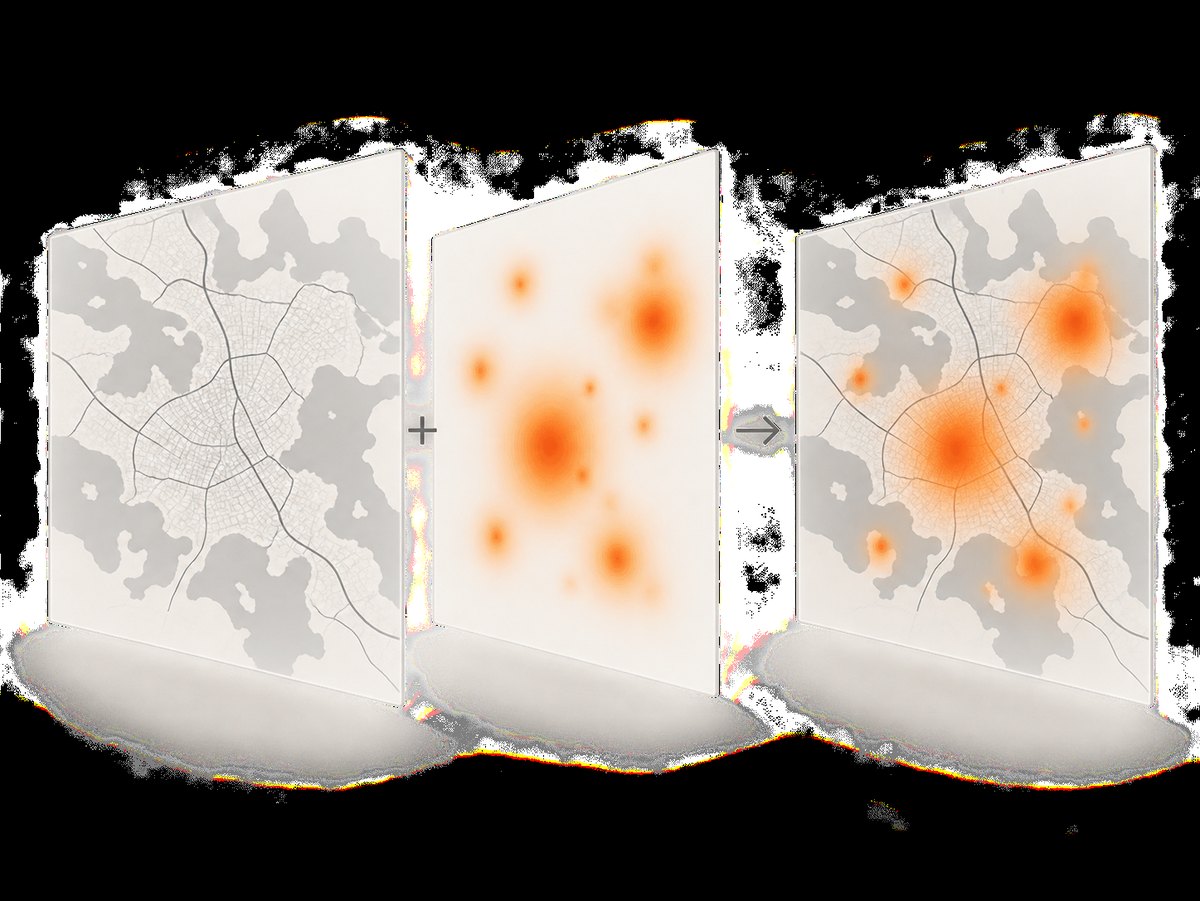
A heatmap canvas often contains only colored pixels with transparent areas. To produce one image, draw the basemap export first and the heatmap second at the same dimensions. You must align the surfaces: the map size, device-pixel ratio, zoom, and layer origin all need to match.
async function blobToImage(blob) {
  return createImageBitmap(blob);
}

async function compositeCanvases({ baseCanvas, heatmapCanvas, background = null }) {
  if (baseCanvas.width !== heatmapCanvas.width || baseCanvas.height !== heatmapCanvas.height) {
    throw new Error('Basemap and heatmap canvases have different pixel dimensions.');
  }

  const output = document.createElement('canvas');
  output.width = heatmapCanvas.width;
  output.height = heatmapCanvas.height;
  const context = output.getContext('2d');

  if (background) {
    context.fillStyle = background;
    context.fillRect(0, 0, output.width, output.height);
  }
  context.drawImage(baseCanvas, 0, 0);
  context.drawImage(heatmapCanvas, 0, 0);
  return output;
}

// Example when the basemap has already been rendered into a Canvas surface:
// const output = await compositeCanvases({ baseCanvas, heatmapCanvas });
// await downloadHeatmap(output);
If your basemap is made from DOM tiles, you need a separate rasterization step. leaflet-image can export Leaflet layers when tile and marker sources are CORS-capable and vectors use Canvas, but it excludes HTML-based map content and does not document support for an independent WebGL heatmap. Test it with your exact plugin before relying on it.
7. Exporting Leaflet layers with leaflet-image
Use this route only when its constraints match your map. Set Canvas rendering for vectors and ensure every image source is CORS-approved.
const map = L.map('map', { preferCanvas: true }).setView([40.72, -74.0], 11);
L.tileLayer('https://your-cors-enabled-tile-provider.example/{z}/{x}/{y}.png', {
  crossOrigin: true,
  attribution: 'Required provider attribution'
}).addTo(map);

leafletImage(map, (error, baseCanvas) => {
  if (error) {
    console.error('Basemap export failed', error);
    return;
  }

  // The WebGL heatmap is still a separate surface.
  const output = compositeCanvases({ baseCanvas, heatmapCanvas });
  output.toBlob(blob => {
    const url = URL.createObjectURL(blob);
    const link = document.createElement('a');
    link.href = url;
    link.download = 'map-with-heatmap.png';
    link.click();
    URL.revokeObjectURL(url);
  }, 'image/png');
});
8. CORS and canvas security
The MDN canvas CORS guide explains that drawing an image loaded from another origin without CORS approval taints the canvas. Once tainted, toDataURL(), toBlob(), and pixel reads are blocked.
| Symptom | Likely cause | Fix |
|---|---|---|
SecurityError on export |
A tile, marker, overlay, or image lacks CORS approval | Set crossOrigin before loading and use a provider that returns Access-Control-Allow-Origin |
| Basemap exports but heatmap is absent | The exporter does not know about the plugin’s WebGL canvas | Export the plugin canvas and composite it yourself |
| Legend or controls are missing | They are HTML elements outside the drawing surface | Render them separately or add them to the output canvas |
| Export is blank or stale | Capture ran before WebGL rendering completed | Use the plugin’s render signal and wait for animation frames |
Check every image that can reach the destination canvas, including custom markers, data overlays, and labels. One non-CORS image is enough to taint the final surface.
9. WebGL-specific edge cases
Preserve the drawing buffer
Some WebGL engines clear their drawing buffer after presenting a frame. Mapbox GL JS documents a preserveDrawingBuffer option that allows PNG export, but that documentation applies to Mapbox GL JS, not Leaflet plugins. Do not assume the option exists or has the same name in your heatmap plugin. Check the plugin’s WebGL context creation code before changing it.
Device-pixel ratio
A high-DPI display can make the canvas backing dimensions larger than its CSS size. Read canvas.width and canvas.height, not only getBoundingClientRect(), and use those same dimensions for every composited surface.
Animated heatmaps
Pause animation or capture at a known timestamp. Otherwise two layers can represent different frames. If the plugin updates data asynchronously, wait for its documented update completion signal after the final data mutation.
Context loss
Listen for webglcontextlost and report a retry path. A lost context cannot produce valid pixels until the plugin recreates its resources.
heatmapCanvas.addEventListener('webglcontextlost', event => {
  event.preventDefault();
  console.warn('WebGL context lost; wait for the plugin to rebuild before capturing.');
});
10. A complete capture button
document.querySelector('#save').addEventListener('click', async () => {
  try {
    await waitBeforeCapture(map, heatmapCanvas, pluginReady);
    await downloadHeatmap(heatmapCanvas);
  } catch (error) {
    console.error(error);
    alert(`Could not export the heatmap: ${error.message}`);
  }
});
Replace pluginReady with the promise or event adapter supplied by your plugin. If you need the basemap too, export it separately and pass both canvases to compositeCanvases().
11. Or skip the browser setup
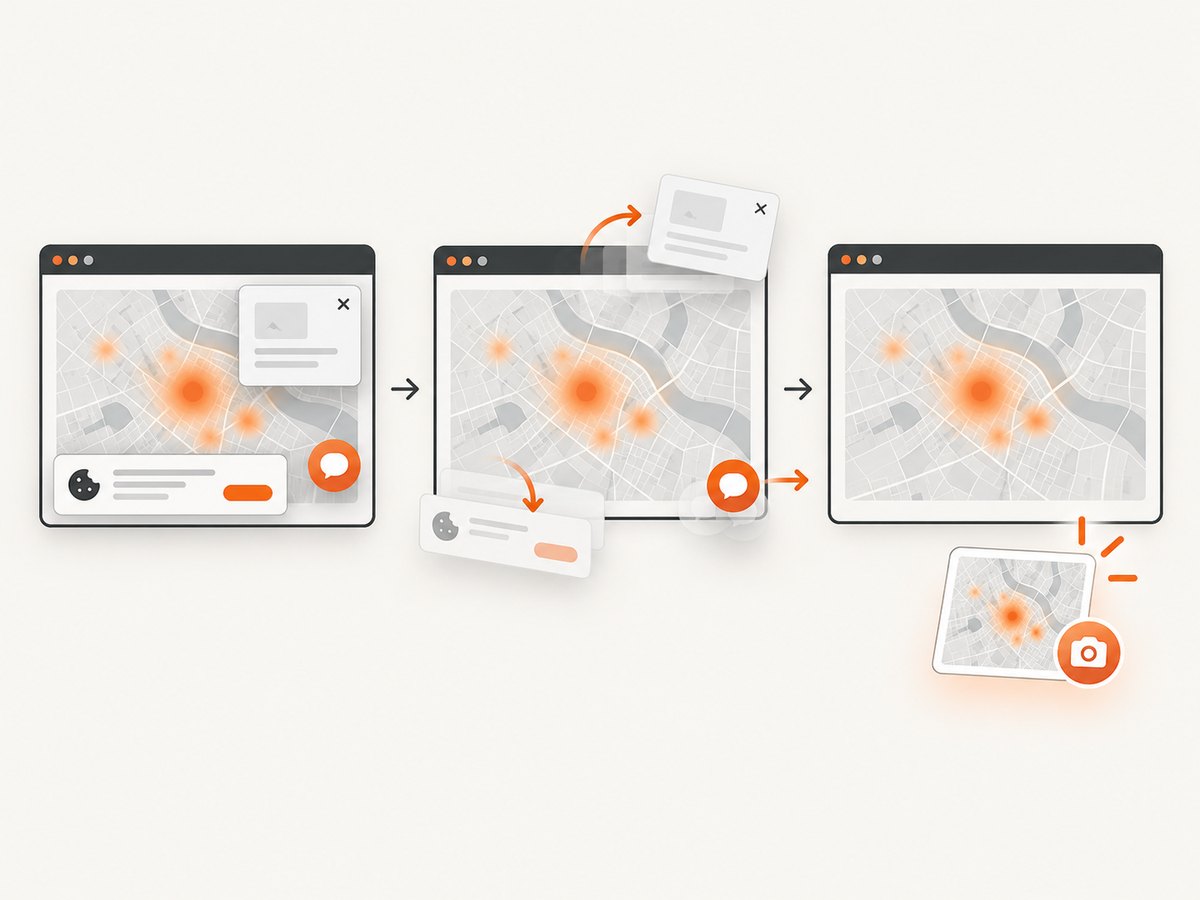
If your goal is a screenshot of a deployed Leaflet page, ScreenshotNeo can render the page and return an image or PDF from one request. It captures the page as a visitor sees it, so your heatmap must be initialized by the page itself.
See the ScreenshotNeo API documentation for request options.
curl -G 'https://api.screenshotneo.com/v1/shot' \
  -d access_key=YOUR_API_KEY \
  --data-urlencode url=https://your-domain.example/heatmap \
  -o heatmap.webp
import requests
r = requests.get(
'https://api.screenshotneo.com/v1/shot',
params={
'access_key': 'YOUR_API_KEY',
'url': 'https://your-domain.example/heatmap'
},
timeout=90,
)
r.raise_for_status()
open('heatmap.webp', 'wb').write(r.content)const q = new URLSearchParams({
access_key: 'YOUR_API_KEY',
url: 'https://your-domain.example/heatmap'
});
const res = await fetch(`https://api.screenshotneo.com/v1/shot?${q}`);
if (!res.ok) throw new Error(`Screenshot failed: ${res.status}`);
const image = Buffer.from(await res.arrayBuffer());
await fs.promises.writeFile('heatmap.webp', image);Cookie banners, newsletter popups, and chat widgets are removed before the shot. Bot checks, blank pages, failed loads, timeouts, and cache hits are not billed, and response headers identify the page verdict and billing status. An MCP server provides take_screenshot, get_page_info, and capture_pdf tools for Claude, Cursor, and other MCP clients. The Free plan includes 1,000 screenshots each month with no card; paid plans start at $5 for 3,000 screenshots. Create a free ScreenshotNeo account.
12. Performance, reliability, and cost
- Export at the actual output size. Upscaling a small WebGL canvas after capture cannot restore detail.
- Prefer
toBlob()over base64 when downloading or uploading large images. - Reuse a destination canvas for repeated captures to reduce allocations.
- Wait for one stable frame after map movement and data updates; repeated retries can capture inconsistent layers.
- Keep tile requests, custom overlays, and heatmap resources on CORS-approved origins.
- For server-side or batch work, a browser screenshot service avoids maintaining browser launch, font, WebGL, and timeout handling yourself. ScreenshotNeo supports caching with a chosen TTL, asynchronous jobs with signed webhooks, bulk capture of up to 100 URLs per call, and a usage API.
13. Troubleshooting checklist
- Confirm the plugin version and locate its actual WebGL canvas.
- Check that the canvas has nonzero backing dimensions.
- Wait for tile loading, heatmap rendering, and at least one painted frame.
- Verify every image source has CORS response headers.
- Check that basemap and heatmap canvases have identical pixel dimensions and origins.
- Draw HTML legends and controls separately if they belong in the final image.
- Inspect WebGL context loss and plugin errors before retrying.
- Preserve required map-provider attribution in the image or the surrounding published page.
14. FAQ
Can I call map.getContainer().toDataURL()?
No. The map container is a DOM element, not a canvas. Export the relevant canvas surfaces or use a browser screenshot.
Will preferCanvas: true include the WebGL heatmap?
No. It affects Leaflet vector rendering. A plugin-owned WebGL canvas still needs its own export and, usually, compositing.
Why does the same code work locally but fail in production?
Production tiles, markers, or overlays may come from another origin without the CORS headers your local setup had. Inspect the actual network responses.
Can a canvas exporter include my legend?
Only if the legend is drawn into a canvas. HTML controls and legends must be rasterized or recreated during compositing.
Should I use PNG or JPEG?
Use PNG for transparent heatmap pixels and sharp labels. Use JPEG when a smaller opaque photograph-like output matters more than transparency.


