How to Capture a Modal With html2canvas
Capture a visible modal with html2canvas, fix cropping and missing images, export a sharp PNG, and compare a browserless ScreenshotNeo workflow.
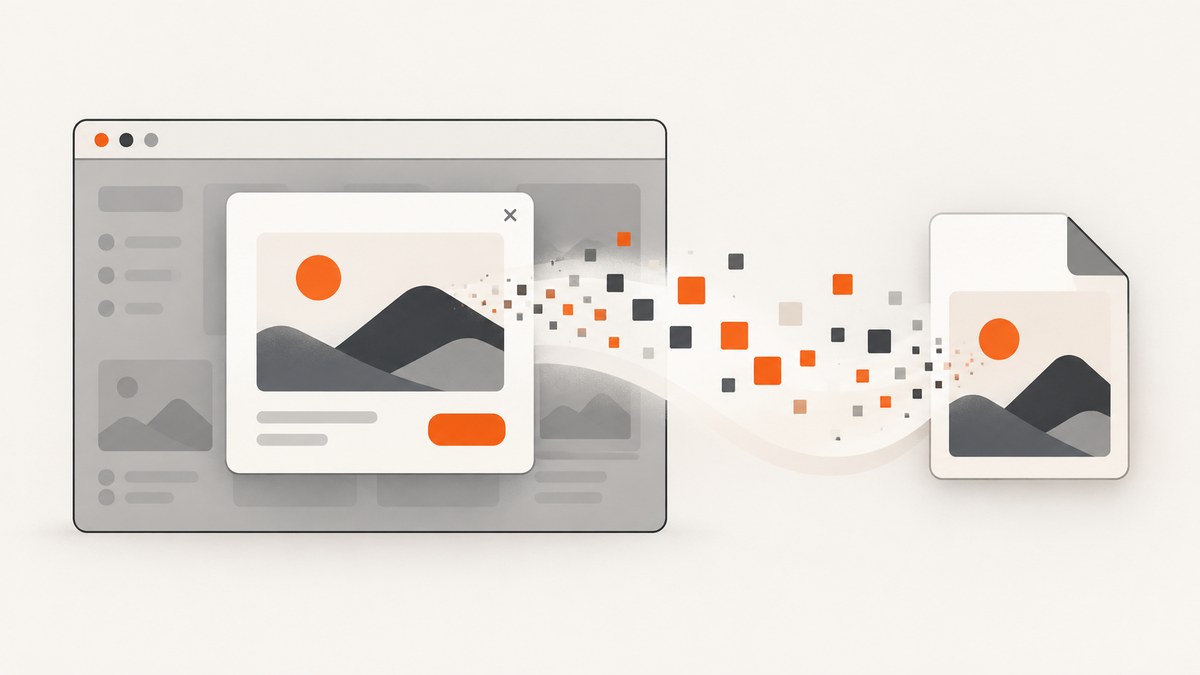
Direct answer: select the modal element after it is visible and fully laid out, then pass it to html2canvas(). The function reconstructs the element’s DOM and CSS in a browser canvas; it does not take a native operating-system screenshot. Export the returned canvas with toBlob() or toDataURL().
import html2canvas from '@html2canvas/html2canvas';

const modal = document.querySelector('#my-modal');
if (!modal) throw new Error('Modal was not found');

const canvas = await html2canvas(modal, {
  backgroundColor: null,
  scale: window.devicePixelRatio,
  useCORS: true,
  windowWidth: modal.scrollWidth,
  windowHeight: modal.scrollHeight,
});

canvas.toBlob((blob) => {
  if (!blob) return;
  const url = URL.createObjectURL(blob);
  const link = document.createElement('a');
  link.href = url;
  link.download = 'modal.png';
  link.click();
  URL.revokeObjectURL(url);
}, 'image/png');
Install the package with npm install @html2canvas/html2canvas. The official project documentation covers browser-side usage and the supported configuration surface.
1. How html2canvas captures a modal
html2canvas reads the selected element, its descendants, and computed styles, then paints an approximation into a <canvas>. The result is useful for previews, downloads, reports, and client-side sharing. Because it reconstructs the DOM, browser security rules still apply: cross-origin images and iframe content cannot be read unless the resource server permits it or you route the asset through a proxy.
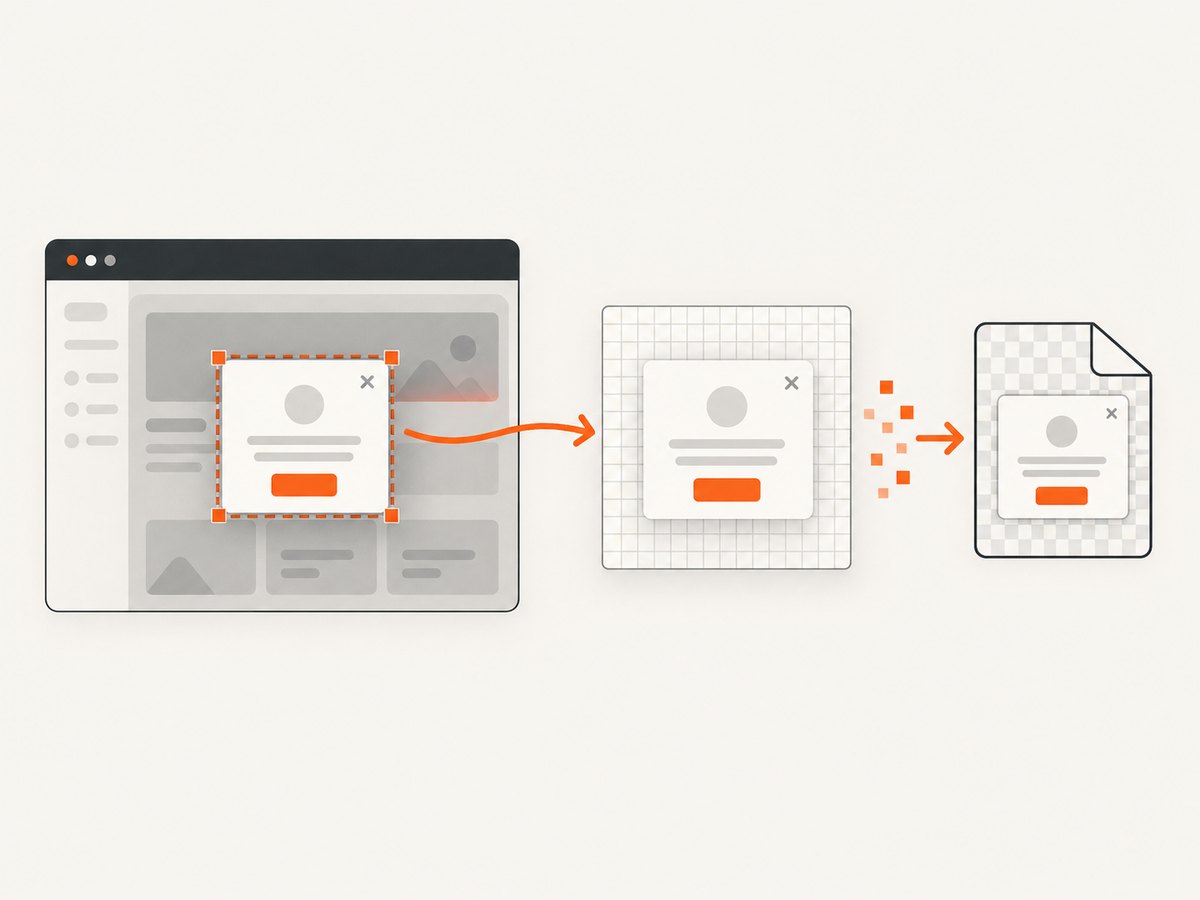
Capture the modal root rather than document.body. A modal root usually contains the dialog panel and its content without unrelated page navigation. Give the root a stable selector or framework ref:
<div id="my-modal" role="dialog" aria-modal="true">
  <h2>Invoice details</h2>
  <img src="/assets/invoice.png" alt="Invoice preview">
  <button data-html2canvas-ignore>Close</button>
</div>
The data-html2canvas-ignore attribute excludes a child from the render. Use it for close buttons, copy controls, focus traps, or other transient UI that should not appear in the exported image.
2. A complete browser implementation
The following page waits for a visible modal, captures it, and downloads a PNG. It also handles a missing element and a failed Blob conversion.
import html2canvas from '@html2canvas/html2canvas';

async function downloadModal() {
  const modal = document.querySelector('#my-modal');
  if (!modal) throw new Error('Open the modal before capturing it');

  const style = getComputedStyle(modal);
  if (style.display === 'none' || style.visibility === 'hidden') {
    throw new Error('The modal must be visible before capture');
  }

  // Let the browser finish layout, fonts, and a pending animation frame.
  await new Promise(requestAnimationFrame);

  const canvas = await html2canvas(modal, {
    backgroundColor: null,
    scale: Math.min(window.devicePixelRatio || 1, 2),
    useCORS: true,
    allowTaint: false,
    windowWidth: modal.scrollWidth,
    windowHeight: modal.scrollHeight,
    scrollX: window.scrollX,
    scrollY: window.scrollY,
    onclone: (clonedDocument) => {
      const clonedModal = clonedDocument.querySelector('#my-modal');
      clonedModal?.classList.add('capture-mode');
    },
  });

  const blob = await new Promise((resolve) =>
    canvas.toBlob(resolve, 'image/png')
  );
  if (!blob) throw new Error('The browser could not encode the canvas');

  const downloadUrl = URL.createObjectURL(blob);
  const link = document.createElement('a');
  link.href = downloadUrl;
  link.download = 'modal.png';
  document.body.appendChild(link);
  link.click();
  link.remove();
  URL.revokeObjectURL(downloadUrl);
}

document.querySelector('#capture-modal')?.addEventListener('click', () => {
  downloadModal().catch(console.error);
});
onclone lets you change only the cloned document. For example, .capture-mode can remove an animation, force a background color, or reveal content that is hidden only during the normal interaction. Those changes do not alter the live modal.
PNG, JPEG, WebP, Blob, and data URLs
Use toBlob() for a file download or upload because it avoids keeping a large base64 string in memory. Use toDataURL('image/png') when an API specifically requires an inline data URL:
const dataUrl = canvas.toDataURL('image/png');
previewImage.src = dataUrl;
PNG preserves transparency and sharp text. JPEG is smaller for photographic content but has no transparency and introduces compression artifacts. WebP can be a good size-quality compromise when your target browsers and downstream tools support it:
canvas.toBlob((blob) => upload(blob), 'image/webp', 0.9);3. Layout options for fixed and scrollable dialogs
Modal positioning is the most common reason an output is cropped. A fixed dialog may be positioned relative to the viewport, while its content can be taller than the visible panel. Match the virtual capture window to the modal’s scroll dimensions when you need the complete content.
| Option | Use it when | Notes |
|---|---|---|
windowWidth |
The modal’s width or horizontal content is clipped | Try modal.scrollWidth |
windowHeight |
A tall dialog is cut off | Try modal.scrollHeight |
scrollX, scrollY |
The modal is fixed or the page is scrolled | Start with the current window offsets |
scale |
You need high-DPI output | Higher values consume more memory |
backgroundColor |
You need transparency or a forced background | null preserves transparency |
useCORS |
Images come from another origin | Works only with permitted CORS headers |
allowTaint |
You accept a canvas that may not be exportable | Keep false when you need a file |
If the dialog has an internal scrolling region, decide whether you want the visible viewport or all content. For all content, temporarily set the cloned scroller’s height to its scroll height in onclone and capture the modal root. This avoids changing the user’s live scroll position.
4. Make the modal ready before capture
- Open it. Do not capture a hidden node with
display:none; there is no layout to reconstruct. - Stop motion. Wait for the opening transition, or disable transitions in the cloned document.
- Wait for assets. Use an explicit image or font readiness check when the content loads asynchronously.
- Capture the stable root. Select the dialog panel, not the page backdrop, unless the backdrop is part of the intended result.
- Exclude controls. Add
data-html2canvas-ignoreto close, copy, and resize buttons.
await document.fonts?.ready;
await Promise.all(
  [...modal.querySelectorAll('img')].map((img) =>
    img.complete
      ? Promise.resolve()
      : new Promise((resolve) => {
          img.addEventListener('load', resolve, { once: true });
          img.addEventListener('error', resolve, { once: true });
        })
  )
);
This waits for fonts and image requests without making a failed image block forever. For a modal populated by a framework, call the capture function after the state update has rendered, not in the same synchronous event handler that opens it.
5. Images, CORS, and iframes
Same-origin images normally work. For an image hosted on another origin, useCORS:true is necessary but not sufficient: the image server must send an appropriate Access-Control-Allow-Origin header. If it does not, the browser prevents html2canvas from safely reading the pixels. Configure the image host, serve the asset from your own origin, or use a CORS proxy for external images.
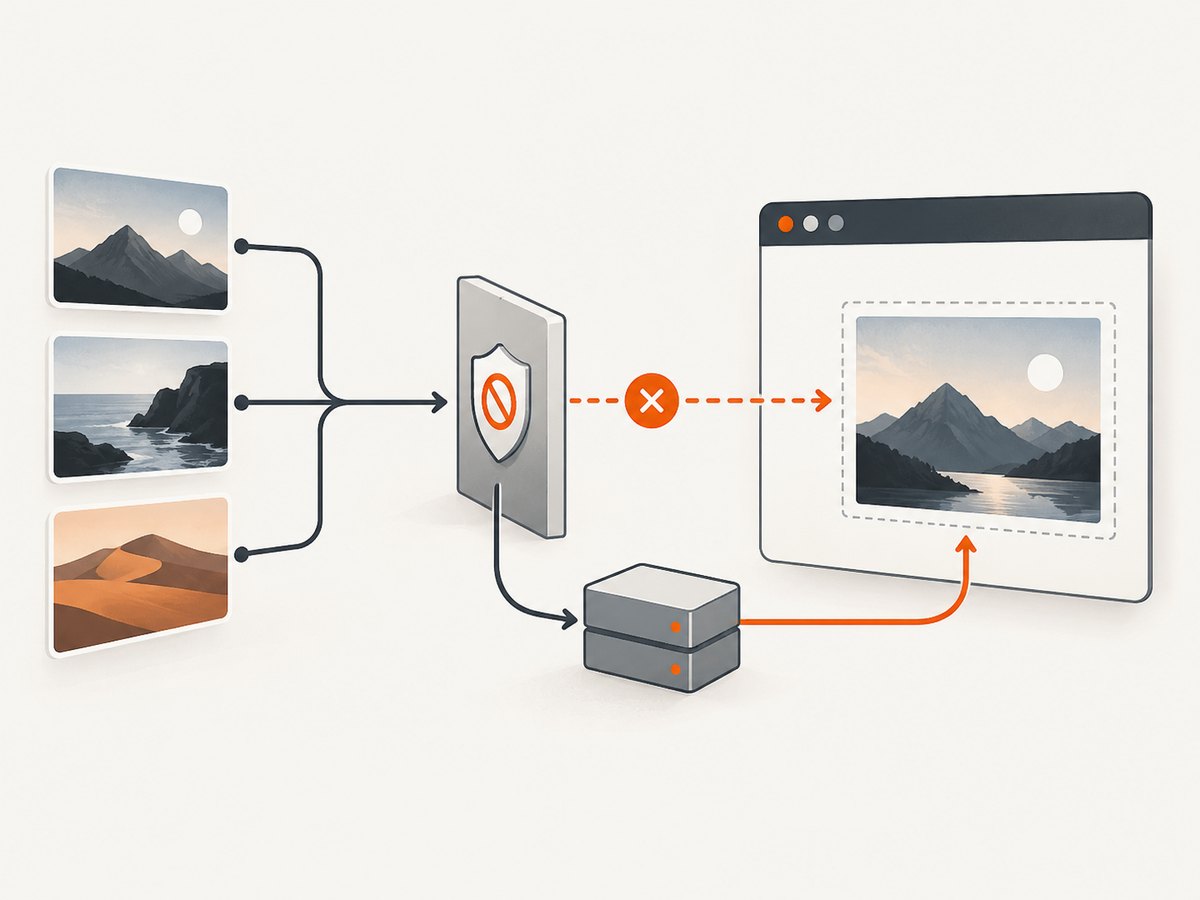
A cross-origin iframe is a stronger boundary. html2canvas cannot inspect arbitrary content inside it. Ask the iframe application to render its own export, proxy the content under an origin you control, or use a server-side browser capture for the complete page.
// The image server must opt in with CORS for this to be readable.
const canvas = await html2canvas(modal, {
  useCORS: true,
  allowTaint: false,
});
6. Why the modal is blank, cropped, or visually different
Blank or partially rendered canvas
Inspect canvas.width and canvas.height before exporting. Very large canvases can exceed browser or device limits and become blank or partial without a useful exception. Reduce scale, capture a smaller region, or split a very tall modal into sections. Mobile devices generally have less memory available for large pixel buffers.
Cropped fixed-position modal
Pass the correct scroll offsets and set the virtual window dimensions from the modal’s scroll dimensions. Also verify that the modal is visible in the cloned render; a CSS rule that depends on a parent outside the selected root can change its position.
Missing images or a tainted canvas
Check the image response headers. If the server does not permit your origin, useCORS cannot bypass the browser. Keep allowTaint:false when you need toBlob or toDataURL; fix hosting or use a proxy.
CSS does not match the live modal
html2canvas supports many common CSS properties but is not a native screenshot engine. Complex filters, unusual transforms, blend modes, and some layout effects may differ. Test the exact browsers you support and simplify or override unsupported effects in onclone.
Buttons and overlays appear in the file
Add data-html2canvas-ignore to each transient control, or use an ignore predicate for a class of elements:
const canvas = await html2canvas(modal, {
  ignoreElements: (element) =>
    element.matches('.close-button, .copy-button, .toast'),
});
7. Performance, reliability, and cost considerations
- Pixel count drives memory. A 2x scale multiplies both dimensions and produces roughly four times as many pixels as 1x. Cap the scale for large dialogs.
- Capture after idle. Avoid running several captures during animation or while a modal is being edited. Queue requests and release object URLs after downloads.
- Keep the selection small. Capturing the dialog root is faster and more predictable than cloning the entire document.
- Expect browser variance. Font loading, canvas limits, and CSS support vary by browser and device. Add a fallback message when encoding fails.
- Client-side privacy. The reconstruction happens in the user’s browser, so the pixels do not need to leave the page unless you upload the resulting Blob.
html2canvas itself has no per-capture service charge; your costs are browser CPU, memory, and any storage or upload service you add. For very large pages, protected resources, repeatable server output, or jobs that must run without a user’s browser, a server-side screenshot API is usually simpler.
8. Or skip the browser setup
For a URL-level capture, ScreenshotNeo provides a single GET request that returns PNG, JPEG, WebP, or PDF. See the ScreenshotNeo API documentation for the complete option list. This captures the rendered page rather than selecting a DOM node inside your current application, so it is useful when the modal is reachable by URL or can be opened by configured interaction.
curl -G "https://api.screenshotneo.com/v1/shot" \
  -d access_key=YOUR_API_KEY \
  --data-urlencode url=https://stripe.com \
  -o shot.webp
import requests
r = requests.get(
"https://api.screenshotneo.com/v1/shot",
params={"access_key": "YOUR_API_KEY", "url": "https://stripe.com"},
timeout=90,
)
r.raise_for_status()
open("shot.webp", "wb").write(r.content)const q = new URLSearchParams({ access_key: 'YOUR_API_KEY', url: 'https://stripe.com' });
const res = await fetch(`https://api.screenshotneo.com/v1/shot?${q}`);
if (!res.ok) throw new Error(`Screenshot failed: ${res.status}`);
const bytes = Buffer.from(await res.arrayBuffer());
require('node:fs').writeFileSync('shot.webp', bytes);ScreenshotNeo removes cookie and consent banners, newsletter popups, and chat widgets before capture. Bot checks, blank pages, timeouts, failed loads, and cache hits are not billed, and the response identifies the result with X-Page-Verdict and X-Billed headers. It also supports element selectors, custom JavaScript and CSS, clicks before capture, waits, headers, cookies, user agents, authorization, device presets, viewport and retina settings, blocking rules, caching, signed links, asynchronous webhooks, bulk capture, PDFs, HTML/CSS rendering, and an MCP server with take_screenshot, get_page_info, and capture_pdf for AI agents.
The Free plan includes 1,000 screenshots per month with no card. Paid plans start at $5 for 3,000 shots; every feature is available on every plan. Create a free ScreenshotNeo account.
9. Choosing between html2canvas and a screenshot API
| Requirement | html2canvas | ScreenshotNeo |
|---|---|---|
| Capture one live DOM node | Direct selector or framework ref | Use selector and page options from an API call |
| Cross-origin assets | Requires CORS or a proxy | Rendered by the capture service |
| User’s current unsaved state | Natural fit | Requires a reachable URL or scripted setup |
| Repeatable server jobs | Requires your own browser runner | HTTP, async, bulk, and webhook workflows |
| Native page fidelity | DOM/CSS reconstruction | Browser page capture |
Use html2canvas when the modal exists only in the current client state and you need an immediate local Blob. Use ScreenshotNeo when you want a hosted capture pipeline, page cleanup, PDFs, signed public images, scheduled or bulk jobs, or AI-agent access through MCP.
10. FAQ
Can html2canvas capture a modal that is outside the viewport?
It can capture laid-out content, but fixed and scrollable layouts need matching virtual window dimensions and scroll offsets. For extremely tall content, split the capture.
How do I keep the modal background transparent?
Set backgroundColor:null and ensure no ancestor or modal rule paints an opaque background.
Why is text blurry?
Increase scale, commonly to the device pixel ratio, then reduce it if memory use or canvas limits become a problem.
Can I capture a React or Vue modal?
Yes. Pass the DOM node from a ref after the component has rendered and its assets are ready.
Can I save a JPEG instead of PNG?
Yes. Pass 'image/jpeg' to toBlob and a quality value such as 0.9; transparency will be lost.
When should I use a server-side capture?
Choose one when the page must render consistently without a user’s browser, contains cross-origin resources you cannot configure, or needs bulk, PDF, webhook, or scheduled processing.


